Yes! You can use AI to fill out Designated Beneficiary Plan Agreement
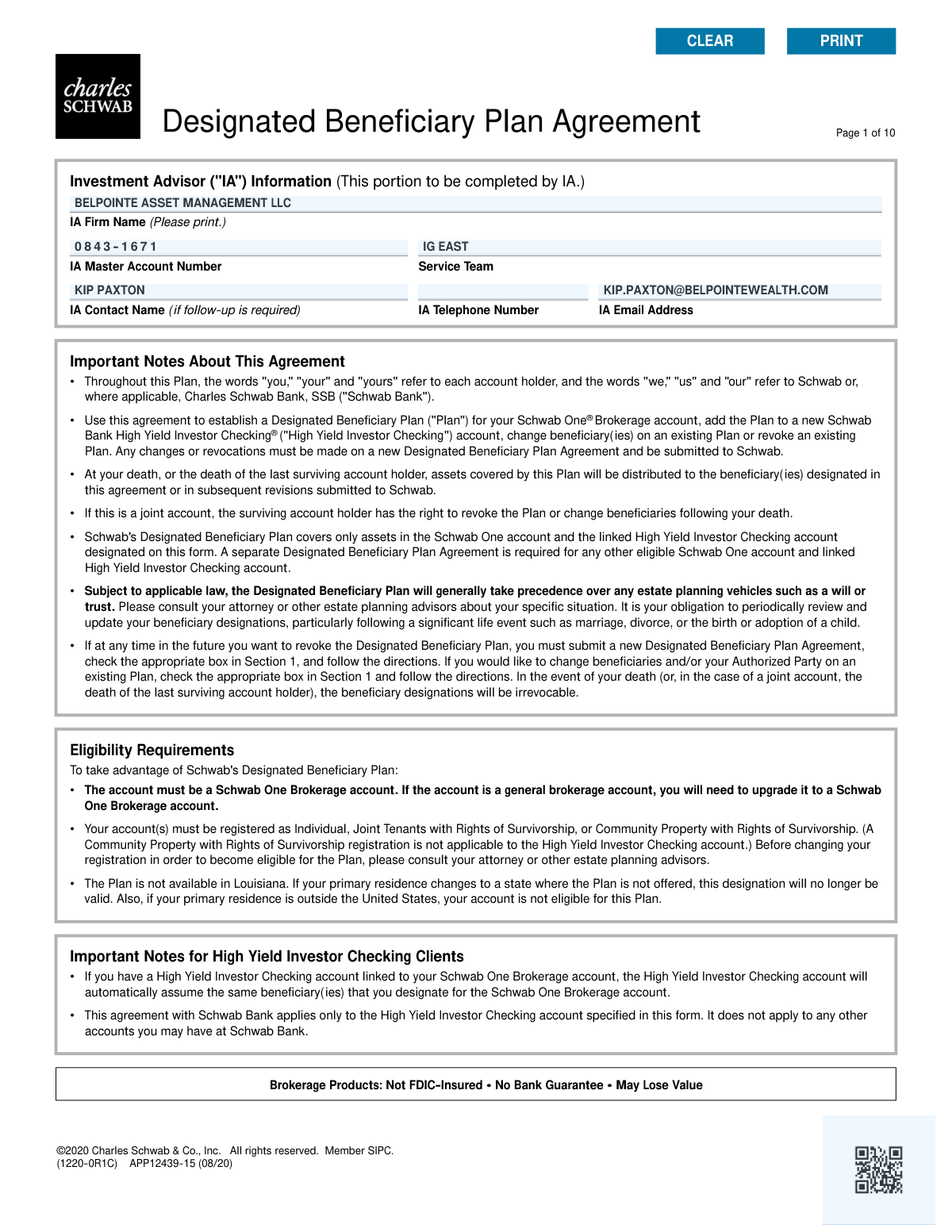
This form is a legal agreement with Charles Schwab & Co., Inc. that allows an account holder to designate beneficiaries to receive the assets in their Schwab One and linked checking accounts upon their death. This arrangement, also known as Transfer on Death (TOD) or Payable on Death (POD), helps ensure assets are distributed directly to the intended individuals, often bypassing the probate process. Today, this form can be filled out quickly and accurately using AI-powered services like Instafill.ai, which can also convert non-fillable PDF versions into interactive fillable forms.
APP12439-15 is part of the
beneficiary forms category on Instafill.
Rather not fill this in by hand? Instafill is an online form filler that completes PDF forms automatically — upload the blank form, answer a few questions, and the AI fills every field.
Form specifications
| Form name: | Designated Beneficiary Plan Agreement |
| Number of pages: | 1 |
| Language: | English |
Our AI automatically handles information lookup, data retrieval, formatting, and form filling.
It takes less than a minute to fill out APP12439-15 using our AI form filling.
Securely upload your data. Information is encrypted in transit and deleted immediately after the form is filled out.
Instafill Demo: How to fill out PDF forms in seconds with AI
How to Fill Out APP12439-15 Online for Free in 2026
Are you looking to fill out a APP12439-15 form online quickly and accurately? Instafill.ai offers the #1 AI-powered PDF filling software of 2026, allowing you to complete your APP12439-15 form in just 37 seconds or less.
Follow these steps to fill out your APP12439-15 form online using Instafill.ai:
- 1 Navigate to Instafill.ai and upload or select the Designated Beneficiary Plan Agreement form.
- 2 In Section 1, indicate the action you are taking, such as adding a new plan, changing beneficiaries, or revoking an existing plan.
- 3 Complete Section 2 with your personal details, account registration type, and the Schwab One Brokerage and High Yield Investor Checking account numbers.
- 4 In Section 5, provide detailed information for your primary and contingent beneficiaries, including their names, relationship, contact information, and the percentage of assets they should receive.
- 5 Optionally, choose a per stirpes or per capita distribution method in Section 4 and apply it to your beneficiaries in Section 5.
- 6 Designate an Authorized Party in Section 6 who can assist Schwab in identifying your beneficiaries after your death.
- 7 Review all the information you've entered for accuracy, then electronically sign and date the form in Section 8 to finalize the agreement.
Our AI-powered system ensures each field is filled out correctly, reducing errors and saving you time.
Why Choose Instafill.ai for Your Fillable APP12439-15 Form?
Speed
Complete your APP12439-15 in as little as 37 seconds.
Up-to-Date
Always use the latest 2026 APP12439-15 form version.
Cost-effective
No need to hire expensive lawyers.
Accuracy
Our AI performs 10 compliance checks to ensure your form is error-free.
Security
Your personal information is protected with bank-level encryption.
Frequently Asked Questions About APP12439-15
This form allows you to name beneficiaries who will inherit the assets in your Schwab One Brokerage account and linked High Yield Investor Checking account upon your death. You can also use it to change or revoke existing beneficiary designations.
You must have a Schwab One Brokerage account registered as an Individual, Joint Tenants with Rights of Survivorship, or Community Property with Rights of Survivorship. The plan is not available to residents of Louisiana or those whose primary residence is outside the U.S.
No, this agreement only covers the specific Schwab One Brokerage account and any linked High Yield Investor Checking account listed on the form. You must submit a separate form for each eligible Schwab One account you wish to include.
You must complete and submit a new Designated Beneficiary Plan Agreement form, checking the box in Section 1 to 'Change beneficiaries.' Life events like divorce do not automatically update your beneficiaries, so it is crucial to submit a new form to reflect your current wishes.
Both options determine how assets are distributed if a beneficiary predeceases you, passing their share to their children. The main difference appears if all your named beneficiaries pass away; per stirpes divides assets by family branch, while per capita divides them equally among all the beneficiaries' living children.
An Authorized Party is a person you name to help Schwab identify your beneficiaries after your death, which is required if you choose a per stirpes or per capita distribution. This person does not manage the account but simply helps ensure your assets are distributed correctly.
You should designate a custodian in Section 7 to manage the assets for the minor under the Uniform Transfers to Minors Act (UTMA). If you don't, a court-appointed guardian may be required, which can be a more complex and costly process.
Yes, if you have a joint account, the surviving account holder has the right to change beneficiaries or revoke the plan entirely after your death. The assets only transfer to the beneficiaries after the last surviving account holder passes away.
To revoke the plan, you must fill out a new Designated Beneficiary Plan Agreement, check the 'Revoke an existing Plan' box in Section 1, and complete Sections 2 and 8. The revocation is only effective once Schwab receives the signed form.
You will need to provide each beneficiary's full name, relationship to you, Social Security or Tax ID number, and date of birth. For trusts or organizations, you'll need the full name and Tax ID number.
Yes, for the specific accounts covered by this agreement, the beneficiary designations on this form will generally take precedence over instructions in your will or trust. It is important to consult an estate planning advisor to ensure your overall plan is consistent.
Yes, services like Instafill.ai use AI to accurately auto-fill form fields, which can save you time and help reduce errors. This is especially useful for forms with repetitive information.
You can use a service like Instafill.ai to easily fill out the form online. Simply upload the PDF, and the tool will make the fields interactive for you to type in your information, which you can then save or print.
If you have a non-fillable or 'flat' PDF, you can use a tool like Instafill.ai to convert it into an interactive, fillable form. This allows you to type your answers directly onto the document instead of printing and filling it out by hand.
Compliance APP12439-15
Validation Checks by Instafill.ai
1
Exclusive Agreement Action Selection
This check ensures that only one checkbox is selected in Section 1, 'Agreement Action'. The user must choose to either add a new plan, add a plan to a new checking account, change beneficiaries, or revoke a plan. Selecting multiple actions creates ambiguity and makes the form's intent impossible to process, so the submission will be rejected until a single action is chosen.
2
Revocation Path Logic
If the 'Revoke an existing Plan' option is checked in Section 1, this validation verifies that only Section 2 (Account Information) and Section 8 (Account Holder Authorization) are completed. This is important for process efficiency and to prevent accidental changes to beneficiaries when the intent is solely to revoke the plan. If other sections are filled, the form will be flagged for review to confirm the user's intent.
3
Primary Residence Eligibility Check
This validation confirms that the account holder's primary residence, as indicated in Section 2, is not in Louisiana and is within the United States. The form explicitly states that the Designated Beneficiary Plan is not available in Louisiana or for residents outside the U.S. If the address indicates ineligibility, the form submission must be rejected as the account does not qualify for the plan.
4
Physical Address Requirement
This check verifies that the 'Home Street Address' fields in Section 2 (Account Holder) and Section 6 (Authorized Party) do not contain 'P.O. Box' or similar text. A physical address is required for legal and identity verification purposes. A submission with a P.O. Box will be rejected and the user will be prompted to provide a valid physical street address.
5
Conditional Signature for Joint Accounts
This validation ensures that if the 'Type of Registration' in Section 2 is 'Joint Tenants with Rights of Survivorship' or 'Community Property with Rights of Survivorship', then all required 'Additional Account Holder Signature' fields in Section 8 are signed and dated. All account holders must consent to beneficiary changes. A missing signature will render the agreement invalid and the submission will be incomplete.
6
Primary Beneficiary Portion Summation
This check calculates the sum of all 'Portion %' fields for the Primary Beneficiaries listed in Section 5. The total must equal exactly 100%. This is critical to ensure the complete and unambiguous distribution of assets. If the sum is not 100%, the form will be rejected, and the user must correct the percentages.
7
Contingent Beneficiary Portion Summation
This check calculates the sum of all 'Portion %' fields for the Contingent Beneficiaries listed in Section 5. If any contingent beneficiaries are designated, their portions must sum to exactly 100%. This ensures that if primary beneficiaries are not available, the assets can still be distributed completely and as intended. A mismatch will cause the form to be rejected for correction.
8
Beneficiary Type Exclusivity
For each beneficiary in Section 5, this validation ensures that information is entered for either an individual (First, Middle, Last Name) or an entity (Trust/Organization/Estate), but not both. This prevents data conflicts and clarifies the legal identity of the beneficiary. A form with both fields filled for a single beneficiary will be flagged for correction.
9
Per Stirpes/Capita Restriction for Entities
This validation confirms that if a beneficiary's 'Relationship' in Section 5 is 'Trust,' 'Organization,' or 'Estate,' the 'Per Stirpes/Per Capita Distribution' option is not set to 'Yes'. These distribution methods apply only to individual descendants and are not legally applicable to entities. Selecting 'Yes' for an entity is a logical error and will cause the form to be rejected.
10
SSN/Tax ID Number Format
This check validates that the 'Social Security/Tax ID Number' for each beneficiary in Section 5 is in a valid format (e.g., 9 digits, potentially with hyphens like XXX-XX-XXXX for an SSN or XX-XXXXXXX for a TIN). Correct identification numbers are essential for tax reporting and asset distribution. An invalid format will halt processing until a valid number is provided.
11
Date of Birth/Trust Date Validity
This validation ensures the 'Date of Birth/Trust Date' in Section 5 is a valid, correctly formatted (mm/dd/yyyy) date that is not in the future. This date is crucial for identifying the beneficiary and determining if they are a minor, which has legal implications for asset distribution. An invalid or future date will result in a validation error.
12
Minor Beneficiary Custodian Requirement
This check cross-references the 'Date of Birth' in Section 5 with the current date to identify any minor beneficiaries. If a minor is found, it validates that Section 7 ('Directions for Distribution(s) of Assets to Minor Beneficiaries') is completed. Failing to designate a custodian can lead to legal complications and court appointments, so an incomplete Section 7 will cause the form to be rejected.
13
Conditional Authorized Party Requirement
This validation checks if 'Per Stirpes' or 'Per Capita' has been selected for any beneficiary in Section 5. If so, it ensures that Section 6 ('Designate an Authorized Party') is fully completed. The firm requires an Authorized Party to help identify heirs for these distribution types, so a missing designation will make the form incomplete and cause it to be rejected.
14
Account Holder and Beneficiary Non-Identity
This check verifies that the account holder(s) listed in Section 2 are not also listed as a primary or contingent beneficiary in Section 5. An individual cannot be a beneficiary to their own account upon their own death. This is a logical impossibility that would cause legal and processing failures, so the submission would be rejected.
Common Mistakes in Completing APP12439-15
Users often make calculation errors when assigning percentage portions to beneficiaries, failing to ensure the total adds up to exactly 100% for each category (Primary and Contingent). This can happen due to simple math mistakes or misunderstanding the instructions. If the percentages are incorrect or left blank, the form may be delayed or the assets may be distributed equally by default, which might not reflect the account holder's true intentions. To avoid this, double-check all calculations before submission; AI-powered tools like Instafill.ai can automatically validate that percentages sum correctly.
Many people focus solely on naming Primary Beneficiaries and leave the Contingent Beneficiary section blank, assuming their primary choices will outlive them. However, in the event of a common accident or if all primary beneficiaries predecease the account holder, the absence of contingent beneficiaries causes the assets to be paid to the estate. This forces the assets through the potentially lengthy and costly probate process, delaying distribution and overriding the primary benefit of a TOD/POD account. Always name at least one contingent beneficiary as a backup.
It is common for filers to provide incomplete information for beneficiaries, such as missing a Social Security Number (SSN), date of birth, or using a nickname instead of a full legal name. This often happens when the filer doesn't have the information readily available. Incomplete or inaccurate data can make it extremely difficult for Schwab to locate and positively identify the beneficiary upon the account holder's death, leading to significant delays, legal costs, and potential disputes. Always gather and enter the full, correct legal details for each person named.
The concepts of 'per stirpes' and 'per capita' are complex, and the form's two-step process for selecting them is prone to error. Users may fail to check the main box in the optional section, or check the main box but forget to apply it to individual beneficiaries, leading to confusion. This can result in an asset distribution to grandchildren that is contrary to the account holder's wishes. To prevent this, carefully read the examples and ensure your selections in both parts of Section 5 are consistent. If you are unsure, consulting an estate planner is recommended.
When an account holder names a minor as a beneficiary in Section 5, they often overlook the critical corresponding step in Section 7 to designate a custodian under the UTMA/UGMA. If a custodian is not named, the assets cannot be transferred directly to the minor. This forces the inheritance into a court-supervised guardianship, which is a time-consuming, public, and expensive legal process that could have been easily avoided. If naming a minor, always complete Section 7 to appoint a trusted custodian.
The form explicitly states that all account holders must sign in Section 8 for the agreement to be valid. For joint accounts, it's a frequent oversight for one owner to sign but neglect to get the signature of the other owner. This single missing signature will invalidate the entire beneficiary designation, meaning the form will be rejected and no changes will be made. Ensure all parties listed on the account sign and date the form.
People often skip Section 6, 'Designate an Authorized Party,' viewing it as optional or unimportant. However, this person plays a crucial role in helping Schwab identify beneficiaries, especially if a per stirpes or per capita election was made. Failing to name an Authorized Party can cause significant delays and complications in asset distribution, as Schwab may need to wait for a court-appointed estate representative to provide the necessary verification. Always designate a reliable Authorized Party to streamline the process for your heirs.
Simple data entry mistakes, like transposing digits in the Schwab One Brokerage or High Yield Investor Checking account numbers in Section 2, are very common. This can happen due to haste or misreading the number from a statement. An incorrect account number can cause the beneficiary plan to be rejected or, worse, applied to the wrong account, leaving the intended assets without a proper beneficiary designation. Using a tool like Instafill.ai can help prevent this by securely storing and accurately populating account numbers.
In Section 1, users must select only one action, such as 'Add a new Plan' or 'Change beneficiaries.' People sometimes check the wrong box, for instance, selecting 'Add' when they already have a plan and intend to 'Change' it. This can lead to the rejection of the form or unintended consequences, like creating a duplicate, conflicting instruction rather than updating an existing one. Carefully read each option to ensure you are instructing Schwab to perform the correct action on your account.
The form specifies 'no P.O. boxes' for the home street address of the account holder and the Authorized Party, yet people frequently enter one out of habit. Financial institutions require a physical address for identity verification and legal compliance purposes. Submitting a form with a P.O. Box in a required physical address field will lead to its rejection and delay the processing of your beneficiary designations. Always provide a valid, physical residential address where requested.
This form is a flat, non-fillable PDF, which forces users to print it and fill it out by hand, leading to common errors like illegible handwriting, smudges, or mistakes that require reprinting the entire 10-page document. This manual process is inefficient and frustrating. To avoid this, you can use a service like Instafill.ai, which can convert any flat PDF into a smart, fillable form, allowing you to type your information cleanly, save progress, and prevent manual entry mistakes.
Saved over 80 hours a year
“I was never sure if my IRS forms like W-9 were filled correctly. Now, I can complete the forms accurately without any external help.”
Kevin Martin Green
Your data stays secure with advanced protection from Instafill and our subprocessors




Robust compliance program
Transparent business model
You’re not the product. You always know where your data is and what it is processed for.
ISO 27001, HIPAA, and GDPR
Our subprocesses adhere to multiple compliance standards, including but not limited to ISO 27001, HIPAA, and GDPR.
Security & privacy by design
We consider security and privacy from the initial design phase of any new service or functionality. It’s not an afterthought, it’s built-in, including support for two-factor authentication (2FA) to further protect your account.
Fill out APP12439-15 with Instafill.ai
Worried about filling PDFs wrong? Instafill securely fills designated-beneficiary-plan-agreement-2 forms, ensuring each field is accurate.
