
Yes! You can use AI to fill out Fidelity Investment-Only (Non-Prototype) Retirement Account Application
Don't type 188 fields by hand. Tell our AI about yourself, or upload a document you already have, and it fills every field in seconds. You check it, then download, print or sign.
The AI does the filling. You just check it.
No typing into boxes, nothing to install.
What this form asks for
The AI fills all of it, from your answers or your documents.
Let AI fill out your NP-BKAPP-1022
No typing. Every field filled in seconds, checked, ready to sign.
How to Fill Out NP-BKAPP-1022 Online for Free in 2026
What the AI walks you through.
- Navigate to Instafill.ai and upload or select the Fidelity Non-Prototype Retirement Account Application.
- Use the AI assistant to complete Section 1: Account Setup, providing details about the plan, its structure, and the sponsoring company.
- Enter the required personal and financial information for all Plan Trustees as prompted by the system, including contact details, citizenship, and employment status.
- Fill out Section 2: Financial Profile, by selecting the investment objectives and financial details that represent the company's profile.
- In Section 3: Funding Your Account, specify the method for the initial deposit, such as by check, wire transfer, or from another account.
- Choose desired Account Features in Section 4, such as checkwriting or margin credit, and provide any necessary interested party information.
- Review all auto-filled information for accuracy, then have all trustees electronically sign the application in Section 5 to complete and submit it.
Common Mistakes in Completing NP-BKAPP-1022
The ones the AI is built to catch.
Forgetting to Attach Required Plan Documents
Incorrectly Selecting the Plan Structure (Option A vs. B)
Using a P.O. Box for a Permanent Address
Missing Signatures from All Required Trustees
Incomplete Information for Foreign Citizen Trustees
Confusing Personal and Plan Financial Profiles
Not Attaching Supplemental Forms for Added Features
Using a Digital or Stamped Signature Instead of Ink
Overlooking Financial Industry Association Disclosures
Providing an Invalid or Expired Government ID
Frequently Asked Questions About NP-BKAPP-1022
Is it really free for 7 days?
Can I fill other forms too?
How do I cancel?
How does the AI fill out NP-BKAPP-1022?
What happens to my information?
How complex is NP-BKAPP-1022 to fill out?
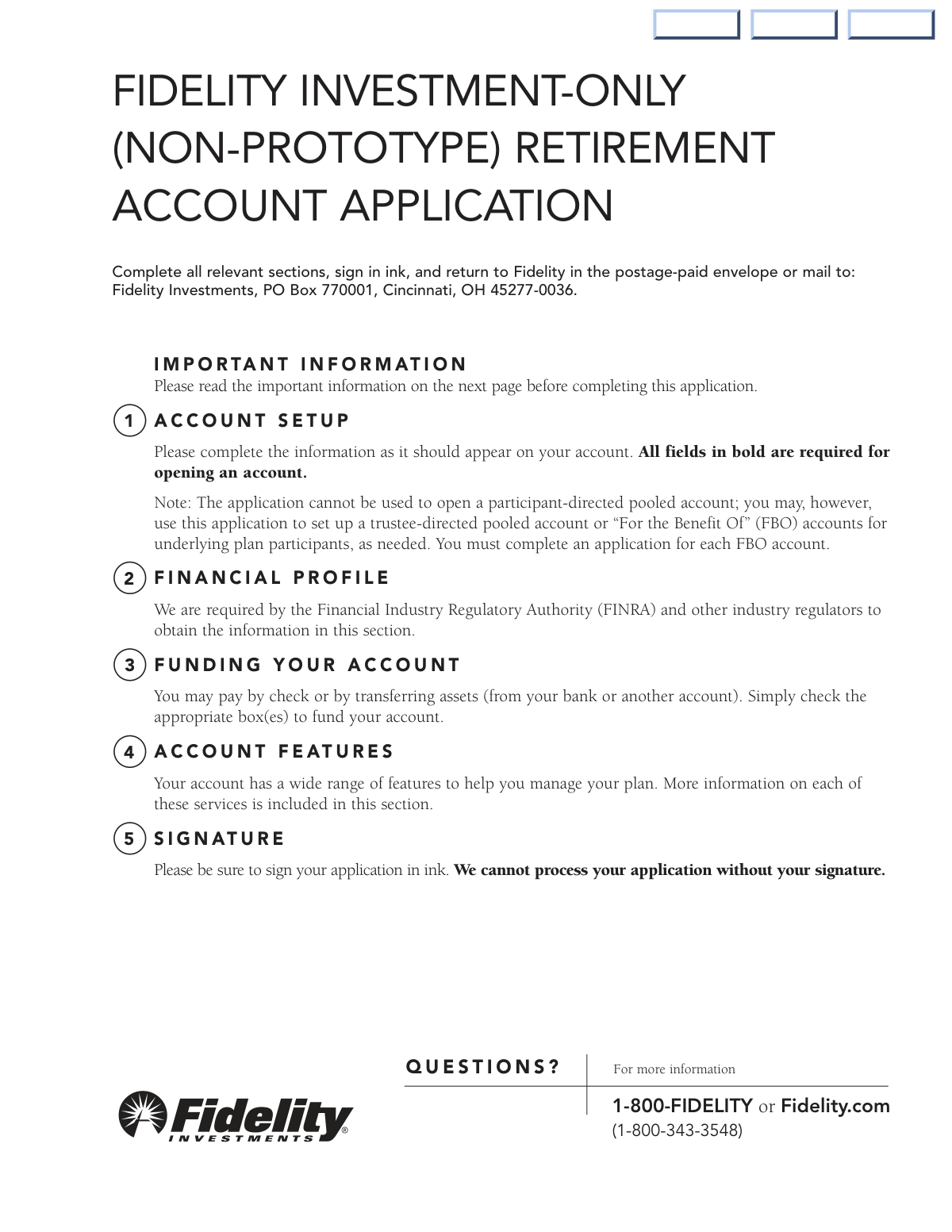
What is the Fidelity Non-Prototype Retirement Account Application used for?
Who needs to complete this form?
What documents do I need to submit with this application?
What is the difference between a 'trustee-directed pooled account' (Option A) and an 'FBO account' (Option B)?
My plan has more than two trustees. How do I provide their information?
How can I fund my new retirement account?
What happens to my cash if I don't choose a specific investment right away?
Where do I send the completed application?
Can I allow a plan participant to make trades in their own account?
What is a common reason for application processing delays?
Why do I need to provide the plan's financial profile in Section 2?
Can I use AI to help me fill out this form?
How can I use Instafill.ai to complete this application online?
The PDF I downloaded isn't fillable. What can I do?
Get your NP-BKAPP-1022 filled out by AI
$0 today. Cancel before Nov 1 and you pay nothing.
Other forms like this one
retirement forms: Form SSA-1-BK, Application for Retirement Benefits, Form 8880, Credit for Qualified Retirement Savings Contributions, Nationwide Retirement Solutions Participant Distribution Request Form (PNF-0875M9, TRAC Version, 01/2025), Nationwide Retirement Solutions Participant Distribution Request Form (PNF-0875M9, TRAC Version, 01/2025), Momentum Wealth Retirement Income Option Application (WIS060E), Fidelity Investment-Only (Non-Prototype) Retirement Account Application, One-Time Withdrawal — Defined Contribution Retirement Plan, Fidelity One-Time Withdrawal Form — Nonretirement, One-Time Withdrawal – Investment-Only (Non-Prototype) Retirement Account, Automatic Withdrawals—Defined Contribution Retirement Plan, Fidelity Automatic Withdrawals — Nonretirement, Beneficiaries — Nonretirement Transfer on Death, The Church of the Nazarene 403(b) Retirement Savings Plan Beneficiary Designation Form, Beneficiaries – Defined Contribution Retirement Plan, Transfer Shares as a Gift — Nonretirement, Schwab Personal Choice Retirement Account® (PCRA) Limited Power of Attorney (LPOA) Form For a Participant, Vanguard Asset Transfer Authorization Form for the Emory University Retirement Plan, Retirement Transfer Between Existing Vanguard Accounts, Gift of Nonretirement Assets to Existing Vanguard Account Form, Vanguard Taking a Loan from Your Retirement Plan
investment forms: Form 3468, Investment Credit, Form 8960, Net Investment Income Tax, How to Transfer Assets from Morgan Stanley to Fidelity Investments (Fidelity Stock Plan Services Guide), Fidelity Investments Transfer/Rollover/Exchange Form, Fidelity Investments Standing Transfer Instructions Form, One-Time Withdrawal – IRA, Fidelity Investments, Fidelity Investments Transfer/Rollover Form, Special Tax Notice: Your Rollover Options - Fidelity Investments, Fidelity Investment-Only (Non-Prototype) Retirement Account Application, Fidelity Investments® Beneficiary Distribution Form, Fidelity Investments Distribution Form, One-Time Withdrawal – Investment-Only (Non-Prototype) Retirement Account, Fidelity Investments Withdrawal — One-Time, Fidelity Investments Withdrawals—529 College Savings Plan, Fidelity Investments Change of Account Ownership — Mutual Fund Only Accounts, Fidelity Investments 403(b) Beneficiary Designation, Fidelity Investments Qualified Plan Beneficiary Designation, Fidelity Investments 403(b)/401(a) Beneficiary Designation, Fidelity Investments Qualified Plan Beneficiary Designation, Fidelity Investments Earnings Automatic Withdrawal Plan — IRA
investment account forms: Fidelity Investment-Only (Non-Prototype) Retirement Account Application, One-Time Withdrawal – Investment-Only (Non-Prototype) Retirement Account, Fidelity Investments Change of Account Ownership — Mutual Fund Only Accounts, HSA Bank Investment Account Transfer Form, Voya Investment Management Traditional, Roth, Rollover, and SEP Individual Retirement Account (IRA) Application and Adoption Agreement, Voya Investment Management Account Maintenance Form (Includes Substitute Form W-9), U.S. Bancorp Investments Account Transfer Form, Fidelity Investments Account Application/Enrollment Form and Beneficiary Designation, Fidelity Investments 403(b) Custodial Account Application, New York Life Investments Funds Individual Retirement Account Application and NYLIFE Securities LLC Investor Profile, 529 Plan Account Application, 529 Plan Account Transfer Form, Account Application for Merrill West Virginia Residents - The Hartford SMART529, Account Opening Form for Professional Clients (Institutions, Companies, Intermediaries and Eligible Counterparties), Action Required Letter of Authorization - Merrill Lynch, AwardChoice Limited Individual Investor Account Form, Beneficiary Designation Form - Merrill Lynch, BlackRock IRA Rollover Certification Form, BlackRock New Account Application For Non-Retirement Accounts, Bolton Global Capital Journal Request (Form AS0020)
retirement account forms: Fidelity Investment-Only (Non-Prototype) Retirement Account Application, One-Time Withdrawal – Investment-Only (Non-Prototype) Retirement Account, Schwab Personal Choice Retirement Account® (PCRA) Limited Power of Attorney (LPOA) Form For a Participant, Retirement Transfer Between Existing Vanguard Accounts, Gift of Nonretirement Assets to Existing Vanguard Account Form, Inherited Retirement Account Beneficiary Identification Form, Account Reduction Loan Application 401(a) Plan, Electrical Workers Local Union No. 369 Retirement Plan, 401(k) Retirement Account Conversion to Empower Frequently Asked Questions, Housing Agency Retirement Trust Form #190, Request to Withdraw a Rollover Account, ADP Retirement Services: Your retirement account and the C.A.R.E.S. Act, ADP IMPORTANT INFORMATION: Your retirement account and the C.A.R.E.S. Act, Request for a Qualified Charitable Distribution (QCD) from a Brokerage Individual Retirement Account (IRA), Request for qualified charitable distribution from individual retirement account, Request for a Charitable Distribution from an Individual Retirement Account (IRA), Voya Investment Management Traditional, Roth, Rollover, and SEP Individual Retirement Account (IRA) Application and Adoption Agreement, Individual Retirement Account (IRA) Distribution Request Form, SIMPLE Individual Retirement Account (IRA) Distribution Request Form, Authorization to transfer funds from a bank retirement account, Qualified Retirement Plan and 403(b)(7) Custodial Account Distribution Request Form, Individual Retirement Account (IRA) — Qualified Charitable Distribution Form
investment application forms: Fidelity Investment-Only (Non-Prototype) Retirement Account Application, SEC Application for an Order under Section 17(b) of the Investment Company Act of 1940 (File No. 812-11000), Voya Investment Management Traditional, Roth, Rollover, and SEP Individual Retirement Account (IRA) Application and Adoption Agreement, Fidelity Advisor Investment-Only Retirement Plan Master Application, Options Application - Fidelity Investments, Fidelity Investments Account Application/Enrollment Form and Beneficiary Designation, Fidelity Investments 403(b) Custodial Account Application, Fidelity Charitable Investment Advisor Program Application, Application form for Trust investment, Pomona Investment Fund Investor Initial Application (Class A & Class I Shares), BlackRock Private Investments Fund Subscription Agreement and Application, Pomona Investment Fund Investor Subsequent Application (Class A & Class I Shares), Application Form Franklin Templeton Investment Funds, New York Life Investments Funds Individual Retirement Account Application and NYLIFE Securities LLC Investor Profile, Corporate Investor Application and Agreement - SEI, Northern Trust Institutional Investor Application, Vanguard Wholesale Funds - Application Form – Associations, Vanguard Wholesale Funds - Application Form – Companies, Application Form: Individual Investor | Monthly Liquidity – Retail Hedge Fund
account application forms: Brokerage Corestone Account Application, Schwab One® Account Application for Personal Accounts, Fidelity Investment-Only (Non-Prototype) Retirement Account Application, Schwab IRA Account Application, Individual 401(k) Account Application, Account Reduction Loan Application 401(a) Plan, Electrical Workers Local Union No. 369 Retirement Plan, Account Reduction Loan Application 403(b) Plan, Account Reduction Loan Application 401(a) Plan, Voya Investment Management Traditional, Roth, Rollover, and SEP Individual Retirement Account (IRA) Application and Adoption Agreement, Form F1C, Account Application Supplemental, Form 3115, Application for Change in Accounting Method, Fidelity Advisor IRA Application for Automatic Rollover Accounts, Fidelity Advisor Entity New Account Application, Fidelity Mutual Fund Account Application, Fidelity Institutional CHET Advisor 529 Plan New Account Application, Fidelity Investments Account Application/Enrollment Form and Beneficiary Designation, Organizational Giving Account® Application, Fidelity Investments 403(b) Custodial Account Application, Charles Schwab IRA Account Application, Schwab One® Account Application for Incorporated Organizations
UK investment forms: Triple Point Venture VCT plc | Investor Application Form, Form 3468, Investment Credit, Form 8960, Net Investment Income Tax, How to Transfer Assets from Morgan Stanley to Fidelity Investments (Fidelity Stock Plan Services Guide), Fidelity Investments Transfer/Rollover/Exchange Form, Fidelity Investments Standing Transfer Instructions Form, One-Time Withdrawal – IRA, Fidelity Investments, Fidelity Investments Transfer/Rollover Form, Special Tax Notice: Your Rollover Options - Fidelity Investments, Fidelity Investment-Only (Non-Prototype) Retirement Account Application, Fidelity Investments® Beneficiary Distribution Form, Fidelity Investments Distribution Form, One-Time Withdrawal – Investment-Only (Non-Prototype) Retirement Account, Fidelity Investments Withdrawal — One-Time, Fidelity Investments Withdrawals—529 College Savings Plan, Fidelity Investments Change of Account Ownership — Mutual Fund Only Accounts, Fidelity Investments 403(b) Beneficiary Designation, Fidelity Investments Qualified Plan Beneficiary Designation, Fidelity Investments 403(b)/401(a) Beneficiary Designation, Fidelity Investments Qualified Plan Beneficiary Designation
Let AI fill out your NP-BKAPP-1022
Your trial starts once a card is added. You pay nothing before Nov 1.
Our AI already knows this form, all 188 fields of it. Skip the typing: tell it about yourself, or upload what you have, and it fills the whole form in seconds.
- AI fills every field on all 9 pages, checkboxes included
- No typing into boxes: answer a few questions, or upload a document you already have, an old copy of this form, a photo of a document
- The AI checks the answers; you review and change anything before you download
- Download the finished PDF, print it, or sign it online
- Encrypted, and never used to train AI
Cancel before Nov 1 and you pay nothing.
A card is needed to start the trial. Cancel in two clicks from your account.
Terms · Privacy