Yes! You can use AI to fill out Form F10352, Authorization to Access TIAA Accounts
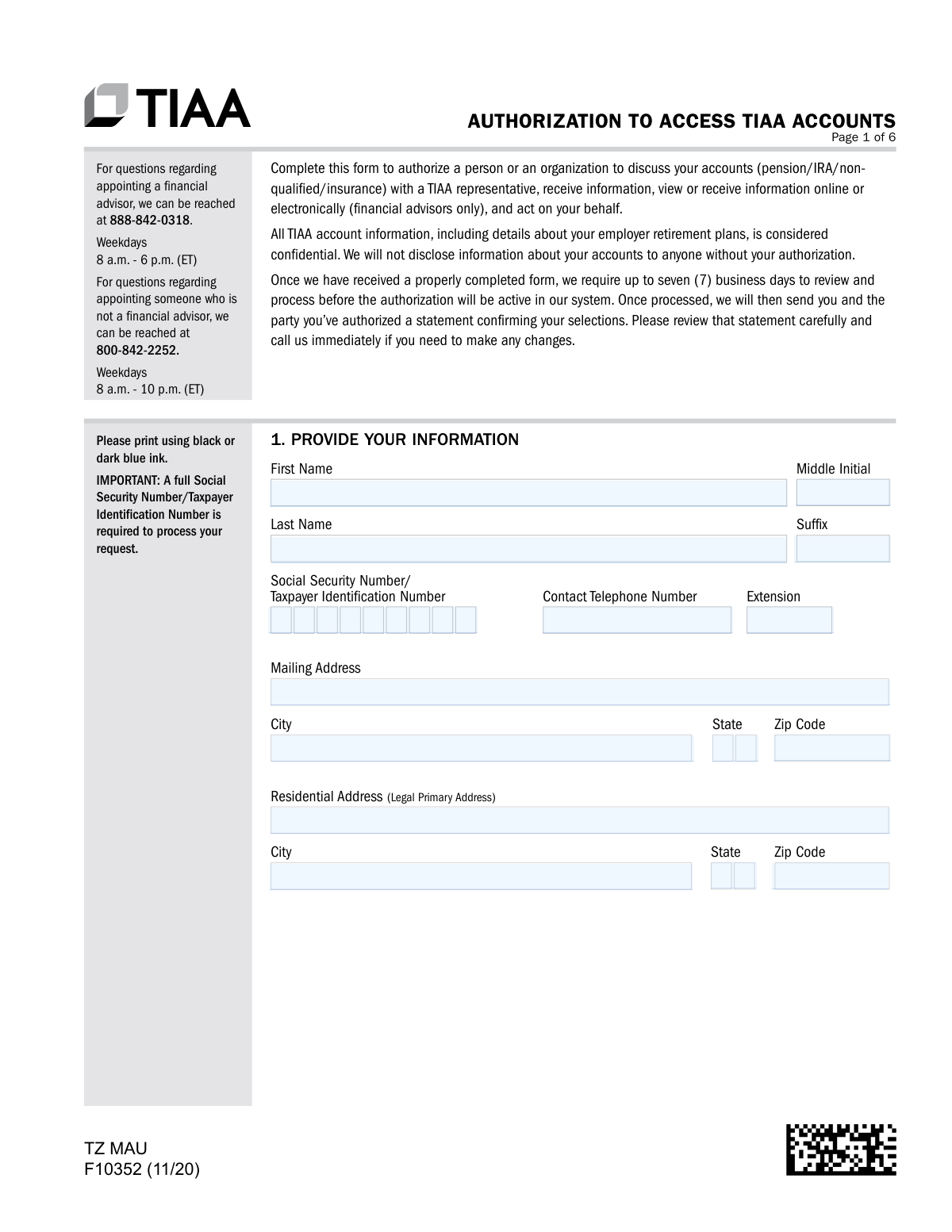
TIAA Form F10352, Authorization to Access TIAA Accounts, is a legal document used to grant a third party, such as a financial advisor, family member, or organization, permission to access your TIAA account information. This authorization is crucial because TIAA considers all account details confidential and will not disclose them without your explicit consent. Today, this form can be filled out quickly and accurately using AI-powered services like Instafill.ai, which can also convert non-fillable PDF versions into interactive fillable forms.
F10352 is part of the
authorization forms, TIAA forms, financial authorization forms, retirement account forms and account access forms categories on Instafill.
Rather not fill this in by hand? Instafill is an online form filler that completes PDF forms automatically — upload the blank form, answer a few questions, and the AI fills every field.
Form specifications
| Form name: | Form F10352, Authorization to Access TIAA Accounts |
| Number of pages: | 1 |
| Language: | English |
Our AI automatically handles information lookup, data retrieval, formatting, and form filling.
It takes less than a minute to fill out F10352 using our AI form filling.
Securely upload your data. Information is encrypted in transit and deleted immediately after the form is filled out.
Instafill Demo: How to fill out PDF forms in seconds with AI
How to Fill Out F10352 Online for Free in 2026
Are you looking to fill out a F10352 form online quickly and accurately? Instafill.ai offers the #1 AI-powered PDF filling software of 2026, allowing you to complete your F10352 form in just 37 seconds or less.
Follow these steps to fill out your F10352 form online using Instafill.ai:
- 1 Navigate to Instafill.ai and upload or select Form F10352, Authorization to Access TIAA Accounts.
- 2 Use the AI assistant to accurately fill in your personal information in Section 1, including your name, address, and Social Security Number.
- 3 In Section 2, specify whether you are authorizing a firm/organization (Option A) or an individual (Option B) and provide their required details.
- 4 Define the relationship of the authorized party to you in Section 3 and select the desired level of authorization (Inquiry Only, Limited Rights, or Full Power of Attorney) in Section 4.
- 5 Indicate the duration of the authorization in Section 5 and, if applicable, add any additional financial advisors in Section 6.
- 6 Carefully review all the information entered by the AI for accuracy, then provide your signature and the date in Section 8. If you selected Full Power of Attorney, this section must be notarized.
- 7 Download the completed form and submit it to TIAA via standard mail, overnight delivery, or fax as per the instructions on the form.
Our AI-powered system ensures each field is filled out correctly, reducing errors and saving you time.
Why Choose Instafill.ai for Your Fillable F10352 Form?
Speed
Complete your F10352 in as little as 37 seconds.
Up-to-Date
Always use the latest 2026 F10352 form version.
Cost-effective
No need to hire expensive lawyers.
Accuracy
Our AI performs 10 compliance checks to ensure your form is error-free.
Security
Your personal information is protected with bank-level encryption.
Frequently Asked Questions About F10352
This form allows you to grant a specific person or organization permission to discuss your TIAA accounts with a representative, receive information, and potentially act on your behalf.
Any TIAA account holder who wants to authorize another party, such as a financial advisor, spouse, or attorney, to have some level of access to their account information should complete this form.
Option A authorizes an entire organization, allowing any designated person from that firm to access your accounts. Option B grants access to only one specific person you name.
You can choose 'Inquiry Only' for viewing information, 'Limited Rights' to also allow transfers and exchanges, or 'Full Power of Attorney' for broader control, which requires an additional notarized form.
You must provide the full name and a Social Security Number (SSN) or Taxpayer Identification Number (TIN) for the individual or firm you are authorizing. This information is required to process the request.
Once TIAA receives the properly completed form, it can take up to seven business days to review and process the request. You will receive a confirmation statement once it is active.
You must complete a separate F10352 form for each individual you wish to authorize. If authorizing multiple financial advisors, you may be able to list them in Section 6 of a single form.
The authorization remains in effect indefinitely unless you specify an expiration date in Section 5 or submit a written request to TIAA to revoke it.
All revocations must be in writing. You can use this form by selecting Option C in Section 2 and completing Section 7 to specify which authorizations you want to cancel.
No, the form explicitly states that digital signatures are not accepted. You must physically sign the form using black or dark blue ink.
You can send the form via standard mail, overnight mail, or fax to the addresses and number listed on the final page. Note that forms granting Full Power of Attorney must be mailed and cannot be faxed.
Yes, services like Instafill.ai use AI to help you accurately auto-fill form fields with your information, which saves time and reduces the chance of errors.
To fill out the form online, you can use a service like Instafill.ai, which allows you to upload the PDF and complete all the fields digitally before printing it for your physical signature.
If you have a non-fillable or 'flat' PDF, you can upload it to a service like Instafill.ai. The platform can convert it into an interactive, fillable form that you can easily complete on your computer.
Compliance F10352
Validation Checks by Instafill.ai
1
Account Holder SSN/TIN Format and Presence
Validates that the Social Security Number or Taxpayer Identification Number in Section 1 is present and follows the correct format (XXX-XX-XXXX for SSN or XX-XXXXXXX for TIN). This number is critical for uniquely identifying the account holder and locating their accounts. If this field is missing or malformed, the entire authorization request cannot be processed.
2
Exclusive Authorization Option Selection
Ensures that the user has selected exactly one option from Section 2: Option A (Firm), Option B (Individual), or Option C (Revoke Only). Selecting multiple options or none at all creates ambiguity about the user's intent. A failure in this check would require the form to be returned to the user for clarification.
3
Conditional Completeness for Firm Authorization (Option A)
If Option A in Section 2 is selected, this check verifies that 'Firm Name', 'Taxpayer Identification Number', 'Primary Firm Contact Name', and 'Email of Primary Contact' are all completed. These fields are marked as required and are essential for identifying and communicating with the authorized organization. Missing information would prevent the authorization from being set up correctly.
4
Conditional Completeness for Individual Authorization (Option B)
If Option B in Section 2 is selected, this check verifies that 'Individual Name', 'Social Security Number', and 'Email of Individual' are all completed. These fields are marked as required and are necessary to properly identify, verify, and contact the specific person being granted access. The form cannot be processed for an individual without this core information.
5
Revocation-Only Logic (Option C)
Validates that if Option C (Revoke Authorization(s) ONLY) is selected in Section 2, then no new authorized party information is provided in Options A or B. It also checks that Section 7, which specifies which authorizations to revoke, is completed. This ensures that the form is used solely for revocation as intended, preventing accidental new authorizations.
6
Single Authorization Level Selection
Verifies that exactly one checkbox is selected in Section 4 (Level of Authorization). The user must choose between 'Inquiry Only', 'Limited Rights', or 'Full Power of Attorney'. Selecting multiple levels or none would make the scope of granted permissions unclear, halting the process until a single, clear choice is made.
7
Full Power of Attorney Documentation Check
If 'Full Power of Attorney/Fiduciary Rights' is selected in Section 4, this validation flags the submission to ensure an executed TIAA Power of Attorney form or its legal equivalent is attached. This is a critical legal requirement for granting such broad authority. If the document is missing, the authorization cannot be granted and the submission is incomplete.
8
Court-Appointed Representative Documentation Check
If 'Court-appointed Representative' is selected in Section 3, this check flags the submission for manual review to confirm that the appropriate legal documents (e.g., guardianship papers) have been included. TIAA cannot grant access to a court-appointed representative without legal proof of their status. Failure to provide these documents will result in the rejection of the request.
9
Valid Expiration Date
Checks that if an expiration date is provided in Section 5, it is in a valid MM/DD/YYYY format and is a date in the future. An invalid format or a past date would make the duration of the authorization nonsensical. This ensures the authorization term is clear and executable as intended.
10
Participant Signature and Date Presence
Verifies that the account holder has signed and dated the form in Section 8. A signature is legally required to execute the authorization, and the date establishes when the authorization was given. A missing signature or date invalidates the entire form, and it must be returned to the participant for completion.
11
Notarization Requirement for Full Power of Attorney
If 'Full Power of Attorney' is selected in Section 4, this check confirms that the 'Notary Public Certification' in Section 9 is fully completed. This includes the notary's signature, date, and seal (if applicable), which are legal necessities for validating a POA document. An incomplete or missing notarization renders the Power of Attorney invalid.
12
Power of Attorney Name Consistency
Validates that the name of the individual or firm appointed as the attorney-in-fact in the body text of Section 9 matches the name provided in Section 2 (Option A or B). A mismatch between these sections creates a legal ambiguity about who is being appointed. This discrepancy must be resolved before the Power of Attorney can be processed.
13
Valid Email Address Format
Checks that any email address provided (e.g., in Section 2 for the authorized party) follows a standard email format (e.g., [email protected]). This is important because email is a primary method of communication for confirmations and notifications. An invalid email address would lead to communication failures with the authorized party.
14
Financial Advisor Prerequisite for Section 6
Ensures that Section 6 (Additional Authorizations) is only filled out if 'Financial Advisor' is selected as the relationship in Section 3. The form explicitly states this section is for supporting a primary advisor relationship. Filling this section for a non-advisor party would be a misinterpretation of the form's intent and would require clarification.
Common Mistakes in Completing F10352
This form explicitly requires a physical, 'wet' ink signature and states that digital signatures are not accepted. In an increasingly digital world, people often default to using electronic signature tools like Adobe Acrobat, which is a common reason for rejection. This strict requirement is for legal and security validation. To avoid this, you must print the completed form and physically sign it by hand in black or dark blue ink before submitting.
Users often check the 'Full Power of Attorney' box in Section 4 but fail to complete and attach the separate, notarized Power of Attorney document detailed in Section 9. This level of authorization has significant legal weight and requires specific, original documentation. Submitting the form without the executed POA will result in the request being denied or processed at a lower authorization level, causing major delays. Always ensure the notarized POA form is included and that the entire package is mailed, not faxed, as instructed.
The form requires the account holder's full SSN or TIN in Section 1 and the authorized party's full SSN/TIN in Section 2. People may forget this information or be hesitant to write it down, but it is essential for TIAA to correctly identify all parties and process the request. Leaving these fields blank or providing an incomplete number is a guaranteed reason for the form to be rejected. To prevent this, double-check that all required ID numbers are entered correctly before submission; AI form-filling tools like Instafill.ai can help by flagging mandatory fields that have been missed.
A common point of confusion is whether to authorize an entire organization or a single person. Option A authorizes any designated person at a firm, while Option B authorizes only the specific individual named. A user wanting to authorize only their specific advisor, John Doe at ABC Financial, might incorrectly fill out Option A. This could grant access to unintended individuals at the firm. To avoid this, carefully read the descriptions in Section 2; if you want to grant authority to only one person, use Option B and list their employing firm if applicable.
If granting Full Power of Attorney, Section 9 must be completed by a Notary Public, and errors are common. Mistakes include the notary omitting their commission expiration date, failing to use their seal where required, or the account holder not signing in the physical presence of the notary. Any error in the notarization will invalidate the Power of Attorney and cause the entire form to be rejected. Before leaving the notary, carefully review their section to ensure all information is present, accurate, and legible.
The form provides both fax and mail submission options, but includes a critical exception that is often missed. If you select 'Full Power of Attorney' in Section 4, the instructions explicitly state that you must mail the original, notarized documents. Faxing a POA request is not permitted due to legal requirements for an original signature and notary seal. This mistake leads to automatic rejection and instructions to resubmit via mail, significantly delaying the process.
The form specifies using black or dark blue ink and printing clearly, as it is likely processed by an automated scanning system. Submissions with illegible handwriting or non-standard ink colors can be misread by the system or rejected by a human reviewer. This can lead to incorrect data entry or a complete failure to process the authorization. To prevent this, it is best to fill out the form on a computer before printing. If the PDF is not fillable, tools like Instafill.ai can convert it into an interactive form to ensure all entries are clear and legible.
The form is designed to authorize only one primary party (either one firm or one individual) per submission. The instructions in Section 2 clearly state, 'If you would like to name more than one person, a separate form should be filled out for each person.' Users sometimes try to write multiple names in the 'Individual Name' field, which invalidates the request. To authorize several different people who are not part of the same firm, you must complete and submit a separate, complete form for each one.
Section 7 allows you to either replace all existing authorizations or revoke a specific one, but users often fail to provide clear directions. For instance, they might check 'Replace/revoke the following authorized party' but neglect to write in the name of the party to be removed. This ambiguity forces TIAA to either guess the user's intent or, more likely, reject the form for clarification. To avoid this, be explicit: either select 'Replace/revoke all' to start fresh or clearly identify the specific party you wish to remove.
Saved over 80 hours a year
“I was never sure if my IRS forms like W-9 were filled correctly. Now, I can complete the forms accurately without any external help.”
Kevin Martin Green
Your data stays secure with advanced protection from Instafill and our subprocessors




Robust compliance program
Transparent business model
You’re not the product. You always know where your data is and what it is processed for.
ISO 27001, HIPAA, and GDPR
Our subprocesses adhere to multiple compliance standards, including but not limited to ISO 27001, HIPAA, and GDPR.
Security & privacy by design
We consider security and privacy from the initial design phase of any new service or functionality. It’s not an afterthought, it’s built-in, including support for two-factor authentication (2FA) to further protect your account.
Fill out F10352 with Instafill.ai
Worried about filling PDFs wrong? Instafill securely fills form-f10352-authorization-to-access-tiaa-accounts forms, ensuring each field is accurate.
