Yes! You can use AI to fill out Form F11645, Public Safety Officer Distribution Request
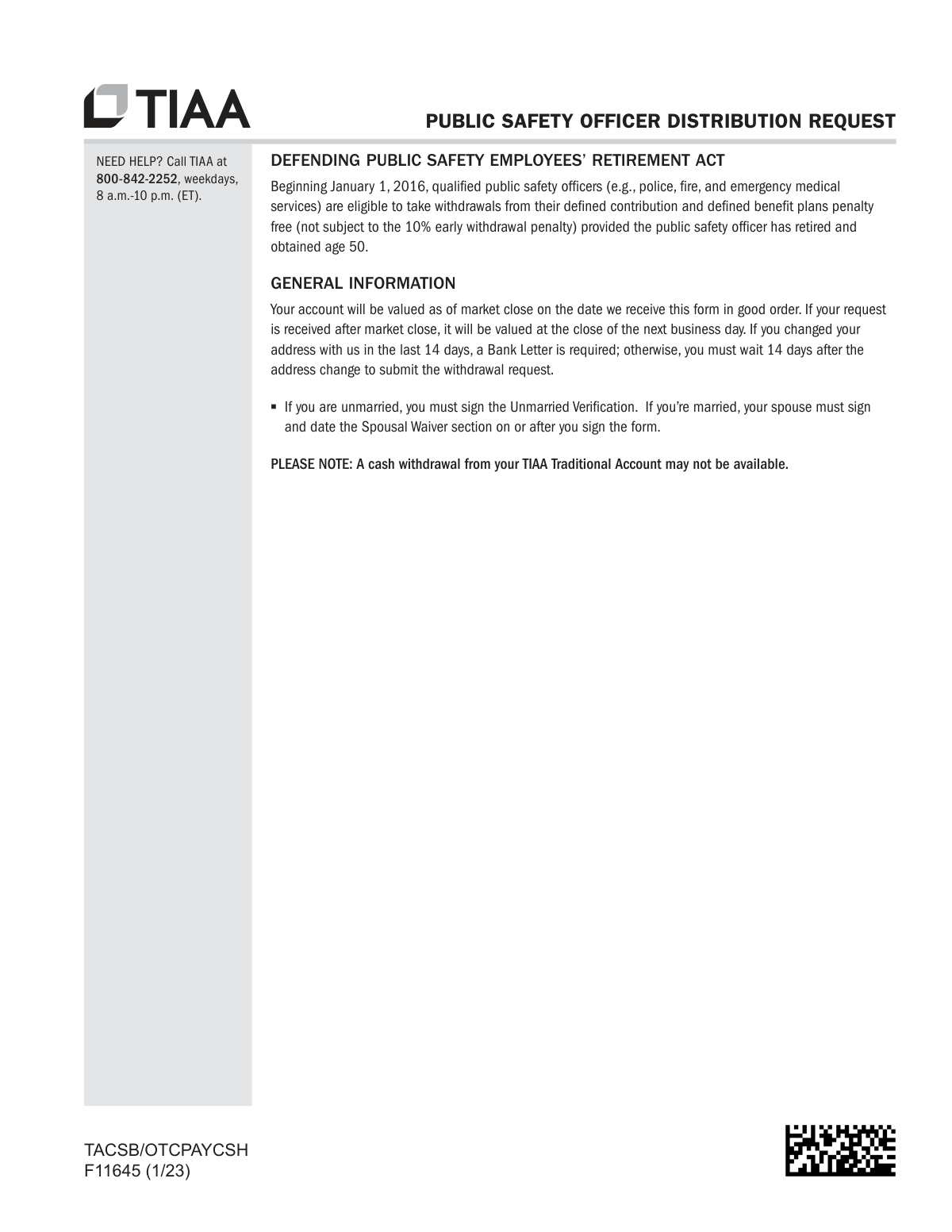
Form F11645, Public Safety Officer Distribution Request, is a TIAA document used by eligible public safety officers (such as police, fire, and emergency medical services personnel) to request distributions from their retirement accounts. This form is crucial for officers who have retired and reached age 50, as it allows them to take advantage of the Defending Public Safety Employees’ Retirement Act for penalty-free withdrawals. Today, this form can be filled out quickly and accurately using AI-powered services like Instafill.ai, which can also convert non-fillable PDF versions into interactive fillable forms.
F11645 is part of the
AFE forms, public safety forms and distribution request forms categories on Instafill.
Rather not fill this in by hand? Instafill is an online form filler that completes PDF forms automatically — upload the blank form, answer a few questions, and the AI fills every field.
Form specifications
| Form name: | Form F11645, Public Safety Officer Distribution Request |
| Number of pages: | 1 |
| Language: | English |
Our AI automatically handles information lookup, data retrieval, formatting, and form filling.
It takes less than a minute to fill out F11645 using our AI form filling.
Securely upload your data. Information is encrypted in transit and deleted immediately after the form is filled out.
Instafill Demo: How to fill out PDF forms in seconds with AI
How to Fill Out F11645 Online for Free in 2026
Are you looking to fill out a F11645 form online quickly and accurately? Instafill.ai offers the #1 AI-powered PDF filling software of 2026, allowing you to complete your F11645 form in just 37 seconds or less.
Follow these steps to fill out your F11645 form online using Instafill.ai:
- 1 Navigate to Instafill.ai and upload the TIAA Public Safety Officer Distribution Request form, or select it from the template library.
- 2 Use the AI assistant to accurately fill in your personal details in Section 1, such as your name, Social Security Number, and contact information.
- 3 Provide your TIAA contract numbers, plan number, and plan name in Section 2.
- 4 Specify the withdrawal amount in Section 6 and choose which investments to withdraw from in Section 7.
- 5 Complete the Federal Tax Withholding Election in Section 5, deciding whether to use the default rate or specify a different one using the attached Substitute Form W-4R.
- 6 Indicate your preferred payment method in Section 9, either direct deposit to a verified bank account or a check mailed to your address on file.
- 7 Review all sections for accuracy, provide your signature in Section 11, and submit the completed form directly to TIAA through the platform.
Our AI-powered system ensures each field is filled out correctly, reducing errors and saving you time.
Why Choose Instafill.ai for Your Fillable F11645 Form?
Speed
Complete your F11645 in as little as 37 seconds.
Up-to-Date
Always use the latest 2026 F11645 form version.
Cost-effective
No need to hire expensive lawyers.
Accuracy
Our AI performs 10 compliance checks to ensure your form is error-free.
Security
Your personal information is protected with bank-level encryption.
Frequently Asked Questions About F11645
This form is for qualified public safety officers who have retired and are at least 50 years old to request a distribution from their TIAA retirement account. This allows them to take withdrawals without being subject to the standard 10% early withdrawal penalty.
Qualified public safety officers generally include retired police, fire, and emergency medical services personnel. By signing the form, you certify that you meet the official definition under The Defending Public Safety Employees’ Retirement Act.
You will need your full Social Security Number, your TIAA and CREF contract numbers, and your Plan and Sub Plan numbers. If you don't have your plan numbers, you can call TIAA at 800-842-2252 to obtain them.
Yes, if you are married, your spouse must sign and date the Spousal Waiver section of the form. If you are unmarried, you must sign the Unmarried Verification section instead.
The form has a default withholding rate of 20% for rollover-eligible distributions and 10% for non-rollover eligible distributions. If you wish to elect a different rate, you must complete and submit the attached Substitute Form W-4R.
Yes, you can choose direct deposit, but your bank account must be verified with TIAA before the payment can be sent. You can verify your account online through TIAA.org, by phone, or by submitting required documents like a voided check.
If you changed your address with TIAA in the last 14 days, you must either wait 14 days to submit the form or provide a Bank Letter. For security, TIAA cannot mail a check to an address that has been changed within the last 14 days.
You can submit the form digitally, upload it via the TIAA mobile app or website, or send it by fax or mail. The specific addresses and fax numbers are provided on the 'Options to Return Completed Form(s)' page.
Yes, Section 12 requires a signature from your Employer's Plan Representative to approve the request and confirm details like your separation date. Your request cannot be processed without this signature if it is a requirement for your plan.
Yes, you can establish a series of systematic withdrawals by completing Section 8. You can choose the frequency, such as monthly or quarterly, and specify the start and stop dates for your payments.
An RMD is the minimum amount you must withdraw from your account each year after reaching a certain age. If this withdrawal is to satisfy your RMD for the current year, you must complete Section 4 of the form.
Yes, services like Instafill.ai use AI to accurately auto-fill form fields, which can save you time and help prevent errors. This is especially helpful for complex forms with multiple sections and detailed information requirements.
If you have a non-fillable or 'flat' PDF, you can use a tool like Instafill.ai. It can convert the non-fillable PDF into an interactive, fillable form that you can easily complete on your computer before printing.
To fill out the form using Instafill.ai, you would upload the PDF to its platform. The service then makes the form interactive, allowing you to click and type in each field, with AI assistance to ensure accuracy and completeness.
Compliance F11645
Validation Checks by Instafill.ai
1
SSN/TIN Format and Completeness
Verifies that the Social Security Number/Taxpayer Identification Number in Section 1 is provided and adheres to the standard 9-digit format (XXXXXXXXX). This number is essential for identity verification and mandatory tax reporting to the IRS. If the SSN/TIN is missing, invalid, or does not match system records, the distribution request cannot be processed.
2
Foreign Resident Tax Form Verification
Checks if a user who lists a non-U.S. country of residence and non-U.S. citizenship in Section 1 has a valid IRS Form W-8BEN on file. This form is required to certify foreign tax status and determine the correct tax withholding rate. Without a valid W-8BEN, the request may be rejected or subject to default backup withholding.
3
Conditional Roth Accumulation Selection
Ensures that if a user answers 'Yes' to having Roth accumulations in Section 3, they must then select exactly one of the three subsequent withdrawal options ('ONLY non-Roth', 'ONLY Roth', or 'BOTH'). This validation prevents ambiguity in how funds should be sourced. A missing or multiple selection in this subsection will halt processing until the instruction is clarified.
4
Required Minimum Distribution (RMD) Specification
If the user checks the box in Section 4 to satisfy an RMD, this validates that they have chosen a calculation method. If 'I have provided my own calculation' is selected, the dollar amount field must be populated with a valid number. This check ensures that legally required distributions are handled with complete and actionable instructions.
5
Spouse's Date of Birth for RMD Calculation
When 'I want TIAA to calculate my minimum distribution' is selected in Section 4 and the user indicates they are married, this validates that the Spouse's Date of Birth is a complete and logical date in MM/DD/YYYY format. The date cannot be in the future and is critical for TIAA to perform an accurate life-expectancy calculation as required by IRS rules. An invalid date will prevent the calculation.
6
Mutually Exclusive Federal Tax Withholding Election
Validates that in Section 5, the user makes a selection in either the 'ROLLOVER-ELIGIBLE' section or the 'NON-ROLLOVER ELIGIBLE' section, but not both. This check ensures the user applies tax withholding rules relevant to their specific distribution type. Conflicting selections would require clarification before the correct tax can be withheld.
7
Mutually Exclusive Withdrawal Amount Option
Verifies that the user selects exactly one primary withdrawal instruction in Section 6: 'OPTION 1: Withdraw entire amount', 'OPTION 2: Withdraw only a portion', or 'OPTION 3: Systematic Withdrawal'. This is a fundamental check to ensure the core intent of the withdrawal is clear and not contradictory. Multiple selections would make the request invalid.
8
Partial Withdrawal Amount Specification
If 'OPTION 2' or 'OPTION 3' is chosen, this validates that Section 7 contains a clear instruction. The user must either provide a single dollar amount to be withdrawn proportionately OR specify amounts/percentages for specific funds, but not both. For per-fund withdrawals, each line must contain either a dollar amount or a percentage, preventing conflicting data entry.
9
Total Percentage Limit for Partial Withdrawal
When a user specifies withdrawal amounts by percentage from individual funds in Section 7, this check ensures the sum of all entered percentages does not exceed 100%. This prevents an invalid request to withdraw more than 100% of the value of the selected investments. If the total exceeds 100%, the form is invalid and must be corrected.
10
Systematic Withdrawal Date Sequence
For systematic withdrawals in Section 8, this validates that the 'Start Date' is a valid future date and that the optional 'Stop Date', if entered, occurs after the 'Start Date'. This ensures the requested payment schedule is logical and executable. An impossible date sequence would cause the request to be rejected.
11
Payment Instruction Completeness
Ensures that in Section 9, the user selects exactly one payment method ('Direct Deposit' or 'Mail a check'). If Direct Deposit is chosen, the system must also confirm that the specified bank account has been previously verified with TIAA. This check is critical to ensure funds can be delivered successfully and securely.
12
Signature and Date Presence
Confirms that the 'Your Signature' and 'Today's Date' fields in Section 11 are both completed. A signature is required for legal authorization, and the date is needed to establish when the authorization was given. A missing signature or date renders the entire form invalid and unprocessed.
13
Employer Authorization Date Logic
If the Employer's Plan Representative Signature section (Section 12) is completed, this validates that the 'Separation of Service Date' is a valid date in the past. This ensures that the qualifying event for the distribution has already occurred. A future or invalid date would make the employer authorization invalid.
14
W-4R Withholding Rate for Rollover Distributions
If the distribution is rollover-eligible and the user submits the substitute Form W-4R to elect a custom withholding rate, this validates that the rate is a whole number greater than or equal to 20. This enforces the mandatory 20% minimum withholding defined by the IRS for such distributions. Any rate below 20% is non-compliant and must be rejected.
15
W-4R Withholding Rate for Non-Rollover Distributions
If the distribution is non-rollover eligible and the user submits the substitute Form W-4R, this validates that the elected withholding rate is a whole number between 0 and 100. This ensures the user's choice is within the allowable range for nonperiodic payments. An entry outside this range would be an invalid tax election.
Common Mistakes in Completing F11645
Applicants often overlook Section 12, assuming their signature is sufficient. However, for most plan separations, the employer must complete and sign this section to verify the separation date and vesting status. Submitting the form without this authorization will lead to an immediate rejection and significant processing delays until a fully completed form is resubmitted.
If the applicant is married, their spouse must sign and date the Spousal Waiver section. This mistake often happens in two ways: the spouse's signature is missing entirely, or they sign before or on a different day than the applicant. The form requires the spousal signature to be on or after the applicant's signature date, and failure to comply will result in the form being rejected as not 'in good order'.
Many people assume they can simply write their bank details on the form for a direct deposit. However, TIAA requires the bank account to be verified through a separate process (online, by phone, or with documentation) before funds can be transferred. Selecting direct deposit without a pre-verified account will cause the payment to default to a paper check mailed to the address on file, delaying access to the funds.
Section 5 is complex, distinguishing between 'Rollover-Eligible' and 'Non-Rollover Eligible' distributions, each with different default withholding rates (20% and 10%, respectively). Applicants often don't know which category their withdrawal falls into or misunderstand their options, leading them to accept a default rate that may result in a large tax bill or an unnecessarily small net payment. Consulting a tax advisor is crucial before making an election.
In Sections 6 and 7, applicants might select multiple conflicting options, such as checking 'Withdraw entire amount' (Option 1) while also specifying a partial dollar amount in Section 7. Another common error is entering both a dollar amount and a percentage for the same investment fund. These contradictions make the request unclear and require TIAA to contact the applicant for clarification, halting the process.
Section 2 requires the applicant's TIAA/CREF contract numbers as well as the specific Plan and Sub Plan numbers for the withdrawal. People often don't have the Plan numbers readily available and leave these fields blank. Since this information is essential for identifying the correct source of funds, its omission stops the processing of the request until the applicant calls TIAA to retrieve and provide the missing data.
The form clearly states that for security reasons, payments cannot be processed if the applicant's address has been changed within the last 14 days, unless a Bank Letter is provided. Overlooking this rule and submitting the form during this blackout period will cause the request to be put on hold. This security measure is designed to prevent fraud but can be an unexpected source of delay for the applicant.
When choosing to override the default tax withholding, applicants must use the attached Substitute Form W-4R and follow its specific rules. A frequent error is attempting to elect a withholding rate of less than 20% for an 'eligible rollover distribution.' The IRS mandates a minimum of 20% for these payments, so entering a lower number invalidates the election, and TIAA will apply the 20% default rate anyway.
In Section 3, applicants must specify if they are withdrawing from Roth (after-tax), non-Roth (pre-tax), or both types of accumulations. Misunderstanding the difference or checking the wrong box can lead to withdrawing from an unintended source, which can have significant and irreversible tax consequences. This mistake can result in a higher-than-expected tax liability on the distribution.
A missing, incomplete, or illegible signature in Section 11 is a fundamental error that will invalidate the entire form. Applicants must sign their full legal name as it appears on the account and ensure the date is current and correctly formatted. Using a nickname, an initial, or forgetting to date the form are common mistakes that lead to rejection. AI-powered tools like Instafill.ai can help by flagging missing signature fields before submission.
Saved over 80 hours a year
“I was never sure if my IRS forms like W-9 were filled correctly. Now, I can complete the forms accurately without any external help.”
Kevin Martin Green
Your data stays secure with advanced protection from Instafill and our subprocessors




Robust compliance program
Transparent business model
You’re not the product. You always know where your data is and what it is processed for.
ISO 27001, HIPAA, and GDPR
Our subprocesses adhere to multiple compliance standards, including but not limited to ISO 27001, HIPAA, and GDPR.
Security & privacy by design
We consider security and privacy from the initial design phase of any new service or functionality. It’s not an afterthought, it’s built-in, including support for two-factor authentication (2FA) to further protect your account.
Fill out F11645 with Instafill.ai
Worried about filling PDFs wrong? Instafill securely fills form-f11645-public-safety-officer-distribution-request forms, ensuring each field is accurate.
