Yes! You can use AI to fill out Form SSA-3369-BK, Work History Report (Social Security Administration)
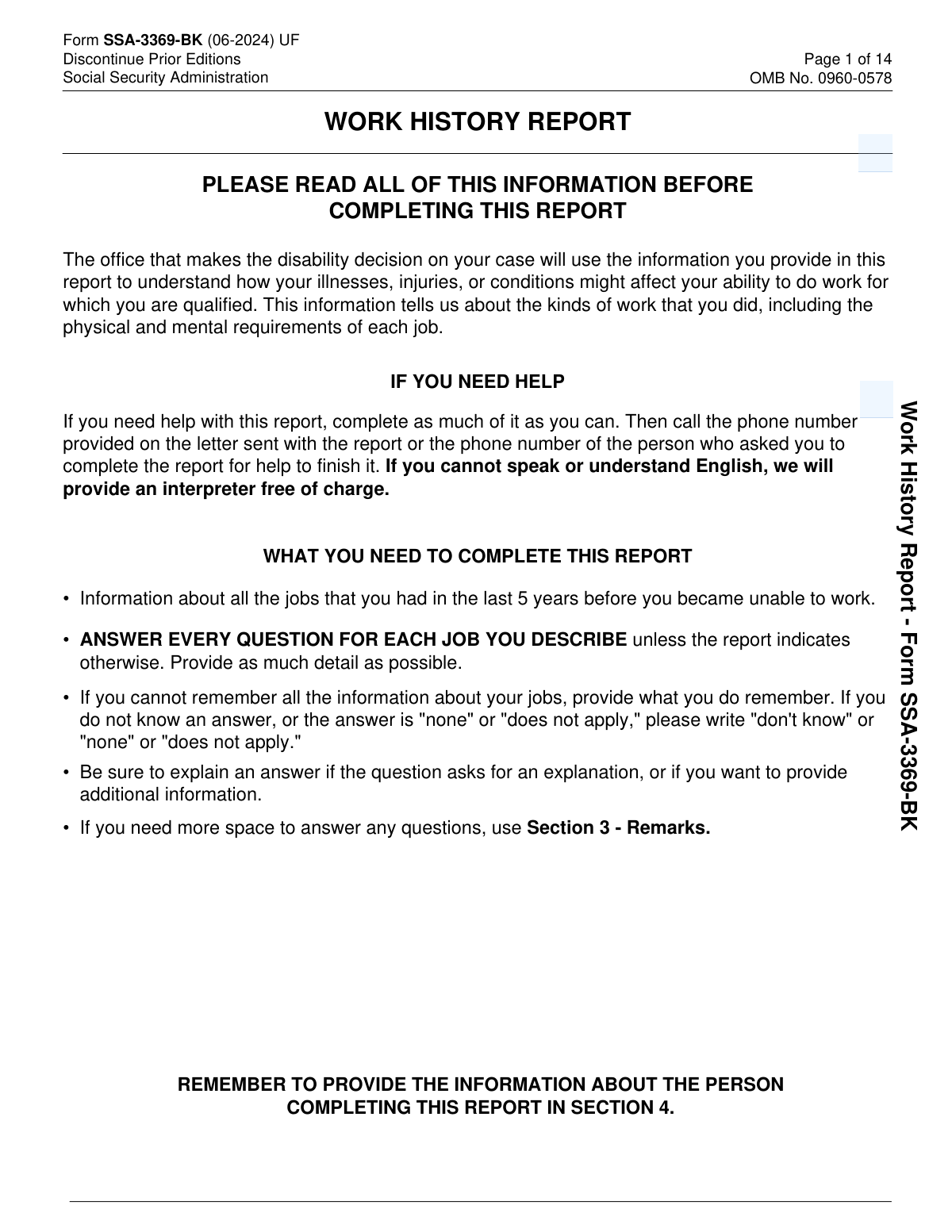
Form SSA-3369-BK, Work History Report, is a Social Security Administration form used by the disability determination office to evaluate your past relevant work and understand how your medical conditions may affect your ability to perform work you are qualified to do. It collects detailed information about each job (duties, tools/equipment, interaction with others, physical activities like standing/walking/sitting, lifting/carrying, and environmental exposures) for the 5 years before you became unable to work. Providing complete and accurate work history is important because it can directly affect how SSA assesses your functional limitations and eligibility for disability benefits. Today, this form can be filled out quickly and accurately using AI-powered services like Instafill.ai, which can also convert non-fillable PDF versions into interactive fillable forms.
Our AI automatically handles information lookup, data retrieval, formatting, and form filling.
It takes less than a minute to fill out SSA-3369-BK using our AI form filling.
Securely upload your data. Information is encrypted in transit and deleted immediately after the form is filled out.
Form specifications
| Form name: | Form SSA-3369-BK, Work History Report (Social Security Administration) |
| Number of pages: | 14 |
| Filled form examples: | Form SSA-3369-BK Examples |
| Language: | English |
| Categories: | disability forms |
Instafill Demo: filling out a legal form in seconds
How to Fill Out SSA-3369-BK Online for Free in 2026
Are you looking to fill out a SSA-3369-BK form online quickly and accurately? Instafill.ai offers the #1 AI-powered PDF filling software of 2026, allowing you to complete your SSA-3369-BK form in just 37 seconds or less.
Follow these steps to fill out your SSA-3369-BK form online using Instafill.ai:
- 1 Go to Instafill.ai and upload the SSA-3369-BK PDF (or select SSA-3369-BK from the form library).
- 2 Enter claimant identification details in Section 1 (name, Social Security number, and daytime phone numbers).
- 3 List all jobs held in the 5 years before you became unable to work in Section 2 (most recent first), including job title, type of business, and dates worked.
- 4 For each job (Job No. 1 through Job No. 5, and additional jobs if applicable), provide pay and schedule details and describe daily tasks, report-writing, supervision, tools/equipment used, and interaction with others.
- 5 Complete the physical demands and work conditions for each job (standing/walking/sitting, postural activities, hand use, reaching, climbing, lifting/carrying, and environmental exposures) and explain how medical conditions affect ability to do the job.
- 6 Use Section 3 (Remarks) to add clarifications, extra space answers, or additional jobs, referencing the job number and question being addressed.
- 7 Finish Section 4 (Who is completing this report), review Instafill.ai’s validation checks for missing/inconsistent items, then download/print and send or bring the completed form to the state agency that requested it.
Our AI-powered system ensures each field is filled out correctly, reducing errors and saving you time.
Why Choose Instafill.ai for Your Fillable SSA-3369-BK Form?
Speed
Complete your SSA-3369-BK in as little as 37 seconds.
Up-to-Date
Always use the latest 2026 SSA-3369-BK form version.
Cost-effective
No need to hire expensive lawyers.
Accuracy
Our AI performs 10 compliance checks to ensure your form is error-free.
Security
Your personal information is protected with bank-level encryption.
Frequently Asked Questions About Form SSA-3369-BK
This form helps the disability decision office understand the work you did and the physical and mental demands of each job. SSA uses it to evaluate how your medical conditions may affect your ability to do work youâre qualified for.
The person applying for Social Security disability benefits usually completes it. If someone else fills it out for the applicant, they must complete Section 4 with their name, relationship, and contact information.
List all jobs you had in the 5 years before you became unable to work due to your medical conditions. Start with your most recent job first.
Do not include jobs you held for less than 30 calendar days. Include all other jobs in the 5-year period, even if they were for the same employer.
Yes. The form specifically says to include self-employment, such as rideshare driving, hair styling, or other independent work.
Yes. The form instructs you to include work performed in a foreign country if it falls within the relevant 5-year period.
Youâll list the job title, type of business, and dates worked (MM/YYYY to MM/YYYY). For Jobs 1â5, you also provide details like pay rate, schedule, tasks, tools/equipment, interaction with others, physical activities, lifting/carrying, exposures, and how your medical conditions affect the job.
Provide your best estimate and complete as much as you can. If you donât know an answer, write âdonât know,â ânone,â or âdoes not apply,â as appropriate.
The combined time for standing/walking plus sitting should equal your âHours per Dayâ for that job. Use hours and minutes, and estimate if needed.
Describe what you did in a typical workday with specific tasks (for example: stocking, scheduling, data entry, customer service, cleaning, operating machinery). Include details about reports you wrote, supervision duties, and the tools/equipment you used and what you used them for.
You should explain what you lifted, how far you carried it, and how often. âHeaviestâ is the maximum weight you lifted, while âfrequently liftedâ means the weight you lifted about 1/3 to 2/3 of the workday.
Check all exposures that applied to the job (such as loud noise, moving mechanical parts, humidity, or hazardous substances). Then describe what the exposure was and how often you were exposed (for example: âloud machinery noise 6 hours/dayâ).
Each job detail section includes a prompt to explain how your medical conditions would affect your ability to do that job. Be specific about limitations (for example: standing tolerance, lifting limits, concentration issues, pain, fatigue, or need for breaks).
Use Section 3 if you need more space or want to add clarifying details that didnât fit elsewhere. Reference the job number and the question youâre adding information about, and attach extra sheets if you have more than five jobs with full details.
Send or bring the completed form to the State agency that requested it (not to the Baltimore SSA address listed for comments). SSA estimates it takes about 40 minutes to read instructions, gather facts, and complete the form.
YesâAI tools like Instafill.ai can help auto-fill form fields accurately and save time by pulling details you provide into the correct boxes. Typically, you upload the SSA-3369-BK PDF to Instafill.ai, answer guided questions about your jobs and duties, and the tool populates the form for you to review before you download and submit it.
If the PDF is not fillable, services like Instafill.ai can convert a flat, non-fillable PDF into an interactive fillable form. After conversion, you can type directly into fields and complete it more cleanly and quickly.
Compliance SSA-3369-BK
Validation Checks by Instafill.ai
1
Applicant Name completeness and character validation
Ensures the applicantâs name (First, Middle Initial, Last, and optional Suffix) is present and uses valid characters (letters, spaces, hyphens, apostrophes) with reasonable length limits. This is important for identity matching and to prevent downstream system errors caused by unexpected symbols or excessively long strings. If validation fails, the submission should be blocked or routed for manual review with a clear prompt to correct the name fields.
2
Social Security Number (SSN) format and plausibility check
Validates that the SSN is exactly 9 digits (or formatted as XXX-XX-XXXX) and is not an obviously invalid value (e.g., all zeros, 123456789, 000-00-0000). This is critical for correctly associating the work history report with the claimantâs record and preventing misfiled evidence. If validation fails, the form should not be accepted until a valid SSN is provided or the case is flagged for identity verification.
3
Daytime phone number format validation (primary/secondary)
Checks that phone numbers include a valid structure: for US/Canada, 10 digits with optional punctuation; for international, allows leading '+' and country code with a minimum digit count. This matters because adjudicators may need to contact the claimant or preparer, and invalid numbers delay development. If validation fails, require correction or allow 'none' only if the form design permits and a reason is captured.
4
Section 2 job list required fields per listed job
For each job row that has any data entered, validates that Job Title, Type of Business, and both Dates Worked (From/To) are provided. This ensures each job entry is usable for vocational analysis and prevents partial rows that cannot be interpreted. If validation fails, prompt the user to complete missing fields or remove the incomplete job row.
5
Dates Worked (MM/YYYY) format and calendar validity
Validates that each jobâs From and To dates follow MM/YYYY, with month between 01 and 12 and a reasonable year range (e.g., not far future). Correct date formatting is essential for determining the relevant 5-year period and sequencing jobs. If validation fails, reject the date entry and request correction in the required format.
6
Dates Worked logical order and overlap consistency
Ensures that for each job, the To date is the same as or after the From date, and flags improbable overlaps across multiple jobs (e.g., two full-time jobs with identical dates) for review. Logical consistency supports accurate work chronology and prevents misinterpretation of work activity. If validation fails, require correction for reversed ranges and generate a warning (not necessarily a hard stop) for overlaps that may be legitimate.
7
Job ordering rule: most recent job listed first
Checks that the job list is ordered from most recent to oldest based on the To date (or From date if To is missing in drafts). This matters because the form instructions require it and it improves adjudicator efficiency and reduces errors in vocational development. If validation fails, prompt the user to reorder jobs or automatically sort while preserving the userâs original entries for audit.
8
Job duration minimum rule (exclude jobs held under 30 days)
Validates that each listed job appears to have been held at least 30 calendar days based on From/To month-year, and flags entries that clearly fall below the threshold. This is important because the form instructs not to include very short jobs, which can clutter the record and complicate analysis. If validation fails, show a warning and request confirmation/removal or an explanation in Remarks if the system allows exceptions.
9
Rate of pay numeric validation and 'Per' selection exclusivity
Ensures Rate of Pay is a valid non-negative currency amount (reasonable precision, e.g., two decimals) and exactly one 'Per' option is selected (Hour/Day/Week/Month/Year) when pay is provided. This prevents ambiguous wage interpretation and supports accurate assessment of substantial gainful activity context. If validation fails, require the user to select one pay period and correct invalid numeric entries.
10
Hours per day and days per week range validation
Validates that Hours per Day is within a plausible range (e.g., 0â24) and Days per Week is within 0â7, and that both are provided when the job is expanded (Job No. details section). These values are used to interpret exertional demands and work schedule, and out-of-range values indicate data entry errors. If validation fails, block submission for that job detail section until corrected.
11
Standing/Walking/Sitting time sum equals Hours per Day
Checks that the combined time entered for Standing and Walking plus Sitting equals the stated Hours per Day for that job (allowing a small tolerance if minutes rounding is supported). This is explicitly required by the form and is critical for determining the physical demands of the job. If validation fails, prompt the user to adjust the activity times or Hours per Day so the totals reconcile.
12
Activity duration format and non-negative constraints
Validates that each activity duration (stooping, kneeling, crouching, crawling, reaching, climbing, etc.) is entered in a consistent hours/minutes format, is not negative, and does not exceed Hours per Day. This prevents impossible physical-demand profiles and improves reliability of vocational assessment. If validation fails, require correction and highlight the specific activity fields that exceed allowable limits.
13
One-hand vs both-hands / one-arm vs both-arms selection consistency
Ensures that for each bilateral activity (using fingers, grasping/turning, reaching), the user selects either 'One' or 'Both' (or neither if truly none), but not both simultaneously, and that a duration is provided if a selection is made. This matters because contradictory selections reduce interpretability of manipulative and reaching demands. If validation fails, require the user to choose a single option and align the duration accordingly.
14
Lifting weights selection logic (heaviest vs frequently lifted)
Validates that exactly one option is selected for 'heaviest weight lifted' and exactly one for 'frequently lifted,' and that if 'Other' is selected a numeric weight is provided. Also checks logical consistency that the frequently lifted weight is not greater than the heaviest weight lifted. If validation fails, require correction and prompt for the missing 'Other' weight or inconsistent selections.
15
Conditional narrative requirements for YES/checked items
Enforces that when Interaction with Others is marked YES, the interaction details narrative is provided, and when any exposure checkbox is selected, the exposure details narrative is provided (including frequency). Conditional narratives are essential to interpret the claimantâs job demands and environmental limitations. If validation fails, block submission for that job section until the required explanation text is entered or the triggering selection is changed.
16
Section 4 preparer identity and contact completeness (including date)
Validates that Date Report Completed is present and in MM/DD/YYYY format, and that exactly one option is selected for who completed the report (self vs someone else). If 'Someone else' is selected, requires preparer name, relationship, mailing address (city/state/ZIP/country as applicable), and a daytime phone number. If validation fails, prevent submission because SSA requires preparer information to authenticate and follow up on the report.
Common Mistakes in Completing SSA-3369-BK
People often list their âlast 5 years of workâ from today, or they list their entire work history, instead of focusing on the 5-year window before the date they became unable to work due to medical conditions. This can cause SSA to evaluate the wrong jobs and delay the disability determination while they request clarification. To avoid this, identify your âunable to workâ onset date first, then list only jobs within the 5 years immediately before that date. AI-powered tools like Instafill.ai can help by prompting for the onset date and automatically filtering/flagging jobs that fall outside the required window.
The form instructs you not to include jobs you held less than 30 calendar days, but many people include short stints because they feel every job âcounts.â Including these can clutter the record and may trigger follow-up questions that slow processing. To avoid this, check each jobâs start/end dates and exclude any job that lasted under 30 calendar days (unless SSA specifically asks later). Instafill.ai can automatically calculate job duration from dates and warn you when a job appears to be under 30 days.
Applicants frequently combine multiple roles at the same employer into one entry (e.g., âWarehouse workerâ covering picker, forklift operator, and lead). SSA needs each distinct job title because duties and physical/mental demands can differ significantly, and combining them can lead to an inaccurate assessment of your past relevant work. To avoid this, list each job title separately even if the employer was the same, and use Section 3 (Remarks) to explain transitions or overlapping duties. Instafill.ai can help structure multiple roles under one employer into separate job entries with consistent dates and descriptions.
People often write broad titles like âManager,â âClerk,â or âLaborer,â and put a generic business type like âCompanyâ or âOffice.â Vague entries make it harder for SSA to match your work to standardized occupational categories, which can lead to misclassification and additional development requests. To avoid this, use specific titles (e.g., âRetail Assistant Store Manager,â âAccounts Payable Clerk,â âConstruction LaborerâConcreteâ) and specify the industry (e.g., âBig-box retail,â âMedical billing office,â âResidential constructionâ). Instafill.ai can suggest standardized, clearer job titles and ensure the business type is specific enough.
A common error is entering full dates (MM/DD/YYYY), only years, or leaving months blank in the âDates Worked From/Toâ fields that require MM/YYYY. Incorrect or inconsistent dates can create gaps/overlaps that prompt SSA to question the accuracy of the work history and request corrections. To avoid this, always use two-digit month and four-digit year (e.g., 03/2021) and estimate if necessary rather than leaving it blank. Instafill.ai can enforce the required date format and flag impossible ranges (like an end date before a start date).
Many people enter a dollar amount but forget to check whether it was per hour, per week, etc., or they check the wrong unit (e.g., entering an hourly wage but checking âYearâ). This can distort how SSA interprets the jobâs earnings level and may lead to follow-up questions or misinterpretation of the workâs nature. To avoid this, enter the amount and always check exactly one âPerâ box that matches how you were paid; if pay varied, estimate and explain in Remarks. Instafill.ai can detect mismatches (e.g., $18 with âYearâ) and prompt you to correct the unit.
The form explicitly states that standing/walking (combined) plus sitting should equal the âHours per Day,â but many submissions donât add up due to rounding, forgetting breaks, or leaving one field blank. Inconsistent totals reduce credibility and can cause SSA to question the accuracy of the physical demands you report. To avoid this, decide your typical workday length first, then allocate time so the totals match (use minutes if needed to make it exact). Instafill.ai can automatically validate the math and prevent submission when totals donât reconcile.
Applicants often fill in the time spent using fingers/hands/reaching but forget to indicate whether it was one hand/arm or both. Missing laterality details can weaken the functional picture SSA needs, especially when the claimant has an impairment affecting one side (e.g., dominant hand injury). To avoid this, always select the appropriate one/both option for each activity you report time for, and be consistent with your actual job demands. Instafill.ai can prompt for the required checkbox whenever a duration is entered and flag missing pairings.
A frequent mistake is checking YES for interacting with coworkers/public but not describing who, how (phone/in-person), purpose, and time spent. SSA uses this to understand social and cognitive demands; missing details can lead to an incomplete assessment and requests for more information. To avoid this, quantify interaction (e.g., âin-person customer service ~5 hours/day; phone calls ~1 hour/dayâ) and describe the nature of the interaction (conflict resolution, training, sales, etc.). Instafill.ai can guide you with structured prompts to capture all required interaction elements.
People often select a heaviest/frequent weight category but donât explain what was lifted, how far it was carried, and how oftenâyet the form explicitly asks for those details. Others pick weights that conflict with their job description (e.g., âheaviest <10 lbsâ for a warehouse job), which can undermine credibility and trigger follow-up. To avoid this, provide concrete examples (e.g., âlifted 40-lb boxes from pallet to cart, carried ~20 feet, 10â15 times/dayâ) and ensure the checkbox selections match your narrative. Instafill.ai can cross-check your narrative against selected weight ranges and prompt you to resolve inconsistencies.
Applicants commonly check exposures like loud noise, vibrations, hazardous substances, or extreme temperatures but fail to describe how often they were exposed (daily/weekly) and in what context. Without frequency and context, SSA canât accurately evaluate environmental limitations and may request clarification. To avoid this, add specifics such as âloud noise from machinery ~6 hours/dayâ or âcleaning chemicals 2â3 times/week for 30 minutes.â Instafill.ai can require a frequency description whenever any exposure box is checked.
Many people focus on the job pages and overlook Section 4 at the bottom of the last page, especially the completion date and whether the claimant or someone else filled it out. Missing Section 4 can make the submission incomplete and may lead to rejection or a request to re-submit, delaying the claim. To avoid this, always complete the date (MM/DD/YYYY) and, if someone else helped, provide their name, relationship, address, and phone number. Instafill.ai can add a completion checklist and prevent finalization until Section 4 is fully completed.
Saved over 80 hours a year
âI was never sure if my IRS forms like W-9 were filled correctly. Now, I can complete the forms accurately without any external help.â
Kevin Martin Green
Your data stays secure with advanced protection from Instafill and our subprocessors

Robust compliance program
Transparent business model
Youâre not the product. You always know where your data is and what it is processed for.
ISO 27001, HIPAA, and GDPR
Our subprocesses adhere to multiple compliance standards, including but not limited to ISO 27001, HIPAA, and GDPR.
Security & privacy by design
We consider security and privacy from the initial design phase of any new service or functionality. Itâs not an afterthought, itâs built-in, including support for two-factor authentication (2FA) to further protect your account.
Fill out SSA-3369-BK with Instafill.ai
Worried about filling PDFs wrong? Instafill securely fills form-ssa-3369-bk-work-history-report-social-security-administration forms, ensuring each field is accurate.



