Yes! You can use AI to fill out Form SSA-44, Medicare Income-Related Monthly Adjustment Amount - Life-Changing Event

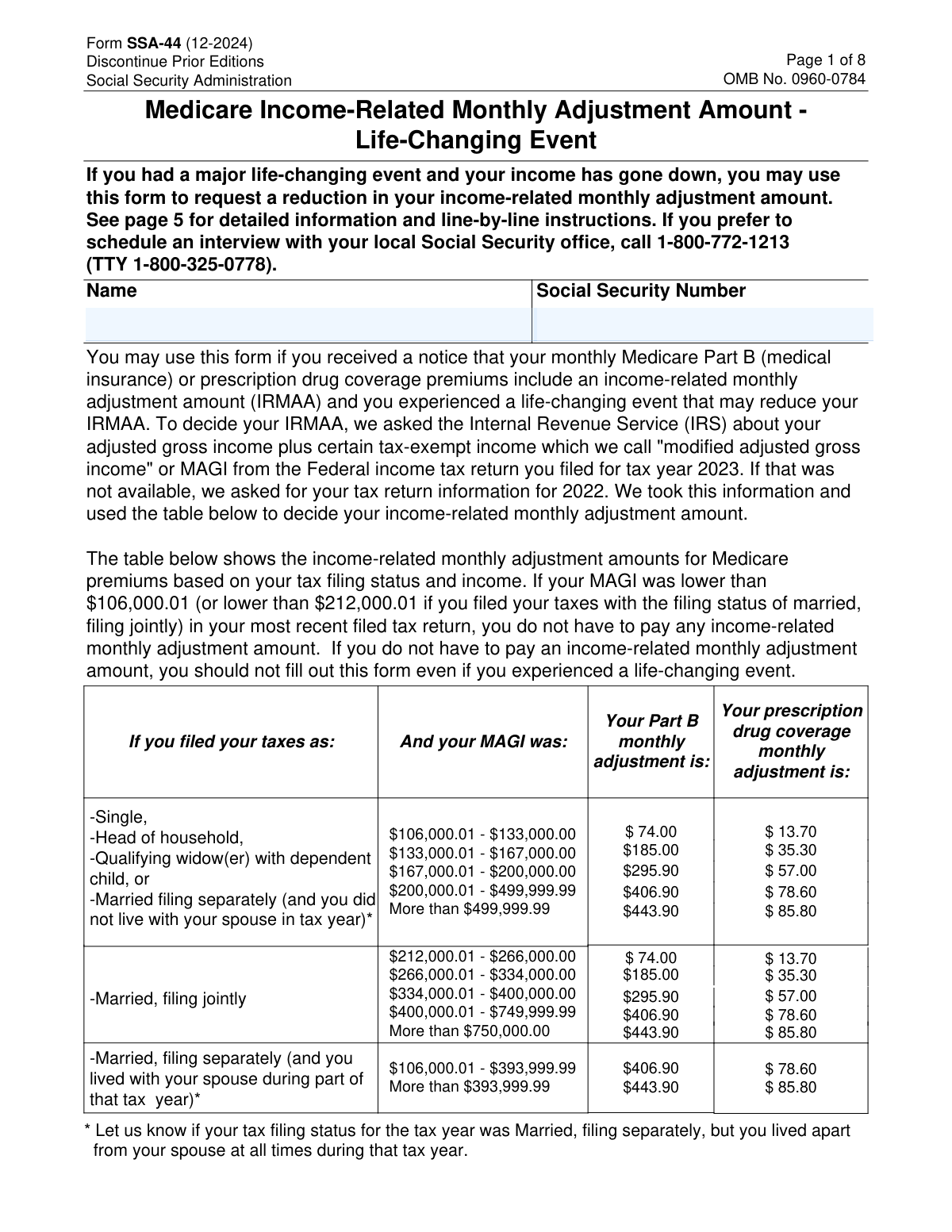
Form SSA-44, Medicare Income-Related Monthly Adjustment Amount - Life-Changing Event, is a Social Security Administration document used by Medicare beneficiaries to report a significant decrease in income due to a specific life-changing event. This allows them to request a recalculation and potential reduction of their Medicare Part B and prescription drug plan premiums, which are subject to an Income-Related Monthly Adjustment Amount (IRMAA). Today, this form can be filled out quickly and accurately using AI-powered services like Instafill.ai, which can also convert non-fillable PDF versions into interactive fillable forms.
Our AI automatically handles information lookup, data retrieval, formatting, and form filling.
It takes less than a minute to fill out SSA-44 using our AI form filling.
Securely upload your data. Information is encrypted in transit and deleted immediately after the form is filled out.

Form specifications

Form name: Form SSA-44, Medicare Income-Related Monthly Adjustment Amount - Life-Changing Event
Number of pages: 7
Filled form examples: Form SSA-44 Examples
Language: English
main-image

Instafill Demo: How to fill out PDF forms in seconds with AI

How to Fill Out SSA-44 Online for Free in 2026

Are you looking to fill out a SSA-44 form online quickly and accurately? Instafill.ai offers the #1 AI-powered PDF filling software of 2026, allowing you to complete your SSA-44 form in just 37 seconds or less.
Follow these steps to fill out your SSA-44 form online using Instafill.ai:
  1. 1 Navigate to Instafill.ai and upload your Form SSA-44, or select it from their template library.
  2. 2 Provide your personal identifying information, including your full name and Social Security Number.
  3. 3 In Step 1, check the box corresponding to your specific life-changing event (e.g., Work Stoppage, Death of Spouse) and enter the date it occurred.
  4. 4 Complete Step 2 by providing your reduced income details (Adjusted Gross Income and Tax-Exempt Interest) and tax filing status for the more recent tax year.
  5. 5 If you anticipate your income will be even lower next year, complete the estimates in Step 3.
  6. 6 Gather and attach the required supporting documents as outlined in Step 4, such as tax returns or statements from employers or pension funds.
  7. 7 Carefully review all entered information, then sign and date the form in Step 5 before submitting it to the Social Security Administration.

Our AI-powered system ensures each field is filled out correctly, reducing errors and saving you time.

Why Choose Instafill.ai for Your Fillable SSA-44 Form?

Speed

Complete your SSA-44 in as little as 37 seconds.

Up-to-Date

Always use the latest 2026 SSA-44 form version.

Cost-effective

No need to hire expensive lawyers.

Accuracy

Our AI performs 10 compliance checks to ensure your form is error-free.

Security

Your personal information is protected with bank-level encryption.

Frequently Asked Questions About Form SSA-44

Form SSA-44 is used to request a reduction in your Medicare Income-Related Monthly Adjustment Amount (IRMAA) if you have experienced a major life-changing event that caused your income to decrease.

You should fill out this form if you received a notice that you have to pay an IRMAA for your Medicare Part B or prescription drug coverage, and you experienced a specific life-changing event that lowered your income.

The form lists specific events such as marriage, divorce, death of a spouse, work stoppage or reduction, loss of income-producing property, loss of pension income, or receiving an employer settlement payment.

Step 2 is used to report an income reduction that has already occurred in a more recent tax year. Step 3 is used only if you anticipate your income will be even lower in the next tax year.

You must provide evidence of the life-changing event (e.g., a death certificate or employer statement) and proof of your reduced income, such as a signed copy of your federal tax return for the year in question.

You can provide an estimate of your income in Step 2, but you must provide the SSA with a signed copy of your federal income tax return for that year once you file it. You must contact the SSA if your actual income differs from your estimate.

You can mail the signed form with attached evidence, or you can show your original documents to an SSA employee in person. Alternatively, you can call the SSA to schedule an interview instead of using the form.

The Social Security Administration (SSA) will review your request and evidence to decide if you qualify for a reduction in your IRMAA. The SSA will later verify your income information with the IRS.

Your MAGI is your Adjusted Gross Income (AGI) from line 11 of IRS Form 1040, plus any tax-exempt interest income from line 2a of IRS Form 1040.

Yes, services like Instafill.ai use AI to help you accurately auto-fill form fields, which can save time and reduce errors.

You can use a service like Instafill.ai to upload the form and fill it out on your computer. The platform allows you to type directly into the fields, add a digital signature, and download the completed PDF for submission.

If you have a non-fillable or 'flat' PDF, you can use a tool like Instafill.ai. It can convert the non-fillable PDF into an interactive, fillable form that you can easily complete online.

Compliance SSA-44
Validation Checks by Instafill.ai

1
Social Security Number Format
This check verifies that the Social Security Number (SSN) is entered in a valid 9-digit format (e.g., XXX-XX-XXXX or XXXXXXXXX). The SSN is the primary identifier for the applicant's records. If the format is incorrect or the number is invalid, the system cannot locate the applicant's file, and the form submission will be rejected.
2
Mandatory Life-Changing Event Selection
Ensures that at least one checkbox for a life-changing event is selected in Step 1. The entire purpose of this form is to report a life-changing event that caused an income reduction. If no event is selected, there is no basis for the request, and the form is considered incomplete and cannot be processed.
3
Conditional Requirement for Event Date
Validates that if a life-changing event is checked in Step 1, the corresponding 'Date(s) of life-changing event' field is filled out in a valid MM/YYYY format. This date is crucial for establishing a timeline and verifying that the income reduction is a result of the claimed event. A missing or improperly formatted date will halt processing until corrected.
4
Event Date and Tax Year Chronology
This check ensures the 'Date(s) of life-changing event' from Step 1 occurred in or before the 'Tax Year' reported in Step 2. An income reduction in a specific tax year cannot be caused by an event that has not yet happened. A validation failure indicates a logical inconsistency that must be corrected for the request to be considered valid.
5
Step 2 Completeness on Event
Verifies that if any life-changing event is selected in Step 1, all fields in Step 2 (Tax Year, Adjusted Gross Income, Tax-Exempt Interest, and Tax Filing Status) are fully completed. This data is the new income information SSA needs to recalculate the IRMAA. Incomplete information in Step 2 makes a recalculation impossible, and the form will be returned.
6
Step 2 Tax Year Recency
Confirms the 'Tax Year' entered in Step 2 is more recent than the tax year SSA originally used to calculate the IRMAA (as stated in the applicant's notice). The form's function is to substitute older income data with newer data. Submitting a tax year that is not more recent invalidates the request's premise and will lead to rejection.
7
Step 3 Conditional Field Population
Ensures that if the applicant checks 'Yes' in Step 3 (anticipating a lower income next year), then all associated fields (Tax Year, Estimated AGI, Estimated Tax-Exempt Interest, and Expected Filing Status) are completed. Selecting 'Yes' without providing the estimated data is an incomplete response. This prevents the system from having an incomplete record for the following year's premium calculation.
8
Step 3 Tax Year Sequence
Validates that the 'Tax Year' entered in Step 3 is exactly one year after the 'Tax Year' entered in Step 2. The form is designed to capture data for a current year and the subsequent year in a specific sequence. A mismatch in the years would corrupt the timeline for future IRMAA determinations and must be corrected.
9
Signature Date Validity
Checks that the signature date in Step 5 is a valid date and is not set in the future. The signature attests to the accuracy of the information under penalty of perjury as of the date signed. A future date invalidates this attestation, and the form would be considered unsigned and returned for correction.
10
Contact Information Completeness
Verifies that the applicant's phone number and full mailing address (City, State, ZIP code) are provided in Step 5. This information is essential for SSA to contact the applicant with questions, request additional evidence, or return original documents. Missing contact details can cause significant delays or prevent the request from being processed at all.
11
Exclusive Filing Status Selection
Ensures that for both Step 2 and Step 3, only one 'Tax Filing Status' checkbox is selected. An individual can only have one filing status per tax year. Allowing multiple selections would create ambiguity and prevent the system from applying the correct income thresholds for the IRMAA calculation.
12
Logical Income Reduction in Step 3
If 'Yes' is checked in Step 3, this validation compares the total income from Step 3 (Estimated AGI + Estimated Tax-Exempt Interest) to the total income from Step 2. The income in Step 3 should be lower, as the question asks if income will be 'lower next year'. If the income is the same or higher, it contradicts the applicant's answer and should trigger a warning for review.
13
ZIP Code Format Validation
This check ensures the ZIP Code provided in the mailing address is in a valid 5-digit or 9-digit (ZIP+4) format. A valid ZIP code is critical for the mailability of important correspondence, such as decision notices or the return of submitted evidence. An incorrect format can lead to returned mail and processing delays.
14
Filing Status and Life Event Consistency Check
This is a soft validation that flags potential inconsistencies between the life event in Step 1 and the new filing status in Step 2. For example, reporting a 'Divorce' but then selecting 'Married, Filing Jointly' is illogical. This check would not automatically reject the form but would flag it for manual human review to clarify the discrepancy.

Common Mistakes in Completing SSA-44

Entering an Incorrect Tax Year in Step 2

Applicants often mistakenly enter the current calendar year or the tax year originally used by the SSA, rather than the year their income was actually reduced. This leads to a mismatch between the life event and the financial data, causing the request to be rejected. To avoid this, carefully read the instructions on page 6 to determine if you should use last year's or this year's income information based on when the reduction occurred.

Mismatch Between Life Event Date and Tax Year

A frequent error is providing a life-changing event date in Step 1 that occurs after the tax year reported in Step 2. The event must have happened in or before the tax year for which you are reporting a reduced income. This logical error will cause processing delays or denial. Always ensure the date in Step 1 (MM/YYYY) precedes or is in the same year as the tax year entered in Step 2.

Forgetting to Include Tax-Exempt Interest

Many people focus only on their Adjusted Gross Income (AGI) and forget to report their tax-exempt interest income from line 2a of Form 1040. Since the IRMAA calculation is based on Modified Adjusted Gross Income (MAGI), which includes this interest, omitting it results in an inaccurate income figure. The SSA will later correct this with IRS data, which could lead to unexpected premium increases or back-payments.

Failure to Attach Required Documentation

Submitting the form without the necessary evidence is a critical and common mistake that guarantees rejection. You must provide proof of both the life-changing event (e.g., divorce decree, employer letter) and the new, lower income (e.g., a signed tax return). Before mailing, create a checklist based on page 8 of the form to ensure all required original or certified documents are included.

Submitting the Form Unnecessarily

Individuals sometimes fill out this form after any life event, even if their income remains above the threshold or was already below it. The form explicitly states on page 1 that you should not file if your MAGI is already below the lowest IRMAA income bracket. Filing unnecessarily wastes time and can create confusion in your record.

Inconsistent Tax Filing Status

An applicant might report the death of a spouse or a divorce in Step 1 but then select 'Married, Filing Jointly' in Step 2. This contradiction requires the SSA to contact the applicant for clarification, delaying the decision. Your tax filing status in Step 2 should reflect the change caused by the life event you are reporting.

Using an Incorrect Social Security Number

A simple typographical error, like transposing two digits in the Social Security Number, will prevent the SSA from matching the form to the correct beneficiary record. This will stop the request from being processed entirely until the error is identified and corrected. AI-powered tools like Instafill.ai can help prevent this by validating the SSN format and cross-referencing it with saved profiles.

Forgetting to Sign and Date the Form

An unsigned form is legally invalid and will not be processed. Applicants often focus on the complex financial details and overlook the signature block in Step 5. Always double-check that you have provided a valid signature and the current date before submitting the form.

Incorrectly Formatting Income Figures

The form separates dollar and cent amounts into different fields, which can lead to errors. People may enter the full amount including cents in the dollar box (e.g., '41373.60') or misplace the decimal, resulting in a vastly incorrect income entry. To avoid this, enter only whole dollars in the first box and the two-digit cent value in the second. If the form is a non-fillable PDF, a tool like Instafill.ai can convert it to a fillable version with clearly defined fields to prevent this error.

Providing Outdated Contact Information

If the SSA has questions or needs more documentation, they will use the phone number and mailing address provided in Step 5. If this information is outdated, you may miss critical communications, and your request could be denied for failure to respond. Always provide a current phone number and your complete, current mailing address.
Saved over 80 hours a year

“I was never sure if my IRS forms like W-9 were filled correctly. Now, I can complete the forms accurately without any external help.”

Kevin Martin Green

Your data stays secure with advanced protection from Instafill and our subprocessors

Robust compliance program

Transparent business model

You’re not the product. You always know where your data is and what it is processed for.

ISO 27001, HIPAA, and GDPR

Our subprocesses adhere to multiple compliance standards, including but not limited to ISO 27001, HIPAA, and GDPR.

Security & privacy by design

We consider security and privacy from the initial design phase of any new service or functionality. It’s not an afterthought, it’s built-in, including support for two-factor authentication (2FA) to further protect your account.

Fill out SSA-44 with Instafill.ai

Worried about filling PDFs wrong? Instafill securely fills form-ssa-44-medicare-income-related-monthly-adjustment-amount-life-changing-event forms, ensuring each field is accurate.