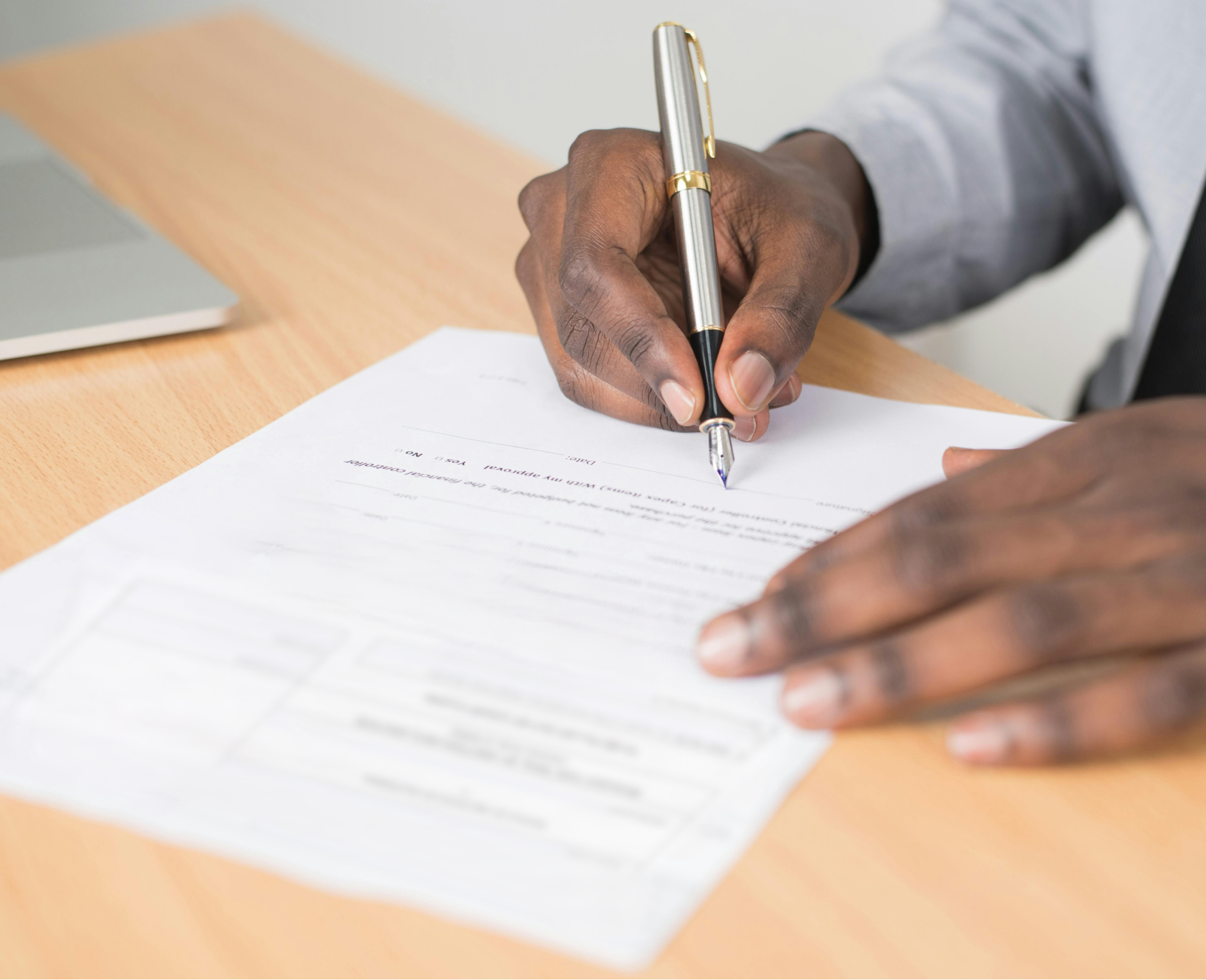
Yes! You can use AI to fill out Form SSA-795, Statement of Claimant or Other Person
Form SSA-795 is an official Social Security Administration form used to document a claimant’s (or another person’s) written statement about facts relevant to a Social Security or SSI matter, such as eligibility, payments, or other claim-related issues. The statement is certified and signed under penalty of perjury, making accuracy critical and helping SSA make an accurate and timely decision on a claim. It also captures identifying and contact information for the wage earner/claimant and the person making the statement, and may require witnesses if signed by mark (X). Today, this form can be filled out quickly and accurately using AI-powered services like Instafill.ai, which can also convert non-fillable PDF versions into interactive fillable forms.
Our AI automatically handles information lookup, data retrieval, formatting, and form filling.
It takes less than a minute to fill out SSA-795 using our AI form filling.
Securely upload your data. Information is encrypted in transit and deleted immediately after the form is filled out.
Form specifications
| Form name: | Form SSA-795, Statement of Claimant or Other Person |
| Number of pages: | 2 |
| Language: | English |
| Categories: | VA claim forms, SSA forms, PA state forms |
Instafill Demo: filling out a legal form in seconds
How to Fill Out SSA-795 Online for Free in 2026
Are you looking to fill out a SSA-795 form online quickly and accurately? Instafill.ai offers the #1 AI-powered PDF filling software of 2026, allowing you to complete your SSA-795 form in just 37 seconds or less.
Follow these steps to fill out your SSA-795 form online using Instafill.ai:
- 1 Go to Instafill.ai and upload Form SSA-795 (or select it from the form library).
- 2 Let the AI detect the form fields and confirm the form version (SSA-795, 06-2022) and required sections.
- 3 Enter the wage earner/self-employed person/SSI claimant name and Social Security number, and provide the name of the person making the statement (if different).
- 4 Fill in the relationship to the wage earner/claimant and type the full statement content you are certifying to SSA.
- 5 Review the penalty-of-perjury certification language and use the AI review/check feature to catch missing fields or inconsistencies.
- 6 Add signature details (signature name, date), telephone number, and complete mailing address; if signing by mark (X), enter witness names, signatures, and addresses.
- 7 Download the completed form as a finalized PDF (and/or e-sign if supported), then submit it to SSA according to your claim instructions.
Our AI-powered system ensures each field is filled out correctly, reducing errors and saving you time.
Why Choose Instafill.ai for Your Fillable SSA-795 Form?
Speed
Complete your SSA-795 in as little as 37 seconds.
Up-to-Date
Always use the latest 2026 SSA-795 form version.
Cost-effective
No need to hire expensive lawyers.
Accuracy
Our AI performs 10 compliance checks to ensure your form is error-free.
Security
Your personal information is protected with bank-level encryption.
Frequently Asked Questions About Form SSA-795
Form SSA-795 (Statement of Claimant or Other Person) is used to provide a written statement to the Social Security Administration (SSA) in support of a claim or to explain facts relevant to benefits eligibility. It serves as a certified statement that SSA can use when making a decision.
The wage earner, self-employed person, or SSI claimant can complete it, or another person can complete it on their behalf. If someone else completes it, they must provide their name and relationship to the claimant.
You must provide the name of the wage earner/self-employed person/SSI claimant and their Social Security Number. If the person making the statement is different, you must also provide that person’s name and relationship to the claimant.
Write a clear, factual explanation of the information SSA needs (for example, details about work, living arrangements, income, or events affecting benefits). Include dates, names, and specific details whenever possible to help SSA make an accurate decision.
The form itself doesn’t list required attachments, but SSA may need supporting documents depending on what your statement is about. If you reference evidence (like pay stubs, letters, or records), it’s often helpful to include copies unless SSA instructs otherwise.
By signing, you are declaring the information is true and correct to the best of your knowledge. Knowingly providing false information about a material fact can be a crime and may result in fines or imprisonment.
Yes—this form instructs you to sign in ink in the “Signature of Person Making Statement” section. You must also include the date, telephone number, and mailing address information in the signature area.
Witnesses are required only if the statement is signed by mark (X) instead of a written signature. In that case, two witnesses who know the individual must sign and provide their full addresses.
Fill in your name in the “Name of Person Making Statement” field and state your relationship to the wage earner/claimant. You should ensure the statement is accurate and sign as the person making the statement.
SSA estimates it takes about 15 minutes to read instructions, gather facts, and complete the form. The actual time may vary depending on how much detail you need to include in your statement.
The form text does not provide a specific submission address for completed statements. Typically, you submit it to SSA as part of your claim—follow the instructions from your local SSA office or the SSA representative handling your case.
SSA uses the information to determine benefits eligibility and to make accurate and timely decisions on claims. The Privacy Act statement also explains SSA may share information for certain routine uses, such as recovering overpayments or assisting program administration.
Yes—AI tools can help organize your information and auto-fill form fields to reduce errors and save time. Services like Instafill.ai use AI to accurately populate fields based on the details you provide.
Upload the SSA-795 PDF to Instafill.ai, answer the guided questions (names, SSN, relationship, contact details, and your statement text), and let the AI map your answers into the correct fields. Then review for accuracy and download the completed form for printing/signing or submission as instructed by SSA.
If the PDF isn’t fillable, Instafill.ai can convert a flat non-fillable PDF into an interactive fillable form. After conversion, you can auto-fill the fields and generate a clean, typed version for review and signature.
Compliance SSA-795
Validation Checks by Instafill.ai
1
Wage Earner/SSI Claimant Full Name Required and Properly Formatted
Validates that the 'Name of Wage Earner, Self-employed Person, or SSI Claimant' field is present and contains a plausible full legal name (e.g., at least first and last name, not only initials or a single character). This is important to correctly associate the statement with the correct SSA record and avoid misidentification. If validation fails, the submission should be flagged as incomplete and routed for correction before processing.
2
Social Security Number (SSN) Format and Basic Validity Check
Checks that the SSN is provided and matches an acceptable SSN pattern (typically 9 digits, optionally formatted as XXX-XX-XXXX). It should also reject clearly invalid values such as all zeros in any group (e.g., 000-xx-xxxx, xxx-00-xxxx, xxx-xx-0000) or non-numeric characters. If validation fails, the form should be rejected or held because the SSN is a primary identifier for benefit and earnings records.
3
Person Making Statement Name Required When Different From Wage Earner
Ensures the 'Name of Person Making Statement (If other than above...)' is completed when the statement is being made by someone other than the wage earner/claimant. This prevents ambiguity about who is attesting under penalty of perjury and who can be contacted for follow-up. If missing when required, the submission should be returned for completion or flagged for manual review.
4
Relationship Field Required and Consistent With Statement Maker
Validates that 'Relationship to Wage Earner, Self-Employed Person, or SSI Claimant' is provided when the person making the statement is not the wage earner/claimant. The relationship should be a meaningful descriptor (e.g., spouse, parent, representative) and not blank, 'N/A', or unrelated text. If validation fails, the form should be held because SSA may need to confirm authority/standing and contact context.
5
Signature Presence and Non-Placeholder Validation
Checks that the 'Signature of Person Making Statement' is present and not a placeholder (e.g., 'typed name', 'N/A', a single character) when a signature is required. A valid signature is essential because the form includes a perjury declaration and establishes attestation. If missing or invalid, the submission should be rejected as not legally complete.
6
Signature Date Format and Reasonableness
Validates that the signature date is provided and follows the required format (Month, day, year) and represents a real calendar date. It should also be checked for reasonableness (e.g., not far in the future, not an implausibly old date relative to submission). If validation fails, the form should be flagged because the attestation timing may affect adjudication and auditability.
7
Telephone Number Format (Including Area Code) and Length
Ensures the telephone number includes an area code and contains a valid number of digits (typically 10 digits for US numbers, allowing common punctuation like parentheses and hyphens). This is important for SSA to contact the signer for clarification or additional evidence. If invalid or missing, the submission should be flagged for follow-up, and processing may be delayed due to inability to contact the claimant/statement maker.
8
Mailing Address Completeness (Street/Box, City/State, ZIP)
Checks that the mailing address includes a deliverable street address or P.O. Box/rural route, plus city and state, and a ZIP code. This ensures SSA can send notices, requests, and determinations to the correct location. If incomplete, the form should be returned for correction or routed to manual review to prevent undeliverable mail and missed deadlines.
9
ZIP Code Format Validation
Validates that the ZIP code is either 5 digits or ZIP+4 (9 digits with a hyphen, e.g., 12345 or 12345-6789). This improves address standardization and mail deliverability. If validation fails, the system should prompt for correction or attempt address normalization, and if unresolved, flag for manual review.
10
City and State Field Validation (State Abbreviation/Name)
Ensures the 'City and State' field contains a recognizable city value and a valid US state/territory abbreviation or full name (e.g., 'MD' or 'Maryland'). This reduces routing errors and supports address verification. If invalid, the submission should be flagged and the user prompted to correct the state value.
11
Witness Requirement Triggered Only for Mark (X) Signatures
Validates the conditional rule that witnesses are required only if the statement is signed by mark (X). If the signature indicates a mark (e.g., 'X', 'mark', or a designated mark flag), then two witness signatures and their full addresses must be present; otherwise, witness fields should be optional. If the rule is violated (mark without two witnesses), the form should be rejected as not properly executed.
12
Two Witnesses Must Be Distinct Individuals
When witnesses are required, checks that witness 1 and witness 2 are not the same person (e.g., identical names and/or identical addresses) and that both have signatures. This prevents a single individual from being recorded twice and supports the integrity of the attestation process. If duplicates are detected or one witness is missing, the submission should be flagged for correction or manual verification.
13
Witness Address Completeness and Format
If witness signatures are provided (required or optional), validates that each witness address includes street (or equivalent), city, state, and ZIP code. Complete witness addresses are important for potential follow-up and legal sufficiency when a mark signature is used. If incomplete, the form should be held for completion when witnesses are required, or flagged for review if witnesses were provided voluntarily but incompletely.
14
Cross-Field Consistency: Statement Maker vs. Wage Earner Identity
Checks logical consistency between the wage earner/claimant name and the person making the statement name. If the names are identical, the relationship field should be blank or indicate 'self'; if the names differ, the relationship field should not be blank. If inconsistent, the submission should be flagged because it may indicate data entry error or misattribution of the attestation.
Common Mistakes in Completing SSA-795
People often enter the same name in both fields or put the representative’s name where the wage earner/SSI claimant should be, especially when helping a family member. This can cause SSA to associate the statement with the wrong record or delay matching it to the correct claim. Always enter the wage earner/self-employed person/SSI claimant in the first name field, and only use the “Person Making Statement” field if someone else is completing/signing the statement. AI-powered tools like Instafill.ai can help map identities to the correct fields and reduce mis-association errors.
A common error is transposing digits, using a spouse’s/child’s SSN, or leaving the SSN blank because the statement-maker is not the claimant. An incorrect SSN can prevent SSA from locating the correct record and may significantly delay a decision. Double-check the SSN against the claimant’s Social Security card or official SSA correspondence and ensure it belongs to the wage earner/SSI claimant named above. Instafill.ai can validate SSN formatting and flag likely digit-entry mistakes before submission.
When someone other than the claimant completes the form, they often skip the relationship field or write unclear descriptions like “family” or “caregiver.” SSA may need the exact relationship to understand authority, context, and credibility of the statement, and missing detail can trigger follow-up requests. Use a specific relationship (e.g., “spouse,” “adult child,” “legal guardian,” “authorized representative,” “friend/neighbor”) and be consistent with any other SSA paperwork. Form-filling tools like Instafill.ai can prompt for required relationship specificity and standardize entries.
SSA-795 is a “Statement of Claimant or Other Person,” but many submissions include only identification and signature information without the substantive statement (the facts being certified). This results in an incomplete submission that may not support the claim or may require SSA to re-contact the claimant for details. Ensure the statement clearly explains who, what, when, where, and why, and references any relevant dates, events, or documents. If the form is provided as a flat, non-fillable PDF, Instafill.ai can convert it into a fillable version so the narrative can be entered cleanly and completely.
The form specifies “Write in ink,” but people frequently type a name, use an electronic font signature, or sign in pencil, especially when printing/scanning. SSA may reject or question the authenticity of the signature, causing delays or requiring re-submission. Print the form and sign with pen unless SSA has explicitly provided an approved electronic signature process for your submission channel. Instafill.ai can help ensure the form is prepared correctly for printing/signing and can remind users of ink-signature requirements.
Applicants often forget to date the form or use a non-U.S. format (e.g., DD/MM/YYYY) even though the form requests “Month, day, year.” A missing or ambiguous date can create issues with timeliness, effective dates, and recordkeeping, and may prompt SSA to request clarification. Always enter the date as MM/DD/YYYY (or clearly written month name) and confirm it matches the actual signing date. Instafill.ai can automatically format dates correctly and flag missing signature dates.
People sometimes omit the area code, list a disconnected number, or provide a number that does not accept calls/voicemail, which prevents SSA from quickly resolving questions. This can lead to mailed follow-ups and longer processing times. Include a 10-digit number with area code, and if applicable, add an extension or note the best times to call in the statement narrative. Instafill.ai can validate phone number length/format and prompt for missing area codes.
Common address mistakes include leaving out apartment numbers, mixing PO Box and street address incorrectly, or entering an incorrect ZIP Code. SSA correspondence may be delayed or returned, which can cause missed deadlines or interruptions in claim processing. Use the full mailing address exactly as used by USPS, including Apt/Unit, PO Box (if used), city/state, and ZIP+4 if known, and clarify in the statement if the address is temporary. Instafill.ai can standardize address formatting and reduce omissions.
Some people add witnesses unnecessarily, while others sign with an “X” but fail to provide two witness signatures and full addresses as required. If the signature is by mark, missing witness information can invalidate the execution of the statement and require re-signing. Only use witnesses when the signer cannot sign their name and uses a mark (X); then ensure two witnesses who know the individual sign and provide complete addresses. Instafill.ai can guide users through conditional requirements like witnesses only when signing by mark.
Even when witnesses are correctly used, people often provide partial addresses (e.g., city/state only) or omit ZIP Codes. SSA may be unable to verify the witnesses, which can lead to follow-up requests and delays. Each witness should provide a complete mailing address (number and street, city, state, ZIP) legibly. Instafill.ai can enforce completeness checks for witness address fields when they are required.
Because SSA-795 is often printed and completed by hand, illegible names, numbers, and addresses are frequent, and people may write slightly different versions of names (e.g., missing middle initial) across the form. Illegibility and inconsistencies can cause data entry errors at SSA and slow down matching the statement to the correct claim. Print clearly in block letters, keep the claimant’s name/SSN consistent everywhere, and avoid cross-outs; if you must correct something, follow SSA’s preferred correction method (e.g., initialing changes if instructed). Instafill.ai can reduce handwriting issues by producing clean, typed entries and validating consistency before printing for signature.
Saved over 80 hours a year
“I was never sure if my IRS forms like W-9 were filled correctly. Now, I can complete the forms accurately without any external help.”
Kevin Martin Green
Your data stays secure with advanced protection from Instafill and our subprocessors

Robust compliance program
Transparent business model
You’re not the product. You always know where your data is and what it is processed for.
ISO 27001, HIPAA, and GDPR
Our subprocesses adhere to multiple compliance standards, including but not limited to ISO 27001, HIPAA, and GDPR.
Security & privacy by design
We consider security and privacy from the initial design phase of any new service or functionality. It’s not an afterthought, it’s built-in, including support for two-factor authentication (2FA) to further protect your account.
Fill out SSA-795 with Instafill.ai
Worried about filling PDFs wrong? Instafill securely fills form-ssa-795-statement-of-claimant-or-other-person forms, ensuring each field is accurate.