Yes! You can use AI to fill out Function Report – Adult – Third Party (Form SSA-3380-BK)

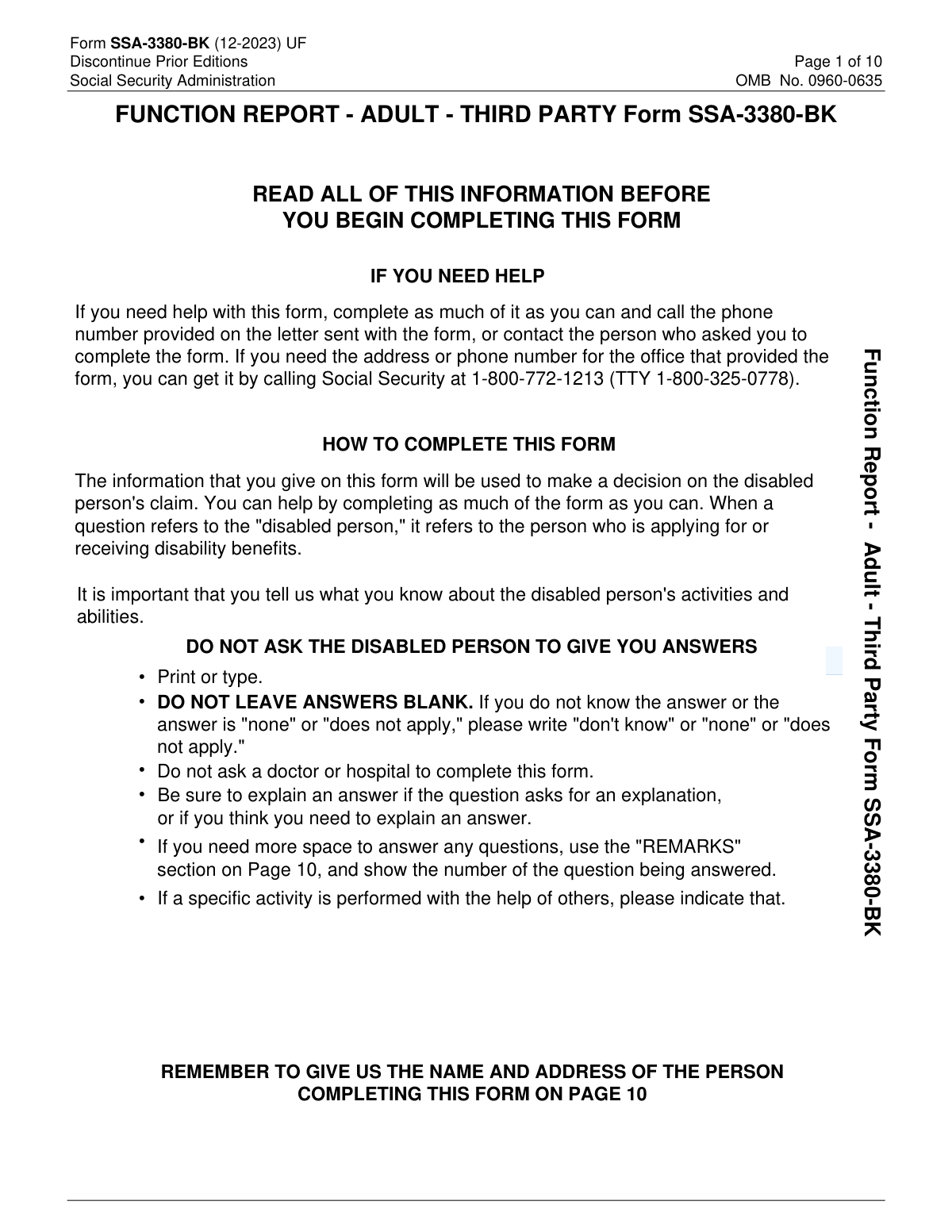
Form SSA-3380-BK (Function Report – Adult – Third Party) is completed by someone who knows the disabled person (such as a family member, friend, or caregiver) and can describe the person’s day-to-day functioning. It asks for observations about the claimant’s living situation, personal care, household tasks, mobility, social activities, and physical/mental abilities, as well as any assistive devices and medication side effects. SSA uses these third-party statements to evaluate how the claimant’s medical conditions limit work-related and daily activities. Providing complete, specific examples can be important to an accurate and timely disability determination.
Our AI automatically handles information lookup, data retrieval, formatting, and form filling.
It takes less than a minute to fill out SSA-3380-BK using our AI form filling.
Securely upload your data. Information is encrypted in transit and deleted immediately after the form is filled out.

Form specifications

Form name: Function Report – Adult – Third Party (Form SSA-3380-BK)
Number of pages: 10
Filled form examples: Form SSA-3380-BK Examples
Language: English
Categories: disability forms
main-image

Instafill Demo: filling out a legal form in seconds

How to Fill Out SSA-3380-BK Online for Free in 2026

Are you looking to fill out a SSA-3380-BK form online quickly and accurately? Instafill.ai offers the #1 AI-powered PDF filling software of 2026, allowing you to complete your SSA-3380-BK form in just 37 seconds or less.
Follow these steps to fill out your SSA-3380-BK form online using Instafill.ai:
  1. 1 Enter identifying details in Section A, including the disabled person’s name, your name, relationship, date, and a reliable daytime phone number.
  2. 2 Complete Section B by summarizing how long you’ve known the disabled person, how often you interact, and how their conditions limit activities and ability to work.
  3. 3 Fill out Section C with a detailed description of the person’s typical day and how they manage personal care, sleep, meals, chores, getting around, shopping, money handling, hobbies, and social activities (noting any help they need).
  4. 4 Complete Section D by checking affected abilities (e.g., lifting, walking, concentration, following instructions) and adding specific explanations, limits, and examples; include information about handedness and any unusual behaviors or stress/routine changes.
  5. 5 Report assistive devices in Section D (what is used, whether prescribed, when prescribed, and when needed) and list medication side effects in Section 25 without listing all medications.
  6. 6 Use Section E (Remarks) to add any extra context or examples, then provide your printed name, date, address, and optional email before reviewing for completeness (write “don’t know,” “none,” or “does not apply” instead of leaving blanks).

Our AI-powered system ensures each field is filled out correctly, reducing errors and saving you time.

Why Choose Instafill.ai for Your Fillable SSA-3380-BK Form?

Speed

Complete your SSA-3380-BK in as little as 37 seconds.

Up-to-Date

Always use the latest 2026 SSA-3380-BK form version.

Cost-effective

No need to hire expensive lawyers.

Accuracy

Our AI performs 10 compliance checks to ensure your form is error-free.

Security

Your personal information is protected with bank-level encryption.

Frequently Asked Questions About Form SSA-3380-BK

SSA uses this form to understand how the disabled person’s medical conditions affect daily activities and ability to work. Your answers help SSA make a decision on the person’s disability claim.

A third party who knows the disabled person well should complete it (for example, a family member, friend, neighbor, or caregiver). The form asks for your relationship to the disabled person and how long you’ve known them.

No. The form instructions specifically say: “DO NOT ASK THE DISABLED PERSON TO GIVE YOU ANSWERS.” SSA wants your independent observations of what the person can and cannot do.

Do not leave it blank. Write “don’t know,” “none,” or “does not apply,” as appropriate, because the form instructs you not to leave answers blank.

No. The instructions say not to ask a doctor or hospital to complete the form, and the questions focus on daily functioning rather than medical documentation.

Be specific about what the person can do, what they cannot do, and what help they need. If an activity is done with help from others, clearly indicate who helps and what they do.

Describe a typical day in order, including routines, rest periods, appointments, and any assistance needed. Include how long activities take and any limitations you have observed.

Answer whether the person cares for anyone or any animals, what tasks they do, and whether someone helps them. If they do not provide care, mark “No” and add an explanation only if needed.

Compare “before” and “now” using concrete examples (what stopped, what decreased, and what is harder). The form asks for changes in cooking habits, hobbies/interests, and social activities since the conditions began.

These questions ask how often the person goes outside, how they travel (walk, drive, ride in a car, public transportation, etc.), whether they can go alone, and how they shop (in stores, phone, mail, computer). Include frequency, duration, and any assistance required.

Check the items affected and then explain each one with practical limits (for example, how many pounds they can lift, how far they can walk, how long they can pay attention, or whether they can follow written/spoken instructions). If you don’t know exact numbers, provide your best estimate or describe what you’ve observed.

Check all devices used, note which were prescribed by a doctor (or write that you don’t know), when they were prescribed if known, and when the person needs to use them. Include any details about how the device affects their ability to function.

No. The form says not to list all medicines—list only the medicines that cause side effects and describe the side effects the person has.

Use the Remarks section (Section E) for extra space or additional information you couldn’t fit earlier. Include the question number you are continuing or clarifying so SSA can match your remarks to the right item.

Provide your daytime phone number (or a message number) and complete your name and address on Page 10. If you need help, call the number on the letter that came with the form or contact Social Security at 1-800-772-1213 (TTY 1-800-325-0778).

Compliance SSA-3380-BK
Validation Checks by Instafill.ai

1
Ensures Disabled Person Name is present and contains valid name characters
Validate that the disabled person’s first and last name are provided (middle optional) and contain only reasonable name characters (letters, spaces, hyphens, apostrophes). This prevents unusable or unmatchable records caused by blanks, numeric-only entries, or placeholder text. If validation fails, require correction or an explicit entry such as "don't know" only if the form allows it for that field.
2
Ensures Third-Party (Form Completer) Name is present and not identical to Disabled Person Name
Check that the person completing the form provides their name and that it is not the same as the disabled person’s name, since this is a third-party function report. This supports the instruction “DO NOT ASK THE DISABLED PERSON TO GIVE YOU ANSWERS” and helps ensure the report is from an observer. If the names match, flag for review and require confirmation/correction of who completed the form.
3
Validates Relationship to Disabled Person is completed and meaningful
Ensure the relationship field is not blank and is not a non-informative value (e.g., "N/A"), and optionally validate against a controlled list (spouse, parent, friend, caregiver, etc.) if your system uses one. Relationship context affects credibility and interpretation of observations. If missing or invalid, prompt the user to provide a clear relationship description.
4
Validates all Date fields use MM/DD/YYYY and represent real calendar dates
Validate that the form date (Section A #4) and the signature/remarks date (Page 10) are in MM/DD/YYYY format and are valid dates (e.g., not 02/30/2025). This ensures consistent downstream processing and prevents parsing errors. If invalid, reject submission or request correction before acceptance.
5
Checks Date consistency: Remarks/Signature date is not earlier than the main form date
If both dates are present, ensure the Page 10 date is the same as or later than the Section A date, since the form should be finalized after it is started. This catches data entry mistakes (e.g., wrong year) that can affect timeliness and audit trails. If inconsistent, flag and require confirmation or correction.
6
Validates Daytime Telephone Number format and required components
Ensure the daytime phone number includes a valid area code and 7-digit number (or a valid international/extension format if allowed by your system). The form indicates SSA may need to reach the respondent or leave a message, so a reachable number is operationally important. If invalid or missing, require correction or capture an alternate message number as specified.
7
Validates Living Arrangement selections are complete and mutually consistent
Require exactly one selection for where the disabled person lives (house/apartment/boarding/nursing home/shelter/group home/other) and exactly one selection for with whom they live (alone/with family/with friends/other). This prevents ambiguous living situation data that affects functional context. If multiple or none are selected, block submission until corrected; if "Other" is selected, require the accompanying description.
8
Validates 'Other (What?)' and 'Other (describe relationship)' text is provided when 'Other' is checked
When an 'Other' checkbox is selected in living location or cohabitation relationship, require a non-empty explanation with a minimum character threshold (e.g., 3–5 characters) to avoid meaningless entries. This ensures the selection is interpretable and usable for adjudication. If missing, prompt the user to provide the required description.
9
Validates 'How long have you known the disabled person?' is present and in an acceptable duration format
Check that the response is not blank and follows an expected pattern (e.g., number + unit such as "5 years" or "18 months"), or is a valid date range if your system supports it. Duration of acquaintance affects the weight of observations. If invalid, require a corrected duration or an explicit "don't know" if permitted.
10
Conditional completeness for Yes/No questions with required follow-up explanations
For each Yes/No item that requests details when "Yes" is selected (e.g., caring for others/pets, help from others, sleep affected, reminders needed, medicine help, needs help with chores, can’t go out alone, fired/laid off, unusual behavior/fears, medicine side effects), require the corresponding explanation fields. This prevents incomplete narratives that SSA relies on for functional assessment. If "Yes" is selected without details, fail validation and request the missing explanation.
11
Conditional completeness for 'No' answers that require a reason (meals, house/yard work, driving, going out)
When the respondent indicates the disabled person does not perform an activity and the form asks "If 'No,' explain why" (e.g., meals preparation, no house/yard work, does not drive, does not go out), require a reason. This ensures the limitation is documented rather than just the absence of activity. If missing, prompt for the explanation or allow "don't know" only where appropriate.
12
Validates Personal Care 'NO PROBLEM' checkbox vs. personal care limitations text consistency
If the respondent checks "NO PROBLEM with personal care," then the detailed personal care limitation fields should be empty or explicitly indicate none; conversely, if limitations are described, the "NO PROBLEM" box should not be checked. This prevents contradictory statements that complicate adjudication. If inconsistent, flag and require the respondent to reconcile the answers.
13
Validates Abilities section numeric/quantitative entries are plausible and include units
For fields like how far the person can walk before resting, how long they must rest, and how long they can pay attention, require numeric values and units (minutes/hours, feet/miles, etc.) and enforce reasonable bounds (e.g., non-negative, not absurdly large). Quantified limitations are critical for functional evaluation and reduce ambiguity. If missing units or out of range, prompt for correction or clarification.
14
Validates Handedness selection is exactly one (Right or Left)
Ensure the respondent selects either right-handed or left-handed, but not both and not neither, unless your system explicitly supports an "ambidextrous/unknown" option. Handedness can affect interpretation of limitations involving using hands, reaching, and fine motor tasks. If invalid, require a single selection or an allowed alternative.
15
Validates Assistive Devices details when any device is checked
If any assistive device is selected (cane, walker, wheelchair, brace, etc.), require completion of the follow-up prompts: which were prescribed by a doctor, when prescribed, and when the person needs to use them (or an explicit "don't know" where allowed). This information supports medical necessity and functional impact. If devices are checked without required details, fail validation and request completion.
16
Validates Page 10 completion: respondent identity and mailing address fields are complete and ZIP format is valid
Require the name of the person completing the form and a complete address (street, city, state, ZIP) on Page 10, as the form explicitly instructs. Validate state as a 2-letter code (if US-only) and ZIP as 5 digits (or ZIP+4 if allowed). If missing or malformed, block submission because SSA may need to contact the respondent or verify provenance.

Common Mistakes in Completing SSA-3380-BK

Leaving blanks instead of writing “don’t know/none/does not apply”

People often skip items they can’t answer or think are irrelevant, but this form explicitly instructs you not to leave answers blank. Blank responses can look like the question was missed and may trigger follow-up requests or delays in the disability decision. To avoid this, write “don’t know,” “none,” or “does not apply” in every field you cannot answer, and add a brief note in Remarks if context helps.

Asking the disabled person for answers (or copying their wording)

Because the form is about the disabled person, third parties sometimes interview them and then transcribe their responses, even though the instructions say not to ask them for answers. This can reduce the value of the report because SSA is seeking an independent third-party perspective and may question the reliability of the information. Use your own observations and experiences; if something is secondhand, clearly label it as such (e.g., “I was told
”).

Confusing “disabled person” fields with “your” (third-party) fields

A frequent error is entering the third party’s information where the disabled person’s information is requested (or vice versa), especially in Section A (names, living situation) and the signature/address area on Page 10. This can cause mismatched records, difficulty contacting the right person, and requests to resubmit. Double-check each prompt for whether it refers to the disabled person or the person completing the form, and ensure Page 10 contains the third party’s name and address.

Incorrect date/phone formatting or incomplete contact numbers

Dates are required in MM/DD/YYYY format and phone numbers require an area code; people often use other formats, omit digits, or forget to provide a message number when they can’t be reached directly. SSA may be unable to contact you for clarification, which can slow the claim. Always use MM/DD/YYYY, include area code, and provide a reliable message number if you don’t have a direct daytime line.

Giving vague daily-activity descriptions without a full day timeline

For Question 9, many people write general statements like “watches TV” or “doesn’t do much” rather than describing the day from waking to bedtime. Vague answers make it hard for SSA to understand functional limitations, frequency, and variability. Provide a simple timeline (morning/afternoon/evening), include rest periods, assistance needed, and what typically triggers symptom worsening.

Not indicating help from others (or forgetting to name who helps and how)

Throughout the form (pets/people care, chores, going out, reminders, medications), respondents often say the person “can do” an activity but omit that it requires prompting, supervision, transportation, or physical help. This can overstate independence and lead to an inaccurate assessment of functioning. Whenever an activity is done with help, specify who helps, what they do, and how often (e.g., “sister drives weekly; needs reminders daily”).

Checking “no problem” in Personal Care while describing limitations elsewhere

In Question 15, some people check the “NO PROBLEM with personal care” box out of habit, then later mention bathing, dressing, toileting, or grooming difficulties in narrative sections. Inconsistencies can reduce credibility and may prompt SSA to seek clarification. Only check “no problem” if there truly are no issues; otherwise, describe specific tasks affected, what assistance is needed, and any safety concerns (falls, confusion, fatigue).

Meals/chores answers missing frequency, duration, and changes since onset

Questions 16 and 17 ask what is prepared/done, how often, how long it takes, and what changed since the condition began, but many responses omit these details. Without frequency and time, SSA can’t gauge stamina, persistence, or functional capacity. Include concrete details (e.g., “microwave meals 3x/week, 10 minutes; used to cook full meals nightly; now stops due to pain after standing 5 minutes”).

“Getting around” and driving answers that don’t explain the ‘why’

For Questions 18–19, people often check boxes (walk/drive/ride) but don’t explain limitations, safety issues, or reasons the person can’t go out alone or can’t drive. Missing explanations can make the mobility picture unclear and may conflict with other limitations claimed. If the answer is “No” or limited, explain the reason (panic attacks, seizures, vision issues, pain, confusion), how often outings occur, and what support is required.

Money-handling section answered with simple Yes/No without required explanations

Question 20 requires explanations for all “NO” answers, but respondents frequently mark “No” and move on. This can leave SSA without key information about cognitive functioning, judgment, and daily management skills. For each “No,” describe what goes wrong (forgets due dates, can’t calculate change, gets scammed, needs a payee) and who assists.

Abilities checklist checked without quantifying limits (distance, time, weight)

In Question 23, many people check affected abilities (lifting, walking, concentration, etc.) but fail to provide measurable limits, even though the form asks for examples like pounds lifted or distance walked. Non-specific statements (“can’t walk far,” “poor memory”) are hard to evaluate and may lead to follow-up. Add estimates and real-world examples (e.g., “walks 1/2 block then rests 10 minutes,” “lifts 5–10 lbs,” “focuses 5 minutes before redirecting”).

Medication side effects section filled incorrectly (listing all meds or omitting side effects details)

Question 25 specifically says not to list all medicines—only those that cause side effects—yet people often list every medication or write “yes” to side effects without naming the medicine and the specific effects. This can create confusion and reduce the usefulness of the information. List only the medication(s) that cause side effects and describe the side effects the person experiences (e.g., drowsiness, dizziness, nausea), including when they occur and how they affect daily functioning.
Saved over 80 hours a year

“I was never sure if my IRS forms like W-9 were filled correctly. Now, I can complete the forms accurately without any external help.”

Kevin Martin Green

Your data stays secure with advanced protection from Instafill and our subprocessors

Robust compliance program

Transparent business model

You’re not the product. You always know where your data is and what it is processed for.

ISO 27001, HIPAA, and GDPR

Our subprocesses adhere to multiple compliance standards, including but not limited to ISO 27001, HIPAA, and GDPR.

Security & privacy by design

We consider security and privacy from the initial design phase of any new service or functionality. It’s not an afterthought, it’s built-in, including support for two-factor authentication (2FA) to further protect your account.

Fill out SSA-3380-BK with Instafill.ai

Worried about filling PDFs wrong? Instafill securely fills function-report-adult-third-party-form-ssa-3380-bk-1 forms, ensuring each field is accurate.