Yes! You can use AI to fill out Function Report – Adult – Third Party (Form SSA-3380-BK)

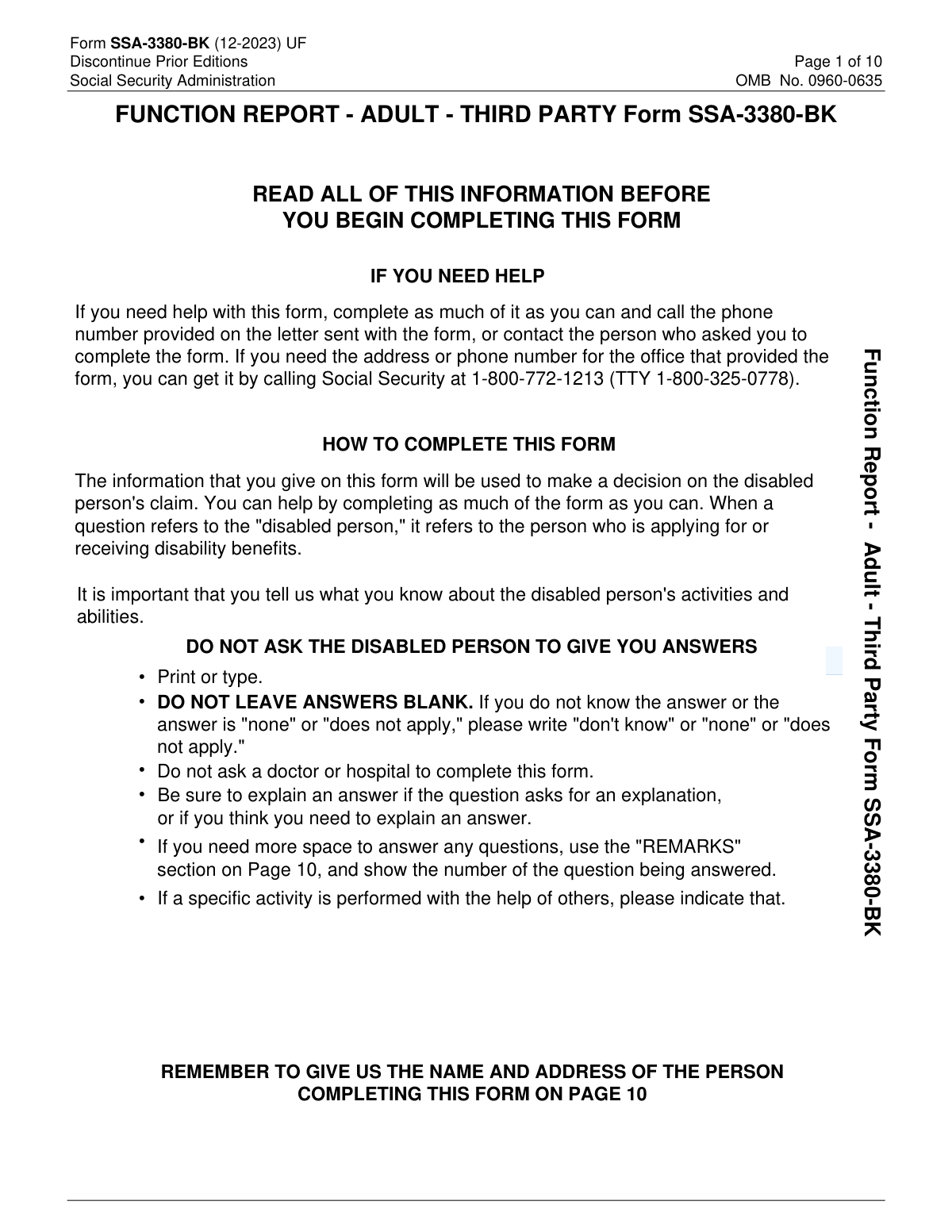
Form SSA-3380-BK, Function Report – Adult – Third Party, is a Social Security Administration questionnaire completed by someone who knows the disabled person (not the claimant) to describe the claimant’s day-to-day functioning, limitations, and abilities. SSA uses these third-party statements to evaluate how medical conditions affect activities such as personal care, household tasks, social functioning, and work-related abilities, which can be important evidence in a disability determination. The form emphasizes providing complete, specific answers and not asking the disabled person to supply responses. Today, this form can be filled out quickly and accurately using AI-powered services like Instafill.ai, which can also convert non-fillable PDF versions into interactive fillable forms.
Our AI automatically handles information lookup, data retrieval, formatting, and form filling.
It takes less than a minute to fill out SSA-3380-BK using our AI form filling.
Securely upload your data. Information is encrypted in transit and deleted immediately after the form is filled out.

Form specifications

Form name: Function Report – Adult – Third Party (Form SSA-3380-BK)
Filled form examples: Form SSA-3380-BK Examples
Language: English
Categories: disability forms
main-image

Instafill Demo: filling out a legal form in seconds

How to Fill Out SSA-3380-BK Online for Free in 2026

Are you looking to fill out a SSA-3380-BK form online quickly and accurately? Instafill.ai offers the #1 AI-powered PDF filling software of 2026, allowing you to complete your SSA-3380-BK form in just 37 seconds or less.
Follow these steps to fill out your SSA-3380-BK form online using Instafill.ai:
  1. 1 Go to Instafill.ai and upload the SSA-3380-BK PDF (or select it from the form library).
  2. 2 Enter basic case details: the disabled person’s name, your name, relationship, date, and your contact phone number.
  3. 3 Provide living situation and background information (where the disabled person lives, with whom, how long you’ve known them, and how much time you spend together).
  4. 4 Describe functional limitations and daily routine in detail, including how conditions limit work ability and what the person does from waking to bedtime.
  5. 5 Complete activity sections (personal care, meals, chores, getting around, shopping, money handling, hobbies, and social activities), adding explanations for any limitations.
  6. 6 Finish abilities and medical-support sections (physical/mental abilities affected, walking/attention limits, stress/routine changes, assistive devices, and medication side effects), then add any extra details in the Remarks section.
  7. 7 Review for completeness (avoid blanks), e-sign if available, and download/submit the completed form to the local Social Security office as instructed.

Our AI-powered system ensures each field is filled out correctly, reducing errors and saving you time.

Why Choose Instafill.ai for Your Fillable SSA-3380-BK Form?

Speed

Complete your SSA-3380-BK in as little as 37 seconds.

Up-to-Date

Always use the latest 2026 SSA-3380-BK form version.

Cost-effective

No need to hire expensive lawyers.

Accuracy

Our AI performs 10 compliance checks to ensure your form is error-free.

Security

Your personal information is protected with bank-level encryption.

Frequently Asked Questions About Form SSA-3380-BK

This form helps Social Security understand how an adult’s medical conditions affect their daily activities and ability to work. SSA uses your observations to help decide the disabled person’s disability claim.

A third party who knows the disabled person well (such as a family member, friend, neighbor, or caregiver) should complete it. The form asks for your perspective based on what you personally observe.

No. The instructions specifically say not to ask the disabled person to give you answers, because SSA wants your independent observations.

Yes—do not leave blanks. If you don’t know an answer or it doesn’t apply, write “don’t know,” “none,” or “does not apply,” as appropriate.

No. The form says not to ask a doctor or hospital to complete it, and it focuses on daily functioning rather than medical documentation. Provide practical examples of limitations you’ve seen.

You’ll need the disabled person’s name, your contact information, your relationship to them, how long you’ve known them, and details about their daily activities and limitations. It also helps to know what assistive devices they use and any medication side effects you’ve observed.

Describe specific work-related limitations you’ve observed, such as difficulty standing, concentrating, interacting with others, keeping a schedule, lifting, or handling stress. Concrete examples (what happens, how often, and how long it lasts) are more helpful than general statements.

Walk through a typical day from waking to bedtime, including personal care, meals, chores, going out, socializing, rest periods, and any help they need. Mention changes from how they functioned before their conditions began.

Explain what the person can and cannot do, what assistance or reminders they need, and how long tasks take. If they don’t do an activity, explain why (pain, fatigue, confusion, safety concerns, etc.).

Use the “REMARKS” section on Page 10 and include the question number you’re continuing. This is the best place to add extra examples or clarify details.

Check all aids used in Question 24 and explain which were prescribed by a doctor, when they were prescribed, and when the person needs them. Include real-world details (e.g., only outside the home, only on bad days, or for longer distances).

No. In Question 25, SSA asks you not to list all medicines—only list the medicines that cause side effects and describe the side effects the person has.

Send or bring the completed form to your local Social Security office, as the instructions state. If you need the correct office contact information, call SSA at 1-800-772-1213 (TTY 1-800-325-0778) or use the number on the letter that came with the form.

SSA estimates about 61 minutes to read the instructions, gather facts, and answer the questions. It may take longer if you need to think through detailed examples or use the Remarks section.

Yes—services like Instafill.ai can use AI to help auto-fill form fields accurately and save time by organizing your responses into the right sections. You typically upload the PDF to Instafill.ai, answer guided questions in plain language, and the tool maps your answers into the SSA-3380-BK fields for review before you download and submit.

If the PDF isn’t fillable, tools like Instafill.ai can convert a flat, non-fillable PDF into an interactive fillable form so you can type directly into fields. After conversion, you can complete it digitally, review for accuracy, and then print or save for submission.

Compliance SSA-3380-BK
Validation Checks by Instafill.ai

1
Validates required identity fields are present (Disabled Person Name, Third-Party Name, Relationship)
Checks that the Disabled Person’s full name, the name of the person completing the form, and the relationship to the disabled person are all provided and not left blank. These fields are essential to associate the report with the correct claimant and to understand the reporter’s basis of knowledge. If any are missing, the submission should be flagged as incomplete and routed for follow-up before adjudicative use.
2
Validates all date fields use MM/DD/YYYY and represent real calendar dates
Ensures the form date (Section A #4) and the completion date on Page 10 are in MM/DD/YYYY format and are valid dates (e.g., not 02/30/2026). Date normalization prevents downstream parsing errors and supports auditability of when the information was provided. If validation fails, the system should reject the date value and require correction or mark the record for manual review.
3
Checks date logical consistency (completion date not in the future; Page 10 date matches/does not conflict with Section A date)
Verifies that the reported dates are not later than the system receipt date (allowing a small tolerance if needed) and that the two form dates are not contradictory (e.g., Page 10 completion date earlier/later by an implausible amount). Consistent dates help establish the timeliness of evidence and reduce fraud/clerical errors. If inconsistent, the submission should be flagged and the user prompted to confirm or correct the dates.
4
Validates daytime telephone number structure and selection logic (Your/Message/None)
Checks that the phone number, if provided, contains exactly 10 digits (area code + prefix + line number) and that only one of the options is selected: direct number, message number, or none. This prevents unreachable contacts and avoids ambiguous routing for follow-up calls. If 'None' is selected, the system should ensure no phone digits are entered; if digits are entered, 'None' must be unselected and one contact type chosen.
5
Validates residence type selection and requires details when 'Other' is chosen
Ensures exactly one residence type is selected for where the disabled person lives (House/Apartment/Boarding House/Nursing Home/Shelter/Group Home/Other). If 'Other' is selected, the 'what?' text field must be populated with a meaningful description. If multiple residence types are checked or 'Other' lacks details, the submission should be flagged for correction to avoid misclassification of living situation.
6
Validates living arrangement selection and requires relationship details when 'Other' is chosen
Checks that exactly one option is selected for with whom the disabled person lives (Alone/With Family/With Friends/Other). If 'Other' is selected, the relationship description must be provided (e.g., roommate, caregiver, partner). If 'Alone' is selected, the 'Other relationship' field must be empty to prevent contradictory data; failures should trigger a correction prompt.
7
Validates acquaintance duration is present and in an acceptable format/range
Ensures the 'How long have you known the disabled person?' field is not blank and is expressed in a parseable unit (e.g., years/months) and within a reasonable range (not negative, not implausibly large). This supports weighting of third-party observations based on familiarity. If the value cannot be interpreted, the system should request clarification (e.g., '3 years' instead of 'a long time').
8
Conditional completeness for Yes/No questions requiring explanations
For all Yes/No items with follow-up text (e.g., caring for others, pet care, help with care, sleep affected, reminders for grooming, medicine reminders, go out alone, drives, problems getting along, fired/laid off, unusual behavior/fears), verifies that selecting 'Yes' (or 'No' where the form asks 'If no, explain') requires a non-empty explanation. This ensures the narrative evidence is captured and prevents unusable binary answers. If missing, the system should block submission or mark the item incomplete and prompt for the required details.
9
Personal care section consistency (No-Problem checkbox vs. individual personal care explanations)
If 'NO PROBLEM with personal care' is checked, the system should ensure that the individual personal care limitation fields (dress/bathe/hair/shave/feed/toilet/other) are empty or explicitly indicate no limitation, not contradictory limitation narratives. If the checkbox is not checked, at least one personal care impact field should be completed or the respondent should state 'none/does not apply' per instructions. Contradictions should be flagged for review because they affect functional capacity assessment.
10
Meals preparation branching validation (Yes requires details; No requires reason)
If the respondent indicates the disabled person prepares meals, the system should require at least the type of food, frequency, and time-to-prepare fields (and optionally changes in habits) to be completed. If the respondent indicates 'No,' the reason for not preparing meals must be provided. Missing branch details should prevent submission because meal preparation is a key ADL indicator.
11
House and yard work completeness and dependency checks
Validates that if chores are listed, the time/frequency field is also completed, and if 'needs help/encouragement' is 'Yes,' the help-needed description is provided. If the respondent indicates the disabled person does not do house/yard work, the explanation field must be completed. Failures should be flagged because incomplete chores data can misrepresent functional limitations.
12
Getting around logic (going outside frequency, travel method, and 'Other' explanation)
Ensures that the 'how often goes outside' field is completed, and if the respondent indicates the person does not go out at all, an explanation is provided. Requires at least one travel method when the person goes out, and if 'Other' travel is selected, an explanation must be entered. If 'can’t go out alone' is selected, the reason must be provided; missing elements should trigger correction prompts.
13
Driving consistency validation (drives vs. travel method and explanation when not driving)
If 'Does the disabled person drive?' is 'No,' the explanation for not driving must be present, and the travel method should not include 'Drive a car' unless clarified (e.g., previously drove, no longer drives). If 'Yes,' the travel method may include driving but should not be required. Contradictory driving data should be flagged because it impacts independence and mobility assessment.
14
Money management 'No' answers require explanation and change-since-onset logic
For each money management capability marked 'No' (pay bills, savings account, count change, checkbook/money orders), requires an explanation in the designated field. If the ability has changed since onset is marked 'Yes,' the change explanation must be completed; if marked 'No,' the change explanation should be empty. Missing explanations should block submission because financial functioning is a key cognitive/functional indicator.
15
Abilities affected checklist requires narrative explanation for checked items
When any items are checked in the abilities affected list (lifting, walking, memory, concentration, etc.), the system should require a corresponding narrative explanation describing the limitation (e.g., max pounds, distance, duration). This prevents checkmarks without usable severity information for RFC evaluation. If items are checked but the explanation is blank, the submission should be flagged as insufficient evidence and routed for follow-up.
16
Handedness selection validation (mutually exclusive and required)
Ensures exactly one handedness option is selected (right-handed or left-handed) and that both are not selected simultaneously. Handedness affects interpretation of limitations involving using hands, reaching, and fine/gross manipulation. If neither or both are selected, the system should prompt for a single selection.
17
Assistive devices and prescription details validation (Other explanation; prescribed/when/usage completeness)
If any assistive device is selected, the system should require completion of when the device is needed (usage details). If the respondent indicates any devices were prescribed by a doctor, the prescription date must be a valid date and the prescribed devices should be identifiable (not left vague). If 'Other' device is selected, an explanation is required; missing details should be flagged because device use materially affects mobility and functional capacity.
18
Medication side effects table validation (side effects Yes requires at least one medicine + side effect pair)
If the disabled person takes medicines and side effects are marked 'Yes,' the system must require at least one complete entry with a medicine name and the side effects experienced. If side effects are marked 'No,' the medicine/side effects rows should be empty to avoid conflicting information. Failures should be flagged because side effects can significantly impact work-related functioning and symptom credibility.
19
Page 10 contact block completeness and address format validation (name, street, city, state, ZIP; email optional)
Ensures the bottom-of-page fields for the person completing the form are completed: printed name, date, street address, city, state, and ZIP code. Validates state as a 2-letter code (or approved list) and ZIP as 5 digits (optionally ZIP+4), and validates email format only if provided. If incomplete or malformed, the submission should be flagged because SSA may need to contact the third party and the form instructions explicitly require this information.

Common Mistakes in Completing SSA-3380-BK

Leaving questions blank instead of writing “don’t know/none/does not apply”

People often skip items they can’t answer (especially about routines, money, or social activities), but this form explicitly instructs you not to leave blanks. Blank answers can look like the form was not fully completed and may trigger follow-up calls, delays, or a request to redo sections. If you truly don’t know, write “don’t know,” and if it doesn’t apply, write “none” or “does not apply” and add a brief reason when helpful. AI-powered form filling tools like Instafill.ai can flag unanswered fields and prompt you to enter an acceptable response instead of leaving it empty.

Asking the disabled person for answers (not providing third-party observations)

A very common mistake is turning the form into a self-report by asking the disabled person what to write, even though the instructions say not to do that. This can reduce the value of the third-party perspective and may create inconsistencies with other SSA forms or medical evidence. Answer based on what you personally observe and know, and clearly label anything you did not witness as “don’t know” or “told to me by…”. Instafill.ai can help by structuring responses to emphasize observed behaviors and separating direct observations from secondhand information.

Mixing up identities: disabled person vs. person completing the form

Because the form repeatedly switches between “disabled person” and “you,” people sometimes enter their own information in the disabled person fields (or vice versa), especially for name, phone, address, and daily activities. This can cause SSA to associate statements with the wrong person and may require clarification or resubmission. Double-check Section A: the disabled person’s name is Item 1, while the preparer’s name/phone/address are Items 2, 5, and Page 10. Tools like Instafill.ai can reduce this error by mapping data to the correct role (claimant vs. third-party respondent) and validating consistency across pages.

Incorrect date and phone number formatting (MM/DD/YYYY and area code/prefix/line)

Dates are frequently written in nonstandard formats (e.g., 2020-10-15 or 10/15/20) and phone numbers are often incomplete or placed in the wrong boxes (area code vs. prefix vs. line number). Formatting errors can make it hard for SSA to contact you or confirm when the report was completed, which can slow processing. Use MM/DD/YYYY exactly and ensure the phone number is complete; also check whether it is “Your Number,” “Message Number,” or “None.” Instafill.ai can automatically format dates and phone numbers correctly and warn you when digits are missing.

Checking “Other” without providing the required explanation

Several items require a description when “Other” is selected (e.g., residence type, living arrangement relationship, travel method, aids used). People often check “Other” but leave the explanation line blank, which creates an incomplete answer and can prompt SSA to follow up. Whenever you select “Other,” immediately fill in the adjacent text field with a clear, specific description (e.g., “assisted living facility,” “lives with roommate (cousin),” “paratransit”). Instafill.ai can detect when “Other” is checked and require the companion explanation before allowing completion.

Providing vague functional limits instead of measurable details

Answers like “can’t walk far,” “gets tired,” or “has trouble concentrating” are common but don’t give SSA enough functional detail to evaluate limitations. The form specifically asks for quantifiable examples (e.g., how many pounds lifted, how far walked, how long attention lasts, how long rest is needed). Vague responses can weaken the report and may lead to additional questionnaires or less accurate conclusions. Include numbers and real-world examples (e.g., “walks 1/2 block, rests 10 minutes,” “stands 5 minutes,” “lifts 5–10 lbs”). Instafill.ai can prompt for missing measurements and help format them consistently.

Contradictions across daily activities sections (sleep, personal care, chores, going out)

People often describe significant limitations in one section but then indicate high functioning elsewhere (e.g., “cannot bathe alone” but later “goes out alone daily,” or “no problem with personal care” while listing reminders for grooming/meds). Inconsistencies can reduce credibility and may cause SSA to question the accuracy of the report. Review related sections together (Items 14–20 and 23) and explain exceptions (e.g., “can go out alone only to mailbox,” “bathes only with grab bars and supervision”). Instafill.ai can cross-check for common inconsistencies and prompt you to add clarifying remarks.

Misusing the “No problem with personal care” checkbox

Some respondents check “No problem with personal care” to save time, then also write limitations in dressing, bathing, toileting, or note reminders for grooming/medicine. This creates a direct conflict within Item 15 and can lead to confusion about the true level of assistance needed. Only check “No problem” if there are genuinely no issues; otherwise leave it unchecked and describe the specific difficulties and supports (reminders, supervision, adaptive equipment). Instafill.ai can prevent this by warning when the “No problem” box conflicts with entered limitations or reminder needs.

Failing to explain all “NO” answers in the Money section

Item 20a requires an explanation for every “No” (pay bills, savings account, count change, checkbook/money orders), but people often mark “No” and move on. Missing explanations can make the section incomplete and may prompt SSA to request more detail about cognitive or functional limitations. For each “No,” explain why (e.g., memory issues, math errors, impulsive spending, needs representative payee) and whether someone else manages finances. Instafill.ai can enforce required follow-up text when “No” is selected and help keep explanations aligned with other cognitive/attention answers.

Listing all medications instead of only those causing side effects (or omitting side effects details)

The medication section (Item 25) specifically says not to list all medicines—only those that cause side effects—yet many people either list everything or provide “Yes” without naming the medication and side effects. This can clutter the record or leave SSA without the key functional impact of side effects (drowsiness, dizziness, nausea, confusion). If side effects exist, list the medicine name and the specific side effects the person experiences, and keep it focused on functional impact. Instafill.ai can guide you to include only qualifying medications and ensure each listed medicine has a corresponding side-effects description.

Forgetting to complete Page 10 preparer identification (name, date, address)

A frequent end-of-form error is filling out the narrative sections but leaving the Page 10 fields (name of person completing the form, date, address, city/state/ZIP, optional email) incomplete. SSA may be unable to contact the respondent for clarification, which can delay the claim or require resubmission. Always finish Page 10 even if you have no additional remarks, and ensure the address is complete and legible. If the form is only available as a flat non-fillable PDF, Instafill.ai can convert it into a fillable version and ensure the required signature/identification fields are not missed.
Saved over 80 hours a year

“I was never sure if my IRS forms like W-9 were filled correctly. Now, I can complete the forms accurately without any external help.”

Kevin Martin Green

Your data stays secure with advanced protection from Instafill and our subprocessors

Robust compliance program

Transparent business model

You’re not the product. You always know where your data is and what it is processed for.

ISO 27001, HIPAA, and GDPR

Our subprocesses adhere to multiple compliance standards, including but not limited to ISO 27001, HIPAA, and GDPR.

Security & privacy by design

We consider security and privacy from the initial design phase of any new service or functionality. It’s not an afterthought, it’s built-in, including support for two-factor authentication (2FA) to further protect your account.

Fill out SSA-3380-BK with Instafill.ai

Worried about filling PDFs wrong? Instafill securely fills function-report-adult-third-party-form-ssa-3380-bk-2 forms, ensuring each field is accurate.