Yes! You can use AI to fill out In-Service Withdrawal Request, City of Toledo Savings and Protection Plan
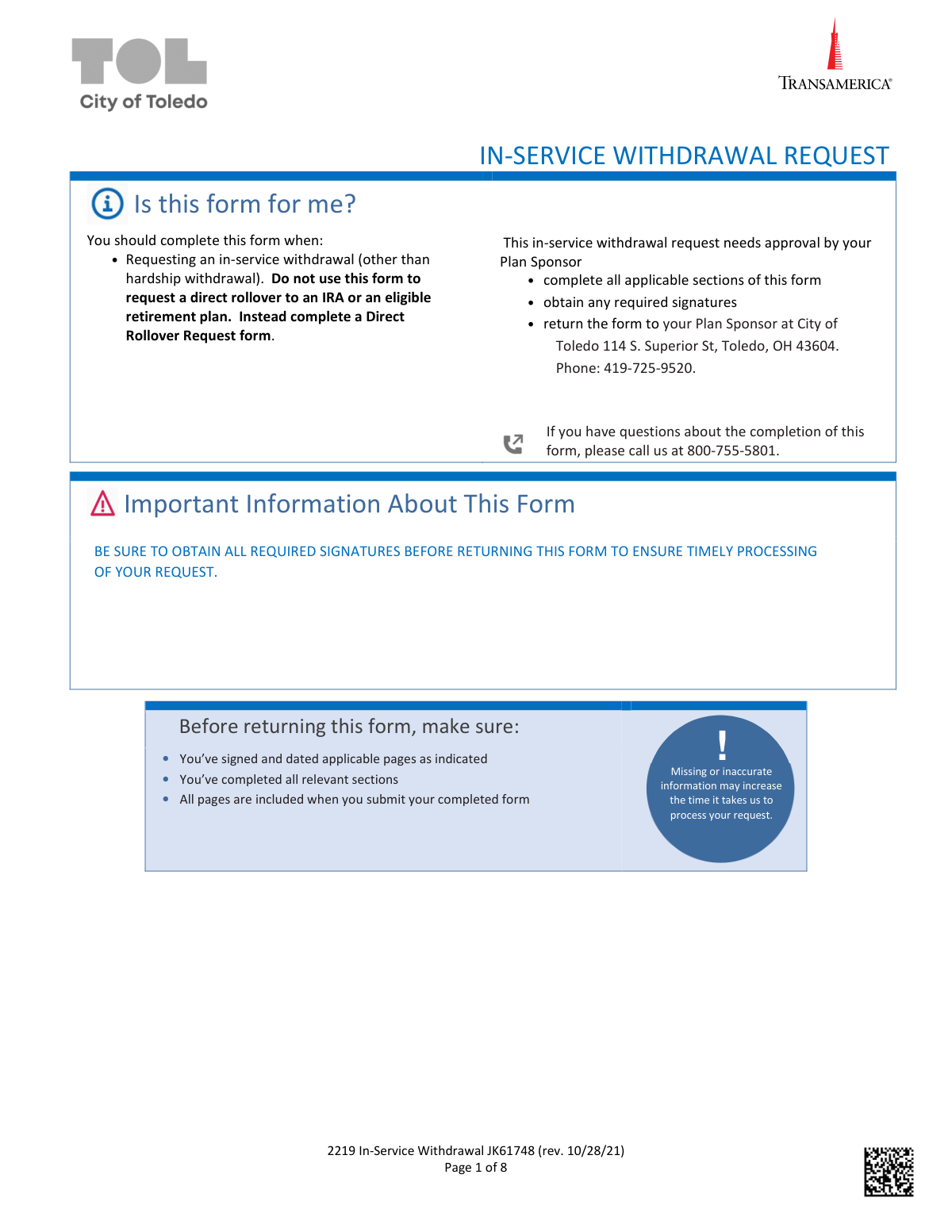
This form is a formal request for participants of the City of Toledo Savings and Protection Plan to access a portion of their retirement funds while still employed, for reasons other than hardship or a direct rollover. It allows individuals who meet certain criteria, such as reaching age 59 ½, to withdraw from specific contribution sources within their account. Today, this form can be filled out quickly and accurately using AI-powered services like Instafill.ai, which can also convert non-fillable PDF versions into interactive fillable forms.
JK61748 is part of the
withdrawal forms, City of Toledo forms, savings plan forms and withdrawal request forms categories on Instafill.
Rather not fill this in by hand? Instafill is an online form filler that completes PDF forms automatically — upload the blank form, answer a few questions, and the AI fills every field.
Form specifications
| Form name: | In-Service Withdrawal Request, City of Toledo Savings and Protection Plan |
| Number of pages: | 1 |
| Language: | English |
Our AI automatically handles information lookup, data retrieval, formatting, and form filling.
It takes less than a minute to fill out JK61748 using our AI form filling.
Securely upload your data. Information is encrypted in transit and deleted immediately after the form is filled out.
Instafill Demo: How to fill out PDF forms in seconds with AI
How to Fill Out JK61748 Online for Free in 2026
Are you looking to fill out a JK61748 form online quickly and accurately? Instafill.ai offers the #1 AI-powered PDF filling software of 2026, allowing you to complete your JK61748 form in just 37 seconds or less.
Follow these steps to fill out your JK61748 form online using Instafill.ai:
- 1 Navigate to Instafill.ai and upload or select the In-Service Withdrawal Request form.
- 2 Use the AI assistant to automatically fill in your personal details in Section 1, 'About Me', including your name, address, SSN, and date of birth.
- 3 In Section 2, select your reason for the in-service withdrawal (e.g., 'Attainment of Age 59 ½') and specify the amount or percentage you wish to withdraw from the available sources.
- 4 Choose your preferred payment method in Section 3, either 'Direct Deposit' by providing your bank account information or 'Send me a check'.
- 5 Review the tax withholding information in Section 4 and make your state income tax withholding election if applicable.
- 6 Carefully read the 'Signature & Agreement' in Section 5, then use the platform's tools to securely sign and date the form. Obtain a notarization if required by your circumstances.
- 7 Download the completed form and submit it to your Plan Sponsor at the address provided for final approval and processing.
Our AI-powered system ensures each field is filled out correctly, reducing errors and saving you time.
Why Choose Instafill.ai for Your Fillable JK61748 Form?
Speed
Complete your JK61748 in as little as 37 seconds.
Up-to-Date
Always use the latest 2026 JK61748 form version.
Cost-effective
No need to hire expensive lawyers.
Accuracy
Our AI performs 10 compliance checks to ensure your form is error-free.
Security
Your personal information is protected with bank-level encryption.
Frequently Asked Questions About JK61748
This form is used to request a cash withdrawal from your City of Toledo Savings and Protection Plan account while you are still employed. It is intended for non-hardship withdrawals and should not be used for rollovers.
You should complete this form if you are a plan participant and want to take an in-service withdrawal for a reason permitted by your plan, such as reaching age 59 ½ or withdrawing after-tax contributions.
No, this form is specifically for cash withdrawals paid directly to you. To move your funds to an IRA or another eligible retirement plan, you must use the 'Direct Rollover Request' form.
After completing all applicable sections and obtaining required signatures, you must return the form to your Plan Sponsor at: City of Toledo, 114 S. Superior St, Toledo, OH 43604.
Processing usually takes 1-4 business days after Transamerica receives your completed forms in good order. Missing or inaccurate information will cause delays.
Yes, a $25 in-service withdrawal processing fee applies to the transaction. If you request overnight mail delivery for a check, an additional fee of up to $50 will be deducted from your account.
The taxable portion of your distribution is subject to a mandatory 20% federal income tax withholding. You can make an election regarding state income tax withholding in Section 4 of the form.
For direct deposit, you must attach a voided check, a pre-printed deposit slip, or a formal letter from your bank. The name and address on the banking document must match the personal information you provided in Section 1.
Your signature must be notarized if you have recently updated your contact information or have not yet established your online Transamerica account. Your Plan Sponsor may be able to waive this requirement.
A Medallion Signature Guarantee is a special certification for financial transactions to protect against fraud. It is required for all withdrawal requests of $150,000 or more.
If you do not select a payment option in Section 3, your distribution will automatically be processed as a check and sent via standard mail to the address on file.
Yes, services like Instafill.ai use AI to accurately auto-fill form fields, which can save you time and help prevent common errors.
You can use a service like Instafill.ai to complete this form digitally. Simply upload the PDF to their platform, and the AI will guide you through filling out the fields online.
If you have a non-fillable PDF, you can use a tool like Instafill.ai to convert it into an interactive form. This allows you to easily type your information, sign electronically, and prepare it for submission.
Compliance JK61748
Validation Checks by Instafill.ai
1
Mandatory 'About Me' Section Completion
Checks that all personal information fields in Section 1, including First Name, Last Name, full address, SSN, and Date of Birth, are filled out. This information is essential for uniquely identifying the participant and for tax reporting purposes. A failure to provide complete information will halt the processing of the withdrawal until the missing data is supplied.
2
Valid Social Security Number Format
Validates that the Social Security Number (SSN) in Section 1 consists of nine digits, conforming to the standard XXX-XX-XXXX or XXXXXXXXX format. An incorrect or improperly formatted SSN will prevent proper IRS reporting and participant verification. The form will be rejected as 'not in good order' if the SSN is invalid.
3
Logical Date of Birth Validation
Ensures the Date of Birth (DOB) provided in Section 1 is a valid date in MM/DD/YYYY format and represents a plausible age for a plan participant. This check prevents data entry errors, such as future dates or impossible ages, which are critical for determining eligibility for certain withdrawal types. An invalid DOB will cause the request to be rejected for correction.
4
Exclusive Withdrawal Option Selection
Verifies that the user has selected exactly one primary withdrawal option in Section 2 and has provided the corresponding amount or percentage. This prevents ambiguity and ensures the withdrawal is processed from the correct source for the intended amount. If multiple or no options are selected, the form is considered incomplete and cannot be processed.
5
Withdrawal Amount/Percentage Specification
If a withdrawal option is checked in Section 2, this validates that the corresponding amount or percentage field is filled with a valid numeric value. For percentages, the value must be greater than 0 and less than or equal to 100. This ensures the withdrawal instruction is clear and executable.
6
Exclusive Payment Method Selection
Confirms that the user has chosen only one of the two main payment options in Section 3: 'DIRECT DEPOSIT' or 'SEND ME A CHECK'. This is a critical check to ensure there is a single, clear instruction for disbursing the funds. If both or neither are selected, the form defaults to a mailed check, which may not be the participant's desired outcome.
7
Direct Deposit Information Completeness
If 'DIRECT DEPOSIT' is selected in Section 3, this check ensures that an account type (Checking or Savings) is chosen and a method for providing bank information is indicated. This validation is crucial for executing the electronic fund transfer correctly. Failure to provide this complete information will result in the payment defaulting to a mailed check.
8
State Tax Withholding Percentage Entry
Validates that if the user checks 'YES' to elect state income tax withholding in Section 4, a corresponding percentage value is entered. This prevents an ambiguous instruction where the intent to withhold is clear but the amount is not specified. The form will be considered incomplete if the percentage is missing after electing 'YES'.
9
Participant Signature and Date Presence
Confirms that the participant's signature and the date of signature are present on the Signature & Agreement page (Page 7). This is the legal authorization for Transamerica to process the withdrawal and is a non-negotiable requirement. A missing signature or date will immediately render the entire request invalid and prevent processing.
10
Plan Sponsor Approval Signature Check
Verifies that the Plan Sponsor has signed and dated the approval section on Page 8. This signature certifies that the transaction is permissible under the plan's rules and that the participant's vesting information is correct. Without the Plan Sponsor's approval, Transamerica cannot process the withdrawal request.
11
Medallion Signature Guarantee for Large Withdrawals
Checks for a Medallion Signature Guarantee on Page 7 if the requested withdrawal amount is $150,000 or more. This is a high-level security measure required by financial institutions to protect against fraudulent large-value transactions. If the withdrawal is over the threshold and the guarantee is missing, the request will be rejected.
12
Age 59 ½ Withdrawal Eligibility
Cross-references the participant's Date of Birth in Section 1 with the selection of the 'ATTAINMENT OF AGE 59 ½' withdrawal option in Section 2. This logical check ensures the participant meets the specific age requirement for this type of penalty-free withdrawal. If the participant is not yet 59 ½, the request for this withdrawal type will be denied.
13
Direct Deposit Name Match
Validates that the participant's name in Section 1 matches the pre-printed name on the attached voided check or deposit slip for a Direct Deposit request. This is a key fraud prevention measure to ensure funds are not being diverted to an unauthorized third-party account. A mismatch will cause the direct deposit to fail and a check will be mailed instead.
Common Mistakes in Completing JK61748
Applicants often confuse a general withdrawal with a rollover. This form is explicitly for in-service withdrawals and states, 'Do not use this form to request a direct rollover.' Using this form for a rollover will result in the request being rejected, forcing the applicant to start over with the correct 'Direct Rollover Request' form and causing significant delays. To avoid this, carefully read the 'Is this form for me?' section on page 1 to confirm you are requesting a cash distribution, not transferring funds to another retirement account.
The instructions on page 1 clearly state that the completed form must be returned to the Plan Sponsor (City of Toledo), not directly to Transamerica. Applicants often miss this step and send the form to Transamerica, which cannot process it without the Plan Sponsor's signature on page 8. This mistake halts the entire process until the form is correctly routed, approved, and resubmitted. Always follow the submission instructions precisely to ensure the required approvals are obtained in the correct order.
The form requires a notarized signature on page 7 if the applicant has recently changed their contact information, such as their address. Many people update their address in Section 1 but overlook this corresponding requirement, leading to an 'not in good order' rejection. This security measure prevents fraud but is a common point of failure. To prevent this, double-check the signature requirements in Section 5 if you have made any changes to your personal details on the form.
Section 5, 'Signature & Agreement,' spans two pages (6 and 7), and the form repeatedly warns that all pages must be returned. Applicants frequently sign on page 7 and only submit that page, assuming the previous page is just informational. However, both pages contain critical agreements and must be included for the request to be processed. To avoid rejection, ensure you submit the entire form, especially both pages 6 and 7, as a single package.
In Section 2, applicants must choose whether to have taxes deducted from the requested amount or to increase the withdrawal to cover the taxes. The form notes that if no box is checked, the distribution is processed as a gross amount. This often leads to confusion when the applicant receives the full amount and faces a larger-than-expected tax liability later. Carefully consider the tax implications and check one of the two boxes to avoid unexpected financial consequences.
When selecting direct deposit in Section 3, applicants must provide valid documentation like a voided check or deposit slip with pre-printed information. Common errors include using starter checks without a name and address, or using a deposit slip with an internal bank routing number (which often starts with a 5 or 6). These errors result in the information being 'not in good order,' causing Transamerica to default to mailing a physical check, delaying access to funds. Using an AI-powered tool like Instafill.ai can help validate routing numbers to prevent this issue.
For direct deposit, the form requires that the name on the bank account documentation exactly matches the applicant's name in Section 1. People often try to use a joint account where they are not the primary account holder or an account with a nickname (e.g., 'Jim' instead of 'James'). This mismatch is a security flag that will cause the direct deposit to fail, resulting in a mailed check and processing delays. Always use a personal checking or savings account that is solely or jointly in your legal name as it appears on the form.
A Medallion Signature Guarantee is required for any withdrawal of $150,000 or more, as stated on page 7. This is a special type of signature verification from a financial institution that is different from a standard notary. Applicants requesting large sums often miss this requirement, as it's less common. Submitting the form without it for a large withdrawal guarantees rejection and requires the applicant to visit a bank or credit union to obtain the guarantee and resubmit.
In Section 2, applicants must specify either a dollar amount or a percentage for their withdrawal from a selected source. A common mistake is to check a box for a withdrawal source (e.g., 'ATTAINMENT OF AGE 59 ½') but forget to fill in the amount or percentage. This leaves the request ambiguous and unprocessable. To avoid delays, ensure you clearly and legibly write either the exact dollar amount or the specific percentage you wish to withdraw in the space provided.
Simple data entry errors in Section 1, such as transposing numbers in a Social Security Number (SSN) or entering a date of birth (DOB) in the wrong format, are very common. Since this is a non-fillable PDF, all information must be handwritten, increasing the chance of illegible or incorrect entries. Such errors can cause validation failures and significant processing delays. Using a tool like Instafill.ai can convert the flat PDF into a fillable version and auto-populate and validate data like SSN and DOB to ensure accuracy and proper formatting.
Saved over 80 hours a year
“I was never sure if my IRS forms like W-9 were filled correctly. Now, I can complete the forms accurately without any external help.”
Kevin Martin Green
Your data stays secure with advanced protection from Instafill and our subprocessors




Robust compliance program
Transparent business model
You’re not the product. You always know where your data is and what it is processed for.
ISO 27001, HIPAA, and GDPR
Our subprocesses adhere to multiple compliance standards, including but not limited to ISO 27001, HIPAA, and GDPR.
Security & privacy by design
We consider security and privacy from the initial design phase of any new service or functionality. It’s not an afterthought, it’s built-in, including support for two-factor authentication (2FA) to further protect your account.
Fill out JK61748 with Instafill.ai
Worried about filling PDFs wrong? Instafill securely fills in-service-withdrawal-request-city-of-toledo-savings-and-protection-plan forms, ensuring each field is accurate.
