Yes! You can use AI to fill out IRA Distribution Form
This form is used to request a non-mandatory distribution from an Individual Retirement Arrangement (IRA), including Traditional, Roth, SIMPLE, or SEP accounts. It allows the account holder to specify the reason for the distribution, the amount, and how the funds should be paid out, as well as tax withholding preferences. It is not intended for Required Minimum Distributions (RMDs) or Roth IRA conversions. Today, this form can be filled out quickly and accurately using AI-powered services like Instafill.ai, which can also convert non-fillable PDF versions into interactive fillable forms.
IRA Distribution Form is part of the
VA forms, HR forms, IRA forms, distribution forms and IRA distribution forms categories on Instafill.
Rather not fill this in by hand? Instafill is an online form filler that completes PDF forms automatically — upload the blank form, answer a few questions, and the AI fills every field.
Form specifications
| Form name: | IRA Distribution Form |
| Number of pages: | 1 |
| Language: | English |
Our AI automatically handles information lookup, data retrieval, formatting, and form filling.
It takes less than a minute to fill out IRA Distribution Form using our AI form filling.
Securely upload your data. Information is encrypted in transit and deleted immediately after the form is filled out.
Instafill Demo: How to fill out PDF forms in seconds with AI
How to Fill Out IRA Distribution Form Online for Free in 2026
Are you looking to fill out a IRA DISTRIBUTION FORM form online quickly and accurately? Instafill.ai offers the #1 AI-powered PDF filling software of 2026, allowing you to complete your IRA DISTRIBUTION FORM form in just 37 seconds or less.
Follow these steps to fill out your IRA DISTRIBUTION FORM form online using Instafill.ai:
- 1 Navigate to Instafill.ai and upload or select the IRA Distribution Form.
- 2 Use the AI assistant to automatically fill in your personal details in Section 1, such as your name, account number, SSN, and address.
- 3 In Section 2, indicate the reason for your distribution, for example, a normal distribution, rollover, or premature distribution.
- 4 Specify your distribution payment options in Section 3, choosing between a lump sum or installments and indicating which funds to draw from.
- 5 Complete Section 4 to instruct how you want to receive the proceeds, such as a direct deposit to your bank or a check by mail.
- 6 Fill out the tax withholding elections for federal and state taxes in Section 7.
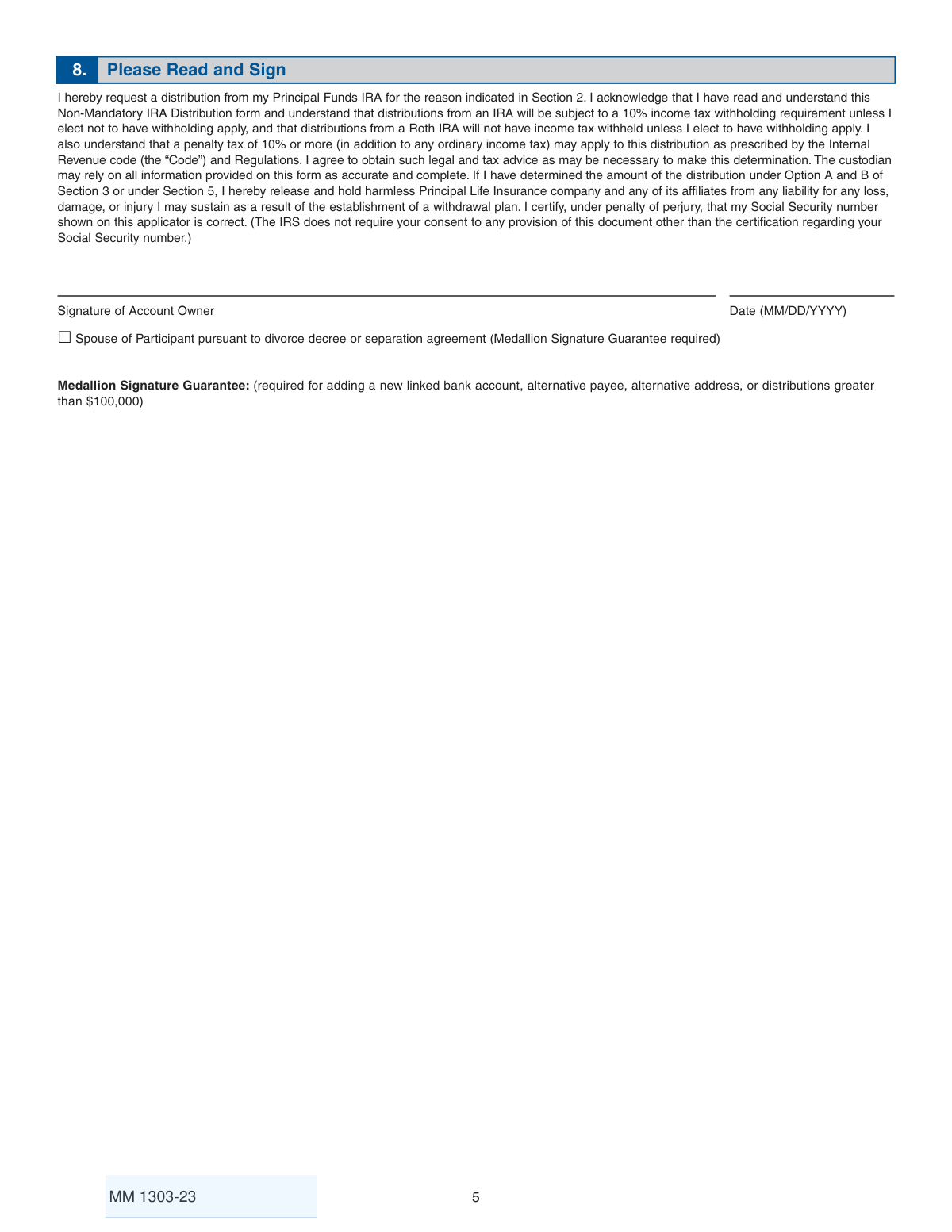
- 7 Review all the information for accuracy, then provide your digital signature and the date in Section 8 before submitting the completed form.
Our AI-powered system ensures each field is filled out correctly, reducing errors and saving you time.
Why Choose Instafill.ai for Your Fillable IRA Distribution Form Form?
Speed
Complete your IRA Distribution Form in as little as 37 seconds.
Up-to-Date
Always use the latest 2026 IRA Distribution Form form version.
Cost-effective
No need to hire expensive lawyers.
Accuracy
Our AI performs 10 compliance checks to ensure your form is error-free.
Security
Your personal information is protected with bank-level encryption.
Frequently Asked Questions About IRA Distribution Form
This form is used to request a non-mandatory withdrawal from your Traditional, Roth, SIMPLE, or SEP IRA. It is for one-time or recurring payments that are not Required Minimum Distributions (RMDs).
Yes, do not use this form for Required Minimum Distributions (RMDs), Roth IRA conversions, or distributions due to the account owner's death. These situations require different, specific forms.
You must mail the form with your original signature to the address listed, as faxes and copies are not accepted. There are separate addresses provided for standard and overnight mail.
It is a special signature verification from a financial institution that guarantees your identity. It's required for distributions over $100,000, payments sent to a new address or bank account, or payments made to someone other than the account owner.
A 10% federal tax withholding is automatic for most IRAs unless you elect a different option in Section 7. You can choose not to have taxes withheld or specify a different percentage, but you are still responsible for any taxes owed.
You can choose to have funds deposited directly into your bank account, have a check mailed to your address, or have a check sent via overnight mail for a fee. To set up a new bank link, you must provide a voided check or get a Medallion Signature Guarantee.
Electronic funds transfers (ACH) to a linked bank account are sent on the second business day after the request. Bank wires are sent the next business day for a $10 fee, while checks sent by mail will take longer to arrive.
For a disability distribution, you must attach a copy of your Social Security approval or disability benefits. For a distribution due to divorce, you must attach a certified copy of the divorce decree or separation agreement.
Yes, you can use this form to request a 'Removal of Excess Contributions' by completing Section 5. You will need to provide the amount of the excess contribution and the date it was made.
Yes, in Section 3, you can choose to establish systematic distributions by selecting 'Installments' and specifying a monthly, quarterly, or annual payment schedule. A minimum account balance of $5,000 is required for this option.
Yes, services like Instafill.ai use AI to accurately auto-fill form fields with your information, which can save you time and help reduce errors.
You can use a service like Instafill.ai to upload the PDF and fill it out on your computer. The platform allows you to type directly into the fields, add your signature, and then download the completed form for printing and mailing.
If you have a non-fillable or 'flat' PDF, you can upload it to a service like Instafill.ai. It will automatically convert the document into an interactive, fillable form that you can complete online.
Compliance IRA Distribution Form
Validation Checks by Instafill.ai
1
Validates Social Security Number Format
This check ensures that the Social Security Number provided in Section 1 is a valid 9-digit number. It verifies the field is not empty, contains only numeric characters, and has the correct length. This is critical for tax reporting and unique identification of the account owner. If the format is incorrect, the submission cannot be processed.
2
Ensures Mandatory IRA Type Selection
Verifies that the user has selected one and only one IRA type (Traditional, Roth, SIMPLE, or SEP) at the top of the form. This selection is fundamental as it dictates the tax rules and distribution options applicable to the request. A missing or multiple selection would make it impossible to process the distribution correctly.
3
Confirms Distribution Reason is Selected
This validation ensures that at least one checkbox is marked in Section 2, 'Reason for Distribution'. The reason is required for determining tax implications and potential penalties, such as the 10% premature distribution penalty or the 25% SIMPLE IRA penalty. The form cannot be processed without this information.
4
Validates Installment Plan Completeness
If 'Installments' is chosen as a distribution option in Section 3, this check confirms that a frequency (Monthly, Quarterly, or Annually) is selected and that the 'Beginning on' date is a valid, future date. An incomplete or invalid entry would prevent the systematic withdrawal plan from being set up correctly. The date cannot be in the past.
5
Verifies Mutually Exclusive Partial Distribution Choice
In Section 3, if 'Partial shares' is selected for a Lump Sum Distribution, this check ensures that either a 'Dollar amount' OR a 'Number of shares' is specified, but not both. Providing both values creates an ambiguous instruction for the distribution amount. The form should be rejected if both fields are filled.
6
Validates Proceeds Instruction Selection
This check ensures that exactly one payment method is selected in Section 4, 'Proceeds Instructions'. The user must choose how they want to receive their funds. A missing or multiple selection would result in an inability to disburse the funds as requested.
7
Conditional Validation for New Bank Information
If the user selects 'Deposit to my bank account not on file' in Section 4, this validation triggers a check to ensure Section 6, 'Banking Information', is fully completed. This includes the bank name, a valid 9-digit ABA routing number, and the account number. Failure to provide this information makes the selected proceeds instruction impossible to fulfill.
8
Validates Excess Contribution Details
If the distribution reason in Section 2 is 'Excess', this check verifies that all fields in Section 5 ('Amount of Excess Contribution', 'Date Excess Contribution was made', 'Tax Year') are completed with data in the correct format. This information is legally required to correctly process the removal of an excess contribution and report it to the IRS.
9
Ensures Federal Tax Withholding Election is Clear
In Section 7, this check validates that the user has made a clear choice for federal tax withholding. The user cannot both elect NOT to have tax withheld and also provide a specific withholding percentage. If a percentage is provided, it must be a whole number. An ambiguous selection requires clarification before processing.
10
Verifies Signature and Date of Signature
This check confirms that the 'Signature of Account Owner' field in Section 8 is signed and that a valid date in MM/DD/YYYY format is provided. The signature legally authorizes the distribution request, and the date establishes when the authorization was given. An unsigned or undated form is legally invalid.
11
Conditional Requirement for Medallion Signature Guarantee
This is a critical logic check that verifies if a Medallion Signature Guarantee is present when required. The system must check if the distribution amount is over $100,000, if payment is sent to a new address or bank account, or if the payee is someone other than the account owner. If any of these conditions are met and the guarantee is missing, the form must be rejected for security reasons.
12
Validates Date of Birth Format and Plausibility
This check ensures the 'Date of Birth' in Section 1 is in a valid MM/DD/YYYY format and represents a plausible age (e.g., the person is over 18 and the date is not in the future). This information is used to determine eligibility for penalty-free distributions (age 59 1/2). An invalid date would prevent correct processing and tax assessment.
13
Cross-references Age with Distribution Reason
This validation compares the owner's age, calculated from the Date of Birth in Section 1, with the 'Reason for Distribution' in Section 2. If the owner is under age 59 1/2 and selects 'Normal Distribution', the system should flag the request for review or notify the user of the likely 10% premature distribution penalty. This helps prevent user error and unexpected tax consequences.
14
Validates ABA Routing Number Format
When banking information is provided in Section 6, this check specifically validates that the 'ABA Routing Number' is a 9-digit numeric value. This format is standard for all U.S. banking institutions and is essential for the successful electronic transfer of funds. An incorrect ABA number will cause the ACH or wire transfer to fail.
Common Mistakes in Completing IRA Distribution Form
This form requires a Medallion Signature Guarantee for high-risk transactions, such as distributions over $100,000, payments to a new address, or transfers to a new bank account. People often overlook this requirement because it involves visiting a financial institution. Submitting the form without a required guarantee will lead to an automatic rejection and significant delays, as the user must restart the process after obtaining the guarantee.
The form explicitly states it is NOT for Required Minimum Distributions (RMDs), Roth conversions, or 72(t) distributions. Users often grab the first 'distribution form' they find without reading the fine print. Using the wrong form will cause the request to be rejected, forcing the user to find and complete the correct form (e.g., MM2628 for RMDs), delaying access to their funds.
In Section 3, users may select multiple conflicting options, such as checking both 'Lump Sum Distribution' and 'Installments', or selecting 'All Shares' while also writing a dollar amount. This ambiguity forces the financial institution to contact the account owner for clarification. This back-and-forth communication halts the distribution process until clear, unambiguous instructions are provided.
Choosing the wrong reason in Section 2 has serious tax implications. For example, a person under age 59 ½ might select 'Normal Distribution' instead of 'Premature Distribution,' leading to incorrect tax withholding and potential IRS penalties. It is the individual's responsibility to select the correct reason, and a mistake can result in an unexpected tax bill and penalties during tax filing.
The state tax withholding rules in Section 7 are complex, varying by state (Mandatory, Voluntary, Non-Participatory). A user might elect 'NOT to have state income tax withheld' in a state where it's mandatory, causing the institution to override their choice. In a voluntary state, failing to specify a percentage results in no state tax being withheld, which could lead to underpayment penalties.
When setting up a new bank link in Section 6, users often make mistakes like attaching a starter check without a preprinted name and address, or forgetting to include a voided check altogether. The form explicitly requires a preprinted voided check or deposit slip. Failure to provide this, or the alternative Medallion Signature Guarantee, will prevent the bank link from being established and delay the electronic fund transfer.
The form header clearly states 'DO NOT FAX; ORIGINAL SIGNATURE REQUIRED.' In an age of digital convenience, people may default to faxing or scanning the document for speed. However, financial institutions require the original 'wet' signature for legal and security purposes. A faxed submission will be rejected, and the user will have to mail the physical form, losing valuable time.
Certain distribution reasons require additional paperwork, such as a 'Direct Rollover/Transfer form' for rollovers to another company or a 'certified copy of the divorce decree' for distributions due to divorce. People often focus on filling out the main form and forget to include these essential attachments. An incomplete submission package will be put on hold until all required documents are received.
Section 1 explicitly requests a 'Street Address (no P.O. Box Address).' This is a federal requirement for financial accounts (CIP rule) to verify identity and physical location. Submitting a P.O. Box will cause the form to be flagged for being incomplete, and the firm will have to request a valid physical address before proceeding, delaying the entire process.
In Section 1, there is a small but important question about continuing or stopping an existing Automatic Investment Plan. It's easy for filers to miss this checkbox entirely. This oversight can lead to unintended consequences, such as the AIP being stopped when the user wanted it to continue, or vice-versa, disrupting their long-term investment strategy.
Saved over 80 hours a year
“I was never sure if my IRS forms like W-9 were filled correctly. Now, I can complete the forms accurately without any external help.”
Kevin Martin Green
Your data stays secure with advanced protection from Instafill and our subprocessors




Robust compliance program
Transparent business model
You’re not the product. You always know where your data is and what it is processed for.
ISO 27001, HIPAA, and GDPR
Our subprocesses adhere to multiple compliance standards, including but not limited to ISO 27001, HIPAA, and GDPR.
Security & privacy by design
We consider security and privacy from the initial design phase of any new service or functionality. It’s not an afterthought, it’s built-in, including support for two-factor authentication (2FA) to further protect your account.
Fill out IRA Distribution Form with Instafill.ai
Worried about filling PDFs wrong? Instafill securely fills ira-distribution-form-1 forms, ensuring each field is accurate.
