Yes! You can use AI to fill out Rollover Form (Principal Financial Group)
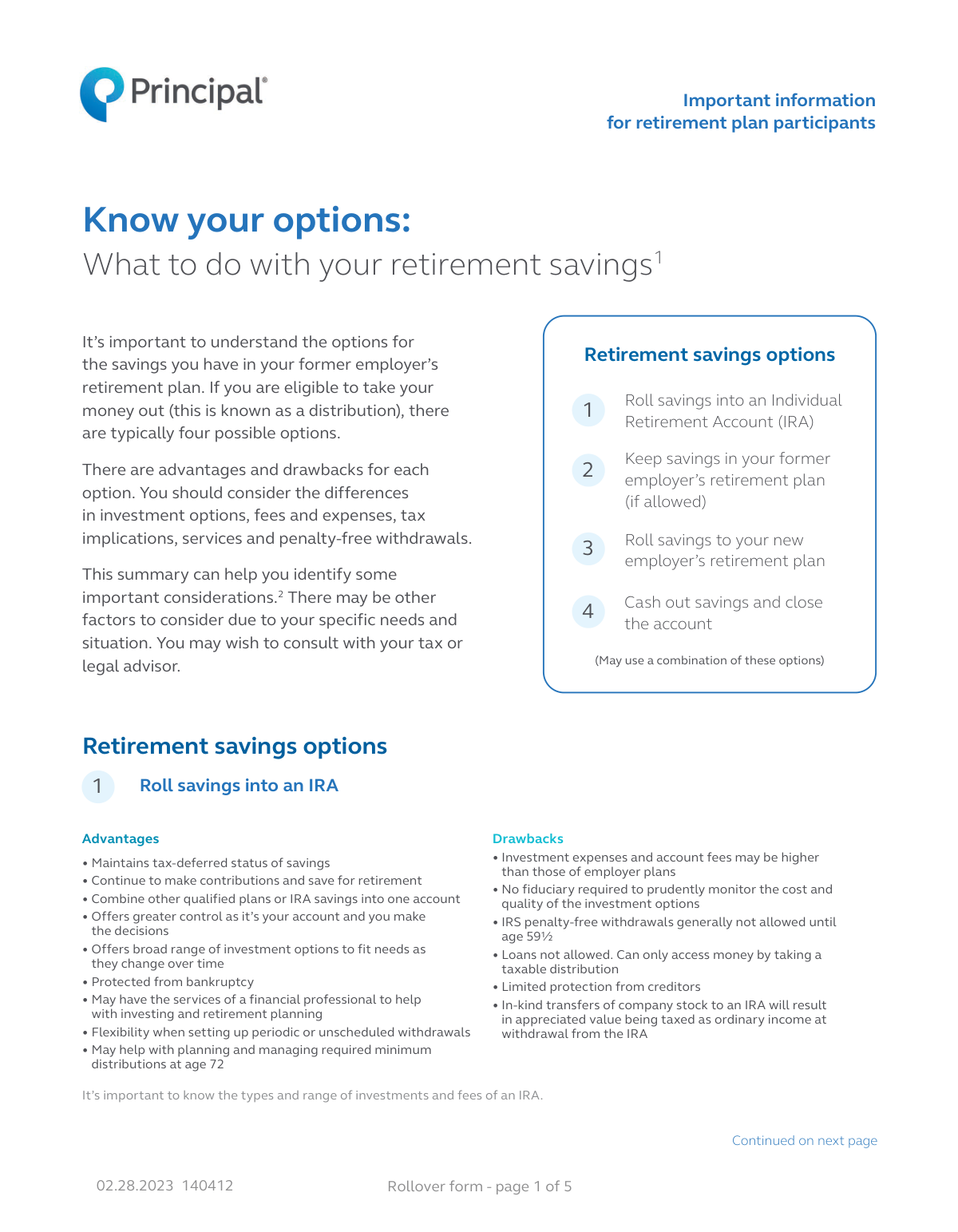
A Rollover Form is a document used to authorize the transfer of retirement savings from one qualified plan, like a former employer's 401(k) or an IRA, to another, such as a new employer's plan. This process, known as a rollover, is crucial for consolidating retirement assets, maintaining their tax-deferred status, and potentially accessing different investment options or lower fees. Completing this form accurately ensures that the transfer is processed correctly without incurring unnecessary taxes or penalties. Today, this form can be filled out quickly and accurately using AI-powered services like Instafill.ai, which can also convert non-fillable PDF versions into interactive fillable forms.
Rollover Form is part of the
financial forms, Principal forms and Principal Financial forms categories on Instafill.
Rather not fill this in by hand? Instafill is an online form filler that completes PDF forms automatically — upload the blank form, answer a few questions, and the AI fills every field.
Form specifications
| Form name: | Rollover Form (Principal Financial Group) |
| Number of pages: | 1 |
| Language: | English |
Our AI automatically handles information lookup, data retrieval, formatting, and form filling.
It takes less than a minute to fill out Rollover Form using our AI form filling.
Securely upload your data. Information is encrypted in transit and deleted immediately after the form is filled out.
Instafill Demo: How to fill out PDF forms in seconds with AI
How to Fill Out Rollover Form Online for Free in 2026
Are you looking to fill out a ROLLOVER FORM form online quickly and accurately? Instafill.ai offers the #1 AI-powered PDF filling software of 2026, allowing you to complete your ROLLOVER FORM form in just 37 seconds or less.
Follow these steps to fill out your ROLLOVER FORM form online using Instafill.ai:
- 1 Navigate to Instafill.ai and upload the Rollover Form PDF or select it from the template library.
- 2 Use the AI assistant to automatically fill in your personal information in Section 1, including your name, Social Security number, date of birth, and contact details.
- 3 In Section 2, provide details about the rollover funds, specifying whether they are pre-tax, Roth, or other after-tax contributions, and enter the approximate account values.
- 4 Carefully review the certifications in Section 3, confirming that the funds are eligible for rollover and that you understand the investment elections.
- 5 Electronically sign and date the form to authorize the rollover transaction.
- 6 Follow the instructions in Section 6 to submit the completed form, along with the rollover check or after initiating a wire transfer, to Principal Financial Group via mail or fax.
Our AI-powered system ensures each field is filled out correctly, reducing errors and saving you time.
Why Choose Instafill.ai for Your Fillable Rollover Form Form?
Speed
Complete your Rollover Form in as little as 37 seconds.
Up-to-Date
Always use the latest 2026 Rollover Form form version.
Cost-effective
No need to hire expensive lawyers.
Accuracy
Our AI performs 10 compliance checks to ensure your form is error-free.
Security
Your personal information is protected with bank-level encryption.
Frequently Asked Questions About Rollover Form
This form is used to transfer, or 'roll over,' your retirement savings from a previous employer's plan or an Individual Retirement Account (IRA) into your current Addus Healthcare, Inc. 401(k) Plan, which is serviced by Principal.
You should use this form if you are a participant in the Addus Healthcare, Inc. 401(k) Plan and wish to consolidate funds from a former retirement account into your current plan.
Rolling over your funds maintains their tax-deferred status, allowing your savings to continue growing for retirement. Cashing out typically results in a 20% federal tax withholding, plus potential state taxes and a 10% early withdrawal penalty.
You will need to provide your full name, date of birth, Social Security number, mailing address, date of hire, phone number, and email address.
That's okay. In Section 2, you can check the 'No' box, and Principal will work with your previous financial institution to obtain this information for you.
Your funds will be invested according to your current investment election on file. If you don't have one, the money will be directed to the plan's default option, a BlackRock LifePath Index fund based on your age.
You must contact your previous financial institution and request they send the funds via check or wire transfer. The form provides the specific payee information, mailing address, and wire instructions they will need.
To avoid tax penalties, you must complete the rollover within 60 days of receiving the funds from your old plan. You must also send this completed form to Principal within 15 business days of them receiving the funds, or the money will be returned.
Mail the completed form and check to Principal Financial Group, P.O. Box 9394, Des Moines, IA 50306-9394. It is also recommended to fax the signed form to 1-866-704-3481 so Principal knows the funds are on their way.
Yes, if you need assistance contacting your previous financial institution to request the funds, you can call Principal at 1-800-547-7754 for more information.
By signing, you certify that the funds are eligible for rollover, are not from a hardship withdrawal, and that you have reviewed the plan's investment options. You also agree to the default investment allocation if you don't make a separate election.
Yes, services like Instafill.ai use AI to accurately auto-fill form fields, which can save you time and help reduce errors when completing your rollover paperwork.
You can use a service like Instafill.ai to fill out the form online. Simply upload the PDF, and the tool will make it interactive so you can type your information directly into the fields and sign it electronically.
If your PDF is not fillable, you can use a tool like Instafill.ai. It can convert flat, non-fillable PDFs into interactive forms that you can complete and sign on your computer or mobile device.
Compliance Rollover Form
Validation Checks by Instafill.ai
1
Social Security Number Format and Completeness
This check verifies that the Social Security number field is not empty and that the entry conforms to the 9-digit XXX-XX-XXXX format. This is critical for uniquely identifying the participant for tax reporting and account management. A failure would prevent form submission, prompting the user to enter a valid SSN.
2
Date of Birth Validity and Age Check
Validates that the Date of Birth is a real calendar date in MM/DD/YYYY format and that the participant is of a legal age to participate in a retirement plan (e.g., over 18). This is important for determining eligibility for certain plan features and for identity verification. An invalid date or an age outside the acceptable range would trigger an error.
3
Signature and Date Requirement
Ensures that the signature field has been signed and the corresponding date field is filled out with a valid, current date. The signature legally authorizes the rollover transaction, and the date records when this authorization was given. The form cannot be processed without a valid signature and date, as it would lack legal standing.
4
Fund Source Declaration Completeness
This check confirms that the user has answered the mandatory question in Section 2, 'Do you know if the funds are pre-tax or after-tax contributions?'. This initial selection is required because it determines which subsequent fields must be completed for proper fund allocation. If neither 'Yes' nor 'No' is selected, the user will be blocked from proceeding until a choice is made.
5
Conditional Fund Detail Requirement
If the user selects 'Yes' to knowing their fund types, this validation ensures that at least one sub-category ('Pre-tax' or 'After-tax') is checked and its corresponding monetary value field is filled. This prevents a partial submission where the user indicates they have details but fails to provide them. A failure would result in a prompt asking the user to provide the specific fund breakdown.
6
Roth Contribution Detail Completeness
When the 'Roth' checkbox is selected, this validation verifies that the 'Roth deferral amount', 'Earnings on Roth deferral', and 'Tax year of the first Roth deferral' fields are all populated. This detailed information is essential for correct tax accounting and tracking the basis of the Roth contributions. Missing information would halt processing and require the user to complete all required Roth fields.
7
Tax Year Format and Logic
This check ensures that all fields requiring a tax year are entered as a valid four-digit year (YYYY). It also verifies that the entered year is not in the future and is a plausible year for a financial transaction. This prevents data entry errors and ensures the historical accuracy needed for tax compliance. An invalid year format or a future date would be rejected.
8
Logical Date of Hire
Validates that the 'Date of hire' is a valid date that occurs before the current date and logically after the participant's date of birth. This cross-field check ensures data consistency and plausibility within the personal information section. An illogical date would trigger an error message requiring correction.
9
Email Address Format Validation
This check verifies that the email address field contains a value that follows a standard email format, typically including an '@' symbol and a domain with a period. A valid email is crucial for electronic communication, account notifications, and online access. If the format is invalid, the system will prompt the user to correct the entry before submission.
10
Numeric Value Validation for Fund Amounts
Ensures that all fields for monetary values (e.g., 'Approximate account value', 'Roth deferral amount') contain only valid numeric characters and represent a non-negative amount. This maintains data integrity for financial transactions and prevents processing errors caused by non-numeric text. Any entry containing letters or negative signs would be flagged as invalid.
11
Conditional Roth Conversion Detail Requirement
If a user answers 'Yes' to the question 'Was any part of the Roth account originally a pre-tax contribution?', this check ensures the corresponding conversion amount and 'Tax year of completion' are provided. This information is critical for tracking the five-year rule for Roth conversions and ensuring proper tax treatment upon withdrawal. Failure to provide these details would prevent submission until the fields are completed.
12
Mailing Address Completeness
This validation confirms that the core components of the mailing address—Street, City, State, and Zip Code—are all filled out. A complete and accurate address is essential for sending legal notices, statements, and other important correspondence. If any of these fields are empty, the form submission will be blocked with a message indicating the missing information.
13
Phone Number Format
Verifies that the phone number field is populated and adheres to a standard 10-digit format (e.g., XXX-XXX-XXXX or XXXXXXXXXX). A valid phone number is a key piece of contact information for identity verification and direct communication. An incorrectly formatted number would trigger an error, requiring the user to re-enter it correctly.
14
Full Name Requirement
This check ensures that both the 'Last' and 'First' name fields in the Personal Information section are populated. A full name is the most fundamental piece of identifying information required to open or service an account. The form cannot be processed if the primary identifier for the participant is incomplete.
Common Mistakes in Completing Rollover Form
Applicants often guess the amounts for pre-tax, Roth, and other after-tax contributions because they don't have the exact figures from their previous plan. Incorrectly classifying these funds can lead to significant tax reporting errors, potential penalties, and complicated corrections later. To avoid this, obtain a recent statement from your previous financial institution that clearly breaks down the funds before filling out this section.
A common misunderstanding is that submitting this form to Principal automatically triggers the transfer of funds from the old institution. However, Section 5 requires the applicant to separately contact their previous provider to request the distribution. This oversight results in Principal receiving the form without the corresponding funds, which can cause the rollover request to be rejected after 15 business days.
Forgetting to sign and date the form in Section 3 is a frequent and critical error that immediately invalidates the entire application. This simple mistake halts the rollover process, requiring the form to be returned and resubmitted, which can cause significant delays and potentially risk missing the 60-day rollover window. Always double-check for a valid signature and the current date before submission.
The previous institution may issue the rollover check with an incorrect payee, such as making it payable directly to the applicant instead of 'Principal Trust Company FBO: '. This happens when the applicant fails to provide the precise instructions from Section 5 to their old provider. An incorrectly named check will be rejected by Principal, forcing a reissue of the check and delaying the entire rollover process.
Section 2 specifically asks for Roth deferral amounts to be listed separately from their earnings, but people often enter the total Roth balance in one field. This mistake complicates the tracking of your cost basis, which is essential for determining the tax-free status of future withdrawals. To prevent this, refer to your previous plan's statements to find the separate values for contributions and earnings.
Transposing digits or entering an incorrect Social Security Number is a common data entry error with serious consequences. The SSN is the primary identifier for your account and for tax reporting to the IRS. An incorrect number will cause the rollover to fail verification, leading to rejection of the form and significant processing delays until the information is corrected.
Applicants may sign Section 3 without confirming that their funds are eligible for rollover, as they are certifying that the funds are not from a hardship withdrawal or a required minimum distribution. Rolling over ineligible funds can result in the transaction being reversed and may trigger immediate taxes and penalties. Before signing, review the source of your funds and consult your previous plan's rules to ensure they qualify.
Applicants sometimes fill out their name using a nickname (e.g., 'Jim' instead of 'James') or an informal version that doesn't match their legal documents. Financial institutions require your full legal name to match across accounts for identity verification and compliance purposes. This discrepancy can cause a mismatch and lead to the rejection of your rollover request.
The form specifically asks about in-plan Roth conversions, a detail that is easy to overlook if it happened years ago. Failing to report this conversion and its tax year can lead to incorrect tracking of the five-year holding period required for qualified, tax-free distributions. This omission can result in unexpected taxes and penalties if you withdraw funds before the holding period is actually met.
Omitting details like an apartment number or using an outdated address is a frequent oversight. This can prevent you from receiving critical documents, such as confirmation statements for the completed rollover or other important account notices. AI-powered tools like Instafill.ai can help prevent this by auto-filling and validating address information to ensure its accuracy and completeness.
The form states that if rollover funds are received, the completed form must also be received within 15 business days, or the funds will be returned. Applicants may mail the check but forget to fax or mail the form in a timely manner, or vice versa. This lack of coordination leads to the transaction being cancelled, forcing the applicant to restart the entire process.
Saved over 80 hours a year
“I was never sure if my IRS forms like W-9 were filled correctly. Now, I can complete the forms accurately without any external help.”
Kevin Martin Green
Your data stays secure with advanced protection from Instafill and our subprocessors




Robust compliance program
Transparent business model
You’re not the product. You always know where your data is and what it is processed for.
ISO 27001, HIPAA, and GDPR
Our subprocesses adhere to multiple compliance standards, including but not limited to ISO 27001, HIPAA, and GDPR.
Security & privacy by design
We consider security and privacy from the initial design phase of any new service or functionality. It’s not an afterthought, it’s built-in, including support for two-factor authentication (2FA) to further protect your account.
Fill out Rollover Form with Instafill.ai
Worried about filling PDFs wrong? Instafill securely fills rollover-form-principal-financial-group forms, ensuring each field is accurate.
