Yes! You can use AI to fill out SEC Application for an Order under Section 17(b) of the Investment Company Act of 1940 (File No. 812-11000)

This is a formal application submitted to the Securities and Exchange Commission (SEC) by investment companies seeking an exemption from prohibitions under Section 17(a) of the Investment Company Act of 1940. It is crucial for obtaining legal approval for transactions between affiliated entities, such as asset transfers, by demonstrating that the terms are fair, reasonable, and consistent with the policies of the investment companies involved. Today, this form can be filled out quickly and accurately using AI-powered services like Instafill.ai, which can also convert non-fillable PDF versions into interactive fillable forms.
Our AI automatically handles information lookup, data retrieval, formatting, and form filling.
It takes less than a minute to fill out SEC File No. 812-11000 using our AI form filling.
Securely upload your data. Information is encrypted in transit and deleted immediately after the form is filled out.

Form specifications

Form name: SEC Application for an Order under Section 17(b) of the Investment Company Act of 1940 (File No. 812-11000)
Number of pages: 1
Language: English
main-image

Instafill Demo: How to fill out PDF forms in seconds with AI

How to Fill Out SEC File No. 812-11000 Online for Free in 2026

Are you looking to fill out a SEC FILE NO. 812-11000 form online quickly and accurately? Instafill.ai offers the #1 AI-powered PDF filling software of 2026, allowing you to complete your SEC FILE NO. 812-11000 form in just 37 seconds or less.
Follow these steps to fill out your SEC FILE NO. 812-11000 form online using Instafill.ai:
  1. 1 Navigate to Instafill.ai and upload or select the template for an SEC Application under Section 17(b).
  2. 2 Use the AI assistant to identify and input the details of all applicants, such as the investment companies and any affiliated persons involved.
  3. 3 Clearly describe the proposed transaction, including the assets to be transferred, the consideration to be paid or received, and the effective date.
  4. 4 Provide a detailed legal analysis explaining how the transaction meets the requirements for an exemption under Section 17(b), ensuring it is reasonable, fair, and does not involve overreaching.
  5. 5 Articulate how the proposed transaction is consistent with the policy of each registered investment company concerned and the general purposes of the Investment Company Act of 1940.
  6. 6 Review the completed application with the AI-powered checker to ensure all representations are accurate and all required information is included before signing and preparing for submission to the SEC.

Our AI-powered system ensures each field is filled out correctly, reducing errors and saving you time.

Why Choose Instafill.ai for Your Fillable SEC File No. 812-11000 Form?

Speed

Complete your SEC File No. 812-11000 in as little as 37 seconds.

Up-to-Date

Always use the latest 2026 SEC File No. 812-11000 form version.

Cost-effective

No need to hire expensive lawyers.

Accuracy

Our AI performs 10 compliance checks to ensure your form is error-free.

Security

Your personal information is protected with bank-level encryption.

Frequently Asked Questions About Form SEC File No. 812-11000

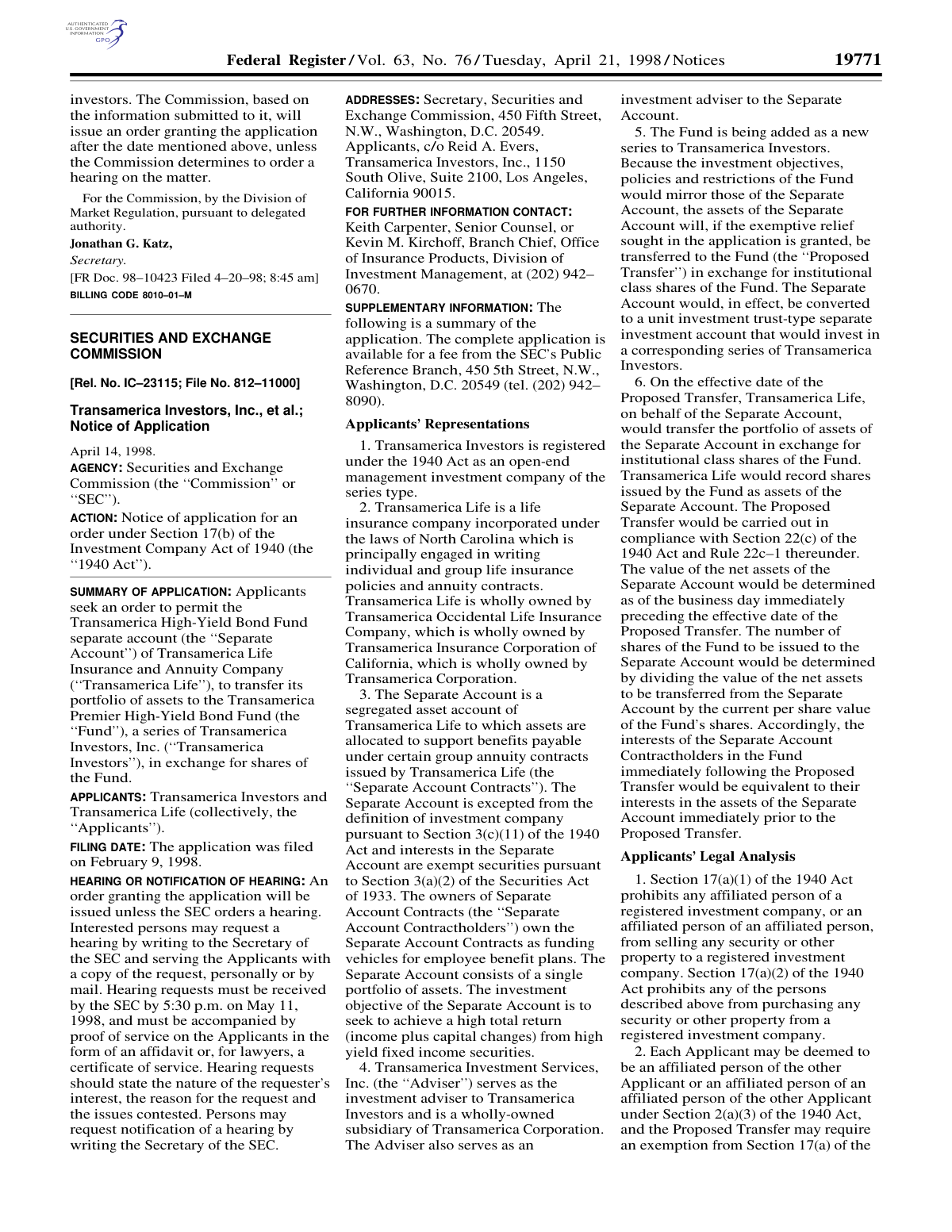
This document is a public notice from the Securities and Exchange Commission (SEC) about an application from Transamerica. It details a proposal to transfer assets from the Transamerica High-Yield Bond Fund separate account to the new Transamerica Premier High-Yield Bond Fund.

The applicants are Transamerica Investors, Inc., an open-end management investment company, and Transamerica Life Insurance and Annuity Company, a life insurance company.

No, this is a notice, not a form for you to complete. It is for informational purposes and to notify interested parties of their right to request a hearing on the matter.

The 'Proposed Transfer' is the process of moving the entire portfolio of assets from the Transamerica High-Yield Bond Fund separate account into the newly created Transamerica Premier High-Yield Bond Fund in exchange for shares of the new fund.

The transfer allows the new fund to start with a significant asset base (approx. $68 million), which helps lower expenses and provides more investment flexibility than a typical new fund. It is intended to be a more efficient structure for the contract holders.

No, the application states that the investment objectives, policies, and restrictions of the new Fund will be identical to those of the Separate Account it is replacing.

No, the transfer is structured to avoid costs like brokerage commissions and to ensure that the value of your interest in the new fund is equivalent to your interest in the separate account immediately before the transfer.

The deadline for the SEC to receive hearing requests regarding this application was 5:30 p.m. on May 11, 1998.

An interested person would have needed to submit a written request to the Secretary of the SEC and serve a copy to the applicants. The request had to state the nature of their interest, the reason for the request, and the issues being contested.

Because the two Transamerica entities are considered affiliated, the Investment Company Act of 1940 prohibits such a transaction without an exemption. They had to apply to the SEC to demonstrate that the proposed transfer is fair, reasonable, and consistent with regulations.

Yes, services like Instafill.ai use AI that can help you understand complex documents by summarizing key information. For official forms you need to complete, these tools can also auto-fill your information accurately to save time.

While this specific notice is not a fillable form, many financial procedures require them. You can use Instafill.ai to upload any required PDF form, and its AI will help you fill it out quickly and accurately online.

If you have a non-fillable or 'flat' PDF, you can upload it to a service like Instafill.ai. The platform can convert the static document into an interactive, fillable form that you can complete and sign electronically.

Compliance SEC File No. 812-11000
Validation Checks by Instafill.ai

1
Validates Hearing Deadline is in the Future
This check ensures that the date and time for the 'Hearing requests must be received by' deadline is set after the notice's publication date. It is a critical logical validation to ensure that interested parties are given a legally sufficient amount of time to respond to the notice. If the deadline is in the past or on the same day as publication, the submission should be rejected as it invalidates the public comment period.
2
Ensures SEC File Number Format is Correct
This validation verifies that the 'File No.' (e.g., 812-11000) adheres to the standard SEC format, typically a series of numbers separated by a hyphen. Correct formatting is essential for the proper indexing, retrieval, and cross-referencing of documents within the SEC's regulatory filing system. A failure would prevent the form from being processed and require manual correction of the file number.
3
Verifies Chronological Order of Filing and Notice Dates
This check confirms that the 'Notice of Application' date (e.g., April 14, 1998) is on or after the 'Filing Date' (e.g., February 9, 1998). A notice cannot be issued before the underlying application has been filed with the agency. This logical check prevents data entry errors and ensures the procedural timeline is valid, and a failure would flag the submission for review of its dates.
4
Validates Presence of Digital or Physical Signature
This check ensures the 'USGPOSignature' field, representing the signature of the authorizing official (e.g., Margaret H. McFarland), is not empty. The signature is the final confirmation that the notice is approved for publication and is legally binding. A missing signature indicates an incomplete or unauthorized document, and the submission must be rejected until it is properly signed.
5
Validates Format of Contact Phone Number
This check ensures the phone number provided in the 'FOR FURTHER INFORMATION CONTACT' section follows a valid U.S. format, such as (XXX) XXX-XXXX. This is important to ensure that the public and interested parties can successfully reach the designated contact person for inquiries. An invalid format would trigger an error, requiring the user to correct the number before submission.
6
Confirms Applicant Information is Complete
This validation verifies that the 'APPLICANTS' section is not empty and contains the full legal name of at least one entity. The identity of the applicant is a fundamental component of the notice, providing context for the entire document. A submission with missing applicant information is incomplete and must be rejected, as it's impossible to process a request without knowing who is making it.
7
Verifies Federal Register Document Number Format
This check validates that the 'FR Doc.' number (e.g., 98-10423) conforms to the required `YY-NNNNN` format. This unique identifier is crucial for the official publication and indexing of the notice in the Federal Register. An incorrect format would cause issues with public record-keeping and document retrieval, so the submission would be blocked pending correction.
8
Validates Applicant's Mailing Address
This check verifies that the applicant's address is a complete and deliverable mailing address, including street, city, state, and ZIP code. This is necessary for serving legal documents and ensuring official correspondence reaches the applicant. The system could use a postal service API for verification, and a failure would prompt the user to correct the address to ensure proper communication channels.
9
Ensures Billing Code Conforms to Standard Format
This validation checks that the 'BILLING CODE' (e.g., 8010-01-M) follows the specific format used by the Government Publishing Office. This code is essential for inter-agency accounting and tracking of publication costs. An invalid code would cause administrative and billing errors, so the form submission would be flagged for correction.
10
Verifies Authority of the Signatory
This check cross-references the name and title of the signatory (e.g., 'Margaret H. McFarland, Deputy Secretary') against an internal database of personnel with delegated authority. This is a critical security measure to prevent unauthorized individuals from issuing official notices on behalf of the Commission. If the signatory is not found or lacks the proper authority, the submission would be immediately rejected and flagged for a security review.
11
Validates Legal Act Citation in Action Summary
This check parses the 'ACTION' summary to ensure it references a valid legal statute, such as 'Section 17(b) of the Investment Company Act of 1940'. It could validate the section and act against a known legal database to ensure the citation is accurate and exists. This maintains the legal integrity of the document, and an invalid citation would require review by a legal expert before approval.
12
Confirms Release Number is Unique
This validation ensures that the 'Release No.' (e.g., IC-23115) has not been used before for a similar type of notice. Release numbers are unique identifiers, and duplication would create significant confusion and ambiguity in the public record. The system would check against a database of all previously issued releases, and a duplicate would cause the submission to be rejected.

Common Mistakes in Completing SEC File No. 812-11000

Failing to Reference the Correct File Number

Official proceedings are tracked by specific identifiers, in this case, 'File No. 812-11000.' A common mistake is forgetting to include this crucial information in the written request. Without the file number, the SEC may be unable to associate the correspondence with the correct case, leading to significant delays or the document being lost and the request ignored. To avoid this, the file number should be prominently displayed on the submission. AI-powered tools like Instafill.ai can help by automatically identifying and extracting critical data like file numbers from the source document, ensuring accuracy.

Using Incorrect or Incomplete Addresses

The notice provides distinct addresses for the SEC and the Applicants. A frequent data entry error is to mix up these addresses, send both documents to one party, or use an incomplete address. This can cause the request to be undeliverable or served improperly, resulting in its rejection for missing the deadline or failing to meet service requirements. Since this notice is a non-fillable PDF, tools like Instafill.ai can convert it into a fillable version and accurately extract addresses, preventing transcription errors.

Missing the Strict Submission Deadline

The notice specifies that hearing requests must be *received* by the SEC by 5:30 p.m. on a specific date, not just postmarked. People often misinterpret this or underestimate mail delivery times, causing their request to arrive late. A request received after the deadline is automatically rejected, and the party loses its right to a hearing. To prevent this, use a trackable, expedited delivery service and send the document several days in advance.

Failing to Serve the Applicants

The instructions require the requester to send the filing to the SEC *and* serve a copy on the Applicants. A critical error is focusing only on the SEC submission and forgetting to notify the other party. This procedural failure, known as improper service, will cause the SEC to dismiss the hearing request, as all parties to the matter must be formally notified. Always read the instructions carefully to identify all parties that must be served.

Omitting the Required Proof of Service

A hearing request is invalid unless it is 'accompanied by proof of service... in the form of an affidavit or, for lawyers, a certificate of service.' Many individuals unfamiliar with legal procedure omit this sworn statement confirming that the Applicants were served. Submitting a request without this proof is an automatic disqualifier. To avoid this, you must draft, sign (often before a notary), and include this separate document with your SEC filing.

Providing Vague or Incomplete Justification

The request must state the 'nature of the requester’s interest, the reason for the request and the issues contested.' A common failure is submitting a request with generic objections, such as 'I oppose this action,' without substantive reasoning. The SEC requires specific, articulated issues to determine if a hearing is warranted. A vague request will be deemed insufficient and denied, so it is crucial to clearly explain your standing and the specific legal or factual issues you are contesting.

Incorrectly Identifying the Applicants in Correspondence

The notice lists multiple related entities, such as 'Transamerica Investors, Inc.' and 'Transamerica Life Insurance and Annuity Company.' When serving the request and drafting the proof of service, it is essential to use the precise legal names as listed. Using an incorrect or abbreviated name could be grounds for the Applicants to claim improper service, jeopardizing the validity of the hearing request. AI data extraction tools like Instafill.ai can help ensure these details are transcribed with perfect accuracy.

Confusing a 'Request for Hearing' with a 'Request for Notification'

The document describes two distinct actions: one to request that a hearing be held, and another to simply be notified if a hearing is scheduled. A person may write to the SEC asking to be 'notified,' believing this registers their opposition. This misunderstanding is a critical error, as it does not actually contest the application or trigger a review. To challenge the application, you must explicitly 'request a hearing' and meet all associated requirements.

Submitting an Unsigned or Improperly Executed Document

Formal legal correspondence, and especially a sworn affidavit, is invalid without a proper signature. An unsigned request or an affidavit that is not correctly signed and notarized (if required) will be rejected. This simple oversight can nullify the entire submission. Always perform a final review to ensure all signature lines on all documents are properly executed before mailing.

Manual Transcription Errors from a Flat PDF

The source document is a static, non-fillable PDF, forcing individuals to manually retype all necessary information, such as names, addresses, and file numbers. This process is highly prone to human error, leading to typos that can invalidate a submission. For instance, transposing digits in the file number or misspelling a street name can cause the request to be lost or misdirected. Advanced tools like Instafill.ai can convert flat PDFs into interactive, fillable forms and automatically populate fields, drastically reducing the risk of manual data entry mistakes.
Saved over 80 hours a year

“I was never sure if my IRS forms like W-9 were filled correctly. Now, I can complete the forms accurately without any external help.”

Kevin Martin Green

Your data stays secure with advanced protection from Instafill and our subprocessors

Robust compliance program

Transparent business model

You’re not the product. You always know where your data is and what it is processed for.

ISO 27001, HIPAA, and GDPR

Our subprocesses adhere to multiple compliance standards, including but not limited to ISO 27001, HIPAA, and GDPR.

Security & privacy by design

We consider security and privacy from the initial design phase of any new service or functionality. It’s not an afterthought, it’s built-in, including support for two-factor authentication (2FA) to further protect your account.

Fill out SEC File No. 812-11000 with Instafill.ai

Worried about filling PDFs wrong? Instafill securely fills sec-application-for-an-order-under-section-17b-of-the-investment-company-act-of-1940-file-no-812-11000 forms, ensuring each field is accurate.