
Yes! You can use AI to fill out Vanguard Personal Investor – Transfer form
Don't type 128 fields by hand. Tell our AI about yourself, or upload a document you already have, and it fills every field in seconds. You check it, then download, print or sign.
The AI does the filling. You just check it.
No typing into boxes, nothing to install.
What this form asks for
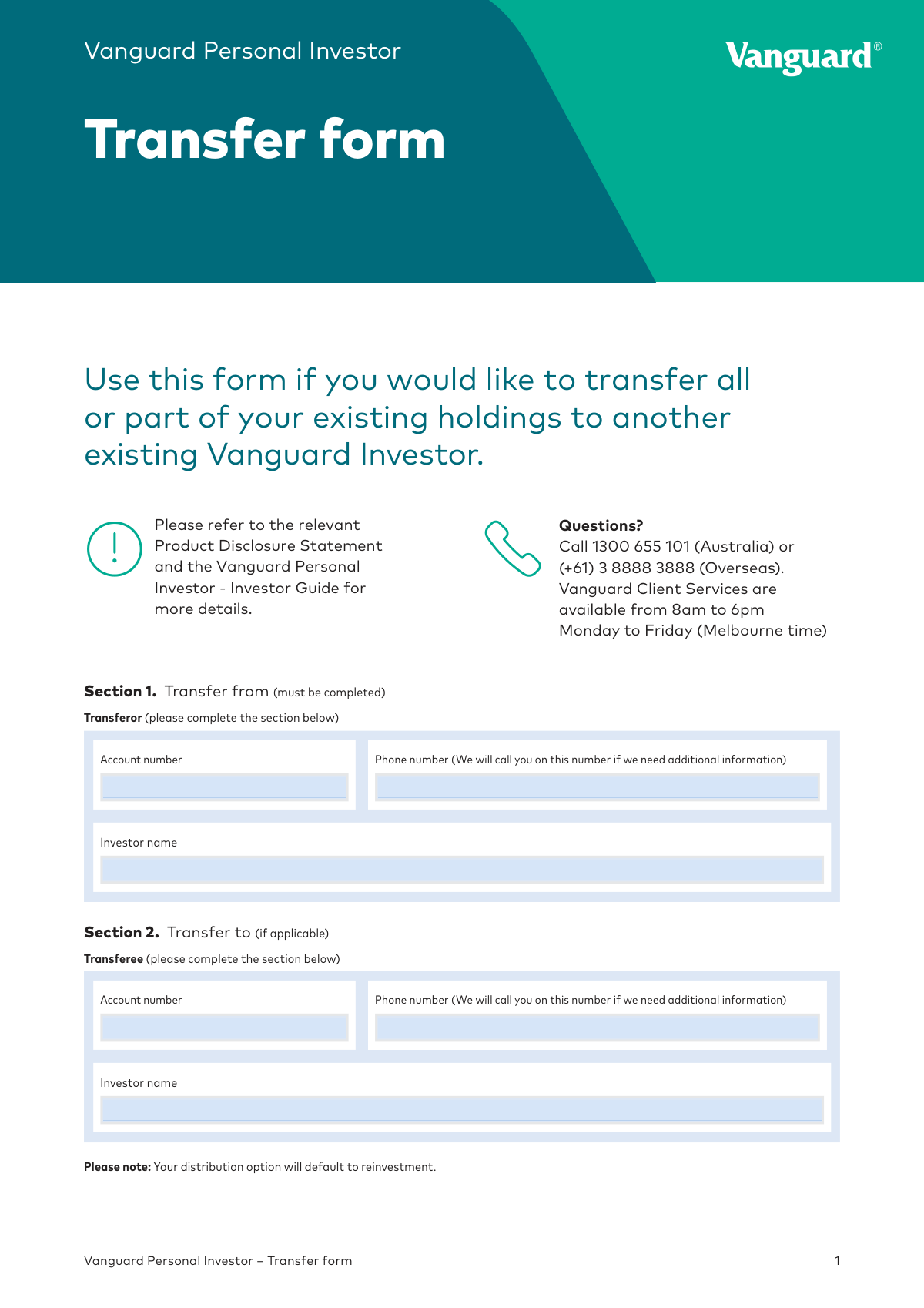
The AI fills all of it, from your answers or your documents.
The AI checks your answers before you download
14 checks built for this form, so a wrong date or a missing answer is caught before anyone else sees it.
This check verifies that the 'Account number' provided in Section 1 is a valid and active Vanguard Personal Investor account. It is crucial for identifying the source of the assets being transferred. If the account number is invalid or does not exist, the form will be rejected as the system cannot locate the source account for the transaction.
This check ensures the 'Account number' in Section 2 corresponds to a valid and active Vanguard Personal Investor account. This is essential for correctly identifying the destination for the transferred assets. An invalid or non-existent account number will cause the transfer to fail, as there is no valid destination for the holdings.
This validation confirms that the account number in Section 1 (Transfer from) is not identical to the account number in Section 2 (Transfer to). Transferring assets to the same account is a redundant and invalid action. If the account numbers match, the form will be flagged for correction as it indicates a misunderstanding of the form's purpose.
This check verifies that the 'Investor name' provided in Section 1 matches the legal name registered to the corresponding 'Account number'. This is a security measure to prevent unauthorized access and ensure the instruction is from the legitimate account holder. A mismatch will result in the rejection of the form pending verification of the transferor's identity.
This validation ensures the 'Investor name' in Section 2 correctly matches the name registered to the transferee's 'Account number'. This is critical for ensuring the assets are credited to the correct individual or entity. If the name and account number do not match, the transfer will be halted to prevent assets from being sent to the wrong party.
This check validates that the phone numbers in Sections 1 and 2 adhere to a standard Australian or international format. A valid phone number is required so that Vanguard Client Services can contact the investor if additional information is needed to process the form. An invalid format may delay processing if clarification is required.
And 8 more checks
- Holding Transfer Type Exclusivity
- Valid Product Identification
- Holding Ownership and Quantity Verification
- Mandatory Transferor Signature
- Mandatory Transferee Signature
- Signature Date Format and Validity
- Completeness of 'Other' Position
- Completeness of Section 3 Holdings
Let AI fill out your REFORMTRA 92024
No typing. Every field filled in seconds, checked, ready to sign.
How to Fill Out REFORMTRA 92024 Online for Free in 2026
What the AI walks you through.
- Navigate to Instafill.ai and upload or select the Vanguard Personal Investor Transfer form.
- Provide the transferor's details in Section 1, including your Vanguard account number and full name.
- Enter the transferee's information in Section 2, including their account number and name.
- Specify the holdings being transferred in Section 3, detailing the product name, code, and whether it's a full or partial transfer.
- Review all the information auto-filled by the AI for accuracy and completeness.
- Electronically or manually sign the declaration in Section 4, as both the transferor and transferee are required to sign.
- Download, print, and submit the completed form with any required certified identification documents via mail or secure message as instructed.
Common Mistakes in Completing REFORMTRA 92024
The ones the AI is built to catch.
Using a Digital Signature Instead of a Wet Ink Signature
Providing Ambiguous Transfer Instructions
Incorrect or Incomplete Product Information
Mismatched Investor Name or Account Number
Forgetting Signatures for Joint Accounts
Failing to Attach Correctly Certified Identification
Using an Incorrect Date Format
Submitting the Form Through Multiple Channels
Illegible Handwriting on a Printed Form
Leaving the 'Position' Unselected in the Signature Section
Frequently Asked Questions About REFORMTRA 92024
Is it really free for 7 days?
Can I fill other forms too?
How do I cancel?
How does the AI fill out REFORMTRA 92024?
What happens to my information?
How complex is REFORMTRA 92024 to fill out?
What is the purpose of the Vanguard Personal Investor Transfer form?
Who needs to complete and sign this form?
What information is required in Section 1 and Section 2?
How do I specify which holdings to transfer in Section 3?
What if I want to transfer more products than there is space for on the form?
What does it mean that signatures must be in 'wet ink'?
What happens to the distribution option for the transferred funds?
How do I submit the completed transfer form?
Do I need to include any other documents with this form?
Who should I contact if I have questions about completing this form?
Can I use an AI tool to help fill out this form?
How can I fill out this Vanguard transfer form online?
The PDF I downloaded isn't fillable. What can I do?
Get your REFORMTRA 92024 filled out by AI
$0 today. Cancel before Nov 2 and you pay nothing.
Other forms like this one
transfer forms: Form REG 227, Application for Replacement or Transfer of Title, City of Harvey Real Estate Transfer Declaration & Application (with Certificate for Exemption), DBPR ABT-6002 – Application for Transfer of Ownership of an Alcoholic Beverage License, DBPR ABT-6002, Division of Alcoholic Beverages and Tobacco Application for Transfer of Ownership of an Alcoholic Beverage License, Request for Transfer of Records (Adelaide Health Care) – AHC-0013-05-PS (Version 2), DBPR Form ABT-6002, Division of Alcoholic Beverages and Tobacco Application for Transfer of Ownership of an Alcoholic Beverage License, Pfändungs- und Überweisungsbeschluss (Garnishment and Transfer Order) – German Civil Enforcement Court Form, Fidelity Funds Account Transfer of Assets Form, Fidelity Stock Plan Services (SPS) Transfer Request Form, How to Transfer Assets from Morgan Stanley to Fidelity Investments (Fidelity Stock Plan Services Guide), Transfer Due to Divorce — IRA/HSA/529, Fidelity Investments Transfer/Rollover/Exchange Form, Fidelity Investments Standing Transfer Instructions Form, Fidelity Investments Transfer/Rollover Form, Group Transfer Form Fidelity Health Savings Account (HSA), Plan–to-Plan Transfer, Plan Exchange, or Service Credit Authorization Form, Beneficiaries — Nonretirement Transfer on Death, Transfer Shares as a Gift — Nonretirement, Form APP13017-29, Transfer Your Account to Schwab, Transfer of Assets Out - Partial Account or Charitable Gift Transfers
Vanguard forms: Gift of Nonretirement Assets to Existing Vanguard Account Form, Vanguard VRPA Transfer Request Form, Vanguard Asset Transfer Authorization Form for the Emory University Retirement Plan, Retirement Transfer Between Existing Vanguard Accounts, Vanguard Personal Investor – Transfer initiation form – Transfer out, Vanguard Asset Transfer Authorization, Moving your Vanguard funds to a Vanguard Brokerage Account Disclosure statement, Make a contribution - Vanguard Charitable, Vanguard Transfer Form, Vanguard Full Agent Authorization, Vanguard Transfer on Death Plan Form, The Vanguard 529 College Savings Plan: Power of Attorney, Vanguard Direct Rollover IRA Adoption Agreement, Vanguard Limited Agent Authorization, The Vanguard 529 College Savings Plan Agent Authorization/Limited Power of Attorney, The Vanguard 529 College Savings Plan Direct Rollover Out to Roth IRA Form, The Vanguard 529 College Savings Plan Transfer Due to Death of Account Owner Form, Your guide to completing a rollover - Vanguard, Vanguard IRA Distribution Kit (including IRA Distribution Form RRDFT and Form W-4R), The Vanguard 529 College Savings Plan Incoming Direct Rollover Form
investor forms: Vanguard Personal Investor – Transfer initiation form – Transfer out, Vanguard Personal Investor authorisation to provide account information form, Vanguard Personal Investor – Authorised representative form, Institutional Investors Organization Resolution Form, Vanguard Personal Investor Withdrawal form, Vanguard Institutional Investor Group Redemption Form, Transamerica Premier Funds Direct Rollover IRA Application (704-TRS Investor Class), Vanguard Account Opening Form for Individual Investors, Vanguard Personal Investor – Unregulated Trust details – Account information update, Merrill Edge® Self‑Directed Business Investor Account (BIA Account) Account Application Booklet and Agreements, AwardChoice Limited Individual Investor Account Form, Merrill Business Investor Account (BIA) and Working Capital Management Account (WCMA) Account Application Booklet and Agreements, Merrill AwardChoice® Individual Investor Account Application Form for U.S. Persons, Pershing NetXInvestor Online Account Set-Up Form, Investor Application and Subscription Agreement for The Wyoming Reserve Opportunity Zone Fund Corporation, Pomona Investment Fund Investor Initial Application (Class A & Class I Shares), AML/CTF Investor Identification Information Form, Application Form: Legal Entities | Qualified Investor Hedge Fund, EDAWN Investor Application, Investor Application and Subscription Agreement for Shares of Common Stock in Oxford Park Income Fund, Inc.
Let AI fill out your REFORMTRA 92024
Your trial starts once a card is added. You pay nothing before Nov 2.
Our AI already knows this form, all 128 fields of it. Skip the typing: tell it about yourself, or upload what you have, and it fills the whole form in seconds.
- AI fills every field on all 4 pages, checkboxes included
- No typing into boxes: answer a few questions, or upload a document you already have, an old copy of this form, a photo of a document
- The AI checks the answers; you review and change anything before you download
- Download the finished PDF, print it, or sign it online
- Encrypted, and never used to train AI
Cancel before Nov 2 and you pay nothing.
A card is needed to start the trial. Cancel in two clicks from your account.
Terms · Privacy