Yes! You can use AI to fill out Connection Dental Network – Provider Application (GEHA Connection Dental Network) and Participating Provider Agreement
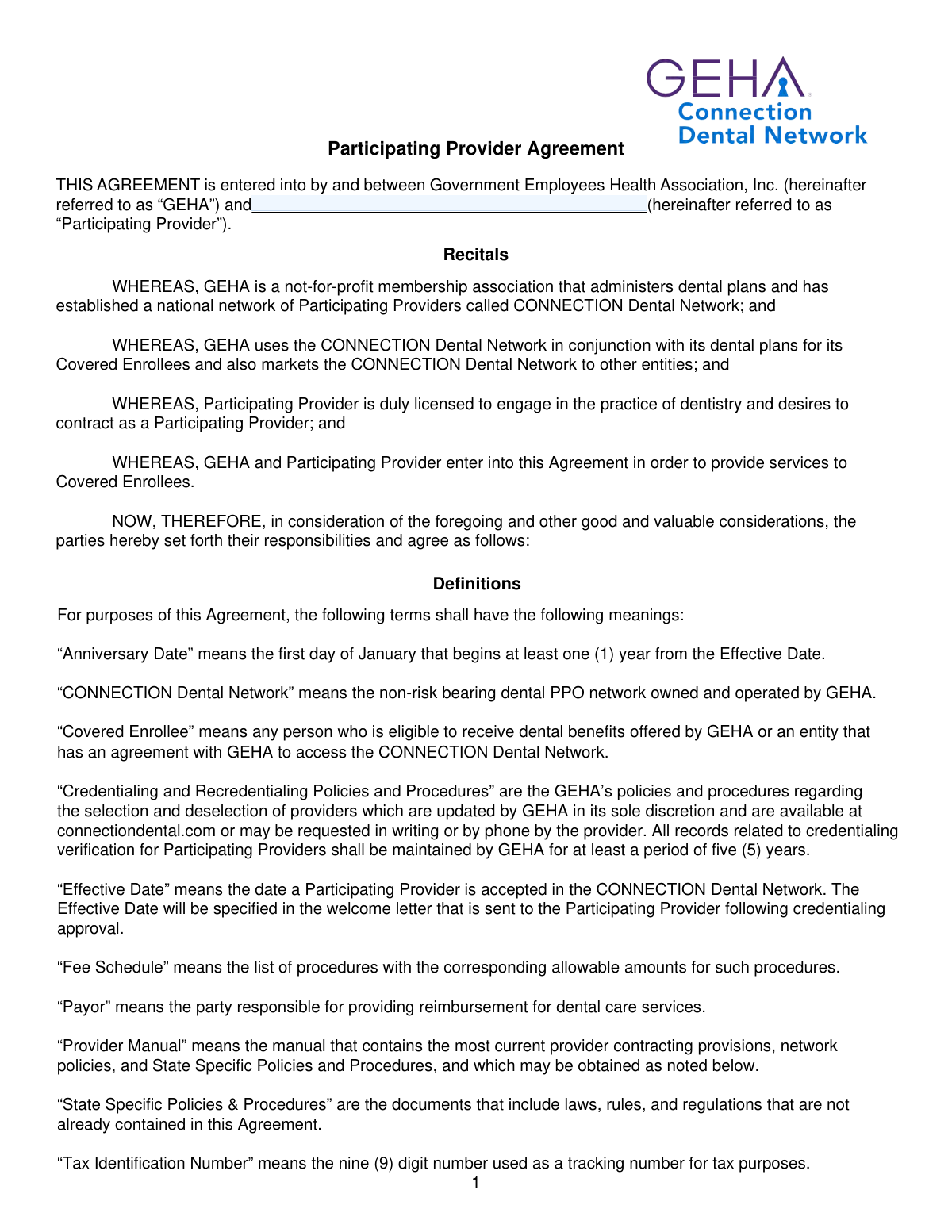
The Connection Dental Network – Provider Application is a credentialing and enrollment form used by Government Employees Health Association, Inc. (GEHA) to evaluate dentists for participation in the CONNECTION Dental Network PPO. It gathers identity and NPI information, state licenses/DEA/SDC details, education and training, five-year work history (including gap explanations), practice location data, and malpractice coverage, along with professional questions and an attestation authorizing verification. The packet also includes the Participating Provider Agreement, which sets the contractual terms for network participation, reimbursement/fee schedule rules, compliance obligations, and termination provisions. Completing the application accurately and attaching required documents is important because incomplete or outdated submissions can delay or prevent credentialing approval.
Our AI automatically handles information lookup, data retrieval, formatting, and form filling.
It takes less than a minute to fill out Connection Dental Provider Application (V11.2025) using our AI form filling.
Securely upload your data. Information is encrypted in transit and deleted immediately after the form is filled out.
Form specifications
| Form name: | Connection Dental Network – Provider Application (GEHA Connection Dental Network) and Participating Provider Agreement |
| Number of pages: | 14 |
| Filled form examples: | Form Connection Dental Provider Application (V11.2025) Examples |
| Language: | English |
| Categories: | credentialing forms, dental provider forms, dental network forms |
Instafill Demo: filling out a legal form in seconds
How to Fill Out Connection Dental Provider Application (V11.2025) Online for Free in 2026
Are you looking to fill out a CONNECTION DENTAL PROVIDER APPLICATION (V11.2025) form online quickly and accurately? Instafill.ai offers the #1 AI-powered PDF filling software of 2026, allowing you to complete your CONNECTION DENTAL PROVIDER APPLICATION (V11.2025) form in just 37 seconds or less.
Follow these steps to fill out your CONNECTION DENTAL PROVIDER APPLICATION (V11.2025) form online using Instafill.ai:
- 1 Confirm you have all prerequisites and attachments ready (malpractice declaration page, fee schedule first page if provided, copies of active dental licenses, DEA/sedation/anesthesia permits or waivers as applicable, and any required written explanations).
- 2 Enter general provider information exactly as shown on your provider license (name, degrees, SSN, DOB, NPI 1, and optional race/ethnicity/language fields), and provide contact details if someone else is completing the application.
- 3 Complete the License and Identification Numbers table for every state license you currently have or have ever held, including license status, DEA status/expiration (or select “No DEA” per state), and State Drug Certificate details where required.
- 4 Fill in professional background sections: specialty/board certification, dental school and graduation details, internships/residencies/fellowships, hospital affiliations (if any), liability claims history, and the last five years of dental employment history with explanations for any gaps of 180 days or more.
- 5 Add current practice and office information for each location (up to three): addresses, group affiliation and NPI 2, tax ID, patient access details (new patients, Medicare/Medicaid, directory listing), office hours, teledentistry/mobile dentistry information, and accessibility details.
- 6 If sedation/general anesthesia is provided or administered, complete the sedation/anesthesia credentialing questions and list all relevant permits/licenses with numbers, states, and expiration dates; provide credentialing contact information for follow-up.
- 7 Answer all professional questions, attach detailed written explanations for any “Yes” responses, then sign and date the attestation/authorization and complete/sign the Participating Provider Agreement before submitting the full packet to GEHA/Connection Dental Network.
Our AI-powered system ensures each field is filled out correctly, reducing errors and saving you time.
Why Choose Instafill.ai for Your Fillable Connection Dental Provider Application (V11.2025) Form?
Speed
Complete your Connection Dental Provider Application (V11.2025) in as little as 37 seconds.
Up-to-Date
Always use the latest 2026 Connection Dental Provider Application (V11.2025) form version.
Cost-effective
No need to hire expensive lawyers.
Accuracy
Our AI performs 10 compliance checks to ensure your form is error-free.
Security
Your personal information is protected with bank-level encryption.
Frequently Asked Questions About Form Connection Dental Provider Application (V11.2025)
This application is used to apply for credentialing and participation in the GEHA CONNECTION Dental Network. It collects your licensing, education, work history, practice location, and compliance information needed to evaluate your eligibility.
Dentists (DDS/DMD/BDS/MD or other listed degrees) who want to join the GEHA CONNECTION Dental Network must complete it. You must have at least one active state dental license to apply.
You must submit a completed, signed, and dated application; the last five years of dental work history (with gap explanations if applicable); completion dates for education/training; professional questions and attestation signed within 120 days; a signed Participating Provider Agreement; the 1st page of the fee schedule you received (or one will be assigned); and a copy of your current malpractice insurance declaration page.
Yes—every section must be completed. If a question does not apply, write “N/A,” and complete the form in black ink as instructed.
Enter your information exactly as shown on your provider license. If you have used other names, list them in the “Other names known by” field.
No, those fields are optional. The form explains GEHA/Connection Dental Network follows NCQA guidelines and makes credentialing decisions in a nondiscriminatory manner.
List every state dental license you currently have or have ever held, even if inactive, and add pages if needed. You must have at least one active state license to apply.
For each active state license listed, you must either provide a current federal DEA registration number/status or select “No DEA.” Selecting “No DEA” indicates you do not prescribe controlled substances and will refer patients if controlled substances are needed.
If your state requires a State Drug Certificate to prescribe or dispense medications, you must complete the SDC section for each active state license. If you have questions about SDC requirements, the form directs you to call Credentialing at (800) 505-8880, ext. 4046.
New graduates with less than five years of work history must still account for any gaps of 180 days or more between the licensure date and the start of work history. You should also complete the “Initial state of licensure” and “Initial state licensure date” section.
Any gap of 180 days or greater in dental employment during the last five years must be explained. You also must explain a 180+ day gap between your initial licensure date and your first dental employment date.
Provide your dental school information, degree, and graduation date, plus any internship/residency/fellowship details if applicable. If you are foreign educated or trained, you must include a copy of your diploma.
List each current practice location in the “Current practice and office information” sections (Office 1, Office 2, Office 3). If you have more locations, the form notes that additional location forms are available at connectiondental.com.
Complete the sedation/anesthesia section only if sedation and/or general anesthesia is administered in your practice location. If you administer sedation/anesthesia, you must provide permit details; if you do not, follow the skip instructions in the questions.
For every “Yes” response, you must include a detailed written explanation with your submission. Missing explanations can delay processing because the form requires them for applicable “Yes” answers.
The professional questions and attestation must be completed, signed, and dated within 120 days prior to submission. If it is older than 120 days, you should re-sign and re-date before sending.
The form lists submission/contact details for Connection Dental Network at PO Box 6707, Lee’s Summit, MO 64064-6707, and the email [email protected]. For phone support, call 800.505.8880 (option 2), and the Participating Provider Agreement section also lists fax 816.257.4439.
Compliance Connection Dental Provider Application (V11.2025)
Validation Checks by Instafill.ai
1
Provider Identity Fields Completed and Match License Format
Validates that last name, first name, middle initial (or N/A), and suffix (if applicable) are provided and entered as they appear on the provider’s dental license. This is important because credentialing and primary source verification depend on exact legal identity matching across licensing boards and NPI records. If the name fields are missing or appear inconsistent (e.g., nickname, initials-only, or mismatched ordering), the submission should be rejected or routed for manual review and correction.
2
SSN Format and Presence Validation
Ensures the Social Security Number is present and conforms to a valid 9-digit format (e.g., ###-##-#### or #########), with basic invalid-pattern checks (all zeros, repeated digits, etc.). SSN is commonly used for identity verification and credentialing background checks, so format errors can cause downstream verification failures. If invalid or missing, the application should be blocked from submission and the user prompted to correct it.
3
Date of Birth Validity and Age Reasonableness Check
Validates that the date of birth is provided and is a real calendar date in an accepted format (e.g., MM/DD/YYYY), and that the resulting age is reasonable for a practicing dentist (e.g., not under 18 and not implausibly high). This prevents data entry mistakes that can break credentialing workflows and identity matching. If the DOB is invalid or outside acceptable bounds, the form should fail validation and require correction.
4
NPI 1 (Individual) Format and Check-Digit Validation
Ensures NPI 1 is present, exactly 10 digits, numeric-only, and passes the NPI Luhn check-digit algorithm. NPI is a key identifier used for directory listing, claims routing, and credentialing; an incorrect NPI can misattribute services or prevent enrollment. If the NPI fails format or check-digit validation, the submission should be rejected and the provider asked to re-enter the correct NPI.
5
State License Table Completeness and At-Least-One Active License Rule
Validates that at least one state license entry is provided and that at least one license is marked Active, as required by the application instructions. Each license row should include state, license number, and license status, and the system should allow additional pages/rows when needed. If no active license is present or required fields in the license table are missing, the application should not proceed.
6
DEA Requirement per Active State License (DEA Number vs 'No DEA' Selection)
For each Active state license listed, validates that either a federal DEA registration number with a current status/expiration is provided or the applicant explicitly selects 'No DEA' for that active license. This is important because prescribing authority and controlled substance handling must be clearly documented for credentialing and compliance. If an active license row has neither a valid DEA entry nor 'No DEA' selected, the submission should fail validation.
7
DEA Number and Expiration Date Format/Chronology Validation
Validates that the DEA number (when provided) matches expected DEA formatting rules (typically 2 letters followed by 7 digits) and that the DEA expiration date is in MM/YY format and not in the past at time of submission (unless status indicates inactive/waived/in process as allowed). This prevents enrollment with expired or malformed controlled-substance credentials. If the DEA format is invalid or the expiration is missing/expired while marked active, the application should be rejected or flagged for manual review depending on business rules.
8
State Drug Certificate (SDC) Conditional Requirement and Status Consistency
If the applicant provides an SDC number or indicates SDC is required for the state, validates that SDC number, status, and any required dates are completed and consistent with the associated Active state license. This is important for states that require additional controlled substance registration beyond DEA. If SDC fields are partially completed (e.g., number without status) or inconsistent (e.g., inactive SDC for an active prescribing setup), the submission should fail or be routed for clarification.
9
Specialist and Board Certification Logical Consistency
If 'Are you a specialist?' is marked Yes, validates that a specialty is provided (and subspecialty if indicated), and that the specialty is not left blank. If 'American Board Certified' is Yes, validates that a certification type is selected (not 'None') and that date certified and valid-until dates are present and logically ordered (certified date <= valid-until). If these dependencies are not met, the application should be rejected because specialty representation and credentialing status would be ambiguous.
10
Education and Training Dates Required and Chronologically Valid
Validates that professional education includes school name, degree, and graduation/completion date, and that any listed training (internship/residency/fellowship) includes start date, completion date, and completion status. Dates must be valid and chronological (start date before completion date), and completion date should not be in the future unless explicitly allowed. If dates are missing or inconsistent, the submission should fail because credentialing requires verified education and training timelines.
11
Foreign-Trained Diploma Attachment Requirement
If the education section indicates foreign training/education (e.g., country not USA or a foreign school), validates that a diploma copy is attached as required by the form instructions. This is important for verifying equivalency and meeting credentialing documentation standards. If the applicant is foreign-trained and no diploma attachment is present, the application should be marked incomplete and not processed.
12
Five-Year Employment History Coverage and Gap >= 180 Days Explanation
Validates that the last five years of dental employment history are provided with start/end dates and employer/location details, including current practice location(s). The system should compute gaps between employment entries and require a gap explanation entry for any gap of 180 days or more, including gap start date, gap end date, and reason. If the five-year history is incomplete or a qualifying gap lacks an explanation, the submission should be rejected as non-compliant with stated processing requirements.
13
New Graduate Rule: Licensure Date to First Employment Gap Validation
If the initial state licensure date is within the last five years and the applicant has less than five years of employment history, validates that the initial state of licensure and licensure date are completed and that any gap of 180 days or more between licensure date and first employment start date has an explanation. This ensures the application meets the special documentation requirement for new graduates. If the licensure fields are missing or the computed gap is unexplained, the application should be blocked from processing.
14
Practice Location Required Fields and Address/Contact Format Validation
For each practice location provided (Office 1/2/3), validates required fields such as office name, start date, phone number, physical address, city, state, and ZIP, and enforces format rules (US phone number length, ZIP as 5 digits or ZIP+4, valid state abbreviation). Accurate location data is essential for directory listing, member access, and claims/network configuration. If any required location fields are missing or malformed, the submission should fail validation or require correction before directory inclusion.
15
Tax ID (TIN) Format and Tax ID Name Presence
Validates that Tax ID name and Tax ID are provided for each location (or globally if the system models it that way) and that the Tax ID is exactly 9 digits (EIN/SSN format as applicable) with numeric-only validation. This is critical for contracting, payment, and IRS reporting; incorrect TINs can cause payment rejections and compliance issues. If the TIN is missing or not 9 digits, the application should be rejected and the applicant prompted to correct it.
16
Attestation Signature/Date Recency and Professional Questions Explanation Requirement
Validates that the practitioner signature and date are present and that the attestation/professional questions are signed and dated within 120 days prior to submission, per the form requirement. Additionally, for any professional question answered 'Yes', the system must require an attached detailed written explanation (or a structured explanation field) before allowing submission. If the attestation is unsigned/undated, too old, or 'Yes' answers lack explanations, the application should be marked incomplete and not processed.
Common Mistakes in Completing Connection Dental Provider Application (V11.2025)
Applicants often enter a nickname, married name, or a name formatted differently than what appears on the dental license, even though the form explicitly says to fill it out as shown on the provider license. This creates verification mismatches during credentialing and can delay processing while staff request clarification or supporting documents. To avoid this, copy your name exactly as it appears on your active license (including middle initial and suffix) and list any alternate names only in the “Other names known by” field.
Because the form requires every section to be completed, people frequently skip fields they think don’t apply (hospital affiliations, training entries, teledentistry details, etc.). Blank fields are commonly treated as incomplete applications and trigger follow-up requests or rejection for missing information. Write “N/A” anywhere a question truly does not apply, and still complete the required Yes/No selections rather than leaving them empty.
A very common error is listing only the current active license and omitting prior licenses or licenses held in other states, despite the instruction to list all state licenses ever held. Credentialing teams typically verify historical licensure and disciplinary history across jurisdictions, so missing licenses can look like an omission and slow verification. Include one line per state license you currently have or have ever held, and attach an additional page if you run out of rows.
Applicants often provide a DEA number once without tying it to each active state license line, forget to mark “No DEA,” or enter expiration dates in the wrong format (MM/YY). This causes confusion about prescribing authority and whether controlled substances are prescribed, and it can lead to requests for corrections or additional documentation. For each active state license listed, either provide the current DEA status/expiration (MM/YY) or explicitly select “No DEA,” and complete State Drug Certificate details when required by that state.
Many submissions include the application but omit one or more required documents: malpractice insurance declaration page, the first page of the fee schedule received from GEHA (or they don’t realize a default fee schedule will be assigned), and/or the signed Participating Provider Agreement. Missing attachments typically stop processing entirely until the packet is complete. Use the checklist at the top of the application and confirm you are including the malpractice declaration page (not just a certificate), the requested fee schedule page, and a fully executed agreement.
People frequently provide only their current practice location(s) and forget to list prior employers/associateships to cover the entire five-year window. Credentialing requires continuous work history, and incomplete timelines lead to follow-up requests and delays. Provide start and end dates for each position to fully cover the last five years, including part-time roles, temp/locum work, and overlapping positions if applicable.
Applicants often overlook the rule requiring explanations for any gap of 180 days or more, including gaps between initial licensure date and first employment for newer graduates. Unexplained gaps are a common reason applications are deemed incomplete or are pended for additional information. List exact gap start/end dates and provide a specific reason (e.g., residency, relocation, parental leave, illness, military service), and attach a written explanation when needed.
Graduation dates, training completion dates, and certification validity dates are often left blank or entered inconsistently with other timeline sections (e.g., residency dates overlapping employment without explanation). Inconsistent or missing dates can trigger verification issues and requests for documentation, especially for foreign-trained applicants who must include a diploma copy. Enter all completion dates clearly, ensure the timeline makes sense across education/training/employment, and include the required diploma copy if foreign educated or trained.
Applicants sometimes mark themselves as a specialist without listing the specialty/subspecialty, or they confuse state specialty recognition with American Board certification and select an incorrect board type. This can lead to directory inaccuracies and credentialing verification problems. Only answer “Yes” to American Board Certified if you hold that specific board certification, select the correct board, and provide certification and validity dates; otherwise select “No/None” and keep specialty information consistent with your credentials.
Common issues include mixing up physical vs billing/remit vs mailing addresses, omitting the organization NPI (NPI 2) for group-affiliated locations, or entering a Tax ID name that doesn’t match IRS records. These errors can cause claims/payment setup problems and incorrect directory listings, and they often require back-and-forth with credentialing. For each office, confirm the physical address is the service location, ensure Tax ID name/number match IRS documentation, provide NPI 2 when applicable, and make deliberate selections for “Include in Directory” and “Accepts new patients.”
Because the sedation section has conditional instructions, applicants often fill out permit fields even after answering “No” to administering sedation/anesthesia, or they answer “Yes” but fail to list permit/license numbers, states, and expiration dates. This creates internal inconsistencies and can prompt requests for sedation permits, DEA, or additional licenses. Follow the skip logic exactly: if sedation/anesthesia is not administered at the location, do not complete that section; if it is, provide all permit numbers, states, and expiration dates for each type checked.
Applicants sometimes leave items blank, mark “N/A” instead of selecting Yes/No, or answer “No” to avoid extra paperwork even when a “Yes” applies (claims, investigations, disciplinary actions, lawsuits). Inaccurate or unsupported answers can lead to denial, termination for falsification, or significant delays while the credentialing team requests documentation. Mark “No” only when it is truly accurate, and for every “Yes,” attach a detailed written explanation with dates, outcomes, and supporting documents where applicable.
Saved over 80 hours a year
“I was never sure if my IRS forms like W-9 were filled correctly. Now, I can complete the forms accurately without any external help.”
Kevin Martin Green
Your data stays secure with advanced protection from Instafill and our subprocessors

Robust compliance program
Transparent business model
You’re not the product. You always know where your data is and what it is processed for.
ISO 27001, HIPAA, and GDPR
Our subprocesses adhere to multiple compliance standards, including but not limited to ISO 27001, HIPAA, and GDPR.
Security & privacy by design
We consider security and privacy from the initial design phase of any new service or functionality. It’s not an afterthought, it’s built-in, including support for two-factor authentication (2FA) to further protect your account.
Fill out Connection Dental Provider Application (V11.2025) with Instafill.ai
Worried about filling PDFs wrong? Instafill securely fills connection-dental-network-provider-application-geh forms, ensuring each field is accurate.



