Yes! You can use AI to fill out Empower Corrective Distribution Request Form
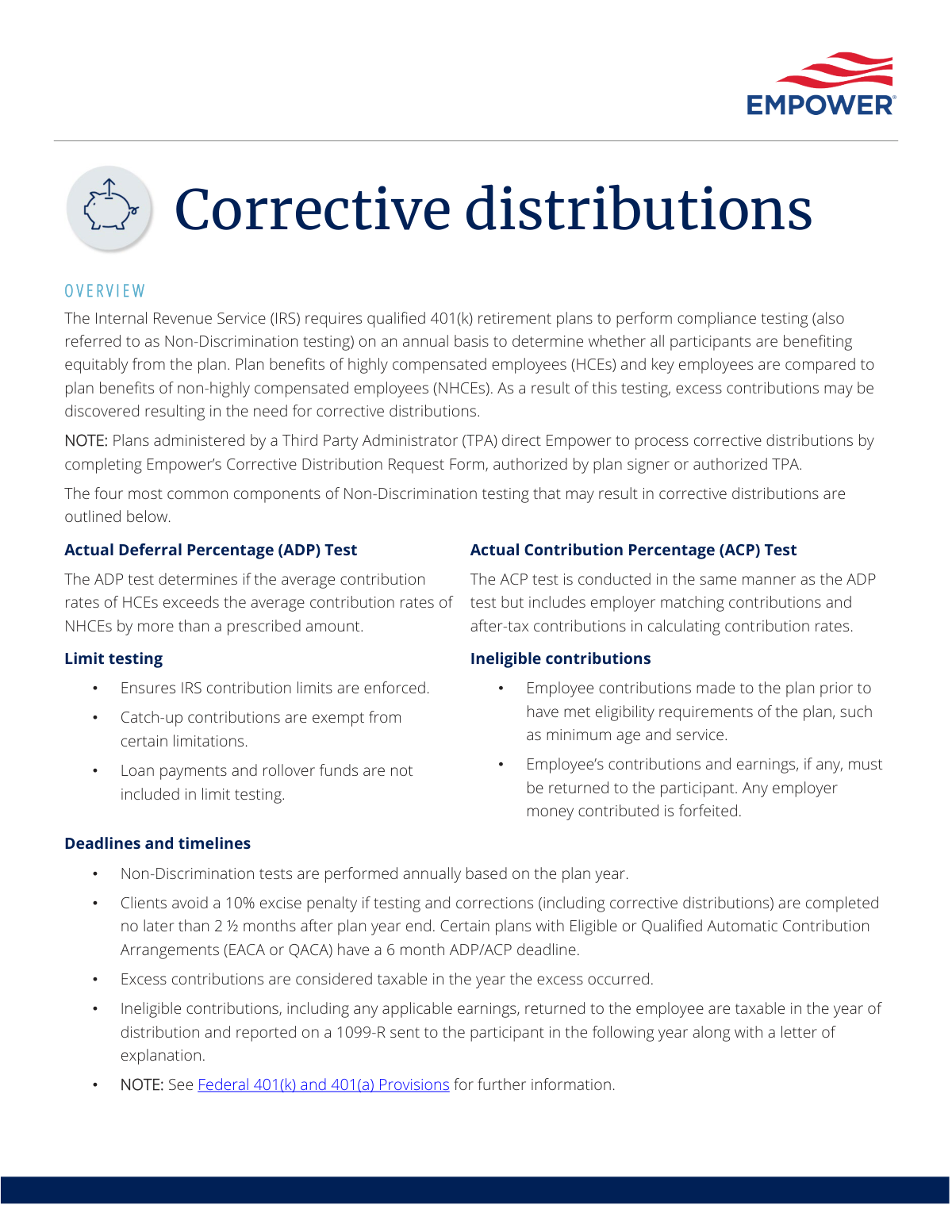
This form is a formal request submitted to Empower by a plan sponsor or Third Party Administrator (TPA) to process corrective distributions from a qualified retirement plan. It is used when annual non-discrimination testing reveals that contributions made by or for highly compensated employees exceed permissible limits, requiring the excess amounts to be returned to maintain the plan's qualified status. Today, this form can be filled out quickly and accurately using AI-powered services like Instafill.ai, which can also convert non-fillable PDF versions into interactive fillable forms.
Empower Corrective Distribution Form is part of the
Empower forms, distribution forms and distribution request forms categories on Instafill.
Rather not fill this in by hand? Instafill is an online form filler that completes PDF forms automatically — upload the blank form, answer a few questions, and the AI fills every field.
Form specifications
| Form name: | Empower Corrective Distribution Request Form |
| Number of pages: | 1 |
| Language: | English |
Our AI automatically handles information lookup, data retrieval, formatting, and form filling.
It takes less than a minute to fill out Empower Corrective Distribution Form using our AI form filling.
Securely upload your data. Information is encrypted in transit and deleted immediately after the form is filled out.
Instafill Demo: How to fill out PDF forms in seconds with AI
How to Fill Out Empower Corrective Distribution Form Online for Free in 2026
Are you looking to fill out a EMPOWER CORRECTIVE DISTRIBUTION FORM form online quickly and accurately? Instafill.ai offers the #1 AI-powered PDF filling software of 2026, allowing you to complete your EMPOWER CORRECTIVE DISTRIBUTION FORM form in just 37 seconds or less.
Follow these steps to fill out your EMPOWER CORRECTIVE DISTRIBUTION FORM form online using Instafill.ai:
- 1 Navigate to Instafill.ai and upload or select the Empower Corrective Distribution Request Form.
- 2 Provide essential plan information, such as the plan name, plan number, and plan year end.
- 3 Specify the reason for the corrective distribution, such as failure of the ADP or ACP test, or ineligible contributions.
- 4 Enter the details for each affected participant, including their name, Social Security Number, and the excess contribution amount to be distributed.
- 5 Indicate any overrides to default tax withholding percentages or participant vesting, if applicable.
- 6 Review all the information populated by the AI for accuracy, then provide the necessary authorization and signature from the plan signer or authorized TPA.
- 7 Download the completed form and submit it to Empower for processing.
Our AI-powered system ensures each field is filled out correctly, reducing errors and saving you time.
Why Choose Instafill.ai for Your Fillable Empower Corrective Distribution Form Form?
Speed
Complete your Empower Corrective Distribution Form in as little as 37 seconds.
Up-to-Date
Always use the latest 2026 Empower Corrective Distribution Form form version.
Cost-effective
No need to hire expensive lawyers.
Accuracy
Our AI performs 10 compliance checks to ensure your form is error-free.
Security
Your personal information is protected with bank-level encryption.
Frequently Asked Questions About Empower Corrective Distribution Form
This form is used by Plan Sponsors or Third Party Administrators (TPAs) to authorize Empower to process corrective distributions from a 401(k) plan. These distributions are required when annual compliance testing shows that contributions have disproportionately benefited highly compensated employees.
This form is for use by the Plan Sponsor or an authorized Third Party Administrator (TPA) only. It should not be completed or submitted by plan participants.
The IRS requires them to ensure 401(k) plans are fair and equitable. When non-discrimination tests fail, excess contributions made to highly compensated employees must be returned to bring the plan back into compliance.
After receiving a notification from Empower, a Plan Sponsor can submit the request electronically via the Plan Service Center. If a TPA administers your plan, they will complete and submit the Corrective Distribution Request Form to Empower at your direction.
To avoid a 10% IRS excise penalty, testing and corrections must be completed no later than 2.5 months after the plan year ends. Some plans, like those with an EACA or QACA, have an extended 6-month deadline.
Empower calculates earnings or losses on the distributed amount, sends checks and explanation letters to the affected participants, and produces the necessary 1099-R tax forms.
Yes, the excess contributions are considered taxable income for the participant in the year the excess occurred, not the year it is paid out. Empower will issue a 1099-R tax form to the participant for reporting.
Empower will issue an adjusted 1099-R for the original withdrawal and a new 1099-R for the excess amount. The participant will receive a 'Zero Balance Letter' explaining the changes and any actions they may need to take.
Yes, participants can override the default federal and state tax withholding rates. They can elect any percentage they prefer for their specific situation.
The most common reasons are failures in annual non-discrimination tests, such as the Actual Deferral Percentage (ADP) and Actual Contribution Percentage (ACP) tests, or contributions that exceed IRS limits.
Yes, services like Instafill.ai use AI to help you accurately auto-fill form fields, which can save significant time and reduce errors for Plan Sponsors and TPAs.
Simply upload the Corrective Distribution Request Form to the Instafill.ai platform. The AI will make the form interactive and help you auto-fill the required information, after which you can download the completed document for submission.
You can use a service like Instafill.ai to solve this. Upload the non-fillable PDF, and the tool will instantly convert it into an interactive, fillable form that you can complete and save online.
Compliance Empower Corrective Distribution Form
Validation Checks by Instafill.ai
1
Plan Identifier Completeness and Validity
This check ensures that a valid and active Plan Number is provided on the request form. It is critical for associating the corrective distribution with the correct retirement plan in the system. A missing or invalid Plan Number would prevent the system from identifying the plan's rules, participants, and financial data, causing the entire request to be rejected until corrected.
2
Plan Year End Date Format and Logic
Validates that the 'Plan Year End' date is provided in a proper format (e.g., MM/DD/YYYY) and represents a date in the past. Non-discrimination testing occurs after a plan year is complete, so a future or invalid date indicates a data entry error. This validation is essential for correctly calculating deadlines, and failure would result in an error message requiring the user to input a logical, past date.
3
Corrective Distribution Deadline Adherence
This check verifies that the submission date of the request is within the IRS-mandated deadline, which is typically 2.5 months after the plan year end (or 6 months for EACA/QACA plans). Submitting after this deadline results in a 10% excise penalty for the employer. The validation flags requests submitted past the deadline so that the plan sponsor can be notified of the potential penalty.
4
Authorized Submitter Verification
Confirms that the individual submitting the form is a designated Plan Sponsor, plan signer, or authorized Third Party Administrator (TPA) for the specified plan. This is a crucial security measure to prevent unauthorized or fraudulent distributions from the plan. If the submitter is not found in the system's list of authorized contacts for that plan, the submission is blocked and an authorization failure alert is generated.
5
Participant Identifier Validation
Ensures the participant's Social Security Number (SSN) or other unique identifier is provided in the correct format and matches an active participant within the specified plan. This is fundamental to ensure the correction is applied to the right person's account. A mismatch or invalid identifier would halt processing for that participant's record and require manual review and correction.
6
Required Reason for Distribution
Validates that a reason for the corrective distribution (e.g., ADP Test, ACP Test, Ineligible Contribution) has been selected from the predefined list. The reason dictates the tax implications and processing logic for the distribution. A missing selection makes it impossible to process the request correctly, so the form submission would be rejected with an error prompting the user to specify the reason.
7
Excess Contribution Amount Format
This check ensures that the 'Excess Contribution Amount' is a positive numeric value and formatted correctly as currency. A negative, zero, or non-numeric value is invalid and would cause calculation errors. This validation prevents processing with incorrect financial data, and failure would trigger an error message requiring the user to enter a valid, positive dollar amount.
8
Contribution Year and Plan Year Consistency
Verifies that the 'Contribution Year' (the year the excess occurred) is logically consistent with the 'Plan Year End' date provided. For example, a plan year ending on 12/31/2023 should have a contribution year of 2023. This check is vital for correct tax reporting, as excess amounts are taxable in the year they occurred, and failure would require the user to correct the conflicting dates.
9
Tax Withholding Percentage Range
If a user overrides the default tax withholding, this check validates that the entered Federal and State withholding percentages are numeric values within a valid range (e.g., 0-100). This prevents typos or invalid entries from causing incorrect tax withholding from the participant's distribution. An out-of-range value would trigger a warning or error, forcing the user to input a valid percentage.
10
Ineligible Contribution Forfeiture Logic
This is a conditional validation that checks if the reason for distribution is 'Ineligible Contribution'. If so, it verifies that any associated employer contributions are marked for forfeiture, as per plan rules. This prevents employer funds from being incorrectly paid out to a participant who was not yet eligible, ensuring compliance. A failure would flag the transaction for manual review to enforce the forfeiture rule.
11
Zero Balance Account Handling
Checks the participant's current account balance before processing the distribution. If the participant has a zero balance (having previously taken a full withdrawal), the system flags the request for a special 'Zero Balance Letter' process instead of a standard distribution. This prevents processing failures and ensures the participant receives the correct communication and revised tax forms as described in the process overview.
12
HCE Status for ADP/ACP Corrections
When the reason for correction is an ADP or ACP test failure, this validation cross-references the affected participant's status to confirm they are a Highly Compensated Employee (HCE). These tests specifically limit the contributions of HCEs relative to NHCEs. This check acts as a safeguard against mistakenly processing a corrective distribution for a non-highly compensated employee, which would be an operational error.
Common Mistakes in Completing Empower Corrective Distribution Form
The form instructions specify a deadline of 2.5 months after the plan year-end (or 6 months for EACA/QACA plans) to complete corrections. Plan sponsors or TPAs often miss this deadline due to delays in receiving testing results or slow internal processing. Missing this deadline results in a significant 10% excise tax penalty on the excess amounts. To avoid this, set calendar reminders upon plan year-end and act immediately upon receiving the compliance testing notification from Empower.
The process outlines two distinct submission paths: electronic submission via the Plan Service Center for clients, or a separate 'Corrective Distribution Request Form' for TPAs. A TPA might mistakenly try to use the client's online portal, or a client might search for a form they don't need. This confusion leads to rejected submissions and processing delays, jeopardizing the ability to meet correction deadlines. Always clarify whether the plan is TPA-administered to determine the correct submission channel from the outset.
The documentation states that the request form must be authorized by a 'plan signer or authorized TPA'. Submissions are often rejected because they are completed by an unauthorized staff member or are missing the required signature. This halts the entire process, requiring resubmission and risking late penalties. Ensure the form is filled out and signed only by individuals officially designated with signatory authority for the plan.
A common point of confusion is the tax timing, as excess contributions from ADP/ACP tests are taxable in the year the excess occurred, not the year they are paid out. In contrast, returned ineligible contributions are taxable in the year of distribution. This misunderstanding can lead to providing incorrect tax advice to participants and confusion when the 1099-R is issued. Carefully review the type of correction to determine the correct taxable year and communicate it clearly to affected employees.
The entire correction is based on the excess contribution figures from the annual non-discrimination test results. Manual data entry errors when transferring these figures to the request form are frequent, such as transposing numbers or misplacing a decimal. An incorrect initial amount leads to improper distributions, requiring complex follow-up actions to rectify the payment to the participant. Double-check all figures against the official testing results before submission; AI-powered tools like Instafill.ai can help validate data entry formats to reduce such errors.
The system allows plan sponsors to override default settings for participant vested percentages and tax withholding, but this option is often overlooked. A sponsor might forget to adjust the vesting for a specific employee's situation or fail to apply a custom tax rate requested by the participant. This can result in incorrect distribution amounts or tax liabilities for the employee. Before submitting, actively review each affected participant's record to determine if any default settings need to be manually changed.
TPAs are often provided with forms like the 'Corrective Distribution Request Form' as flat, non-fillable PDFs, forcing them to print and complete them by hand. Poor handwriting can lead to critical data entry errors by Empower's processing team, causing delays and incorrect distributions. To prevent this, use a service like Instafill.ai, which can convert a non-fillable PDF into a cleanly typable form, ensuring all information is legible and accurate.
Plan sponsors may incorrectly categorize a required distribution, treating an 'ineligible contribution' (e.g., from an employee who joined the plan too early) the same as an ADP/ACP test failure. However, the rules for correction and the tax implications are different for each. This mistake can lead to incorrect forfeiture of employer matching funds and improper tax reporting for the participant. Always verify the specific reason for the correction as identified in the compliance testing results to ensure the right process is followed.
The request form requires specific participant identifiers like full name, Social Security Number, and account number to process a distribution. It's common for submitters to accidentally omit a piece of information or make a typo, especially when dealing with multiple employees. An incomplete or incorrect record for even one participant will cause their distribution to fail, requiring a corrected resubmission. Using form-filling tools like Instafill.ai can help by flagging empty required fields and validating data formats, ensuring a complete and accurate submission.
Saved over 80 hours a year
“I was never sure if my IRS forms like W-9 were filled correctly. Now, I can complete the forms accurately without any external help.”
Kevin Martin Green
Your data stays secure with advanced protection from Instafill and our subprocessors




Robust compliance program
Transparent business model
You’re not the product. You always know where your data is and what it is processed for.
ISO 27001, HIPAA, and GDPR
Our subprocesses adhere to multiple compliance standards, including but not limited to ISO 27001, HIPAA, and GDPR.
Security & privacy by design
We consider security and privacy from the initial design phase of any new service or functionality. It’s not an afterthought, it’s built-in, including support for two-factor authentication (2FA) to further protect your account.
Fill out Empower Corrective Distribution Form with Instafill.ai
Worried about filling PDFs wrong? Instafill securely fills empower-corrective-distribution-request-form forms, ensuring each field is accurate.
