Yes! You can use AI to fill out Empower Incoming Rollover Form
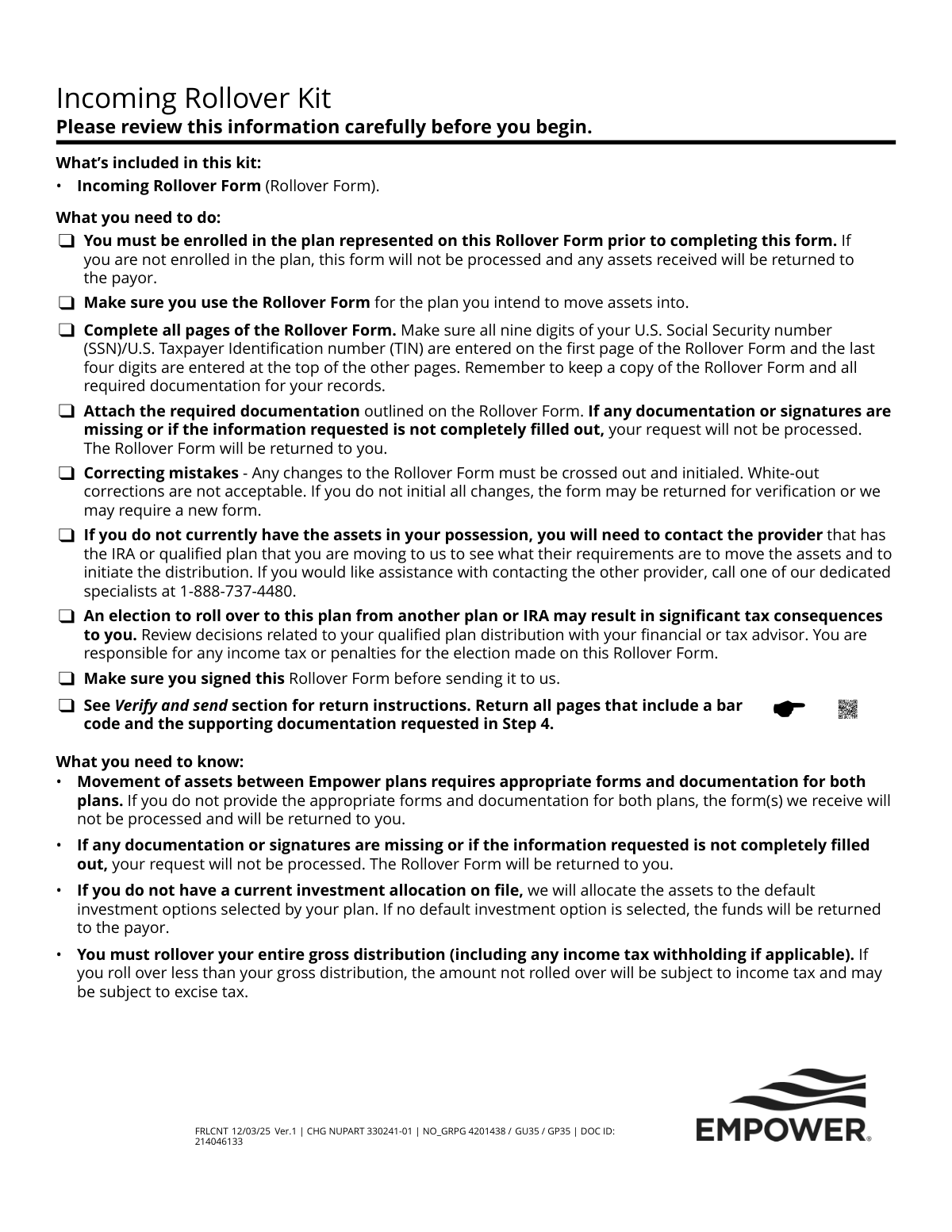
The Empower Incoming Rollover Form is a document used by individuals to request the transfer, or 'rollover,' of assets from a previous retirement account (such as an IRA, 401(k), 403(b), or 457(b) plan) into their current Empower retirement plan. This process is crucial for consolidating retirement savings into a single account for easier management. Today, this form can be filled out quickly and accurately using AI-powered services like Instafill.ai, which can also convert non-fillable PDF versions into interactive fillable forms.
Empower Incoming Rollover Form is part of the
Empower forms and rollover forms categories on Instafill.
Rather not fill this in by hand? Instafill is an online form filler that completes PDF forms automatically — upload the blank form, answer a few questions, and the AI fills every field.
Form specifications
| Form name: | Empower Incoming Rollover Form |
| Number of pages: | 1 |
| Language: | English |
Our AI automatically handles information lookup, data retrieval, formatting, and form filling.
It takes less than a minute to fill out Empower Incoming Rollover Form using our AI form filling.
Securely upload your data. Information is encrypted in transit and deleted immediately after the form is filled out.
Instafill Demo: How to fill out PDF forms in seconds with AI
How to Fill Out Empower Incoming Rollover Form Online for Free in 2026
Are you looking to fill out a EMPOWER INCOMING ROLLOVER FORM form online quickly and accurately? Instafill.ai offers the #1 AI-powered PDF filling software of 2026, allowing you to complete your EMPOWER INCOMING ROLLOVER FORM form in just 37 seconds or less.
Follow these steps to fill out your EMPOWER INCOMING ROLLOVER FORM form online using Instafill.ai:
- 1 Navigate to Instafill.ai and upload or select the Empower Incoming Rollover Form.
- 2 Use the AI assistant to accurately fill in your personal details in Step 1, including your full name, Social Security number, and contact information.
- 3 Complete Step 2 by specifying the rollover instructions, including the amount and the type of account you are rolling over from (e.g., direct rollover from a 401(k) or an indirect 60-day rollover).
- 4 Provide the details of your previous financial provider (recordkeeper) in Step 3, such as their name, address, and your account number.
- 5 Gather and attach the required documentation as specified in Step 4, such as a recent account statement from your previous provider. Instafill.ai can help you manage and attach these digital files.
- 6 Carefully review the participant acknowledgments in Step 5, then proceed to Step 6 to provide your legally binding electronic signature and date the form.
- 7 Download the completed and signed form, and submit it to Empower along with any checks or other required documents, following the 'Verify and send' instructions provided on the form.
Our AI-powered system ensures each field is filled out correctly, reducing errors and saving you time.
Why Choose Instafill.ai for Your Fillable Empower Incoming Rollover Form Form?
Speed
Complete your Empower Incoming Rollover Form in as little as 37 seconds.
Up-to-Date
Always use the latest 2026 Empower Incoming Rollover Form form version.
Cost-effective
No need to hire expensive lawyers.
Accuracy
Our AI performs 10 compliance checks to ensure your form is error-free.
Security
Your personal information is protected with bank-level encryption.
Frequently Asked Questions About Empower Incoming Rollover Form
This form is used to move retirement funds from a previous employer's plan or an IRA into your "Local No. 1 Suburban 401(k) Savings Plan" with Empower.
You should fill out this form if you are a member of the "Local No. 1 Suburban 401(k) Savings Plan" and want to consolidate funds from another qualified retirement account into this plan.
Yes, you must be enrolled in the Empower plan you are rolling assets into before you complete the form. If you are not enrolled, your request will be rejected and any funds received will be returned.
You must attach a copy of your most recent account statement from your previous provider. If you have already received a distribution check, you must also include a copy of the check stub.
If you have not yet received the funds, you should send the completed form and documentation only (no check) to Empower. You can upload it online via your account or mail it to the address listed for form-only submissions.
You must endorse the check to "Empower Trust Company, LLC" and mail it along with the completed form and required documentation to the address specified for payments in the "Verify and send" section.
To correct a mistake, you must cross out the incorrect information and write your initials next to the change. Do not use white-out, as this will cause your form to be rejected.
The form includes a "Certification for late rollover contribution" section where you can certify the reason for the delay, based on specific circumstances allowed by the IRS. You are responsible for any tax consequences if the waiver is not granted.
Yes, you cannot roll over funds from required minimum distributions (RMDs), hardship withdrawals, Roth IRAs, or active loans, among other restrictions listed on the form.
Yes, Step 6 explicitly requires your original, handwritten signature. Digital or typed signatures are not acceptable and will cause processing delays.
The funds will be invested according to your current investment allocation on file with Empower. If you have no allocation selected, the assets will be placed in the plan's default investment option.
Yes, services like Instafill.ai can use AI to accurately auto-fill form fields with your information, which can save time and help prevent errors.
You can use a service like Instafill.ai to convert any flat, non-fillable PDF into an interactive, fillable form. Simply upload the document to their platform to get started.
For assistance, you can call Empower's Rollover Services Team at 1-888-737-4480.
Compliance Empower Incoming Rollover Form
Validation Checks by Instafill.ai
1
SSN/TIN Format and Completeness
This check verifies that the U.S. Social Security number (SSN) or U.S. Taxpayer Identification number (TIN) provided in Step 1 is complete and correctly formatted. It must contain exactly nine digits. This is critical for uniquely identifying the participant and for tax reporting purposes. If the SSN/TIN is missing, incomplete, or invalid, the form will be rejected as the participant's account cannot be located or properly credited.
2
Participant Name Matches Plan Records
This validation ensures that the first and last name provided in Step 1 exactly matches the name on file for the participant in the destination plan ('Local No. 1 Suburban 401(k) Savings Plan'). A mismatch could indicate an error or an attempt to roll funds into the wrong account. If the names do not match, the form will be returned for correction to prevent misallocation of assets.
3
Date of Birth Format and Plausibility
This check confirms that the Date of Birth in Step 1 is entered in the required 'mm/dd/yyyy' format and represents a valid, plausible date. It ensures the date is not in the future and corresponds to a reasonable age for a plan participant. An invalid or missing date of birth can cause processing and compliance issues, leading to the form being returned.
4
SSN/TIN Cross-Page Consistency
This validation verifies that the last four digits of the SSN/TIN entered at the top of pages 2 through 7 match the last four digits of the full SSN/TIN provided on page 1. This check ensures all pages of the submission belong to the same participant and that the document set is complete. A mismatch will cause the form to be rejected due to concerns about incomplete or mixed-up paperwork.
5
Rollover Type Selection
This check ensures that the participant has selected at least one primary rollover type in Step 2 (e.g., 'A direct rollover', 'An in-direct 60-day rollover', or 'An in-direct rollover of a loan offset'). The form cannot be processed without knowing the nature of the transaction. Failure to select a rollover type will result in the form being considered incomplete and returned to the participant.
6
Rollover Amount Consistency
This validation confirms that the sum of the specific amounts listed for each plan type (e.g., 401(k), 403(b)) in Step 2 equals the total 'Amount of rollover' specified at the top of the section. This ensures the financial details are logically consistent and prevents ambiguity in the rollover instruction. If the amounts do not reconcile, the form will be returned for clarification.
7
Late Rollover Justification Requirement
This check is triggered if the participant selects 'An in-direct 60-day rollover' and indicates the contribution is late. It verifies that at least one checkbox under 'Reasons for late contribution' has been selected. This certification is required by the IRS for a potential waiver of the 60-day rule. If a late rollover is indicated without a reason, the form will be rejected pending completion of this certification.
8
Previous Provider Information Completeness
This validation ensures that all fields in Step 3, 'Previous provider (recordkeeper) information,' are fully completed. This information, including the provider's name, address, and the participant's account number, is essential for Empower to contact the other institution and facilitate the transfer of assets. Incomplete information in this section will halt the process and cause the form to be returned.
9
Required Documentation or Administrator Certification
This check verifies that the submission includes the required documentation specified in Step 4, such as a recent account statement or check stub. If the statement is missing key information, this validation alternatively checks that the 'plan administrator' certification section has been fully completed and signed by the previous administrator. Without either the proper documentation or the completed certification, the source of funds cannot be verified, and the request will not be processed.
10
Participant Signature Presence
This is a critical check to ensure that the participant has provided a handwritten signature in Step 6, 'My signature'. The signature legally authorizes the transaction, confirms the participant's agreement to the terms, and certifies the information provided is correct. A missing signature makes the entire form invalid, and it will be immediately returned for completion.
11
Signature Date Validity
This validation confirms that the 'Signature date' in Step 6 is present, formatted as 'mm/dd/yyyy', and is not a future date. The date establishes when the participant authorized the request, which is important for compliance and processing timelines. An invalid, future, or missing signature date will cause the form to be rejected.
12
Plan Enrollment Pre-Check
This is a system-level validation performed before processing the form to confirm the participant is already enrolled in the target plan ('Local No. 1 Suburban 401(k) Savings Plan'). The form explicitly states that the participant must be enrolled prior to submission. If the participant is not found in the plan's records, the form will be rejected, and any received assets will be returned to the payor.
13
IRA Rollover Authorization Completeness
This check applies if 'IRA' is selected as a rollover source in Step 2. It verifies that the 'company name' of the current trustee/custodian is provided and that a liquidation instruction (either '100%' or a partial amount) is specified. This information is a direct authorization to the IRA provider. If this section is incomplete, the IRA rollover cannot be initiated, and the form will be deemed incomplete.
14
Contact Information Format
This check validates that the 'Daytime telephone number' and 'Email address' in Step 1 are in a recognizable format. A valid phone number and email are crucial for communication if there are questions or issues with the rollover request. While a format error might not cause an immediate rejection, it can delay processing if the firm needs to contact the participant.
Common Mistakes in Completing Empower Incoming Rollover Form
The form instructions state that you must be enrolled in the destination Empower plan before submitting the rollover request. People often try to perform the rollover as part of the enrollment process, not realizing it's a separate, subsequent step. This will cause the form to be rejected and any assets received to be returned to the original provider, delaying the entire process.
Applicants often forget to enter the last four digits of their SSN/TIN at the top of every page after the first, as required. This simple oversight can lead to processing delays or rejection as the pages can become dissociated during processing. To avoid this, carefully review each page before submission to ensure the number is present. AI-powered tools like Instafill.ai can help prevent this by automatically populating required header and footer information across all pages of a form.
Step 4 requires a copy of the most recent account statement from the previous provider, which must contain specific details like the plan type. Users frequently forget to include this statement or submit one that lacks the required information. This is a primary cause for rejection, as Empower cannot process the rollover without verifying the source and nature of the funds. Always secure the required statement before you begin filling out the form.
The 'Verify and send' section provides different mailing addresses depending on whether you are sending the form alone or with a distribution check. Sending the package to the wrong address can cause significant delays, lost checks, and missed rollover deadlines. Carefully read this section and select the correct regular or express mail address that matches your submission contents to ensure timely and correct processing.
The form explicitly requires an original, handwritten signature and forbids the use of white-out for corrections, requiring initialed cross-outs instead. In a digital world, people may be tempted to use a digital signature or correct mistakes with correction fluid, both of which will invalidate the form. To avoid rejection, you must print the form, provide a wet signature, and make any corrections by neatly crossing out the error and writing your initials next to the change.
The instructions list several types of funds that cannot be rolled over, such as Roth IRA assets, hardship withdrawals, or required minimum distributions (RMDs). A user who is unaware of their distribution's specific tax treatment may incorrectly attempt to roll over these funds. This will result in the contribution being rejected and returned, which can create tax complications. Before submitting, confirm with your previous provider that the funds are eligible for a rollover.
If your account statement lacks the necessary details, Step 4 requires your previous plan administrator to complete and sign a certification section. Users sometimes mistakenly fill this section out themselves or fail to get the required signature, believing their own signature is sufficient. This will lead to immediate rejection, as the certification must come from an authorized person at the distributing institution. You must coordinate with your previous provider to have this section completed correctly.
Step 1 requires that your name 'must match the name on file' with Empower. Any discrepancy, such as using a nickname, a maiden name, or a simple typo, can cause the system to fail its validation check. This results in processing delays while the information is manually verified or the form is returned for correction. Before filling out the form, log in to your Empower account to confirm the exact personal details on file. Using a tool like Instafill.ai can help by populating the form with your verified profile data, ensuring consistency.
Step 2 asks you to choose between a direct rollover (funds move directly between institutions) and an indirect one (you receive a check to deposit). Users often don't understand the significant consequences, especially the 60-day time limit and potential tax withholding for indirect rollovers. Choosing incorrectly or mishandling an indirect rollover can lead to the entire distribution being treated as taxable income with potential penalties. It is crucial to understand the difference or consult a financial advisor before making a selection.
If you have already received a distribution check for an indirect rollover, the form provides specific instructions on how to endorse it to 'Empower Trust Company, LLC'. Failing to endorse the check correctly, or at all, will prevent it from being deposited. This will cause the funds to be returned and could jeopardize your 60-day rollover window, potentially triggering a taxable event. Follow the endorsement instructions in the 'Verify and send' section precisely.
Saved over 80 hours a year
“I was never sure if my IRS forms like W-9 were filled correctly. Now, I can complete the forms accurately without any external help.”
Kevin Martin Green
Your data stays secure with advanced protection from Instafill and our subprocessors




Robust compliance program
Transparent business model
You’re not the product. You always know where your data is and what it is processed for.
ISO 27001, HIPAA, and GDPR
Our subprocesses adhere to multiple compliance standards, including but not limited to ISO 27001, HIPAA, and GDPR.
Security & privacy by design
We consider security and privacy from the initial design phase of any new service or functionality. It’s not an afterthought, it’s built-in, including support for two-factor authentication (2FA) to further protect your account.
Fill out Empower Incoming Rollover Form with Instafill.ai
Worried about filling PDFs wrong? Instafill securely fills empower-incoming-rollover-form forms, ensuring each field is accurate.
