Yes! You can use AI to fill out Form F11610, Cash Withdrawal from your Retirement Investments for Plans Not Subject to QJSA
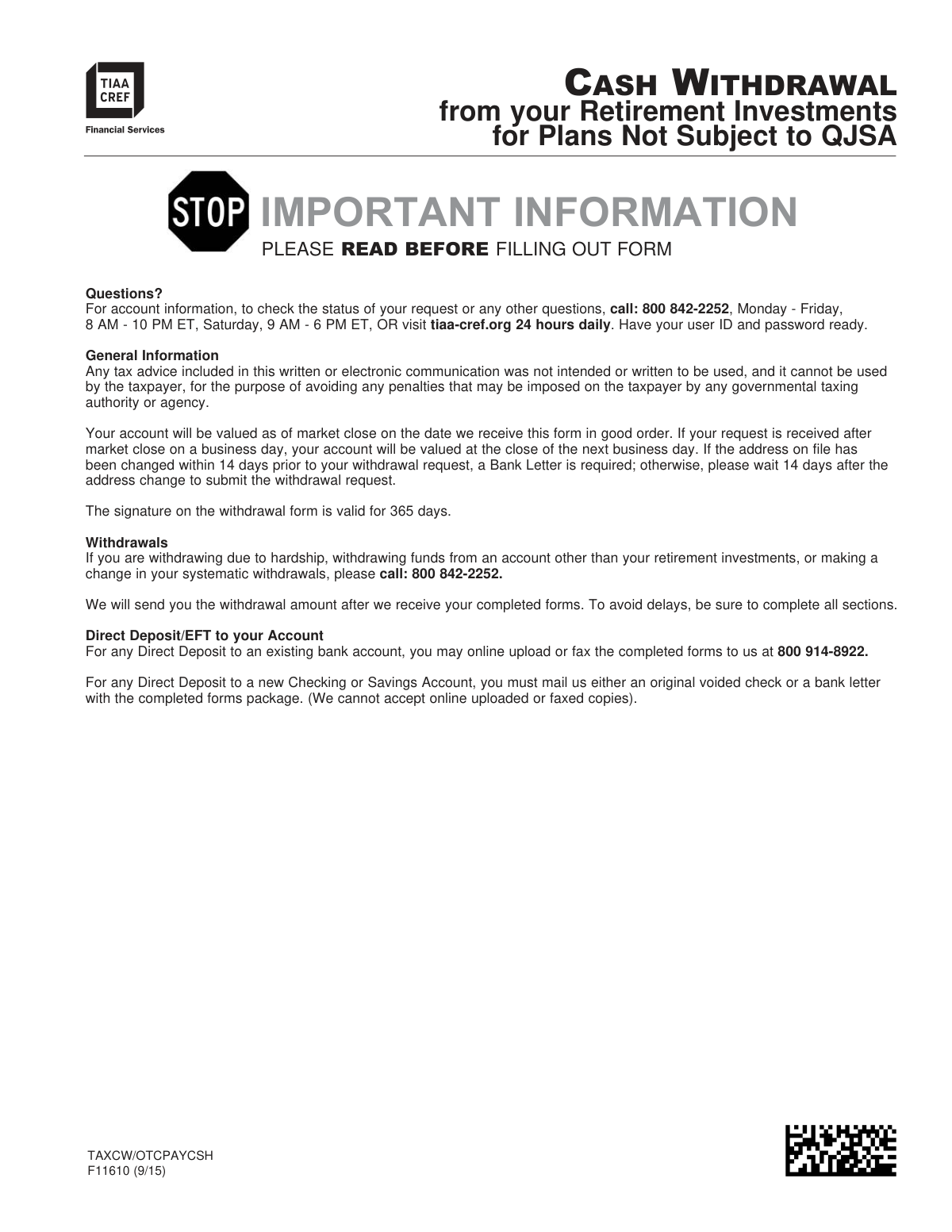
TIAA Form F11610, also known as TAXCW/OTCPAYCSH, is used by participants to request a cash distribution from their TIAA retirement accounts for plans that are not subject to QJSA requirements. It allows individuals to specify withdrawal amounts, tax withholding preferences, and delivery instructions for accessing their funds. Today, this form can be filled out quickly and accurately using AI-powered services like Instafill.ai, which can also convert non-fillable PDF versions into interactive fillable forms.
TIAA F11610 / TAXCW/OTCPAYCSH is part of the
investment forms, retirement plan forms, withdrawal forms, investment withdrawal forms, QJSA forms, retirement withdrawal forms and UK investment forms categories on Instafill.
Rather not fill this in by hand? Instafill is an online form filler that completes PDF forms automatically — upload the blank form, answer a few questions, and the AI fills every field.
Form specifications
| Form name: | Form F11610, Cash Withdrawal from your Retirement Investments for Plans Not Subject to QJSA |
| Number of pages: | 1 |
| Language: | English |
Our AI automatically handles information lookup, data retrieval, formatting, and form filling.
It takes less than a minute to fill out TIAA F11610 / TAXCW/OTCPAYCSH using our AI form filling.
Securely upload your data. Information is encrypted in transit and deleted immediately after the form is filled out.
Instafill Demo: How to fill out PDF forms in seconds with AI
How to Fill Out TIAA F11610 / TAXCW/OTCPAYCSH Online for Free in 2026
Are you looking to fill out a TIAA F11610 / TAXCW/OTCPAYCSH form online quickly and accurately? Instafill.ai offers the #1 AI-powered PDF filling software of 2026, allowing you to complete your TIAA F11610 / TAXCW/OTCPAYCSH form in just 37 seconds or less.
Follow these steps to fill out your TIAA F11610 / TAXCW/OTCPAYCSH form online using Instafill.ai:
- 1 Navigate to Instafill.ai and upload or select the TIAA Cash Withdrawal Form F11610.
- 2 Use the AI assistant to accurately complete Step One with your personal details, Social Security Number, and plan information.
- 3 Proceed through Steps Two to Five to specify loan repayment options, Roth accumulation details, and federal/state tax withholding preferences.
- 4 In Steps Six and Seven, indicate whether you are withdrawing the full amount or a partial amount, and specify which investment funds the withdrawal should come from.
- 5 In Step Nine, select your preferred delivery method, such as direct deposit to an existing or new bank account, or a mailed check.
- 6 Carefully review all the information you've entered, then provide your legal signature and the date in Step Ten to certify the request.
- 7 Gather any required supporting documents, such as a voided check for new bank accounts, and submit the complete package online, by fax, or by mail as instructed on the form.
Our AI-powered system ensures each field is filled out correctly, reducing errors and saving you time.
Why Choose Instafill.ai for Your Fillable TIAA F11610 / TAXCW/OTCPAYCSH Form?
Speed
Complete your TIAA F11610 / TAXCW/OTCPAYCSH in as little as 37 seconds.
Up-to-Date
Always use the latest 2026 TIAA F11610 / TAXCW/OTCPAYCSH form version.
Cost-effective
No need to hire expensive lawyers.
Accuracy
Our AI performs 10 compliance checks to ensure your form is error-free.
Security
Your personal information is protected with bank-level encryption.
Frequently Asked Questions About TIAA F11610 / TAXCW/OTCPAYCSH
This form is used to request a one-time cash withdrawal or set up systematic withdrawals from your TIAA retirement investments for plans not subject to QJSA (Qualified Joint and Survivor Annuity) rules.
If you select direct deposit, you will usually receive your funds within two business days after TIAA receives all required documentation and approvals. If you request a check by mail, it will take longer.
You can submit the form online via your TIAA account, by fax, or by mail. However, if you are providing new bank information for direct deposit, you must mail the original documents.
Yes, for most rollover-eligible withdrawals, TIAA is required to withhold a minimum of 20% for federal taxes. Depending on your state of residence, state taxes may also be withheld.
For a new checking or savings account, you must mail either an original voided check or a specific bank letter along with your completed form. Faxes or online uploads of these documents are not accepted.
If your address was changed within 14 days of your request, you must provide a Bank Letter. To avoid this requirement, you can wait 14 days after your address change to submit the form.
Yes, in many cases, such as separation from service or an in-service withdrawal, your Plan Representative's signature is required in STEP TWELVE to approve the request and confirm your vesting status.
No, this form is not for withdrawals from a TIAA Traditional Account, which has different rules and requires separate forms. You must call TIAA at 800-842-2252 for assistance with a Traditional Account withdrawal.
In STEP SIX, choose 'OPTION 2: Withdraw only a portion of account balance.' Then, in STEP SEVEN, specify the exact dollar amount or percentage you want to withdraw from each investment fund.
You must indicate in STEP TWO whether you want to repay the loan with your withdrawal funds or leave it outstanding. Choosing to repay the loan will reduce the net amount you receive.
Yes, services like Instafill.ai use AI to accurately auto-fill form fields with your personal information, which can save time and help reduce errors.
You can upload the TIAA Cash Withdrawal PDF to the Instafill.ai platform. The AI will make the form fillable, allowing you to enter your information and auto-fill the fields before downloading the completed document for signature.
If you have a non-fillable or 'flat' PDF, you can use a tool like Instafill.ai. It can convert the static document into an interactive, fillable form that you can easily complete online.
Your Plan and Sub Plan numbers should have been provided to you previously. If you do not have them, you must contact TIAA at 800-842-2252 to get this required information.
Compliance TIAA F11610 / TAXCW/OTCPAYCSH
Validation Checks by Instafill.ai
1
SSN or TIN Format and Presence
This check verifies that the Social Security Number (SSN) or Taxpayer Identification Number (TIN) field in Step One is not empty and contains exactly nine digits. This number is critical for tax reporting and identity verification. If the number is missing, incomplete, or in an invalid format, the withdrawal request cannot be processed and will be rejected pending correction.
2
Conditional Spouse Information Requirement
This validation ensures that if the applicant answers 'YES' to the question 'Are you married?' in Step Five, they must also provide the Spouse's Name and a valid Spouse's Date of Birth. This information may be required for spousal consent regulations or tax purposes depending on the plan. Failure to provide the spouse's details when required will halt the processing of the form.
3
Mutually Exclusive Withdrawal Specification
In Step Seven, for each investment fund listed, this check confirms that the user has entered either a dollar amount or a percentage, but not both. The form requires a clear, unambiguous instruction for each fund. If both fields are filled for a single fund, it creates an ambiguity that prevents processing and the form will be returned for clarification.
4
Withdrawal Amount and Percentage as Whole Numbers
This check validates that all dollar amounts and percentage values entered in Step Seven ('Withdrawal Investments') are whole numbers, as explicitly stated on the form. Using decimals or fractions can lead to calculation errors and processing exceptions. Any entry with a decimal or fraction will cause the form to be considered 'not in good order' and will delay the withdrawal.
5
Withdrawal Option and Conditional Step Completion
This validation ensures that one of the three options in Step Six ('Withdrawal Amount') is selected. It also checks that if 'OPTION 2: Withdraw only a portion' is selected, then Step Seven is completed. Likewise, if 'OPTION 3: Systematic Withdrawal' is selected, Step Eight must be completed. This ensures the form contains all necessary instructions based on the user's primary choice, preventing incomplete requests.
6
Systematic Withdrawal Start Date Range
For systematic withdrawals in Step Eight, this check verifies the 'Start Date' is a valid date and falls between the 1st and 28th of the month (or 5th and 28th for TPA plans, requiring a plan type lookup). This rule exists to align with TIAA's payment processing cycles. A date outside this range will cause the request to be rejected or delayed until a valid date is provided.
7
Systematic Withdrawal Date Sequence
This check ensures that if a 'Stop Date' is provided in Step Eight, it is a valid date that occurs chronologically after the specified 'Start Date'. A stop date that is before the start date is a logical impossibility and would cause the systematic withdrawal setup to fail. The form would be rejected for correction of the invalid date sequence.
8
Signature Date Validity
This validation confirms that the 'Today’s Date' field next to the signature in Step Ten is filled out and is within 365 days of the date the form is received for processing. As stated in the form's general information, the signature is only valid for one year. An undated or expired signature invalidates the authorization, and a new, currently dated form will be required.
9
Employer Authorization Trigger Logic
This check verifies that if the applicant answers 'YES' to any of the questions 1 through 5 in Step Eleven (e.g., 'Separated from service?', 'Are you currently disabled?'), then the 'Plan Representative Approval' section (Step Twelve) is fully completed. This approval is mandatory for certain withdrawal reasons. Missing employer authorization will immediately halt the request until the signed approval is obtained.
10
Conditional Date of Separation Requirement
This validation ensures that if the applicant checks 'YES' for question 2, 'Are you separated from service?' in Step Eleven, then the 'Date of Separation of Service' field is filled with a valid date. This date is crucial for determining eligibility for withdrawal and for applying correct tax rules, such as penalty avoidance. A missing date will render the form incomplete and stop the process.
11
Roth Accumulation Selection Logic
This check confirms that if the user answers 'YES' to 'Do you have Roth accumulations?' in Step Three, they must then select one of the three subsequent choices that specify how the withdrawal should be sourced (Roth only, non-Roth only, or both). This selection is required to correctly allocate the withdrawal and apply the proper tax treatment. An omission here creates ambiguity and will require follow-up, delaying the request.
12
New Bank Account Documentation Flag
This is a process validation that flags the submission for manual review if 'Direct Deposit to my new Checking or Savings Account' is selected in Step Nine. The system confirms that the submission is not a fax or online upload and alerts the processor to look for the required physical documentation (original voided check or bank letter). If the required original document is not included with a mailed form, the funds will be sent via check to the address on file to avoid delays.
13
Participant Account Identifier Presence
This check verifies that at least one of the two account number fields, 'TIAA #' or 'CREF #', is populated in Step One. A unique account identifier is the primary key needed to locate the participant's records and process the transaction against the correct account. A submission without an account number cannot be processed and will be immediately rejected.
14
Foreign Status Form W-8BEN Requirement
This validation checks if the 'Citizenship' field in Step One indicates a country other than the U.S. If so, the system flags the submission to verify that a completed Form W-8BEN is included. This is a legal requirement to certify foreign tax status and apply correct tax withholding. Without the W-8BEN, the withdrawal cannot be processed correctly and may be subject to maximum backup withholding or rejection.
Common Mistakes in Completing TIAA F11610 / TAXCW/OTCPAYCSH
Applicants often overlook the questions in Step Eleven regarding separation from service or disability status, which require a Plan Representative's signature in Step Twelve. Submitting the form without this necessary authorization will cause the request to be rejected, as TIAA-CREF cannot process the withdrawal without employer approval. To avoid this, carefully review Step Eleven and, if any 'YES' boxes are checked, ensure you forward the form to your plan representative for their signature before submission.
Step Nine has very strict documentation requirements for setting up a new direct deposit account, demanding either an original voided check or a specific type of bank letter. Common errors include sending a deposit slip, a photocopy of a check, or trying to fax/upload documents for a new account, all of which are explicitly disallowed. These mistakes lead to processing delays or a default payment by mail, so it's crucial to mail the original, correct documents with the form package.
In Step Ten, the form explicitly states 'Digital signatures are not accepted' and requires a wet signature in black or dark blue ink. In an era where digital signatures are common, many people sign electronically out of habit, which will invalidate the entire form. To prevent rejection, you must print the form and physically sign it before mailing, faxing, or uploading the scanned document.
A frequent error is selecting 'Withdraw entire amount available' in Step Six, and then also filling out specific dollar or percentage amounts in Step Seven. These contradictory instructions create ambiguity and force the processor to halt the request and seek clarification, causing significant delays. You must choose only one option: either take the entire balance (Option 1 in Step Six) or specify partial amounts (Option 2 in Step Six and details in Step Seven).
In Step Seven, the form requires users to specify either a dollar amount OR a percentage for each fund, and all numbers must be whole numbers. People often make the mistake of filling in both columns for a single fund or using decimals (e.g., 50.5%), which leads to processing errors. To avoid this, decide on either a whole dollar amount or a whole percentage for each fund you wish to withdraw from, but not both. AI-powered tools like Instafill.ai can help prevent this by validating data formats as you enter them.
Applicants sometimes leave the 'Plan #', 'Sub Plan #', or 'TIAA/CREF #' fields in Step One blank, assuming the information can be found using their name or SSN. However, the form states this information is required to process the request, and its absence will cause delays while the service center attempts to identify the correct accounts. Before filling out the form, locate these numbers from a previous statement or by calling the support line as instructed.
The loan repayment options in Step Two have significant financial implications that are often misunderstood. For example, choosing to repay a loan from the withdrawal proceeds reduces the final cash amount you receive and is itself a taxable event. An applicant might select this option expecting a larger payout, leading to confusion and dissatisfaction. It is critical to read the notes carefully or call TIAA-CREF to understand the tax and payment impact of each loan option before making a selection.
The note in Step One indicates that individuals who claim both residence and citizenship outside the U.S. must complete and attach a separate Form W-8BEN. This is a commonly missed requirement because it involves obtaining and filling out an entirely different form. Forgetting to include the W-8BEN will halt the withdrawal process until the correct tax certification is received, delaying payment.
A warning on the first page states that if your address on file has changed within 14 days of the request, a 'Bank Letter' is required. Many people miss this fine print and submit the form anyway, resulting in a processing hold until the required documentation is provided or the 14-day period has passed. To ensure a smooth process, either wait 14 days after an address update to submit your request or be prepared to provide the necessary bank letter.
This form is a flat, non-fillable PDF, which forces users to print it and fill it out by hand, increasing the likelihood of illegible handwriting, stray marks, or missed fields. Writing outside the designated boxes or using the wrong color ink can cause scanning errors or require manual correction, delaying the request. Using a tool like Instafill.ai can convert the non-fillable PDF into an interactive, fillable form, ensuring all entries are clean, legible, and correctly placed, which helps prevent processing delays.
Saved over 80 hours a year
“I was never sure if my IRS forms like W-9 were filled correctly. Now, I can complete the forms accurately without any external help.”
Kevin Martin Green
Your data stays secure with advanced protection from Instafill and our subprocessors




Robust compliance program
Transparent business model
You’re not the product. You always know where your data is and what it is processed for.
ISO 27001, HIPAA, and GDPR
Our subprocesses adhere to multiple compliance standards, including but not limited to ISO 27001, HIPAA, and GDPR.
Security & privacy by design
We consider security and privacy from the initial design phase of any new service or functionality. It’s not an afterthought, it’s built-in, including support for two-factor authentication (2FA) to further protect your account.
Fill out TIAA F11610 / TAXCW/OTCPAYCSH with Instafill.ai
Worried about filling PDFs wrong? Instafill securely fills form-f11610-cash-withdrawal-from-your-retirement-investments-for-plans-not-subject-to-qjsa forms, ensuring each field is accurate.
