Yes! You can use AI to fill out Form SSA-454-BK, Continuing Disability Review Report
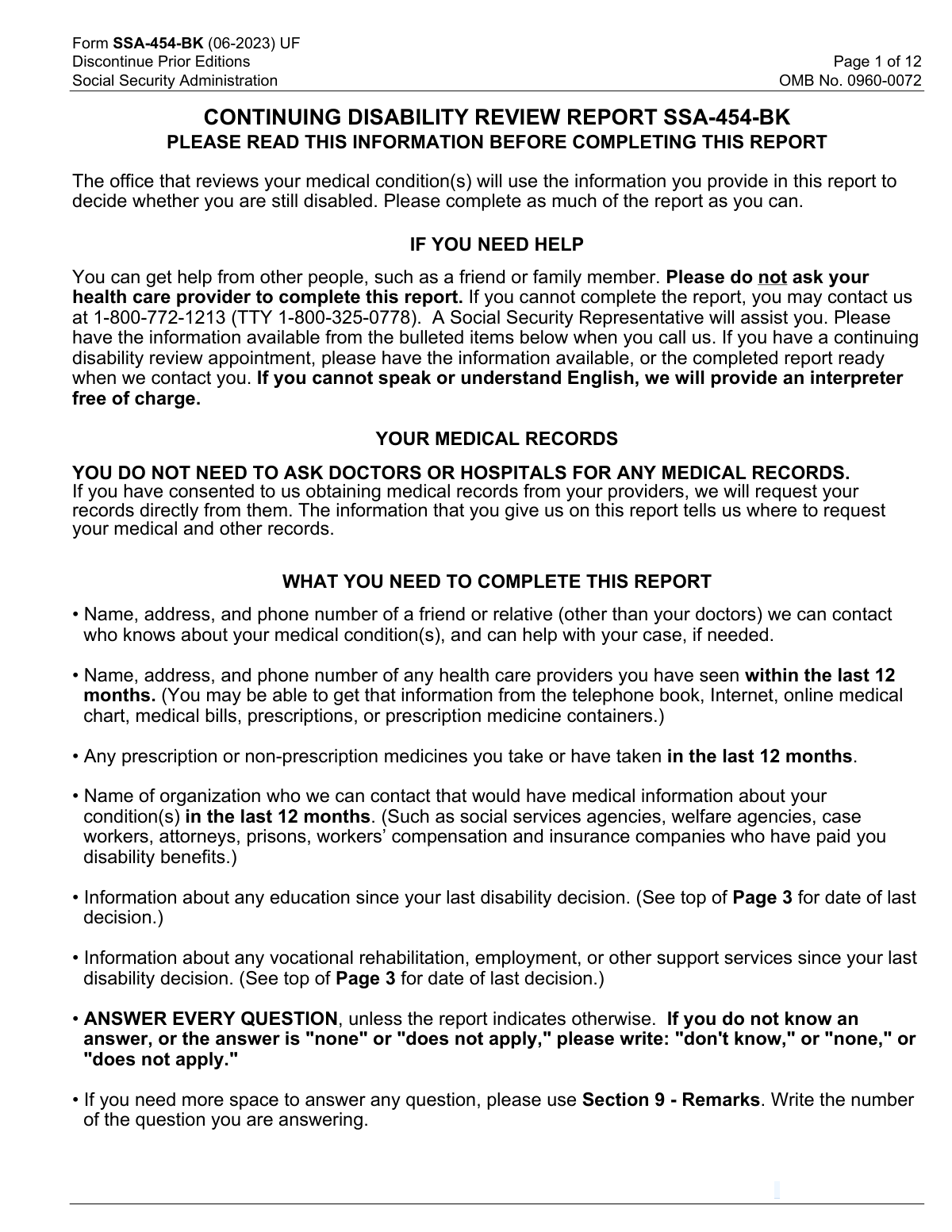
Form SSA-454-BK is a Social Security Administration Continuing Disability Review (CDR) report completed by a disability beneficiary (or someone helping them) to provide current information about medical conditions, treatment sources, medications, tests, work activity, education/training, support services, and how conditions affect daily functioning. SSA uses the responses to request records from listed providers and to decide whether disability benefits should continue. Completing it thoroughly and accurately is important because missing or incomplete information can delay or negatively affect a continuing disability determination. Today, this form can be filled out quickly and accurately using AI-powered services like Instafill.ai, which can also convert non-fillable PDF versions into interactive fillable forms.
Our AI automatically handles information lookup, data retrieval, formatting, and form filling.
It takes less than a minute to fill out SSA-454-BK using our AI form filling.
Securely upload your data. Information is encrypted in transit and deleted immediately after the form is filled out.
Form specifications
| Form name: | Form SSA-454-BK, Continuing Disability Review Report |
| Number of pages: | 12 |
| Filled form examples: | Form SSA-454-BK Examples |
| Language: | English |
| Categories: | beneficiary forms, disability forms |
Instafill Demo: filling out a legal form in seconds
How to Fill Out SSA-454-BK Online for Free in 2026
Are you looking to fill out a SSA-454-BK form online quickly and accurately? Instafill.ai offers the #1 AI-powered PDF filling software of 2026, allowing you to complete your SSA-454-BK form in just 37 seconds or less.
Follow these steps to fill out your SSA-454-BK form online using Instafill.ai:
- 1 Go to Instafill.ai and upload the SSA-454-BK PDF (or select SSA-454-BK from the form library).
- 2 Let the AI detect and convert the form into a guided, fillable version; confirm the form edition/date (e.g., 06-2023) and that all pages/sections are included.
- 3 Enter Section 1 details (identity and contact information, addresses, language abilities, and any other names used) and verify accuracy against your records.
- 4 Complete Section 2 with a reliable contact person (non-doctor) who knows your condition and can help SSA reach you.
- 5 Fill Sections 3 and 6 with medical information: conditions, providers seen in the last 12 months, tests ordered, medications (and note side effects in Remarks), assistive devices, and any other organizations that may have medical records.
- 6 Complete the remaining applicable sections based on age and circumstances (work since last decision, support services, education/training/literacy, and daily activities), adding clarifications in Section 9 (Remarks) when space is limited.
- 7 Review the AI validation checks for missing fields and consistency, then download/print the completed SSA-454-BK and submit it to your local SSA field office (or nearest U.S. embassy/consulate if abroad) as instructed.
Our AI-powered system ensures each field is filled out correctly, reducing errors and saving you time.
Why Choose Instafill.ai for Your Fillable SSA-454-BK Form?
Speed
Complete your SSA-454-BK in as little as 37 seconds.
Up-to-Date
Always use the latest 2026 SSA-454-BK form version.
Cost-effective
No need to hire expensive lawyers.
Accuracy
Our AI performs 10 compliance checks to ensure your form is error-free.
Security
Your personal information is protected with bank-level encryption.
Frequently Asked Questions About Form SSA-454-BK
Form SSA-454-BK (Continuing Disability Review Report) is used by the Social Security Administration (SSA) to decide whether you are still disabled and still eligible for disability benefits. The medical review office uses the information you provide to request records and evaluate your current condition.
The person receiving disability benefits should complete it, unless they need help. If someone else completes it for the beneficiary, that person must fill out Section 10 (Who Is Completing This Report).
No. The form states you do not need to request medical records yourself; SSA will request records directly from your providers if you have consented. Your job is to list accurate provider names, locations, and dates so SSA knows where to request records.
Have contact information for a friend/relative SSA can reach (not a doctor), your health care providers from the last 12 months, and a list of medications taken in the last 12 months. Also gather details about any education, training, vocational rehabilitation, or support services since your last disability decision date.
Answer every question unless the form tells you to skip it. If you donât know, write âdonât know,â and if it doesnât apply, write âdoes not apply,â or ânoneâ when appropriate.
Section 2 should list a friend, family member, neighbor, or other non-medical contact who knows about your condition and can help SSA reach you. The form specifically says not to list your doctors as the contact person in this section.
You can list multiple conditions and up to several providers on the main pages, and if you need more room you should use Section 9 (Remarks). In Remarks, include the section and question number you are continuing (for example, â3.Aâ or â3.Dâ).
SSA includes doctors, hospitals, clinics, psychiatrists, nurse practitioners, therapists, physical therapists, and other medical professionals. List anyone you have seen or received treatment from within the last 12 months.
Section 3.F asks you to list prescription and non-prescription medicines taken in the last 12 months, and it instructs you to put side effects in Section 9 (Remarks). Include the medication name and describe the side effects and how they affect you.
List the test type and the provider or facility that ordered or scheduled it, and give your best estimate if you donât know exact details. If you only remember partial address information, provide as much as you can (for example, a nearby landmark).
Not alwaysâseveral sections are age-based. Section 4 (Work) applies only if you are age 14 or older, and Sections 5â8 are marked âComplete only if you are age 18 years or older,â so follow the formâs age questions and skip instructions.
Yes. Section 4 asks whether you have worked since the date of your last medical disability decision and whether you are currently working, including self-employment or wages from an employer. Report any work activity so SSA can follow up if needed.
Send or bring the completed report to your local SSA field office, or if you are outside the U.S., to the nearest U.S. Embassy or Consulate. If you need the correct address, you can call 1-800-772-1213 (TTY 1-800-325-0778).
SSA estimates about 480 minutes to read the instructions, gather the facts, and answer the questions. The actual time can vary depending on how many providers, medications, and services you need to list.
YesâAI tools can help organize your information and auto-fill form fields; services like Instafill.ai use AI to accurately populate fields and save time. To use it online, upload the SSA-454-BK PDF to Instafill.ai, provide your details (providers, medications, work/education, and remarks), review each field for accuracy, then download and submit the completed form to SSA.
If the PDF isnât fillable, you can still complete it by printing and writing clearly, or use a tool that converts it. Instafill.ai can convert flat non-fillable PDFs into interactive fillable forms and then help auto-fill the fields for you.
Compliance SSA-454-BK
Validation Checks by Instafill.ai
1
Validates Last Medical Disability Decision Date is present and a real calendar date
Checks that the 'Date of your last medical disability decision' is provided and conforms to an accepted date format (e.g., MM/DD/YYYY) and represents a valid calendar date. This date is a key anchor for multiple âsince the date of your last decisionâ questions (work, education, support services). If missing or invalid, the submission should be rejected or routed for manual review because downstream logic and time-window validations cannot be reliably applied.
2
Ensures claimant name (1.A) is complete and not placeholder text
Validates that 1.A includes at least a first and last name and does not contain placeholders such as 'none', 'donât know', or single-character entries. The name is required to identify the beneficiary and match the report to the correct record. If validation fails, the form should be flagged as incomplete and the user prompted to correct the name fields.
3
Validates Social Security Number (1.B) format and disallows invalid SSN patterns
Checks that SSN is exactly 9 digits (allowing common formatting like XXX-XX-XXXX) and rejects non-numeric characters beyond separators. Also disallows known invalid patterns (e.g., all zeros in any group, 000-xx-xxxx, xxx-00-xxxx, xxx-xx-0000, or 123-45-6789 if your system treats it as a test value). If invalid, the submission should fail validation because SSN is critical for identity and record retrieval.
4
Validates mailing address completeness and country-specific postal rules
Ensures mailing address fields (street/PO box, city, state/province, ZIP/postal code, and country when not USA) are complete and consistent. For USA addresses, validates state is a valid US state/territory code/name and ZIP is 5 digits (optionally ZIP+4); for non-USA, requires country and allows appropriate postal code formats. If validation fails, the form should be blocked or flagged because SSA correspondence and record requests depend on deliverable addresses.
5
Conditional requirement for resident address when 1.E indicates addresses differ
If 1.E is marked 'NO' (residence address not the same as mailing), validates that the resident address block is fully completed (street, city, state/province, ZIP/postal, and country if not USA). If 1.E is 'YES', resident address fields should be empty or ignored to prevent conflicting data. Failures should trigger an error prompting the user to either complete the resident address or correct the 1.E selection.
6
Validates phone number formats for claimant, contact person, and report completer
Checks that all provided phone numbers (1.F primary/secondary, 2.D, provider phone numbers, support service phone, training facility phone, report completer phone) meet a valid pattern: for US/Canada, 10 digits with optional separators; for international, requires country code/IDD and a minimum length threshold. Phone numbers are essential for follow-up and scheduling; invalid numbers reduce SSAâs ability to contact the claimant. If invalid, the system should prompt correction and optionally allow submission only if at least one valid reachable number exists.
7
Validates email address (1.G) syntax when provided
If an email address is entered, validates it against standard email syntax rules (single '@', valid domain, no spaces, reasonable length). Email is optional but often used for communication; malformed emails create delivery failures and support burden. If invalid, the system should require correction or clearing the field before submission.
8
Validates English proficiency logic and requires preferred language when needed (1.H/2.E)
For 1.H and 2.E, ensures exactly one of YES/NO is selected (no double-selection and not blank). If NO is selected, requires a non-empty preferred language value and rejects placeholders like 'N/A' unless explicitly allowed by policy. If this validation fails, the submission should be flagged because interpreter needs and communication accommodations cannot be determined.
9
Validates 'Other names used' dependency (1.C) and enforces list when YES
Ensures 1.C has a single YES/NO selection and, if YES, requires at least one alternate name in 'Other Names Used' with a minimum character threshold. If NO, the alternate names field should be empty to avoid contradictory identity information. If validation fails, the system should prompt correction because alternate names are important for locating medical/education records.
10
Ensures Section 2 contact person is complete and not a medical provider
Validates that Section 2 includes contact name (2.A), relationship (2.B), address (2.C), and phone (2.D) with acceptable formats. Also screens relationship and/or name fields for indicators that the contact is a doctor/clinic (e.g., 'Dr.', 'MD', 'Clinic') since the form explicitly requests someone other than doctors. If incomplete or appears to be a provider, the submission should be flagged and the user asked to provide an appropriate non-provider contact.
11
Validates height and weight entries are numeric, within plausible ranges, and unit-consistent
Checks that height is provided either as feet+inches or centimeters (not both unless your system supports dual entry) and that values are numeric and plausible (e.g., feet 0â8, inches 0â11, centimeters 30â250). Validates weight is provided either in pounds or kilograms and is within plausible bounds (e.g., 20â1500 lb or 10â700 kg). If invalid, the system should request correction because these values are used for medical context and can affect evaluation and record matching.
12
Conditional completeness for healthcare provider list when 3.D is YES
If 3.D indicates the claimant has seen a provider in the last 12 months, requires at least one provider entry with facility/office name, provider name (if known), city/state (or country), and at least one contact method (phone or sufficiently detailed address). Also validates 'Date last seen' fields are either blank (if unknown) or valid YYYY/MM values. If validation fails, the form should be flagged because SSA relies on these details to request medical records.
13
Validates medical tests section dependency (3.E) and requires provider/facility for selected tests
Ensures 3.E has a single YES/NO selection; if YES, requires at least one test type to be indicated and the corresponding provider/facility name to be present for each selected test. For tests requiring a body part (biopsy, MRI/CT, X-ray), requires a non-empty body-part description when that test is selected. If validation fails, the system should prompt correction because incomplete test information reduces the ability to locate diagnostic evidence.
14
Validates medications section dependency (3.F) and requires at least one medication when YES
Ensures 3.F has a single YES/NO selection; if YES, requires at least one medication name and rejects entries that are only dosage instructions or placeholders (e.g., 'as needed' without a drug name). If a prescribing doctor or reason is provided, ensures they are tied to a non-empty medication name row to avoid orphaned data. If validation fails, the submission should be flagged because medication history is a key indicator of ongoing treatment and severity.
15
Validates assistive device selection logic and requires frequency for each selected device (3.G)
If 3.G is YES, requires at least one device checkbox to be selected and requires a frequency (Always/Sometimes) for each selected device; if 'Other' is selected, requires the 'Other device name' field. If 3.G is NO, device selections and frequency fields should be empty to prevent contradictions. Failures should block submission or trigger correction because assistive device use is important functional evidence and must be internally consistent.
16
Validates age-gated sections and prevents contradictory routing (Under 14 / Under 18 / adult-only sections)
Ensures the under-age-14 and under-age-18 indicators are not contradictory (e.g., under 14 cannot be 'NO' while under 18 is 'YES' only if age is known; if age is not collected, enforce logical dependency: under 14 YES implies under 18 YES). Also enforces that adult-only sections (Sections 4â8, 5â7, 8) are completed only when the form indicates the person is old enough, and that required adult sections are not skipped when applicable. If validation fails, the submission should be flagged for manual review because the wrong question set may have been answered.
Common Mistakes in Completing SSA-454-BK
Many people skip items they think are irrelevant or that they canât remember, but SSA-454-BK explicitly instructs you to answer every question and to write ânone,â âdoes not apply,â or âdonât knowâ when appropriate. Blank fields can look like an incomplete report and may trigger follow-up calls, delays, or requests to redo sections. To avoid this, scan each section for unanswered prompts and use the exact wording the form requests. AI-powered tools like Instafill.ai can flag blanks and insert standardized responses where appropriate so the form is complete and consistent.
This form uses âyou/yourâ to mean the person receiving disability benefits, even if someone else is filling it out, which commonly leads to entering the helperâs address, phone, conditions, or work history by mistake. That mismatch can cause SSA to request clarification or misinterpret the medical/work situation. To avoid it, keep the beneficiaryâs details in Sections 1â8 and only put the preparerâs details in Section 10. Instafill.ai can help by mapping each field to the correct person (beneficiary vs. report completer) and preventing cross-population errors.
People often answer âNoâ to the âother namesâ question because they think it only applies to legal name changes, but providers and schools may have records under a maiden name or nickname. Missing aliases can make it harder for SSA to locate records, slowing the review. To avoid this, list every name that could appear on charts, prescriptions, lab portals, or school records in the last 12 months. Instafill.ai can prompt for common alias patterns and ensure theyâre captured in the correct field.
A frequent issue is marking the residence address as âsame as mailingâ when it isnât, or forgetting apartment numbers, PO Box vs. street, or country fields for non-U.S. addresses. This can lead to missed mail, inability to contact you, and deadlines being missed. To avoid it, verify where you actually receive mail and fully complete both addresses when they differ, including unit numbers and country. Instafill.ai can standardize address formatting and validate ZIP/postal codes to reduce returned mail.
Applicants often provide a phone number without an area code, omit international dialing details, or list a number that doesnât accept voicemail even though SSA may need to leave messages. This can cause delays if SSA cannot reach you for clarifications or scheduling. To avoid it, include area code (or IDD + country code if outside the U.S./Canada) and provide a reliable secondary number when available. Instafill.ai can format numbers correctly and prompt for missing dialing components.
In Section 3.D, people commonly list only a doctorâs name (or only a clinic name) without a usable address/phone, or they enter dates in the wrong format instead of YYYY/MM. SSA uses this information to request records; incomplete provider details can prevent records from being obtained and may lead to additional forms or follow-up. To avoid it, provide as much contact detail as possible (facility name, provider name, phone, street/city/state) and use best estimates for dates in the requested format. Instafill.ai can enforce date formatting and remind you to complete the minimum provider contact fields needed for record requests.
In Section 3.A and Section 8, many people write broad terms (e.g., âpain,â âanxietyâ) without specifying diagnoses, affected body areas, or how symptoms limit work/daily activities. Vague descriptions can make it harder for reviewers to understand severity and may result in more development requests. To avoid it, list specific conditions (e.g., âlumbar degenerative disc disease,â âmajor depressive disorderâ) and explain concrete impacts in daily activities (what you canât do, how often, and what help you need). Instafill.ai can guide structured entries so conditions and limitations are described consistently across sections.
People often list only prescriptions and forget over-the-counter medicines, supplements, inhalers, or âas neededâ meds taken in the last 12 months, and they frequently leave out the reason for each medication. The form also directs you to put side effects in Section 9, but many applicants never mention them, losing important context about functional impact. To avoid it, use medication containers/pharmacy lists, include OTC items, and document side effects in Section 9 with the medication name. Instafill.ai can help compile a complete medication list and ensure side effects are captured in the correct place.
In Section 3.E, applicants commonly check âNoâ because they think only completed tests count, but the form includes tests scheduled for the future as well. They also may list the test type but forget to name the provider/facility that ordered or scheduled it, which limits SSAâs ability to follow up. To avoid it, include MRIs/CTs, X-rays, labs, psychological testing, and any upcoming studies, along with who ordered/scheduled them. Instafill.ai can prompt for the required pairing of test type + ordering facility/provider.
Applicants often mark âsometimesâ because they donât use a device at home, even though the form says to select âalwaysâ if itâs always used outside the home. They also frequently omit the prescribing provider when the device was prescribed (e.g., cane, walker, wheelchair), which can be relevant to medical evidence. To avoid it, answer frequency based on real-world necessity (especially outside the home) and add the prescriber if known. Instafill.ai can apply the formâs rule logic and reduce inconsistent selections.
SSA-454-BK has multiple âGo toâ instructions and age-based sections (e.g., work info for 14+, support services/education/daily activities for 18+), and people often fill sections they shouldnât or miss sections they must complete. This creates contradictions (e.g., adult daily activities left blank) and can lead to follow-up requests. To avoid it, follow the branching instructions carefully and confirm which sections apply based on the beneficiaryâs age. Instafill.ai can automatically route you through the correct sections and prevent inapplicable fields from being left incomplete.
Saved over 80 hours a year
âI was never sure if my IRS forms like W-9 were filled correctly. Now, I can complete the forms accurately without any external help.â
Kevin Martin Green
Your data stays secure with advanced protection from Instafill and our subprocessors

Robust compliance program
Transparent business model
Youâre not the product. You always know where your data is and what it is processed for.
ISO 27001, HIPAA, and GDPR
Our subprocesses adhere to multiple compliance standards, including but not limited to ISO 27001, HIPAA, and GDPR.
Security & privacy by design
We consider security and privacy from the initial design phase of any new service or functionality. Itâs not an afterthought, itâs built-in, including support for two-factor authentication (2FA) to further protect your account.
Fill out SSA-454-BK with Instafill.ai
Worried about filling PDFs wrong? Instafill securely fills form-ssa-454-bk-continuing-disability-review-report forms, ensuring each field is accurate.



