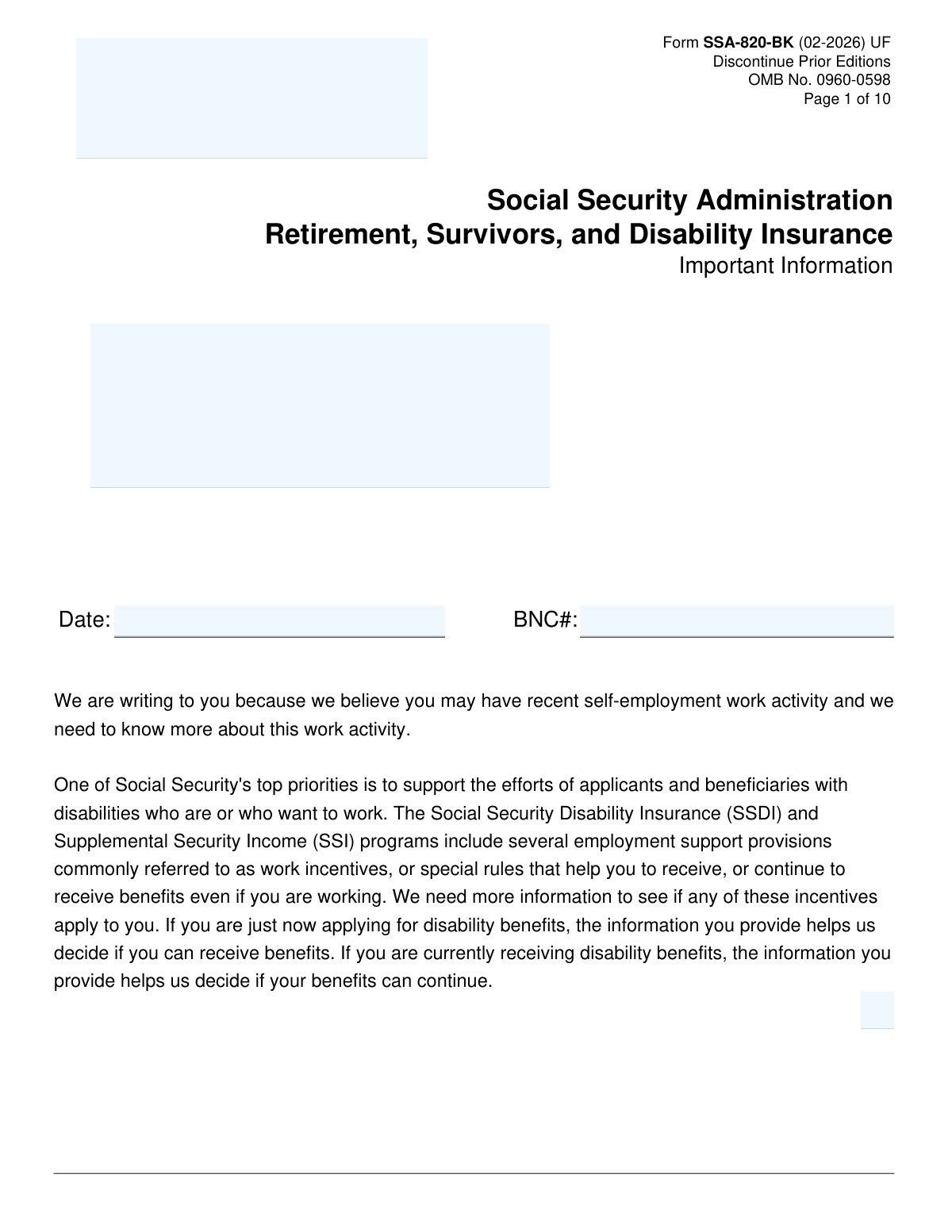
Yes! You can use AI to fill out Form SSA-820-BK, Work Activity Report - Self-Employment

Form SSA-820-BK is a report used by the Social Security Administration (SSA) to gather detailed information about a disability benefit applicant's or recipient's self-employment activities. The SSA uses this data to evaluate how work and earnings may affect eligibility for Social Security Disability Insurance (SSDI) or Supplemental Security Income (SSI) benefits and to apply any relevant work incentives. Today, this form can be filled out quickly and accurately using AI-powered services like Instafill.ai, which can also convert non-fillable PDF versions into interactive fillable forms.
Our AI automatically handles information lookup, data retrieval, formatting, and form filling.
It takes less than a minute to fill out SSA-820-BK using our AI form filling.
Securely upload your data. Information is encrypted in transit and deleted immediately after the form is filled out.

Form specifications

Form name: Form SSA-820-BK, Work Activity Report - Self-Employment
Number of pages: 10
Language: English
Categories: employment forms, SSA forms, self employment forms
main-image

Instafill Demo: How to fill out PDF forms in seconds with AI

How to Fill Out SSA-820-BK Online for Free in 2026

Are you looking to fill out a SSA-820-BK form online quickly and accurately? Instafill.ai offers the #1 AI-powered PDF filling software of 2026, allowing you to complete your SSA-820-BK form in just 37 seconds or less.
Follow these steps to fill out your SSA-820-BK form online using Instafill.ai:
  1. 1 Navigate to Instafill.ai and upload your Form SSA-820-BK or select it from their template library.
  2. 2 Provide your personal identification information, such as your name and Social Security Number (SSN) or BNC#.
  3. 3 Detail your self-employment history, including business names, dates of work, hours worked per month, and the type of business arrangement (e.g., sole proprietor, gig work).
  4. 4 Enter your financial information by either indicating that you are enclosing tax returns or by filling in the charts with your annual gross and net self-employment income.
  5. 5 Complete the 'Work Incentives' section by reporting any disability-related work expenses or contributions to your business from other people or agencies.
  6. 6 Review all the information populated by the AI to ensure it is accurate and complete before finalizing the document.
  7. 7 Sign and date the form, then print and mail it to the Social Security Administration as instructed.

Our AI-powered system ensures each field is filled out correctly, reducing errors and saving you time.

Why Choose Instafill.ai for Your Fillable SSA-820-BK Form?

Speed

Complete your SSA-820-BK in as little as 37 seconds.

Up-to-Date

Always use the latest 2026 SSA-820-BK form version.

Cost-effective

No need to hire expensive lawyers.

Accuracy

Our AI performs 10 compliance checks to ensure your form is error-free.

Security

Your personal information is protected with bank-level encryption.

Frequently Asked Questions About Form SSA-820-BK

You received this form because Social Security's records show you may have self-employment income. They need to gather more details about your work to determine how it affects your eligibility for disability benefits.

This form must be completed by individuals who are applying for or currently receiving Social Security disability benefits (SSDI or SSI) and have been notified of potential self-employment activity.

You are asked to complete and return the form within 15 days of receiving it. If you fail to return it, the SSA may make a decision about your benefits using only the information they already have.

Self-employment includes owning a business, being an independent contractor, freelancing, or doing gig work like ride-sharing or food delivery. Generally, if you receive a Form 1099-NEC instead of a W-2 for your work, it is considered self-employment.

You should gather your self-employment tax returns, including schedules like Schedule C and SE, and any Form 1099s you have received. If you don't have tax returns, you will need records of your annual gross and net income.

You still need to complete and return the form. In Section 1, check 'NO' and then proceed to question 2 to explain any other income you may have received or clarify the potential source of the reported income.

These are out-of-pocket costs for items or services you need to work because of your disability, such as medication co-pays, special equipment, or counseling fees. These expenses are not claimed on your tax return and can be deducted from your earnings, potentially helping you keep your benefits.

In Section 4A, you can indicate that you do not have tax returns. You must then use the provided chart to list your total annual gross and net self-employment income for each year you worked.

You should report this in Section 6 of the form. If your work attempt lasted 6 months or less and you stopped or reduced your work due to your disability, the SSA may not count this income against you.

Yes, you should report any free help or contributions to your business from others in Section 8. The value of these contributions may be deducted from your net income, which could be beneficial for your benefit determination.

Yes, services like Instafill.ai use AI to accurately auto-fill form fields, which can save you time and help prevent errors.

You can use a service like Instafill.ai to upload the PDF and fill it out on your computer. This allows you to type your information, save your progress, and ensure the form is neat and easy to read before you print it for submission.

If you have a flat, non-fillable PDF, you can use a service like Instafill.ai to convert it into an interactive, fillable form. This will allow you to easily type your answers directly into the fields on the document.

Compliance SSA-820-BK
Validation Checks by Instafill.ai

1
Validate BNC# or SSN Format
This check ensures that the BNC# or SSN field in the 'IDENTIFICATION' section is filled and follows the correct format. An SSN must be 9 digits (XXX-XX-XXXX), and a BNC# must match its specific structural rules. This is critical for correctly identifying the claimant's record and preventing data mismatches. If the format is invalid, the form submission should be blocked until a valid identifier is provided.
2
Enforce Conditional Logic for Self-Employment Status (Question 1)
This validation checks the response to Question 1, 'Have you engaged in any self-employment activity...'. If the user selects 'YES', the system must ensure they complete Section 3. If they select 'NO', they must be directed to and complete Question 2. This rule is crucial for ensuring the correct data path is followed and all necessary information based on employment status is collected.
3
Validate Work Start and End Date Chronology
This check verifies the logical consistency between the 'Date Work Started' and 'Date Work Ended' fields in Section 3. The 'Date Work Ended' must be on or after the 'Date Work Started'. This prevents illogical date entries that would corrupt the work history record. An error message should prompt the user to correct the dates if the end date precedes the start date.
4
Ensure Mutual Exclusivity of 'Still Working' and 'Date Work Ended'
This validation ensures that a user cannot simultaneously check the 'Still Working' box and provide a 'Date Work Ended' in Section 3. These two fields are mutually exclusive and providing both creates a logical contradiction. If one is filled, the other must be cleared to ensure the claimant's current work status is unambiguous.
5
Require Explanation for 'Other' Business Arrangement
In Section 3, if the user selects 'Other' as their type of self-employment/business arrangement, this check makes the corresponding explanation text box a required field. This is important for capturing specific business structures not listed, which may have unique implications for benefit calculations. Failure to provide an explanation would result in an incomplete and potentially un-processable record.
6
Verify Gross vs. Net Income Logic
For the income tables in Section 4A and 4B, this validation ensures that the 'Net' income entered for any given year is not greater than the 'Gross' income for that same year. Net income is derived from gross income after deductions, so it cannot be larger. This check prevents common data entry errors and ensures the financial data is logical and accurate for assessment.
7
Conditional Requirement for Income Table (Question 4A)
This check is triggered based on the response to the tax return question in 4A. If the user checks 'I DO NOT have Tax Returns', the system must validate that at least one row in the subsequent income table (Year, Gross, Net) is filled out. This ensures that an income record is provided even when official tax documents are unavailable, which is essential for the work review.
8
Validate Consistency of Reported Work Hours
This is a logical cross-check between Section 3 and Section 5B. It compares the 'Average Hours (hrs) Worked Per Month' selected in Section 3 with the specific 'Hours per month YOU had management responsibilities' entered in Section 5B. For example, if a user selects 'Less than 45 hrs per month' in Section 3 but enters '50' in Section 5B, a warning should be flagged for potential inconsistency. This helps ensure the reported level of work activity is consistent throughout the form.
9
Enforce Conditional Completion of Section 5B
This validation ensures that if a user answers 'YES' to Question 5A ('Did anyone other than you have management responsibilities...'), then all required fields in Section 5B must be completed. This includes the other individual's name, relationship, hours, and contact information. This information is vital for determining the claimant's actual level of participation in the business and applying the correct rules.
10
Require Details for Disability-Related Work Expenses (Question 7)
This check ensures that if a user answers 'YES' to Question 7A ('Did you spend any of your own money for items or services related to your disability...'), then at least one complete expense entry must be made in the table in Section 7B. A complete entry includes the item description, cost, cost frequency, and date paid. This prevents a 'YES' answer with no supporting details, which would require manual follow-up.
11
Validate Date Format in Expense and Contribution Tables
This validation checks that the 'Date Paid' fields in the tables for Section 7B and Section 8 follow the specified MM/YYYY-MM/YYYY format. It also ensures the start date of the range is not after the end date. This maintains data consistency and allows for accurate calculation of expenses over specific periods.
12
Validate Signature Date
This check ensures the 'Date' field in the Signature section on page 10 is completed with a valid date. The date cannot be in the future and should be on or after any work or expense dates listed elsewhere on the form. A valid signature date is legally required to attest to the accuracy of the information provided as of that day.
13
Require Witness Information if Signature is a Mark
This validation is triggered if the signature in the final section is made with a mark (e.g., 'X') instead of a written signature. In this case, the form requires two witnesses, and this check will make all fields in both witness sections (Signature, Date, Address, Phone Number) mandatory. This is a legal requirement to validate the identity and intent of the person completing the form.
14
Standardize Phone Number Format
This check applies to all telephone number fields throughout the form (Sections 3, 5, 8, and 10). It ensures that the entry consists of 10 digits, allowing for common formatting characters like parentheses and hyphens which are then stripped for storage. This standardization is crucial for ensuring SSA can successfully contact the claimant or other relevant parties if follow-up is needed.
15
Require Reason for Work Stoppage
This validation ensures that if a 'Date Work Ended' is provided in Section 3, the 'Reason Work Ended' field must also be completed. Furthermore, if 'other reason(s)' is selected, the corresponding explanation text box becomes mandatory. This information is critical for determining if the work stoppage was related to the claimant's disability, which affects how the work activity is evaluated.

Common Mistakes in Completing SSA-820-BK

Confusing Gross and Net Income in Section 4

Applicants often mistakenly report their total business revenue (gross income) in the 'Net' income column, or vice versa. This happens due to a misunderstanding of financial terms. This error can drastically misrepresent actual earnings, potentially leading to an incorrect determination of Substantial Gainful Activity (SGA) and resulting in benefit denial or overpayment notices. To avoid this, carefully reference your tax Schedule C, where gross receipts and net profit are clearly separated, and double-check your entries.

Incorrectly Reporting Impairment-Related Work Expenses (IRWEs)

People frequently list standard business expenses (like office supplies or inventory) in Section 7, which is reserved for out-of-pocket disability costs needed for work. The form explicitly states not to include expenses claimed on tax returns. This mistake leads to the rejection of these deductions, causing countable income to be higher than it should be and potentially affecting benefit eligibility. Only list non-reimbursed, disability-specific costs like medication co-pays, special transportation, or assistive technology not already deducted as a business expense.

Failing to Report Unpaid Help or Subsidies

In Sections 5 and 8, individuals often neglect to report free help from family members or financial support from agencies like Vocational Rehabilitation. They may not realize that the value of this unpaid labor or unincurred business expense is considered a 'subsidy' by the SSA. Failing to report this can lead to an inaccurate work evaluation and potential overpayments if discovered later. Always document anyone who helps manage the business and any organization that pays for business expenses on your behalf.

Inaccurate Estimation of Monthly Work Hours

When selecting an average hours-per-month category in Section 3, many people guess or only count client-facing time, forgetting administrative tasks like bookkeeping, marketing, or travel. The SSA uses these hours to help determine if work is substantial, so a significant underestimate can lead to an incorrect decision. To prevent this, track all work-related activities for a typical month to calculate a realistic average before filling out the form.

Forgetting to Attach Required Tax Documents

Applicants often check the 'I have ENCLOSED my Tax Returns' box in Section 4A but forget to actually include the documents (Schedule C, SE, 1099s). This omission forces the SSA to halt processing and send a follow-up request, causing significant delays in the review of your benefits. Before mailing the form, create a checklist to ensure all required tax returns for the specified period are printed and enclosed in the envelope.

Misunderstanding the Relevant Reporting Period

The form asks for information since a specific date pre-filled by the SSA or for the last two years if no date is provided. People sometimes provide information for the wrong timeframe, such as the current year only or their entire work history. This provides irrelevant data and fails to give the SSA the specific information needed, leading to processing delays or an incorrect decision. Carefully read the 'IDENTIFICATION' section on page 4 to confirm the exact start date for the information you need to report.

Neglecting to Report an Unsuccessful Work Attempt (UWA)

In Section 6, individuals may not realize that a short-term work attempt (under 6 months) that was stopped or reduced due to their disability can be classified as a UWA. They fail to check the boxes or provide details, missing an opportunity for the SSA to disregard that income. This can result in benefits being incorrectly stopped. If you had to stop or significantly reduce your self-employment due to your impairment, detail it clearly in this section.

Providing Vague or Incomplete Expense Details

When listing IRWEs (Section 7) or contributions from others (Section 8), people often write vague descriptions like 'meds' or 'supplies' without specifying the cost, frequency, and date range. This lack of detail makes it impossible for the SSA to calculate the proper deduction, meaning the expense will likely be disregarded. For each item, provide a clear description, the exact cost, the frequency (per month, per year), and the dates it was paid to ensure you receive the correct deduction.

Misclassifying the Type of Self-Employment

In Section 3, there is often confusion between categories like 'Sole Owner,' 'Independent Contractor,' and 'Gig Work,' which can have different evaluation rules. For example, a ride-share driver might incorrectly select 'Sole Owner' instead of the more specific 'Gig Work' or 'Independent Contractor.' This can lead to requests for more information or a misunderstanding of the business structure. Carefully read the examples provided on the form to select the most accurate description of your work arrangement.

Leaving the Form Unsigned or Undated

Forgetting to sign and date the form in the Signature section on page 10 is a simple but very common mistake, often made in a rush to complete the paperwork. An unsigned form is legally invalid and cannot be processed by the Social Security Administration. This will cause the form to be returned to you, restarting the clock and delaying the decision on your benefits for weeks. Always perform a final review of the last page to ensure your signature and the current date are present before mailing.
Saved over 80 hours a year

“I was never sure if my IRS forms like W-9 were filled correctly. Now, I can complete the forms accurately without any external help.”

Kevin Martin Green

Your data stays secure with advanced protection from Instafill and our subprocessors

Robust compliance program

Transparent business model

You’re not the product. You always know where your data is and what it is processed for.

ISO 27001, HIPAA, and GDPR

Our subprocesses adhere to multiple compliance standards, including but not limited to ISO 27001, HIPAA, and GDPR.

Security & privacy by design

We consider security and privacy from the initial design phase of any new service or functionality. It’s not an afterthought, it’s built-in, including support for two-factor authentication (2FA) to further protect your account.

Fill out SSA-820-BK with Instafill.ai

Worried about filling PDFs wrong? Instafill securely fills form-ssa-820-bk-work-activity-report-self-employment forms, ensuring each field is accurate.