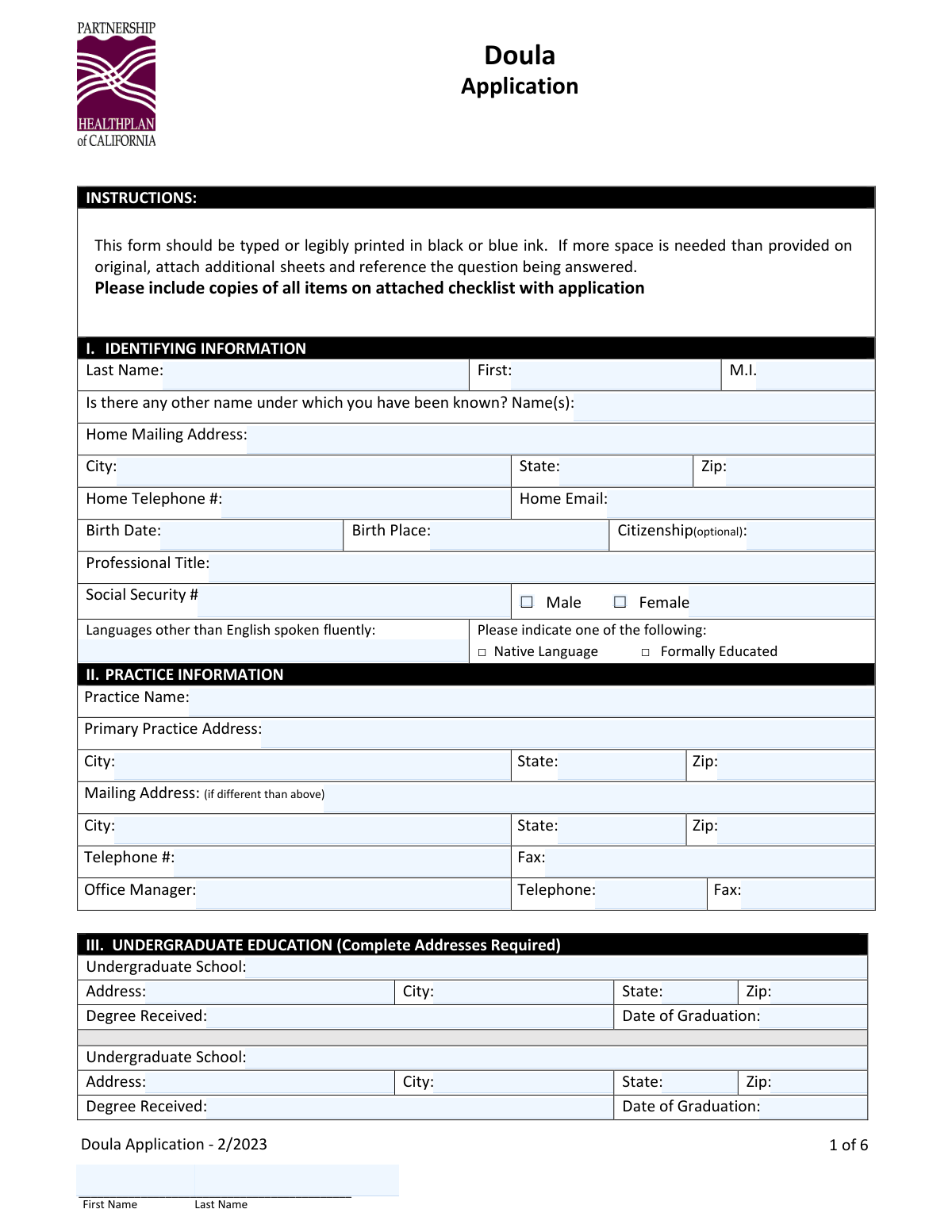
Yes! You can use AI to fill out Partnership HealthPlan of California Doula Application

The Partnership HealthPlan of California (PHC) Doula Application is a credentialing form for doulas seeking to join the PHC network. It gathers essential information about the applicant's identity, education, work history, professional licenses, and liability insurance to ensure they meet the plan's standards for providing care to members. Completing this application accurately is a critical step for doulas to become approved providers within the PHC system. Today, this form can be filled out quickly and accurately using AI-powered services like Instafill.ai, which can also convert non-fillable PDF versions into interactive fillable forms.
Doula Application is part of the California health forms, health forms and partnership forms categories on Instafill.
Our AI automatically handles information lookup, data retrieval, formatting, and form filling.
It takes less than a minute to fill out Doula Application using our AI form filling.
Securely upload your data. Information is encrypted in transit and deleted immediately after the form is filled out.

Form specifications

Form name: Partnership HealthPlan of California Doula Application
Number of fields: 258
Number of pages: 9
Language: English
main-image

Instafill Demo: How to fill out PDF forms in seconds with AI

How to Fill Out Doula Application Online for Free in 2026

Are you looking to fill out a DOULA APPLICATION form online quickly and accurately? Instafill.ai offers the #1 AI-powered PDF filling software of 2026, allowing you to complete your DOULA APPLICATION form in just 37 seconds or less.
Follow these steps to fill out your DOULA APPLICATION form online using Instafill.ai:
  1. 1 Navigate to Instafill.ai and upload or select the Partnership HealthPlan of California Doula Application.
  2. 2 Use the AI assistant to automatically fill in your personal details, contact information, and practice information in Sections I and II.
  3. 3 Provide your education, advanced training, and professional certification details in Sections III through VII, allowing the AI to format the data correctly.
  4. 4 Chronologically list your work history and professional liability insurance details in Sections VIII and IX, attaching extra sheets if necessary.
  5. 5 Carefully review and answer all 'Yes/No' attestation questions in Section X, providing detailed explanations for any 'Yes' answers as prompted.
  6. 6 Electronically sign the Information Release/Acknowledgements, the Professional Liability Action Explanation (if applicable), and the Doula Attestation to certify the accuracy of your information.
  7. 7 Download the completed application and gather all required supporting documents (e.g., business license, NPI proof, HIPAA training certificate) to submit the full packet to PHC.

Our AI-powered system ensures each field is filled out correctly, reducing errors and saving you time.

Why Choose Instafill.ai for Your Fillable Doula Application Form?

Speed

Complete your Doula Application in as little as 37 seconds.

Up-to-Date

Always use the latest 2026 Doula Application form version.

Cost-effective

No need to hire expensive lawyers.

Accuracy

Our AI performs 10 compliance checks to ensure your form is error-free.

Security

Your personal information is protected with bank-level encryption.

Frequently Asked Questions About Form Doula Application

This is the Doula Application for Partnership HealthPlan of California (PHC). It must be completed by doulas who want to become credentialed providers to offer care to PHC members.

You must submit the completed application, signed attestations, a copy of your business license, proof of your NPI number, professional liability insurance, Medi-Cal enrollment (or application), CPR certification, and proof of HIPAA training. A full checklist is provided on the first page of the form.

Yes, you can. The checklist states that if your Medi-Cal enrollment is incomplete, you should submit proof of your application for Medi-Cal along with the rest of your packet.

No, a curriculum vitae (CV) or resume is not sufficient. You must chronologically list all work history since your professional training directly on the form and explain any employment gaps on a separate page.

The Training Pathway is for those who have completed specific training hours and attended a minimum of three births. The Experience Pathway is for doulas with at least five years of active experience, which must be verified with client testimonials or professional letters of recommendation.

If you answer 'Yes' to any question in the attestation section (except for question O), you are required to provide a full, detailed explanation on page 6 of the application or on a separate attached sheet.

You must have current professional liability insurance with minimum coverage of $1 million per occurrence and $3 million aggregate. You need to provide proof with your application and detail your current and past five years of coverage in Section IX.

The instructions state to return the 'New Provider Training Attestation Form' to [email protected]. You should contact the credentialing team at that email for instructions on submitting the entire packet, as it may need to be sent together.

You have the right to be informed of your application's status upon request. You can send a written request via email or fax to the Provider Relations Credentialing team to get an update.

If you have any questions about the application, you can contact the Partnership HealthPlan of California credentialing team by emailing them at [email protected].

Yes, services like Instafill.ai use AI to help you fill out forms accurately and efficiently. These tools can auto-fill fields based on your information, which saves time and helps prevent errors.

To use Instafill.ai, you would upload the Doula Application PDF to its platform. The AI will identify the form fields, allowing you to quickly and automatically populate your personal, practice, and professional information.

If you have a non-fillable or 'flat' PDF, you can use a service like Instafill.ai. It can convert the document into an interactive, fillable form that you can complete easily on your computer before printing to sign.

Compliance Doula Application
Validation Checks by Instafill.ai

1
Validates Social Security Number Format
This check ensures the Social Security Number field contains exactly 9 digits and no other characters. This is a critical validation for identity verification, background checks, and tax reporting purposes. If the entry does not meet the 9-digit format, the form submission will be blocked until it is corrected.
2
Validates National Provider Identifier (NPI) Format
This check verifies that the NPI number is exactly 10 digits long, as required for all HIPAA-covered entities. A valid NPI is essential for billing, claims processing, and tracking provider services within the healthcare system. An incorrectly formatted NPI would cause processing to fail and must be corrected before submission.
3
Ensures Logical Chronology of Dates
This validation rule cross-references date pairs throughout the form, such as issue and expiration dates for licenses and certifications, and start/end dates for education and work history. It ensures the end/expiration date is always after the start/issue date. This prevents illogical data entry errors and maintains the integrity of the applicant's timeline.
4
Detects and Flags Gaps in Work History
This check chronologically orders all entries in the 'Work History' section and identifies any time gaps greater than a specified period (e.g., 90 days) since the completion of professional training. The form explicitly states a CV is insufficient and gaps must be explained. If a gap is detected, the system should flag it and require the user to confirm that an explanation has been attached, ensuring compliance with credentialing standards.
5
Requires Explanation for Adverse Attestation Answers
This validation enforces a mandatory explanation if an applicant answers 'Yes' to any of the critical attestation questions (A through N). These questions concern potentially disqualifying events like license suspension or criminal convictions. A 'Yes' answer without a detailed explanation makes the application incomplete and un-reviewable, so this check will block submission until the required details are provided.
6
Verifies Professional Liability Insurance Minimums
This check cross-references the answer to Attestation question 'O' with the data entered in the 'Professional Liability' section. If the applicant attests 'Yes' to having $1M/$3M coverage, the 'Per Claim Amount' and 'Aggregate Amount' fields must be populated with values greater than or equal to $1,000,000 and $3,000,000 respectively. This ensures the applicant's self-attested coverage matches the policy details provided, which is a core credentialing requirement.
7
Enforces Selection of a Single Doula Qualification Pathway
On the Doula Attestation attachment, this validates that the applicant has selected either the 'Training Pathway' OR the 'Experience Pathway', but not both or neither. It also ensures that the required sub-fields for the selected pathway (e.g., 'Name of Program' for Training) are completed. This is critical for verifying the applicant meets the base qualifications for the role and that the correct documentation is provided.
8
Requires Explanation for Incomplete Advanced Training
This validation checks the 'Advanced Degree/Training' section. If the applicant checks 'No' for the question 'Did you successfully complete the program?', the system must flag that a separate explanation sheet is required. This is important for understanding the applicant's full educational background and any potential red flags that need to be reviewed by the credentialing committee.
9
Ensures All Required Signatures are Present
This check verifies that all mandatory signature fields across the application (e.g., main attestation, information release, doula attestation) have been completed. A missing signature invalidates the legal attestations and releases within the document, making the application legally insufficient. The system should prevent final submission if any required signature field is empty.
10
Validates Malpractice Claim Status Logic
In the 'Professional Liability Action Explanation' section, this check enforces conditional logic. If 'CLOSED' is selected, the user must also select either 'Settlement' or 'Judgment' and fill in the 'Date' and 'Amount' fields. If 'OPEN' is selected, the 'Amount being sought' field becomes mandatory. This ensures complete and structured data is captured for any reported malpractice actions, which is vital for risk assessment.
11
Validates US Phone Number Format
This check ensures that all telephone and fax number fields throughout the application adhere to a standard 10-digit format (e.g., (XXX) XXX-XXXX or XXX-XXX-XXXX). This promotes data consistency and ensures that the contact numbers are valid and usable for communication and verification purposes. An invalid format would trigger an error message prompting the user to correct the entry.
12
Verifies State and ZIP Code Correspondence
For all address blocks (Home, Practice, Education, etc.), this check validates that the entered ZIP code corresponds to the entered state. For example, a ZIP code of '94534' should be paired with the state 'CA'. This simple cross-reference helps catch common data entry errors and ensures the accuracy of address information, which is critical for mailings and location verification.
13
Validates Email Address Format
This check ensures that all email address fields (e.g., Home Email, Work History Email) contain a value that conforms to a standard email format (e.g., [email protected]). This is essential for ensuring the organization can communicate with the applicant electronically regarding their application status and other important matters. An invalid email format would prevent reliable communication and should be corrected.
14
Conditional Requirement for 'Other Name'
This validation checks if the 'Is there any other name under which you have been known?' question is implicitly answered. If the 'Name(s)' field is populated, it is considered a 'Yes'. This is important for background checks and verifying credentials that may be listed under a previous name. The system should ensure that if a name is entered, it is not nonsensical and that it triggers appropriate flags for the credentialing team to perform a more thorough search.

Common Mistakes in Completing Doula Application

Forgetting Required Supporting Documents

Applicants often focus on the application form and forget to include all items from the front-page checklist, such as a business license, proof of liability insurance, or HIPAA training completion. This is the most common reason for immediate rejection or delay, as the credentialing team cannot process an incomplete packet. To avoid this, use the checklist as a final review step, ensuring every single required document is attached before submission.

Providing an Incomplete Work History or CV

The form explicitly states that a curriculum vitae (CV) is not a substitute for the work history section and that all time gaps must be explained on a separate page. Applicants frequently leave unexplained gaps or attach a CV, assuming it's sufficient, which leads to requests for more information and significant delays. To prevent this, chronologically list every position since your training, provide all requested contact details, and attach a separate sheet explaining any periods of unemployment.

Failing to Explain 'Yes' Answers in Attestation

In the 'Attestation Questions' section, answering 'Yes' to questions A-N requires a full, detailed explanation on a separate page. Applicants may check 'Yes' but forget to attach the corresponding explanation, rendering the attestation incomplete and legally problematic. Always double-check this section; if you answer 'Yes,' immediately draft and attach a clear, concise explanation for each affirmative answer to avoid processing holds.

Missing Signatures on Multiple Pages

This multi-page application contains several required signature lines, including the main application, information release, Doula Attestation, and New Provider Training Attestation. It is very easy to overlook one, especially in a scanned packet. An application with a missing signature is considered invalid and will be returned, forcing the process to start over. Carefully flip through every single page of the completed packet specifically looking for signature fields before you submit.

Entering Incorrect Professional Identification Numbers

A simple typo in a National Provider Identifier (NPI), state license number, or Social Security Number can cause automated verification checks to fail, halting the application. These numbers are critical for verifying your identity and credentials with national and state databases. To avoid this, carefully double-enter or cross-reference these numbers against your official documents. AI-powered form filling tools like Instafill.ai can help by storing and accurately populating these critical numbers, reducing the risk of manual entry errors.

Entering Incomplete Addresses for Verification

Several sections, including Education, Work History, and Professional Liability, explicitly demand 'Complete Addresses Required.' Applicants often provide only a city and state, which is insufficient for the credentialing team to perform primary source verification. This forces the team to contact the applicant for more details, delaying the entire process. Ensure you provide the full street address, city, state, and ZIP code for every institution and employer listed.

Submitting a Messy or Illegible Application

While the form allows for legible printing, a hastily handwritten application can be difficult to read, leading to data entry errors by the credentialing staff and potential verification failures. This can cause issues with your name or license numbers being recorded incorrectly. It is highly recommended to type directly into the form. If the form is a non-fillable PDF, tools like Instafill.ai can convert it into a fillable version, ensuring all your entries are clear and professional.

Unclear Attestation of Doula Qualifications

The 'Doula Attestation' requires the applicant to choose either the Training or Experience pathway and provide specific proof (e.g., certificates or letters of recommendation). Applicants sometimes fail to check a box or check a box but neglect to include the required corresponding documents. This ambiguity prevents the credentialing team from verifying that you meet the minimum qualifications. Clearly select your pathway and ensure the exact proof mentioned is included with your submission.

Using Nicknames or Forgetting Previous Names

Applicants may enter a nickname or common name instead of their full legal name, which must match their professional licenses and government IDs for verification. Forgetting to list previous names (e.g., a maiden name) in the 'Other Name(s)' field can also cause discrepancies during background checks. Always use your full legal name as it appears on official documents and list all prior names to ensure a smooth verification process.

Omitting Past Professional Liability Carrier Information

Section IX requires a complete history of professional liability carriers for the past five years, not just the current one. Applicants often leave this section blank or only list their current insurer, which is incomplete information. This omission requires follow-up from the credentialing team to assess your full liability history. Before filling out the form, gather the policy details for all carriers you have had in the last five years to complete this section accurately.
Saved over 80 hours a year

“I was never sure if my IRS forms like W-9 were filled correctly. Now, I can complete the forms accurately without any external help.”

Kevin Martin Green

Your data stays secure with advanced protection from Instafill and our subprocessors

Robust compliance program

Transparent business model

You’re not the product. You always know where your data is and what it is processed for.

ISO 27001, HIPAA, and GDPR

Our subprocesses adhere to multiple compliance standards, including but not limited to ISO 27001, HIPAA, and GDPR.

Security & privacy by design

We consider security and privacy from the initial design phase of any new service or functionality. It’s not an afterthought, it’s built-in, including support for two-factor authentication (2FA) to further protect your account.

Fill out Doula Application with Instafill.ai

Worried about filling PDFs wrong? Instafill securely fills partnership-healthplan-of-california-doula-application forms, ensuring each field is accurate.