
Yes! You can use AI to fill out Retirement Transfer Between Existing Vanguard Accounts
Don't type 98 fields by hand. Tell our AI about yourself, or upload a document you already have, and it fills every field in seconds. You check it, then download, print or sign.
The AI does the filling. You just check it.
No typing into boxes, nothing to install.
What this form asks for
The AI fills all of it, from your answers or your documents.
The AI checks your answers before you download
14 checks built for this form, so a wrong date or a missing answer is caught before anyone else sees it.
This check verifies that both the originating and receiving account numbers provided in Section 2 are valid 8 or 11-digit Vanguard account numbers. It confirms that both accounts exist within the system. This is critical to ensure assets are moved from and to the correct, active accounts, preventing processing failures or misdirected funds.
This validation confirms that the originating account number is not identical to the receiving account number. A transfer must occur between two distinct accounts. If the numbers are the same, the transaction is logically invalid and would be rejected to prevent an unnecessary and failed processing loop.
This check cross-references the account owner's name and the last four digits of their Social Security number from Section 1 against the records for the originating account number. This is a fundamental security measure to confirm the identity of the individual authorizing the transfer and prevent unauthorized access or movement of assets. A mismatch will halt the transaction pending identity verification.
Validates that exactly one checkbox for the 'Type of money movement' in Section 2, Part A has been selected. The form allows for several mutually exclusive transaction types, and selecting none or more than one creates ambiguity. This check ensures the system receives a clear, actionable instruction for how to process the transfer.
This rule ensures that if the user selects 'Move only some of the holdings in kind' in Section 2, Part B, they must specify at least one holding to be moved. Conversely, if 'Move all of the holdings' is selected, the specific holdings list should be empty. This prevents incomplete instructions and ensures the user's intent is captured accurately.
For each holding listed in Section 2, Part B, this validation ensures that only one of the three possible fields—'Number of shares,' 'Amount ($),' or 'Percentage (%)'—is filled out. Providing multiple values for a single holding is contradictory and makes the instruction impossible to execute. This check enforces clarity and prevents processing errors.
And 8 more checks
- Sufficient Funds and Shares Verification
- Completeness of Required Signatures
- Date Format and Validity
- Conditional Roth IRA Conversion Signature
- Conditional Trustee Acceptance Signature
- Specific Identification (SpecID) Data Requirement
- Medallion Guarantee or Voice Verification Requirement
- SSN Format Validation
Let AI fill out your Form RTEVA
No typing. Every field filled in seconds, checked, ready to sign.
How to Fill Out Form RTEVA Online for Free in 2026
What the AI walks you through.
- Navigate to Instafill.ai and upload the Vanguard Form RTEVA or select it from the template library.
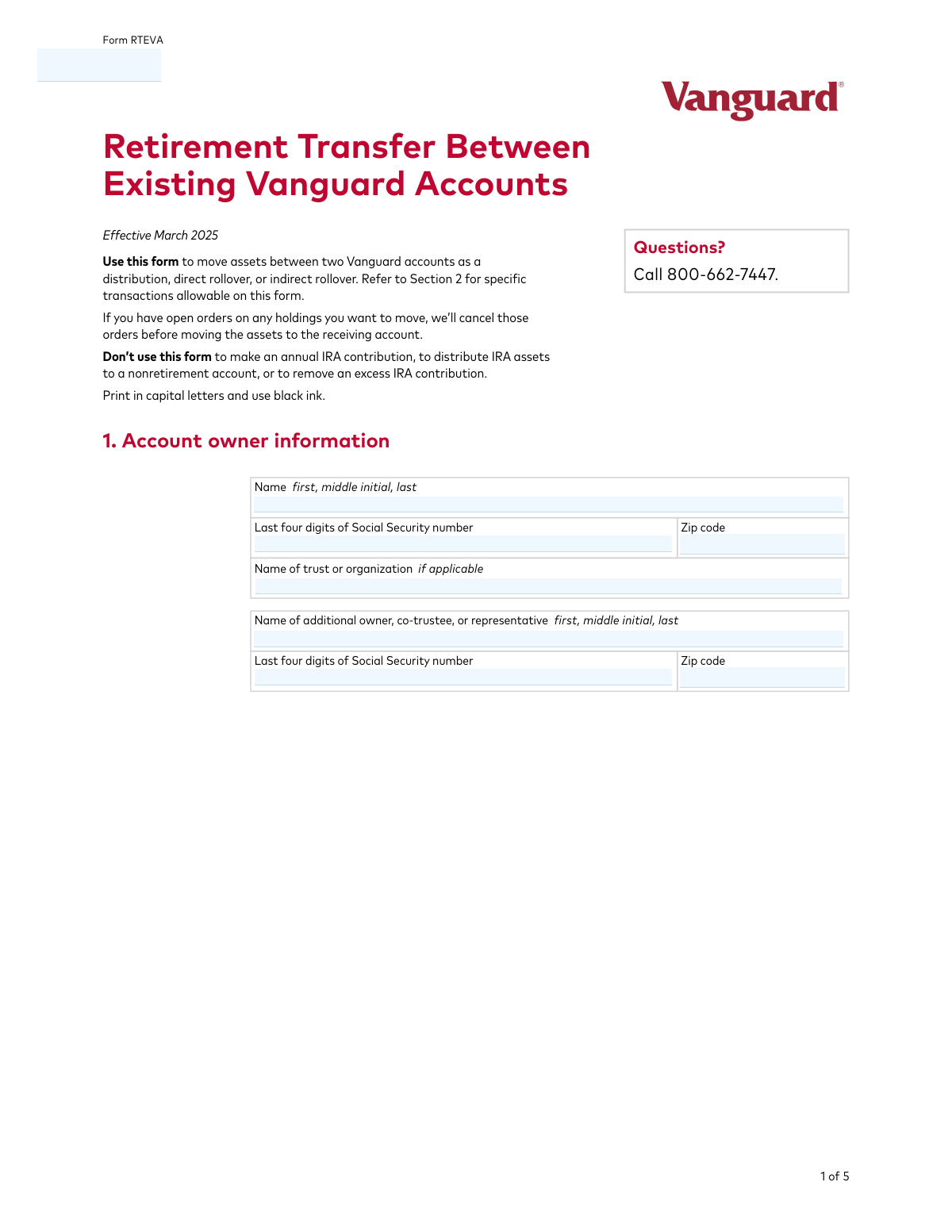
- Use the AI assistant to fill in Section 1 with the account owner's personal information, such as name and the last four digits of their Social Security number.
- In Section 2, provide the originating and receiving Vanguard account numbers and select the type of money movement (e.g., direct rollover, indirect rollover).
- Specify the holdings to be moved in Section 2B, indicating whether to move all holdings or only specific funds by name, amount, or percentage.
- If performing an indirect rollover or using specific identification (SpecID), complete the additional details required in Section 2C.
- Carefully review all the auto-filled information for accuracy, then proceed to Section 3 to provide the necessary digital signatures and authorizations to complete the request.
Common Mistakes in Completing Form RTEVA
The ones the AI is built to catch.
Transposing Originating and Receiving Account Numbers
Missing Signatures from All Required Account Owners
Selecting an Incorrect Money Movement Type
Failing to Obtain a Required Medallion Signature Guarantee
Providing Ambiguous Instructions for Partial Transfers
Omitting Signatures for Roth Conversions or Trust Acceptance
Missing Acquisition Dates for Specific Identification (SpecID)
Using the Form for an Invalid Transaction
Attaching Unsigned or Undated Additional Sheets
Neglecting the Pre-tax/Post-tax Declaration for Rollovers
Providing Illegible or Incomplete Personal Information
Frequently Asked Questions About Form RTEVA
Is it really free for 7 days?
Can I fill other forms too?
How do I cancel?
How does the AI fill out Form RTEVA?
What happens to my information?
How complex is Form RTEVA to fill out?
What is the purpose of the Retirement Transfer Between Existing Vanguard Accounts form?
Who needs to fill out this form?
What information do I need to have ready to complete this form?
What does it mean that holdings are moved 'in kind'?
How do I specify which assets to move in Section 2?
When do I need to complete Section 2, Part C?
Do I need a Medallion signature guarantee?
What do I do if I'm converting pre-tax money to a Roth IRA?
Where do I send the completed form?
Can I use this form to open a new Vanguard account?
Can AI tools help me fill out this form?
How can I fill out this Vanguard form online?
The PDF I downloaded isn't fillable. What can I do?
Get your Form RTEVA filled out by AI
$0 today. Cancel before Nov 3 and you pay nothing.
Other forms like this one
retirement forms: Form SSA-1-BK, Application for Retirement Benefits, Form 8880, Credit for Qualified Retirement Savings Contributions, Nationwide Retirement Solutions Participant Distribution Request Form (PNF-0875M9, TRAC Version, 01/2025), Nationwide Retirement Solutions Participant Distribution Request Form (PNF-0875M9, TRAC Version, 01/2025), Momentum Wealth Retirement Income Option Application (WIS060E), Fidelity Investment-Only (Non-Prototype) Retirement Account Application, One-Time Withdrawal — Defined Contribution Retirement Plan, Fidelity One-Time Withdrawal Form — Nonretirement, One-Time Withdrawal – Investment-Only (Non-Prototype) Retirement Account, Automatic Withdrawals—Defined Contribution Retirement Plan, Fidelity Automatic Withdrawals — Nonretirement, Beneficiaries — Nonretirement Transfer on Death, The Church of the Nazarene 403(b) Retirement Savings Plan Beneficiary Designation Form, Beneficiaries – Defined Contribution Retirement Plan, Transfer Shares as a Gift — Nonretirement, Schwab Personal Choice Retirement Account® (PCRA) Limited Power of Attorney (LPOA) Form For a Participant, Vanguard Asset Transfer Authorization Form for the Emory University Retirement Plan, Gift of Nonretirement Assets to Existing Vanguard Account Form, Vanguard Taking a Loan from Your Retirement Plan, Vanguard 403(b)(7) ERISA Retirement Plan Distribution Request (Retirement / Severance from Employment / Disability)
retirement account forms: Fidelity Investment-Only (Non-Prototype) Retirement Account Application, Fidelity Investment-Only (Non-Prototype) Retirement Account Application, One-Time Withdrawal – Investment-Only (Non-Prototype) Retirement Account, Schwab Personal Choice Retirement Account® (PCRA) Limited Power of Attorney (LPOA) Form For a Participant, Gift of Nonretirement Assets to Existing Vanguard Account Form, Inherited Retirement Account Beneficiary Identification Form, Account Reduction Loan Application 401(a) Plan, Electrical Workers Local Union No. 369 Retirement Plan, 401(k) Retirement Account Conversion to Empower Frequently Asked Questions, Housing Agency Retirement Trust Form #190, Request to Withdraw a Rollover Account, ADP Retirement Services: Your retirement account and the C.A.R.E.S. Act, ADP IMPORTANT INFORMATION: Your retirement account and the C.A.R.E.S. Act, Request for a Qualified Charitable Distribution (QCD) from a Brokerage Individual Retirement Account (IRA), Request for qualified charitable distribution from individual retirement account, Request for a Charitable Distribution from an Individual Retirement Account (IRA), Voya Investment Management Traditional, Roth, Rollover, and SEP Individual Retirement Account (IRA) Application and Adoption Agreement, Individual Retirement Account (IRA) Distribution Request Form, SIMPLE Individual Retirement Account (IRA) Distribution Request Form, Authorization to transfer funds from a bank retirement account, Qualified Retirement Plan and 403(b)(7) Custodial Account Distribution Request Form, Individual Retirement Account (IRA) — Qualified Charitable Distribution Form
account transfer forms: Fidelity Funds Account Transfer of Assets Form, Group Transfer Form Fidelity Health Savings Account (HSA), Form APP13017-29, Transfer Your Account to Schwab, Transfer of Assets Out - Partial Account or Charitable Gift Transfers, Charles Schwab & Co., Inc. Account Transfer Form, HSA Bank Investment Account Transfer Form, Rollover/Transfer Request — ABLE Account, Schwab Health Savings Brokerage Account (HSBA) to HSA Invest Choice Account Transfer Form, The Vanguard 529 College Savings Plan Transfer Due to Death of Account Owner Form, Vanguard Brokerage Account CREST Transfer Form, Account Transfer Authorization (ACATS) Form, AbbVie Savings Plan 401(k) Account Transfer Notice, Transfer Between Existing Fidelity Accounts, Rollover/Transfer Request — ABLE Account, TIAA Brokerage Incoming Account Transfer Form, TIAA Brokerage Joint Transfer on Death Account Agreement, TIAA Brokerage Incoming Managed Account Transfer Form (F11319), Health Savings Account (HSA) Transfer Request, Client Account Transfer Form to Merrill Lynch, Pierce, Fenner & Smith Incorporated, Authorization to transfer funds from a bank retirement account
transfer forms: Form REG 227, Application for Replacement or Transfer of Title, City of Harvey Real Estate Transfer Declaration & Application (with Certificate for Exemption), DBPR ABT-6002 – Application for Transfer of Ownership of an Alcoholic Beverage License, DBPR ABT-6002, Division of Alcoholic Beverages and Tobacco Application for Transfer of Ownership of an Alcoholic Beverage License, Request for Transfer of Records (Adelaide Health Care) – AHC-0013-05-PS (Version 2), DBPR Form ABT-6002, Division of Alcoholic Beverages and Tobacco Application for Transfer of Ownership of an Alcoholic Beverage License, Pfändungs- und Überweisungsbeschluss (Garnishment and Transfer Order) – German Civil Enforcement Court Form, Fidelity Funds Account Transfer of Assets Form, Fidelity Stock Plan Services (SPS) Transfer Request Form, How to Transfer Assets from Morgan Stanley to Fidelity Investments (Fidelity Stock Plan Services Guide), Transfer Due to Divorce — IRA/HSA/529, Fidelity Investments Transfer/Rollover/Exchange Form, Fidelity Investments Standing Transfer Instructions Form, Fidelity Investments Transfer/Rollover Form, Group Transfer Form Fidelity Health Savings Account (HSA), Plan–to-Plan Transfer, Plan Exchange, or Service Credit Authorization Form, Beneficiaries — Nonretirement Transfer on Death, Transfer Shares as a Gift — Nonretirement, Form APP13017-29, Transfer Your Account to Schwab, Transfer of Assets Out - Partial Account or Charitable Gift Transfers
Vanguard forms: Gift of Nonretirement Assets to Existing Vanguard Account Form, Vanguard VRPA Transfer Request Form, Vanguard Personal Investor – Transfer form, Vanguard Asset Transfer Authorization Form for the Emory University Retirement Plan, Vanguard Personal Investor – Transfer initiation form – Transfer out, Vanguard Asset Transfer Authorization, Moving your Vanguard funds to a Vanguard Brokerage Account Disclosure statement, Make a contribution - Vanguard Charitable, Vanguard Transfer Form, Vanguard Full Agent Authorization, Vanguard Transfer on Death Plan Form, The Vanguard 529 College Savings Plan: Power of Attorney, Vanguard Direct Rollover IRA Adoption Agreement, Vanguard Limited Agent Authorization, The Vanguard 529 College Savings Plan Agent Authorization/Limited Power of Attorney, The Vanguard 529 College Savings Plan Direct Rollover Out to Roth IRA Form, The Vanguard 529 College Savings Plan Transfer Due to Death of Account Owner Form, Your guide to completing a rollover - Vanguard, Vanguard IRA Distribution Kit (including IRA Distribution Form RRDFT and Form W-4R), The Vanguard 529 College Savings Plan Incoming Direct Rollover Form
retirement transfer forms: TIAA 1035 Exchange Authorization to Alternate Investment Company Transfer Payout Annuity for ATRA, Beneficiaries — Nonretirement Transfer on Death, Transfer Shares as a Gift — Nonretirement, Vanguard Asset Transfer Authorization Form for the Emory University Retirement Plan, Housing Agency Retirement Trust Transfer/Rollover Form, Easy Transfer Form: Moving Funds to an Employer-Sponsored Retirement Plan at TIAA, Authorization to transfer funds from a bank retirement account
Let AI fill out your Form RTEVA
Your trial starts once a card is added. You pay nothing before Nov 3.
Our AI already knows this form, all 98 fields of it. Skip the typing: tell it about yourself, or upload what you have, and it fills the whole form in seconds.
- AI fills every field on all 5 pages, checkboxes included
- No typing into boxes: answer a few questions, or upload a document you already have, an old copy of this form, a photo of a document
- The AI checks the answers; you review and change anything before you download
- Download the finished PDF, print it, or sign it online
- Encrypted, and never used to train AI
Cancel before Nov 3 and you pay nothing.
A card is needed to start the trial. Cancel in two clicks from your account.
Terms · Privacy