Yes! You can use AI to fill out Streamlined Hardship Withdrawal Service Letter of Instruction

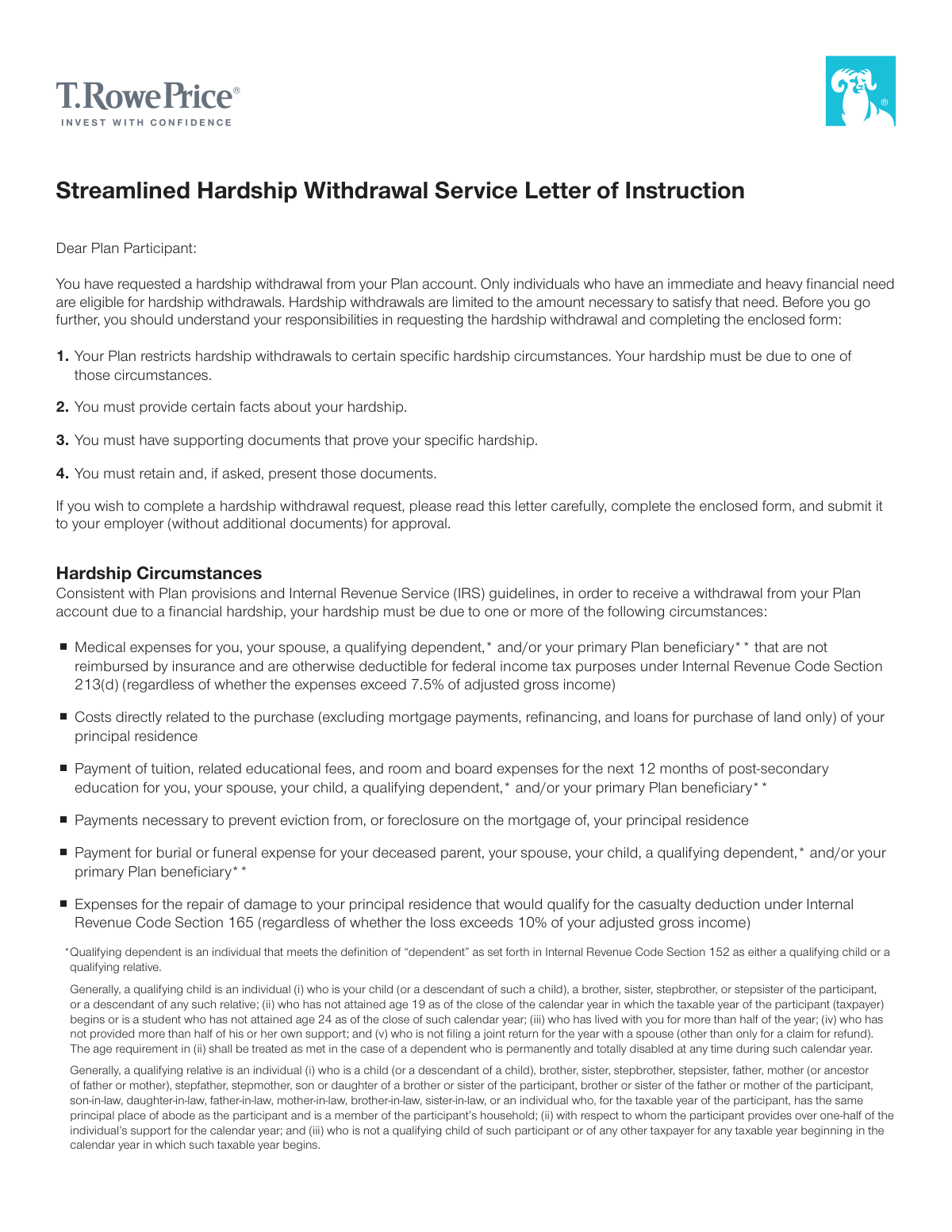
This form is a formal application for a plan participant to request a withdrawal from their retirement account due to a qualifying financial hardship, such as medical expenses or preventing foreclosure. It requires certifying the need, providing specific details about the hardship, and acknowledging the financial consequences, like tax implications and a temporary suspension of contributions. Today, this form can be filled out quickly and accurately using AI-powered services like Instafill.ai, which can also convert non-fillable PDF versions into interactive fillable forms.
Our AI automatically handles information lookup, data retrieval, formatting, and form filling.
It takes less than a minute to fill out CT8JBP9KE using our AI form filling.
Securely upload your data. Information is encrypted in transit and deleted immediately after the form is filled out.

Form specifications

Form name: Streamlined Hardship Withdrawal Service Letter of Instruction
Number of pages: 1
Language: English
main-image

Instafill Demo: How to fill out PDF forms in seconds with AI

How to Fill Out CT8JBP9KE Online for Free in 2026

Are you looking to fill out a CT8JBP9KE form online quickly and accurately? Instafill.ai offers the #1 AI-powered PDF filling software of 2026, allowing you to complete your CT8JBP9KE form in just 37 seconds or less.
Follow these steps to fill out your CT8JBP9KE form online using Instafill.ai:
  1. 1 Navigate to Instafill.ai and upload the Hardship Withdrawal Request form or select it from the available templates.
  2. 2 Provide your personal information, including your name, Social Security Number, address, and plan details, letting the AI assist in populating the fields.
  3. 3 Certify that you have taken all other available withdrawals and loans, then select the specific reason for your hardship request and fill in the required details like amounts, dates, and provider information.
  4. 4 Complete the sections for income tax withholding, making your election for federal taxes and deciding whether to 'gross-up' the withdrawal amount.
  5. 5 Select your preferred payment method, either a check by mail or direct deposit (ACH), and provide your banking information if applicable.
  6. 6 Carefully review all entered information for accuracy, then electronically sign and date the form to certify your request.
  7. 7 Download the completed form to submit to your Plan Administrator for authorization and retain a copy for your records along with supporting documents.

Our AI-powered system ensures each field is filled out correctly, reducing errors and saving you time.

Why Choose Instafill.ai for Your Fillable CT8JBP9KE Form?

Speed

Complete your CT8JBP9KE in as little as 37 seconds.

Up-to-Date

Always use the latest 2026 CT8JBP9KE form version.

Cost-effective

No need to hire expensive lawyers.

Accuracy

Our AI performs 10 compliance checks to ensure your form is error-free.

Security

Your personal information is protected with bank-level encryption.

Frequently Asked Questions About Form CT8JBP9KE

This form is a Letter of Instruction used to request a hardship withdrawal from your retirement plan account. It is for individuals who have an immediate and heavy financial need that cannot be met by other means.

Plan participants who have an immediate and heavy financial need are eligible. Before requesting a hardship withdrawal, you must have already taken all other available withdrawals and non-taxable loans from your plan.

Approved reasons include certain medical expenses, costs to purchase a principal residence, post-secondary education expenses, payments to prevent eviction or foreclosure, funeral expenses, and expenses for repairing damage to your principal residence.

No, do not submit any supporting documents like bills or contracts with this form. However, you are required to have these documents and must keep them for at least four years in case you are asked to provide them later.

You should keep documents that prove your financial hardship, such as medical bills, real estate purchase contracts, tuition statements, eviction notices, or estimates for home repairs. The form provides a list of example documents for each hardship type.

Your employer will review and approve your request. Once approved, the form is sent to T. Rowe Price for processing, and the funds will be sent to you via check or direct deposit. If your request is denied, you will be notified.

Yes, if your hardship withdrawal is approved, your salary deferral contributions to the plan will be suspended for a period of six consecutive months.

The withdrawal is considered taxable income and is not eligible for rollover. It may also be subject to a 10% penalty tax if you are under age 59½, and federal and state income taxes will be withheld unless you elect otherwise.

The 'gross-up' option allows you to increase your withdrawal amount to cover the cost of federal and state income taxes. This ensures the net amount you receive is closer to the amount you need for your hardship.

After your employer approves and signs the form, it should be mailed to T. Rowe Price Retirement Plan Services at the address provided. Do not include any supporting documents, except for a voided check if you select ACH payment.

If the amount you request is greater than what is available for a hardship withdrawal, you will receive 100% of the available amount. The final distribution may also vary due to market fluctuations.

Yes, services like Instafill.ai use AI to accurately auto-fill form fields, which can save you time and help prevent errors. This is especially useful for forms with repetitive personal information.

You can use a service like Instafill.ai to upload the PDF and fill it out on your computer. After completing the form, you can download, print, and sign it before submitting it to your employer for authorization.

If you have a flat, non-fillable PDF, you can use a tool like Instafill.ai to convert it into an interactive, fillable form. This allows you to type your information directly into the fields before printing.

Compliance CT8JBP9KE
Validation Checks by Instafill.ai

1
Social Security Number Format and Presence
This check verifies that the Social Security Number (SSN) field is not empty and follows the valid 9-digit format (XXX-XX-XXXX or XXXXXXXXX). This is critical for correctly identifying the participant's account and for tax reporting purposes. If the SSN is missing, invalid, or does not match the participant's record, the submission will be rejected to prevent processing errors and potential fraud.
2
Hardship Withdrawal Amount Validity
Validates that the requested withdrawal amount is a positive numerical value greater than zero. This prevents submissions with non-numeric text, negative numbers, or a zero amount, which are invalid entries. An invalid amount would halt the process, so this check ensures the request is financially quantifiable from the start.
3
Exclusive Hardship Reason Selection
This validation ensures that the participant has filled out the details for only one of the seven specified hardship categories. The form is structured to process a single hardship event per request. If information is provided for multiple categories, the form will be flagged for manual review or rejected, requiring the participant to submit separate requests for each distinct hardship.
4
Prior Withdrawals and Loans Certification
Verifies that the checkbox certifying the participant has already taken all other available withdrawals and nontaxable loans is checked. This is a mandatory prerequisite for a hardship withdrawal according to IRS guidelines and plan rules. Failure to check this box will result in an immediate rejection of the form, as it indicates the participant has not met a key eligibility requirement.
5
Medical Expense Amount Consistency
For the medical expense hardship, this check ensures that the 'Amount of medical expenses not covered by insurance' is less than or equal to the 'Total amount of medical expenses'. This logical validation prevents data entry errors where the unreimbursed portion exceeds the total bill. An inconsistency would trigger an error, prompting the user to correct the amounts before submission.
6
Future Date for Home Purchase Closing
When the reason for hardship is the purchase of a principal residence, this validation confirms that the 'Expected date of closing' is a future date. The form explicitly states this requirement, as the funds are intended for an upcoming transaction, not a past one. A past or current date will cause the validation to fail, requiring the user to enter a valid future closing date.
7
Future Date for Eviction/Foreclosure Payment
If the hardship is to prevent eviction or foreclosure, this check verifies that the 'Due date of the payment to avoid foreclosure or eviction' is a future date. This confirms an immediate and heavy financial need to prevent an impending event. Submitting a date that has already passed would invalidate the urgency of the request and cause the form to be rejected.
8
Education Expense Period Duration
For the education expense hardship, this check validates that the period between the 'Begin' and 'End' dates does not exceed 12 months, as specified on the form. It also ensures the 'End' date is not before the 'Begin' date. This rule prevents users from requesting funds for an educational period longer than what is permitted, ensuring compliance with plan rules.
9
Past Date for Funeral Expenses
When requesting a withdrawal for funeral expenses, this validation ensures the 'Date of death' provided is a date in the past. This is a logical check to confirm the event has already occurred. A future or invalid date would indicate a data entry error and would prevent the form from being processed.
10
Conditional Requirement for ACH Information
This check ensures that if the participant selects payment via Automated Clearing House (ACH), all related fields (Bank Name, ABA Number, Account Number) are completed. Incomplete information would make the electronic transfer impossible. If ACH is chosen but the details are missing, the submission will be flagged as incomplete, and the user will be prompted to provide the necessary banking information or choose payment by check.
11
ABA Routing Number Validation
If ACH payment is selected, this validation verifies that the ABA Number is exactly nine digits and conforms to the routing number checksum algorithm. This is crucial for ensuring the funds are sent to the correct financial institution. An invalid ABA number will result in a failed transaction, so this check prevents processing with incorrect data and avoids payment delays.
12
Participant Signature and Date Requirement
This check confirms that the 'Participant’s Signature' and 'Date' fields are completed before submission. The signature legally certifies that all information provided is true and that the participant agrees to the terms, including the six-month contribution suspension. A missing signature or date renders the form legally incomplete and will cause the request to be rejected.
13
Principal Residence Affirmation
For hardships related to a residence (purchase, eviction/foreclosure, or repair of damage), this check verifies the participant has answered 'Yes' to the question 'Is this my principal residence?'. Hardship withdrawals for these reasons are only permitted for a primary home. If 'No' is selected or the question is left unanswered, the request will be rejected as it does not meet the IRS and plan criteria.
14
Plan Administrator Signature for 'Facts and Circumstances'
This validation ensures that if the 'Hardship expense based on fact and circumstances' option is selected, the 'Plan Administrator Signature' and 'Date' fields are completed. This specific hardship type requires explicit employer approval on the form itself. A submission for this reason without the administrator's signature is incomplete and cannot be processed until the required authorization is obtained.

Common Mistakes in Completing CT8JBP9KE

Forgetting Prerequisite Certification

Applicants often overlook the checkbox certifying they have already taken all other available loans and withdrawals. This certification is a mandatory prerequisite, and failing to check it will lead to an immediate rejection of the application. To avoid this, carefully read the section titled 'Hardship Withdrawal Request Certification' and ensure the box is checked before proceeding. AI-powered tools like Instafill.ai can highlight required fields like this to prevent such oversights.

Requesting an Incorrect Withdrawal Amount

People frequently request a rounded-up amount or a figure that exceeds their documented immediate financial need. The form explicitly states the withdrawal cannot exceed the need, and any discrepancy can cause delays or require resubmission with corrected figures. Always calculate the exact amount based on your supporting documents (e.g., contractor invoice, tuition bill) and enter that precise figure. Using a tool that helps calculate totals can reduce this type of error.

Misunderstanding the 'Gross-Up' Election

Many applicants fail to select the 'gross-up' option, not realizing that their withdrawal will be reduced by taxes, leaving them with less than the amount needed for their hardship. This happens because they don't account for the impact of federal and state withholding. To receive the full amount required for your hardship, you should check the 'I elect to gross up my hardship withdrawal' box. This increases the total withdrawal to cover the taxes, ensuring your net payment matches your need.

Incomplete or Missing ACH Payment Information

A common error is requesting payment via ACH (direct deposit) but forgetting to attach a voided check or entering incorrect bank details. The form clearly states that without a voided check, the payment will default to a paper check sent by mail, significantly delaying access to funds. To prevent this, double-check that your ABA and account numbers are correct and always attach a voided check as required. Instafill.ai can help by validating routing number formats and reminding users of attachment requirements.

Submitting Without Plan Administrator Authorization

Participants sometimes mail the form directly to T. Rowe Price without realizing it must first be signed by their employer's Plan Administrator. This signature is required to authorize the withdrawal and verify vesting information. Submitting an unsigned form results in it being returned, causing significant delays. Always submit the completed form to your employer or HR department first to obtain the necessary 'Plan Administrator Authorization' signature before it is sent for processing.

Mismanaging Supporting Documents

Applicants make two key mistakes here: they either submit their supporting documents with the form, which the instructions explicitly forbid, or they fail to gather and retain them at all. Submitting documents can slow down processing, while not having them on hand for a future audit can lead to serious penalties. The correct procedure is to gather all necessary proof (e.g., bills, contracts) before you sign the form and keep them in a safe place for at least four years. Since this form is a flat PDF, a tool like Instafill.ai can convert it to a fillable version, making it easier to complete accurately before you focus on document retention.

Applying for an Ineligible Hardship Reason

Applicants may misinterpret the strict IRS guidelines and apply for a reason that is not covered, such as using the 'purchase of a principal residence' category for mortgage payments or refinancing, which are explicitly excluded. This misunderstanding leads to an automatic denial of the request. Carefully read the definitions for the six qualified hardship circumstances to ensure your situation is eligible before filling out the form. If unsure, consult your plan administrator.

Missing Participant Signature and Date

Forgetting to sign and date the form is one of the most frequent and easily avoidable mistakes. An unsigned application is invalid and cannot be processed, forcing the entire process to start over. This often happens when people are in a hurry or stressed by their financial situation. To avoid this, make it a final checklist item to review the signature line before submitting. Using a form-filling tool can also help by flagging all mandatory signature and date fields.

Using an Address Not on Record

The applicant may write their new address on the form, but the instructions specify that all correspondence, payments, and state tax calculations are based on the official 'address of record'. A mismatch can lead to checks being sent to the wrong location or incorrect state taxes being withheld. Before submitting the form, ensure you have officially updated your address with your employer and T. Rowe Price so that the address of record is current.

Providing Incomplete Hardship Details

When filling out the details for a specific hardship, applicants often leave out required information, such as the full address of a medical provider or the specific date range for educational expenses. Each field is there to substantiate the claim, and missing data can trigger a request for more information, delaying the withdrawal. Carefully complete every field within your chosen hardship category. AI-powered tools like Instafill.ai can ensure all required fields in a section are filled before you can move on, preventing incomplete submissions.
Saved over 80 hours a year

“I was never sure if my IRS forms like W-9 were filled correctly. Now, I can complete the forms accurately without any external help.”

Kevin Martin Green

Your data stays secure with advanced protection from Instafill and our subprocessors

Robust compliance program

Transparent business model

You’re not the product. You always know where your data is and what it is processed for.

ISO 27001, HIPAA, and GDPR

Our subprocesses adhere to multiple compliance standards, including but not limited to ISO 27001, HIPAA, and GDPR.

Security & privacy by design

We consider security and privacy from the initial design phase of any new service or functionality. It’s not an afterthought, it’s built-in, including support for two-factor authentication (2FA) to further protect your account.

Fill out CT8JBP9KE with Instafill.ai

Worried about filling PDFs wrong? Instafill securely fills streamlined-hardship-withdrawal-service-letter-of-instruction forms, ensuring each field is accurate.