Yes! You can use AI to fill out TE Connectivity Retirement Savings and Investment Plan (RSIP) Transition Frequently Asked Questions
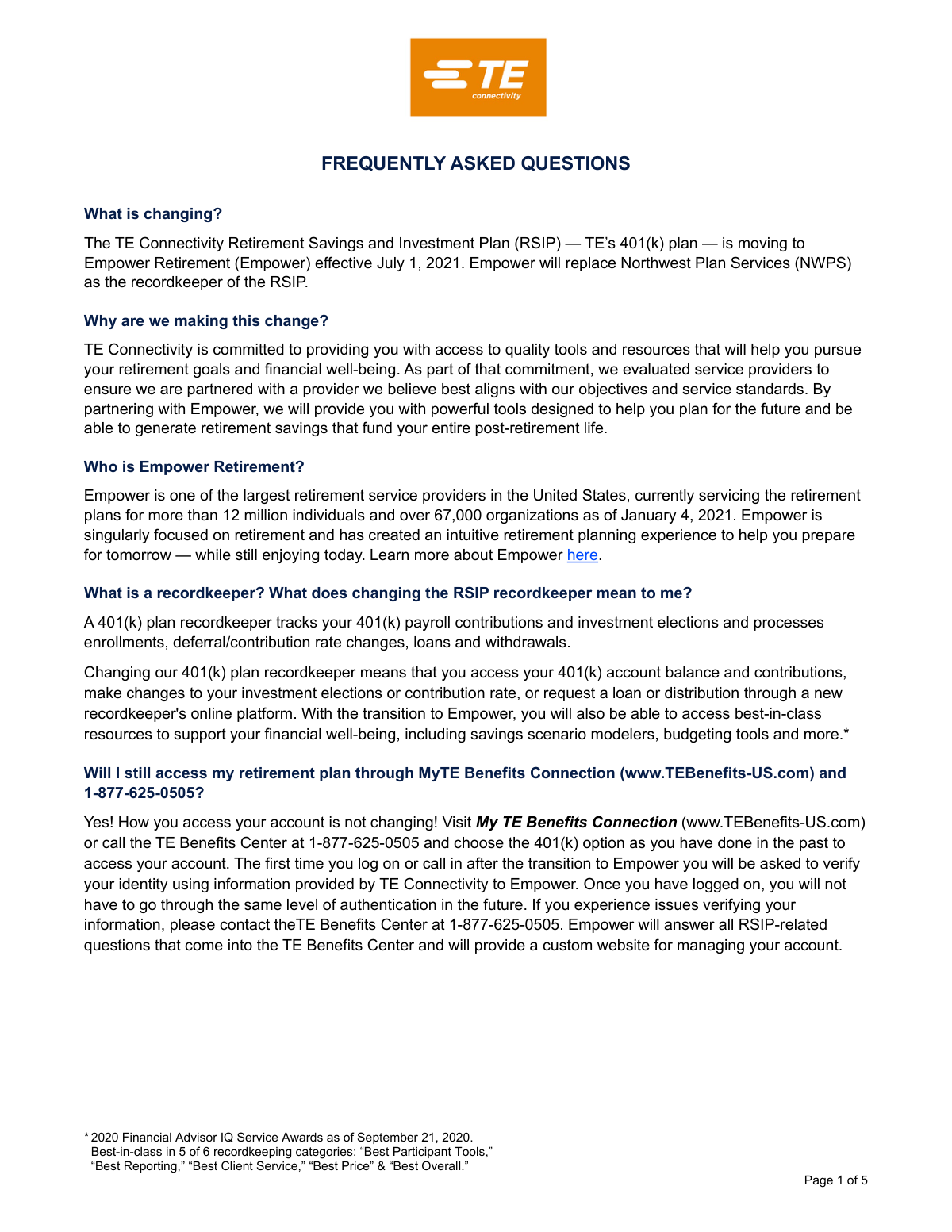
This document is a Frequently Asked Questions (FAQ) guide for participants in the TE Connectivity Retirement Savings and Investment Plan (RSIP). It is important because it details the transition of the plan's recordkeeping services to Empower Retirement, including critical deadlines for account changes, loans, and withdrawals. Today, any associated forms mentioned in this FAQ can be filled out quickly and accurately using AI-powered services like Instafill.ai, which can also convert non-fillable PDF versions into interactive fillable forms.
TE Connectivity RSIP Transition FAQ is part of the
retirement forms, investment forms, retirement plan forms, savings plan forms, TE Connectivity forms, retirement savings forms and UK investment forms categories on Instafill.
Rather not fill this in by hand? Instafill is an online form filler that completes PDF forms automatically — upload the blank form, answer a few questions, and the AI fills every field.
Form specifications
| Form name: | TE Connectivity Retirement Savings and Investment Plan (RSIP) Transition Frequently Asked Questions |
| Number of pages: | 1 |
| Language: | English |
Our AI automatically handles information lookup, data retrieval, formatting, and form filling.
It takes less than a minute to fill out TE Connectivity RSIP Transition FAQ using our AI form filling.
Securely upload your data. Information is encrypted in transit and deleted immediately after the form is filled out.
Instafill Demo: How to fill out PDF forms in seconds with AI
How to Fill Out TE Connectivity RSIP Transition FAQ Online for Free in 2026
Are you looking to fill out a TE CONNECTIVITY RSIP TRANSITION FAQ form online quickly and accurately? Instafill.ai offers the #1 AI-powered PDF filling software of 2026, allowing you to complete your TE CONNECTIVITY RSIP TRANSITION FAQ form in just 37 seconds or less.
Follow these steps to fill out your TE CONNECTIVITY RSIP TRANSITION FAQ form online using Instafill.ai:
- 1 Navigate to Instafill.ai and upload the relevant TE Connectivity retirement plan form, such as a hardship withdrawal or loan application, or select it from their template library.
- 2 Use the AI assistant to automatically populate your personal information, such as your name, address, and plan details, ensuring accuracy.
- 3 Enter the specific details of your request, like the withdrawal amount or loan reason, following the guided prompts provided by the platform.
- 4 Review all the information entered into the form, making any necessary corrections before finalizing the document.
- 5 Securely e-sign the completed form directly within the Instafill.ai platform.
- 6 Download the completed and signed form and submit it to the plan administrator as instructed in the FAQ document by the specified deadline.
Our AI-powered system ensures each field is filled out correctly, reducing errors and saving you time.
Why Choose Instafill.ai for Your Fillable TE Connectivity RSIP Transition FAQ Form?
Speed
Complete your TE Connectivity RSIP Transition FAQ in as little as 37 seconds.
Up-to-Date
Always use the latest 2026 TE Connectivity RSIP Transition FAQ form version.
Cost-effective
No need to hire expensive lawyers.
Accuracy
Our AI performs 10 compliance checks to ensure your form is error-free.
Security
Your personal information is protected with bank-level encryption.
Frequently Asked Questions About TE Connectivity RSIP Transition FAQ
This document explains that the TE Connectivity Retirement Savings and Investment Plan (RSIP) is changing its recordkeeper from Northwest Plan Services (NWPS) to Empower Retirement, effective July 1, 2021.
TE Connectivity is partnering with Empower to provide employees with access to higher quality tools and resources designed to help them better plan for their retirement and financial well-being.
No, you do not need to take any action. Your account balance, investments, and any outstanding loans will be automatically transferred to Empower.
No. Since the RSIP is an employer-sponsored plan, all participant accounts will be moved to the new recordkeeper, Empower, and cannot be continued with NWPS.
The transition period is a required blackout period from June 30 to the week of July 4, 2021, while your account is moved. During this time, you will not be able to make changes to your account, request loans, or take distributions.
No, your investment choices and their strategies will remain the same. The only change is that Empower will use the actual fund names instead of the generic names used previously.
You will access your account the same way as before, through the My TE Benefits Connection website or by calling the TE Benefits Center. The first time you log in after the change, you will need to complete a one-time identity verification.
Your outstanding loan will automatically transfer to Empower along with the rest of your account. You can view your loan details on the Empower website after the transition is complete.
You must submit all required paperwork for a hardship withdrawal or primary residence loan to the current recordkeeper, NWPS, by June 25, 2021, at 4 p.m. Eastern time.
Yes, you are encouraged to review and update your beneficiary elections after the transition to Empower is complete. You can do this by logging into your account on the Empower website.
Your current contribution rate will automatically carry over to Empower. You can make changes to your rate before the transition period begins on June 30, 2021, or after it ends during the week of July 4, 2021.
Yes, services like Instafill.ai use AI to accurately auto-fill form fields, which can save you time and help reduce errors when completing paperwork.
You can use a service like Instafill.ai to fill out any form online. Simply upload the document, and the tool will allow you to complete and sign it electronically from your device.
Tools like Instafill.ai can convert flat, non-fillable PDFs into interactive, fillable forms. This allows you to easily type your information directly into the fields instead of having to print the form.
Compliance TE Connectivity RSIP Transition FAQ
Validation Checks by Instafill.ai
1
Hardship Withdrawal Documentation Upload
This check verifies that a user requesting a hardship withdrawal has uploaded the necessary supporting documentation. Plan administrators are required to verify the nature of the hardship, making this documentation essential for compliance and approval. If the documentation is missing, the submission will be rejected, and the user will be prompted to upload the required files before the request can be processed.
2
Investment Allocation Percentage Sum
This validation ensures that the sum of percentages allocated across all selected investment funds for future contributions equals exactly 100%. This is critical to ensure a participant's entire contribution is invested according to their wishes, preventing unallocated funds or processing errors. If the total is not 100%, the form will display an error and require the user to adjust the allocations before submission.
3
Beneficiary Allocation Total
This check confirms that the designated percentages for all primary beneficiaries sum to 100%, and similarly, that the percentages for all contingent beneficiaries also sum to 100%. This is crucial for ensuring assets are distributed according to the participant's exact wishes and avoids legal ambiguities upon their death. A failure in this validation will prevent the form from being saved and prompt the user to correct the percentages.
4
Valid Investment Fund Selection
This validation ensures that any investment funds selected by the participant are part of the official plan lineup, such as the 'Vanguard Target Retirement' series or 'Fidelity 500 Index' mentioned in the plan documents. This prevents attempts to allocate funds to invalid or non-existent investment options within the plan. An invalid selection would be flagged, forcing the user to choose from the provided list of available funds.
5
Transaction Submission Deadline Enforcement
This check validates the submission timestamp of any transaction request (e.g., loan, withdrawal, allocation change) against critical plan deadlines, such as the June 30, 2021, 4 p.m. ET cutoff for the transition period. This is vital for ensuring orderly plan administration during sensitive periods like a recordkeeper change. Submissions after the deadline will be automatically rejected, and the user will be informed that they must wait until the transition period is over.
6
Beneficiary Information Completeness
This check ensures all required fields for a beneficiary, such as full legal name, relationship, and date of birth, are filled out completely. Missing information can cause significant delays and legal complications when processing a death benefit claim. The system will prevent submission of the beneficiary designation form until all mandatory fields for each listed beneficiary are populated.
7
401(k) Loan Amount Limits
This validation ensures that a requested loan amount does not exceed the lesser of $50,000 or 50% of the participant's vested account balance, in accordance with federal regulations. This is a critical compliance check to prevent illegal distributions from the retirement plan. If the requested amount is too high, the system will calculate and display the maximum allowable loan amount to the user.
8
Contribution Rate Format and Range
This check verifies that the employee's contribution rate is entered as a valid numerical percentage and falls within the allowable range set by the plan (e.g., 1% to 75%). It prevents data entry errors, such as including a '%' symbol or entering a value outside the permitted limits. If the entry is invalid, the user will receive an error message and must correct the value to proceed.
9
First-Time User Identity Verification
For the initial account setup on the Empower platform, this check validates that the user's identifying information (e.g., last 4 of SSN, DOB, ZIP code) matches the employee data file provided by TE Connectivity. This is a crucial security measure to prevent unauthorized access to sensitive personal and financial account information. A mismatch will result in a failed authentication, and the user will be directed to contact the TE Benefits Center for assistance.
10
Beneficiary SSN/TIN Format Validation
This check ensures that the Social Security Number (SSN) or Taxpayer Identification Number (TIN) entered for a beneficiary adheres to the standard 9-digit format (XXX-XX-XXXX or XXXXXXXXX). Accurate beneficiary TINs are essential for future identity verification and proper tax reporting when a distribution is made. An incorrectly formatted number will trigger an error, requiring the user to correct the entry before the form can be submitted.
11
Rollover Source Eligibility
When a participant initiates a rollover into the plan, this check validates that the source of the funds is an eligible retirement account, such as a previous employer's 401(k) or a traditional IRA. This is an IRS compliance requirement to ensure the tax-deferred status of the funds is maintained. If an ineligible source is selected, the transaction will be blocked, and the user will be provided with information on qualified rollover sources.
12
Date Field Format Consistency
This validation ensures that all date fields across any form, such as a beneficiary's date of birth or a loan request date, are entered in a consistent and valid format (e.g., MM/DD/YYYY). Standardizing date formats is essential for accurate recordkeeping, age calculations, and processing logic. An invalid date format will result in an input error, prompting the user to correct the field before proceeding.
Common Mistakes in Completing TE Connectivity RSIP Transition FAQ
Users often underestimate the time needed for paperwork and miss the hard deadline of 4 p.m. ET on June 25. This happens due to procrastination or not accounting for mail delivery times. Missing this deadline means the entire application process must be restarted with the new recordkeeper, Empower, after the transition, causing significant delays in receiving funds.
Applicants frequently forget to include all required supporting documentation for a hardship withdrawal or residential loan. This leads to the application being rejected and returned, forcing the user to resubmit and likely miss the pre-transition deadline. To avoid this, create a checklist of all required documents mentioned in the application and double-check everything before submission.
Many individuals miss the notification about the transition period (June 30 to the week of July 4) and attempt to make changes to their investments or contribution rates. This leads to frustration as the system will not allow any transactions, which can be especially stressful during a volatile market. To prevent this, make any desired changes before the blackout begins or wait for the official notification that the transition is complete.
A common error is trying to log in directly at the main Empower Retirement website instead of following the specified procedure. The correct method is to go through the My TE Benefits Connection portal, which then redirects to the correct, customized Empower site. This mistake results in login failures and confusion; always use the employer's benefits portal as the starting point.
Users may fail the first-time identity verification if their personal information (like address or phone number) on file with their employer is outdated. This is because the new recordkeeper, Empower, uses the data provided by TE Connectivity for authentication. This failure locks the user out of their account until they can contact the benefits center to resolve the data mismatch.
People often assume their beneficiary designations will transfer flawlessly or simply forget to check them after the transition. An outdated or incorrect beneficiary can lead to severe legal and financial complications for heirs. It is crucial to log in to the new Empower system after the transition is complete and explicitly verify that your beneficiary information is accurate and up-to-date.
The transition from generic fund names (e.g., 'Target 2040 Portfolio') to official fund names (e.g., 'Vanguard Target Retirement 2040 Trust I') can confuse participants into thinking their underlying investments have changed. This misunderstanding may cause them to make unnecessary and potentially harmful allocation changes. To avoid this, carefully read the FAQ explaining that only the names are changing, not the investment strategies.
During a transition, it's easy to get confused about where to send documents. For instance, sending a loan payoff check to the new recordkeeper, Empower, before the transition is complete will cause it to be rejected or lost, delaying the account credit. Pay close attention to the dates: all paperwork and checks due before the transition period must be sent to the current recordkeeper, NWPS.
Many participants assume their beneficiary information will automatically and correctly transfer to the new system, but data migration issues can occur. Failing to verify and update this information on the new Empower platform can result in assets not being distributed according to your wishes. To prevent this, set a reminder to log in after the week of July 4th to confirm or complete your beneficiary designation forms, a task that can be simplified using AI-powered tools like Instafill.ai to ensure accuracy.
When filling out paper forms for loans or withdrawals, it's common to make data entry errors, use the wrong format, or leave required fields blank. These mistakes lead to processing delays and rejection, forcing you to restart the process. If the form is a non-fillable PDF, a tool like Instafill.ai can convert it into a fillable version and help validate data as you enter it, significantly reducing the chance of errors.
Saved over 80 hours a year
“I was never sure if my IRS forms like W-9 were filled correctly. Now, I can complete the forms accurately without any external help.”
Kevin Martin Green
Your data stays secure with advanced protection from Instafill and our subprocessors




Robust compliance program
Transparent business model
You’re not the product. You always know where your data is and what it is processed for.
ISO 27001, HIPAA, and GDPR
Our subprocesses adhere to multiple compliance standards, including but not limited to ISO 27001, HIPAA, and GDPR.
Security & privacy by design
We consider security and privacy from the initial design phase of any new service or functionality. It’s not an afterthought, it’s built-in, including support for two-factor authentication (2FA) to further protect your account.
Fill out TE Connectivity RSIP Transition FAQ with Instafill.ai
Worried about filling PDFs wrong? Instafill securely fills te-connectivity-retirement-savings-and-investment-plan-rsip-transition-frequently-asked-questions forms, ensuring each field is accurate.
