Yes! You can use AI to fill out Transfer on Death Letter of Authorization
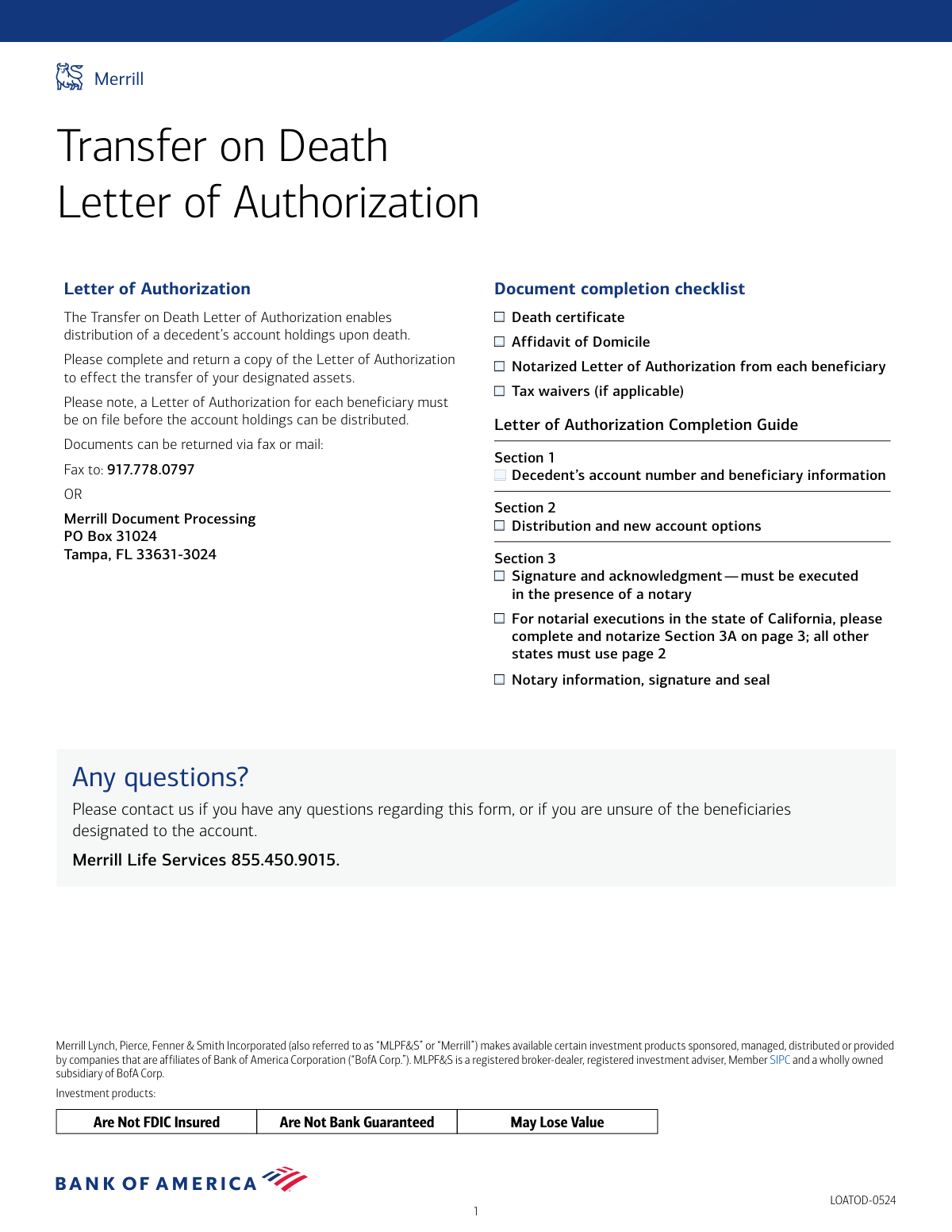
This form is a legal document required by Merrill Lynch for beneficiaries to authorize the distribution of assets from a deceased individual's account that had a Transfer on Death designation. It ensures that the decedent's holdings are transferred to the correct beneficiaries according to their specified percentages. Today, this form can be filled out quickly and accurately using AI-powered services like Instafill.ai, which can also convert non-fillable PDF versions into interactive fillable forms.
Our AI automatically handles information lookup, data retrieval, formatting, and form filling.
It takes less than a minute to fill out LOATOD using our AI form filling.
Securely upload your data. Information is encrypted in transit and deleted immediately after the form is filled out.
Form specifications
| Form name: | Transfer on Death Letter of Authorization |
| Number of pages: | 1 |
| Language: | English |
| Categories: | authorization forms, transfer forms |
Instafill Demo: How to fill out PDF forms in seconds with AI
How to Fill Out LOATOD Online for Free in 2026
Are you looking to fill out a LOATOD form online quickly and accurately? Instafill.ai offers the #1 AI-powered PDF filling software of 2026, allowing you to complete your LOATOD form in just 37 seconds or less.
Follow these steps to fill out your LOATOD form online using Instafill.ai:
- 1 Navigate to Instafill.ai and upload or select the Merrill Lynch Transfer on Death Letter of Authorization form.
- 2 Use the AI assistant to automatically populate key details such as the decedent's account number and the beneficiary's name, SSN/EIN, and contact information.
- 3 Clearly indicate your chosen distribution option, whether transferring assets to an existing Merrill account or a new one.
- 4 Carefully review all the information entered by the AI for accuracy, including personal details and distribution instructions.
- 5 Download the completed form and print it.
- 6 Sign the form in the presence of a notary public, who must complete the appropriate acknowledgment section (specific sections are provided for California and Florida).
- 7 Submit the notarized form, along with a death certificate and any other required documents, to Merrill Lynch via the provided fax number or mailing address.
Our AI-powered system ensures each field is filled out correctly, reducing errors and saving you time.
Why Choose Instafill.ai for Your Fillable LOATOD Form?
Speed
Complete your LOATOD in as little as 37 seconds.
Up-to-Date
Always use the latest 2026 LOATOD form version.
Cost-effective
No need to hire expensive lawyers.
Accuracy
Our AI performs 10 compliance checks to ensure your form is error-free.
Security
Your personal information is protected with bank-level encryption.
Frequently Asked Questions About Form LOATOD
This form authorizes Merrill to distribute the assets from a deceased person's account to their designated beneficiaries. Each beneficiary must complete this form to claim their portion of the assets.
Every beneficiary named on the Transfer on Death (TOD) account must complete and submit their own separate Letter of Authorization. The assets cannot be distributed until all beneficiaries have submitted their forms.
You must submit a copy of the decedent's death certificate, an Affidavit of Domicile, and tax waivers if applicable. Most importantly, each beneficiary must provide their own notarized Letter of Authorization.
You can submit the completed and notarized form, along with all required documents, either by fax to 917.778.0797 or by mail to Merrill Document Processing, PO Box 31024, Tampa, FL 33631-3024.
Yes, your signature on the form must be notarized. Be sure to sign it in the presence of a notary public and use the correct section for your state.
Yes, if your signature is being notarized in California, you must use the specific acknowledgment in Section 3A. Notaries in Florida must use Section 3B, while all other states use the notary block in Section 3 on page 2.
In Section 2, you can choose to have your assets transferred to an existing Merrill account or a new Merrill Advisory or Self-Directed account. The assets are generally transferred as they are, not sold for cash.
Any fractional shares that cannot be transferred directly will be liquidated (sold). The cash proceeds from these sales will then be distributed among the beneficiaries.
No, each beneficiary must complete and sign their own individual Letter of Authorization form. Merrill cannot process the distribution until they have received a valid, notarized form from every beneficiary.
If you have any questions or are unsure about the beneficiaries on the account, you can contact Merrill Life Services at 855.450.9015 for assistance.
You will need the decedent's Merrill account number and name, as well as your own beneficiary information, including your name, SSN/EIN, phone number, email, and designated percentage.
Yes, services like Instafill.ai use AI to accurately auto-fill form fields, which can save you time and help prevent errors. This is especially useful for repetitive information across multiple documents.
Simply upload the PDF to the Instafill.ai platform. The AI will identify the form fields, allowing you to type your information directly into them and then download the completed document for printing and notarization.
You can use a service like Instafill.ai, which can convert flat, non-fillable PDFs into interactive, fillable forms. This allows you to easily type your information before printing the form for your signature and notarization.
Compliance LOATOD
Validation Checks by Instafill.ai
1
Decedent Account Number Presence and Format
This check verifies that the 'Decedent’s Merrill account number' in Section 1 is provided, as it is marked 'required'. It also validates that the number conforms to Merrill's standard account number format. This is critical for correctly identifying the decedent's account, and failure to provide a valid number will prevent any processing of the transfer.
2
Beneficiary SSN/EIN Format Validation
Validates that the 'Beneficiary SSN/EIN' field in Section 1 follows the correct format for either a Social Security Number (XXX-XX-XXXX) or an Employer Identification Number (XX-XXXXXXX). Correct tax identification is mandatory for financial reporting and account setup. An incorrectly formatted number will cause the form to be rejected for compliance reasons.
3
Beneficiary Email Address Format
Ensures the 'Beneficiary email address' provided in Section 1 is in a valid email format (e.g., [email protected]). This is important for communication regarding the account transfer and for setting up new online account access. An invalid email format could delay the process or prevent the beneficiary from receiving important notifications.
4
Beneficiary Percentage Value
This check confirms that the 'Beneficiary percentage (%)' in Section 1 is a numeric value greater than 0 and less than or equal to 100. Since the form instructions state a separate Letter of Authorization is needed for each beneficiary, this value represents their designated share. An invalid or zero percentage would make the distribution instruction ambiguous and legally void.
5
Exclusive Distribution Option Selection
Verifies that exactly one distribution option is selected in Section 2. The beneficiary must choose to transfer assets to an existing Merrill account, a new Advisory Center account, or a new Edge Self-Directed account. Selecting zero or multiple options makes the instruction unclear, and the form will be rejected until a single, clear choice is made.
6
Conditional Distribution Account Number Requirement
This validation ensures that if a distribution option is selected in Section 2, the corresponding account number field is filled out. For example, if 'Transfer to my existing Merrill account number' is checked, an account number must be provided. This is essential for directing the assets to the correct destination; without it, the transfer cannot be executed.
7
Notary Section Exclusivity by State
This check enforces the rule that only one notary section (Section 3, 3A, or 3B) is completed, based on the notary's state. Section 3A is exclusively for California, 3B for Florida, and Section 3 for all other states. Completing the wrong section or multiple sections will lead to immediate rejection as it violates state-specific notarial requirements.
8
Beneficiary Name Consistency in Notary Acknowledgment
Confirms that the signor's name entered by the notary in the acknowledgment section (e.g., 'personally appeared...') matches the 'Beneficiary name' provided in Section 1. This is a critical anti-fraud measure to ensure the person signing the document is the same person identified as the beneficiary. A mismatch will invalidate the notarization and the entire document.
9
Notary Identification Method Completeness
In the notary sections for non-CA/FL states (Section 3) and Florida (Section 3B), this check verifies that if the notary checks 'Produced identification', the 'Type of identification produced' field is also filled. This is a required part of the notarial record, providing an audit trail of how the signer's identity was verified. Failure to complete this field when required will result in rejection.
10
Notary Commission Expiration Date Validity
Validates that the 'My commission expires' date provided by the notary in Section 3 is a valid date and is in the future. A notarization is only valid if performed by a notary with an active commission. An expired or invalid commission date will render the acknowledgment legally void and cause the form to be rejected.
11
Signature Date Validity
Ensures the date entered next to the beneficiary's signature in Section 3, 3A, or 3B is a valid, properly formatted date that is not in the future. This date establishes when the authorization was legally signed. An invalid or future date would call the authenticity of the signature into question and invalidate the document.
12
Notarization Date Consistency
This check verifies that the date of notarization (the date the notary signs and acknowledges the signature) is on or after the date the beneficiary signed the document. A notary cannot legally acknowledge a signature before it has occurred. A date inconsistency would invalidate the notarial act and require the form to be re-signed and re-notarized.
13
Florida Jurat Notarization Method Selection
For notaries in Florida using Section 3B, this validation ensures that one of the two checkboxes, 'physical presence' or 'online notarization', is selected. Florida law requires the method of notarization to be specified. Omitting this selection makes the jurat incomplete and will cause the document to be returned for correction.
14
Completeness of Core Beneficiary Information
This check ensures that all required fields in the Beneficiary Information portion of Section 1 are completed, including name, percentage, SSN/EIN, phone number, and email. Incomplete information prevents the firm from properly identifying the beneficiary, contacting them, and processing the asset transfer in a compliant manner. The form will be rejected if any of these key fields are missing.
Common Mistakes in Completing LOATOD
Applicants often overlook the document checklist on the first page and fail to include all required supporting documents, such as the death certificate, Affidavit of Domicile, or tax waivers. This happens during a stressful time when details are easily missed. Submitting an incomplete package will result in the entire request being put on hold until all documents are received, significantly delaying the asset transfer. To avoid this, carefully review the checklist before mailing or faxing the form.
A common misunderstanding is that one Letter of Authorization can cover all beneficiaries, especially if they are family members. The form explicitly states that a separate, individually notarized Letter of Authorization is required from each beneficiary before any assets can be distributed. Submitting only one form will prevent the distribution for all other beneficiaries, causing confusion and delays. Each beneficiary must complete and submit their own independent form.
The form has three distinct notary sections: Section 3 for most states, Section 3A for California, and Section 3B for Florida. Beneficiaries or notaries often fail to use the correct section corresponding to the state where the notarization occurs. Using the wrong section will lead to immediate rejection of the document, as it fails to comply with state-specific notary laws. Always verify the state of notarization and use the appropriate section to ensure compliance.
Errors in the notary section are a primary cause of rejection. This includes the beneficiary signing the document without the notary present, or the notary failing to complete every single field, such as checking the identification box, printing their name, or entering their commission expiration date. A document with an incomplete or improperly executed notary block is legally invalid and will be returned, requiring the beneficiary to repeat the entire notarization process.
A simple typographical error when entering the decedent's Merrill account number in Section 1 is a frequent mistake. This number is the primary identifier for the assets to be transferred. An incorrect or illegible account number will prevent Merrill from locating the account, halting the process until the beneficiary can be contacted for correction, which can take days or weeks. It is crucial to double-check this number against an account statement for accuracy.
In Section 2, beneficiaries may check a box to transfer assets to a new or existing account but then fail to write in the specific account number. This leaves the instructions incomplete and ambiguous. This forces Merrill's processing team to contact the beneficiary for clarification, delaying the transfer. To prevent this, ensure that if you select an option requiring an account number, you write it clearly in the space provided.
Beneficiaries sometimes leave critical personal information blank in Section 1, such as their Social Security Number (SSN) or phone number. This information is not optional; it is required for identity verification, tax reporting purposes (IRS Form 1099), and communication. Missing information will cause processing delays while the firm attempts to contact the beneficiary to obtain it. AI-powered tools like Instafill.ai can help prevent this by flagging mandatory fields that have been left empty.
A subtle but frequent error occurs when the notary public writes their own name in the space intended for the signer's name within the acknowledgment text (e.g., '...acknowledged before me... by [Notary's Name]'). This invalidates the notarial act, as it fails to identify who actually appeared and signed the document. The form will be rejected, and you will need to have it re-notarized. Always ensure the notary correctly enters the beneficiary's (the signer's) name in this clause.
Beneficiaries may add handwritten notes requesting actions the form does not support, such as liquidating specific assets or keeping the decedent's account open under a new name. The form clearly states the account must be closed and assets transferred as-is. Such requests are outside the scope of this document and will lead to rejection or confusion, delaying the intended transfer. Beneficiaries should call Merrill Life Services to discuss any options not listed on the form.
Since this form is a non-fillable PDF, it is often printed and completed by hand, leading to issues with illegible handwriting. Poorly written names, account numbers, or contact details can be misinterpreted by data entry staff, causing errors or requiring follow-up calls that delay the transfer. To avoid this, print clearly in block letters. Alternatively, services like Instafill.ai can convert flat PDFs into digitally fillable forms, ensuring all entries are perfectly legible and accurate.
Saved over 80 hours a year
“I was never sure if my IRS forms like W-9 were filled correctly. Now, I can complete the forms accurately without any external help.”
Kevin Martin Green
Your data stays secure with advanced protection from Instafill and our subprocessors

Robust compliance program
Transparent business model
You’re not the product. You always know where your data is and what it is processed for.
ISO 27001, HIPAA, and GDPR
Our subprocesses adhere to multiple compliance standards, including but not limited to ISO 27001, HIPAA, and GDPR.
Security & privacy by design
We consider security and privacy from the initial design phase of any new service or functionality. It’s not an afterthought, it’s built-in, including support for two-factor authentication (2FA) to further protect your account.
Fill out LOATOD with Instafill.ai
Worried about filling PDFs wrong? Instafill securely fills transfer-on-death-letter-of-authorization forms, ensuring each field is accurate.