Fill out HIPAA forms
with AI.
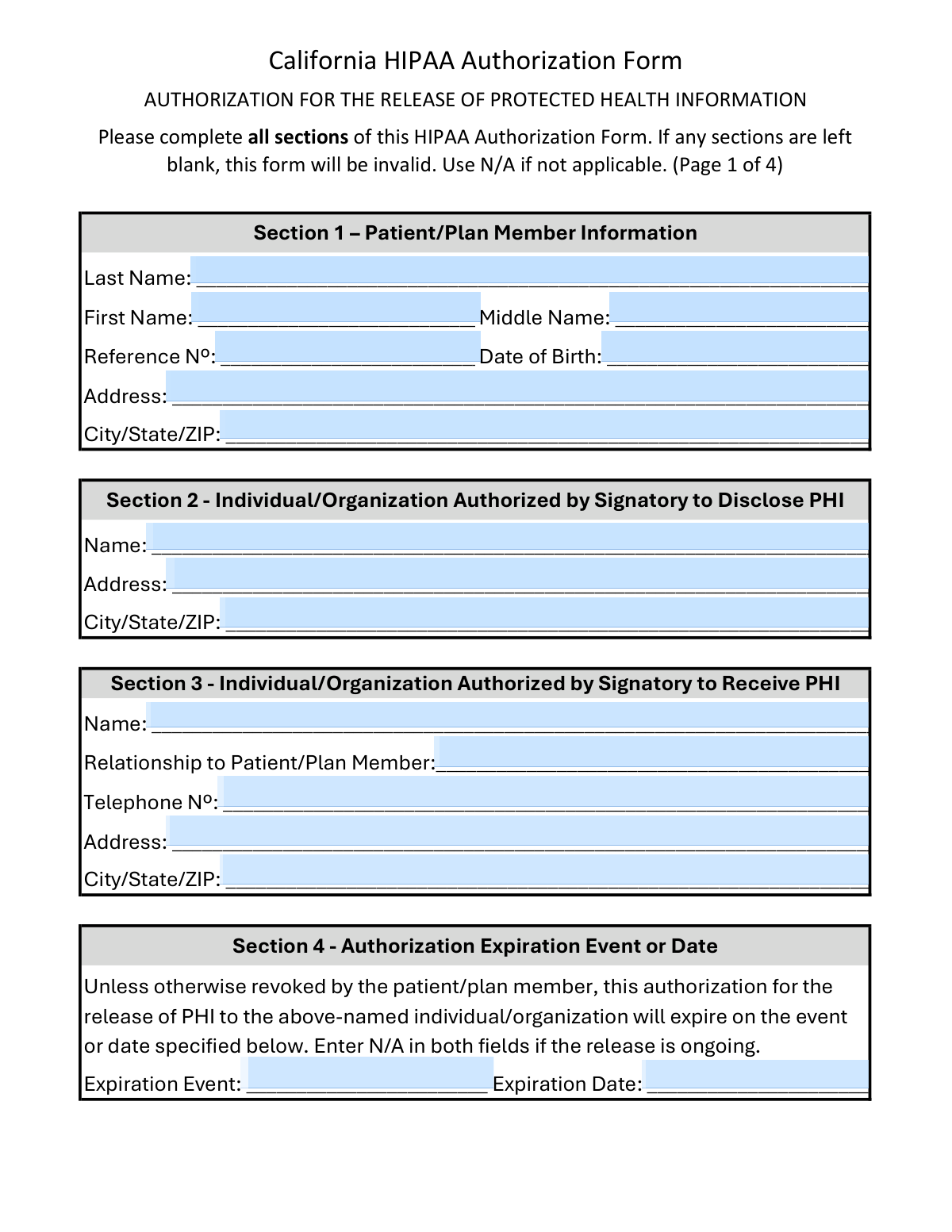
HIPAA forms are essential documents designed to protect the privacy of sensitive patient data while allowing for the necessary flow of health information. These medical forms ensure that healthcare providers, insurance companies, and other entities comply with federal regulations regarding Protected Health Information (PHI). Whether you are authorizing a one-time disclosure or granting ongoing access to your records, these documents serve as a legal safeguard for your privacy. Common examples include general Authorization for the Release of Protected Health Information forms and state-specific versions, such as the California HIPAA Authorization, which integrates local privacy laws like the CMIA.
By continuing, you acknowledge Instafill's Privacy Policy and agree to get occasional product update and promotional emails.
About HIPAA forms
Patients and insurance policyholders typically encounter these healthcare forms during major life events or transitions in care. You may need a medical release form when transferring records to a new specialist, filing a critical illness claim, or applying for supplemental insurance coverage. Because these forms define exactly what information can be shared and with whom, they are vital for coordinating treatment and ensuring that insurance benefits are processed without administrative friction. Incomplete or inaccurate forms often lead to significant delays in medical billing or the denial of insurance claims.
Completing these documents manually can be time-consuming and prone to errors, particularly when dealing with dense insurance packets. Tools like Instafill.ai use AI to fill these forms in under 30 seconds, handling your data accurately and securely to streamline the entire process. This practical solution helps you manage your medical paperwork quickly, so you can focus on your health and recovery instead of administrative tasks.
Every form on this page can be completed without typing. Instafill is form filling software that reads a PDF and fills it for you — including flat and scanned documents that carry no fillable fields at all.
Forms in This Category
The forms in this category have a median Form Complexity Index of 47/100 (Moderate), measured across 9 forms by field count, input difficulty, length, conditional logic and structure. See how it is calculated.
- Enterprise-grade security & data encryption
- 99%+ accuracy powered by AI
- 1,000+ forms from all industries
- Complete forms in under 60 seconds
How to Choose the Right Form
Navigating medical privacy laws can be complex, but choosing the right HIPAA authorization form depends primarily on who is receiving the information and whether you are filing a specific insurance claim. Use this guide to identify the correct document for your healthcare or insurance needs.
General Medical Record Transfers
If you need to share your protected health information (PHI) with a family member, a new doctor, or a legal representative, the standard HIPAA Authorization Form, Authorization for the Release of Protected Health Information is your best choice. This is a versatile, all-purpose document that identifies exactly what records are being shared, who is sending them, and who is authorized to receive them.
Insurance Claims and Underwriting
When your medical records are required to process an insurance application or a payout, you should use a form tailored to that specific provider to avoid processing delays:
- For Aflac/CAIC Policyholders: Use the Continental American Insurance Company (CAIC) / Aflac Group Critical Illness Claim Form. This is more than just a HIPAA release; it is a comprehensive packet that includes the Attending Physician’s Statement and reimbursement details required specifically for critical illness claims.
- For Transamerica Policyholders: Select the HIPAA Authorization for Release of Health-Related Information. This version is specifically formatted for Transamerica’s underwriting and claims evaluation processes.
California-Specific Requirements
Privacy laws in California are stricter than federal standards due to the Confidentiality of Medical Information Act (CMIA). If you are a resident of California or your healthcare provider is based there, you should use the California HIPAA Authorization Form, Authorization for the Release of Protected Health Information. This form ensures that your data disclosure meets both federal HIPAA mandates and specific California state legal requirements.
By selecting the form that matches your specific insurance provider or state residency, you ensure your medical data is handled legally and your requests are processed without administrative friction.
Form Comparison
| Form | Primary Purpose | Jurisdiction & Scope | Key Parties Involved |
|---|---|---|---|
| Continental American Insurance Company (CAIC) / Aflac Group Critical Illness Claim Form (with Attending Physician’s Statement, HIPAA Authorization to Obtain Information, and Electronic Funds Transaction Authorization) | Filing a critical illness insurance claim and authorizing record access for evaluation. | Specific to Aflac Group/CAIC insurance policyholders and their claims. | Policyholders, attending physicians, and the insurance claims department. |
| HIPAA Authorization Form, Authorization for the Release of Protected Health Information | General authorization for releasing protected health information to a named recipient. | Federal HIPAA compliance for use across the United States. | Patients, healthcare providers, and any authorized third-party recipient. |
| HIPAA Authorization for Release of Health-Related Information | Authorizing release of health records specifically for insurance underwriting or claims. | Specific to Transamerica insurance products and policy applications. | Insurance applicants, medical providers, and Transamerica insurance company. |
| California HIPAA Authorization Form, Authorization for the Release of Protected Health Information | Releasing medical records while complying with strict California state privacy laws. | California state (CMIA) and federal HIPAA regulatory requirements. | California residents, healthcare entities, and designated information recipients. |
Tips for HIPAA forms
Instead of checking 'all records,' specify the exact dates of service or specific medical conditions related to your request. This protects your privacy and ensures the recipient only receives the information necessary for your specific claim or healthcare coordination.
Most HIPAA authorizations require a valid expiration date or a specific event, such as the 'conclusion of the insurance claim,' to be legally binding. Leaving this section blank can lead to the form being rejected by providers or result in your information being accessible for longer than you intended.
Managing multiple medical releases can be tedious, but AI-powered tools like Instafill.ai can complete these forms in under 30 seconds with high accuracy. Your sensitive data stays secure during the process, providing a fast and safe way to handle complex healthcare paperwork.
Ensure the full name, address, and contact information for both the disclosing party and the receiving party are 100% accurate. Administrative errors in these fields are the leading cause of delays, often requiring you to restart the entire authorization process.
If you are filing in California, ensure you use a form that complies with the Confidentiality of Medical Information Act (CMIA) in addition to federal HIPAA rules. These specific forms often include mandatory language regarding your right to receive a copy of the signed document.
When filing insurance claims for providers like Aflac or Transamerica, always submit the HIPAA authorization alongside the Attending Physician’s Statement. Bundling these documents prevents the insurer from having to pause your claim while waiting for the legal right to request your medical records.
Always save a copy of every signed HIPAA authorization for your own records. This helps you track which organizations have access to your protected health information and makes it much easier to revoke access in the future if your situation changes.
Frequently Asked Questions
A HIPAA authorization form is a legal document that grants healthcare providers or insurance companies permission to share your protected health information (PHI) with a third party. This is essential for coordinating care between different doctors, processing insurance claims, or sharing medical records for legal or personal reasons. Without this signed consent, federal law generally prohibits covered entities from disclosing your private health data.
You should use a California HIPAA authorization form if you are receiving medical care in California or if your healthcare provider is based there. California's Confidentiality of Medical Information Act (CMIA) provides additional privacy protections that go beyond federal standards. Using the state-specific form ensures that the disclosure complies with both federal HIPAA regulations and California's stricter state laws.
Insurance companies require access to your medical records to verify the details of a claim and determine if you are eligible for benefits. The HIPAA authorization included in claim packets allows the insurer to contact your physicians and obtain the necessary diagnostic information. Completing this section is usually a requirement for the insurer to process and pay out your claim.
Yes, you can use AI tools like Instafill.ai to complete HIPAA authorizations and medical release forms efficiently. These tools can accurately extract your personal data from source documents and place it into the correct fields on the PDF. This process ensures that all required information is captured correctly, which helps prevent delays in record transfers or claim processing.
Using AI-powered platforms like Instafill.ai, most users can complete a HIPAA authorization or medical claim form in under 30 seconds. The AI automates the data entry process by identifying the required fields and populating them with information from your existing documents. This is significantly faster than manual entry and reduces the risk of clerical errors.
In most cases, the patient who owns the medical records is the one who must sign the form. However, a legal guardian, a person with a valid medical power of attorney, or an executor of an estate may also sign as a 'personal representative.' If you are signing on behalf of someone else, you may need to provide documentation proving your legal authority to do so.
Yes, you generally have the right to revoke your authorization at any time by providing a written notice to the healthcare provider or entity that holds the records. However, the revocation is not retroactive; it will not apply to information that has already been released or to actions taken by the entity before they received your written request to stop.
To be legally valid, the form must identify exactly what information is being shared, who is authorized to disclose it, and who is authorized to receive it. It must also state a specific purpose for the disclosure and include an expiration date or event. If any of these core elements are missing or left blank, the healthcare provider may reject the form as invalid.
Generally, yes, you should fill out a separate authorization for each healthcare entity that holds the records you wish to release. While some forms allow you to list multiple providers, most hospitals and clinics prefer a dedicated form to ensure there is no ambiguity regarding what they are permitted to share. This helps maintain a clear paper trail for your medical privacy.
If you refuse to sign the authorization, the insurance company will likely be unable to obtain the medical evidence needed to substantiate your claim. This usually results in the claim being pended or denied because the insurer cannot verify the diagnosis or treatment. For claims like Critical Illness or Disability, the HIPAA release is a standard and necessary part of the evaluation process.
Glossary
- Form Complexity Index
- Instafill’s 0–100 measure of how much effort a form takes to complete, calculated deterministically from the form’s own structure rather than estimated. It combines the number of fillable fields (the largest factor), how difficult those fields are to complete based on their type, the number of pages that contain fields, the amount of conditional “fill-only-if” logic, and how many sections the form is divided into, then adds modifiers for tables and repeating lists, bundled instruction pages, and dense page layouts. A higher score means the form is harder to fill out by hand. The forms in this category have a median Form Complexity Index of 47/100 (Moderate). See exactly how it is calculated.
- Protected Health Information (PHI)
- Any individually identifiable health information, such as medical records, lab results, or insurance details, that is protected under federal privacy laws.
- Covered Entity
- A healthcare provider, health plan, or healthcare clearinghouse that is legally required to follow HIPAA rules when handling patient data.
- Authorization
- A specific legal document signed by a patient that gives permission to a covered entity to share their health information with a third party.
- Personal Representative
- An individual with the legal authority to act on behalf of a patient, such as a parent, legal guardian, or person with power of attorney, who can sign HIPAA forms.
- Revocation
- The right of a patient to cancel a previously granted authorization at any time, which prevents further disclosure of their health information.
- Confidentiality of Medical Information Act (CMIA)
- A California state law that provides additional privacy protections for medical information beyond the requirements of federal HIPAA regulations.
- Attending Physician’s Statement (APS)
- A detailed report completed by a doctor that provides medical evidence of a condition to help an insurance company evaluate a claim.
- Underwriting
- The process used by insurance companies to review a person's medical history and health status to determine their eligibility for coverage or claim benefits.