Yes! You can use AI to fill out Empower Disability Withdrawal Request Form
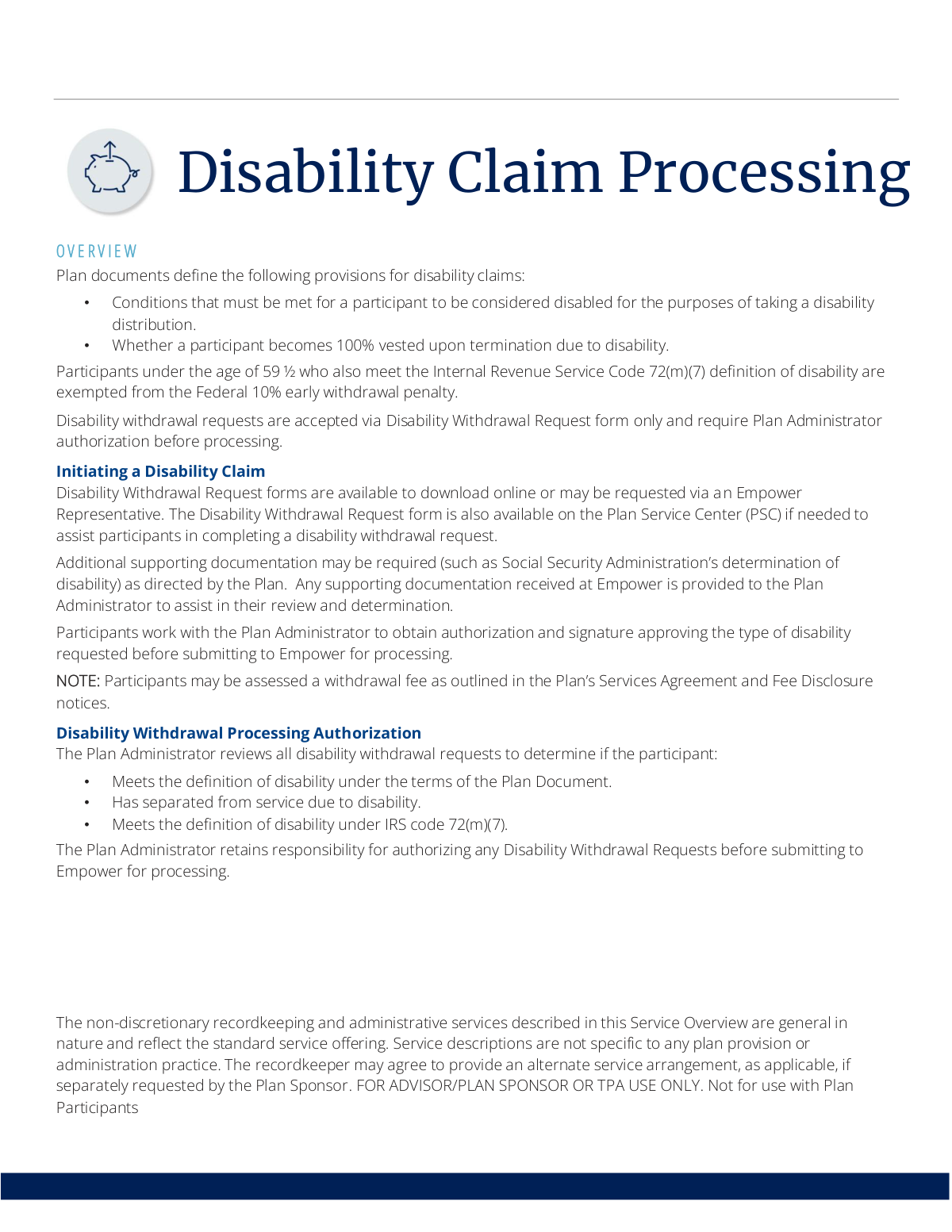
This form is used to initiate a disability claim and request a withdrawal from a retirement plan administered by Empower. It requires the participant to provide details about their disability and obtain authorization from their Plan Administrator before the request can be processed. Today, this form can be filled out quickly and accurately using AI-powered services like Instafill.ai, which can also convert non-fillable PDF versions into interactive fillable forms.
Empower Disability Withdrawal is part of the
disability forms, Empower forms, withdrawal forms and withdrawal request forms categories on Instafill.
Rather not fill this in by hand? Instafill is an online form filler that completes PDF forms automatically — upload the blank form, answer a few questions, and the AI fills every field.
Form specifications
| Form name: | Empower Disability Withdrawal Request Form |
| Number of pages: | 1 |
| Language: | English |
Our AI automatically handles information lookup, data retrieval, formatting, and form filling.
It takes less than a minute to fill out Empower Disability Withdrawal using our AI form filling.
Securely upload your data. Information is encrypted in transit and deleted immediately after the form is filled out.
Instafill Demo: How to fill out PDF forms in seconds with AI
How to Fill Out Empower Disability Withdrawal Online for Free in 2026
Are you looking to fill out a EMPOWER DISABILITY WITHDRAWAL form online quickly and accurately? Instafill.ai offers the #1 AI-powered PDF filling software of 2026, allowing you to complete your EMPOWER DISABILITY WITHDRAWAL form in just 37 seconds or less.
Follow these steps to fill out your EMPOWER DISABILITY WITHDRAWAL form online using Instafill.ai:
- 1 Navigate to Instafill.ai and upload or select the Empower Disability Withdrawal Request Form.
- 2 Provide your personal information, including your name, address, and plan account number.
- 3 Detail the nature of your disability and the date you separated from service due to it.
- 4 Use the AI tool to securely attach required supporting documentation, such as a Social Security Administration determination of disability.
- 5 Review all the information pre-filled by the AI for accuracy and completeness.
- 6 Download the completed form to obtain the necessary signature and authorization from your Plan Administrator.
- 7 Submit the fully authorized form to Empower for processing as per the instructions.
Our AI-powered system ensures each field is filled out correctly, reducing errors and saving you time.
Why Choose Instafill.ai for Your Fillable Empower Disability Withdrawal Form?
Speed
Complete your Empower Disability Withdrawal in as little as 37 seconds.
Up-to-Date
Always use the latest 2026 Empower Disability Withdrawal form version.
Cost-effective
No need to hire expensive lawyers.
Accuracy
Our AI performs 10 compliance checks to ensure your form is error-free.
Security
Your personal information is protected with bank-level encryption.
Frequently Asked Questions About Empower Disability Withdrawal
This form is used by plan participants to request a withdrawal from their retirement account due to a qualifying disability.
Any plan participant who has become disabled and wishes to take a distribution from their retirement plan must complete this form to initiate the process.
You can download the form online from the Empower website, request one from an Empower Representative, or find it on the Plan Service Center (PSC).
Your plan may require additional supporting documentation, such as a determination of disability from the Social Security Administration (SSA), to support your claim.
No, you must first submit the form to your Plan Administrator to obtain their authorization and signature. They will then submit the approved request to Empower for processing.
Your Plan Administrator is responsible for reviewing your request and determining if you meet the definition of disability under the terms of your specific plan and IRS code.
If your disability meets the Internal Revenue Service Code 72(m)(7) definition, you will be exempt from the 10% federal early withdrawal penalty.
Yes, a withdrawal fee may be assessed as outlined in your Plan’s Services Agreement and Fee Disclosure notices.
Whether you become 100% vested depends on the specific provisions outlined in your plan's documents. Your Plan Administrator can confirm this for you.
Yes, services like Instafill.ai use AI to help you accurately auto-fill form fields, which can save time and help prevent errors.
You can upload the Disability Withdrawal Request PDF to the Instafill.ai platform. The service will make the document interactive so you can easily type your information into the fields online.
If you have a non-fillable PDF, you can use a tool like Instafill.ai to convert it into an interactive, fillable form that you can complete and save digitally.
Compliance Empower Disability Withdrawal
Validation Checks by Instafill.ai
1
Plan Administrator Authorization Signature Presence
Verifies that the designated Plan Administrator has signed and dated the request form. The provided documentation explicitly states that Empower requires Plan Administrator authorization before processing any disability withdrawal. A missing signature or date will result in the immediate rejection of the form, requiring resubmission after it has been properly authorized.
2
Participant SSN/TIN Format and Completeness
Checks that the participant's Social Security Number or Taxpayer Identification Number is provided and consists of exactly nine digits. This number is the primary identifier for the participant's account and is mandatory for IRS tax reporting on the distribution. An invalid or missing SSN/TIN will prevent the processing of the withdrawal and any associated tax forms.
3
Logical Consistency of Separation Date
Ensures the 'Date of Separation from Service' is a valid date and occurs on or before the date the participant signs the form. This date is critical for the Plan Administrator to confirm that the participant has separated from service due to disability, a key eligibility requirement mentioned in the overview. A future or invalid date would render the claim logically inconsistent and require correction.
4
IRS Code 72(m)(7) Disability Claim for Participants Under 59 ½
Validates that if the participant's age is under 59 ½, they have indicated whether they meet the IRS Code 72(m)(7) definition of disability. This is crucial for determining if the 10% early withdrawal penalty can be waived, a key feature mentioned in the process overview. Failure to complete this section for an age-eligible participant may result in the penalty being incorrectly applied or the form being returned for clarification.
5
Completeness of Withdrawal Amount Request
Confirms that the participant has clearly specified the amount to be withdrawn, either as a specific dollar amount or by selecting an option like 'entire account balance.' An ambiguous or missing withdrawal amount makes the request impossible to process. This check prevents delays and ensures the correct funds are distributed as per the participant's intent.
6
Federal Tax Withholding Election Completeness
Verifies that the participant has made a clear and valid election for federal income tax withholding. This is a mandatory choice for retirement plan distributions, and failing to make an election can lead to default withholding rules being applied, which may not align with the participant's financial needs. An incomplete section will halt processing until a valid choice is made.
7
State Tax Withholding Election Validity
Checks that a valid state tax withholding election has been made, consistent with the rules of the participant's state of residence. State tax laws vary, and some mandate withholding while others do not. An invalid or missing election requires correction to ensure compliance and avoid potential tax liabilities for the participant.
8
Payment Method Selection
Ensures that the participant has selected a method for receiving their funds, typically either a mailed check or direct deposit (ACH). This is a required field, as the processing agent cannot disburse the funds without knowing where to send them. An unselected payment method will cause the form to be rejected as incomplete.
9
Direct Deposit Information Format and Completeness
If direct deposit is the chosen payment method, this check validates that the bank routing number and account number are both present and correctly formatted. The routing number must be exactly nine digits, and the account number must be populated. Incorrect or missing information will lead to a failed electronic transfer, significantly delaying the participant's access to their funds.
10
Participant Signature and Date Presence
Confirms that the participant has signed and dated the form, legally authorizing the withdrawal from their account. The signature is a fundamental requirement for any financial transaction of this nature. A missing signature or date invalidates the entire request, requiring the participant to resubmit a completed form.
11
Confirmation of Disability Status Attestation
Verifies that the participant has formally attested to meeting the plan's specific definition of disability, as reviewed by the Plan Administrator. This attestation is a core component of the claim, confirming the basis for the withdrawal request. Without this confirmation, the request lacks the necessary legal and procedural foundation for approval and processing.
12
Supporting Documentation Indication
Checks if the section for indicating attached supporting documents (e.g., Social Security Administration determination letter) has been completed. The process overview notes that such documentation may be required to assist the Plan Administrator's review. Acknowledging the inclusion of these documents on the form creates a complete record for the entire claim package.
Common Mistakes in Completing Empower Disability Withdrawal
This error occurs when participants misunderstand the process and submit the withdrawal request directly to Empower before it has been authorized by their Plan Administrator. The form will be rejected or returned, causing significant processing delays. To avoid this, participants must first send the completed form to their Plan Administrator for review and signature, and only then submit the fully authorized form to Empower.
Applicants often overlook the need for additional documents, such as a Social Security Administration (SSA) disability determination letter or a physician's statement. An application without all required proof is considered incomplete and will be put on hold until the missing documents are provided. Always review the form's checklist or plan guidelines to identify and attach all necessary supporting paperwork before submission.
A participant may believe their medical condition qualifies as a disability, but it may not meet the specific criteria defined in their retirement plan documents. This leads to the Plan Administrator denying the claim after a full review, wasting the applicant's time. Before applying, obtain and carefully read your specific plan's summary description to confirm your condition meets the stated requirements for a disability distribution.
Participants under age 59 ½ often assume their disability automatically exempts them from the 10% early withdrawal penalty, but this requires meeting the strict IRS Code 72(m)(7) definition. Failing to prove qualification under the IRS code can result in an unexpected tax penalty, significantly reducing the net withdrawal amount. To avoid this, confirm if your condition meets the IRS definition and provide the specific documentation required, such as an SSA award letter.
Simple typos in a name, Social Security Number, or plan account number are very common due to manual data entry. Such errors can prevent Empower from locating the correct account, leading to processing failure and delays while the information is corrected. To prevent this, carefully double-check all identifying numbers against an account statement. AI-powered tools like Instafill.ai can help by securely storing and auto-filling this data, minimizing the risk of typos.
Empower may update its forms periodically. A participant might use an old version they had saved on their computer, which may lack new required fields or contain outdated instructions. Submitting an obsolete form will result in an automatic rejection, forcing the applicant to start the entire process over. Always download a fresh copy of the Disability Withdrawal Request form directly from the Empower website or plan portal for every new request.
When a form is only available as a non-fillable PDF, it must be printed and filled out by hand, often resulting in illegible entries. If processors cannot read the information, they will have to return the form for clarification, delaying the claim. To avoid this, print neatly in block letters. Better yet, use a service like Instafill.ai, which can convert flat PDFs into digitally fillable forms, ensuring all your entries are typed and perfectly legible.
The Plan Administrator must verify that the participant has separated from service due to the disability. Applicants may be on long-term leave but not officially separated, causing confusion about their employment status. If separation is a requirement and has not occurred, the claim will be denied. Always confirm your official employment status with your HR department or Plan Administrator before submitting the form.
Disability withdrawal forms require decisions about federal and state tax withholding and potential rollovers, which have significant financial consequences. Many people make choices without fully understanding the tax implications, leading to a smaller-than-expected payout or a large tax bill later. It is highly recommended to consult with a qualified tax advisor or financial planner before completing this section of the form.
The process involves multiple parties (participant, Plan Administrator, Empower), and it's easy to send the form to the wrong one. For example, sending it to Empower without the administrator's signature causes it to be rerouted or rejected. This confusion leads to delays and a lack of visibility into the request's status. Clarify the exact submission workflow with your Plan Administrator to ensure you send the form to the correct party at each step.
Saved over 80 hours a year
“I was never sure if my IRS forms like W-9 were filled correctly. Now, I can complete the forms accurately without any external help.”
Kevin Martin Green
Your data stays secure with advanced protection from Instafill and our subprocessors




Robust compliance program
Transparent business model
You’re not the product. You always know where your data is and what it is processed for.
ISO 27001, HIPAA, and GDPR
Our subprocesses adhere to multiple compliance standards, including but not limited to ISO 27001, HIPAA, and GDPR.
Security & privacy by design
We consider security and privacy from the initial design phase of any new service or functionality. It’s not an afterthought, it’s built-in, including support for two-factor authentication (2FA) to further protect your account.
Fill out Empower Disability Withdrawal with Instafill.ai
Worried about filling PDFs wrong? Instafill securely fills empower-disability-withdrawal-request-form forms, ensuring each field is accurate.
