Yes! You can use AI to fill out Empower Loan Payment Change Request Form
The Empower Loan Payment Change Request form is a document for retirement plan participants to formally request modifications to their loan repayment schedule. It is typically used when a participant goes on an approved Leave of Absence (LOA) and needs to suspend payments to avoid defaulting on their loan from their retirement account. Properly submitting this form is critical to prevent the outstanding loan balance from being reported as a taxable distribution. Today, this form can be filled out quickly and accurately using AI-powered services like Instafill.ai, which can also convert non-fillable PDF versions into interactive fillable forms.
Loan Payment Change Request is part of the
Empower forms, payment forms and loan forms categories on Instafill.
Rather not fill this in by hand? Instafill is an online form filler that completes PDF forms automatically — upload the blank form, answer a few questions, and the AI fills every field.
Form specifications
| Form name: | Empower Loan Payment Change Request Form |
| Number of pages: | 1 |
| Language: | English |
Our AI automatically handles information lookup, data retrieval, formatting, and form filling.
It takes less than a minute to fill out Loan Payment Change Request using our AI form filling.
Securely upload your data. Information is encrypted in transit and deleted immediately after the form is filled out.
Instafill Demo: How to fill out PDF forms in seconds with AI
How to Fill Out Loan Payment Change Request Online for Free in 2026
Are you looking to fill out a LOAN PAYMENT CHANGE REQUEST form online quickly and accurately? Instafill.ai offers the #1 AI-powered PDF filling software of 2026, allowing you to complete your LOAN PAYMENT CHANGE REQUEST form in just 37 seconds or less.
Follow these steps to fill out your LOAN PAYMENT CHANGE REQUEST form online using Instafill.ai:
- 1 Navigate to Instafill.ai and upload or select the Empower Loan Payment Change Request form.
- 2 Provide your personal identification details, such as your full name, Social Security Number, and plan information, as prompted by the AI.
- 3 Enter the details of your loan and the reason for the payment change, such as the start and end dates for a Leave of Absence (LOA).
- 4 Review all the information auto-filled by the AI assistant to ensure it is accurate and complete.
- 5 Electronically sign and date the form in the designated fields.
- 6 Download the completed form to obtain the required authorization from your Plan Administrator before submitting it to Empower.
Our AI-powered system ensures each field is filled out correctly, reducing errors and saving you time.
Why Choose Instafill.ai for Your Fillable Loan Payment Change Request Form?
Speed
Complete your Loan Payment Change Request in as little as 37 seconds.
Up-to-Date
Always use the latest 2026 Loan Payment Change Request form version.
Cost-effective
No need to hire expensive lawyers.
Accuracy
Our AI performs 10 compliance checks to ensure your form is error-free.
Security
Your personal information is protected with bank-level encryption.
Frequently Asked Questions About Loan Payment Change Request
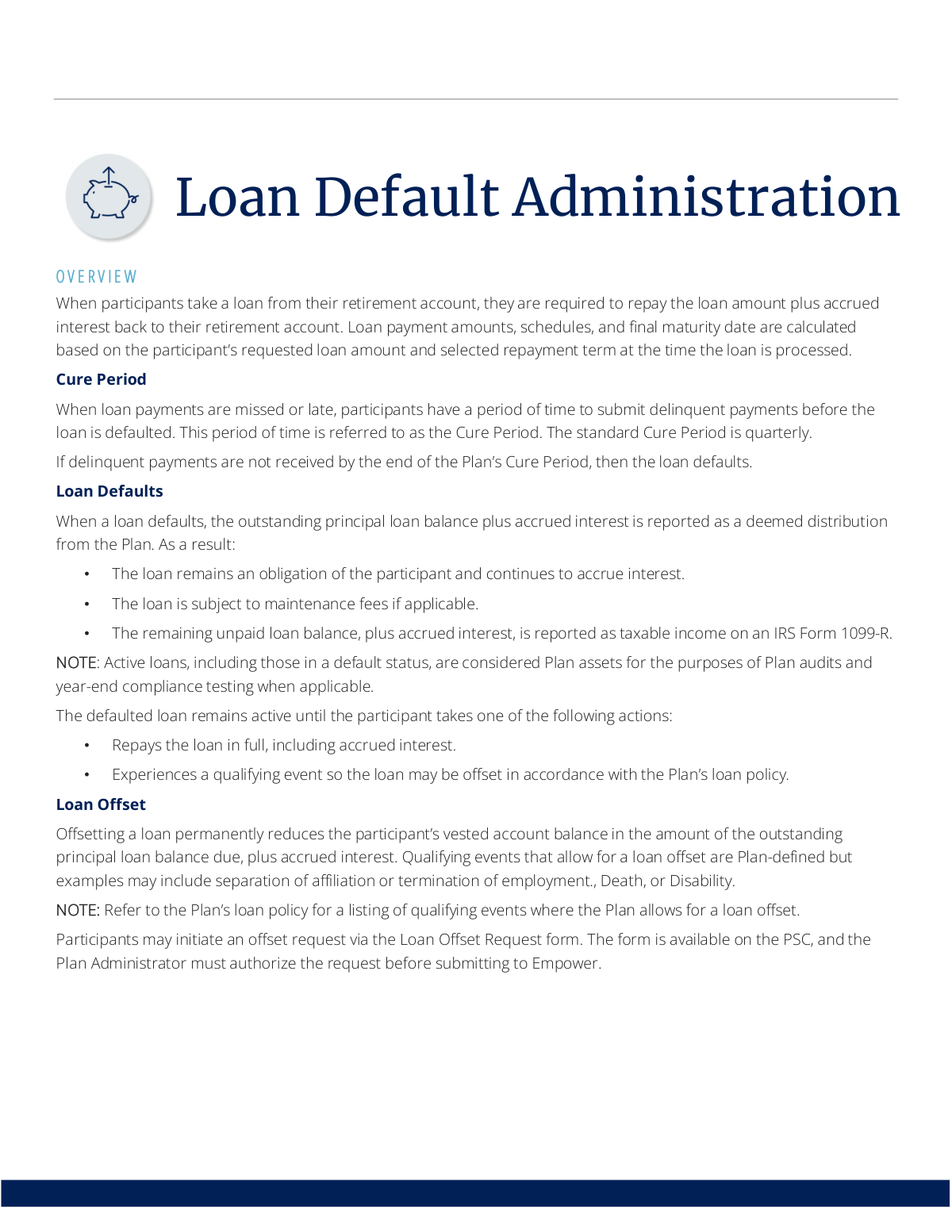
This process explains what happens when a participant misses payments on a loan from their retirement account. It covers the 'cure period' for catching up on payments, the consequences of a loan default, and how to resolve it.
If you miss a payment, you enter a 'cure period,' which is a window of time to submit the delinquent payments. If you do not pay by the end of this period, your loan will default.
A loan default means the outstanding balance is reported to the IRS as taxable income on a Form 1099-R. The loan remains an obligation that continues to accrue interest until it is repaid in full or offset.
A default occurs from missed payments and creates a taxable event, but you still owe the money. An offset uses your vested account balance to permanently pay off the loan, which is only allowed after a qualifying event like termination of employment.
You should complete a Loan Payment Change Request form, indicating your LOA start date. You must get authorization from your Plan Administrator before submitting the form to Empower to prevent a default.
Participants on an approved Leave of Absence use this form to notify Empower of their status. Plan Administrators may also use it to update employment statuses for participants to avoid incorrect defaults.
If you've had a qualifying event like termination of employment, you can initiate a request using the Loan Offset Request form. This form requires authorization from your Plan Administrator before you submit it to Empower.
Participants can typically download these forms from the Plan Service Center (PSC) online portal or request a copy by contacting an Empower Representative.
Yes, both the Loan Payment Change Request form and the Loan Offset Request form require authorization from your Plan Administrator before they can be submitted to Empower for processing.
Leaving your job is often a qualifying event that allows for a loan offset, where your outstanding loan balance is paid from your vested account balance. Your Plan Administrator must report your termination date to prevent an incorrect default.
Yes, if you have missed payments, you will receive a Loan Delinquency Notice. This notice specifies the amount you owe and the deadline by which you must pay to avoid a default.
Yes, services like Instafill.ai use AI to accurately auto-fill form fields, which can save you time and help reduce errors on complex administrative forms.
You can use a service like Instafill.ai to fill out the form online. Simply upload the PDF, and the AI will help you complete the required fields before you download it for submission.
If you have a non-fillable or 'flat' PDF, you can use a tool like Instafill.ai. It can convert the document into an interactive, fillable form that you can complete on your computer.
Compliance Loan Payment Change Request
Validation Checks by Instafill.ai
1
Ensures Plan Administrator Authorization is Present
This check verifies that the Plan Administrator's signature and signature date fields are completed on any submitted form. The governing process explicitly requires Plan Administrator authorization before a request is submitted to Empower. A submission lacking this authorization would violate the required workflow, leading to automatic rejection and delays in processing critical, time-sensitive changes like loan offsets or payment suspensions.
2
Verifies Unique Participant and Loan Identification
This validation ensures that a unique combination of participant identifiers (e.g., name, account number) and a valid Loan Number are provided and match an active record in the system. This is crucial to prevent changes from being applied to the wrong person's account or the wrong loan, which could have significant financial and compliance consequences. If a unique match cannot be found, the form is rejected for manual review and clarification.
3
Confirms Active Loan Status for Modification
Before processing a loan offset or payment change, this check confirms that the loan number on the form corresponds to an active loan in the participant's account. The documentation notes that even defaulted loans are considered active until paid or offset. This validation prevents errors from attempts to modify loans that have already been closed, paid off, or previously offset, ensuring data integrity.
4
Validates LOA Start Date Format and Plausibility
This check ensures the 'Leave of Absence (LOA) Start Date' is provided in a valid date format (e.g., MM/DD/YYYY) and is a plausible date. The date cannot be in the future and must be reasonably close to the present, preventing data entry errors like inputting a birth date or a typo in the year. This is important for accurately suspending loan payments and avoiding an improper loan default.
5
Ensures Logical Sequence of LOA Dates
If both an 'LOA Start Date' and an 'LOA End Date' are provided on the Loan Payment Change Request form, this validation confirms that the end date is on or after the start date. An end date that precedes the start date is a logical impossibility and indicates a data entry error. Correcting this ensures the system accurately calculates the duration of the leave and when loan payments should resume.
6
Validates Termination Date Logic and Timing
This check verifies that the 'Termination Date' or 'Separation of Affiliation Date' is a valid date and occurs on or before the date of form submission. A future termination date is not a valid trigger for immediate actions like a loan offset and would be rejected. This ensures that qualifying events are processed only after they have officially occurred, maintaining compliance with plan rules and IRS regulations.
7
Requires Selection of a Qualifying Event for Loan Offset
For any 'Loan Offset Request' form, this validation mandates that a specific qualifying event (e.g., Termination of Employment, Death, Disability) has been selected. A loan offset is a significant action that permanently reduces an account balance and is only permitted under specific circumstances defined by the plan. Failing to specify the event makes the request invalid and prevents processing, as the justification for the offset is missing.
8
Prevents Contradictory Employment Status Updates
This validation check ensures that a single form submission does not contain conflicting status information, such as providing both a 'Termination Date' and an 'LOA Start Date'. These events are mutually exclusive; an individual cannot be on a leave of absence from a job they have been terminated from. This check prevents logical inconsistencies in the participant's record and ensures the correct action is taken based on a single, clear status update.
9
Validates Chronological Order of Authorizations
This check ensures the Plan Administrator's signature date is on or after the participant's signature date. The workflow requires the participant to make a request which the administrator then authorizes. An administrator signature dated before the participant's signature would be illogical and could indicate a procedural error or a backdated form, potentially invalidating the request.
10
Ensures Consistency Between Request Type and Data
This validation cross-references the reason for the request with the data provided. For example, if a user submits a 'Loan Payment Change Request' for a Leave of Absence, the system checks that the 'LOA Start Date' field is completed. This prevents the submission of incomplete forms where the intent is clear but the necessary data to execute the request is missing, thus reducing processing exceptions.
11
Validates Date of Qualifying Event for Loan Offset
This check ensures that the 'Date of Qualifying Event' field on a Loan Offset Request form is completed with a valid, past-tense date. This date is critical as it determines the timing of the loan offset and associated tax reporting on Form 1099-R. An invalid or missing date would halt the process, as the system cannot execute the offset without knowing when the triggering event occurred.
12
Completeness Check for Loan Offset Request
This validation ensures that a Loan Offset Request form is fully complete before processing. It verifies the presence of the participant's details, the loan number, the selected qualifying event, the date of the event, and all required authorizations. An incomplete form would be rejected immediately, as any missing piece of information prevents the compliant and accurate execution of the loan offset.
Common Mistakes in Completing Loan Payment Change Request
Many forms, such as the Loan Payment Change Request and Loan Offset Request, explicitly require authorization from the Plan Administrator before submission to Empower. Participants or administrators often overlook this step and send the form directly, assuming it's a simple request. This results in an automatic rejection of the form, causing significant processing delays and potentially leading to an unintended loan default if a deadline is missed.
When a payment is missed, a participant enters a 'Cure Period' to make up the payment. A common error is assuming this period ends on the last day of the quarter or month. The Loan Delinquency Notice specifies the exact deadline, which can be earlier. Missing this specific date, even by one day, results in an irreversible loan default, which triggers a taxable distribution (Form 1099-R) and associated penalties.
When a loan defaults, it is reported as a taxable 'deemed distribution.' Many participants mistakenly believe this means the loan is forgiven or written off. However, the document clearly states the defaulted loan remains an obligation, continues to accrue interest, and will be deducted from the final account balance upon distribution. This misunderstanding leads to surprise when they see the loan balance still exists and has grown over time.
Participants on an approved LOA may be eligible to suspend loan payments, but this is not automatic. The mistake is assuming the employer's HR department handles the notification to Empower. The participant must proactively complete and submit a Loan Payment Change Request form to prevent the loan from being marked as delinquent. Failure to do so will trigger delinquency notices and can lead to a default.
A loan offset allows a participant's vested account balance to pay off the loan, but it is only permitted after a plan-defined qualifying event, such as termination of employment. A frequent mistake is for a still-employed participant to request an offset simply to clear the loan. This request will be denied, as it does not meet the plan's criteria, leaving the loan active and still requiring repayment.
Forms related to employment status changes require precise dates, such as the termination date or LOA start/end dates. People often leave these fields blank, guess the date, or use an incorrect format. This incomplete data prevents Empower from processing the request, leading to delays that could push the loan into default. Using a tool like Instafill.ai can help by highlighting required date fields and ensuring they are correctly formatted before submission.
A participant might receive a Loan Delinquency Notice and ignore it, assuming it's a mistake or that they can catch up on payments later. This notice is the final warning before a default. Ignoring it and failing to remit the specified delinquent amount by the deadline guarantees the loan will default, resulting in immediate tax consequences.
Plan Administrators receive a 'Late Loan Payment Report' to identify participants with missed payments. A critical error is failing to review this report and promptly submit employment status updates for those who have terminated or are on LOA. This inaction causes participants' loans to be incorrectly defaulted, creating tax issues for the employee and compliance problems for the plan.
The document mentions that forms can be downloaded, which are often non-fillable PDFs. A common mistake is to print the form and fill it out by hand with poor handwriting. When this form is scanned and submitted, illegible account numbers, names, or dates can cause data entry errors, leading to processing rejections or critical delays. Tools like Instafill.ai can convert these flat PDFs into easy-to-use fillable forms to ensure all entries are clear and legible.
The Loan Delinquency Notice specifies the exact amount needed to cure the loan, which includes accrued interest on top of the missed principal. A participant may mistakenly calculate the amount owed by just multiplying their standard payment amount by the number of missed payments, ignoring the interest. Submitting this lower amount is an insufficient payment, and the loan will still default at the end of the cure period.
The system uses distinct forms for different actions, such as the 'Loan Offset Request' versus the 'Loan Payment Change Request'. A terminated employee wanting to pay off their loan from their account balance (an offset) might mistakenly fill out the payment change form. This error sends the request through the wrong workflow, causing it to be rejected and wasting valuable time, during which interest continues to accrue.
Saved over 80 hours a year
“I was never sure if my IRS forms like W-9 were filled correctly. Now, I can complete the forms accurately without any external help.”
Kevin Martin Green
Your data stays secure with advanced protection from Instafill and our subprocessors




Robust compliance program
Transparent business model
You’re not the product. You always know where your data is and what it is processed for.
ISO 27001, HIPAA, and GDPR
Our subprocesses adhere to multiple compliance standards, including but not limited to ISO 27001, HIPAA, and GDPR.
Security & privacy by design
We consider security and privacy from the initial design phase of any new service or functionality. It’s not an afterthought, it’s built-in, including support for two-factor authentication (2FA) to further protect your account.
Fill out Loan Payment Change Request with Instafill.ai
Worried about filling PDFs wrong? Instafill securely fills empower-loan-payment-change-request-form forms, ensuring each field is accurate.
