Yes! You can use AI to fill out Evernorth Behavioral Health Applied Behavior Analysis Prior Authorization Form (PCOMM-2025-224)

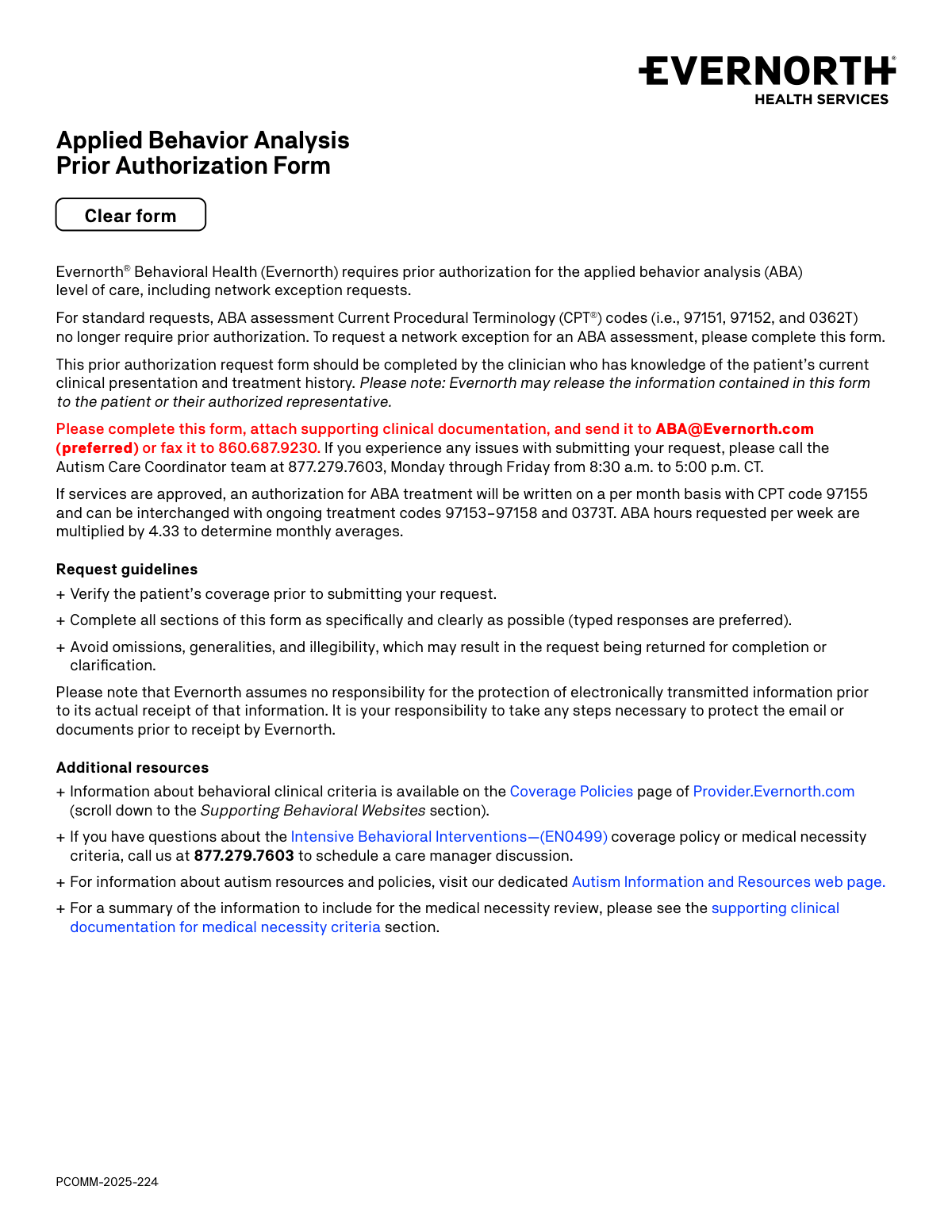
The Evernorth Behavioral Health Applied Behavior Analysis Prior Authorization Form (PCOMM-2025-224) is an official document required by Evernorth Behavioral Health for clinicians to obtain prior authorization before providing ABA therapy services, including initial requests, continued stay, reconsideration, and network exception requests. The form captures patient demographics, diagnosis information, provider credentials, requested CPT codes and service hours, place of service, and supporting clinical documentation to demonstrate medical necessity. It is a critical step in ensuring that ABA treatment for patients with autism spectrum disorder is covered under the patient's Evernorth health plan. Today, this form can be filled out quickly and accurately using AI-powered services like Instafill.ai, which can also convert non-fillable PDF versions into interactive fillable forms.
Our AI automatically handles information lookup, data retrieval, formatting, and form filling.
It takes less than a minute to fill out PCOMM-2025-224 using our AI form filling.
Securely upload your data. Information is encrypted in transit and deleted immediately after the form is filled out.

Form specifications

Form name: Evernorth Behavioral Health Applied Behavior Analysis Prior Authorization Form (PCOMM-2025-224)
Number of pages: 3
Language: English
main-image

Instafill Demo: filling out a legal form in seconds

How to Fill Out PCOMM-2025-224 Online for Free in 2026

Are you looking to fill out a PCOMM-2025-224 form online quickly and accurately? Instafill.ai offers the #1 AI-powered PDF filling software of 2026, allowing you to complete your PCOMM-2025-224 form in just 37 seconds or less.
Follow these steps to fill out your PCOMM-2025-224 form online using Instafill.ai:
  1. 1 Navigate to Instafill.ai, search for or upload the Evernorth Behavioral Health ABA Prior Authorization Form (PCOMM-2025-224), and open it in the AI-powered form filling interface.
  2. 2 Select the type of request (Initial, Continued Stay, Reconsideration, or Additional Units/Hour Increase) and enter the requested start date for the new authorization.
  3. 3 Complete the Services Being Requested section by entering the CPT codes, hours requested, and frequency (per week or month) for all applicable ABA services, including BCBA/supervisor hours, technician hours, and any assessment codes for network exception requests.
  4. 4 Fill in the Patient Information section with the patient's full name, date of birth, member ID number, current home address, and guardian information if applicable, followed by the Servicing Clinic and Provider Information sections including TIN, credentials, and supervision details.
  5. 5 Specify the place of service (Clinic, Home, School, Community, Telehealth, or Other) and provide administrative and clinical contact information for both approval and denial scenarios.
  6. 6 Complete the Diagnosis section by confirming the autism spectrum disorder diagnosis (F84.0), entering the date and evaluator details of the most recent diagnostic evaluation, and listing any additional diagnosis codes and standardized assessments administered.
  7. 7 Review all sections for completeness and accuracy, attach all required supporting clinical documentation (treatment plan, assessment results, goal data), and submit the completed form to [email protected] or fax it to 860.687.9230.

Our AI-powered system ensures each field is filled out correctly, reducing errors and saving you time.

Why Choose Instafill.ai for Your Fillable PCOMM-2025-224 Form?

Speed

Complete your PCOMM-2025-224 in as little as 37 seconds.

Up-to-Date

Always use the latest 2026 PCOMM-2025-224 form version.

Cost-effective

No need to hire expensive lawyers.

Accuracy

Our AI performs 10 compliance checks to ensure your form is error-free.

Security

Your personal information is protected with bank-level encryption.

Frequently Asked Questions About Form PCOMM-2025-224

This form is used to request prior authorization from Evernorth Behavioral Health for Applied Behavior Analysis (ABA) levels of care, including network exception requests. It must be completed by the clinician who has knowledge of the patient's current clinical presentation and treatment history.

For standard requests, ABA assessment CPT codes 97151, 97152, and 0362T no longer require prior authorization. However, if you need a network exception for an ABA assessment, you must complete this form.

You can submit the completed form along with supporting clinical documentation by emailing it to [email protected] (preferred) or by faxing it to 860.687.9230. If you experience any issues, call the Autism Care Coordinator team at 877.279.7603, Monday through Friday, 8:30 a.m. to 5:00 p.m. CT.

This form supports four types of requests: (a) Initial authorization, (b) Continued stay, (c) Reconsideration, and (d) Additional units or hour increase on an existing approval. You must select the appropriate type when completing the form.

If services are approved, authorization for ABA treatment is written on a per-month basis using CPT code 97155. The ABA hours requested per week are multiplied by 4.33 to determine monthly averages, and the authorization can be interchanged with ongoing treatment codes 97153–97158 and 0373T.

You will need to provide the patient's full name, date of birth, member ID number, and current home address. You must also indicate whether the patient is their own guardian, and if not, provide the parent or guardian's name and telephone number.

Qualifying supervising provider credentials include Board Certified Behavior Analyst (BCBA), Board Certified Behavior Analyst – Doctoral (BCBA-D), Licensed Behavior Analyst, and Licensed Psychologist. If the provider holds a different credential, it can be specified in the 'Other' field.

You must include a fully completed ABA assessment (readministered at least once per year), treatment plan goals related to autism core deficits, quantitative goal data with baseline and progress dates, and a description of treatment across all settings. Additional details may be required depending on the type of request, such as clinical rationale for hour increases or break-in-treatment documentation.

If there has been a break in treatment of 60 days or longer, you must provide updated quantifiable baseline data with dates and a new, fully completed standardized assessment. On the form, indicate the date of the last treatment in the designated field.

Check 'Yes' for the network exception request question and provide a detailed justification explaining why the clinical treatment specialties are clinically relevant for the patient and uniquely available from the out-of-network provider compared to an Evernorth network clinician. You must also provide contact information for rate negotiation if the request is approved.

The patient typically needs a diagnosis of Autism Spectrum Disorder (ICD-10 code F84.0). You must provide the date of the most current diagnostic evaluation, the evaluator's name, and their credentials (Medical Doctor, Licensed Psychologist, or other). Additional diagnosis codes can also be listed.

Yes, AI-powered services like Instafill.ai can help you accurately auto-fill form fields, saving time and reducing errors. If the PDF version of this form is not fillable, Instafill.ai can also convert flat, non-fillable PDFs into interactive fillable forms so you can complete them digitally.

To fill out this form online, visit Instafill.ai and upload the ABA Prior Authorization Form PDF. The AI will guide you through each field, auto-fill information where possible, and allow you to review and finalize the form before submitting it to Evernorth via email or fax.

Services can be rendered in a clinic, home, school, community, or via telehealth. You can also specify another location in the 'Other' field. The form requires you to check all applicable settings, and your supporting documentation must include a clear description of how direct treatment time will be used in each setting.

Incomplete, vague, or illegible forms may be returned for completion or clarification, which can delay the authorization process. Evernorth recommends typing responses, completing all sections as specifically as possible, and avoiding omissions or generalities to ensure timely processing.

Compliance PCOMM-2025-224
Validation Checks by Instafill.ai

1
Type of Request Selection is Required and Mutually Exclusive
Validates that exactly one request type has been selected from the four available options: Initial, Continued Stay, Reconsideration, or Additional Units/Hour Increase on Existing Approval. Only one option should be checked, as these are mutually exclusive categories that determine the clinical documentation requirements and review pathway. If no option is selected or multiple options are selected, the form cannot be processed and will be returned for clarification.
2
Requested Start Date Format and Logical Validity
Validates that the Requested Start Date of New Authorization is present, follows a valid date format (MM/DD/YYYY), and represents a real calendar date. The date should not be in the past for initial requests, and should be logically consistent with the type of request being submitted. An invalid or missing start date prevents the authorization period from being established and will result in the request being returned.
3
Patient Date of Birth Format and Age Appropriateness
Validates that the Patient Date of Birth is provided in a valid date format (MM/DD/YYYY) and represents a real, non-future date. The date of birth should reflect an age consistent with ABA treatment eligibility, and the patient should not be listed as born after the requested start date. A missing or invalid date of birth prevents member verification and eligibility confirmation.
4
Guardian Information Required When Patient Is Not Their Own Guardian
Validates that when the 'No' option is selected for 'Is the patient their own guardian?', the Guardian Name and Telephone Number fields are both populated with non-empty values. The guardian's telephone number should follow a valid 10-digit North American phone number format. If the patient is not their own guardian and this information is missing, the form lacks the legally required contact information for consent and communication purposes.
5
Taxpayer Identification Number (TIN) Format Validation
Validates that the Taxpayer Identification Number is fully completed across both parts, conforming to the standard EIN format of two digits followed by seven digits (XX-XXXXXXX). All digit fields within the TIN must be numeric and no fields should be left blank. An incorrectly formatted or incomplete TIN will prevent proper billing identification of the servicing clinic and may result in the request being rejected.
6
Supervising Provider Credential Selection is Required
Validates that at least one credential or license checkbox has been selected for the supervising provider: BCBA, BCBA-D, Licensed Behavior Analyst, Licensed Psychologist, or Other. If 'Other' is selected, the corresponding free-text field must also be populated with a specific credential description. Missing credential information is critical because only qualified providers are authorized to supervise ABA treatment under Evernorth's coverage policy.
7
Additional Supervising Provider Details Required When Supervision Is Shared
Validates that when 'No' is selected for 'Will the same provider be supervising the patient's entire treatment?', the Additional Supervising Provider Information field is populated with both the provider's name and their credentials. This information is required to ensure all supervising clinicians meet Evernorth's qualification standards. If this field is left blank while indicating shared supervision, the request will be incomplete and returned for clarification.
8
At Least One Service Row Must Have Hours and Frequency Populated
Validates that at least one CPT code row in the Services Being Requested table has both an Hours Requested value and a Frequency (week or month) value entered. Hours values must be numeric and greater than zero, and frequency must be a recognized unit. A form with no service hours requested provides no basis for authorization and cannot be reviewed for medical necessity.
9
Assessment CPT Codes Restricted to Network Exception Requests Only
Validates that hours are only entered for assessment CPT codes 97151, 97152, and 0362T when the form is being submitted as a network exception request (i.e., the Network Exception Request 'Yes' checkbox is selected). Per the form instructions, standard ABA assessment codes no longer require prior authorization and should only appear on this form for network exception purposes. Populating these fields without a network exception flag indicates a potential submission error.
10
CPT 97155 Direct Treatment Hours Must Not Exceed Total 97155 Hours Requested
Validates that when CPT code 97155 hours are requested and the Direct Treatment Hours field is populated, the direct treatment hours value does not exceed the total hours requested for CPT 97155. The direct treatment hours represent a subset of the BCBA/supervisor hours allocated specifically to face-to-face patient treatment. If the direct treatment hours exceed the total 97155 hours, the values are logically inconsistent and the request will require correction.
11
Autism Spectrum Disorder Diagnosis Selection and Diagnostic Evaluation Details
Validates that the Autism Spectrum Disorder (ASD) diagnosis question is answered with either 'Yes' or 'No', and that when 'Yes' is selected, the Date of Most Current Diagnostic Evaluation, Evaluator's Name, and at least one Evaluator Credential are all provided. ASD diagnosis (F84.0) is the primary qualifying condition for ABA treatment authorization, and missing diagnostic details prevent verification of medical necessity. The diagnostic evaluation date must be a valid past date in MM/DD/YYYY format.
12
Date of Last Treatment Required When Break in Treatment Is Indicated
Validates that when 'Yes' is selected for breaks in treatment with the supervising provider since the last request, the Date of Last Treatment field is populated with a valid date in MM/DD/YYYY format. This date must be a past date and logically prior to the requested start date of the new authorization. Per the coverage policy, breaks of 60 days or longer trigger additional documentation requirements, making this date critical for determining what supplemental clinical information must be included.
13
Place of Service Selection is Required
Validates that at least one Place of Service checkbox has been selected from the available options: Clinic, Home, School, Community, Telehealth, or Other. If 'Other' is selected, the corresponding free-text field must be populated with a specific location description. The place of service is required to evaluate the clinical rationale for treatment settings and to ensure the supporting documentation addresses each applicable setting as required by the coverage policy.
14
Network Exception Justification Required for Out-of-Network Exception Requests
Validates that when 'Yes' is selected for the Network Exception Request question, the Network Exception Justification text field is populated with a substantive explanation of why the clinical treatment specialties are relevant to this patient and uniquely available from the out-of-network provider. Additionally, the Rate Negotiation Contact Name, Telephone Number, and at least one of Fax Number or Email must be provided. Without this justification and contact information, the network exception request cannot be evaluated or processed.
15
Administrative and Clinical Contact Information Completeness
Validates that both the Administrative Contact and Clinical Contact sections are populated with at minimum a Name and at least one reachable contact method (Telephone Number, Fax Number, or Email). Phone numbers and fax numbers must follow a valid 10-digit North American format, and email addresses must conform to standard email format (e.g., [email protected]). Incomplete contact information prevents Evernorth from communicating approval decisions or requesting additional clinical information, which can delay or invalidate the authorization request.
16
Standardized Assessment Name and Date Pairing Consistency
Validates that for each standardized assessment row where an Assessment Name is entered, a corresponding Date Completed is also provided, and vice versa. Assessment dates must be valid past dates in MM/DD/YYYY format, and per the coverage policy, assessments for initial requests must have been completed within 60 days of the requested start date. Unpaired or undated assessment entries are incomplete and may result in the request being returned, as assessment currency is a key medical necessity criterion.

Common Mistakes in Completing PCOMM-2025-224

Selecting the wrong type of request

Providers often confuse the four request types—Initial, Continued Stay, Reconsideration, and Additional Units/Hour Increase—especially when a patient has had prior authorizations. Selecting the wrong type can cause processing delays or outright denial because the review criteria differ for each category. For example, submitting a 'Continued Stay' request when the previous authorization has lapsed and a break in treatment occurred may require an 'Initial' request instead. Carefully review the patient's authorization history before selecting the request type, and tools like Instafill.ai can help flag inconsistencies between the selected type and other form data.

Entering incorrect or mismatched hours and frequency for CPT codes

A very common error is entering hours that are inconsistent with the stated frequency (week vs. month) or that do not match the ABA treatment plan. For instance, entering weekly hours in a field expecting monthly totals, or failing to apply the 4.33 multiplier when converting weekly hours to monthly averages, will cause the authorization to be written incorrectly. The form explicitly states that ABA hours per week are multiplied by 4.33 to determine monthly averages. Always double-check that the hours and frequency fields are aligned and consistent with the treatment plan, and consider using Instafill.ai to automatically validate these calculations.

Failing to specify direct treatment hours for CPT 97155

Question 4 specifically asks how many of the BCBA/supervisor hours (CPT 97155) are being used for direct treatment of the patient, yet this field is frequently left blank or confused with the total hours requested in the services table. This distinction is clinically important because direct treatment time must be justified separately from supervisory time. Providers should clearly separate direct treatment hours from supervision hours and ensure the weekly or monthly frequency checkbox is also selected to avoid the request being returned for clarification.

Omitting or incorrectly formatting the Taxpayer Identification Number (TIN)

The TIN field is split into two parts with a specific format (XX-XXXXXXX), and providers frequently enter the number without the hyphen, enter it in the wrong segment, or leave one part blank. An incorrect TIN can cause billing and claims processing issues even if the authorization is approved. Providers should verify the clinic's TIN against official IRS documentation before submitting, and AI-powered tools like Instafill.ai can enforce the correct format automatically to prevent entry errors.

Not verifying patient coverage before submitting

The form's guidelines explicitly state that providers must verify the patient's coverage prior to submitting the request, yet many providers skip this step and submit without confirming active benefits or eligibility. This can result in a denial based on coverage issues that have nothing to do with clinical necessity. Always check the patient's Member ID and current coverage status through the payer portal or by calling Evernorth before completing and submitting the form.

Providing an ABA assessment that is outdated or incomplete

For initial requests, the ABA assessment must be completed within 60 days of the requested start date, and for ongoing care it must be readministered at least once per year. Providers often attach assessments that are outside this window or that are missing assessed clinical domains, which leads to the request being returned or denied. Additionally, if the assessment uses a grid or towers with bubbles, all applicable bubbles must be filled in to indicate fully assessed domains. Review the assessment date and completeness carefully before attaching it to the submission.

Leaving the guardian information incomplete when the patient is not their own guardian

When 'No' is selected for the question about whether the patient is their own guardian, providers frequently forget to fill in the parent or guardian's name and telephone number in the corresponding field. This omission can delay processing because Evernorth may need to contact the authorized representative for consent or additional information. Always ensure that if the patient is a minor or has a legal guardian, the guardian's full name and a valid telephone number are provided.

Failing to include both administrative and clinical contact information

Section 9 requires two separate contacts—one for administrative questions (if the request is approved) and one for clinical questions (if the request cannot be approved)—yet providers often fill in only one contact or duplicate the same information for both. This is problematic because Evernorth routes communications differently depending on the outcome of the review, and missing clinical contact details can delay peer-to-peer discussions or reconsideration opportunities. Ensure that distinct, reachable contacts with telephone, fax, and email are provided for both fields.

Submitting treatment plan goals that are not measurable or not linked to autism core deficits

A frequent clinical documentation error is writing treatment goals that are vague, anecdotal, or not clearly tied to the core deficits of autism (social communication, social interaction, and restrictive/repetitive behaviors). The medical necessity criteria require quantitative baseline, interim, and current goal data with dates, clear mastery criteria, and explicit links to autism core deficits. Goals written without measurable criteria or behavioral definitions will likely result in a denial or request for additional information. Review the EN0499 coverage policy and ensure every goal includes context, a behavioral definition, and a measurable mastery criterion.

Not addressing breaks in treatment or providing outdated baseline data after a break

For ongoing care requests, providers sometimes check 'Yes' for a break in treatment but fail to provide the date of last treatment, or they do not include updated quantifiable baseline data and a new standardized assessment as required when the break was 60 days or longer. Submitting stale data after a significant treatment gap can result in denial because the clinical picture may have changed substantially. If a break of 60 or more days has occurred, always attach a new, fully completed standardized assessment with updated baseline data and dates.

Incomplete or insufficient network exception justification for out-of-network providers

When submitting a network exception request, providers often write generic justifications such as 'no in-network providers available' without explaining why the specific clinical treatment specialties are uniquely relevant to this patient and unavailable within the Evernorth network. A weak justification is one of the most common reasons network exception requests are denied. The justification must clearly articulate the patient's unique clinical needs, the specialized expertise of the out-of-network provider, and why no in-network clinician can adequately meet those needs. Instafill.ai can prompt providers to include all required elements in this narrative field.

Requesting assessment CPT codes (97151, 97152, 0362T) without understanding the prior authorization exemption

The form clearly states that ABA assessment CPT codes 97151, 97152, and 0362T no longer require prior authorization for standard requests—only network exception requests for these codes need to be submitted on this form. Providers sometimes submit these codes unnecessarily for standard in-network requests, wasting time and potentially creating confusion in the authorization record. Before completing the form for assessment codes, confirm whether the request is a network exception; if it is not, prior authorization is not needed and the form should not be submitted for those codes alone.
Saved over 80 hours a year

“I was never sure if my IRS forms like W-9 were filled correctly. Now, I can complete the forms accurately without any external help.”

Kevin Martin Green

Your data stays secure with advanced protection from Instafill and our subprocessors

Robust compliance program

Transparent business model

You’re not the product. You always know where your data is and what it is processed for.

ISO 27001, HIPAA, and GDPR

Our subprocesses adhere to multiple compliance standards, including but not limited to ISO 27001, HIPAA, and GDPR.

Security & privacy by design

We consider security and privacy from the initial design phase of any new service or functionality. It’s not an afterthought, it’s built-in, including support for two-factor authentication (2FA) to further protect your account.

Fill out PCOMM-2025-224 with Instafill.ai

Worried about filling PDFs wrong? Instafill securely fills evernorth-behavioral-health-applied-behavior-analysis-prior-authorization-form-pcomm-2025-224 forms, ensuring each field is accurate.