Yes! You can use AI to fill out Fidelity Investments Qualified Plan Beneficiary Designation
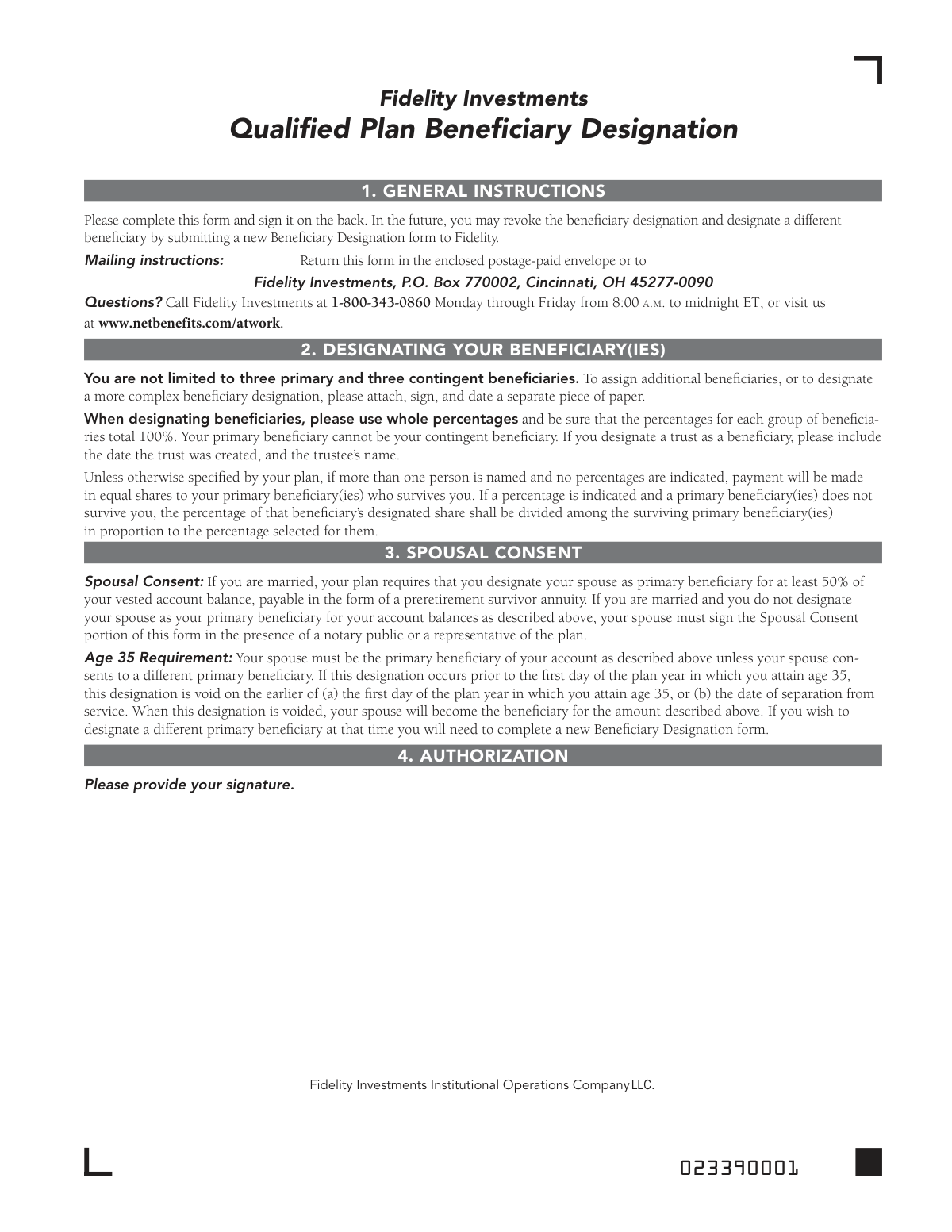
The Fidelity Qualified Plan Beneficiary Designation is a crucial legal document that allows a plan participant to name primary and contingent beneficiaries for their retirement account assets. Completing this form ensures that your assets are distributed according to your wishes after your passing, potentially avoiding probate, and it includes important sections for spousal consent which may be required by law. Today, this form can be filled out quickly and accurately using AI-powered services like Instafill.ai, which can also convert non-fillable PDF versions into interactive fillable forms.
Fidelity Beneficiary Designation is part of the
beneficiary forms, investment forms, beneficiary designation forms, Fidelity forms and UK investment forms categories on Instafill.
Rather not fill this in by hand? Instafill is an online form filler that completes PDF forms automatically — upload the blank form, answer a few questions, and the AI fills every field.
Form specifications
| Form name: | Fidelity Investments Qualified Plan Beneficiary Designation |
| Number of pages: | 1 |
| Language: | English |
Our AI automatically handles information lookup, data retrieval, formatting, and form filling.
It takes less than a minute to fill out Fidelity Beneficiary Designation using our AI form filling.
Securely upload your data. Information is encrypted in transit and deleted immediately after the form is filled out.
Instafill Demo: How to fill out PDF forms in seconds with AI
How to Fill Out Fidelity Beneficiary Designation Online for Free in 2026
Are you looking to fill out a FIDELITY BENEFICIARY DESIGNATION form online quickly and accurately? Instafill.ai offers the #1 AI-powered PDF filling software of 2026, allowing you to complete your FIDELITY BENEFICIARY DESIGNATION form in just 37 seconds or less.
Follow these steps to fill out your FIDELITY BENEFICIARY DESIGNATION form online using Instafill.ai:
- 1 Navigate to Instafill.ai and upload or select the Fidelity Qualified Plan Beneficiary Designation form.
- 2 Use the AI assistant to automatically fill in your personal information, such as your name, Social Security Number, address, and employer details.
- 3 Designate your primary beneficiaries by providing their names, relationship, and the percentage of assets each should receive, ensuring the total equals 100%.
- 4 Optionally, designate contingent beneficiaries who will inherit the assets if your primary beneficiaries are no longer living.
- 5 If you are married and not designating your spouse as the primary beneficiary for at least 50% of the account, complete the Spousal Consent section, which requires your spouse's signature and notarization.
- 6 Carefully review all the information for accuracy, then electronically sign and date the authorization section.
- 7 Download the completed, signed form and mail it to the Fidelity Investments address listed in the instructions.
Our AI-powered system ensures each field is filled out correctly, reducing errors and saving you time.
Why Choose Instafill.ai for Your Fillable Fidelity Beneficiary Designation Form?
Speed
Complete your Fidelity Beneficiary Designation in as little as 37 seconds.
Up-to-Date
Always use the latest 2026 Fidelity Beneficiary Designation form version.
Cost-effective
No need to hire expensive lawyers.
Accuracy
Our AI performs 10 compliance checks to ensure your form is error-free.
Security
Your personal information is protected with bank-level encryption.
Frequently Asked Questions About Fidelity Beneficiary Designation
This form is used to name the person(s), trust, or entity who will receive the assets in your qualified retirement plan account upon your death. You should also use this form to update your beneficiaries if your circumstances change.
Anyone with a qualified retirement plan through Fidelity who wants to designate beneficiaries for the first time or change their existing beneficiary designations should complete this form.
Yes, if you are married and designate someone other than your spouse as the primary beneficiary for at least 50% of your account, your spouse must sign the 'Spousal Consent' section. This signature must be witnessed by a notary public or a plan representative.
A contingent beneficiary is the person or entity who will receive your account assets if all of your primary beneficiaries have passed away at the time of your death. A person cannot be listed as both a primary and a contingent beneficiary.
Yes, you are not limited to three beneficiaries. To add more, simply attach a separate piece of paper with the additional beneficiaries' information, ensuring you sign and date the attachment.
If you name more than one primary beneficiary and do not specify percentages, the assets will be divided in equal shares among the surviving primary beneficiaries. It is required to use whole percentages that total 100% for each group (primary and contingent).
If you are married and designate a non-spouse beneficiary before the plan year in which you turn 35, that designation automatically becomes void on that date. Your spouse will then become the default beneficiary, and you will need to submit a new form with spousal consent if you wish to name a different beneficiary again.
If you designate a trust, you must provide the name of the trust, the date the trust was created, and the name of the trustee.
To change your beneficiaries, you must complete and submit a new Beneficiary Designation form to Fidelity. The new form will revoke and replace all previous designations once it is received and processed.
Once you have completed and signed the form, you should mail it to Fidelity Investments, P.O. Box 770002, Cincinnati, OH 45277-0090.
Yes, services like Instafill.ai use AI to accurately auto-fill form fields with your information, which can save you time and help prevent errors.
You can use a service like Instafill.ai to upload the PDF and fill it out electronically. The platform allows you to type directly into the fields, add your signature, and then download the completed form for mailing.
If you have a non-fillable or 'flat' PDF, you can upload it to a tool like Instafill.ai. It can convert the document into an interactive, fillable form that you can complete on your computer.
Compliance Fidelity Beneficiary Designation
Validation Checks by Instafill.ai
1
Primary Beneficiary Percentage Summation
This check verifies that the percentages assigned to all designated primary beneficiaries sum to exactly 100%. This is critical to ensure the entire account balance is allocated without ambiguity upon the participant's death. If the total is not 100%, the form is considered incomplete and will be rejected, as it would create legal and financial uncertainty in distributing the assets.
2
Spousal Consent Requirement Trigger
This validation checks if the participant's marital status is 'Married' and their spouse is not designated as the primary beneficiary for at least 50% of the account. If these conditions are met, the Spousal Consent section is mandatory. This is a legal requirement for qualified plans to protect spousal rights, and failure to secure consent when required will invalidate the entire beneficiary designation.
3
Participant Authorization Signature and Date
Ensures that the participant has provided a signature and date in the 'Authorization and Signature' section. The signature legally authorizes the beneficiary designation, and the date establishes when the designation becomes effective. A missing signature or date renders the entire form invalid and unenforceable.
4
Beneficiary Uniqueness Across Tiers
This check confirms that no individual or entity is listed as both a primary beneficiary and a contingent beneficiary. The form explicitly states this is not allowed, as it creates a logical paradox in the order of succession. If a beneficiary is listed in both categories, the form will be rejected to prevent confusion in asset distribution.
5
Contingent Beneficiary Percentage Summation
If any contingent beneficiaries are designated, this check verifies that their assigned percentages sum to exactly 100%. Similar to the primary check, this ensures the full account balance is allocated properly if no primary beneficiaries survive the participant. An incorrect total will cause the form to be rejected for correction.
6
Spousal Consent Section Completeness
When spousal consent is required, this validation ensures the spouse's signature, the date, and the witness information (either a notary public or plan representative) are all present and properly completed. The witness attestation is a legal requirement to verify the consent was given willingly. An incomplete consent section will cause the beneficiary designation to be rejected.
7
Participant Social Security Number Format
Validates that the participant's Social Security Number in Section 1 is present and follows the standard 9-digit format (XXX-XX-XXXX or XXXXXXXXX). The SSN is a critical unique identifier for linking the form to the correct account and for tax reporting purposes. An invalid or missing SSN will prevent the form from being processed.
8
Marital Status Declaration
This check ensures that the participant has explicitly selected either 'Single' or 'Married' in Section 1. This declaration is fundamental as it dictates whether the complex spousal consent rules apply to the submission. Failure to indicate a marital status makes it impossible to process the form correctly and will result in its rejection.
9
Beneficiary Information Completeness
For each listed beneficiary (primary or contingent), this check verifies that all required fields are filled, including their name, SSN or TIN, percentage, and relationship. Missing information for any beneficiary can delay or prevent payment to that individual or entity. The form will be returned if any beneficiary's data is incomplete.
10
Beneficiary Percentage Format
This validation confirms that all percentage values entered for beneficiaries are whole numbers, as specified in the form's instructions. Using decimals or fractions can lead to calculation errors and disputes during asset distribution. The system should reject any entries that are not whole percentages.
11
Trust Beneficiary Detail Requirement
If a beneficiary is designated as a 'Trust', this check verifies that the 'Date of Birth or Trust Date' field contains the date the trust was created and the trustee's name is provided. This information is essential for Fidelity to correctly identify and interact with the legal trust entity. A form designating a trust without these details will be considered incomplete.
12
Participant Date of Birth Validity
This check validates that the participant's Date of Birth is a complete, logical date (e.g., not a future date) and is in a valid format. This data is used for identity verification and is relevant to plan rules, such as the 'Age 35 Requirement' mentioned in the spousal consent section. An invalid date can halt processing and requires correction.
Common Mistakes in Completing Fidelity Beneficiary Designation
This mistake occurs when the percentages assigned to either the primary or contingent beneficiaries do not add up to exactly 100%. This is often a simple arithmetic error, but it causes the form to be rejected, as the distribution of assets is unclear. To avoid this, carefully double-check that the total for your primary beneficiaries is 100% and the total for your contingent beneficiaries is also 100%. AI-powered form filling tools like Instafill.ai can automatically validate these fields to ensure the totals are correct before submission.
If a married participant names someone other than their spouse as the primary beneficiary for more than 50% of the account, the spouse must sign the consent section. A common failure is either forgetting this signature entirely or having the spouse sign without the required witness of a notary public or plan representative. An invalid consent section will cause the entire designation to be rejected, and the plan's default rules (which typically favor the spouse) will apply.
An unsigned or undated form is legally invalid and is one of the most frequent reasons for rejection. People often focus on the beneficiary details and simply forget to sign the authorization section on the final page. This oversight means the beneficiary designation is not processed, leaving the prior designation or the plan's default rules in effect, which may not reflect the participant's current wishes.
The form explicitly states that a primary beneficiary cannot also be a contingent beneficiary, as this creates a logical impossibility. A contingent beneficiary only inherits if all primary beneficiaries are no longer living. Listing the same person in both categories will lead to form rejection and processing delays, requiring you to submit a corrected version.
When designating a trust, the form requires the full trust name, the date the trust was created, and its Tax ID number. People often omit the trust creation date, which is a critical piece of identifying information. Without complete details, Fidelity may face significant legal and administrative hurdles in distributing assets to the correct trust, causing long delays for your heirs.
Many people meticulously fill out the primary beneficiary section but leave the contingent beneficiary section completely blank. This is a risky oversight, as it provides no backup plan if all primary beneficiaries predecease the account holder. In such a scenario, the assets would likely go to the deceased's estate and be subject to the lengthy and often costly probate process, instead of passing directly to a named individual.
Failing to provide a beneficiary's Social Security Number (SSN) and Date of Birth can make it extremely difficult for Fidelity to locate and verify them. While it may be inconvenient to gather this information, its absence can cause significant delays in the payout process. Your heirs may be required to produce extensive documentation to prove their identity, adding stress during a difficult time.
The instructions specify using a black pen and printing in CAPITAL LETTERS, but many people use other colors or write in cursive. Illegible handwriting can lead to critical data entry errors when the form is processed, such as misspelling a name or transposing digits in an SSN. To ensure perfect clarity, you can use a tool like Instafill.ai, which converts flat PDFs into fillable forms, allowing you to type all information.
The form allows for extra beneficiaries on an attached sheet, but people often forget that this separate page must also be signed and dated. An unsigned attachment is not considered a valid part of the legal designation. This means any beneficiaries listed only on that extra page will not be recognized, potentially disinheriting them against your wishes.
When spousal consent requires notarization, the notary's section must be perfect. Common errors include a missing notary stamp, an expired commission date, or the notary failing to sign. Any defect in the notarization invalidates the spousal consent, which in turn invalidates the entire beneficiary designation, forcing you to start the process over.
The form notes that a spousal waiver made before the plan year in which the participant turns 35 becomes void on that date. Many people make a designation in their 20s or early 30s and forget they must submit a new form after turning 35 to reaffirm it. This failure results in their designation automatically reverting to the plan's default (spouse as beneficiary), overriding their intended choice without their knowledge.
Saved over 80 hours a year
“I was never sure if my IRS forms like W-9 were filled correctly. Now, I can complete the forms accurately without any external help.”
Kevin Martin Green
Your data stays secure with advanced protection from Instafill and our subprocessors




Robust compliance program
Transparent business model
You’re not the product. You always know where your data is and what it is processed for.
ISO 27001, HIPAA, and GDPR
Our subprocesses adhere to multiple compliance standards, including but not limited to ISO 27001, HIPAA, and GDPR.
Security & privacy by design
We consider security and privacy from the initial design phase of any new service or functionality. It’s not an afterthought, it’s built-in, including support for two-factor authentication (2FA) to further protect your account.
Fill out Fidelity Beneficiary Designation with Instafill.ai
Worried about filling PDFs wrong? Instafill securely fills fidelity-investments-qualified-plan-beneficiary-designation forms, ensuring each field is accurate.
