Fill out Fidelity forms
with AI.
Fidelity forms are essential documents for managing a wide range of financial activities, from retirement planning to brokerage account maintenance. This category covers the paperwork required to move assets between institutions, update account ownership, and designate beneficiaries. Whether you are consolidating your wealth or navigating a major life change, these investment forms ensure that your instructions are legally documented and processed according to IRS and FINRA regulations.
By continuing, you acknowledge Instafill's Privacy Policy and agree to get occasional product update and promotional emails.
About Fidelity forms
These forms are typically needed by individual investors, employees with workplace retirement plans, and beneficiaries managing inherited assets. For example, you might use a Transfer of Assets (TOA) form to roll over a 401(k) from a previous employer or a Beneficiary Designation form to ensure your assets are protected and distributed according to your wishes. Other common situations include setting up Electronic Funds Transfers (EFT) for automated savings or submitting a Name Change Authorization after a marriage or divorce. Accurate completion of these financial forms is vital to avoid tax complications or lengthy delays in fund access.
Navigating complex financial paperwork can be a burden, but tools like Instafill.ai use AI to fill these forms in under 30 seconds. The platform handles your data accurately and securely, providing a practical way to manage your Fidelity documentation without the manual hassle.
Every form on this page can be completed without typing. Instafill is form filling software that reads a PDF and fills it for you — including flat and scanned documents that carry no fillable fields at all.
Forms in This Category
The forms in this category have a median Form Complexity Index of 49/100 (Moderate), measured across 80 forms by field count, input difficulty, length, conditional logic and structure. See how it is calculated.
- Enterprise-grade security & data encryption
- 99%+ accuracy powered by AI
- 1,000+ forms from all industries
- Complete forms in under 60 seconds
How to Choose the Right Form
Managing your investments requires precise documentation. Whether you are moving assets from another firm, setting up a retirement plan, or updating your estate plan, selecting the correct Fidelity form ensures your requests are processed without tax penalties or legal delays.
Moving Assets and Consolidating Accounts
If you are bringing outside investments into Fidelity, your choice depends on the source of the funds:
- From an external firm: Use the Fidelity Funds Account Transfer of Assets Form or the Fidelity Transfer of Assets Form (TOA) - Your Veolia Benefits for brokerage holdings and mutual funds.
- Workplace Retirement Plans: To move a 401(k) or 403(b) into a Fidelity account, use the Fidelity Investments Transfer/Rollover/Exchange Form.
- Between Fidelity Accounts: For internal moves, use the Transfer Between Existing Fidelity Accounts Form.
- Specialized Transfers: For stock plans, use the Fidelity Stock Plan Services (SPS) Transfer Request Form, or for health savings, use the Group Transfer Form Fidelity Health Savings Account (HSA).
Accessing Your Money (Withdrawals)
Distributions are classified by account type and frequency:
- Retirement Accounts: Use the One-Time Withdrawal – IRA for standard IRA distributions or the Fidelity Advisor 403(b) Distribution Request Form for workplace plans.
- Non-Retirement Accounts: Use the Fidelity One-Time Withdrawal Form — Nonretirement for cash distributions or Fidelity Automatic Withdrawals — Nonretirement for recurring payments.
- Special Use Cases: For education savings, use the Fidelity Investments Withdrawals—529 College Savings Plan.
Beneficiaries and Account Maintenance
Keeping your account details current is vital for security and estate planning:
- Estate Planning: Designate who inherits your assets using the Fidelity Beneficiaries — IRA /HSA or the Fidelity Investments 403(b) Beneficiary Designation form.
- Granting Access: To allow a third party to manage your account, use the Fidelity Investments Account Authority Form.
- Profile Updates: For legal name changes, use the Fidelity Advisor Name Change Authorization Form, or use the Fidelity Trusted Contact Authorization Form to add an emergency contact for account security.
Form Comparison
| Form | Primary Purpose | Asset Type | Key Requirement |
|---|---|---|---|
| Fidelity Funds Account Transfer of Assets Form | Move assets from an external financial firm into a Fidelity account. | Mutual Funds and Securities | Account registration at transferring firm must match Fidelity account. |
| Fidelity Stock Plan Services (SPS) Transfer Request Form | Transfer stock plan assets to another individual or a contra broker. | Stock Plan Assets | Often requires a Medallion Signature Guarantee for high-value transfers. |
| Fidelity Investments Transfer/Rollover/Exchange Form | Consolidate old retirement plans into a current Fidelity employer-sponsored plan. | 401(k), 403(b), 457(b) | Requires specific investment elections for the receiving plan. |
| Transfer Between Existing Fidelity Accounts Form | Move cash or securities between two internal Fidelity accounts. | Brokerage, IRA, Mutual Fund | Must specify if transfer is a gift or IRA contribution. |
| Fidelity Investments Account Authority Form | Grant a third party access to view or trade on accounts. | Brokerage and Mutual Funds | Selection of either Limited or Full management authority level. |
| Fidelity Advisor Transfer Due to Divorce—IRA Form | Transfer IRA assets to a former spouse following a legal decree. | Traditional or Roth IRA | Requires a certified copy of the divorce or separation decree. |
| One-Time Withdrawal – IRA, Fidelity Investments | Request a single, tax-reportable distribution from an IRA account. | Traditional, Roth, Inherited IRA | Mandatory selection of federal and state income tax withholding. |
| Fidelity NetBenefits Distribution—Rollover Form | Move workplace plan assets into an IRA or new employer plan. | Workplace Retirement Plans | May require spousal consent and plan sponsor approval signatures. |
| Fidelity Investments Electronic Funds Transfer (EFT) Authorization Form | Link external bank accounts for automated cash transfers to Fidelity. | Brokerage and Personal IRA | Requires bank routing numbers and account owner authorization. |
| Fidelity Trusted Contact Authorization Form | Designate a contact person for welfare or financial exploitation concerns. | All Eligible Accounts | Does not grant the contact person authority to trade assets. |
| Fidelity Beneficiaries — IRA /HSA | Name individuals or entities to inherit assets upon owner death. | IRA and HSA | Requires Social Security numbers and birth dates for all beneficiaries. |
| Fidelity Bank Wire Authorization Form | Set up standing instructions for urgent bank wire transfers. | Brokerage and IRA | Typically requires a Medallion Signature Guarantee for setup. |
Tips for Fidelity forms
When transferring assets from another firm, the name and tax ID on the external account must match your Fidelity account precisely. Even minor discrepancies in middle initials or suffixes can cause the transferring institution to reject the request, leading to several weeks of processing delays.
High-value transfers or changes to account ownership often require a Medallion Signature Guarantee rather than a standard notary stamp. Check the form instructions early, as you typically need to visit a physical bank or credit union branch to obtain this specific legal validation.
AI-powered tools like Instafill.ai can complete these forms in under 30 seconds with high accuracy, ensuring no critical fields are missed. Your data stays secure during the process, providing a practical and fast way to manage multiple investment or rollover documents.
Beneficiary forms for IRAs and workplace plans usually override instructions in a will. It is a best practice to submit updated forms after marriage, divorce, or a birth to ensure your assets are distributed according to your current wishes without going through probate.
When requesting a withdrawal or distribution, remember that default withholding rates may not cover your total tax liability. Review the tax section of your form carefully to avoid underpayment penalties, and consider consulting a tax professional for the correct percentages.
To complete a Transfer of Assets (TOA) form, you will need the exact account number and the DTC number of the firm currently holding your funds. Having a copy of your most recent statement from the outside institution ensures you provide the correct details for a smooth transition.
If you have multiple old 401(k) or 403(b) plans from previous employers, using rollover forms to move them into a single Fidelity IRA can simplify your portfolio. This makes it easier to track your asset allocation and manage required minimum distributions (RMDs) in the future.
Frequently Asked Questions
You will typically need a Transfer/Rollover/Exchange form, such as the Fidelity NetBenefits Distribution—Rollover form. This document allows you to consolidate retirement assets into a Fidelity employer-sponsored plan or IRA while maintaining their tax-advantaged status.
A Transfer of Assets (TOA) form is generally used to move brokerage or mutual fund holdings directly between financial institutions, such as moving shares from Morgan Stanley to Fidelity. A Rollover form is specifically designed for moving funds from a qualified retirement plan, like a 401(k) or 403(b), into an IRA or a new employer's plan.
Yes, you can fill out Fidelity forms using AI tools like Instafill.ai. These tools can accurately extract data from your source documents and place it into the correct fields in under 30 seconds, which significantly reduces the time spent on complex financial paperwork.
Most asset transfers from external firms take between 3 to 5 weeks to process fully. The exact timeline depends on the types of securities being moved and the processing speed of the delivering financial institution.
A Medallion Signature Guarantee is often required for high-value transfers, changes in account registration, or when moving assets to a third-party account. It is a specialized security certification provided by a participating financial institution to verify the legitimacy of your signature.
You should use the specific Beneficiary Designation form for your account type, such as the 'Fidelity Beneficiaries — IRA / HSA' form. Keeping this updated ensures your assets are distributed according to your current wishes and can help your heirs avoid the complexities of probate court.
For non-retirement brokerage accounts, you should use the 'One-Time Withdrawal — Nonretirement' form. If you are taking money from a retirement account like an IRA, you must use a specific IRA Distribution Request form to ensure proper federal and state tax withholding elections are made.
Yes, many workplace retirement plan forms, such as the 403(b) Distribution Request, require formal authorization from your Employer, Plan Sponsor, or a Third-Party Administrator (TPA). This ensures the transaction complies with the specific rules and vesting schedules of your employer's plan.
While manual completion can take 15 to 20 minutes depending on the complexity of your financial data, using an AI-powered service like Instafill.ai allows you to complete these forms in under 30 seconds. The AI identifies required fields and maps your information accurately from existing documents.
This form allows you to designate a primary and alternate contact that Fidelity can reach out to if they suspect financial exploitation or have concerns about your health and welfare. It provides a layer of security for your account without granting the contact any authority to trade or withdraw funds.
Yes, there are specific 'Change of Account Ownership' forms for Mutual Fund Only accounts. These are used for life events such as adding a spouse to a joint account, transferring assets to a trust, or updating a legal guardian for a custodial account.
Many forms can be submitted electronically via the Fidelity NetBenefits 'Send a Document' tool or through the secure message center on the Fidelity website. However, forms requiring original signatures or Medallion guarantees may need to be mailed to the specific address provided in the form's instructions.
Glossary
- Form Complexity Index
- Instafill’s 0–100 measure of how much effort a form takes to complete, calculated deterministically from the form’s own structure rather than estimated. It combines the number of fillable fields (the largest factor), how difficult those fields are to complete based on their type, the number of pages that contain fields, the amount of conditional “fill-only-if” logic, and how many sections the form is divided into, then adds modifiers for tables and repeating lists, bundled instruction pages, and dense page layouts. A higher score means the form is harder to fill out by hand. The forms in this category have a median Form Complexity Index of 49/100 (Moderate). See exactly how it is calculated.
- Medallion Signature Guarantee
- A special certification stamp from a financial institution that confirms a signature is genuine and the signer has the legal authority to request a transaction. It is often required for high-value transfers or changes to account ownership to prevent fraud.
- Rollover
- The process of moving retirement savings from one tax-advantaged account, like a 401(k), to another, such as an IRA. A 'direct' rollover moves funds between institutions, while an 'indirect' rollover involves the funds being sent to the account owner first.
- Transfer of Assets (TOA)
- The movement of cash or securities from an account at one financial institution to an account at another. This process is typically used to consolidate investments or move holdings to a new brokerage provider.
- In-Kind Transfer
- A method of moving assets between accounts where the actual stocks, bonds, or mutual funds are transferred without being sold. This avoids triggering capital gains taxes that would occur if the assets were liquidated for cash first.
- NetBenefits
- Fidelity’s specialized online platform and service designed for managing workplace-sponsored benefits, such as 401(k) plans, 403(b) plans, and employee stock plans.
- QDRO (Qualified Domestic Relations Order)
- A legal judgment or decree that recognizes a person's right to receive a portion of their former spouse's retirement plan benefits. It is required to transfer retirement assets during a divorce or legal separation without incurring tax penalties.
- ACAT (Automated Customer Account Transfer)
- A standardized electronic system used by the financial industry to automatically transfer securities from one brokerage firm to another. Most standard transfer requests are processed through this system rather than via physical checks.
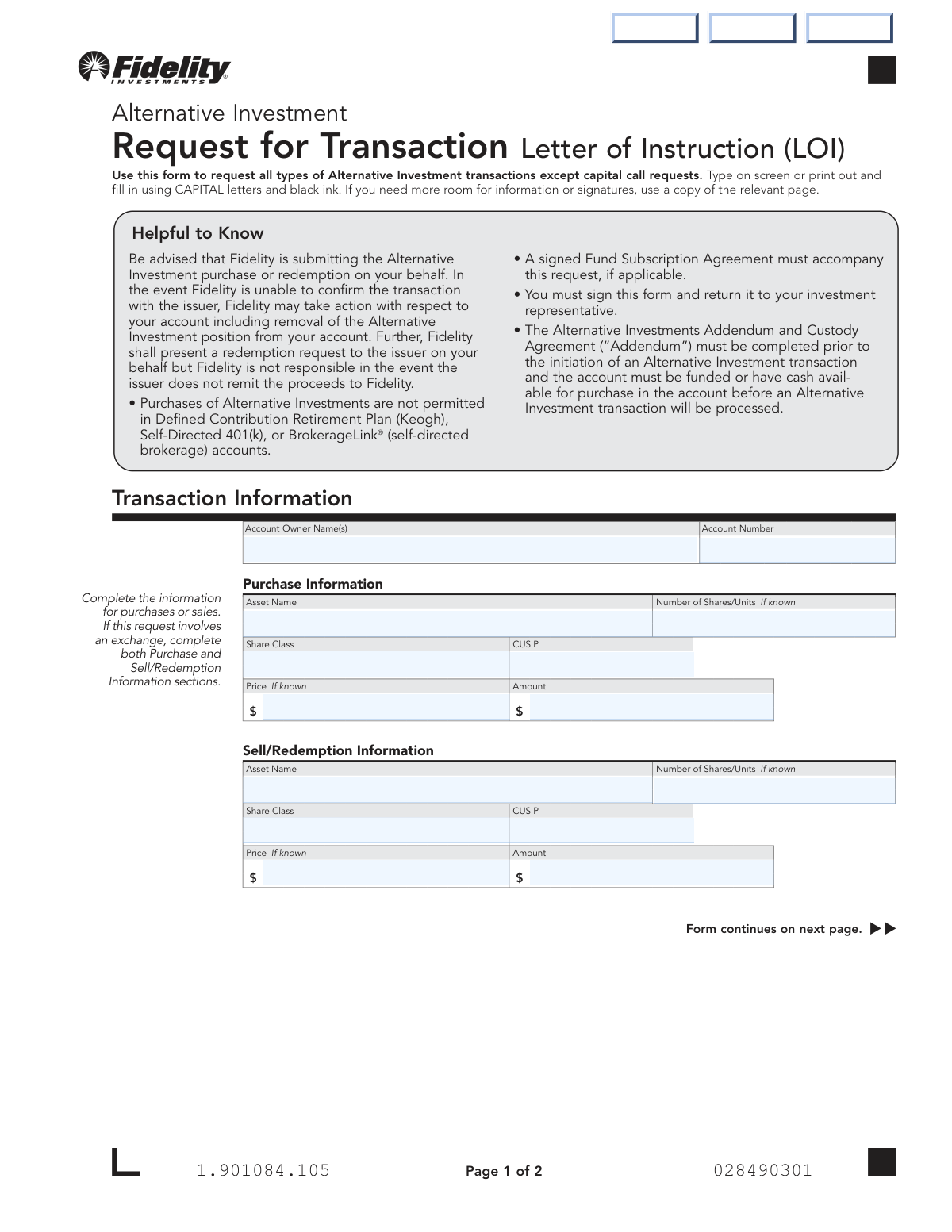
- Letter of Instruction (LOI)
- A formal document written by an account owner to provide specific directions to a financial institution for transactions not covered by standard forms. It is frequently used for alternative investments or unique charitable contributions.