Yes! You can use AI to fill out Computershare Alternative Investment Product Transfer Request

The Computershare Alternative Investment Product Transfer Request form, also known as form E426UTR, is a document used by investors to formally request the transfer of stock or other securities to a new owner. This is essential for various transactions, including private sales, gifts, inheritances, or legal name changes. Today, this form can be filled out quickly and accurately using AI-powered services like Instafill.ai, which can also convert non-fillable PDF versions into interactive fillable forms.
Our AI automatically handles information lookup, data retrieval, formatting, and form filling.
It takes less than a minute to fill out E426UTR using our AI form filling.
Securely upload your data. Information is encrypted in transit and deleted immediately after the form is filled out.

Form specifications

Form name: Computershare Alternative Investment Product Transfer Request
Number of pages: 1
Language: English
Categories: investment forms, alternative investment forms, investment transfer forms, transfer forms
main-image

Instafill Demo: How to fill out PDF forms in seconds with AI

How to Fill Out E426UTR Online for Free in 2026

Are you looking to fill out a E426UTR form online quickly and accurately? Instafill.ai offers the #1 AI-powered PDF filling software of 2026, allowing you to complete your E426UTR form in just 37 seconds or less.
Follow these steps to fill out your E426UTR form online using Instafill.ai:
  1. 1 Navigate to Instafill.ai and upload your Computershare Transfer Request form or select it from the template library.
  2. 2 Use the AI assistant to accurately fill in the 'Current Investor Information' (Section 1) and specify the 'Shares to be Transferred' (Section 2).
  3. 3 Complete the 'New Investor / Recipient Account Type' sections (Sections 5-8), providing details for either a custodial/broker-controlled or a non-custodial account.
  4. 4 Indicate the 'Purpose of Transfer' (Section 4) for cost basis reporting, such as a gift, sale, or inheritance.
  5. 5 The current investor must sign and obtain a Medallion Signature Guarantee in Section 3. The new custodian/broker may also need to sign and provide a guarantee in Section 7.
  6. 6 Review all the information entered by the AI for accuracy, then download the completed form, ready for obtaining the required guarantees and mailing to Computershare.

Our AI-powered system ensures each field is filled out correctly, reducing errors and saving you time.

Why Choose Instafill.ai for Your Fillable E426UTR Form?

Speed

Complete your E426UTR in as little as 37 seconds.

Up-to-Date

Always use the latest 2026 E426UTR form version.

Cost-effective

No need to hire expensive lawyers.

Accuracy

Our AI performs 10 compliance checks to ensure your form is error-free.

Security

Your personal information is protected with bank-level encryption.

Frequently Asked Questions About Form E426UTR

This form is used to transfer ownership of stock to another person or entity, move shares to a different custodian like a broker, or to process a legal name change for the current investor.

Any current investor who wishes to transfer their shares, change the legal name on their account, or move shares to a custodial account must complete this form. All current registered investors or their legally authorized representatives must sign it.

A Medallion Signature Guarantee is a special stamp from a financial institution that verifies your identity and legal authority to make the transfer. It is required on your signature in Section 3 to protect against fraudulent transfers, and a notary seal is not an acceptable substitute.

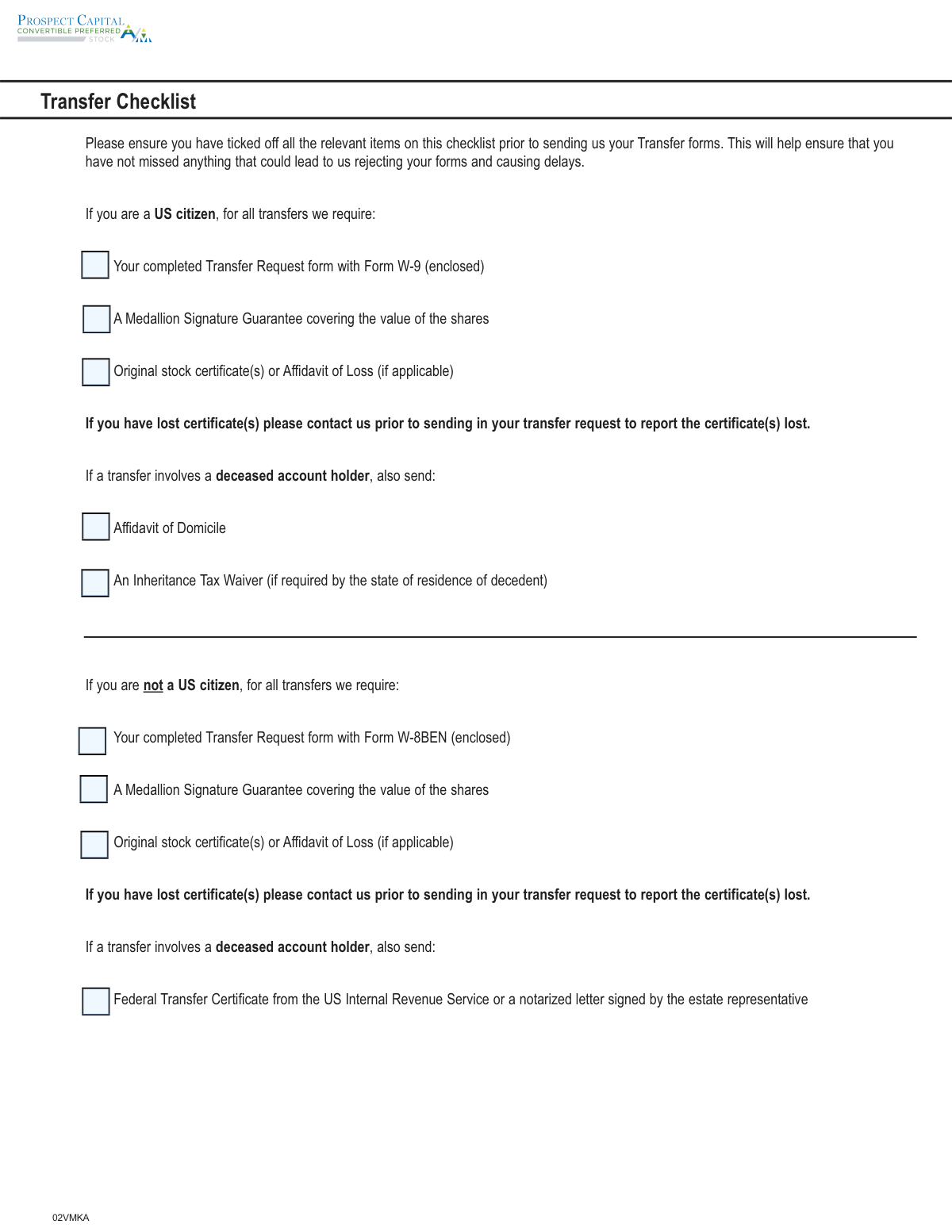
You must submit the completed Transfer Request form, a Medallion Signature Guarantee, the original stock certificates (if applicable), and a completed tax form (W-9 for US citizens or W-8BEN for non-US citizens). Additional documents, like an Affidavit of Domicile, may be needed for transfers involving a deceased account holder.

Your transfer should be completed within 10 business days after Computershare receives your complete and accurate paperwork. A confirmation statement will be mailed to the new investor once the transfer is processed.

If your stock certificate is lost, you must contact Computershare to have it replaced before you submit the transfer request. Do not send the transfer form until the lost certificate issue is resolved.

You will need to photocopy and complete sections 2, 5-9, and the Form W-8BEN for each new investor. Be sure to specify the exact number of shares being transferred to each person on their respective copy of the form.

Yes, a legal name change is considered a transfer to a new registration. You must complete the Transfer Request form, signing with your old name in Section 3 and entering your new name in the New Investor Information section.

No, account features such as dividend payment preferences and financial advisor information do not automatically transfer to the new account. The new investor will need to set up these options online through the Investor Center after the transfer is complete.

The Form W-8BEN is an IRS form used by non-US residents to certify their foreign tax status. Completing it may allow the new investor to qualify for a reduced tax withholding rate on dividends under a tax treaty.

Mail your documents via regular mail to Computershare, PO Box 505013, Louisville, KY 40233-5013. For overnight or registered delivery, use the address: 462 South 4th Street, Suite 1600, Louisville, KY 40202.

Yes, you can use AI-powered services like Instafill.ai to simplify the process. These tools can accurately auto-fill your information into the form fields, saving you time and reducing the chance of errors.

You can use a service like Instafill.ai to fill out the form online. Simply upload the PDF, and the AI will make it fillable, allowing you to type your information directly into the fields before printing for signature and mailing.

If you have a non-fillable or 'flat' PDF, you can use a tool like Instafill.ai to convert it into an interactive, fillable form. This allows you to easily type your answers instead of having to print the form and fill it out by hand.

Compliance E426UTR
Validation Checks by Instafill.ai

1
SSN/EIN Format and Type Selection
This validation verifies that the Social Security Number (SSN) or Employer Identification Number (EIN) fields in Sections 6 and 8 contain exactly 9 digits with no hyphens or spaces. It also confirms that the corresponding checkbox indicating the number type ('SSN' or 'EIN') has been selected. This is crucial for accurate tax reporting to the IRS. If the format is incorrect or the type is not selected, the form processing will be halted and returned for correction to prevent tax-related penalties and account setup errors.
2
Mutually Exclusive Share Transfer Instructions
This check ensures that in Section 2, the user has not provided conflicting instructions for the shares to be transferred. If the 'Transfer All Shares' box (2A) is checked, the system must validate that no specific share quantities are entered in items 2C, 2D, or 2E. This prevents ambiguity in transfer instructions which could lead to incorrect share movements. A failure would trigger a rejection, requiring the user to clarify whether they intend to transfer all shares or a specific portion.
3
Conditional Requirement for Purpose of Transfer Data
This validation enforces the rules in Section 4, 'Purpose of Transfer'. For example, if 'Private Sale' is selected, the 'Date of Sale' and 'Cost Per Share' fields must be populated. Similarly, if 'Inheritance' is chosen, 'Date of Death' and 'Value per Share' are required. This is vital for establishing the correct cost basis for tax purposes. If the required data for a selected purpose is missing, the form will be considered incomplete and may default to a 'Gift' transfer, potentially causing adverse tax consequences for the investor.
4
Medallion Signature Guarantee Presence
This check verifies the presence of a Medallion Signature Guarantee stamp in Section 3 ('Current Investor's Authorized Signatures') and Section 7 ('New Custodian/Broker's Signature'), if applicable. The validation ensures the stamp is present and explicitly flags that a Notary Seal is not an acceptable substitute. The Medallion Guarantee is a critical security measure to protect against fraudulent transfers, and its absence is an automatic cause for rejection of the entire transfer request.
5
Account Type Pathing Logic
This validation checks the logic based on the selection in Section 5, 'New Investor / Recipient Account Type'. If Box A ('Custodial / Broker Controlled') is marked, the system must confirm that Sections 6 and 7 are completed and Section 8 is blank. Conversely, if Box B ('Non-Custodial') is marked, Section 8 must be completed while Sections 6 and 7 are blank. This ensures a complete and unambiguous data set for the new account type. Forms with data in conflicting sections will be rejected for clarification.
6
Computershare Account Number Format
This check validates that any entry in the 'Existing Computershare Account Number' fields (Sections 6A and 8A) adheres to the specified format: an 11-digit number that begins with the letter 'C'. This ensures that shares are correctly transferred to an existing account and prevents the accidental creation of duplicate accounts. An incorrectly formatted number will cause the system to flag the entry as invalid, potentially delaying the transfer while the correct number is located.
7
Date Format and Validity
This validation scans all date fields on the form (e.g., Date of Sale, Date of Trust, Signature Dates) to ensure they are entered in the 'mm/dd/yyyy' format. It also performs a basic validity check to ensure the date is logical (e.g., month is between 1-12, day is valid for the given month). Consistent and valid date formats are essential for legal record-keeping and accurate cost basis calculation. An invalid date format will cause a processing error and require correction.
8
Financial Advisor Information and Consent
This check validates that if any information is entered in Section 9 ('New Investor's Financial Advisor Information'), all required fields for both the advisor and their institution are complete. More importantly, it verifies that the 'New Beneficial / Underlying Investor's Signature' section at the bottom of Section 9 is signed and dated. Without this signature, consent is not granted, and the advisor information cannot be added to the account, even if the fields are filled out.
9
Logical Consistency for Trust/Estate Information
This validation ensures that information provided for trusts and estates is logically consistent. Specifically, it checks that the 'Date of Trust' field (Sections 6O and 8G) is only populated if a trust name has been entered in the preceding field (6N or 8F). It also confirms that this date field is left blank if the account is for an estate. This prevents data entry errors and ensures the account is registered correctly according to its legal structure.
10
Share Transfer Specification Logic
This check focuses on the internal logic of Section 2 when a partial transfer is indicated (Box 2B is checked). The system must validate that for each share description entered in item C, the user has selected *either* Box D ('Transfer All' of that type) *or* entered a specific number in item E, but not both. This prevents contradictory instructions for a single class of shares. If both D and E are filled for the same line item, the request will be rejected for ambiguity.
11
New Custodian Signature for Custodial Transfers
This validation is triggered when a transfer is designated as 'Custodial / Broker Controlled' (Section 5, Box A). It verifies that Section 7 is fully completed, including the signature of the new custodian/broker, the date, and the required Medallion Signature Guarantee. This signature is critical as it represents the receiving institution's formal acceptance of the assets. Failure to provide this signature and guarantee will result in the rejection of the transfer request.
12
Signature Capacity Indication for Representatives
This check verifies that if a signature in Section 3 is provided by a legal representative (e.g., Executor, Trustee), the signer has also indicated their legal capacity next to their signature as instructed. This is a legal requirement to prove the signer has the authority to act on behalf of the registered investor. If a signature appears to be from a representative but the capacity is not stated, the form will be flagged for review or rejection to ensure the transfer is properly authorized.
13
W-8BEN Foreign TIN Justification
For non-U.S. investors completing the Form W-8BEN, this validation checks the Foreign Taxpayer Identification Number (TIN) field. If the Foreign TIN is not provided, the system must verify that a reason has been provided in the 'Reason foreign taxpayer identification number (TIN) not provided' section. This is a requirement under FATCA and other tax regulations. Failure to provide either the TIN or a valid reason will result in the tax form being considered incomplete, which may lead to mandatory backup withholding on payments.
14
Exclusive Selection for Purpose of Transfer
This validation ensures that in Section 4, 'Purpose of Transfer', only one checkbox has been selected. The instructions state that if more than one box is checked, the transfer will be treated as if no selection was made, defaulting to a 'Gift'. This check prevents ambiguity and ensures the transfer is processed with the correct tax implications as intended by the investor. If multiple boxes are checked, the form should be rejected and sent back for clarification.

Common Mistakes in Completing E426UTR

Using a Notary Seal Instead of a Medallion Signature Guarantee

This is the most frequent and critical error. Applicants often confuse a Medallion Signature Guarantee with a standard notarization, but they serve different purposes. A Medallion Guarantee is a special stamp from a financial institution that guarantees the signature is authentic and the signer has the legal authority to make the transfer, protecting against fraud. Submitting a form with a notary seal will result in immediate rejection and significant delays. To avoid this, you must visit a qualified bank, credit union, or broker participating in the Medallion program.

Incorrectly Specifying Shares to Transfer in Section 2

Section 2 contains conflicting options that can be easily misfilled. Users might check the box to 'Transfer All Shares' while also entering a specific number of shares, creating an ambiguity that halts the process. This often happens when the user is uncertain about their total holdings. To prevent this, carefully decide if you are transferring all shares or a portion, and only fill out the corresponding fields. Using a tool like Instafill.ai can help by enforcing form logic to prevent contradictory selections.

Signature in Section 3 Does Not Exactly Match the Account Registration

The signature and printed name of the current investor must be identical to the name registered on the account, without any variation. For example, signing as 'John A. Smith' when the account is registered to 'John Smith' will cause a rejection. This mistake occurs due to habit or not referencing an account statement. Always verify the exact account registration on a recent statement before signing to ensure a perfect match.

Missing the Second Medallion Guarantee for Custodial Transfers

When transferring shares to a new custodian or broker (Section 6), the form requires two separate Medallion Signature Guarantees. The first is from the current investor in Section 3, and the second is from the new custodian in Section 7. Filers often overlook the second requirement, assuming one guarantee is sufficient for the entire form. This omission will render the transfer incomplete and lead to rejection. Ensure both the current investor and the new custodian obtain their respective guarantees in the correct sections.

Filling Out the Wrong 'New Investor' Section

The form has two distinct paths: Section 6 for 'Custodial/Broker Controlled' accounts and Section 8 for 'Non-Custodial' accounts. Applicants frequently get confused and fill out the wrong section or, in some cases, both. This leads to processing delays as Computershare must return the form for clarification. Carefully read Section 5 to determine the correct path for your transfer type and only complete the corresponding 'New Investor' information section.

Incomplete or Missing Cost Basis Information in Section 4

Failing to complete the 'Purpose of Transfer' section can have unintended tax consequences. The form defaults to treating an incomplete entry as a 'Gift' unless it's a decedent transfer. Forgetting to include the 'Date of Sale' and 'Cost Per Share' for a private sale, for instance, will cause it to be processed incorrectly. Always consult a tax advisor and fully complete this section to ensure the transfer is categorized correctly for tax reporting purposes.

Mishandling Original Stock Certificates

If physical stock certificates exist, they must be sent in their original form, and the form explicitly warns not to sign the back of them. Common mistakes include sending photocopies, forgetting to include them, or signing the back as one would a check. Any of these errors will stop the transfer process. We recommend sending original certificates via insured, registered mail and leaving them unsigned to protect your assets.

Submitting the Incorrect Tax Certification Form (W-8BEN vs. W-9)

The transfer package requires tax certification, but the correct form depends on the new investor's tax status. A US person (citizen/resident alien) must provide a Form W-9, while a non-US person must provide a Form W-8BEN. Submitting the wrong form or failing to submit one at all will result in mandatory backup tax withholding on any distributions and can delay account setup. Ensure the new investor completes the correct form based on their residency and tax status.

Including an Unnecessary Cover Letter or Other Instructions

The instructions specifically state not to submit a cover letter or other notes with the transfer form, as it may delay processing. People often include extra documents thinking they are being helpful or providing clarity, but this disrupts the standardized workflow at the processing center. To ensure the fastest processing, only submit the required forms and documents as outlined in the checklist. If the form is a non-fillable PDF, a tool like Instafill.ai can convert it into a fillable version, eliminating the need for handwritten notes.

Incorrectly Formatting Taxpayer Identification Numbers (TINs)

The form instructs users to enter Social Security Numbers (SSN) or Employer Identification Numbers (EIN) without hyphens. However, people are accustomed to writing these numbers in a 'xxx-xx-xxxx' or 'xx-xxxxxxx' format. While it seems minor, this can cause data entry errors in automated systems. To avoid issues, enter all 9 digits as a single string of numbers as requested. AI-powered form fillers like Instafill.ai can automatically format these numbers correctly, preventing such errors.
Saved over 80 hours a year

“I was never sure if my IRS forms like W-9 were filled correctly. Now, I can complete the forms accurately without any external help.”

Kevin Martin Green

Your data stays secure with advanced protection from Instafill and our subprocessors

Robust compliance program

Transparent business model

You’re not the product. You always know where your data is and what it is processed for.

ISO 27001, HIPAA, and GDPR

Our subprocesses adhere to multiple compliance standards, including but not limited to ISO 27001, HIPAA, and GDPR.

Security & privacy by design

We consider security and privacy from the initial design phase of any new service or functionality. It’s not an afterthought, it’s built-in, including support for two-factor authentication (2FA) to further protect your account.

Fill out E426UTR with Instafill.ai

Worried about filling PDFs wrong? Instafill securely fills computershare-alternative-investment-product-transfer-request forms, ensuring each field is accurate.