Yes! You can use AI to fill out Form F10794, Cash Withdrawal or Rollover Transfer Payout Annuity for Private Employer Plans
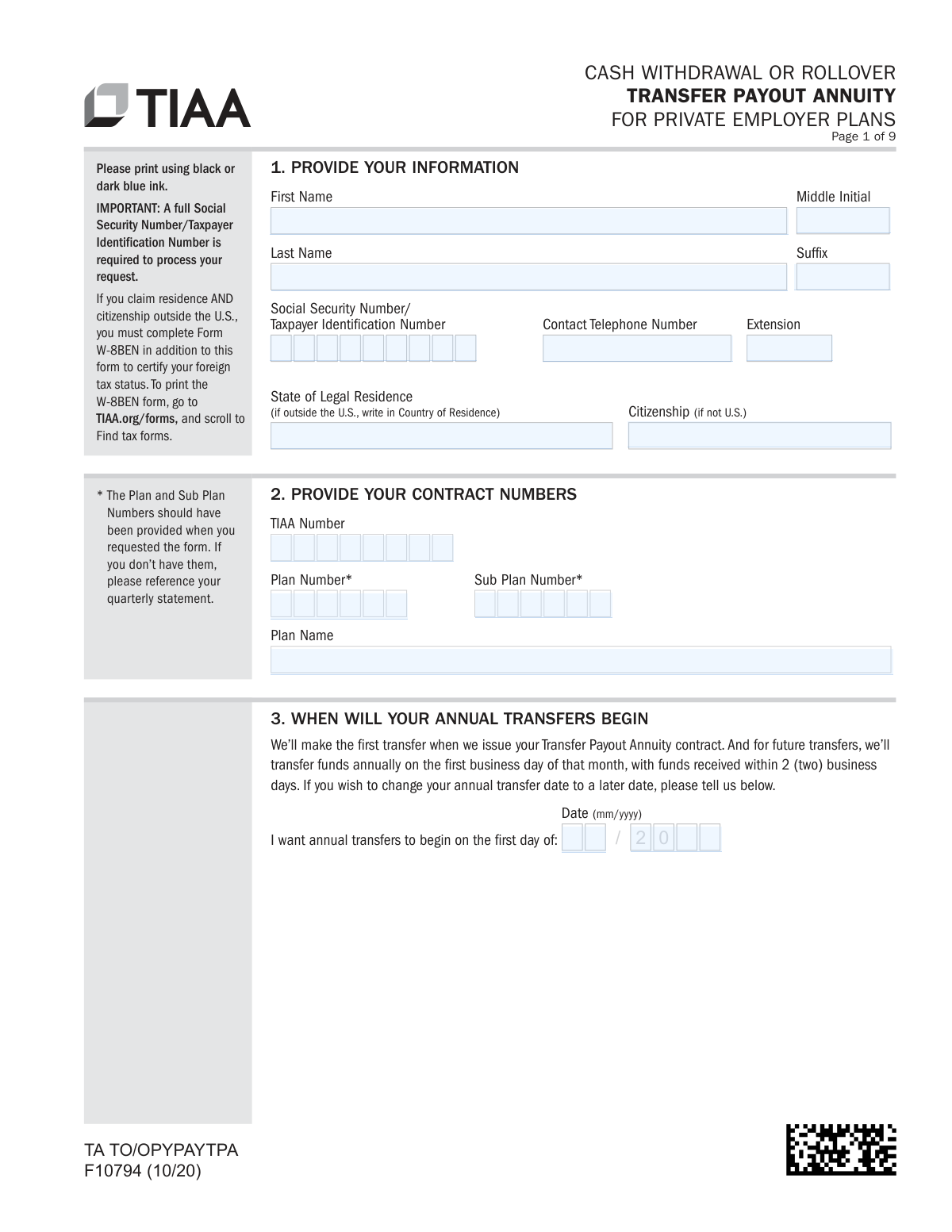
Form F10794 is a TIAA document used by participants in private employer plans to initiate a cash withdrawal or rollover of funds from their TIAA Traditional account. The process involves establishing a Transfer Payout Annuity (TPA), which disburses the specified amount in 10 payments over a 9-year period. This form is crucial for accessing retirement funds while adhering to TIAA's long-term investment structure. Today, this form can be filled out quickly and accurately using AI-powered services like Instafill.ai, which can also convert non-fillable PDF versions into interactive fillable forms.
F10794 is part of the
employer forms, annuity forms, withdrawal forms and employer plan forms categories on Instafill.
Rather not fill this in by hand? Instafill is an online form filler that completes PDF forms automatically — upload the blank form, answer a few questions, and the AI fills every field.
Form specifications
| Form name: | Form F10794, Cash Withdrawal or Rollover Transfer Payout Annuity for Private Employer Plans |
| Number of pages: | 1 |
| Language: | English |
Our AI automatically handles information lookup, data retrieval, formatting, and form filling.
It takes less than a minute to fill out F10794 using our AI form filling.
Securely upload your data. Information is encrypted in transit and deleted immediately after the form is filled out.
Instafill Demo: How to fill out PDF forms in seconds with AI
How to Fill Out F10794 Online for Free in 2026
Are you looking to fill out a F10794 form online quickly and accurately? Instafill.ai offers the #1 AI-powered PDF filling software of 2026, allowing you to complete your F10794 form in just 37 seconds or less.
Follow these steps to fill out your F10794 form online using Instafill.ai:
- 1 Navigate to Instafill.ai and upload or select the TIAA Form F10794.
- 2 Use the AI assistant to accurately fill in your personal information in Section 1, including your name, Social Security Number, and contact details.
- 3 Provide your TIAA contract and plan numbers as requested in Section 2.
- 4 In Section 5, specify the amount you wish to transfer from your TIAA Traditional account, either as a full or partial balance.
- 5 Choose your payment instructions in Sections 6, 7, or 8, indicating whether you want a cash withdrawal (direct deposit/check) or a rollover to another TIAA account or external investment company.
- 6 Complete the employment status section and obtain the required employer plan representative signature in Section 10.
- 7 Review all entered information, provide your authorization signature, and complete the necessary marital status verification before submitting the form electronically or by mail.
Our AI-powered system ensures each field is filled out correctly, reducing errors and saving you time.
Why Choose Instafill.ai for Your Fillable F10794 Form?
Speed
Complete your F10794 in as little as 37 seconds.
Up-to-Date
Always use the latest 2026 F10794 form version.
Cost-effective
No need to hire expensive lawyers.
Accuracy
Our AI performs 10 compliance checks to ensure your form is error-free.
Security
Your personal information is protected with bank-level encryption.
Frequently Asked Questions About F10794
This form is used to request a cash withdrawal or rollover from your TIAA Traditional account. It works by setting up a Transfer Payout Annuity (TPA), which distributes your selected funds in 10 payments over 9 years.
This form is for participants in private employer plans who want to withdraw or roll over $10,000 or more from their TIAA Traditional account. If your balance is between $2,000 and $10,000, you must transfer the entire amount.
Your selected amount is moved into a new TPA contract. Each year, this new contract will automatically transfer 10% of its value, plus any earnings, to the cash withdrawal or rollover option you chose on the form.
TIAA will send the payment within 4-7 business days after receiving your completed forms. Direct deposits typically arrive within 2 business days after processing, while a mailed check can take 8-10 business days to be delivered.
Yes, for cash withdrawals (not rollovers), TIAA is required to withhold 20% for federal taxes. State taxes may also apply, and you could face a 10% early withdrawal penalty if you are under age 59½.
If you are age 70½ or older and separated from service, the IRS requires you to take an RMD. TIAA will automatically pay your RMD for the year before processing your rollover request unless you have already satisfied it.
No, this form is only for TIAA Traditional accounts. To withdraw funds from CREF accounts, you must call TIAA at 800-842-2252, as different rules and forms are required.
Yes, your employer's plan representative must complete and sign Section 10 to certify your employment status. This is a required step to process your withdrawal.
Yes, if you are married, your spouse must sign the waiver in Section 13. Their signature must be witnessed by either a Notary Public or your employer’s Plan Representative.
You can upload the form and any required documents through the TIAA mobile app or on TIAA.org. You can also submit it via fax, standard mail, or overnight mail using the contact information on the form.
For a new direct deposit, you must provide documentation like an original voided check, a notarized letter from your bank, or a bank-generated setup form. You can upload a photo of a voided check via the TIAA app or mail the original documents with your form.
Yes, AI-powered services like Instafill.ai can help you accurately auto-fill form fields, saving you time and reducing the chance of errors. This is especially useful for complex forms with many sections.
You can use a service like Instafill.ai to complete the form digitally. Simply upload the PDF, and the tool will allow you to type directly into the fields, then download the completed document for submission.
If you have a non-fillable or 'flat' PDF, you can use a service like Instafill.ai. It can convert the PDF into an interactive, fillable form that you can complete easily on your computer before printing to sign.
Compliance F10794
Validation Checks by Instafill.ai
1
Validates Social Security Number Format
This check ensures the Social Security Number/Taxpayer Identification Number in Section 1 is a valid 9-digit number. The form explicitly states a full number is required, and this validation prevents processing delays or rejections due to data entry errors. If the format is incorrect, the submission will be flagged for correction before it can be processed.
2
Ensures Withdrawal Amount Meets Minimum Thresholds
This validation verifies that the amount chosen in Section 5 adheres to the plan's rules. The amount must be $10,000 or more, or if the user selects 100%, their account balance must be greater than $2,000. This is a critical business rule to prevent invalid withdrawal requests that do not meet the Transfer Payout Annuity (TPA) contract requirements. Failure will result in rejection of the request.
3
Mutually Exclusive Withdrawal Amount Entry
In Section 5, a user can specify a partial withdrawal as either a dollar amount or a percentage, but not both. This check ensures that only one of these two fields is filled. Enforcing this prevents ambiguity in the withdrawal instruction and ensures the user's intent is clear. If both are filled, the form will be returned for clarification.
4
Conditional Roth Accumulation Instruction
This check validates that if the user answers 'Yes' to having Roth accumulations in Section 4, they must also select one of the three subsequent options specifying how to handle those funds. This ensures completeness and prevents ambiguity in processing accounts with mixed contribution types. A failure to select an instruction will halt the process until the information is provided.
5
Exclusive Payout Method Selection
The form provides three distinct payout methods: Cash Withdrawal (Section 6), Rollover to another TIAA account (Section 7), or Rollover to another investment company (Section 8). This validation ensures that the user has completed only one of these three sections. This is crucial for preventing conflicting instructions and ensuring the funds are sent to the correct destination. If more than one section is completed, the form will be rejected.
6
Validates Future Transfer Start Date
Section 3 allows the user to specify a future start date for annual transfers in MM/YYYY format. This check verifies that if a date is entered, it is a valid date and is not in the past. This prevents errors from typos or misunderstanding and ensures the TPA contract is set up with a valid future-dated instruction. An invalid or past date would require user correction.
7
Verifies Required Documentation for New Bank Account
If the user selects 'Direct Deposit to my new Checking or Savings Account' in Section 6, specific documentation like a voided check or a notarized bank letter is required. This validation flags the submission to ensure the required documentation has been uploaded or mailed with the form. Without this verification, the direct deposit cannot be set up, and payment would default to a check mailed to the address on file, causing delays.
8
Checks for Recent Address Change on Mailed Check Requests
As a security measure, the form states a check cannot be mailed to an address that has been changed in the last 14 days. This validation cross-references the user's account history if 'Mail a check' is selected in Section 6. If a recent address change is detected, the request is paused, and the user is contacted to discuss other options, preventing potential fraud.
9
Conditional Requirement for Separation Date
In Section 9, if the user certifies 'Yes' to having separated from their employer, the 'Separation Date' field becomes mandatory. This check ensures that a valid date in MM/DD/YYYY format is provided in this scenario. This date is critical for determining eligibility for the withdrawal under plan rules and for tax purposes. An omission will cause the form to be considered incomplete.
10
Mandatory Employer Representative Certification
Section 10, 'Employer’s Plan Representative', is explicitly marked as required to make a withdrawal. This validation confirms that the section has been completed with a signature, date, and printed name/title. This certification is the plan sponsor's approval of the transaction, and its absence will immediately stop the withdrawal from being processed.
11
Logical Check for Marital Status Sections
The form requires unmarried participants to complete Section 12 and married participants to have their spouse complete Section 13. This validation ensures that one, and only one, of these two sections is completed based on the participant's marital status. This is essential for satisfying legal and plan-specific requirements regarding spousal rights. Completing both or neither will result in the form being rejected.
12
Spouse's Waiver Signature Date Verification
The instructions for Section 13, 'Spouse's Waiver', state that the spouse must sign on or after the date the participant signs in Section 11. This validation compares the two signature dates to ensure compliance. This rule is a legal requirement to ensure the spouse is consenting to a choice made by the participant, and a premature signature invalidates the waiver.
13
Completeness of 'Acceptance by Investment Company'
If a user chooses to roll over funds to an 'Other Plan' at another company in Section 8, the receiving company must complete the 'Acceptance by Investment Company' subsection. This check verifies that all fields, including the representative's signature and date, are filled out. This acceptance is necessary to confirm the receiving plan can legally accept the rollover funds, and its absence will prevent the transfer.
14
Participant Authorization and Signature Presence
Section 11 contains the participant's authorization and signature, which legally initiates the entire transaction. This check confirms that the participant has signed and dated the form. Without a valid signature and date, the form is not legally binding, and TIAA has no authority to process the withdrawal or rollover. An unsigned form is immediately rejected.
Common Mistakes in Completing F10794
In Section 2, applicants often leave the Plan and Sub Plan Number fields blank or enter incorrect information because they don't have it readily available. This happens when they don't consult their quarterly statement as instructed. Missing or wrong numbers will halt the process, as TIAA cannot identify the specific account to process the withdrawal from, leading to significant delays until the correct information is provided.
In Section 5, individuals mistakenly enter both a dollar amount and a percentage, or request an amount below the $10,000 minimum without realizing the exception only applies if their total balance is under $10,000. This ambiguity forces the processing agent to either reject the form or contact the applicant for clarification, delaying the transaction. To avoid this, carefully choose only one option—either a specific dollar amount or a percentage—and ensure it complies with the minimums stated.
When requesting direct deposit to a new account (Section 6), a frequent error is submitting unacceptable documentation, such as a photocopy of a check, a deposit slip, or a starter check. The form explicitly requires an original voided check, a notarized letter from the bank, or a bank-generated setup form. Submitting incorrect documents will cause TIAA to default to mailing a physical check, delaying access to funds by 8-10 business days.
For rollovers to another investment company (Section 8), applicants sometimes fill out the 'Investment Company Information' and 'Acceptance' sections themselves. These sections must be completed and signed by a representative of the receiving financial institution to certify they will accept the rollover. An incomplete or self-signed section will result in the form's rejection, as it lacks the required third-party authorization.
Applicants often overlook the requirement for their employer's plan representative to sign Section 10. They may confuse it with Section 9, where they self-certify their employment status, and assume their own signature is sufficient. However, Section 10 is mandatory for all withdrawals, and its absence will prevent the form from being processed until the employer's authorization is obtained.
The form repeatedly states that standard digital signatures, such as those created with Adobe Acrobat, are not accepted. This rule is often missed, leading to immediate rejection. Signatures must be physically written in ink or completed using TIAA's specific online digital signing portal. To prevent this, always print the form for a wet signature or use the official TIAA e-signature process when available.
In Section 13, two key mistakes occur: the spouse signs and dates the form before the participant signs Section 11, or the spouse's signature is not witnessed by a Notary Public or Plan Representative. The law requires the participant to sign first and the spousal waiver to be formally witnessed to be legally valid. An improperly executed waiver will stop the entire transaction, as TIAA cannot proceed without legally valid consent to waive survivor benefits.
Applicants age 70.5 or older often request a full rollover without accounting for their RMD for the current year. The form states that TIAA will automatically pay out the RMD via check before processing the rollover, which can be an unwelcome surprise. This can disrupt financial plans and tax strategy. To avoid this, individuals should satisfy their RMD separately before submitting the rollover request or be prepared for the automatic RMD payout.
In Section 4, individuals may be unsure whether their funds are Roth (after-tax) or non-Roth (pre-tax) and make an incorrect selection. This mistake has significant tax consequences, as withdrawing from the wrong source can trigger unexpected tax liabilities or affect the tax-free status of Roth funds. It is crucial to verify the type of funds in your account on TIAA.org or with an advisor before completing this section.
The instructions on the final page state that all numbered pages must be returned, even those that were not completed. People often submit only the pages they filled out, assuming the blank ones are unnecessary. This can lead to the submission being flagged as incomplete, causing processing delays while the firm requests the missing pages. AI-powered tools like Instafill.ai can help by packaging the entire completed document correctly for submission.
Saved over 80 hours a year
“I was never sure if my IRS forms like W-9 were filled correctly. Now, I can complete the forms accurately without any external help.”
Kevin Martin Green
Your data stays secure with advanced protection from Instafill and our subprocessors




Robust compliance program
Transparent business model
You’re not the product. You always know where your data is and what it is processed for.
ISO 27001, HIPAA, and GDPR
Our subprocesses adhere to multiple compliance standards, including but not limited to ISO 27001, HIPAA, and GDPR.
Security & privacy by design
We consider security and privacy from the initial design phase of any new service or functionality. It’s not an afterthought, it’s built-in, including support for two-factor authentication (2FA) to further protect your account.
Fill out F10794 with Instafill.ai
Worried about filling PDFs wrong? Instafill securely fills form-f10794-cash-withdrawal-or-rollover-transfer-payout-annuity-for-private-employer-plans forms, ensuring each field is accurate.
