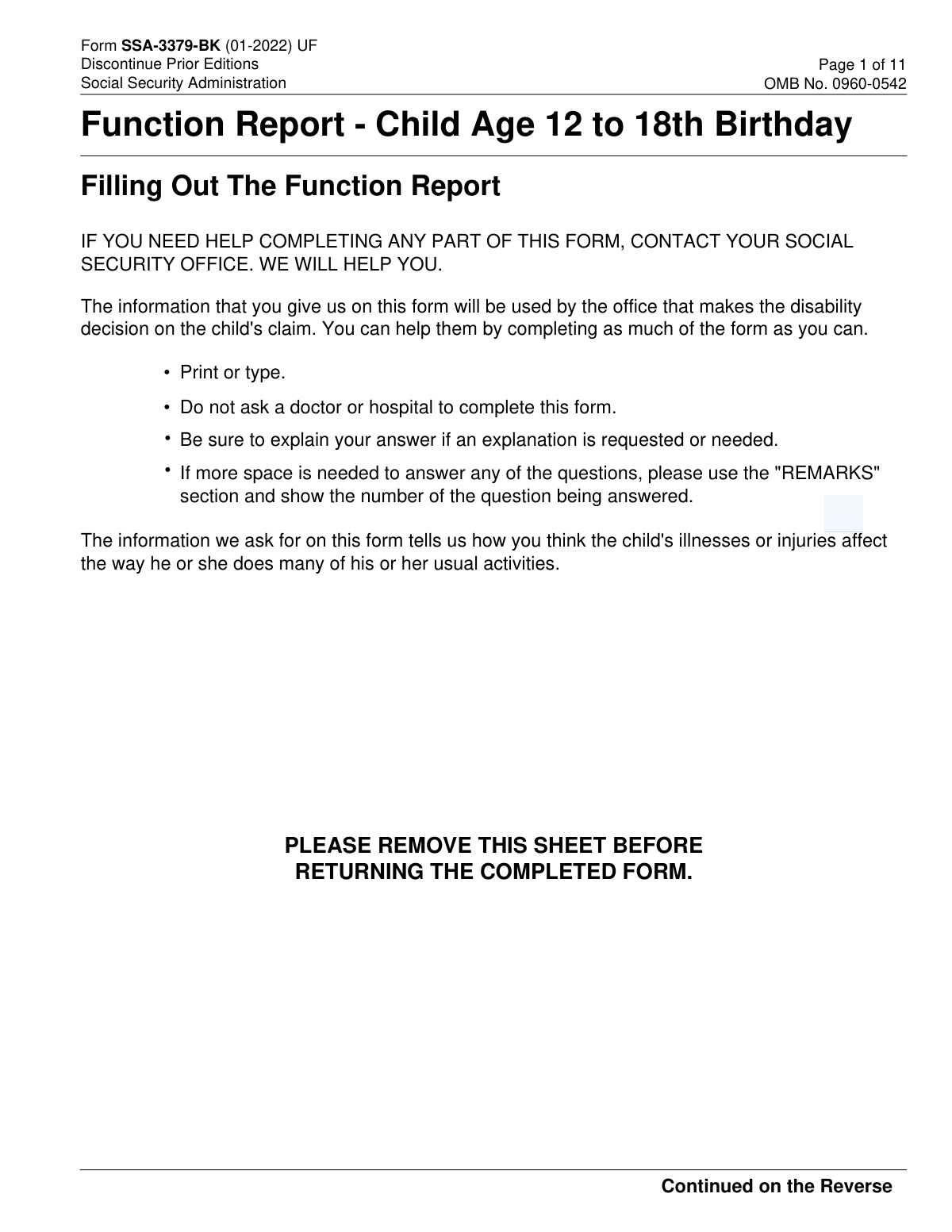
Yes! You can use AI to fill out Form SSA-3379-BK, Function Report - Child Age 12 to 18th Birthday

Form SSA-3379-BK, the Function Report for a Child Age 12 to 18th Birthday, is a document used by the Social Security Administration to evaluate a child's disability claim. It collects detailed information from a parent or guardian about how the child's illnesses or injuries impact their ability to perform daily activities, communicate, learn, and interact socially. This information is vital for determining the child's eligibility for Supplemental Security Income (SSI) benefits. Today, this form can be filled out quickly and accurately using AI-powered services like Instafill.ai, which can also convert non-fillable PDF versions into interactive fillable forms.
Our AI automatically handles information lookup, data retrieval, formatting, and form filling.
It takes less than a minute to fill out SSA-3379-BK using our AI form filling.
Securely upload your data. Information is encrypted in transit and deleted immediately after the form is filled out.

Form specifications

Form name: Form SSA-3379-BK, Function Report - Child Age 12 to 18th Birthday
Number of pages: 11
Language: English
Categories: SSA forms
main-image

Instafill Demo: How to fill out PDF forms in seconds with AI

How to Fill Out SSA-3379-BK Online for Free in 2026

Are you looking to fill out a SSA-3379-BK form online quickly and accurately? Instafill.ai offers the #1 AI-powered PDF filling software of 2026, allowing you to complete your SSA-3379-BK form in just 37 seconds or less.
Follow these steps to fill out your SSA-3379-BK form online using Instafill.ai:
  1. 1 Navigate to Instafill.ai and upload or select the Form SSA-3379-BK.
  2. 2 Enter the child's identifying information in Section 1, including their name, Social Security Number, and date of birth, along with your own contact details.
  3. 3 Proceed to Section 2 and provide detailed answers about the child's functional abilities, such as seeing, hearing, speaking, and daily activities.
  4. 4 Answer the series of yes/no questions regarding the child's limitations in learning, physical abilities, social interactions, and personal care.
  5. 5 Describe the child's ability to pay attention and complete tasks, and use the remarks section for any additional information you believe is important for the claim.
  6. 6 Carefully review all the information populated by the AI for accuracy and completeness before downloading or printing the completed form.

Our AI-powered system ensures each field is filled out correctly, reducing errors and saving you time.

Why Choose Instafill.ai for Your Fillable SSA-3379-BK Form?

Speed

Complete your SSA-3379-BK in as little as 37 seconds.

Up-to-Date

Always use the latest 2026 SSA-3379-BK form version.

Cost-effective

No need to hire expensive lawyers.

Accuracy

Our AI performs 10 compliance checks to ensure your form is error-free.

Security

Your personal information is protected with bank-level encryption.

Frequently Asked Questions About Form SSA-3379-BK

This form is used to collect information about how a child's (age 12 to 18) illnesses or injuries affect their daily activities. The Social Security Administration uses this information to help make a decision on the child's disability claim.

A parent, guardian, or another person who knows the child well and can accurately describe their abilities and limitations should complete this form. You should not ask a doctor or hospital to complete it for you.

You will need the child's full name, Social Security Number, and date of birth. The rest of the form is based on your knowledge of the child's daily functioning, so no other specific documents are required.

No, the instructions specifically state that you should not ask a doctor or hospital to complete this form. The Social Security Administration wants to hear from someone who sees the child on a regular basis in a non-clinical setting.

If you run out of space in any section, you can use the 'REMARKS' section on Page 11 of the form. Be sure to write the number of the question you are providing more information for.

Answer based on what the child can typically do, but use the explanation fields to describe the variability. For example, you can explain how often they can perform the task or what prevents them from doing it consistently.

You should send the completed form to your local Social Security office. You can find the address in your telephone directory under U.S. Government agencies or by calling Social Security at 1-800-772-1213.

Providing this information is voluntary. However, failing to provide all or part of the information may prevent an accurate and timely decision on the child's disability claim.

Yes, the form states that if you need help completing any part of it, you should contact your local Social Security office for assistance.

Yes, services like Instafill.ai use AI to help you accurately auto-fill form fields with your information, which can save you time and reduce errors.

You can use a service like Instafill.ai to convert flat, non-fillable PDFs into interactive forms that you can easily complete on your computer.

Simply upload the form to the Instafill.ai platform. The AI will make the form fillable and help you populate the fields with your information, after which you can download the completed document to print and mail.

Compliance SSA-3379-BK
Validation Checks by Instafill.ai

1
Child's Age Eligibility for Form
This check validates that the child's age, calculated using the 'Child's DATE OF BIRTH' and the 'DATE FORM COMPLETED', falls within the range of 12 years to the 18th birthday. This form (SSA-3379-BK) is specifically designed for this age group. If the child is younger than 12 or has already turned 18, the submission should be flagged as using the incorrect form, preventing processing delays and ensuring the correct report is filed.
2
Social Security Number Format
Ensures the 'Child's SOCIAL SECURITY NUMBER' field is entered in the standard XXX-XX-XXXX format. This validation is critical for correctly identifying the child in the Social Security Administration's systems. A failure would prevent the form from being linked to the correct case file, halting the disability decision process until the number is corrected.
3
Date of Birth and Completion Date Logic
Verifies that the 'Child's DATE OF BIRTH' is a valid date that occurs before the 'DATE FORM COMPLETED'. This check prevents impossible data entry, such as a future date of birth or a completion date that is earlier than the birth date. An error here would indicate a significant data entry mistake that must be corrected to establish a valid timeline for the claim.
4
Required Fields in Section 1
This check confirms that all identifying information fields in Section 1 are filled out, including the child's full name, SSN, DOB, and the name, relationship, and contact information of the person completing the form. This information is fundamental for processing the claim, identifying the claimant, and contacting the respondent if clarification is needed. An incomplete section will result in the form being returned or delayed.
5
Daytime Telephone Number Format
Validates that the 'DAYTIME TELEPHONE NUMBER' contains exactly 10 digits, allowing for common formats like (XXX) XXX-XXXX, XXX-XXX-XXXX, or XXXXXXXXXX. A valid phone number is essential for case workers to contact the person who filled out the form for follow-up questions or clarifications. If the format is invalid, it could prevent timely communication and slow down the review process.
6
Conditional Explanation for Seeing Problems
If 'YES' is selected for question 2.A ('Does the child have problems seeing?'), this validation ensures that at least one of the subsequent checkboxes is marked or an explanation is provided in the text fields. This prevents a 'yes' answer from being submitted without the required context. A failure to provide details would leave the claim reviewer with incomplete information about the nature of the seeing impairment.
7
Conditional Description for 'Other' Daily Activities
In question 2.D, if the 'Other' checkbox is marked to describe the child's daily activities, this check ensures the corresponding 'Describe' text field is not empty. This rule enforces the requirement to provide specifics when a generic 'Other' option is chosen. Without this description, the information is not actionable and provides no value to the disability determination process.
8
Logical Consistency of Driving Ability and Age
This check cross-references the answer to 'Drive a car' (question 2.G) with the child's calculated age and the state from the mailing address. If 'Yes' is checked for driving but the child is younger than the legal driving or permit age in their state, the entry is flagged for review. This helps catch potential data entry errors or identifies situations that may require further explanation.
9
Conditional Sub-Question Completion for Functional Limitations
For questions 2.E through 2.J, if 'YES' or 'NOT SURE' is selected, this validation ensures that all of the subsequent 'Yes/No' sub-questions within that section are answered. This guarantees that when a potential limitation is indicated, a full profile of the child's abilities in that domain is provided. Missing answers in these sections would create an incomplete picture of the child's functional capacity.
10
Conditional Speech Clarity Details
In question 2.C, if the respondent indicates the child is not totally unable to talk but 'Yes' has problems talking clearly, this check ensures both 'Speech can be understood by...' questions are answered. These two data points are required to assess the severity of the speech issue from different perspectives. Failure to provide both ratings would result in an incomplete assessment of the child's communication abilities.
11
Mailing Address State and ZIP Code Format
Verifies that the 'STATE' field contains a valid two-letter US state or territory abbreviation and the 'ZIP CODE' is a valid 5-digit or 9-digit (ZIP+4) format. Correct and standardized address information is crucial for mail correspondence and for applying location-specific rules, such as legal driving age. Invalid address data can lead to returned mail and processing delays.
12
Completeness of 'Relationship to Child' Field
This validation ensures that the 'RELATIONSHIP TO CHILD' field in Section 1 is not left blank. The context of who is providing the information (e.g., parent, guardian, teacher) is critical for the reviewer to weigh the testimony appropriately. An empty field would require a follow-up to establish the respondent's connection to the child, delaying the evaluation.

Common Mistakes in Completing SSA-3379-BK

Providing Vague or Incomplete Explanations

Applicants often check 'YES' to indicate a limitation but then provide a one-word answer like 'trouble' or leave the explanation field blank. This happens because they may be rushing or unsure what details to include. This lack of detail forces the Social Security Administration (SSA) to guess the severity of the limitation, which can lead to processing delays or an incorrect disability decision. To avoid this, always provide specific examples of how the child's condition affects the activity, describing the frequency, duration, and level of assistance needed.

Inaccurate or Incomplete Identifying Information

Entering an incorrect Social Security Number, date of birth, or name for the child is a frequent and critical error, often due to a simple typo. This mistake can cause major delays, as the SSA cannot match the report to the correct case file, potentially leading to a denial for failure to provide information. Always double-check these critical numbers and spellings before submission; using an AI-powered tool like Instafill.ai can help by auto-filling and validating this information from a secure profile to prevent typos.

Misrepresenting Abilities Without Context

A person might check 'Yes' for 'Can cook a meal' because the child technically possesses the skill, but fail to mention they require constant supervision due to safety concerns from their impairment. This misrepresents the child's true independent functioning and can weaken the claim. When answering what the child 'can do,' always explain the context, including any help, supervision, or accommodations they need to complete the task safely and effectively.

Underutilizing the 'Remarks' Section

Many filers ignore the 'REMARKS' section at the end of the form, trying to cram important details into small spaces or omitting them altogether. This section is essential for providing a complete picture of the child's condition that doesn't fit neatly into the checkboxes. Failing to use this space means the reviewer may miss crucial information, negatively impacting the decision. Use the 'REMARKS' section to elaborate on any answer, referencing the question number to provide comprehensive details.

Providing Contradictory Information

It is common for applicants to provide conflicting answers, such as checking 'NO' for 'Are the child's physical abilities limited?' but later describing in the 'Remarks' section how the child cannot participate in gym class. These contradictions occur when filers focus on one question at a time without considering the form as a whole, which can damage the credibility of the report. Review the entire completed form to ensure your answers are consistent throughout before submitting it.

Failing to Detail School Accommodations

Checking 'Goes to school full-time' without explaining the context can be highly misleading if the child is in a special education program, has an Individualized Education Program (IEP), or requires significant classroom support. The SSA may incorrectly assume the child is functioning at a typical level for their age, weakening the case for disability. Always describe any special classes, aides, resource rooms, or other accommodations the child receives at school in the explanation field for Section 2.D.

Omitting Details on Personal Care Assistance

In Section 2.I, a parent might check 'Yes' for 'Takes needed medication' or 'Takes care of personal hygiene' without clarifying that the child requires constant verbal prompts, reminders, or physical assistance. This happens because the question asks if the child *does* the task, not if they do it independently. This omission can lead the SSA to underestimate the child's need for support. Be sure to explain the exact level of help and supervision required for all personal care tasks.

Skipping Questions or Entire Sections

This 11-page form is long and detailed, and it's easy to accidentally overlook a question, a checkbox, or even an entire page. Missing information creates gaps in the record, forcing the SSA to send a follow-up request, which significantly delays the decision process. To prevent this, carefully review each page before submission, or use a digital form-filling tool that can highlight unanswered mandatory fields. If the form is a non-fillable PDF, a service like Instafill.ai can convert it into an interactive version to help ensure completion.

Missing or Outdated Contact Information

Applicants sometimes forget to fill out their own contact information in Section 1.D or provide an old phone number or address. If the SSA has a question or needs to clarify a point, they will be unable to reach the person who completed the form. This communication failure can lead to a decision being made with incomplete information or a delay until the correct contact details are found. Always provide a current daytime phone number and mailing address and double-check them for accuracy.

Incorrect Date Formatting

The form specifies a 'Month/Day/Year' format for dates, but people often use a different regional format (like Day/Month/Year) or enter the data incorrectly out of habit. This can cause confusion regarding the child's age or the timeline of events, potentially impacting eligibility assessments. To avoid this, pay close attention to the specified format under each date field. Using smart form fillers can also help by automatically formatting dates correctly based on the form's requirements.
Saved over 80 hours a year

“I was never sure if my IRS forms like W-9 were filled correctly. Now, I can complete the forms accurately without any external help.”

Kevin Martin Green

Your data stays secure with advanced protection from Instafill and our subprocessors

Robust compliance program

Transparent business model

You’re not the product. You always know where your data is and what it is processed for.

ISO 27001, HIPAA, and GDPR

Our subprocesses adhere to multiple compliance standards, including but not limited to ISO 27001, HIPAA, and GDPR.

Security & privacy by design

We consider security and privacy from the initial design phase of any new service or functionality. It’s not an afterthought, it’s built-in, including support for two-factor authentication (2FA) to further protect your account.

Fill out SSA-3379-BK with Instafill.ai

Worried about filling PDFs wrong? Instafill securely fills form-ssa-3379-bk-function-report-child-age-12-to-18th-birthday forms, ensuring each field is accurate.