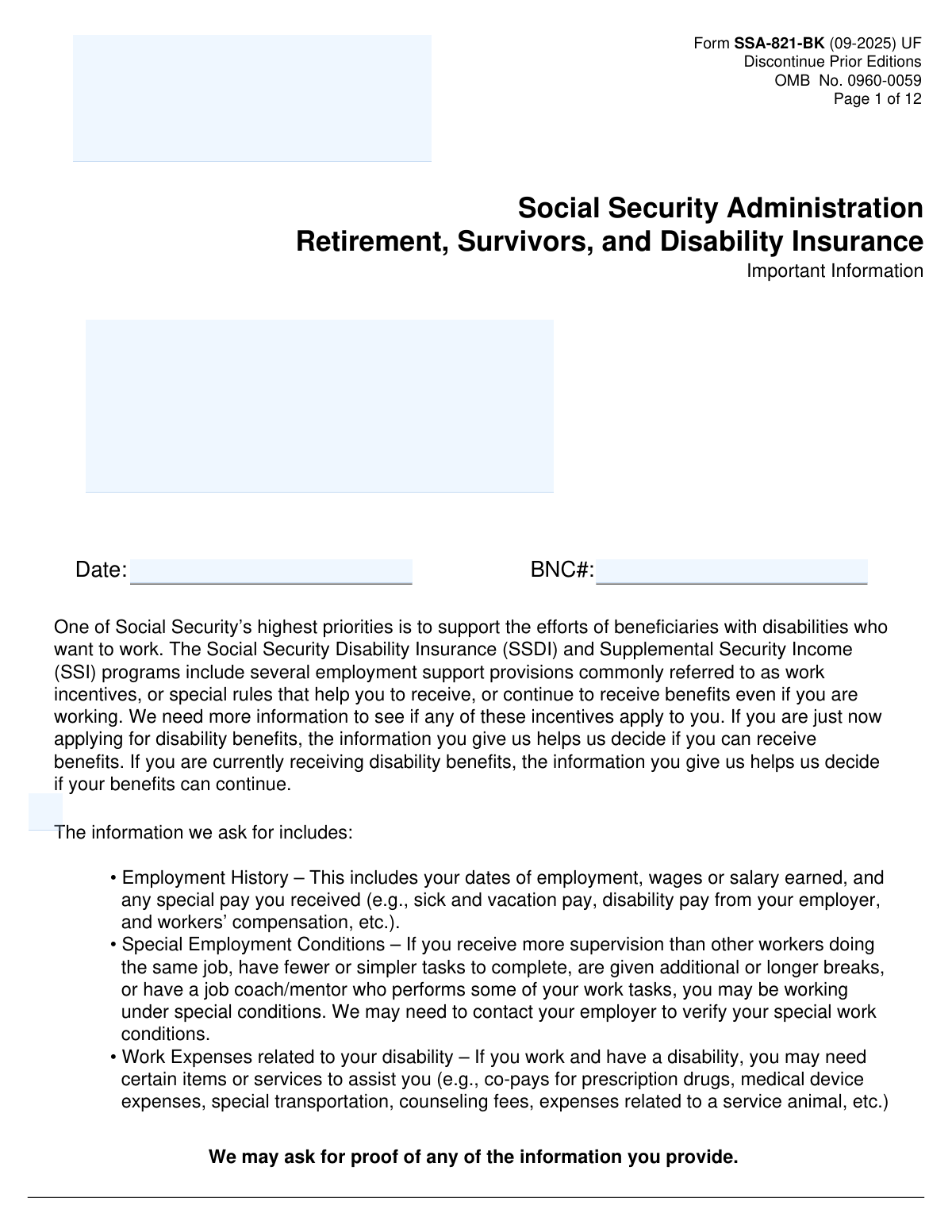
Yes! You can use AI to fill out Form SSA-821-BK, Work Activity Report - Employee

Form SSA-821-BK, the Work Activity Report - Employee, is a document used by the Social Security Administration (SSA) to gather information about a disability benefit applicant's or recipient's work activity. It collects details on employment history, wages, special work conditions, and disability-related work expenses to help the SSA determine initial or continued eligibility for benefits under SSDI or SSI programs. Today, this form can be filled out quickly and accurately using AI-powered services like Instafill.ai, which can also convert non-fillable PDF versions into interactive fillable forms.
Our AI automatically handles information lookup, data retrieval, formatting, and form filling.
It takes less than a minute to fill out SSA-821-BK using our AI form filling.
Securely upload your data. Information is encrypted in transit and deleted immediately after the form is filled out.

Form specifications

Form name: Form SSA-821-BK, Work Activity Report - Employee
Number of pages: 12
Language: English
Categories: SSA forms, employee forms
main-image

Instafill Demo: How to fill out PDF forms in seconds with AI

How to Fill Out SSA-821-BK Online for Free in 2026

Are you looking to fill out a SSA-821-BK form online quickly and accurately? Instafill.ai offers the #1 AI-powered PDF filling software of 2026, allowing you to complete your SSA-821-BK form in just 37 seconds or less.
Follow these steps to fill out your SSA-821-BK form online using Instafill.ai:
  1. 1 Navigate to Instafill.ai and upload your Form SSA-821-BK or select it from their template library.
  2. 2 Provide your personal identification information, including your full name, address, and Social Security or BNC number.
  3. 3 Detail your employment history as requested, entering information for each employer, including job title, dates of employment, rate of pay, and average hours worked.
  4. 4 Report any other types of income you received from your employers, such as sick pay, vacation pay, bonuses, or workers' compensation.
  5. 5 Answer the questions in the 'Work Incentives' section, describing any on-the-job support you receive due to your disability and any out-of-pocket, disability-related work expenses.
  6. 6 Carefully review all the information populated by the AI for accuracy and completeness.
  7. 7 Sign and date the form. Print the completed document for a wet signature as required and submit it to the SSA.

Our AI-powered system ensures each field is filled out correctly, reducing errors and saving you time.

Why Choose Instafill.ai for Your Fillable SSA-821-BK Form?

Speed

Complete your SSA-821-BK in as little as 37 seconds.

Up-to-Date

Always use the latest 2026 SSA-821-BK form version.

Cost-effective

No need to hire expensive lawyers.

Accuracy

Our AI performs 10 compliance checks to ensure your form is error-free.

Security

Your personal information is protected with bank-level encryption.

Frequently Asked Questions About Form SSA-821-BK

This form is used by the Social Security Administration (SSA) to collect information about your work history and earnings. It helps the SSA determine if you are eligible for, or can continue to receive, Social Security Disability Insurance (SSDI) or Supplemental Security Income (SSI) benefits.

You need to complete this form if you are applying for or currently receiving disability benefits and the SSA has information that you have worked since your disability began or since your last work review.

You will need to provide details for each employer, including the employer's name and contact information, your job title, rate of pay, hours worked, and the start and end dates of your employment.

These are special rules that may allow you to work and still receive benefits. This includes situations where you receive extra help, have easier duties, or are allowed more breaks because of your disability.

An IRWE is an out-of-pocket expense for an item or service you need to work because of your disability, such as prescription co-pays, special transportation, or a service animal. The SSA may deduct these costs from your earnings when determining your benefit eligibility.

The form includes 'ADDITIONAL EMPLOYMENT INFORMATION' pages (pages 11 and 12) at the end. Use these sections to list any additional employers you have worked for.

In question 2, you can indicate that you received other types of income. Check the appropriate boxes (e.g., Sick Pay, Vacation Pay) and provide more details in the space provided.

The BNC (Benefit Network Code) is an office identifier used by the Social Security Administration. This number should be entered at the top of several pages of the form if it was provided to you by the SSA.

This form requires a 'wet signature,' which means you must print the completed form, sign it by hand, and then mail or deliver it to the appropriate SSA office as instructed.

While providing the information is voluntary, failing to complete the form may prevent the SSA from making an accurate and timely decision on your claim, which could affect your benefit payments.

Yes, services like Instafill.ai use AI to accurately auto-fill form fields with your saved information, which can save you significant time and reduce errors.

You can use a service like Instafill.ai to upload the form and fill it out on your computer. After you complete it digitally, you will still need to print the form to provide a handwritten signature before submitting it.

If you have a non-fillable or 'flat' PDF, you can upload it to Instafill.ai. The service can convert it into an interactive, fillable form that you can easily complete on your device.

The SSA may ask for proof of the information you provide, such as pay stubs, receipts for work expenses, or employer contact information to verify special work conditions. It is a good idea to gather these documents before you start.

Compliance SSA-821-BK
Validation Checks by Instafill.ai

1
Validates BNC or SSN Format
This check ensures that the 'BNC Number or SSN' field contains a valid nine-digit Social Security Number (SSN) or a properly formatted Benefit Network Code (BNC). This identifier is critical for correctly associating the work report with the claimant's file. If the format is invalid, the system cannot process the form, and the user will be prompted to correct the entry before submission.
2
Ensures Logical Consistency of Employment Dates
This validation compares the 'Date Work Started' and 'Date Work Ended' fields for each employer listed. The 'Date Work Ended' must be on or after the 'Date Work Started'. This check prevents logical impossibilities in the employment history, which are crucial for calculating work activity periods. A validation failure would require the user to correct the dates to reflect a valid timeline.
3
Conditional Requirement for 'Date Work Ended'
This check enforces a rule based on the 'Still working' checkbox. If the 'Still working' box is not checked, the 'Date Work Ended' field becomes mandatory. This ensures a complete work history is provided for past jobs, which is essential for benefit calculations. If the user indicates they are no longer working but fails to provide an end date, they will be blocked from proceeding until the date is entered.
4
Conditional Requirement for Employment Information Section
This validation is triggered by the answer to question 1, 'Have you had any employment income or wages...'. If the user answers 'YES', they must complete at least one employer entry in the 'EMPLOYMENT INFORMATION' section (question 3). This ensures that individuals who report working provide the necessary details for the SSA to evaluate that work. Failure to provide employer details after answering 'YES' will prevent form submission.
5
Validates US Phone Number Format
This check verifies that all telephone number fields, including the applicant's, employer's, and witness's, follow a standard 10-digit format (including area code). Correctly formatted phone numbers are essential for the SSA to contact relevant parties for verification or additional information. An invalid entry will trigger an error message requesting the user to input a valid 10-digit phone number.
6
Validates US ZIP Code Format
This validation ensures that all ZIP Code fields contain either a 5-digit or 9-digit (ZIP+4) code. Accurate ZIP codes are necessary for mail delivery and for correctly identifying office locations and addresses. If an invalid format is entered, the user will be prompted to correct the field to a valid US ZIP code.
7
Ensures Signature Date is Not in the Future
This check validates that the date entered in the signature section is not a future date. The signature date attests to the accuracy of the information at the time of signing, so a future date is logically invalid. A validation failure would require the user to enter the current date or a past date.
8
Conditional Requirement for 'Other' Income Explanation
This validation applies to question 2, 'Did you receive other types of income...'. If the 'Other' checkbox is selected, the corresponding explanation text box becomes a required field. This ensures that the SSA receives specific details about any unlisted income sources, which is necessary for a complete financial review. If 'Other' is checked but the explanation is left blank, the user will be prompted to provide details.
9
Exclusive Selection for Blindness Status
This check ensures that the user selects either 'Blind' or 'Not Blind', but not both. This status is a critical piece of information for determining which disability rules and work incentives may apply. The form should be designed with radio buttons to enforce this, and a validation check ensures a choice is made and is exclusive.
10
Conditional Requirement for Work Expense Details
This validation is linked to question 7A, which asks about out-of-pocket work expenses related to a disability. If the user answers 'YES', they must fill out at least one row in the expense table in question 7B. This ensures that claims for expense deductions are substantiated with specific details. If 'YES' is selected but no expenses are detailed, the user will be prompted to provide the required information.
11
Validates Expense Date Range in Question 7B
For each expense listed in the table in question 7B, this check validates the 'Date Paid' range. The 'from' date (MM/YYYY) must be before or the same as the 'to' date. This prevents illogical date entries and ensures the expense period is reported accurately. An invalid range would trigger an error, requiring the user to correct the dates.
12
Conditional Requirement for Work Support Details
This validation is triggered by the answer to question 5A, 'do you get extra support...'. If the user answers 'YES', they must select at least one option in question 5B and provide the corresponding employer or contact name. This ensures that claims of special work conditions are detailed, allowing the SSA to verify them. Failure to provide specifics after answering 'YES' will result in a validation error.
13
Ensures Rate of Pay is a Numeric Value
This check verifies that the 'Rate of Pay Amount' field in the employment sections contains a valid numerical or currency value. This information is fundamental to calculating earnings and determining eligibility for benefits. If the user enters non-numeric text, a validation error will occur, prompting for a proper monetary amount.
14
Conditional Requirement for Witness Information
This validation checks if the primary signature was made with a mark (e.g., 'X'). If so, the signature, address, and phone number fields for at least one, and typically two, witnesses become mandatory. This rule ensures that signatures by mark are legally witnessed as per the form's instructions. If the witness sections are not completed, the submission will be blocked until the required information is provided.

Common Mistakes in Completing SSA-821-BK

Forgetting to Enter BNC/SSN on Every Page

The BNC Number or SSN is a critical identifier requested at the top of most pages of this multi-page form. Applicants often fill it out on the first page but forget to repeat it on subsequent pages. This creates a risk of pages being misplaced or misfiled during manual processing, leading to an incomplete application and significant delays. To prevent this, carefully review every page to ensure the identifier is present before submitting the form.

Ignoring the Specified Work Activity Period

In the 'Identification' section, the form specifies a date from which work activity should be reported. A frequent mistake is overlooking this date and reporting all work since the disability began or for a generic period like 'the last two years.' This provides inaccurate data, forcing the SSA to request a corrected report and delaying the benefit decision. Always locate the specific date provided by SSA and report only the work activity that occurred since then.

Incorrectly Categorizing Income Sources

Applicants may receive pay for vacation, sick time, or disability from an employer but not consider it 'employment income' (Question 1) because they weren't actively working. This can lead them to incorrectly answer 'NO' to Q1 and skip the entire 'EMPLOYMENT INFORMATION' section, which is critical for the review. This omission results in an incomplete report and can halt the process, so it is vital to report any income from an employer in Question 1 and provide details in the appropriate sections.

Providing Ambiguous Pay Rate or Hours Worked

When detailing employment, applicants often enter a number for 'Rate of Pay Amount' (e.g., '1500') or 'Average Hours Worked' (e.g., '20') but neglect to specify the corresponding 'per time period' (e.g., 'per month,' 'per week'). This ambiguity makes the information unusable for calculating earnings and requires SSA to contact the applicant for clarification. Always complete both fields, such as '$20 per hour' or '30 hours per week,' to ensure an accurate and timely assessment.

Failing to List All Jobs from the Reporting Period

Applicants sometimes only list their most recent or primary job, forgetting about short-term, temporary, or part-time work performed within the reporting period. Omitting any work activity, even if brief, can be viewed as a misrepresentation and may jeopardize benefit eligibility. It is crucial to use the 'ADDITIONAL EMPLOYMENT INFORMATION' pages to ensure every single job from the specified period is reported completely and accurately.

Overlooking Potentially Beneficial Work Incentive Details

Questions 5, 6, and 7 cover work incentives like on-the-job support (subsidies), unsuccessful work attempts, and impairment-related work expenses (IRWEs). These sections can lead to deductions from your countable income, helping you retain benefits. Applicants often rush past these sections or answer 'NO' without understanding their value, potentially losing out on crucial financial support. Carefully read and thoroughly answer these questions, as they are designed to help you.

Using Incorrect Date Formats

The form explicitly requests dates in MM/DD/YYYY format for employment start and end dates. People frequently use other formats like M/D/YY, write the month as a word, or reverse the month and day, which can cause data entry errors and miscalculations by the SSA. This can lead to an incorrect assessment of your work history and delay your case. Using an AI form-filling tool like Instafill.ai can help prevent this by automatically formatting dates into the required structure.

Submitting an Unsigned or Improperly Witnessed Form

This form requires a physical 'wet signature' and cannot be submitted with a typed or digital one. Applicants may forget to print and sign the form after filling it out on a computer. Furthermore, if signing with a mark (X), failing to have two witnesses provide their signatures and full addresses will invalidate the submission, forcing a complete resubmission. If the form is a non-fillable PDF, tools like Instafill.ai can convert it to a fillable version, but you must still print the completed form to sign it.

Leaving Employer or Supervisor Contact Information Blank

The form asks for the employer's address and the direct supervisor's name and phone number. Applicants may skip this if they don't have the information handy, assuming it's not essential. However, SSA may need to contact the employer to verify earnings or special work conditions, and missing information can bring the review to a standstill until it is provided. Always gather all necessary contact information before starting the form.

Failing to Submit Proof of Income

In the employment section, there is a checkbox to indicate that pay stubs or other proof of income are being provided. A common error is checking this box but then forgetting to actually enclose the documents with the form. This forces SSA to issue a separate request for the missing pay stubs, which significantly delays the processing of the work report and the final decision on benefits.
Saved over 80 hours a year

“I was never sure if my IRS forms like W-9 were filled correctly. Now, I can complete the forms accurately without any external help.”

Kevin Martin Green

Your data stays secure with advanced protection from Instafill and our subprocessors

Robust compliance program

Transparent business model

You’re not the product. You always know where your data is and what it is processed for.

ISO 27001, HIPAA, and GDPR

Our subprocesses adhere to multiple compliance standards, including but not limited to ISO 27001, HIPAA, and GDPR.

Security & privacy by design

We consider security and privacy from the initial design phase of any new service or functionality. It’s not an afterthought, it’s built-in, including support for two-factor authentication (2FA) to further protect your account.

Fill out SSA-821-BK with Instafill.ai

Worried about filling PDFs wrong? Instafill securely fills form-ssa-821-bk-work-activity-report-employee forms, ensuring each field is accurate.