Fill out funds transfer forms
with AI.
Funds transfer forms serve as the essential paperwork for moving capital between financial institutions, whether you are consolidating assets or setting up automated liquidity. These documents act as formal authorizations that ensure money moves securely from one entity to another, such as transferring a brokerage account to a new firm or linking a personal bank account for electronic funds transfers (EFT). In the world of finance, accuracy in these forms is paramount; even a small error in an account number or registration name can result in weeks of processing delays.
By continuing, you acknowledge Instafill's Privacy Policy and agree to get occasional product update and promotional emails.
About funds transfer forms
Typically, these forms are required by individual investors, retirees, and financial advisors. Common scenarios include rolling over an employer-sponsored retirement plan into a TIAA account, establishing a MoneyLink connection with Charles Schwab, or authorizing a transfer of assets into a Fidelity account. Whether you are automating your monthly savings or executing a complex one-time movement of securities, having the correct documentation ready ensures that your financial strategy remains on track without unnecessary administrative friction.
Managing these multi-page documents can be tedious, but tools like Instafill.ai use AI to fill these forms in under 30 seconds while maintaining high standards for data accuracy and security. This approach simplifies the process of entering complex financial details, allowing you to focus on your investments rather than the paperwork.
Every form on this page can be completed without typing. Instafill is form filling software that reads a PDF and fills it for you — including flat and scanned documents that carry no fillable fields at all.
Forms in This Category
The forms in this category have a median Form Complexity Index of 39/100 (Basic), measured across 15 forms by field count, input difficulty, length, conditional logic and structure. See how it is calculated.
- Enterprise-grade security & data encryption
- 99%+ accuracy powered by AI
- 1,000+ forms from all industries
- Complete forms in under 60 seconds
How to Choose the Right Form
Choosing the right funds transfer form depends on two main factors: which financial institution you are using and whether you are moving liquid cash or entire investment portfolios.
Moving Cash via Electronic Funds Transfer (EFT)
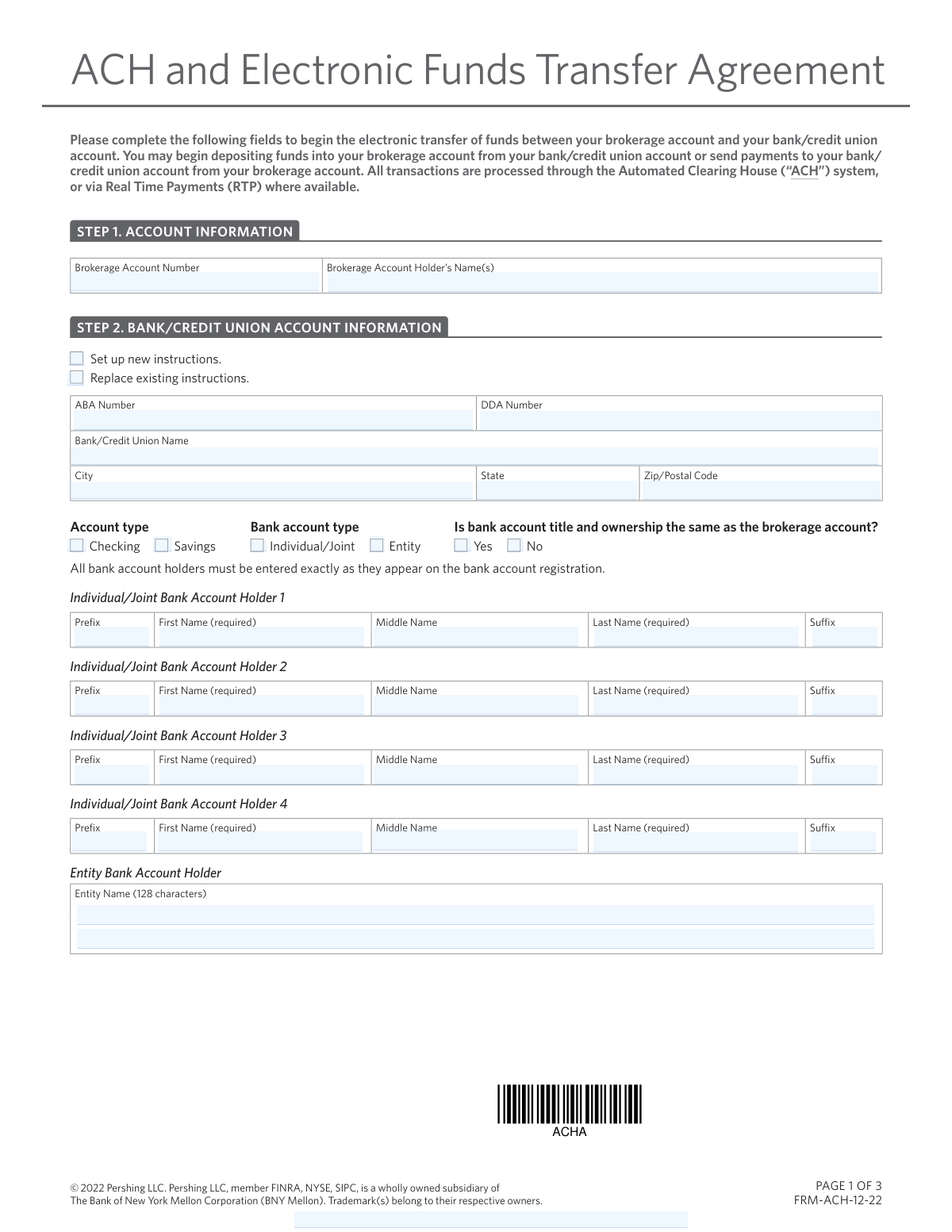
If you need to link a personal bank account to your brokerage account for ongoing deposits, withdrawals, or recurring transfers, you should use an EFT authorization form. These are best for "cash-only" movements.
- For Charles Schwab Accounts: Use the Schwab MoneyLink® Electronic Funds Transfer Form. This establishes a standing authorization between Schwab and a U.S. bank. It is the correct choice for setting up direct deposits of investment income or authorizing an advisor to move money on your behalf.
- For Fidelity Accounts: Select the Fidelity Investments Electronic Funds Transfer (EFT) Authorization Form or the Electronic Funds Transfer (EFT) Authorization. These forms allow you to automate deposits and withdrawals between Fidelity and external bank accounts for both personal and retirement accounts.
Transferring Securities and Assets
If you want to move actual investments—such as mutual funds, stocks, or CDs—from one firm to another without selling them (an "in-kind" transfer), a standard EFT form will not work.
- Moving Assets to Fidelity: Use the Fidelity Funds Account Transfer of Assets Form. This is specifically designed to authorize the movement of assets from an external firm into a Fidelity account. It is essential for consolidating multiple brokerage holdings into one place.
Consolidating Retirement Plans
Retirement transfers often require specific documentation to maintain tax-advantaged status, especially when moving funds into an employer-sponsored plan.
- Moving Funds to TIAA: Use the Easy Transfer Form: Moving Funds to an Employer-Sponsored Retirement Plan at TIAA. This form (F10462) is designed for individuals who want to move assets from a previous provider or a 403(b) into their current TIAA workplace retirement plan.
Form Comparison
| Form | Transfer Type | Institution | Primary Use Case |
|---|---|---|---|
| Fidelity Funds Account Transfer of Assets Form | Movement of securities, mutual funds, or CDs between firms. | External financial firms to a Fidelity Funds account. | Consolidating investment holdings or rolling over retirement savings. |
| Fidelity Investments Electronic Funds Transfer (EFT) Authorization Form | Electronic cash movement between bank and brokerage accounts. | Fidelity accounts and external U.S. bank accounts. | Setting up recurring deposits or automated withdrawals for cash. |
| Schwab MoneyLink® Electronic Funds Transfer Form | Electronic cash transfers via the MoneyLink system. | Charles Schwab accounts and external U.S. financial institutions. | Establishing standing authorization for on-request or recurring transfers. |
| Schwab MoneyLink® Electronic Funds Transfer Form | Electronic cash transfers via the MoneyLink system. | Charles Schwab accounts and external U.S. financial institutions. | Establishing standing authorization for on-request or recurring transfers. |
| Schwab MoneyLink® Electronic Funds Transfer Form | Electronic cash transfers via the MoneyLink system. | Charles Schwab accounts and external U.S. financial institutions. | Establishing standing authorization for on-request or recurring transfers. |
| Electronic Funds Transfer (EFT) Authorization | Linking bank accounts for electronic cash movement. | Fidelity accounts and personal or third-party bank accounts. | Streamlining financial management by automating routine cash transfers. |
| Easy Transfer Form: Moving Funds to an Employer-Sponsored Retirement Plan at TIAA | Rollover of retirement assets into an employer plan. | External retirement accounts to a TIAA employer-sponsored plan. | Moving 403(b) or similar funds into a TIAA plan. |
Tips for funds transfer forms
One of the most common reasons for transfer rejection is a name mismatch between the sending and receiving institutions. Before submitting your form, verify that the names on both accounts—including middle initials and suffixes—are identical to avoid long processing delays.
For Electronic Funds Transfers (EFT), an incorrect digit in your routing or account number can lead to the form being rejected or funds being sent to the wrong destination. Use a voided check or your bank's official direct deposit letter to confirm these details rather than relying on memory.
Many high-value or third-party transfers require a Medallion Signature Guarantee, which is a specialized security certification different from a standard notary. Check the form instructions early, as you may need to visit a physical bank branch to obtain this specific stamp before mailing the document.
When moving assets like mutual funds or stocks, you must specify if you want them moved 'in-kind' or liquidated to cash. Transferring in-kind keeps your investments active during the processing window, while liquidating may have tax implications that you should consider beforehand.
Manually entering long account numbers and personal details across multiple pages is tedious and prone to error. AI-powered tools like Instafill.ai can complete these forms in under 30 seconds with high accuracy, ensuring your data stays secure while saving you significant time during the consolidation process.
Instead of filling out a new form for every transaction, look for 'standing authorization' options like Schwab MoneyLink or Fidelity EFT. This allows you to move money on-demand or on a recurring schedule in the future without needing to resubmit paperwork every time.
When transferring funds into a plan like a 403(b) or 401(k), confirm that your current employer-sponsored plan is eligible to receive outside assets. Some plans have specific 'roll-in' rules or require additional approval from your HR department before the financial institution can finalize the move.
Frequently Asked Questions
Funds transfer forms are official documents used to authorize the movement of money or securities between different financial institutions. They are commonly used to consolidate investment accounts, set up electronic links between brokerage and bank accounts, or roll over retirement savings into a new plan.
A Transfer of Assets (TOA) typically involves moving existing securities like stocks, bonds, or mutual funds directly from one brokerage firm to another. An Electronic Funds Transfer (EFT) is generally used for moving cash between a brokerage account and a traditional bank account for deposits or withdrawals.
Yes, AI tools like Instafill.ai can fill out funds transfer forms in under 30 seconds by accurately extracting data from your source documents and placing it into the correct fields. This technology helps ensure that complex information like account numbers and routing codes are entered without manual transcription errors.
Using AI-powered services, you can complete most funds transfer forms in under 30 seconds. These tools handle the data entry process instantly, allowing you to review and sign the document much faster than manual typing or handwriting.
You will typically need the name of the financial institution, the type of account (checking or savings), the bank routing number, and your specific account number. Some institutions may also require a voided check or a recent bank statement to verify account ownership before the link is established.
A Medallion Signature Guarantee is a certification stamp that authenticates a signature for the transfer of securities. While not always required for simple cash transfers, it is often mandatory for high-value asset transfers or when moving assets to an account with a different registration name.
Yes, many forms in this category, such as the Schwab MoneyLink or Fidelity EFT Authorization, allow you to establish standing instructions for recurring transfers. This is an efficient way to automate monthly contributions to an investment account or to schedule regular withdrawals for living expenses.
Processing times vary depending on the type of transfer and the institutions involved. Standard electronic cash transfers usually take 1–3 business days, while full account transfers involving stocks and mutual funds can take 3–5 weeks to complete.
Yes, forms like the TIAA Easy Transfer Form or Fidelity Transfer of Assets are specifically designed to help individuals move funds from old employer-sponsored plans or IRAs into a single consolidated account. This simplifies financial management by keeping all retirement assets under one institution.
Most financial institutions allow you to upload completed forms through their secure online portal or mobile app. If a physical signature or Medallion Guarantee is required, you may be instructed to mail the original document to the specific processing center address listed on the form.
While the forms themselves may not list a specific limit, individual financial institutions often have daily or monthly transaction caps for electronic transfers. For exceptionally large transfers, you may need to perform a wire transfer or contact the firm's customer service for additional authorization.
Glossary
- Form Complexity Index
- Instafill’s 0–100 measure of how much effort a form takes to complete, calculated deterministically from the form’s own structure rather than estimated. It combines the number of fillable fields (the largest factor), how difficult those fields are to complete based on their type, the number of pages that contain fields, the amount of conditional “fill-only-if” logic, and how many sections the form is divided into, then adds modifiers for tables and repeating lists, bundled instruction pages, and dense page layouts. A higher score means the form is harder to fill out by hand. The forms in this category have a median Form Complexity Index of 39/100 (Basic). See exactly how it is calculated.
- EFT (Electronic Funds Transfer)
- The electronic movement of money from one bank account to another, allowing for faster and more secure deposits or withdrawals compared to paper checks.
- ABA Routing Number
- A nine-digit code used by financial institutions to identify themselves during a transaction, ensuring funds are directed to the correct bank.
- Medallion Signature Guarantee
- A high-level certification stamp used to verify the authenticity of a signature and the signer's legal authority to transfer securities or large sums of money.
- Transfer of Assets (TOA)
- The process of moving financial holdings, such as stocks or mutual funds, directly from one brokerage firm to another without selling them first.
- Standing Authorization
- An ongoing instruction kept on file that permits a financial institution to perform future transfers between accounts without requiring a new form for every transaction.
- MoneyLink®
- A proprietary service used by Charles Schwab to link a brokerage account with an external bank account for easy electronic fund movements.
- Employer-Sponsored Retirement Plan
- A retirement savings program, such as a 401(k) or 403(b), offered by an employer where assets can be consolidated via a transfer form.
- Reregistration
- The legal process of changing how an account or security is titled, often necessary when moving assets between different types of ownership or entities.