Yes! You can use AI to fill out Easy Transfer Form: Moving Funds to an Employer-Sponsored Retirement Plan at TIAA
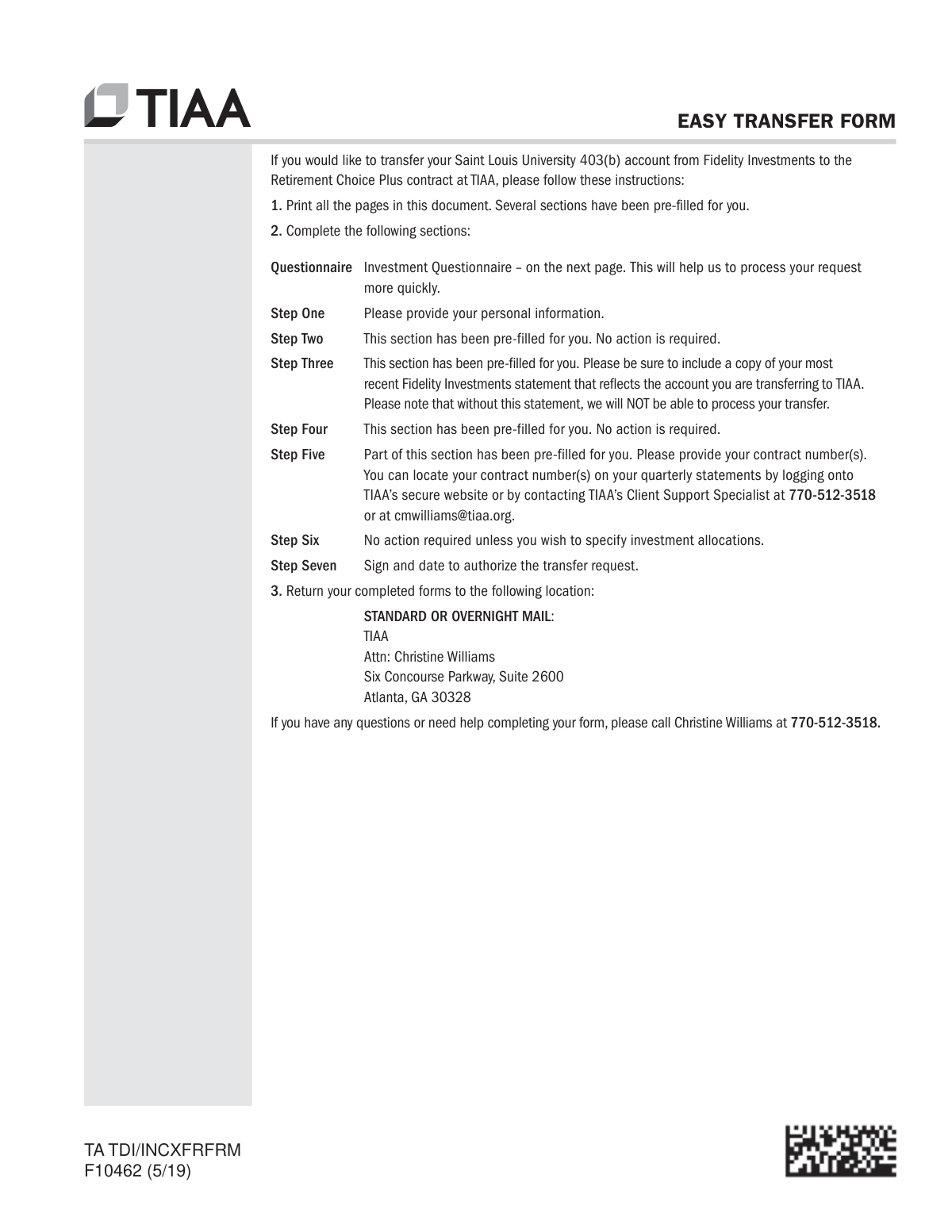
Form F10462, also known as the Easy Transfer Form, is a document used to instruct a current financial institution to move retirement funds into a TIAA employer-sponsored plan. It is crucial for consolidating retirement assets, allowing individuals to transfer accounts like a 403(b) by providing personal details, account information, and authorization. Today, this form can be filled out quickly and accurately using AI-powered services like Instafill.ai, which can also convert non-fillable PDF versions into interactive fillable forms.
F10462 is part of the
employer forms, sponsor forms, retirement plan forms, TIAA forms, retirement fund forms, plan sponsor forms, employer plan forms, funds transfer forms, fund transfer forms and retirement transfer forms categories on Instafill.
Rather not fill this in by hand? Instafill is an online form filler that completes PDF forms automatically — upload the blank form, answer a few questions, and the AI fills every field.
Form specifications
| Form name: | Easy Transfer Form: Moving Funds to an Employer-Sponsored Retirement Plan at TIAA |
| Number of pages: | 1 |
| Language: | English |
Our AI automatically handles information lookup, data retrieval, formatting, and form filling.
It takes less than a minute to fill out F10462 using our AI form filling.
Securely upload your data. Information is encrypted in transit and deleted immediately after the form is filled out.
Instafill Demo: How to fill out PDF forms in seconds with AI
How to Fill Out F10462 Online for Free in 2026
Are you looking to fill out a F10462 form online quickly and accurately? Instafill.ai offers the #1 AI-powered PDF filling software of 2026, allowing you to complete your F10462 form in just 37 seconds or less.
Follow these steps to fill out your F10462 form online using Instafill.ai:
- 1 Navigate to Instafill.ai and upload or select the TIAA Easy Transfer Form (F10462).
- 2 Use the AI assistant to fill in your personal information in Section 1, including your name, Social Security Number, and contact details.
- 3 In Section 3, provide details about the funds you want to move, including the financial institution's name, your account number, and liquidation instructions. Remember to attach a copy of your most recent statement.
- 4 Complete Section 5 to specify whether the funds should be applied to an existing or new TIAA account, providing contract numbers if applicable.
- 5 Indicate your investment allocation instructions for the transferred funds in Section 6.
- 6 Carefully review all entered information for accuracy, then proceed to Section 7 to electronically sign and date the form, authorizing the transfer.
- 7 Download the completed, signed form and submit it to TIAA along with your financial statement as per the instructions.
Our AI-powered system ensures each field is filled out correctly, reducing errors and saving you time.
Why Choose Instafill.ai for Your Fillable F10462 Form?
Speed
Complete your F10462 in as little as 37 seconds.
Up-to-Date
Always use the latest 2026 F10462 form version.
Cost-effective
No need to hire expensive lawyers.
Accuracy
Our AI performs 10 compliance checks to ensure your form is error-free.
Security
Your personal information is protected with bank-level encryption.
Frequently Asked Questions About F10462
This form is used by Saint Louis University employees to authorize the transfer of their 403(b) retirement account funds from Fidelity Investments to a Retirement Choice Plus contract at TIAA.
This form is specifically for Saint Louis University employees who have a 403(b) account with Fidelity Investments and wish to move those funds to their TIAA account.
You must submit a complete copy of your most recent Fidelity Investments statement that reflects the account you are transferring. Your request cannot be processed without this statement.
No, several sections are pre-filled for you. You only need to complete the Investment Questionnaire, your personal information in Step One, your TIAA contract number(s) in Step Five, and your signature in Step Seven.
You can locate your contract number(s) on your quarterly TIAA statements, by logging into the TIAA website, or by contacting the TIAA Client Support Specialist at 770-512-3518.
You must print the form, sign it, and mail it with your Fidelity statement to TIAA, Attn: Christine Williams, Six Concourse Parkway, Suite 2600, Atlanta, GA 30328.
It is a special signature certification to guarantee authenticity, which is different from a notary. You must check with Fidelity Investments if it is required; if so, TIAA can provide this service for you.
Spousal consent is required if you are married and name someone other than your spouse as the primary beneficiary for more than 50% of the death benefit. In that case, your spouse must sign to waive their survivor rights for this transfer.
If you do not provide specific allocation instructions, the transferred funds will be allocated according to your current allocation on file with TIAA or to the plan's default investment if no allocation is on file.
For assistance, you can call Christine Williams at 770-512-3518 or the TIAA National Contact Center at 800-842-2252 on weekdays.
Yes, services like Instafill.ai use AI to accurately auto-fill form fields with your information, which can save you time and help prevent errors.
Simply upload the PDF to the Instafill.ai platform. The AI will identify the fields, allowing you to provide your information once to have it automatically and accurately filled across the document before printing.
If you have a non-fillable or 'flat' PDF, you can upload it to a service like Instafill.ai. It will convert the document into an interactive, fillable form that you can easily complete online.
You must physically sign your full legal name on the printed form using black or dark blue ink. The form specifies that non-TIAA digital signatures, such as those from Adobe Acrobat, are not accepted.
Compliance F10462
Validation Checks by Instafill.ai
1
Social Security Number Format and Completeness
This check ensures that the Social Security Number (SSN) or Taxpayer Identification Number (TIN) field in Section 1 is not empty and adheres to the standard 9-digit format (XXXXXXXXX or XXX-XX-XXXX). A valid SSN/TIN is legally required for all financial and tax-related reporting associated with the account transfer. If the number is missing or invalid, the transfer request cannot be processed and will be rejected.
2
Required Statement Attachment Verification
Validates that a copy of the user's most recent Fidelity Investments statement has been uploaded or attached to the submission. The form explicitly states that the request 'will NOT be able to process' without this document, as it is needed to verify the account details being transferred. Failure to include the statement will result in an immediate halt of the transfer process until the document is provided.
3
Authorization Signature and Date Validation
This check confirms that the user has provided a signature and a valid date in Section 7. The signature legally authorizes the transfer, and the date establishes when the authorization was given. The date must be in a valid 'mm/dd/yyyy' format and cannot be a future date. An unsigned or undated form is legally non-binding and will be rejected.
4
Investment Allocation Total Percentage
If the user selects Option B in Section 6 to specify new investment allocations, this validation ensures that the sum of all entered percentages equals exactly 100%. This is critical for ensuring the entire transferred amount is invested according to the user's wishes. If the total is not 100%, the form notes the funds will be placed in a default allocation, which may not align with the user's investment strategy.
5
Conditional Communication Preference
This check verifies that if the user selects 'Please email me updates' or 'Please contact me via phone' in the questionnaire, the corresponding email address or phone number field is filled out. This ensures TIAA can provide status updates as requested by the user. If a communication method is chosen but the contact detail is missing, the system will flag the submission for correction to avoid communication failures.
6
Fund Application Logic Check
Validates the choices made in Section 5, 'Choose Where to Apply Your Funds'. If the user selects 'Option 1: Apply funds to my existing account', the system checks that at least one contract number is provided. If 'Option 2: Apply funds to my new TIAA account' is selected, it verifies that a plan type has been chosen. This ensures the transferred funds have a clear and valid destination, preventing processing delays or errors.
7
Investment Questionnaire Completeness
Ensures that a selection has been made for each of the four categories in the Investment Questionnaire: Marital Status, Investment Objective, Annual Household Income, and Approximate Net Worth. This information is required for financial compliance and to understand the client's financial profile. An incomplete questionnaire will cause the submission to be flagged as incomplete and may delay processing.
8
Exclusive Liquidation Instruction Selection
This validation ensures the user has made a clear and non-conflicting choice in Section 3 regarding liquidation. The user must select either instructions for an Investment Account (Part A) or a Certificate of Deposit (Part B), but not both. Within Part A, they must choose either full liquidation (Option 1) or partial liquidation (Option 2). Ambiguous or conflicting instructions will require clarification and delay the transfer.
9
Partial Liquidation Detail Requirement
If the user selects 'Option 2: Liquidate (cash out) only the following amount' in Section 3, this check verifies that at least one row in the subsequent table is filled out with specific fund details. The user must specify the fund and the amount to be liquidated via number of shares, percentage, or dollar amount. Without these details, the instruction is incomplete and cannot be acted upon by the financial institution.
10
Governmental 457(b) Conditional Logic
This check enforces the dependency between the 457(b) questions in Section 3. If the user answers 'Yes' to the first question ('Is this rollover coming from a Government Sponsored 457(b) plan...'), the system then requires answers to the subsequent questions about prior rollovers. This information is critical for correct tax tracking and reporting, as different rules apply to these funds. Failure to complete this section correctly can lead to tax complications.
11
Personal Information Completeness
Verifies that the essential personal information fields in Section 1, including First Name, Last Name, and Contact Telephone Number, are all filled in. This basic contact information is necessary for identifying the individual and for communication regarding the transfer request. Missing information will result in the form being returned as incomplete.
12
Conditional Contribution Source for Direct Transfer
This validation is triggered if the user selects 'Direct Transfer' in Section 2. It then checks that the user has specified the source of contributions (Employer, Employee, or Both) in Section 3. This information is vital for determining vesting schedules and withdrawal rules for the transferred funds. If this field is left blank, TIAA may have to apply the most restrictive rules or reject the transfer.
Common Mistakes in Completing F10462
The form explicitly states that a complete copy of the most recent Fidelity Investments statement is required and the request 'cannot be processed without this information'. This mistake often happens when applicants are in a hurry and overlook the checklist or instructions on the cover page. The consequence is an automatic rejection of the transfer request, causing significant delays until the statement is provided. To avoid this, always use the provided checklist and gather all necessary documents before starting the form.
Applicants frequently overlook the signature and date fields in Section 7, rendering the entire authorization invalid. This happens due to rushing or assuming the form is complete after filling in the main sections. Without a valid signature and date, TIAA cannot legally act on the transfer request, leading to an immediate halt in processing and requiring the form to be sent back for completion. To prevent this, do a final review of every page, paying special attention to authorization blocks before submission.
When selecting 'Apply funds to my existing account' in Section 5, applicants must provide their TIAA and/or CREF contract numbers. People often make this mistake because they don't have their TIAA statements readily available and leave the fields blank. Leaving this blank means TIAA has no specific destination for the incoming funds, which will delay the process until the applicant can be contacted to provide the missing information. Always locate your contract numbers on a quarterly statement or by logging into the TIAA website before you begin filling out the form.
The form specifies that 'Non-TIAA digital signatures, such as signing with Adobe Acrobat, are not accepted.' In an era where digital signing is common, users may incorrectly assume any digital signature is valid. Using an unapproved signature method will cause the form to be rejected, as it does not meet the institution's security and verification standards. To avoid this, either print the form and sign it with wet ink or use TIAA's specific digital signing experience if available.
In Section 3, if an applicant chooses to transfer a partial amount (Option 2), they must clearly specify the fund, shares, percentage, or dollar amount. Mistakes occur when this information is left blank, is illegible, or contains conflicting instructions. This ambiguity forces the processing agent to stop and seek clarification, delaying the entire transfer. Ensure you provide one clear, precise instruction for each partial liquidation.
When specifying a new investment allocation in Section 6, the percentages for all chosen funds must add up to exactly 100%. A simple math error can lead to an invalid allocation. The consequence, as stated on the form, is that the entire transfer amount will be placed in the plan's default investment fund, which may not match the applicant's risk tolerance or financial goals. AI-powered tools like Instafill.ai can help prevent this by automatically calculating the total and flagging any errors before submission.
Section 8 mentions that a Medallion Signature Guarantee may be required by the current institution. Applicants often mistakenly believe this is the same as a notary public stamp and get the form notarized instead. A Medallion Signature Guarantee is a special signature verification for transferring securities and its absence, when required, will cause the originating institution to reject the transfer request. Always confirm with the current financial institution (Fidelity) if this specific guarantee is needed before submitting the form.
Section 9 is for employer authorization, which may be necessary for certain plans. The form instructs the applicant to check with their employer or TIAA to see if this is needed. A common mistake is to assume it's not required and submit the form without it. If authorization is mandatory, its absence will result in the form being returned and the transfer being delayed until the proper signature is obtained. Proactively contacting your plan administrator or TIAA is the only way to avoid this potential roadblock.
A simple typographical error when entering the Social Security Number (SSN) in Section 1 is a frequent and critical mistake. This happens due to a lapse in concentration during data entry. An incorrect SSN will cause an identity verification failure, leading to an immediate rejection of the form and requiring the entire submission process to be restarted. Since this form is a non-fillable PDF, a tool like Instafill.ai can convert it to an interactive version and help validate the format of critical data like an SSN, reducing the chance of error.
The questionnaire on the first page asks for a preferred method of communication (email or phone) for status updates. Applicants sometimes skip this section, assuming they will be contacted automatically or not realizing its importance. Without this information, the applicant may not receive timely updates on the progress of their request or notifications about potential issues. To ensure you stay informed, always select a communication method and provide a correct email address or daytime phone number.
Saved over 80 hours a year
“I was never sure if my IRS forms like W-9 were filled correctly. Now, I can complete the forms accurately without any external help.”
Kevin Martin Green
Your data stays secure with advanced protection from Instafill and our subprocessors




Robust compliance program
Transparent business model
You’re not the product. You always know where your data is and what it is processed for.
ISO 27001, HIPAA, and GDPR
Our subprocesses adhere to multiple compliance standards, including but not limited to ISO 27001, HIPAA, and GDPR.
Security & privacy by design
We consider security and privacy from the initial design phase of any new service or functionality. It’s not an afterthought, it’s built-in, including support for two-factor authentication (2FA) to further protect your account.
Fill out F10462 with Instafill.ai
Worried about filling PDFs wrong? Instafill securely fills easy-transfer-form-moving-funds-to-an-employer-sponsored-retirement-plan-at-tiaa forms, ensuring each field is accurate.
