Fill out AeroVironment forms
with AI.
AeroVironment forms primarily relate to employee benefits and administrative requirements for individuals associated with AeroVironment, Inc. These documents are essential for managing retirement accounts, tax obligations, and internal corporate compliance. Ensuring these forms are completed accurately is vital for maintaining financial health and adhering to the specific policies of the AeroVironment Profit Sharing and Salary Deferral 401(k) Plan. Properly executed paperwork ensures that funds are distributed correctly and that all regulatory requirements are met without unnecessary delays.
By continuing, you acknowledge Instafill's Privacy Policy and agree to get occasional product update and promotional emails.
About AeroVironment forms
These forms are typically used by current or former employees who need to manage their retirement savings or adjust their participation in corporate programs. For example, a staff member might need to process an in-service withdrawal after reaching a specific age milestone or manage a rollover from a previous employer. Navigating these administrative tasks often occurs during significant life transitions or financial planning sessions where precision is necessary to avoid processing errors or unintended tax consequences. Because these documents often involve sensitive financial data, clarity and accuracy are paramount.
Managing corporate paperwork can be time-consuming, but tools like Instafill.ai use AI to fill these forms in under 30 seconds while ensuring data accuracy and security. By automating the data entry process, users can handle complex documents like 401(k) withdrawal requests more efficiently, allowing them to focus on their long-term financial goals rather than manual form completion.
Every form on this page can be completed without typing. Instafill is form filling software that reads a PDF and fills it for you — including flat and scanned documents that carry no fillable fields at all.
Forms in This Category
| Form Name | Pages | FCI | |
|---|---|---|---|
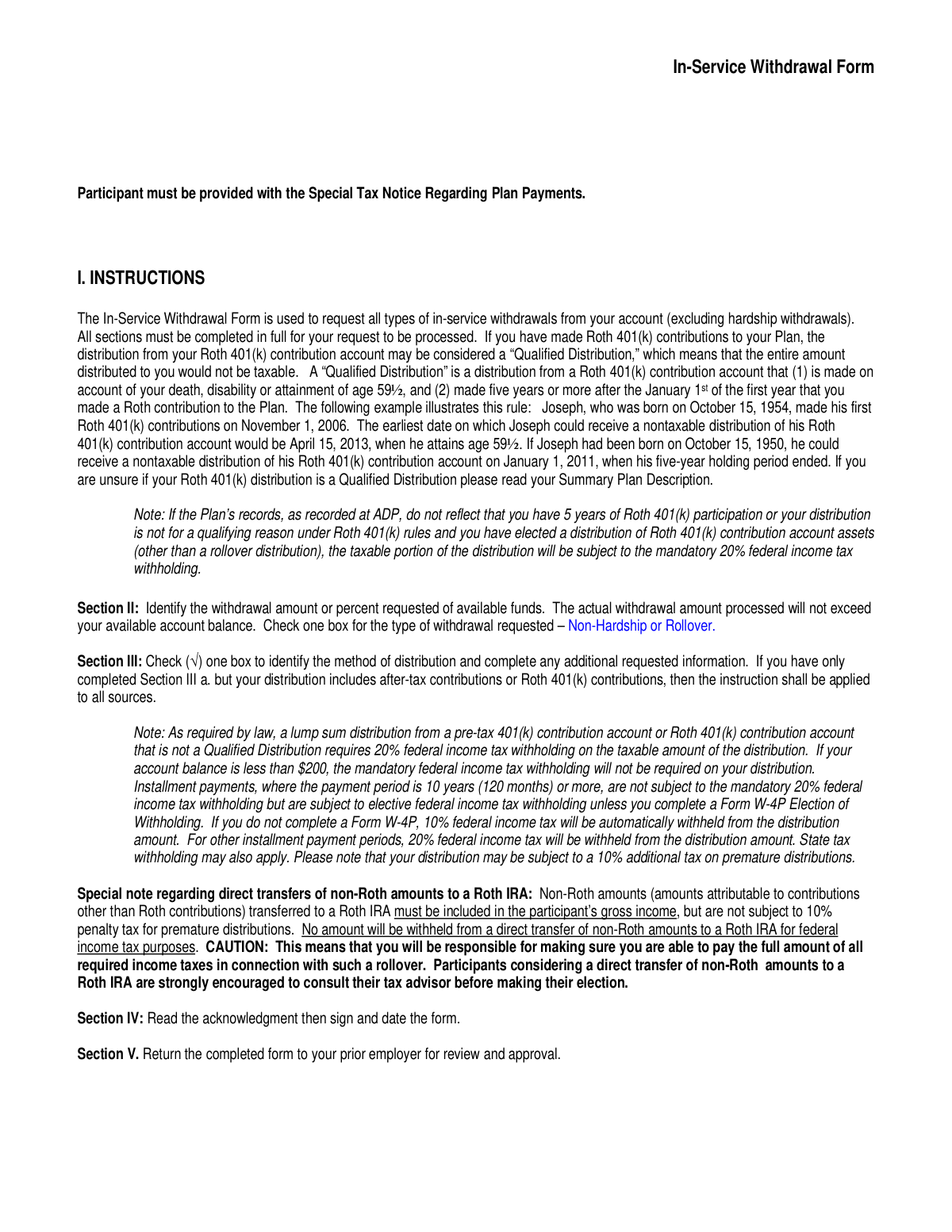
| 1. | AeroVironment Profit Sharing and Salary Deferral 401(k) Plan In-Service Withdrawal Form | 1 | – |
- Enterprise-grade security & data encryption
- 99%+ accuracy powered by AI
- 1,000+ forms from all industries
- Complete forms in under 60 seconds
How to Choose the Right Form
Navigating employee benefits can be complex, particularly when it comes to managing your retirement savings while still actively working. If you are an employee of AeroVironment, the primary document available in this category is designed to help you access your funds without terminating your employment.
Accessing Retirement Funds During Employment
The AeroVironment Profit Sharing and Salary Deferral 401(k) Plan In-Service Withdrawal Form is the essential document for participants who need to distribute a portion of their 401(k) balance while still on the payroll. Unlike standard withdrawal forms used after leaving a company, this "in-service" form is specifically for active staff members who wish to access specific portions of their retirement savings.
Determine Your Eligibility
Before initiating a request, ensure your situation fits the criteria for an in-service withdrawal. You should use this form if:
- You have reached age 59 ½: At this milestone, many plans allow for penalty-free withdrawals even if you are still working at the company.
- You have rollover funds: If you previously rolled over a balance from a prior employer’s plan into the AeroVironment 401(k), those specific funds are often accessible for withdrawal at any time.
- Non-Hardship Distributions: This form is intended for standard withdrawals. If you are facing an immediate and heavy financial need (such as medical bills or preventing eviction), you should verify if specific hardship documentation is required, though the In-Service form covers many voluntary distribution scenarios.
Why Accuracy Matters
When filling out the AeroVironment Profit Sharing and Salary Deferral 401(k) Plan In-Service Withdrawal Form, precision is vital. Errors in your account details or the requested amount can lead to significant processing delays or unintended tax consequences.
Using Instafill.ai allows you to convert the PDF into a clear, fillable format, ensuring that every field—from your personal identifiers to your specific distribution instructions—is legible and accurate before submission. This helps ensure your funds are distributed as requested while helping you manage the associated tax implications effectively.
Form Comparison
| Form | Primary Purpose | Who Files It | Typical Triggers |
|---|---|---|---|
| AeroVironment Profit Sharing and Salary Deferral 401(k) Plan In-Service Withdrawal Form | Requesting a distribution of 401(k) funds while still actively employed by the company. | Active AeroVironment employees participating in the company's profit sharing and 401(k) plan. | Reaching age 59 ½ or requesting a withdrawal from a rollover account balance. |
Tips for AeroVironment forms
Before starting the AeroVironment 401(k) withdrawal process, confirm you meet the specific criteria for an in-service distribution. Generally, these withdrawals are restricted to employees who have reached age 59 ½ or those accessing specific rollover contributions, and verifying your status first prevents the form from being rejected.
AI-powered tools like Instafill.ai can complete these forms in under 30 seconds with high accuracy, ensuring your personal and financial data stays secure throughout the process. This is a significant time-saver for employees who want to avoid the tedious manual entry of plan details and account information.
In-service withdrawals are typically subject to federal and state income taxes, which can impact your net distribution amount. Review the withholding section thoroughly to ensure you are setting aside enough to cover potential liabilities and avoid surprises during the next tax filing season.
Whether you are requesting a direct rollover to another qualified plan or a cash distribution to your bank account, verify all routing and account numbers. Even a small typo in the destination account information can lead to significant delays in receiving your funds.
Depending on the plan's specific rules, you may be required to obtain a notarized signature from your spouse to authorize a withdrawal. Checking these requirements before submission ensures you don't have to restart the paperwork due to a missing authorization.
Keep a digital and physical copy of your completed withdrawal request and the subsequent confirmation from the plan administrator. These documents are vital for reconciling your year-end 1099-R tax forms and providing evidence of the transaction to the IRS if requested.
Frequently Asked Questions
This category primarily includes documents related to employee benefits and retirement planning, such as the Profit Sharing and Salary Deferral 401(k) Plan forms. These documents allow active participants to manage their account funds, request distributions, or adjust their retirement strategy while remaining employed with the company.
Active employees who participate in the AeroVironment Profit Sharing and Salary Deferral 401(k) Plan may use this form if they meet specific plan criteria. Generally, eligibility is based on factors such as reaching the age of 59 ½ or having specific funds available in a rollover account that permit withdrawal prior to retirement.
Yes, AI tools like Instafill.ai can complete AeroVironment forms in under 30 seconds by accurately extracting data from your source documents and placing it into the required fields. This technology significantly reduces the risk of manual entry errors and ensures that complex financial documents are filled out with high precision.
An in-service withdrawal is typically used for non-emergency situations, such as when an employee reaches a certain age or wishes to access rollover funds. In contrast, hardship withdrawals are reserved for immediate and heavy financial needs, such as medical expenses or preventing eviction, and often involve different eligibility requirements.
Completed forms should generally be submitted to the AeroVironment Human Resources department or the designated third-party plan administrator. It is recommended to review the specific instructions provided on the form or consult your employee benefits handbook to ensure the document is sent to the correct processing office.
While manual entry can take 15 to 20 minutes to ensure accuracy, using AI-powered services like Instafill.ai allows you to complete these forms in less than 30 seconds. The AI can also convert non-fillable PDF versions into interactive forms, making the entire process much faster.
Withdrawals from a 401(k) plan are usually subject to federal and state income taxes, and may incur a 10% early withdrawal penalty if you are under age 59 ½. It is highly advisable to consult with a tax professional or financial advisor before submitting your form to understand the potential impact on your personal finances.
You will generally need your plan account number, Social Security number, and current contact details. Additionally, if you are requesting a distribution to another institution, you should have the destination account information and bank routing numbers ready to ensure a smooth transfer.
These specific in-service withdrawal forms are intended for individuals who are currently employed by the company. If you have separated from service, you will likely need to use a different set of distribution or rollover forms designed for terminated participants to manage their remaining account balances.
Once submitted, the plan administrator will review the form to verify your identity and eligibility for the requested distribution. If the paperwork is in order, the funds are typically disbursed via check or direct deposit according to the timeline established in the plan's summary description.
Glossary
- In-Service Withdrawal
- A distribution of funds taken from a 401(k) plan while the employee is still actively working for the company.
- Salary Deferral
- The portion of an employee's pre-tax compensation that they choose to contribute directly to their retirement plan instead of receiving it in their paycheck.
- Profit Sharing Plan
- A retirement plan feature where AeroVironment contributes a portion of company profits into the accounts of eligible employees.
- Rollover Account
- A sub-account within the 401(k) plan that holds money transferred from a previous employer's retirement plan or an Individual Retirement Account (IRA).
- Age 59 ½ Rule
- The standard age threshold set by the IRS at which retirement plan participants can begin taking distributions without paying a 10% early withdrawal penalty.
- Direct Rollover
- A payment method where retirement funds are sent directly from the AeroVironment plan to another eligible plan or IRA to maintain tax-deferred status.
- Vested Balance
- The portion of the retirement account, including employer-contributed funds, that the employee legally owns and is entitled to take with them.
- Non-Hardship Withdrawal
- A withdrawal made for reasons other than immediate financial emergency, such as reaching a specific age or accessing funds from a rollover account.