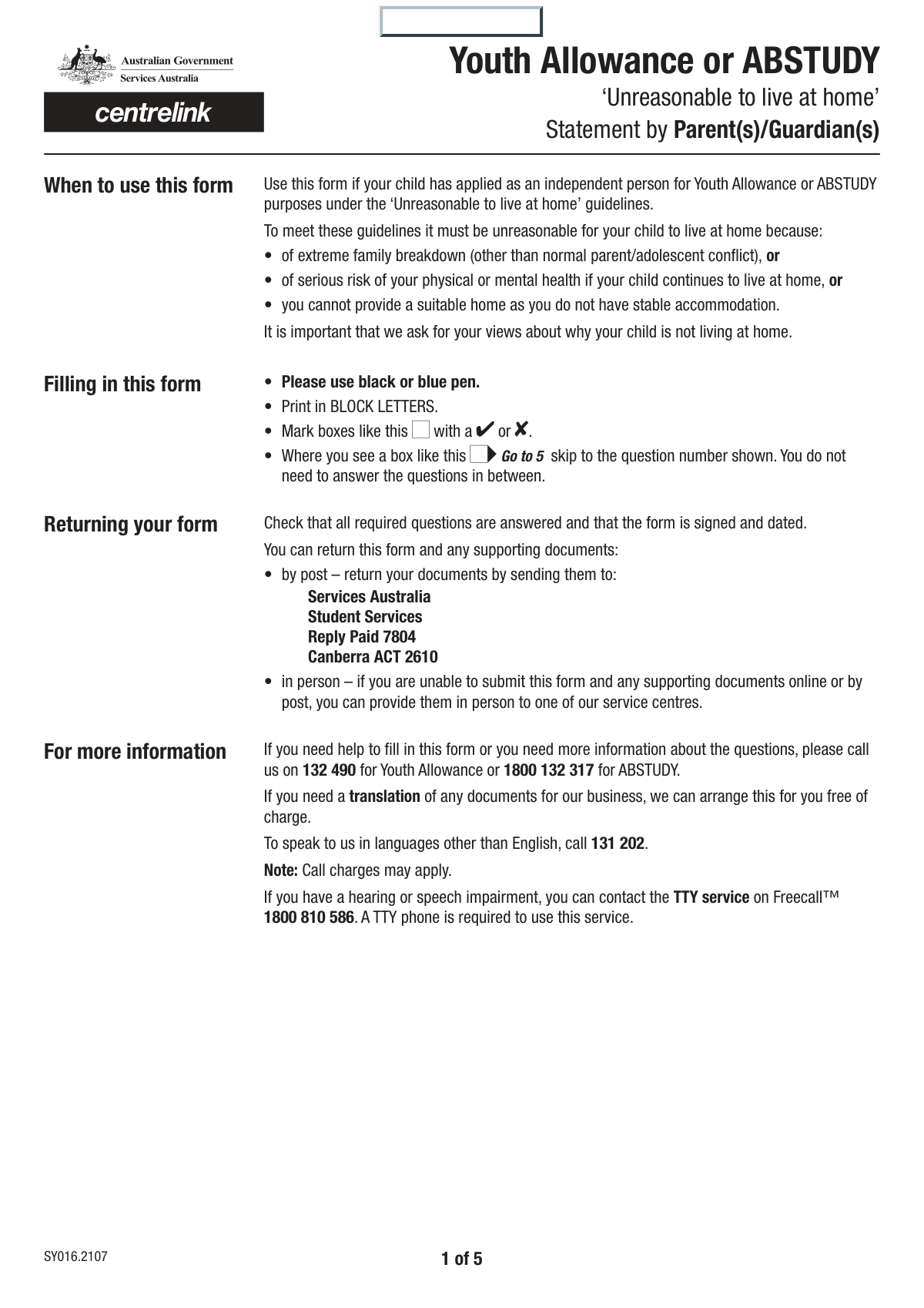
Yes! You can use AI to fill out Centrelink Form SY015 - Verification of 'Unreasonable to Live at Home'
Centrelink Form SY015, also known as the Verification of 'Unreasonable to Live at Home' statement, is a document required by Services Australia for a young person applying for payments like Youth Allowance at an independent rate. It requires a parent or guardian to formally declare the circumstances that make it unreasonable for the child to live in the family home, such as extreme family breakdown or risk to the young person's well-being. Today, this sensitive and detailed form can be filled out quickly and accurately using AI-powered services like Instafill.ai, which can also convert non-fillable PDF versions into interactive fillable forms.
Our AI automatically handles information lookup, data retrieval, formatting, and form filling.
It takes less than a minute to fill out SY015 using our AI form filling.
Securely upload your data. Information is encrypted in transit and deleted immediately after the form is filled out.
Form specifications
| Form name: | Centrelink Form SY015 - Verification of 'Unreasonable to Live at Home' |
| Number of fields: | 117 |
| Number of pages: | 5 |
| Language: | English |
Instafill Demo: How to fill out PDF forms in seconds with AI
How to Fill Out SY015 Online for Free in 2026
Are you looking to fill out a SY015 form online quickly and accurately? Instafill.ai offers the #1 AI-powered PDF filling software of 2026, allowing you to complete your SY015 form in just 37 seconds or less.
Follow these steps to fill out your SY015 form online using Instafill.ai:
- 1 Navigate to Instafill.ai and upload your SY015 form, or select it from our template library.
- 2 Enter your personal details as the parent or guardian, including your full name, address, contact information, and relationship to the child.
- 3 Provide the child's full name, date of birth, and current living situation.
- 4 Detail the circumstances of the child leaving home, including the date, reasons, history of any prior departures, and attempts made to resolve the issues.
- 5 Answer questions regarding financial support provided to the child and whether you will permit the child to return home, specifying any conditions if applicable.
- 6 Provide information about the child's other parent/guardian and the nature of their relationship and contact with the child.
- 7 Carefully review all the information for accuracy, then digitally sign and date the form to complete the verification process.
Our AI-powered system ensures each field is filled out correctly, reducing errors and saving you time.
Why Choose Instafill.ai for Your Fillable SY015 Form?
Speed
Complete your SY015 in as little as 37 seconds.
Up-to-Date
Always use the latest 2026 SY015 form version.
Cost-effective
No need to hire expensive lawyers.
Accuracy
Our AI performs 10 compliance checks to ensure your form is error-free.
Security
Your personal information is protected with bank-level encryption.
Frequently Asked Questions About Form SY015
This form gathers information from a parent or guardian about a child who has left the family home. The details provided help assess the child's circumstances to determine their eligibility for support, such as the 'Unreasonable to live at home' rate.
A parent or guardian of a child who is no longer living in the family home should complete this form. Your information is crucial for verifying the child's living situation and reasons for leaving.
If your child lives with you, you only need to complete the initial sections with your and your child's details and answer 'Yes' to 'Does your child currently live with you?'. Most of the detailed questions on this form apply only if the child has left home.
A 'silent number' is an unlisted phone number that is not available through public directories or directory assistance. Check 'Yes' if your number is unlisted, and 'No' if it is a standard, listed number.
The form allows for estimated dates. Please provide the most accurate dates you can recall, even if they are an approximation, for when your child previously left or returned home.
Yes, the form asks for the other parent/guardian's information and details about their relationship with the child. This information is necessary for a complete assessment of the child's family situation and support network.
This refers to a specific rate of financial assistance for young people who cannot live at home due to serious circumstances like family conflict, violence, or abuse. This form helps determine if the situation is genuinely 'unreasonable'.
In this section, you should provide specific, detailed examples of the issues that led to your child leaving home. A clear and factual account helps provide a full understanding of the circumstances.
Once submitted, the information will be reviewed to assess your child's eligibility for support. The processing authority may contact you if they need to verify any details or require additional information.
Yes, you must declare any financial or other support that you or anyone else provides to your child. The form includes a section to detail the type of support, how often it is given, and who provides it.
Yes, services like Instafill.ai use AI to help you accurately auto-fill form fields with your saved information. This can save you time and help prevent common errors when completing the form.
To fill this form online, simply upload the PDF to the Instafill.ai platform. The AI will make the document interactive, allowing you to click and fill each field easily before downloading or printing.
If you have a non-fillable or 'flat' PDF, you can use a service like Instafill.ai. It automatically converts any PDF into an interactive, fillable form that you can complete on your computer.
Compliance SY015
Validation Checks by Instafill.ai
1
Child's Date of Birth is in the Past
This validation ensures that the 'Child's Date of Birth' is a date that has already occurred. It prevents the entry of future or invalid dates, which would be logically impossible. If the date entered is today or in the future, the system should reject the entry and prompt the user for a valid past date.
2
Signature Date is Logical
This check verifies that the 'Signature Date' is not in the future and is on or after any other dates entered on the form, such as the 'Child's Date of Birth' or any 'Departure Date'. This maintains the chronological integrity of the events described in the form. A validation failure would indicate a data entry error and require the user to correct the date.
3
Exclusive Selection for Living Situation
This validation ensures that for the question 'Does your child currently live with you?', only one of the 'Yes' or 'No' options can be selected. It prevents ambiguous or contradictory answers for a critical branching question on the form. If both or neither are selected, the form submission should be blocked until a single, valid choice is made.
4
Conditional Section Activation for Child Not Living at Home
This check verifies that the detailed sections about the child leaving home (e.g., 'Date Child Left Home', 'Reason for Child Leaving Home') are only filled out if the user has selected 'No' for 'Does your child currently live with you?'. This prevents irrelevant data from being collected and ensures the form's logic is followed. If these fields are filled when 'Yes' is selected, an error should be flagged.
5
Departure and Return Date Chronology
This validation checks the series of 'Previous Departure Dates' to ensure that for each instance, the 'Return Date' is after the corresponding 'Departure Date'. This is a logical consistency check to ensure the timeline of events is accurate. If a return date is before its departure date, the system should highlight the error and require correction.
6
Sequential Departure and Return Logic
This check ensures that the multiple departure/return date pairs are in chronological order. For example, the 'Second Departure Date' must be after the 'First Return Date'. This validation maintains the integrity of the child's history. An error would be triggered if the dates are out of sequence, requiring the user to review and correct the timeline.
7
Exclusive Selection for Relationship to Child
This validation ensures that for each parent/guardian section, only one relationship checkbox ('Mother', 'Father', 'Guardian', 'Step parent') is selected. This prevents conflicting information about the parent's relationship to the child. If more than one option is checked, the form should prompt the user to select only one.
8
Postcode Format Validation
This check verifies that the 'Postcode' fields for both the primary and other parent/guardian contain a valid format (e.g., a specific number of digits). This is important for mail delivery and data standardization. If the entered postcode does not match the expected format, an error message should guide the user to enter it correctly.
9
Phone Number Component Completeness
This validation ensures that if a 'Home Phone Area Code' is entered, the corresponding 'Home Phone Main Number' field is also filled, and vice versa. This prevents submission of incomplete phone numbers, which are unusable for contact purposes. The system should flag an error if one part of the number is provided without the other.
10
Conditional Requirement for 'Reason for Not Allowing Return'
This check ensures that if the user selects 'No' for 'Permission for Child to Return Home', the corresponding text field 'Reason for Not Allowing Child to Return Home' must be filled. This is a business rule to capture necessary justification for a significant decision. The form should not be submittable without this explanation if the condition is met.
11
Conditional Requirement for Financial Support Details
This validation rule enforces that if the user checks 'Yes' for 'Financial Support Provided to Child', the 'Financial Support Details' text area must contain information. This ensures that an affirmation is backed up by necessary details for processing. A failure to provide details after checking 'Yes' should block submission and prompt the user for the required information.
12
Parent/Guardian Full Name is Required
This is a completeness check to ensure the 'Parent/Guardian's Full Name' field is not left empty. This field is fundamental for identifying the person completing the form. If the field is blank, the submission should be prevented, and an error message should indicate that the name is a required field.
13
Child's Name is Required
This validation ensures that the 'Child's Family Name' and 'Child's First Given Name' fields are both completed. The child's identity is central to the purpose of the form, so this information is mandatory. The form should not be accepted if either of these name components is missing.
14
Signature Presence Validation
This check verifies that the 'Parent/Guardian Signature' field has been signed. A signature is critical for attesting to the accuracy of the information provided and for the legal validity of the form. If the signature is missing, the form is considered incomplete and cannot be processed.
Common Mistakes in Completing SY015
This form contains many questions that only need to be answered based on previous 'Yes' or 'No' responses, particularly regarding whether the child lives at home. Applicants often miss these cues and either fill out sections that are not applicable to them or, more critically, skip entire required sections. This leads to an incomplete application that cannot be processed and requires follow-up, delaying any potential support or resolution. To avoid this, carefully read the instructions for each question, such as 'Fill only if 'No' is 'Yes'', and follow the question flow. AI-powered tools like Instafill.ai can automate this by only showing relevant fields based on your answers, ensuring you complete the correct path through the form.
Fields like 'Incidents and Problems' or 'Family Impact Description' require detailed, factual information. A common mistake is to provide overly brief, subjective, or purely emotional statements like 'Things are just bad'. These responses lack the specific examples and context the reviewing agency needs to make an assessment, which can result in a denial or request for more information. To prevent this, focus on providing clear, objective examples with dates, frequencies, and specific actions, as if you are creating a timeline of events. Think 'what, when, where, and who' for each incident you describe.
The form requires splitting information across multiple fields, such as 'Home Phone Area Code' and 'Home Phone Main Number', or across 'Street Address' and 'Suburb/Town/State'. People frequently enter the entire phone number or address line into the first available box, leaving the subsequent fields empty. This can cause data entry errors on the receiving end and may lead to mail being returned or an inability to contact the applicant. Always double-check that each piece of information is in its designated field. Using a tool like Instafill.ai can prevent this by automatically parsing and distributing contact information into the correct, separate fields.
The form asks for numerous dates, including the child's date of birth, when they left home, and previous departure/return dates. Applicants often use inconsistent formats (e.g., MM/DD/YY, DD-MM-YYYY, YYYY/MM/DD) or make simple typos, which can create a confusing and inaccurate timeline of events. An incorrect date of birth can invalidate the entire form, while incorrect event dates can impact eligibility for services. It is crucial to use a consistent, clear format (e.g., DD/MM/YYYY) for all date fields and to review them for accuracy before submitting. AI form-fillers can help by standardizing date formats across the document.
A particularly difficult part of the form involves nested questions, such as the section on 'Previous Departure Notes' which only applies if you answer 'No' to 'Does your child currently live with you?' AND 'Yes' to 'Has your child previously left home?'. Users often get lost in this multi-level logic, leading them to skip the section or fill it out incorrectly. This results in missing critical context about the family's history. To avoid this, trace the logic step-by-step; if you answer 'Yes' to a question, look for the follow-up instructions before moving on. This is another area where smart form-filling software can significantly reduce errors by guiding the user through the complex logic.
The sections for the 'Other Parent/Guardian' are often left incomplete, even when applicable. Applicants may not have the information readily available, or they may assume it's optional if their relationship with the other parent is distant. However, for custody, support, and welfare assessments, this information is often mandatory. Leaving it blank can halt the application process entirely. It is important to gather all necessary contact and relationship details for the other parent before starting the form, or to clearly state if the information is unknown and why.
The form asks for the 'Full Name' of the parent, guardian, and child. A frequent error is using a nickname, a shortened version of a name, or just initials. Since this is likely a document for an official agency, using anything other than the full legal name as it appears on documents like a birth certificate or driver's license can cause processing delays or rejection due to a failure to verify identity. Always use the complete, official legal name for all individuals listed on the form to ensure a smooth verification process.
Forgetting to sign and date the form is one of the most common and critical mistakes. An unsigned form is legally invalid and will be immediately rejected, forcing the applicant to start the process over. This often happens when people are focused on the complexity of the questions and overlook the final step. Before submitting, always perform a final review with the sole purpose of checking the signature and date fields. If the form is a non-fillable PDF, a tool like Instafill.ai can convert it into a fillable version where you can easily add a digital signature and date.
The form asks whether a phone number is 'silent' (unlisted). Many people are unsure of their number's status or what the term means, leading them to either guess or skip the question. An incorrect answer could lead to privacy issues or failed contact attempts by the agency. If you are unsure, it is better to check with your telephone provider or select 'No' if you receive unsolicited calls, as your number is likely not silent. This small detail ensures the agency respects your privacy settings while maintaining a valid contact method.
When a parent indicates they would allow the child to return home, the form asks if there are 'conditions'. People often make the mistake of either checking 'No' to seem more welcoming, even if they have unstated expectations, or they provide vague conditions like 'They have to behave'. This section is crucial for mediation and planning; it requires clear, specific, and reasonable conditions (e.g., 'must attend weekly family counseling,' 'must adhere to a 10 PM curfew'). Being specific helps the agency understand the potential for reconciliation and what support might be needed to make it successful.
Saved over 80 hours a year
“I was never sure if my IRS forms like W-9 were filled correctly. Now, I can complete the forms accurately without any external help.”
Kevin Martin Green
Your data stays secure with advanced protection from Instafill and our subprocessors

Robust compliance program
Transparent business model
You’re not the product. You always know where your data is and what it is processed for.
ISO 27001, HIPAA, and GDPR
Our subprocesses adhere to multiple compliance standards, including but not limited to ISO 27001, HIPAA, and GDPR.
Security & privacy by design
We consider security and privacy from the initial design phase of any new service or functionality. It’s not an afterthought, it’s built-in, including support for two-factor authentication (2FA) to further protect your account.
Fill out SY015 with Instafill.ai
Worried about filling PDFs wrong? Instafill securely fills centrelink-form-sy015-verification-of-unreasonable-to-live-at-home forms, ensuring each field is accurate.