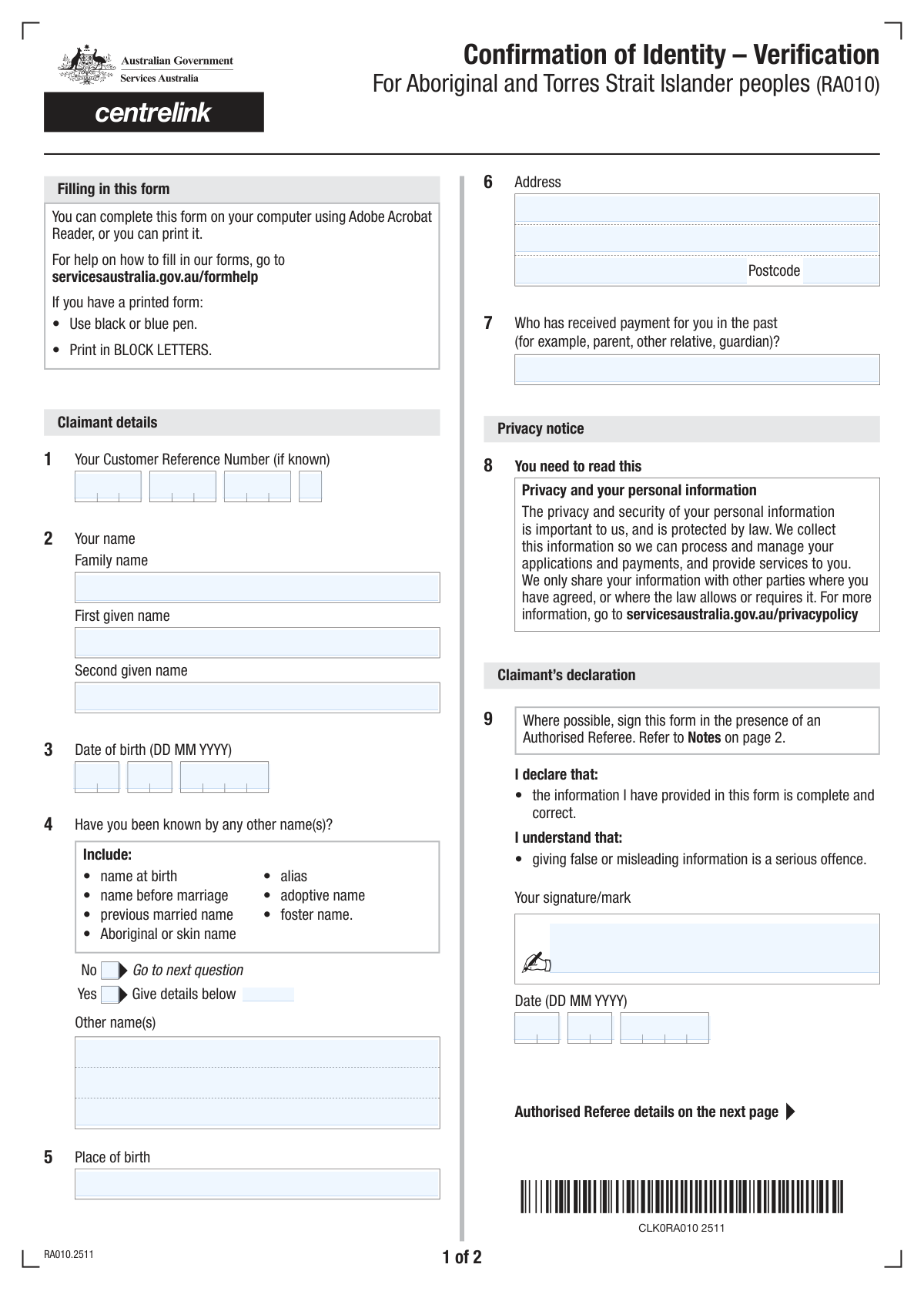
Yes! You can use AI to fill out Form SS241 - Referee's Report - Identification of a claimant

Form SS241 is an Australian Government document used by a referee to confirm the identity of a claimant applying for services or payments from agencies like Centrelink. It's a crucial part of the identity verification process, requiring a third party who knows the claimant to provide and attest to their personal details. Today, this form can be filled out quickly and accurately using AI-powered services like Instafill.ai, which can also convert non-fillable PDF versions into interactive fillable forms.
SS241 is part of the identification forms and VA claim forms categories on Instafill.
Our AI automatically handles information lookup, data retrieval, formatting, and form filling.
It takes less than a minute to fill out SS241 using our AI form filling.
Securely upload your data. Information is encrypted in transit and deleted immediately after the form is filled out.

Form specifications

Form name: Form SS241 - Referee's Report - Identification of a claimant
Number of fields: 50
Number of pages: 4
Filled form examples: Form SS241 Examples
Language: English
main-image

Instafill Demo: How to fill out PDF forms in seconds with AI

How to Fill Out SS241 Online for Free in 2026

Are you looking to fill out a SS241 form online quickly and accurately? Instafill.ai offers the #1 AI-powered PDF filling software of 2026, allowing you to complete your SS241 form in just 37 seconds or less.
Follow these steps to fill out your SS241 form online using Instafill.ai:
  1. 1 Navigate to Instafill.ai and upload or select Form SS241, the Referee's Report.
  2. 2 Use the AI assistant to fill in the claimant's personal information, including their full name, date of birth, and any other names they have been known by.
  3. 3 Provide your details as the referee, specifying your relationship with the claimant (professional or personal) and the number of years you have known them.
  4. 4 Indicate the sources you are using to confirm the claimant's identity by checking the appropriate boxes, such as personal knowledge or various official records.
  5. 5 Enter your professional information, including your full name, title, organization, and Australian Business Number (ABN) if applicable.
  6. 6 Carefully review all entered information for accuracy, then digitally sign and date the form to complete the verification process.

Our AI-powered system ensures each field is filled out correctly, reducing errors and saving you time.

Why Choose Instafill.ai for Your Fillable SS241 Form?

Speed

Complete your SS241 in as little as 37 seconds.

Up-to-Date

Always use the latest 2026 SS241 form version.

Cost-effective

No need to hire expensive lawyers.

Accuracy

Our AI performs 10 compliance checks to ensure your form is error-free.

Security

Your personal information is protected with bank-level encryption.

Frequently Asked Questions About Form SS241

This form is used by an authorised referee to verify the identity and personal details of a claimant. It serves as a supporting document to confirm information like the claimant's name, date of birth, and address.

This form must be completed by an 'authorised referee' who knows the claimant, either personally or professionally. The referee is providing a formal statement to help confirm the claimant's identity for an application or claim.

The Customer Reference Number is typically provided to the claimant by the organization requesting this form. You should ask the claimant to give you this number before you begin filling out the form.

In the 'Other Names' section, simply check the 'No' box. You can then skip the fields that ask for details about previous names.

You can check both the 'Professionally' and 'Personally' boxes if your relationship falls into both categories. Afterwards, enter the total number of years you have known the claimant in the designated field.

As the referee, you must provide your full name, official title, organization name, and a contact phone number. If applicable to your professional capacity, you will also need to enter your Australian Business Number (ABN).

The ABN is generally required if you are acting as a referee in a professional or business capacity. If you are serving in a personal capacity and do not have an ABN, you may be able to leave it blank, but check with the requesting agency for their specific rules.

Check all the boxes that apply to how you are confirming the claimant's details. For example, if you are verifying information from your organization's employee database, you would check 'Organisation records'.

If the claimant does not have a second or middle name listed on their official documents, you should leave the 'Second Given Name' field blank.

Submission instructions are usually provided by the agency that requested the form. You will typically return the signed form to the claimant or send it directly to the agency as instructed.

Yes, services like Instafill.ai use AI to help you fill out forms accurately and efficiently. These tools can auto-fill fields, saving you time and helping to prevent common errors.

To fill this form online, upload the PDF to the Instafill.ai platform. The service will make the form interactive, allowing you to type your information directly into the fields before downloading the completed document.

If your PDF is not interactive, you can use a service like Instafill.ai to make it fillable. Simply upload the flat PDF, and its AI will convert it into an interactive form that you can complete on your computer.

This field is for the name of a person, such as a parent or guardian, who may have received payments on behalf of the claimant in the past. If this does not apply, you can likely leave it blank, but it is best to confirm with the claimant.

Compliance SS241
Validation Checks by Instafill.ai

1
Valid and Complete Date of Birth
This check ensures that the Day, Month, and Year fields for the Date of Birth combine to form a valid calendar date (e.g., not April 31). It also verifies that the date is in the past and represents a plausible age for a claimant, for instance, older than 16 and younger than 120. An invalid or future date would prevent accurate age calculation and identity verification, leading to form rejection.
2
Conditional 'Other Name' Field Requirement
This validation enforces the rule that if the 'Yes' checkbox is selected for the 'Other Names' section, the 'Other Name' text field must not be empty. This is crucial for capturing all known aliases for identity verification and background checks. If 'Yes' is checked but no name is provided, the submission will be flagged as incomplete, requiring the user to either provide a name or select 'No'.
3
Mutually Exclusive 'Other Names' Selection
This check ensures that the user can only select either 'Yes' or 'No' for the 'Other Names' question, but not both simultaneously. This prevents contradictory data entry which would create ambiguity in processing the form. If both are selected, an error message should prompt the user to choose only one option before proceeding.
4
Required Core Name Fields
This validation confirms that the 'Family Name' and 'First Given Name' fields are not left blank. These fields are fundamental for identifying the individual and are almost always mandatory for official records. Failure to provide this core information would make the form submission invalid and prevent any further processing.
5
Australian Business Number (ABN) Structure and Checksum
This check validates the Australian Business Number (ABN) by ensuring all four parts are filled, are numeric, and combine to form a valid 11-digit number. It should also perform a checksum calculation to verify the ABN's authenticity. An invalid ABN could indicate a fraudulent or mistaken entry, and is critical for verifying the legitimacy of the authorised referee's organisation.
6
Logical 'Years Known Claimant' Value
This validation compares the value in 'Years Known Claimant' against the claimant's age, calculated from their Date of Birth. The number of years known cannot be greater than the claimant's current age. This logical check prevents impossible data entry errors and ensures the referee's statement is credible.
7
Conditional 'Years Known' Field Population
This check ensures that if either the 'Professionally' or 'Personally' checkbox is selected, the 'Years Known Claimant' field must be filled with a positive number. The duration of the relationship is essential context for the referee's testimony. If a relationship type is indicated without specifying the duration, the form is considered incomplete.
8
Required Address Components
This validation ensures that essential address fields, specifically 'Address Line 1', 'Suburb or Town', and 'Postcode', are not empty. A complete address is necessary for correspondence, location verification, and fraud prevention. Submissions with incomplete addresses will be rejected until the required fields are populated.
9
Postcode Format Validation
This check verifies that the 'Postcode' field contains a valid format, such as a 4-digit number for Australian postcodes. This ensures data quality and is critical for mail delivery and geographic data analysis. An incorrectly formatted postcode would cause processing errors and potential communication failures.
10
Conditional 'Other Information Source' Details
This validation rule is triggered if the 'Other' checkbox is selected in the 'Information Sources' section. It ensures that both the 'Other Source Type' and 'Other Information Source Details' text fields are filled out. This is important to understand and verify the alternative sources used for confirmation, and failure to provide details would render the 'Other' selection invalid.
11
Minimum Information Source Selection
This check verifies that at least one checkbox under the 'Information Sources' section has been selected. This information is critical to understand the basis of the referee's confirmation of the claimant's details. If no source is selected, the system cannot determine the validity of the confirmation, and the form will be considered incomplete.
12
Signature Date Logical Consistency
This validation ensures the 'Signature Date' is a valid calendar date that is not in the future. It also checks that the signature date is on or after the claimant's date of birth. This prevents illogical data entry and confirms the form was signed on a valid day, which is essential for its legal standing.
13
Composite Customer Reference Number Completeness
This check verifies that all four parts of the 'Customer Reference Number' are filled in. Since the number is split into multiple fields, it's crucial to ensure no part is missed, as a partial number is unusable for looking up the customer's record. If any part is empty, the user should be prompted to complete the full reference number.
14
Referee Phone Number Format
This validation ensures the 'Phone Number' for the authorised referee is entered in a valid and standard format, including the area code. A correctly formatted phone number is essential for contact and verification purposes. An invalid number would hinder the ability to follow up with the referee, potentially delaying or invalidating the claim.

Common Mistakes in Completing SS241

Incorrectly Segmenting Reference Numbers

The form requires the Customer Reference Number and Australian Business Number (ABN) to be entered into separate, multi-part fields. A common error is to paste the entire number into the first box, mis-type digits, or transpose the segments. This mistake will almost certainly lead to a data mismatch, preventing the system from linking the form to the correct account or business, causing rejection. To avoid this, carefully transcribe the number, matching each segment to its field. AI-powered form filling tools like Instafill.ai can prevent this by automatically parsing and populating segmented numbers correctly, eliminating manual entry errors.

Using Nicknames or Incorrect Name Order

The form asks for 'Family Name' and 'First Given Name' as they appear on official documents. Applicants often mistakenly enter a nickname instead of their legal first name, or they may swap the family and given names, a common issue for individuals from cultures where the family name is stated first. This causes a mismatch during identity verification against official records, leading to rejection. Always use your full, legal name and double-check that the family name and given name are in the correct fields.

Mishandling Conditional Logic for 'Other Names'

The form uses a 'Yes'/'No' checkbox to determine if the 'Other Name' field should be completed. People frequently make mistakes by either checking 'Yes' and forgetting to provide the name, or providing a name without checking the 'Yes' box. This creates an incomplete or logically inconsistent submission that cannot be processed. To prevent this, review your answers to ensure that if you check 'Yes', you fill out the associated detail field, and if you check 'No', you leave it blank.

Incorrect Date Formatting in Split Fields

The form requires dates (Date of Birth, Signature Date) to be split into separate Day, Month, and Year fields. Common errors include using a single digit for the day or month (e.g., '7' instead of '07'), swapping the day and month, or entering the current year for the year of birth. Such errors can invalidate the form or cause identity verification failures. Always use a two-digit format for day/month and a four-digit format for the year. If the form is a non-fillable PDF, tools like Instafill.ai can convert it into a fillable version with fields that can validate date formats, reducing such errors.

Providing an Incomplete or Ambiguous Address

When filling out the address section, people often forget to include their unit or apartment number in 'Address Line 1' or try to fit the entire address onto the first line. Another common mistake is entering an incorrect postcode for the given suburb. These errors can result in important correspondence being delayed, misdirected, or returned as undeliverable. Ensure your unit number is included if applicable, and use 'Address Line 2' if needed, verifying the postcode against the suburb for accuracy.

Missing Signature or Signature Date

A form submitted without a valid signature is legally non-binding and will be rejected. It is a very common and critical mistake to overlook the signature field, especially on multi-page documents. Similarly, forgetting to fill in the date next to the signature can also cause processing issues, as the date validates when the declaration was made. Always perform a final check specifically for the signature and date fields before submitting the form.

Confusing Applicant, Recipient, and Referee Names

This form asks for multiple names: the claimant's name, the 'Past Payment Recipient Name,' and the 'Authorised Referee' name. Users, particularly those filling the form on behalf of someone else, can easily get confused and enter the wrong person's name in a given field. This can lead to incorrect record association and processing failures. To avoid this, carefully read the label for each name field to understand whose name is required in that specific context.

Failing to Detail 'Other' Information Sources

The form provides an 'Other' checkbox in the 'Information Sources' section, which requires the user to specify the source type and provide details. A frequent oversight is checking the 'Other' box but failing to fill in the mandatory explanation in the 'Other Source Type' and 'Other Information Source Details' fields. This leaves the reviewer with incomplete information, potentially invalidating that part of the form. If you select 'Other,' always ensure you provide a clear and complete description in the spaces provided.

Omitting Relationship Context or Duration

The form asks for the number of years the referee has known the claimant, but this field is conditional upon first selecting the nature of the relationship ('Professionally' or 'Personally'). A common mistake is to enter the number of years without checking either box, or vice-versa. This leaves the context of the relationship unclear to the reviewer and makes the information less useful. Ensure you check at least one box to define the relationship type before providing the number of years you have known the claimant.

Ambiguous Entry for 'Distance/Hours Away'

The field 'Claimant Distance/Hours Away' asks for 'distance in kilometers OR the number of hours,' which is inherently ambiguous. Users often enter a number like '50' without specifying the unit (km or hours), leaving the information open to interpretation and potentially causing processing delays while the agent seeks clarification. To avoid this, it is best to be explicit by writing '50 km' or '3 hours,' even if the field doesn't provide space for units, to prevent follow-up questions.
Saved over 80 hours a year

“I was never sure if my IRS forms like W-9 were filled correctly. Now, I can complete the forms accurately without any external help.”

Kevin Martin Green

Your data stays secure with advanced protection from Instafill and our subprocessors

Robust compliance program

Transparent business model

You’re not the product. You always know where your data is and what it is processed for.

ISO 27001, HIPAA, and GDPR

Our subprocesses adhere to multiple compliance standards, including but not limited to ISO 27001, HIPAA, and GDPR.

Security & privacy by design

We consider security and privacy from the initial design phase of any new service or functionality. It’s not an afterthought, it’s built-in, including support for two-factor authentication (2FA) to further protect your account.

Fill out SS241 with Instafill.ai

Worried about filling PDFs wrong? Instafill securely fills form-ss241-referees-report-identification-of-a-claimant forms, ensuring each field is accurate.