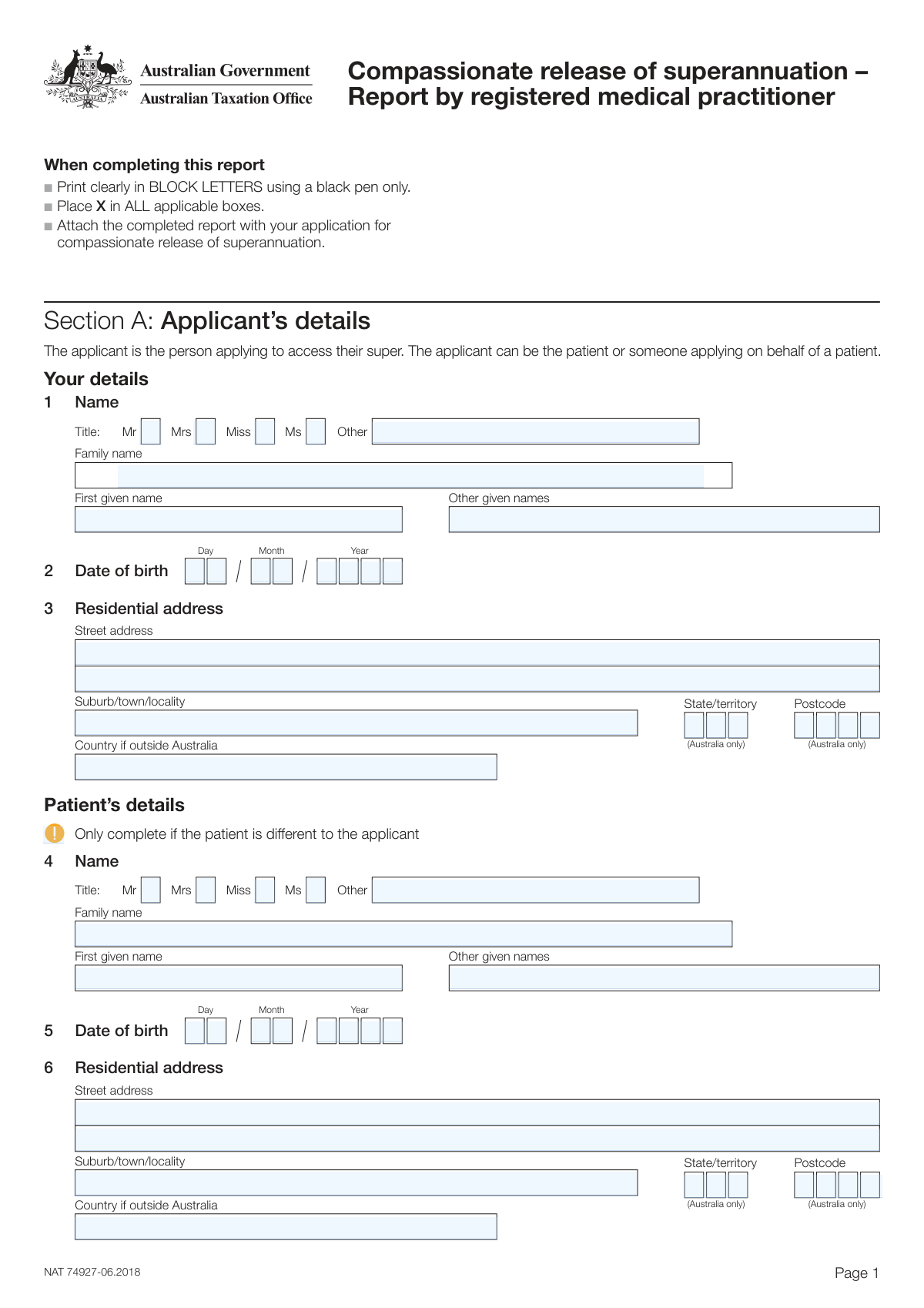
Yes! You can use AI to fill out Generic Information Collection Form
This form serves as a multipurpose document for organizations to collect essential data from individuals, including identification, addresses, and specific declarations. Its accurate completion is crucial for processing requests, applications, or registrations efficiently. Today, this form can be filled out quickly and accurately using AI-powered services like Instafill.ai, which can also convert non-fillable PDF versions into interactive fillable forms.
Our AI automatically handles information lookup, data retrieval, formatting, and form filling.
It takes less than a minute to fill out GICF using our AI form filling.
Securely upload your data. Information is encrypted in transit and deleted immediately after the form is filled out.
Form specifications
| Form name: | Generic Information Collection Form |
| Number of fields: | 105 |
| Number of pages: | 5 |
| Language: | English |
Instafill Demo: How to fill out PDF forms in seconds with AI
How to Fill Out GICF Online for Free in 2026
Are you looking to fill out a GICF form online quickly and accurately? Instafill.ai offers the #1 AI-powered PDF filling software of 2026, allowing you to complete your GICF form in just 37 seconds or less.
Follow these steps to fill out your GICF form online using Instafill.ai:
- 1 Navigate to Instafill.ai and upload the Generic Information Collection Form, or find it in the platform's template library.
- 2 Use the AI chat feature to provide your personal details like name, address, and contact information for automatic placement into the correct fields.
- 3 Review the information auto-populated by the AI to verify its accuracy and make any necessary corrections.
- 4 Complete the remaining sections by selecting the appropriate checkboxes and filling in any required text fields.
- 5 Provide an electronic signature in the designated area to certify the information.
- 6 Download the completed, signed form as a PDF, ready for submission.
Our AI-powered system ensures each field is filled out correctly, reducing errors and saving you time.
Why Choose Instafill.ai for Your Fillable GICF Form?
Speed
Complete your GICF in as little as 37 seconds.
Up-to-Date
Always use the latest 2026 GICF form version.
Cost-effective
No need to hire expensive lawyers.
Accuracy
Our AI performs 10 compliance checks to ensure your form is error-free.
Security
Your personal information is protected with bank-level encryption.
Frequently Asked Questions About Form GICF
This form is designed to collect specific information for an application, registration, or official record. It should be completed by the individual to whom the form pertains or their authorized representative.
Required fields are typically marked with an asterisk (*) or are otherwise indicated in the form's instructions. To avoid processing delays, ensure all mandatory fields are completed before submission.
Text boxes are for you to type in specific information like your name, address, or dates. Choice buttons (radio buttons or checkboxes) are for selecting one or more predefined options, such as 'Yes' or 'No'.
Check the form's instructions or the website where you obtained it for a list of any required supporting documents. Failure to include necessary documents can delay or invalidate your submission.
Submission instructions are usually found on the form itself or on the website of the issuing organization. You may need to mail it to a physical address, email it, or upload it through an online portal.
If a field is not applicable to you, it is standard practice to write 'N/A' (Not Applicable). Leaving a field blank might be interpreted as an omission, so using 'N/A' provides clarity.
If you run out of space in a text field, you can attach a separate sheet with the additional information. Clearly label the attachment with your name and reference the form section and question number.
Processing times vary by organization and the type of form. For an estimated timeframe, please check the official website of the agency you are submitting the form to or contact them directly.
Yes, services like Instafill.ai use AI to auto-fill form fields accurately and save you time. These tools can populate your recurring information like name and address from a secure profile.
Simply upload the form's PDF to the Instafill.ai platform. Their AI will make the form fillable online, allowing you to auto-fill your information, review it, and download the completed document.
If you have a non-fillable or 'flat' PDF, you can use a tool like Instafill.ai to convert it into an interactive, fillable form. This allows you to type directly into the fields instead of printing and writing by hand.
These are unique identifiers for each field in the document's structure and are not meant for the user. You should focus on the label or question associated with each field on the form.
Unless a specific format (e.g., MM/DD/YYYY) is requested, use the standard format for your region. Consistency is key, so use the same format for all date fields throughout the form.
Compliance GICF
Validation Checks by Instafill.ai
1
Ensures Primary Identifier is Provided
This check verifies that the textbox 'textbox_0_0_8cef76d7' is not empty. This field is considered a primary identifier for the form entry, and its absence would make the entire submission invalid. If this validation fails, the form submission should be rejected with an error message indicating the required field is missing.
2
Validates Social Security Number Format
This check ensures that the value in 'textbox_0_8_8c5e28ec' follows the standard 9-digit Social Security Number format (XXX-XX-XXXX or XXXXXXXXX). This is critical for correct identification and processing with government or financial agencies. A failure would prevent the form from being processed correctly and should trigger a format error.
3
Conditional Requirement for Explanation
This validation checks if 'textbox_0_25_0fd9ea00' is filled out when 'choicebutton_0_26_1715117c' is selected. This is a common pattern where selecting a 'Yes' or 'Other' option requires a mandatory explanation. If the choice is made but the explanation is missing, the submission is incomplete and should be flagged.
4
Mutually Exclusive Choice Selection
This check ensures that only one of 'choicebutton_0_26_1715117c' and 'choicebutton_0_27_03b5b356' is selected at a time. These buttons likely represent a binary choice, such as 'Yes' or 'No'. Allowing both to be selected would create a logical contradiction, so the system must enforce that they are mutually exclusive.
5
Validates Character Limit for Name Field
This validation ensures that the input in 'textbox_1_0_e8ea7f8a' does not exceed a predefined character limit, such as 50 characters. This is important for fields that store names or titles to prevent data truncation in backend systems. If the input is too long, the user should be prompted to shorten it.
6
Ensures at Least One Option is Selected in a Group
This check verifies that at least one option from the group of choice buttons ('choicebutton_1_8_f40ed9bf' through 'choicebutton_1_11_3ff8f48f') has been selected. This is used for mandatory multiple-choice questions where a selection is required to proceed. Failure to select an option would result in an incomplete form error.
7
Validates Date Format (MM/DD/YYYY)
This check ensures that the value entered into 'textbox_2_0_793ef841' is a valid date and conforms to the MM/DD/YYYY format. Consistent date formatting is crucial for accurate record-keeping, calculations, and sorting. An invalid format would cause a data entry error and should be corrected by the user.
8
Logical Date Sequence Check
This validation confirms that the date in 'textbox_2_1_1c74804e' (assumed End Date) occurs after the date in 'textbox_2_0_793ef841' (assumed Start Date). This prevents logical errors, such as an employment period ending before it began. If the end date is not after the start date, the system should flag it as a logical inconsistency.
9
Section Completion Requirement
This check ensures that if any field in Section 2 (e.g., 'textbox_2_0_793ef841') is filled, then the key field 'textbox_2_3_d21f71b1' must also be completed. This prevents partially filled, ambiguous sections in the form. If a user begins entering data in a section, this rule enforces that they provide the minimum required information for that section.
10
Validates Currency Format
This check verifies that the value in 'textbox_3_0_fc4737e6' is a valid numerical currency amount, potentially with a dollar sign and up to two decimal places. Proper currency formatting is essential for financial calculations and to avoid data corruption. An invalid entry would trigger a format error, asking the user to input a valid monetary value.
11
Cross-Field Calculation Verification
This validation ensures that the value in 'textbox_3_1_d098dd75' correctly equals the sum of the values from 'textbox_0_15_183f1cf9' and 'textbox_1_5_aa444681'. This is a critical integrity check for forms that involve totals or summaries. If the calculated total does not match the entered total, it indicates a user error or miscalculation that must be corrected.
12
Alphanumeric Pattern Validation for Reference Code
This check ensures that the input for 'textbox_4_0_1f70e36a' contains only alphanumeric characters (A-Z, 0-9). This is often required for reference numbers, account IDs, or other codes that have a strict character set. Submitting invalid characters could lead to lookup failures or processing errors.
13
Prevents Duplicate Entries Across Sections
This validation compares the value in 'textbox_1_2_54ec5b72' with the value in 'textbox_2_4_f380f0e3' to ensure they are not identical. This is useful for preventing a user from entering the same item, such as a dependent or a previous employer, more than once. A failed check would alert the user to a potential duplicate entry.
14
Validates ZIP Code Format
This check ensures the value in 'textbox_0_6_f4c6fe8d' is a valid 5-digit or 9-digit (ZIP+4) postal code. Correctly formatted ZIP codes are essential for mail delivery and address verification services. An invalid format would be flagged for correction to ensure data quality.
Common Mistakes in Completing GICF
Users often overlook fields, especially in dense forms with numerous textboxes and choice buttons. This can happen due to haste or simply missing a question on a page. An incomplete form is almost always rejected, causing significant delays in processing for applications, claims, or registrations. To avoid this, carefully review every page and section before submission, ensuring all mandatory fields are filled. AI-powered tools like Instafill.ai can help by highlighting required fields and preventing submission until they are completed.
Simple typos in names, addresses, or identification numbers are extremely common. A misspelled street name can lead to lost mail, while a typo in a name can cause identity verification to fail. These errors often occur when manually typing information quickly into the numerous textboxes. Double-checking all entries is crucial, but using an autofill tool like Instafill.ai can significantly reduce these errors by populating data from a verified source.
Many text fields require data in a specific format, such as MM/DD/YYYY for dates or (XXX) XXX-XXXX for phone numbers. Entering data in a non-standard format can lead to data rejection or processing errors by automated systems. Since the form's instructions aren't visible, users may guess the format incorrectly. To prevent this, look for placeholder text or instructions near the field. Advanced form-filling tools like Instafill.ai can automatically format dates, phone numbers, and other data to meet the required standards.
This form has multiple sections, which may ask for the same information multiple times (e.g., name or address). Users sometimes provide slightly different information, such as using a middle initial in one section but not another. This inconsistency can raise red flags and delay processing. Ensure that your name, address, and other personal details are entered identically in every relevant field. Using a profile-based tool like Instafill.ai ensures consistency by autocompleting information from a single, verified source.
The form contains numerous 'choicebutton' fields, likely for yes/no questions or multiple-choice selections. Users can easily misread a question or a double negative, leading them to select the wrong option. Such a mistake can drastically alter the outcome of the form, leading to denial of a benefit or incorrect assessment. It is vital to read each question carefully before selecting an answer.
With a structure that appears to span multiple pages or sections, it's easy for a user to accidentally skip an entire block of questions, especially if printing the form. This results in a critically incomplete form and guaranteed rejection. Always check the page numbers or section headers to ensure you have completed the entire document from start to finish.
When filling out fields for names, cities, or employer details, people often use abbreviations (e.g., 'St.' for Street, or a company acronym). Official forms typically require full legal names and words for accuracy and data matching. Using abbreviations can cause mismatches in automated systems and lead to processing delays or rejections. Always write out full names unless the form explicitly allows for abbreviations.
If this form is a non-fillable PDF, users must print it and fill it out by hand. Poor or unclear handwriting is a major source of errors, as processors may misread letters or numbers, leading to incorrect data entry on their end. To avoid this, it's best to use a digital tool. Services like Instafill.ai can convert flat, non-fillable PDFs into interactive forms that you can type into directly, ensuring perfect legibility.
In text fields that require long strings of numbers like a Social Security Number, bank account number, or policy number, it is very common to transpose digits (e.g., writing '58' instead of '85'). This single error can render the entire form invalid, as it will fail verification checks or be linked to the wrong account. To prevent this, slowly enter the number and then read it back to yourself, comparing it carefully with your source document.
People frequently move or change phone numbers but forget to update their records, leading them to enter an old address or phone number on forms. This mistake can cause you to miss important correspondence, notifications, or even payments related to your submission. Always verify that the contact information you are providing is current. Using a tool like Instafill.ai with an up-to-date profile can help ensure you always use your latest information.
Saved over 80 hours a year
“I was never sure if my IRS forms like W-9 were filled correctly. Now, I can complete the forms accurately without any external help.”
Kevin Martin Green
Your data stays secure with advanced protection from Instafill and our subprocessors

Robust compliance program
Transparent business model
You’re not the product. You always know where your data is and what it is processed for.
ISO 27001, HIPAA, and GDPR
Our subprocesses adhere to multiple compliance standards, including but not limited to ISO 27001, HIPAA, and GDPR.
Security & privacy by design
We consider security and privacy from the initial design phase of any new service or functionality. It’s not an afterthought, it’s built-in, including support for two-factor authentication (2FA) to further protect your account.
Fill out GICF with Instafill.ai
Worried about filling PDFs wrong? Instafill securely fills generic-information-collection-form forms, ensuring each field is accurate.