Fill out employee benefits forms
with AI.
Employee benefits forms are essential documents used by HR departments and employees to manage compensation packages that extend beyond a base salary. This category covers a wide range of administrative paperwork, including retirement plan enrollments, healthcare selections, and insurance coverage agreements. These forms are critical because they ensure employees receive the specific perks they are entitled to while helping businesses remain compliant with federal labor laws and tax regulations. Proper documentation is the backbone of a transparent and legally sound relationship between an employer and their workforce.
By continuing, you acknowledge Instafill's Privacy Policy and agree to get occasional product update and promotional emails.
About employee benefits forms
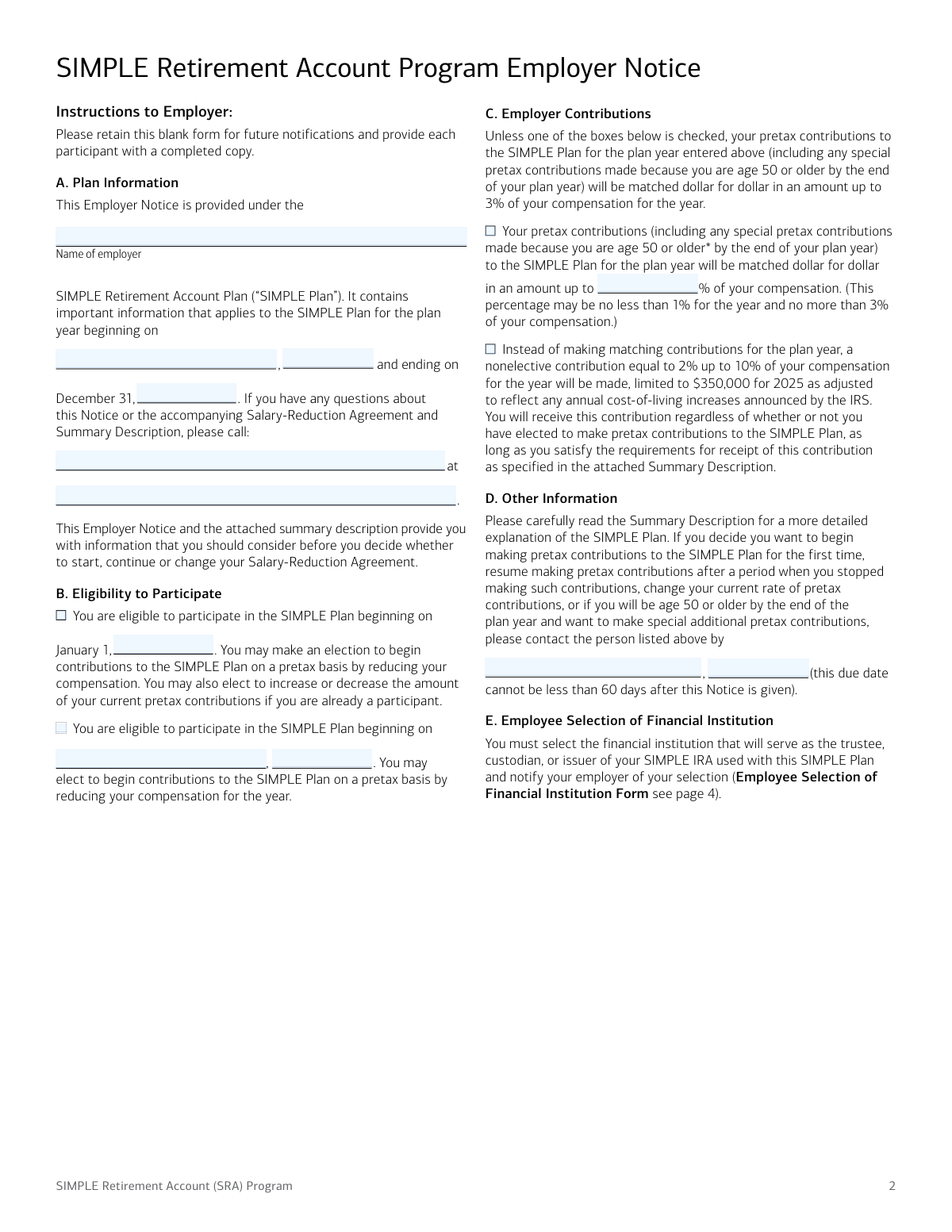
Typically, HR professionals, small business owners, and new hires are the primary users of these documents. They are most commonly needed during the onboarding process, during annual open enrollment periods, or when a major life event requires a change in coverage. For instance, forms like the SIMPLE Retirement Account (SRA) Employer Notice are used to establish salary-reduction agreements, allowing employees to contribute directly from their paychecks into retirement savings. Navigating these forms accurately is vital for long-term financial planning and ensuring that payroll deductions are processed correctly.
Managing a high volume of benefit paperwork can be a significant administrative burden for both staff and management. Instafill.ai uses AI to fill these forms in under 30 seconds, ensuring data is handled accurately and securely to save time during busy enrollment cycles. This allows teams to focus more on supporting their employees and less on manual data entry, turning complex PDF forms into simple, automated tasks.
Every form on this page can be completed without typing. Instafill is form filling software that reads a PDF and fills it for you — including flat and scanned documents that carry no fillable fields at all.
Forms in This Category
The forms in this category have a median Form Complexity Index of 38/100 (Basic), measured across 1 forms by field count, input difficulty, length, conditional logic and structure. See how it is calculated.
| Form Name | Pages | FCI | |
|---|---|---|---|
| 1. | SIMPLE Retirement Account (SRA) Program Employer Notice and Salary-Reduction Agreement | 1 | Basic 38 |
- Enterprise-grade security & data encryption
- 99%+ accuracy powered by AI
- 1,000+ forms from all industries
- Complete forms in under 60 seconds
How to Choose the Right Form
Navigating employee benefits documentation is essential for maintaining compliance and ensuring your team has access to the perks they deserve. This category focuses on the administrative side of small business retirement planning, specifically tailored for organizations looking to simplify their savings options.
Establishing and Managing Retirement Savings
If your primary goal is to set up or manage a retirement plan for a small business, you will likely need the SIMPLE Retirement Account (SRA) Program Employer Notice and Salary-Reduction Agreement. This is a multi-purpose document that serves both the employer and the employee.
Choose this form if you need to:
- Notify Employees of Eligibility: Use the first portion of the document to inform staff members about their right to participate in the SIMPLE IRA plan for the upcoming calendar year.
- Authorize Payroll Deductions: Use the second portion as a formal agreement where the employee specifies the dollar amount or percentage of their salary they wish to contribute.
- Define Employer Contributions: Clearly state whether the company will provide a matching contribution or a non-elective contribution.
When to Select This Specific Form
While "employee benefits" can cover a wide range of healthcare and HR forms, the SIMPLE Retirement Account (SRA) Program form is highly specific. You should select this form if:
- You are a Small Business: Your company has 100 or fewer employees who earned at least $5,000 in the previous year.
- You are in the Enrollment Period: It is the annual 60-day notice period (typically before the start of the new year) or an employee is newly eligible.
- Updating Existing Elections: An employee wants to modify their current contribution levels or change the financial institution receiving the funds.
Using Instafill.ai, you can quickly transform the SIMPLE Retirement Account (SRA) Program PDF into a fillable format, making it easier for employees to sign and return their agreements digitally, ensuring your HR records remain organized and up to date.
Form Comparison
| Form | Purpose | Key Sections | Frequency |
|---|---|---|---|
| SIMPLE Retirement Account (SRA) Program Employer Notice and Salary-Reduction Agreement | Notifies employees of eligibility and establishes salary reduction contributions for retirement plans. | Includes employer contribution details, employee salary reduction choices, and financial institution selection. | Used annually or when a new employee joins a SIMPLE IRA plan. |
Tips for employee benefits forms
Ensure that the salary-reduction percentage or fixed dollar amount is clearly defined and matches your financial planning goals. Accuracy in financial institution details like routing and account numbers is essential to prevent delays in fund transfers.
Before filling out the Salary-Reduction Agreement, confirm you meet the employer's eligibility criteria for the SIMPLE IRA. Pay close attention to the annual notice period, as there are often specific windows during which you can start or modify your contributions.
Always keep a signed copy of your benefits forms for your personal records. These documents are vital for verifying your retirement contributions during tax season and ensuring your HR department has processed the correct deduction amounts.
AI-powered tools like Instafill.ai can complete these forms in under 30 seconds with high accuracy, ensuring your data stays secure during the process. This is a practical time-saver for employees and HR managers who need to handle multiple benefit documents simultaneously.
After submitting your salary-reduction agreement, verify with your payroll department when the first deduction will occur. Understanding the timing helps you manage your monthly budget and ensures your retirement savings begin as planned.
Benefits forms often require both employer and employee signatures to be legally binding. Missing a single date or signature field is a common reason for processing delays, so perform a final sweep of the document before submission.
Frequently Asked Questions
Employee benefits forms are used to document an employee's participation in company-sponsored programs such as health insurance, retirement plans, and life insurance. These documents serve as formal agreements between the employer and the employee regarding contribution amounts, coverage levels, and beneficiary designations.
The employer or the Human Resources department is typically responsible for providing these forms to eligible employees. They must ensure that the forms are current and comply with federal regulations, such as IRS guidelines for retirement accounts or ERISA standards for health plans.
Employees generally receive these forms during the initial onboarding process, during the annual open enrollment period, or after experiencing a qualifying life event like marriage or the birth of a child. It is important to complete these forms promptly to avoid lapses in coverage or missed contribution opportunities.
Yes, you can fill out employee benefits forms using AI tools like Instafill.ai. These tools can accurately extract data from your source documents and place it into the correct fields on the form, minimizing the risk of manual entry errors.
Using AI-powered services, it typically takes under 30 seconds to fill out complex HR and benefits forms. The technology maps data from your existing files directly into the PDF, making the process significantly faster than manual typing.
Most retirement agreements require personal identification, your Social Security number, and the specific percentage or dollar amount of your salary you wish to defer. You may also need to provide the name and details of the financial institution where your account is held.
Completed forms are usually submitted to your company's HR department or directly to a third-party benefits administrator. In some cases, such as with SIMPLE IRA plans, the employer is required to keep the signed agreement on file for tax and compliance purposes.
A Salary-Reduction Agreement is a formal authorization that allows your employer to withhold a portion of your pre-tax pay for contribution to a retirement account. This document ensures that both parties agree on the contribution amount and that the payroll department has the legal right to adjust your take-home pay.
In most modern workplaces, digital signatures are legally binding and widely accepted for HR and benefits forms. Using an online platform to sign and submit these documents provides a secure and efficient way to manage your employment records without needing physical paperwork.
Changes are usually permitted during the annual open enrollment period or if you experience a qualifying life event. For certain retirement plans, you may be able to adjust your salary reduction amount more frequently, depending on the specific rules established by your employer's plan.
If a deadline is missed, you may have to wait until the next open enrollment period to sign up for or change your benefits. It is crucial to check with your HR representative to understand the specific timelines and ensure your coverage is not interrupted.
Glossary
- Form Complexity Index
- Instafill’s 0–100 measure of how much effort a form takes to complete, calculated deterministically from the form’s own structure rather than estimated. It combines the number of fillable fields (the largest factor), how difficult those fields are to complete based on their type, the number of pages that contain fields, the amount of conditional “fill-only-if” logic, and how many sections the form is divided into, then adds modifiers for tables and repeating lists, bundled instruction pages, and dense page layouts. A higher score means the form is harder to fill out by hand. The forms in this category have a median Form Complexity Index of 38/100 (Basic). See exactly how it is calculated.
- SIMPLE IRA
- The Savings Incentive Match Plan for Employees is a retirement plan for small businesses that allows both employers and employees to contribute to a traditional IRA.
- Salary-Reduction Agreement
- A formal contract between an employer and employee where the employee agrees to have a portion of their pre-tax wages deposited directly into their retirement account.
- Matching Contribution
- An employer's contribution to an employee's retirement account that is based on the amount the employee contributes, typically up to 3% of the employee's compensation.
- Nonelective Contribution
- A contribution made by an employer into an employee's retirement account regardless of whether the employee chooses to make their own contributions.
- Compensation
- The total amount of wages, salaries, and other taxable payments an employee receives, which is used to calculate the contribution limits for the retirement plan.
- Catch-up Contribution
- An additional contribution amount permitted for employees aged 50 or older, allowing them to save more than the standard annual limit.
- Designated Financial Institution (DFI)
- A specific bank or investment firm selected by an employer to receive and manage all contributions for the company's retirement program.
- Summary Description
- A required document provided by the employer or financial institution that outlines the terms, eligibility requirements, and benefits of the retirement plan.