Fill out client enrollment forms
with AI.
Client enrollment forms serve as the essential bridge between a service provider and a new customer, establishing the legal and operational framework for their professional relationship. These documents are designed to capture critical data—including contact information, service preferences, and regulatory disclosures—to ensure that both parties are aligned on the terms of service. For many organizations, particularly in the financial and professional services sectors, these forms are a mandatory step for compliance and for setting up the digital infrastructure needed to manage a client's account effectively.
By continuing, you acknowledge Instafill's Privacy Policy and agree to get occasional product update and promotional emails.
About client enrollment forms
Typically, these forms are required by individuals or business entities transitioning into new service agreements, such as opening a brokerage account or enabling specialized digital trading platforms like MyMerrill®. Whether you are an individual investor looking to manage your portfolio online or a business setting up authorized access for multiple account holders, completing these forms accurately is vital for avoiding processing delays. Because these documents often require precise personal and financial details, the manual entry process can be time-consuming and prone to small errors that complicate the onboarding experience.
To make this process more efficient, tools like Instafill.ai use AI to complete these forms in under 30 seconds while ensuring all data is handled with high accuracy and security. This technology allows users to bypass the tedious aspects of paperwork, converting static PDFs into completed documents ready for signature in a fraction of the time it would take to fill them out by hand.
Every form on this page can be completed without typing. Instafill is form filling software that reads a PDF and fills it for you — including flat and scanned documents that carry no fillable fields at all.
Forms in This Category
The forms in this category have a median Form Complexity Index of 23/100 (Simple), measured across 1 forms by field count, input difficulty, length, conditional logic and structure. See how it is calculated.
| Form Name | Pages | FCI | |
|---|---|---|---|
| 1. | MyMerrill® Client Order Entry Enrollment Form | 1 | Simple 23 |
- Enterprise-grade security & data encryption
- 99%+ accuracy powered by AI
- 1,000+ forms from all industries
- Complete forms in under 60 seconds
How to Choose the Right Form
Managing Your Merrill Lynch Account Online
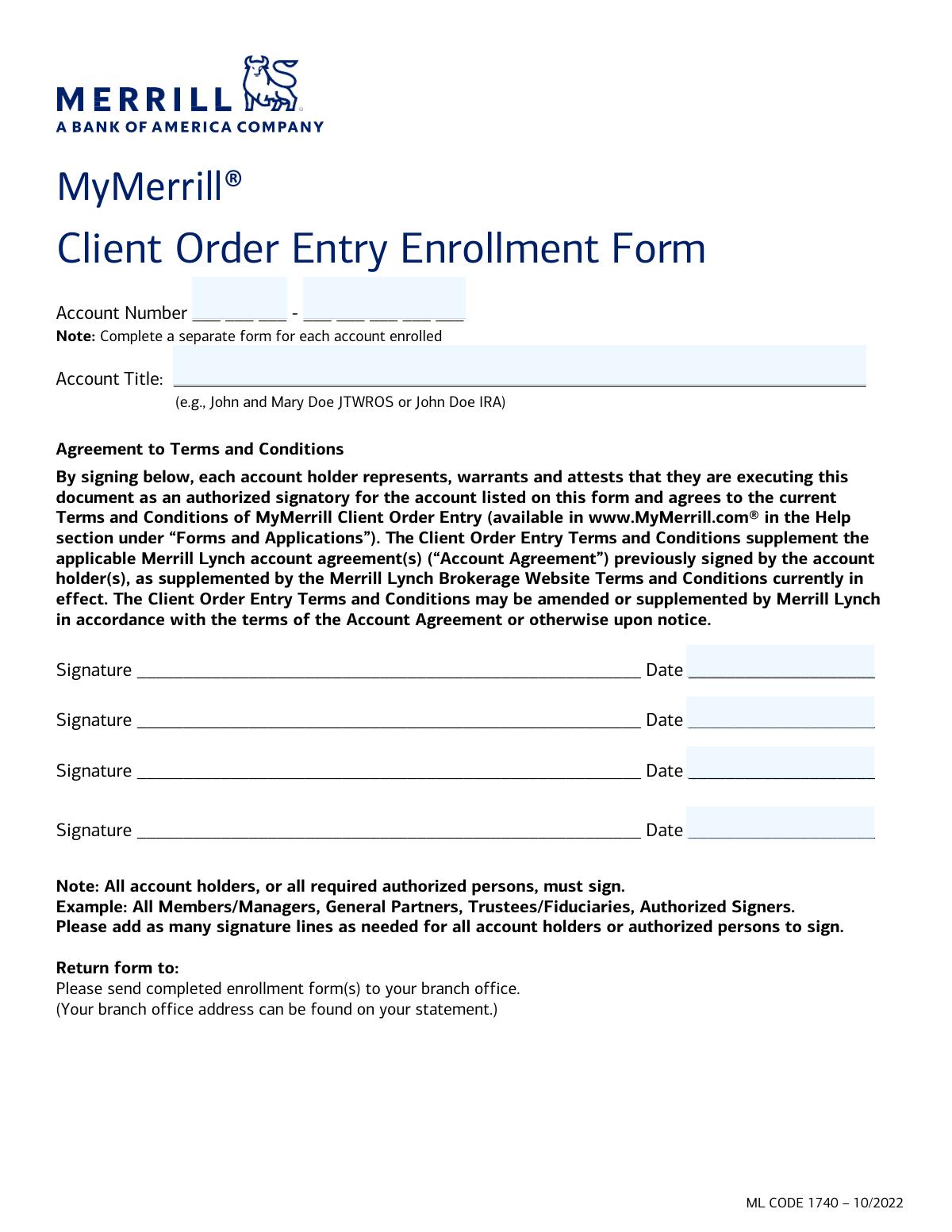
If you are a Merrill Lynch client looking to transition to self-directed online trading, the MyMerrill® Client Order Entry Enrollment Form is your primary document. This form acts as a formal agreement to enable the Client Order Entry service on your specific account, allowing for greater autonomy over your investment strategy.
When to Use This Form
Choosing the right enrollment document depends on your specific needs for account access and trading capabilities. You should select the MyMerrill® Client Order Entry Enrollment Form if your goal is to:
- Execute Trades Independently: Use this form if you want to place trade orders directly through the MyMerrill® website without needing to contact a representative for every transaction.
- Consolidate Account Management: This is the correct choice for users who prefer managing their investment portfolio and executing orders in one centralized digital location.
- Authorize Electronic Access: This form is necessary when you need to grant specific account holders or authorized persons the legal right to enter orders electronically for a designated account.
Essential Requirements for Enrollment
Before you begin filling out the MyMerrill® Client Order Entry Enrollment Form, ensure you have your account details and identification information ready. To ensure the form is processed without delays, keep the following in mind:
- Signature Requirements: This form requires signatures from all account holders or authorized persons associated with the account.
- Account Specificity: The enrollment is account-specific. If you manage multiple accounts, you may need to complete a separate form for each one you wish to enroll in the digital order entry service.
Streamline Your Enrollment with AI
Completing financial enrollment documents can be tedious. By using Instafill.ai, you can quickly fill out the MyMerrill® Client Order Entry Enrollment Form online. Our AI-powered tools can convert static PDFs into interactive forms, ensuring your data is placed accurately and your enrollment is submitted smoothly.
Form Comparison
| Form | Primary Purpose | Target Audience | Key Requirement |
|---|---|---|---|
| MyMerrill® Client Order Entry Enrollment Form | Enables clients to place trade orders online through the MyMerrill website. | Merrill Lynch account holders wanting to manage investments and execute trades digitally. | Requires signatures from all account holders or authorized persons to be valid. |
Tips for client enrollment forms
Ensure that all account numbers and names exactly match your existing financial statements. Even a minor typo in a client ID or account number can lead to the form being rejected, which delays your access to online trading services.
Enrollment forms for joint or corporate accounts often require signatures from all account holders or authorized officers. Check the signature block carefully to ensure every necessary party has signed, as missing signatures are a leading cause of processing delays.
AI-powered tools like Instafill.ai can complete these enrollment forms in under 30 seconds with high accuracy. Your sensitive financial data stays secure during the process, providing a practical and time-saving solution for managing complex paperwork.
Before submitting your enrollment, take a moment to review the specific permissions you are granting, such as the ability to place trade orders. Understanding these digital service terms ensures you are comfortable with the level of access being enabled for your account.
Double-check that the email and phone number provided on the form are current and accessible. Financial institutions often use these details to send verification codes or confirmation links immediately after the form is processed.
Always save a copy of the completed and signed enrollment form for your personal records. Having a digital backup makes it easier to reference your agreed-upon terms or provide proof of enrollment if there is a discrepancy with your account setup later.
Frequently Asked Questions
Client enrollment forms serve as a formal agreement between a service provider and a client to activate specific account features or services. In the financial sector, these forms are used to grant clients the authority to perform actions like online trading or to access specialized digital platforms.
Generally, all individuals listed as account holders or authorized representatives must sign the enrollment form to make it valid. This ensures that everyone with legal authority over the account agrees to the terms and conditions of the new service being requested.
You will typically need your account number, the full legal names of all account holders, and specific details regarding the service you wish to enroll in. Having your existing account statements nearby can help ensure the data you provide matches the records held by the institution.
Yes, AI tools like Instafill.ai allow you to fill out client enrollment forms quickly by extracting data from your source documents and placing it accurately into the required fields. This technology minimizes manual entry errors and ensures that all sections of the PDF are completed correctly.
Using AI-powered services like Instafill.ai, you can complete most client enrollment forms in under 30 seconds. The AI automates the data mapping process, allowing you to generate a ready-to-sign document almost instantly.
Completed and signed forms are typically submitted to your financial advisor or sent to the specific service department via a secure online portal, fax, or mail. It is best to check the instructions provided on the form or contact the institution's customer service for the preferred submission method.
If you encounter a flat or non-fillable PDF, services like Instafill.ai can convert it into an interactive format. This allows you to type directly into the document online, ensuring the final submission is legible and professional.
While the core enrollment process is similar, some institutions may require additional documentation or specific versions of the form for corporate or trust accounts. You should verify that the form you are using is appropriate for your specific account type to avoid processing delays.
Once the institution processes your form, they will usually send a confirmation via email or physical mail. You can also check your online account dashboard to see if the new features, such as online trade entry, have been activated.
Most enrollment forms are designed for a single specific account, though some may allow you to list multiple related account numbers. If you have several accounts with different ownership structures, you will likely need to complete a separate form for each one.
Glossary
- Form Complexity Index
- Instafill’s 0–100 measure of how much effort a form takes to complete, calculated deterministically from the form’s own structure rather than estimated. It combines the number of fillable fields (the largest factor), how difficult those fields are to complete based on their type, the number of pages that contain fields, the amount of conditional “fill-only-if” logic, and how many sections the form is divided into, then adds modifiers for tables and repeating lists, bundled instruction pages, and dense page layouts. A higher score means the form is harder to fill out by hand. The forms in this category have a median Form Complexity Index of 23/100 (Simple). See exactly how it is calculated.
- Client Order Entry (COE)
- A service that allows individual investors to place buy or sell orders for securities directly through an online portal rather than speaking to a financial advisor.
- Authorized Person
- An individual who has been legally granted the right to make decisions or execute trades on behalf of an account, such as a corporate officer or a person with power of attorney.
- Joint Tenants with Right of Survivorship (JTWROS)
- A type of account ownership where two or more people hold equal rights to the assets, and if one owner dies, their share automatically transfers to the surviving owner(s).
- Power of Attorney (POA)
- A legal authorization that allows a designated person to act on behalf of the account holder in financial or legal matters, often required for third-party enrollment.
- Custodial Account
- An account created for a minor and managed by an adult custodian under the Uniform Gifts to Minors Act (UGMA) or Uniform Transfers to Minors Act (UTMA).
- Market Order
- An instruction to buy or sell a security immediately at the best available current price on the open market.
- Limit Order
- A request to buy or sell a security only at a specific price or better, rather than at the current market price.
- Settlement
- The final stage of a trade where the buyer receives the securities and the seller receives the payment, typically occurring one to two business days after the trade is executed.