Fill out RL360 forms
with AI.
RL360 forms are essential administrative documents used by international investors and policyholders to manage their offshore savings and investment plans. As a leading provider of cross-border financial solutions, RL360 requires specific documentation to authorize account changes, manage assets, and process financial distributions. These forms serve as the legal bridge between the policyholder and the institution, ensuring that every transaction complies with international financial regulations and the specific terms of the investment plan.
By continuing, you acknowledge Instafill's Privacy Policy and agree to get occasional product update and promotional emails.
About RL360 forms
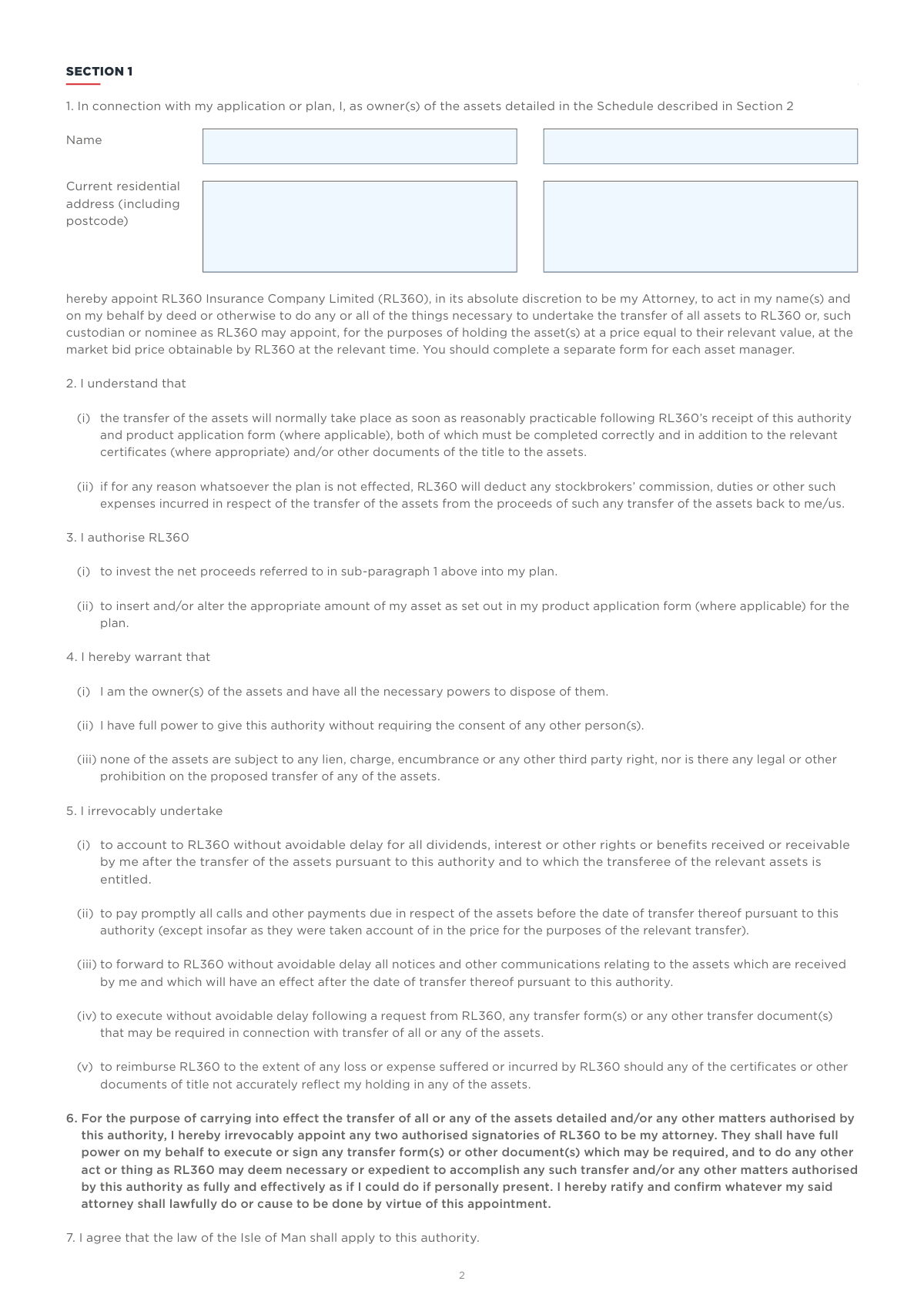
Typically, these forms are required by individual investors or financial advisors during key lifecycle events of a policy. For instance, when a plan owner needs to move stocks or securities into their portfolio, they must complete an Asset Transfer Form to grant the necessary Power of Attorney. Similarly, those looking to access their capital for personal use or recurring income will need to submit a Withdrawal Request. Because these documents involve significant asset movements and legal authorizations, completing them with precision is vital to avoid processing delays or rejected applications. Tools like Instafill.ai use AI to fill these forms in under 30 seconds, ensuring your data is handled accurately and securely while streamlining the administrative process.
Every form on this page can be completed without typing. Instafill is form filling software that reads a PDF and fills it for you — including flat and scanned documents that carry no fillable fields at all.
Forms in This Category
| Form Name | Pages | FCI | |
|---|---|---|---|
| 1. | RL360 Asset Transfer Form | 1 | – |
| 2. | RL360 Withdrawal Request | 1 | – |
- Enterprise-grade security & data encryption
- 99%+ accuracy powered by AI
- 1,000+ forms from all industries
- Complete forms in under 60 seconds
How to Choose the Right Form
Navigating RL360’s administrative requirements is essential for maintaining your investment strategy and ensuring your funds are managed according to your needs. Depending on whether you are looking to grow your plan or access your capital, you will need to choose between two primary documents.
Adding Assets to Your Investment
If your goal is to consolidate your holdings or move existing investments into your RL360 plan, you should use the RL360 Asset Transfer Form. This document is specifically designed for policyholders who need to:
- Transfer Securities: Move stocks, shares, or other investment instruments from another provider or private ownership.
- Grant Authority: Because this form includes a Power of Attorney clause, it allows RL360 to act on your behalf to facilitate the transfer process with third-party institutions.
- Consolidate Portfolios: Ensure that your external assets are correctly integrated into your specified investment plan for centralized management.
Accessing Your Policy Funds
When you reach a stage where you need to draw capital from your policy, the RL360 Withdrawal Request is the correct choice. This form is required for policyholders who wish to:
- Request a Lump Sum: Access a one-time payment for major purchases or financial needs.
- Set Up Regular Income: Establish a recurring payment schedule to provide a steady stream of funds from your policy over time.
- Authorize Liquidation: Provide the insurance company with the official authorization required to liquidate portions of your plan and release the cash to your designated bank account.
Quick Decision Checklist
- Choose the Asset Transfer Form if you are moving wealth *into* the plan and need RL360 to handle the legal transfer of stocks or shares.
- Choose the Withdrawal Request if you are taking money *out* of the plan, whether as a single payment or an ongoing income stream.
Using Instafill.ai allows you to complete these forms accurately with AI assistance, ensuring that plan numbers and legal details are correctly placed to avoid processing delays.
Form Comparison
| Form | Purpose | Action Type | Key Feature |
|---|---|---|---|
| RL360 Asset Transfer Form | Authorizes the transfer of stocks or securities into an investment plan. | Inward transfer of assets into the policy. | Grants Power of Attorney to RL360 to manage the transfer process. |
| RL360 Withdrawal Request | Requests access to funds from an existing insurance policy. | Outward payment of cash from the policy. | Supports both single lump-sum withdrawals and regular recurring payments. |
Tips for RL360 forms
Ensure all policy or plan numbers match your latest RL360 statements exactly. Incorrect identifiers are the most common cause of processing delays for asset transfers and withdrawal requests.
When filling out the Asset Transfer Form, include the full name of the security, the ISIN or SEDOL code, and the exact quantity. Vague descriptions can lead to the wrong assets being moved or the request being rejected by the holding institution.
For withdrawal requests, double-check your IBAN and SWIFT/BIC codes to ensure funds reach the correct account. Using a bank account held in the same name as the policy owner helps avoid anti-money laundering compliance issues.
The Asset Transfer Form grants RL360 the authority to act on your behalf during the transfer process. Ensure all policy owners or authorized signatories sign the document, as missing signatures will invalidate the legal authorization.
AI-powered tools like Instafill.ai can complete these complex investment forms in under 30 seconds with high accuracy. Your sensitive financial data stays secure during the process, making it a major time-saver when managing multiple plan updates.
Before submitting a Withdrawal Request, consult with a financial advisor regarding potential tax liabilities in your jurisdiction. RL360 processes the payment, but reporting and paying any due taxes remains the responsibility of the policyholder.
Always save a digital copy of your completed RL360 forms before submission. Having a record of exactly what was requested helps in tracking the status of your asset transfer or fund disbursement with your financial advisor.
Frequently Asked Questions
RL360 forms are administrative documents used by policyholders to manage offshore investment plans and insurance-linked products. They facilitate essential actions such as moving securities into a plan, updating account details, or requesting liquidity from an existing policy.
This form is necessary for plan owners who want to move existing stocks, shares, or other securities into their RL360 investment plan. By completing the form, the owner grants RL360 a Power of Attorney to manage the transfer process from the current custodian to the RL360 plan.
You should use this form whenever you need to access cash from your insurance policy. It is designed to handle both one-time lump-sum withdrawals and the setup of recurring payments if you wish to receive a regular income from your investment.
In addition to the completed form, you may need to provide a certified copy of your identification, such as a passport, and proof of your bank account details for fund transfers. For asset transfers, documentation proving ownership of the securities being moved is typically required.
Yes, you can use AI tools like Instafill.ai to fill out these forms quickly and accurately. The AI can extract data from your source documents and automatically place it into the correct fields, ensuring that policy numbers and asset details are entered correctly.
Using an AI-powered service like Instafill.ai, you can complete RL360 forms in under 30 seconds. The system accurately identifies the required fields and populates them with your information, which is much faster than manual data entry.
Completed and signed forms are generally submitted to RL360 Insurance Company Limited at their head office in the Isle of Man. Many investors choose to submit these through their financial advisor, who can ensure all supporting documentation is attached before submission.
While many institutions are moving toward digital workflows, RL360's requirements for original signatures can vary depending on the jurisdiction and the type of transaction. It is best to check with your financial advisor or the RL360 website to see if a digital signature is sufficient for your specific request.
Errors on a withdrawal form, such as incorrect bank details or missing signatures, can lead to significant delays in receiving your funds. Using automated tools to fill the form can help minimize these risks by ensuring the data matches your official records exactly.
To ensure a smooth transfer, make sure the Asset Transfer Form is filled out completely and that the details of the securities match your current brokerage statements. Providing clear instructions and all required signatures at the outset helps RL360 act on your behalf without needing further clarification.
Glossary
- Plan Owner
- The individual or legal entity that holds the RL360 investment plan and possesses the legal authority to authorize asset transfers or fund withdrawals.
- Asset Transfer
- The process of moving ownership of financial holdings, such as stocks or mutual funds, from a third party into an RL360 investment plan.
- Power of Attorney
- A legal authorization granted within the form that allows RL360 to act on your behalf specifically to execute the administrative tasks required for moving assets.
- In-specie Transfer
- A method of transferring assets in their current form, such as actual shares or units, without selling them and converting them to cash during the process.
- Lump Sum Withdrawal
- A single, one-time request to take a specific amount of money out of the total value of an insurance policy or investment account.
- Recurring Payments
- A set of scheduled, automatic withdrawals that provide a policyholder with regular income from their plan at fixed intervals, such as monthly or quarterly.
- Securities
- Tradable financial instruments, including stocks, bonds, and mutual funds, that are identified on transfer forms for inclusion in a plan.
- Policy Currency
- The specific currency in which an RL360 plan is denominated, which determines the currency for all future valuations and withdrawal payments.