Yes! You can use AI to fill out RL360 Withdrawal Request
This form is an official request submitted to RL360 Insurance Company Limited by a policyholder to access funds from their insurance policy. It allows for either a single lump-sum withdrawal or the establishment of recurring payments. Completing this form accurately is crucial for ensuring the timely processing of funds from your policy. Today, this form can be filled out quickly and accurately using AI-powered services like Instafill.ai, which can also convert non-fillable PDF versions into interactive fillable forms.
RL027k is part of the
insurance forms, financial forms, investment forms, withdrawal forms, withdrawal request forms and RL360 forms categories on Instafill.
Rather not fill this in by hand? Instafill is an online form filler that completes PDF forms automatically — upload the blank form, answer a few questions, and the AI fills every field.
Form specifications
| Form name: | RL360 Withdrawal Request |
| Number of pages: | 1 |
| Language: | English |
Our AI automatically handles information lookup, data retrieval, formatting, and form filling.
It takes less than a minute to fill out RL027k using our AI form filling.
Securely upload your data. Information is encrypted in transit and deleted immediately after the form is filled out.
Instafill Demo: How to fill out PDF forms in seconds with AI
How to Fill Out RL027k Online for Free in 2026
Are you looking to fill out a RL027K form online quickly and accurately? Instafill.ai offers the #1 AI-powered PDF filling software of 2026, allowing you to complete your RL027K form in just 37 seconds or less.
Follow these steps to fill out your RL027K form online using Instafill.ai:
- 1 Navigate to Instafill.ai and upload or select the RL360 Withdrawal Request form.
- 2 Provide your policy number and personal details for all policyholders, such as names, addresses, and contact information.
- 3 Specify the withdrawal type (one-off or regular), the amount, currency, and frequency if applicable.
- 4 Enter your bank account details for the payment, including bank name, address, account number/IBAN, and SWIFT/Sort code.
- 5 Complete the tax information section, providing your country of tax residence and Tax Identification Number (TIN) for all signatories.
- 6 Review all the information auto-filled by the AI for accuracy, then use the platform's tools to digitally sign and date the declaration.
- 7 Download the completed form and submit it to RL360 via email, ensuring you attach any required supporting documents like a bank statement or digital signature audit report.
Our AI-powered system ensures each field is filled out correctly, reducing errors and saving you time.
Why Choose Instafill.ai for Your Fillable RL027k Form?
Speed
Complete your RL027k in as little as 37 seconds.
Up-to-Date
Always use the latest 2026 RL027k form version.
Cost-effective
No need to hire expensive lawyers.
Accuracy
Our AI performs 10 compliance checks to ensure your form is error-free.
Security
Your personal information is protected with bank-level encryption.
Frequently Asked Questions About RL027k
This form is for policyholders who want to make a one-off withdrawal, set up a new regular withdrawal plan, or amend an existing regular withdrawal from their policy. It should not be used for surrendering your entire policy.
Any RL360 policyholder who wishes to access funds from their policy via a partial or recurring withdrawal must complete this form. For a full policy surrender, you must request a separate 'Surrender Request form' from RL360.
You can email a scanned copy of the completed and signed form to [email protected] or mail the physical copy to the Policy Servicing Team in the Isle of Man. An original copy is not typically required unless specifically requested.
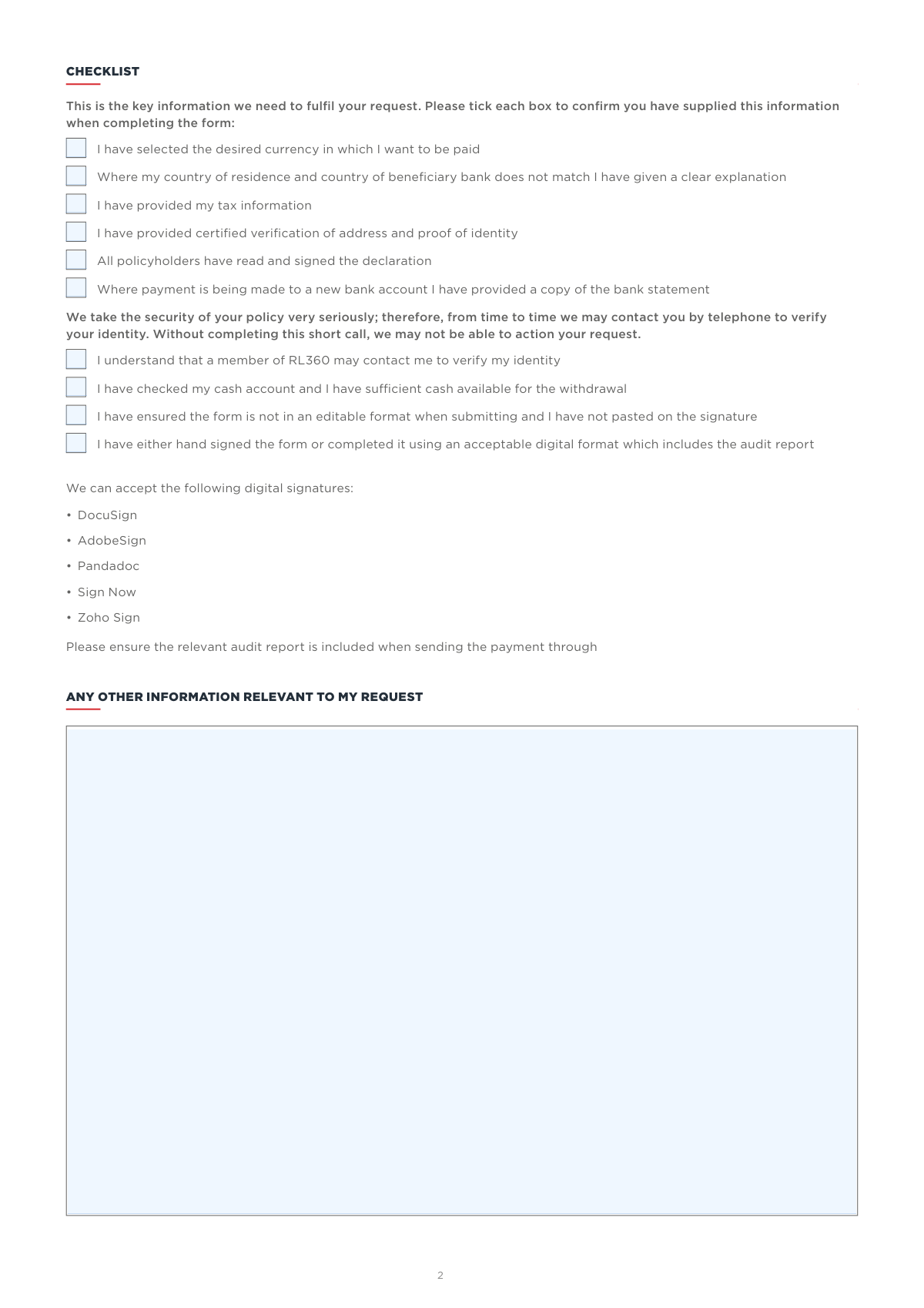
You must provide certified verification of your identity and address, your tax information, and a copy of a recent bank statement if the payment is going to a new bank account. The checklist on the form outlines all required items.
A 'one-off' withdrawal is a single payment for a specific amount. 'Regular' withdrawals allow you to set up recurring payments at a chosen frequency, such as monthly or quarterly, for either a fixed amount or a percentage of your policy value.
Yes, RL360 accepts digital signatures from approved platforms like DocuSign, AdobeSign, and Zoho Sign. You must include the relevant audit report with your submission for the signature to be considered valid.
For regular withdrawals, funds can take up to 10 working days to arrive after the scheduled processing date. For one-off withdrawals, a confirmation is sent once the payment is released, with timing dependent on the investments held.
Providing your TIN and country of tax residence is a regulatory requirement for tax reporting purposes. Failing to provide this information will cause delays in processing your withdrawal request.
You must provide a clear explanation for why your beneficiary bank country differs from your country of residence in the 'Country connection' section of the form. This is necessary for security and compliance checks.
The form has an option you can tick to authorize RL360 to 'proceed with withdrawing the maximum amount available' if your requested amount is not available. This prevents your request from being rejected due to insufficient funds.
Yes, services like Instafill.ai use AI to accurately auto-fill form fields, which can save you time and help prevent common errors. This helps ensure your request is processed without unnecessary delays.
Simply upload the RL360 withdrawal request PDF to the Instafill.ai platform. The AI will make the document interactive, allowing you to fill it out online, sign it, and download the completed form for submission.
If you have a non-fillable or 'flat' PDF, you can use a service like Instafill.ai. It can instantly convert the static document into an interactive, fillable form that you can complete easily on your computer.
If you need help, you can contact the RL360 Customer Services Team at +44 (0)1624 681682 or email [email protected]. It is also recommended that you speak to your financial adviser before making a withdrawal.
Compliance RL027k
Validation Checks by Instafill.ai
1
Ensures Policy Number is Provided and Valid
This check verifies that the 'RL360 policy number' field is not empty and conforms to the expected format for RL360 policy numbers. The policy number is the primary identifier for the account, and its absence or incorrectness would make it impossible to locate the policy and process the withdrawal. If this validation fails, the form submission must be rejected and the user prompted to enter a valid policy number.
2
Mutually Exclusive Withdrawal Type Selection
Validates that the policyholder has selected only one withdrawal type. The user must choose either 'One-off' or one of the regular withdrawal frequencies (Monthly, Quarterly, etc.), but not both. This is crucial for ensuring the withdrawal instruction is unambiguous. A failure would result in a request for clarification, delaying the process.
3
Mutually Exclusive Withdrawal Amount Specification
This check ensures that the user has specified the withdrawal amount as either a 'fixed amount' or a 'Total % per annum', but not both. Providing both values creates ambiguity in the withdrawal instruction. If both fields are filled, the form should be flagged for manual review or returned to the user for correction.
4
Validates Date Formats and Logical Sequence
Verifies that all date fields ('Date of first withdrawal', 'Date of final withdrawal', 'Date signed') are in the 'dd/mm/yyyy' format. Additionally, it checks that if a 'Date of final withdrawal' is provided, it occurs after the 'Date of first withdrawal'. This ensures that dates are machine-readable and logically sound, preventing processing errors for regular withdrawal schedules.
5
BACS Payment Method Constraints
If the 'BACS' payment method is selected, this validation confirms that the 'Currency of the withdrawal' is GBP and the beneficiary bank is located in the UK, Channel Islands, or Isle of Man. The form explicitly states these limitations for BACS payments. A mismatch would cause the payment to fail, so the system must prevent such a combination from being submitted.
6
Conditional Bank Identifier Validation (SWIFT/Sort Code)
This check ensures the correct bank identifier is provided based on the payment method. If 'TT' is chosen, a valid 8 or 11-character SWIFT code must be present. If 'BACS' is chosen, a valid UK Sort Code must be present. The system should validate that one and only one of these fields is completed as appropriate, as it is essential for routing the payment correctly.
7
Cross-Border Payment Justification
As per the checklist, this validation confirms that the 'Country connection' explanation field is completed if the policyholder's country of residence differs from the country of the beneficiary bank. This is a regulatory requirement to understand the reason for international funds transfers and prevent money laundering. Failure to provide an explanation will delay the request until the information is supplied.
8
Completeness of All Signatory Sections
Verifies that a signature block is completed for every policyholder, trustee, or authorized signatory associated with the policy. Each required signature section must include a signature, full name, date, country of tax residence, and TIN. Incomplete information from any single signatory invalidates the entire instruction, as authorization from all parties is required.
9
Mandatory Tax Information for Each Signatory
This check ensures that the 'Country or countries of tax residence' and 'Tax Identification Number (TIN)' fields are filled out for every signatory. This information is legally required for tax reporting obligations like AEOI and FATCA. Submissions with missing tax information cannot be processed and will be returned to the client, causing significant delays.
10
Specified US Person Declaration
Validates that the 'Are you a Specified US Person?' question has been answered (Yes/No) for every individual signatory on the form. This declaration is mandatory for FATCA (Foreign Account Tax Compliance Act) reporting. An unanswered question makes the form incomplete from a regulatory standpoint and will halt processing.
11
Verification of New Bank Account Documentation
If the payment is being made to a bank account not previously used, this check confirms that a copy of a recent bank statement has been included with the submission. This is a critical anti-fraud measure to verify account ownership and prevent payments to unauthorized third parties. The absence of this document for a new account will put the request on hold.
12
Valid Signature Method and Authentication
This validation checks that the signature is not a simple pasted image and, if it is a digital signature (e.g., DocuSign, AdobeSign), that the required audit report is included. The form explicitly forbids pasted signatures and requires auditable digital signatures to ensure authenticity and non-repudiation. An invalid signature method would render the instruction void and require the form to be re-signed correctly.
Common Mistakes in Completing RL027k
Joint policies or trusts require signatures from all individual owners, trustees, or authorized signatories. This is often missed when one person fills out the form on behalf of others, leading to immediate rejection of the request. To avoid this, ensure all required parties have signed the declaration section before submission, either with a wet signature or an approved digital signature. Tools like Instafill.ai can help manage the signing process by routing the form to all required signatories.
Users frequently make typos when entering long account numbers, IBANs, or SWIFT codes, or they provide a SWIFT code that isn't 8 or 11 characters long. These errors result in payment failure and significant delays as the funds are returned and the request must be re-processed. Double-check all banking information against a statement, paying close attention to the specific requirements for SWIFT codes (international) versus Sort Codes (UK). AI-powered form fillers can validate formats for IBANs and SWIFT codes to prevent such errors.
The form requires a copy of a bank statement if the payment is going to a new account, and may also require certified proof of identity and address. Applicants often forget to attach these documents, assuming the form itself is sufficient, which halts the process until the documents are received. To prevent delays, use the checklist on page 2 to confirm all necessary documents, like a recent bank statement or certified ID, are included with your submission.
Many people are unsure of their Tax Identification Number (TIN) or incorrectly answer the 'Specified US Person' question. This information is critical for international financial reporting (FATCA/CRS) and errors or omissions will cause the request to be flagged for follow-up, delaying the withdrawal. Before filling the form, locate your TIN (e.g., National Insurance Number, Social Security Number) and carefully read the definition of a 'Specified US Person' to ensure you answer accurately.
The form specifies a limited list of acceptable digital signature providers (e.g., DocuSign, AdobeSign) and requires the inclusion of the corresponding audit report. Users may use an unapproved service, paste a scanned image of their signature, or forget to include the audit trail, all of which invalidate the submission. Always use one of the approved digital signature platforms and ensure you download and attach the full audit report along with the signed form to prove its integrity.
Applicants sometimes create confusion by selecting 'One-off' withdrawal but also filling in details for regular withdrawals, or by entering both a fixed amount and a percentage. This ambiguity forces the processing team to seek clarification, causing delays. Carefully decide on your withdrawal type and complete only the relevant fields—either the 'One-off' amount or the details for 'Regular withdrawals' (frequency, dates, and either a fixed amount or a percentage, but not both).
Policyholders wishing to cash in their entire policy sometimes mistakenly use this withdrawal form. The form explicitly states it is not for full surrenders and that a separate 'Surrender Request' form is required. Using the wrong form leads to an automatic rejection and the need to start the entire process over with the correct paperwork, wasting valuable time. Always read the 'WHO IS THIS FORM FOR?' section first to confirm it matches your intention.
The form requires a clear explanation if the policyholder's country of residence is different from the country where the beneficiary bank account is held. This is an anti-money laundering (AML) check that is frequently overlooked by applicants. Failure to provide a reason will trigger a compliance review and delay the payment. If your bank is in a different country than your residence, provide a simple, clear reason in the 'Country connection' section, such as 'I maintain a bank account in my country of citizenship'.
The instructions clearly state to 'Please complete in BLOCK capitals throughout' and use a 'dd/mm/yyyy' date format, but these are easily missed. While it may not always cause a rejection, non-standard formatting can slow down data entry and processing. Taking a moment to follow these simple rules ensures clarity and helps expedite the request. Since the original is a non-fillable PDF, using a tool like Instafill.ai can convert it to a fillable version and help enforce formatting rules automatically.
A simple typographical error in the policy number is one of the most common and critical mistakes. Since the policy number is the primary identifier for the account, even a single wrong digit will prevent the system from locating the policy, causing the request to be rejected outright. Carefully copy the policy number from your official policy documents and double-check it before submitting the form. AI-powered tools like Instafill.ai can securely store and accurately autofill this number to prevent manual entry errors.
Saved over 80 hours a year
“I was never sure if my IRS forms like W-9 were filled correctly. Now, I can complete the forms accurately without any external help.”
Kevin Martin Green
Your data stays secure with advanced protection from Instafill and our subprocessors




Robust compliance program
Transparent business model
You’re not the product. You always know where your data is and what it is processed for.
ISO 27001, HIPAA, and GDPR
Our subprocesses adhere to multiple compliance standards, including but not limited to ISO 27001, HIPAA, and GDPR.
Security & privacy by design
We consider security and privacy from the initial design phase of any new service or functionality. It’s not an afterthought, it’s built-in, including support for two-factor authentication (2FA) to further protect your account.
Fill out RL027k with Instafill.ai
Worried about filling PDFs wrong? Instafill securely fills rl360-withdrawal-request forms, ensuring each field is accurate.
