Yes! You can use AI to fill out Form N-400, Application for Naturalization

Form N-400, Application for Naturalization, is the document filed by a lawful permanent resident to apply for U.S. citizenship. It is a critical step in the naturalization process, used by USCIS to verify an applicant's eligibility based on factors like continuous residence, physical presence, and good moral character. Today this form can be filled out quickly and accurately using AI-powered services like Instafill.ai, which can also convert non-fillable PDF versions into interactive fillable forms.
Our AI automatically handles information lookup, data retrieval, formatting, and form filling.
It takes less than a minute to fill out N-400 using our AI form filling.
Securely upload your data. Information is encrypted in transit and deleted immediately after the form is filled out.

Form specifications

Form name: Form N-400, Application for Naturalization
Number of fields: 276
Number of pages: 12
Language: English
main-image

Instafill Demo: How to fill out PDF forms in seconds with AI

How to Fill Out N-400 Online for Free in 2026

Are you looking to fill out a N-400 form online quickly and accurately? Instafill.ai offers the #1 AI-powered PDF filling software of 2026, allowing you to complete your N-400 form in just 37 seconds or less.
Follow these steps to fill out your N-400 form online using Instafill.ai:
  1. 1 Navigate to Instafill.ai and upload or select Form N-400.
  2. 2 Use the AI assistant to accurately fill in your personal information, including name, date of birth, and A-Number in Part 2.
  3. 3 Provide your complete address and employment history for the past five years, letting the AI guide you through the required fields.
  4. 4 Detail your marital history and information about your children, ensuring all dates and names are correct.
  5. 5 Carefully answer all the 'Yes/No' questions in Part 12 regarding your background and activities, using the tool's prompts for clarity.
  6. 6 Review the entire application for accuracy and completeness, then e-sign and date the form.
  7. 7 Download the completed N-400, ready for submission to USCIS along with required supporting documents.

Our AI-powered system ensures each field is filled out correctly, reducing errors and saving you time.

Why Choose Instafill.ai for Your Fillable N-400 Form?

Speed

Complete your N-400 in as little as 37 seconds.

Up-to-Date

Always use the latest 2026 N-400 form version.

Cost-effective

No need to hire expensive lawyers.

Accuracy

Our AI performs 10 compliance checks to ensure your form is error-free.

Security

Your personal information is protected with bank-level encryption.

Frequently Asked Questions About Form N-400

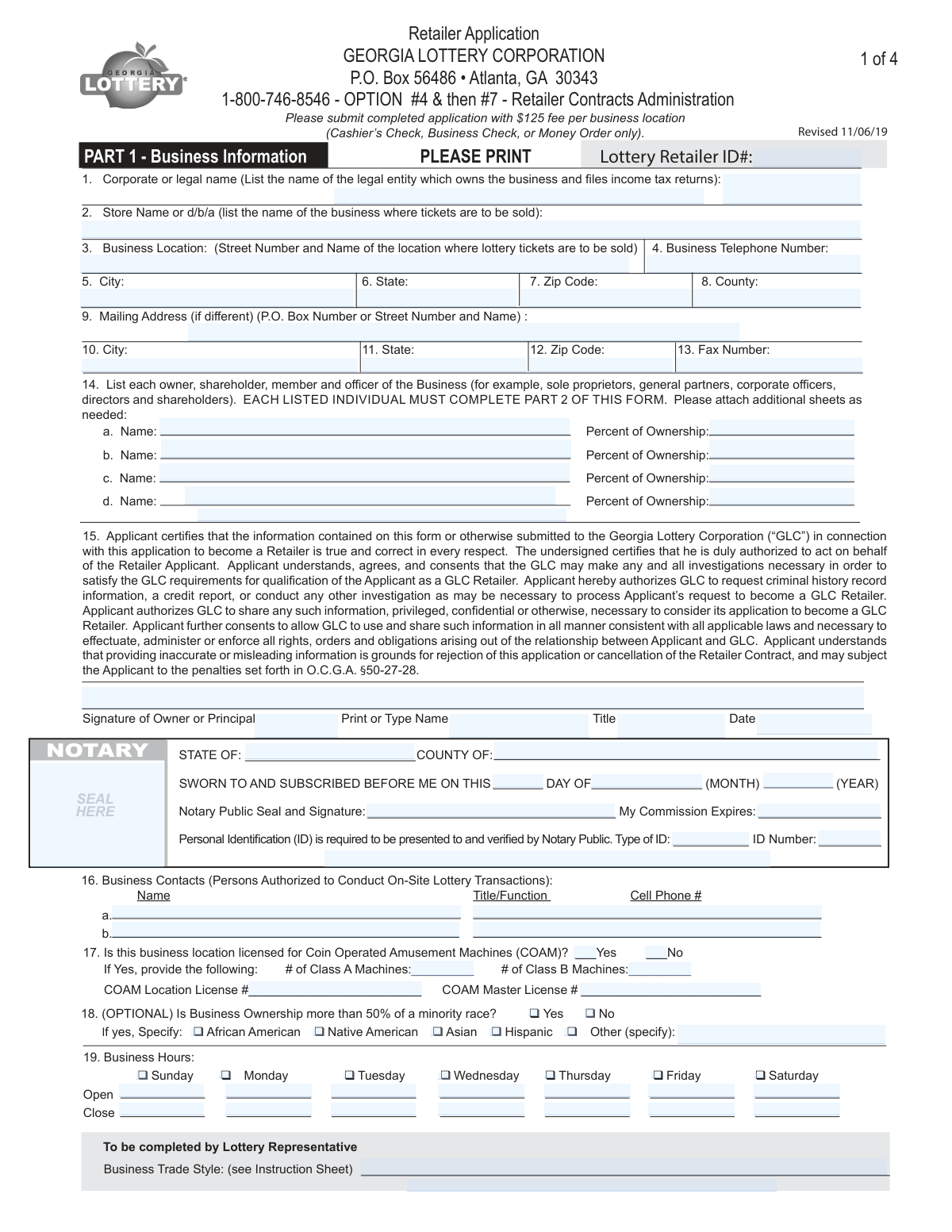
This appears to be a comprehensive application form, likely for a business registration, loan, or official license. The large number of fields suggests it is used to collect detailed information about an applicant and their associated business or financial history.

This form is likely required for individuals or business entities applying for a specific service, license, or financial product. The person responsible for the application, such as a business owner or principal officer, should complete it.

You will need to provide extensive personal, business, and financial details. Be prepared with information like names, addresses, identification numbers, employment history, and financial data, as indicated by the numerous text fields across several pages.

You should complete all fields that are applicable to your situation. Leaving required fields blank can cause processing delays or rejection of your application.

If a specific question or section does not apply to you, it is standard practice to write 'N/A' or 'Not Applicable'. This shows you have reviewed the field and it is intentionally left blank.

The 'choicebutton' fields are for questions that require you to select from a set of options, such as 'Yes' or 'No'. Be sure to mark your choice clearly in the appropriate box.

Complex applications like this one typically require supporting documentation. You may need to attach copies of your ID, business registration papers, financial statements, or other relevant records.

Processing times can vary significantly depending on the receiving organization. Please refer to the official instructions or contact the agency directly for an estimated timeline.

Yes, for a lengthy and detailed form like this, AI-powered services like Instafill.ai can save you time and improve accuracy. These tools can auto-fill your recurring information, such as name, address, and business details, across the document.

If you have a non-fillable or 'flat' PDF, you can use a service like Instafill.ai to make it interactive. Simply upload the file, and the platform will automatically detect the fields and allow you to type directly into them.

To fill this form using Instafill.ai, upload the PDF to the platform. The AI will identify all the text and choice fields, allowing you to easily click and type or use the auto-fill feature to complete the application from your saved profile.

If your information does not fit in the provided space, check the form's instructions for guidance. Often, you will be directed to attach a separate sheet with the additional information, clearly referencing the relevant section.

Submission instructions are typically provided by the issuing authority on their website or in an information packet. Check for details on whether to submit the form by mail, online upload, or in person.

Compliance N-400
Validation Checks by Instafill.ai

1
Validate Social Security Number Format
This check ensures that the values entered into the individual character boxes from `textbox_1_0` to `textbox_1_8` combine to form a valid 9-digit Social Security Number (SSN). The validation confirms the field contains exactly nine digits and does not match invalid patterns, such as all zeros or sequential numbers. This is critical for correct taxpayer or applicant identification and prevents processing errors. If the validation fails, the submission should be rejected with an error message prompting the user to enter a valid SSN.
2
Validate Date Format (MMDDYYYY)
This check verifies that the fields `textbox_7_0` through `textbox_7_7` collectively form a valid date in MMDDYYYY format. It checks that the month is between 01-12, the day is valid for the given month and year (e.g., not April 31), and the year is a plausible four-digit number. Correct date formatting is essential for records like date of birth or signature date. A failure would halt submission and require the user to correct the date.
3
Ensure Date Plausibility
This validation checks if the date provided across fields `textbox_7_0` to `textbox_7_7` is logically sound. For instance, if this represents a date of birth, it must not be a future date and should be after a reasonable minimum year, like 1900. This prevents data entry mistakes that would make the record invalid. If the date is found to be implausible, the form should display an error asking the user to confirm the entry.
4
Validate 5-Digit ZIP Code Format
This check ensures that the combined value of fields `textbox_9_0` through `textbox_9_4` is a valid 5-digit numeric ZIP code. It verifies that all five boxes are filled and contain only numbers. Accurate ZIP codes are crucial for mail delivery and geographic data accuracy. An invalid entry would trigger an error, prompting the user to enter a standard 5-digit ZIP code.
5
Check for Completeness of Primary Name Field
This validation ensures that the fields designated for a name, such as `textbox_1_9` through `textbox_1_30`, are not all empty. A name is a fundamental identifier and is almost always a required field for any application or record. If this group of fields is left blank, the submission should be blocked until a name is provided.
6
Enforce Numeric-Only Input for ID and Date Fields
This check iterates through each individual character box for fields expected to be numeric (e.g., SSN fields `textbox_1_0` to `textbox_1_8`, date fields `textbox_7_0` to `textbox_7_7`). It verifies that each box contains only a single digit (0-9). This prevents alphabetic or special characters from being entered into purely numeric identifiers, ensuring data integrity. A non-numeric entry should be immediately flagged or rejected.
7
Validate Monetary Amount Format
This check verifies that fields representing a monetary value, such as `textbox_6_0` (dollars) and `textbox_6_1` (cents), contain valid numeric data. It ensures the dollars field is a valid number and the cents field (`textbox_6_1`) is exactly two digits. This is crucial for financial accuracy and prevents calculation errors. An invalid format would result in an error message requiring correction.
8
Conditional Requirement Based on Choice Selection
This validation rule checks for logical consistency where an answer to one question makes another field mandatory. For example, if `choicebutton_1_65` (representing 'Yes') is selected, this check ensures that the corresponding explanation field, `textbox_5_0`, is not empty. This ensures that all necessary information is captured based on user selections. If the condition is met but the required field is empty, the user is prompted to provide the necessary details.
9
Ensure Mutual Exclusivity of Radio Buttons
This check validates that for a given group of options, such as `choicebutton_4_17`, `choicebutton_4_18`, and `choicebutton_4_19`, only one can be selected at a time. This is standard behavior for radio button groups and prevents contradictory data from being submitted. If the system detects that more than one option in a mutually exclusive group is selected, it should result in a system error or a prompt for the user to select only one.
10
Validate 4-Digit Year Format
This check ensures that the fields `textbox_8_0` through `textbox_8_3` combine to form a valid 4-digit year. The validation confirms the entry is numeric and falls within a reasonable range, such as 1900 to the current year plus one. This is important for fields like 'tax year' or 'model year'. An invalid entry would trigger an error and require the user to input a valid four-digit year.
11
Validate 10-Digit Phone Number Format
This check verifies that the combined value of `textbox_4_0` through `textbox_4_9` forms a valid 10-digit telephone number. It ensures all characters are digits and that the area code (the first three digits) does not start with 0 or 1, per NANP rules. This helps ensure contact information is valid and usable. If the format is incorrect, the user should be prompted to enter a valid phone number.
12
Ensure Completeness of Secondary Applicant Section
This validation checks that if any information is entered in the secondary applicant section (fields prefixed with `textbox_2_...`), then the key identifying fields in that same section are also complete. For example, if a last name is entered in `textbox_2_20`, the corresponding first name and SSN fields must also be filled out. This prevents incomplete records for secondary parties. A failure would prompt the user to either complete the section or clear it entirely.
13
Character Set Validation for Name Fields
This check ensures that text entered into name fields, such as the series starting with `textbox_3_0`, contains only valid characters (e.g., letters, hyphens, apostrophes, and spaces). It prevents numbers, special symbols, or control characters from being entered into a person's name. This maintains data quality and prevents issues with downstream systems that process personal names. Invalid characters would trigger an error message.
14
Logical Check for Signature Presence
This validation verifies that if the form is marked as complete, the signature field (`textbox_10_0`) is not empty. A signature is typically required to certify the accuracy of the provided information and make the document legally binding. If the form is being submitted as final but the signature field is blank, the submission should be blocked with a message indicating that a signature is required.

Common Mistakes in Completing N-400

Misaligned Numerical ID Entries

The form's structure with many sequential textboxes suggests fields for IDs like Social Security or Employer Identification Numbers. A common mistake is starting the number in the wrong box or leaving gaps, which leads to an incorrect and invalid number. This can cause identity verification to fail or tax information to be processed incorrectly. Always start in the leftmost box and fill each one sequentially.

Inconsistent Data in Repeating Sections

The form contains several large, repeating sections (labeled 1, 2, 3) for listing multiple items like past employers or addresses. Users often format data inconsistently across these sections, such as using 'St.' in one entry and 'Street' in another. This can confuse data processing systems and cause delays. To avoid this, decide on a consistent format and apply it to all similar entries throughout the form.

Missing Selections for Required Choices

With numerous choice buttons scattered throughout the form, it is easy to overlook a required selection for status, consent, or other options. Missing a mandatory checkbox or radio button can render the submission incomplete or lead to default assumptions that may not apply to your situation. Carefully review the entire form to ensure every required choice has been selected before submitting.

Incorrect Chronological Ordering of Records

When a form asks for historical information like employment or residence history, it typically requires a specific sequence, such as most recent first. Failing to follow the specified order complicates verification processes and can cause confusion for the reviewer. Read the instructions for each section carefully and list your records in the correct chronological or reverse-chronological order.

Using Nicknames Instead of Full Legal Names

In fields designated for personal identification, people sometimes enter a nickname, an initial, or a shortened name. Official forms require your full legal name as it appears on government documents like your passport or driver's license. Using an informal name can lead to rejection of the form or failure during identity verification checks.

Transcription Errors from Source Documents

This form likely requires copying detailed information from other documents, such as W-2s or financial statements. It is very common to make transcription errors like transposing numbers, misspelling a name, or misreading a character ('O' vs '0'). Such mistakes can have serious consequences, so it is critical to double-check every transcribed field against the original source document for accuracy.

Illegible Handwriting on Printed Forms

If this form is a non-fillable PDF that is printed and filled out by hand, illegible handwriting is a major source of errors. Ambiguous characters can be misinterpreted during data entry, leading to incorrect records and processing delays. To prevent this, either print clearly in capital letters or use a service like Instafill.ai, which can convert flat PDFs into digitally fillable forms for perfectly clear text.

Improper Formatting of Monetary Values

When entering financial figures, users often include currency symbols ($) or commas (,) in the textboxes. These extra characters can interfere with automated data processing systems, causing calculation errors or invalidating the entry. Unless the instructions state otherwise, enter only the numerical value and decimal point. AI form-filling tools like Instafill.ai can help prevent this by automatically validating and formatting data correctly.

Leaving Applicable Sections Blank

With a complex, multi-section layout, it's easy to accidentally skip an entire block of fields, assuming it is not applicable. If a section is required, leaving it blank will mark the submission as incomplete. If a section truly does not apply, check the instructions to see if you should write 'N/A' or leave it empty to avoid ambiguity.

Incorrect Address or Contact Information

Simple typos in an address, email, or phone number are extremely common but can prevent the receiving party from contacting you with important updates or requests for more information. Errors like an incorrect ZIP code, a forgotten apartment number, or a misspelled email domain can cause critical communications to be lost. Always proofread your contact information twice before submission.
Saved over 80 hours a year

“I was never sure if my IRS forms like W-9 were filled correctly. Now, I can complete the forms accurately without any external help.”

Kevin Martin Green

Your data stays secure with advanced protection from Instafill and our subprocessors

Robust compliance program

Transparent business model

You’re not the product. You always know where your data is and what it is processed for.

ISO 27001, HIPAA, and GDPR

Our subprocesses adhere to multiple compliance standards, including but not limited to ISO 27001, HIPAA, and GDPR.

Security & privacy by design

We consider security and privacy from the initial design phase of any new service or functionality. It’s not an afterthought, it’s built-in, including support for two-factor authentication (2FA) to further protect your account.

Fill out N-400 with Instafill.ai

Worried about filling PDFs wrong? Instafill securely fills form-n-400-application-for-naturalization-1 forms, ensuring each field is accurate.