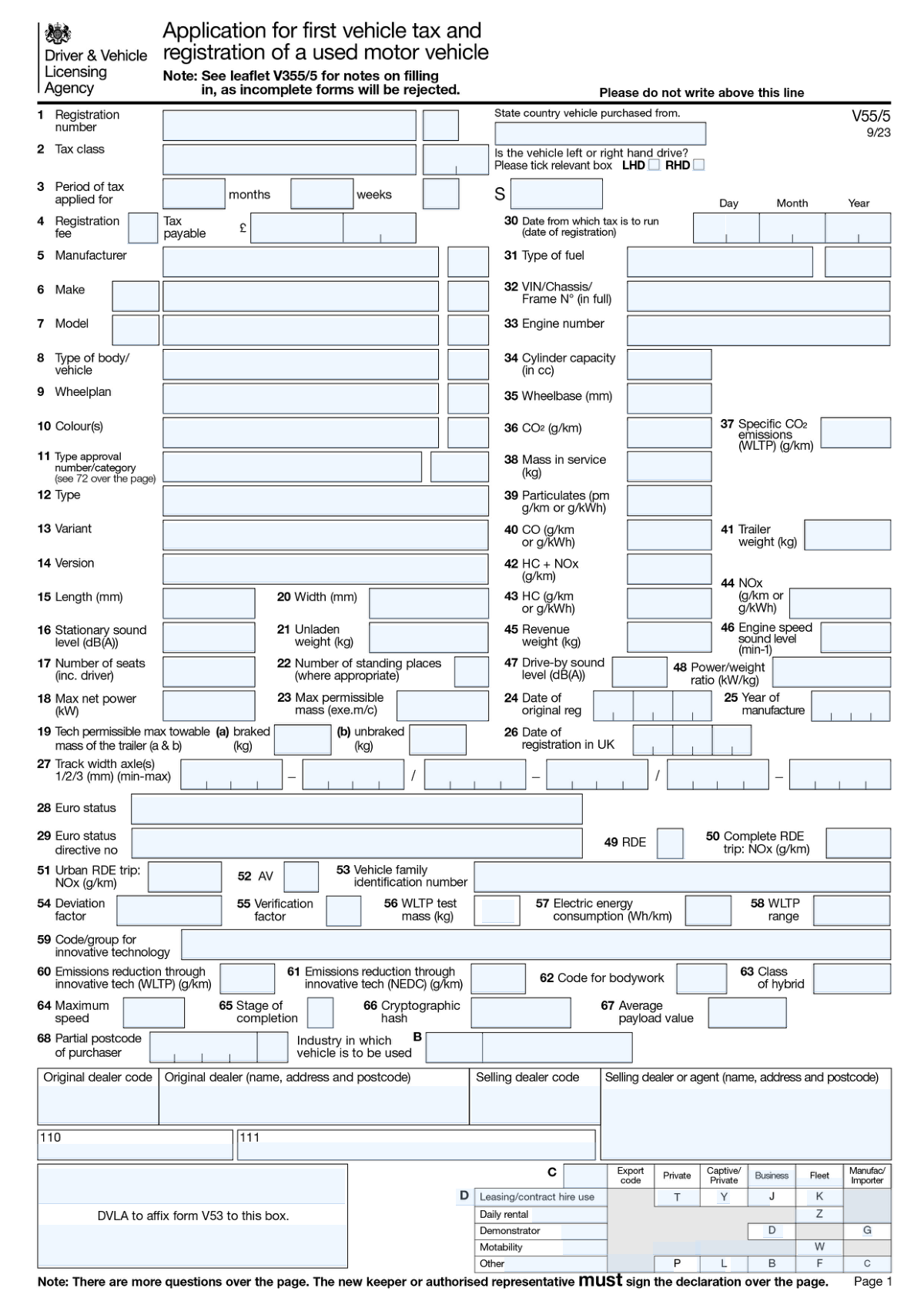
Yes! You can use AI to fill out Standard Information Collection Form
This document is a general-purpose form designed to collect essential information from an individual or organization for processing a request, application, or registration. Completing it accurately is crucial for ensuring your submission is processed without delays. Today, this form can be filled out quickly and accurately using AI-powered services like Instafill.ai, which can also convert non-fillable PDF versions into interactive fillable forms. This technology simplifies the process, saving time and reducing errors.
Our AI automatically handles information lookup, data retrieval, formatting, and form filling.
It takes less than a minute to fill out Standard Form using our AI form filling.
Securely upload your data. Information is encrypted in transit and deleted immediately after the form is filled out.
Form specifications
| Form name: | Standard Information Collection Form |
| Number of fields: | 188 |
| Number of pages: | 2 |
| Language: | English |
Instafill Demo: How to fill out PDF forms in seconds with AI
How to Fill Out Standard Form Online for Free in 2026
Are you looking to fill out a STANDARD FORM form online quickly and accurately? Instafill.ai offers the #1 AI-powered PDF filling software of 2026, allowing you to complete your STANDARD FORM form in just 37 seconds or less.
Follow these steps to fill out your STANDARD FORM form online using Instafill.ai:
- 1 Navigate to Instafill.ai and upload your form, or select it from our extensive template library.
- 2 Allow the AI to scan and identify all the fields on the form, including text boxes, checkboxes, and signature lines.
- 3 Answer a series of simple questions in a chat-like interface, and the AI will use your answers to populate the form fields automatically.
- 4 Review the auto-filled form to verify that all information, such as names, addresses, and dates, is correct.
- 5 Make any necessary edits or additions directly on the interactive form.
- 6 Electronically sign the document if required, using the secure e-signature tool.
- 7 Download, print, or share your completed form directly from the platform.
Our AI-powered system ensures each field is filled out correctly, reducing errors and saving you time.
Why Choose Instafill.ai for Your Fillable Standard Form Form?
Speed
Complete your Standard Form in as little as 37 seconds.
Up-to-Date
Always use the latest 2026 Standard Form form version.
Cost-effective
No need to hire expensive lawyers.
Accuracy
Our AI performs 10 compliance checks to ensure your form is error-free.
Security
Your personal information is protected with bank-level encryption.
Frequently Asked Questions About Form Standard Form
This form is used to collect detailed information for an application, registration, or official record. You should complete this form if you have been instructed to do so by the relevant authority to apply for a specific service, benefit, or status.
Mandatory fields are typically marked with an asterisk (*) or have instructions in bold. To avoid processing delays, ensure that all required sections are fully completed before submission.
The list of required documents is usually found in the form's instruction sheet or on the official website where you obtained the form. Check these guidelines carefully to ensure you have all necessary paperwork, such as ID or proof of address.
Unless instructed otherwise, do not leave the field blank. It is standard practice to write 'N/A' or 'Not Applicable' to indicate that you have reviewed the question and it is not relevant to you.
Submission instructions, including the mailing address, email, or online portal, are typically provided on the first or last page of the form. Always check the official website for the most current submission guidelines and deadlines.
Processing times can vary significantly depending on the agency and the number of submissions they receive. You can often find estimated processing timelines on the organization's website or in a confirmation notice sent after submission.
If filling out a paper copy, cross out the error with a single line and write the correct information nearby with your initials. If filling it out electronically, you can simply delete and re-type the correct information before you save or submit.
Yes, services like Instafill.ai use AI to help you accurately auto-fill form fields with your saved information. This can save a significant amount of time and reduce the chance of making errors.
To use Instafill.ai, upload the form to their platform. The AI will make the fields interactive, and you can use the 'Instafill' feature to automatically populate your information, review it, and then download the completed document.
If you have a non-fillable or 'flat' PDF, you can use a service like Instafill.ai. It automatically converts static PDFs into interactive, fillable forms so you can easily type your information into the fields.
Read the instructions for each question carefully. If the question allows for multiple answers (e.g., 'Check all that apply'), you may select more than one checkbox; otherwise, choose the single best option.
For questions about your personal eligibility or circumstances, you should contact the support desk of the organization that issued the form. Their contact information is usually available on the form itself or on their official website.
Compliance Standard Form
Validation Checks by Instafill.ai
1
Validates Email Address Format
Checks if the value in field `text_f0d1_a5ab` adheres to the standard email format, such as '[email protected]'. This is crucial for user communication and account verification. If the format is invalid, the user should be prompted to correct it before submission is allowed.
2
Ensures Mandatory Fields are Completed
Verifies that required fields, such as First Name (`text_c724_7bf4`) and Last Name (`text_81d6_a310`), are not left blank. This check ensures that essential data for identifying the individual is captured. A failure would prevent form submission and highlight the empty required fields.
3
Validates Social Security Number Format
This check ensures the Social Security Number entered in field `text_31e2_4d3c` is in a valid `XXX-XX-XXXX` or `XXXXXXXXX` format and contains only digits. Proper formatting is essential for correct identification and integration with government or financial systems. An invalid entry will be rejected to maintain data accuracy.
4
Verifies US Phone Number Structure
Examines the phone number in field `text_e4b7_8511` to ensure it matches common US formats like `(XXX) XXX-XXXX` or `XXXXXXXXXX`. This validation helps in standardizing contact information for reliable communication. If the number is malformed, the system will request the user to re-enter it correctly.
5
Logical Date Sequence Check
Confirms that the Start Date (`text_b0bb_54d3`) is chronologically before the End Date (`text_9bc5_25f2`). This prevents logical errors in date ranges, which is critical for booking, employment history, or project timelines. A validation failure would indicate an impossible date range and require user correction.
6
Conditional Requirement for 'Other' Option
This validation rule checks that if the 'Other' checkbox (`checkbox_8ce3_10e3`) is selected, the corresponding specification text field (`text_b54d_ed31`) must be filled out. This ensures that selecting 'Other' provides meaningful, specific information. If the text field is empty while the checkbox is ticked, an error message will prompt the user for details.
7
Mandatory Agreement Check
Ensures that the 'Terms of Service' checkbox (`checkbox_9116_84fd`) has been checked by the user. This is a critical legal requirement to confirm the user's consent and agreement before processing their data. The form cannot be submitted unless this checkbox is ticked.
8
Validates US ZIP Code Format
Checks that the postal code entered in `text_e2ec_4f0c` is a valid 5-digit or 9-digit (ZIP+4) format. Correct ZIP codes are essential for accurate mail delivery and geographic data analysis. An invalid format will trigger an error, asking the user to provide a valid US ZIP code.
9
Validates State Abbreviation
Verifies that the input in the state field (`text_431f_7fc7`) is a valid two-letter US state or territory abbreviation. This standardization is crucial for address validation and database consistency. An invalid entry would be flagged, and the user might be shown a list of valid abbreviations.
10
Date of Birth and Age Range Validation
This check validates that the Date of Birth entered in `text_0af0_0cd4` is a plausible date and that the calculated age falls within an acceptable range (e.g., the person is over 18 years old). This is important for verifying eligibility for age-restricted services. A date that results in an invalid age will be rejected.
11
Conditional Requirement for Mailing Address
If the checkbox `checkbox_fb5a_ca11` (indicating mailing address is different from home address) is unchecked, this validation ensures the mailing address fields (`text_7c13_b9fd`, `text_4bef_f868`) are required and filled. This logic prevents incomplete address information when a separate mailing address is needed. Failure to provide the address will block submission.
12
Numeric-Only Field Validation
Ensures that a field intended for a quantity, such as 'Number of Dependents' (`text_5ef6_7db0`), contains only numeric digits. This prevents data type errors during processing and calculations. Any non-numeric characters would cause the validation to fail and prompt the user for a correction.
13
Cross-Field ZIP and State Consistency
Validates that the ZIP code entered in `text_e2ec_4f0c` corresponds to the state provided in `text_431f_7fc7`. This advanced check improves address data quality by flagging mismatches between geographic information. If the ZIP code does not exist within the given state, the user is prompted to review both fields.
14
Character Length Limit Enforcement
Enforces a maximum character limit on a text field like `text_c887_bfcb` (e.g., a 'Comments' box). This prevents database errors, such as buffer overflows, and ensures that user input remains concise. If the user exceeds the limit, they will be notified and prevented from entering more characters.
Common Mistakes in Completing Standard Form
With a large number of fields, it's easy to accidentally overlook a question or skip a section, especially if the user is in a hurry. A single missing field, particularly for critical data like a name or date, can cause the form to be rejected outright or lead to significant processing delays. To prevent this, meticulously review every page before submission, ensuring all mandatory fields are completed.
Many text fields, especially for dates, phone numbers, or Social Security Numbers, require a specific format (e.g., MM/DD/YYYY vs. YYYY-MM-DD). Users often enter data in a different format out of habit, which can cause automated systems to reject the information or process it incorrectly. Always check the form's instructions for the required format, or use a tool like Instafill.ai that automatically formats data correctly.
On a long form, personal details like a name or address may be requested in multiple sections. A common mistake is to use a nickname in one field and a full legal name in another, or to list slightly different addresses. This inconsistency flags the application for a manual review, causing delays while the information is verified. Ensure you use the exact same data for recurring information throughout the form.
The form contains numerous checkboxes, likely for eligibility, status, or yes/no questions. People often scan questions too quickly and check the wrong box, fundamentally changing their answer and potentially their eligibility. This can lead to an incorrect assessment and denial of the application. It is crucial to read each question carefully before selecting an answer.
Some questions may have multiple checkboxes where selecting one option logically excludes another (e.g., checking both 'Yes' and 'No' for the same question). This creates ambiguity and forces a processor to halt the application and request clarification. Pay close attention to instructions like 'Select only one' to avoid providing conflicting answers.
When filling out fields for addresses, employer names, or other proper nouns, people tend to use common abbreviations (e.g., 'St' for Street, 'Co' for Company). Unless explicitly permitted, these abbreviations can cause errors in automated data processing systems that expect full words. To ensure accuracy, always write out full names and words as they appear on official documents.
Complex forms often require applicants to perform arithmetic, such as summing up income, calculating periods of employment, or totaling expenses. A simple math error can invalidate an entire section and lead to rejection or a lengthy correction process. Always use a calculator and double-check all calculations before entering the final figures into the form's text fields.
If the form is a non-fillable PDF that must be printed and completed by hand, illegible handwriting is a primary source of errors. Numbers like '1' and '7' or letters like 'U' and 'V' can be easily misinterpreted during data entry, corrupting your information. To avoid this, either print clearly in block capitals or use a service like Instafill.ai, which can convert flat PDFs into easily fillable digital forms.
The final signature and date fields are the most critical and, surprisingly, among the most commonly missed. An unsigned or undated application is legally invalid and will be rejected immediately, wasting time and effort. Always perform a final check specifically for the signature and date fields before you consider the form complete.
Some text fields may require a narrative response, such as explaining job duties or the reason for a request. Providing a brief, vague, or incomplete answer often fails to give the reviewer the necessary information, leading to follow-up requests and delays. Be specific, thorough, and directly answer the question asked to ensure the application can be processed without clarification.
Saved over 80 hours a year
“I was never sure if my IRS forms like W-9 were filled correctly. Now, I can complete the forms accurately without any external help.”
Kevin Martin Green
Your data stays secure with advanced protection from Instafill and our subprocessors

Robust compliance program
Transparent business model
You’re not the product. You always know where your data is and what it is processed for.
ISO 27001, HIPAA, and GDPR
Our subprocesses adhere to multiple compliance standards, including but not limited to ISO 27001, HIPAA, and GDPR.
Security & privacy by design
We consider security and privacy from the initial design phase of any new service or functionality. It’s not an afterthought, it’s built-in, including support for two-factor authentication (2FA) to further protect your account.
Fill out Standard Form with Instafill.ai
Worried about filling PDFs wrong? Instafill securely fills standard-information-collection-form forms, ensuring each field is accurate.