How to delete old data automatically
This guide shows how to have a workspace remove old data by itself. You choose how many days to keep the files you upload and the forms you fill. After that, anything older is removed on a schedule, without anyone having to remember.
What you need before you start
| You need | What that means |
|---|---|
| The Owner or Admin role | Only an Owner or an Admin of the organization sees the setting. |
| The workspace to clean up | The setting belongs to one workspace. Switch to the workspace first if you work in several. |
1. Open Data cleanup
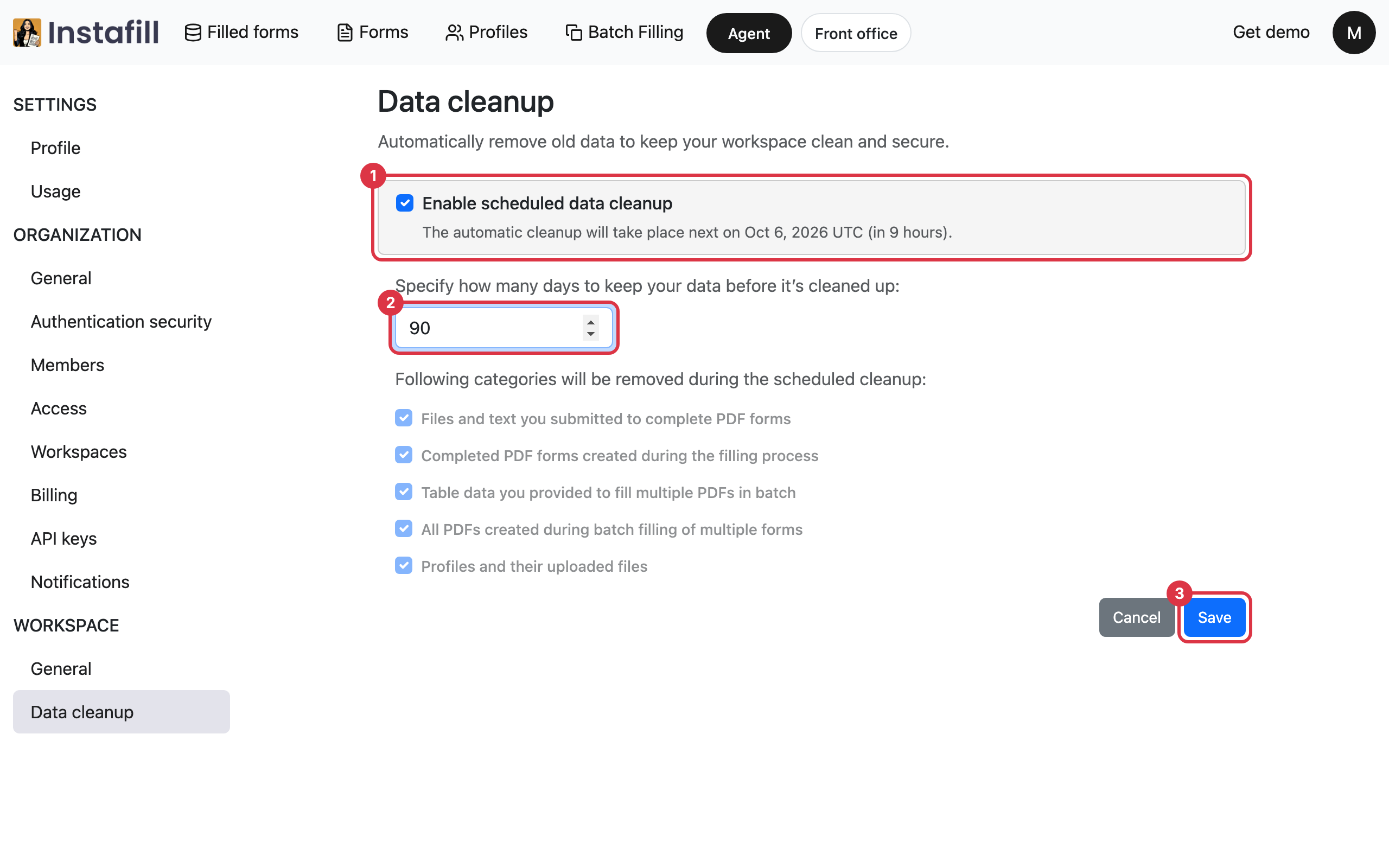
Click your initial in the top right corner and choose Profile. In the list on the left, under Workspace, click Data cleanup.
2. Turn on the cleanup and choose the days
- Turn it on: Tick Enable scheduled data cleanup. The line under it says when the next cleanup takes place.
- Choose the days: Type how many days to keep data before it is removed.
- Keep the change: Press Save. Nothing changes until you do, and Cancel puts back what was saved before.
At each cleanup, everything listed on the screen that was created more than that many days earlier is removed:
- Files and text you submitted to complete PDF forms
- Completed PDF forms created during the filling process
- Table data you provided to fill multiple PDFs in batch
- All PDFs created during batch filling of multiple forms
- Profiles and their uploaded files
Removed files cannot be brought back, so download anything you need to keep before it reaches that age.
3. See what remains after a cleanup
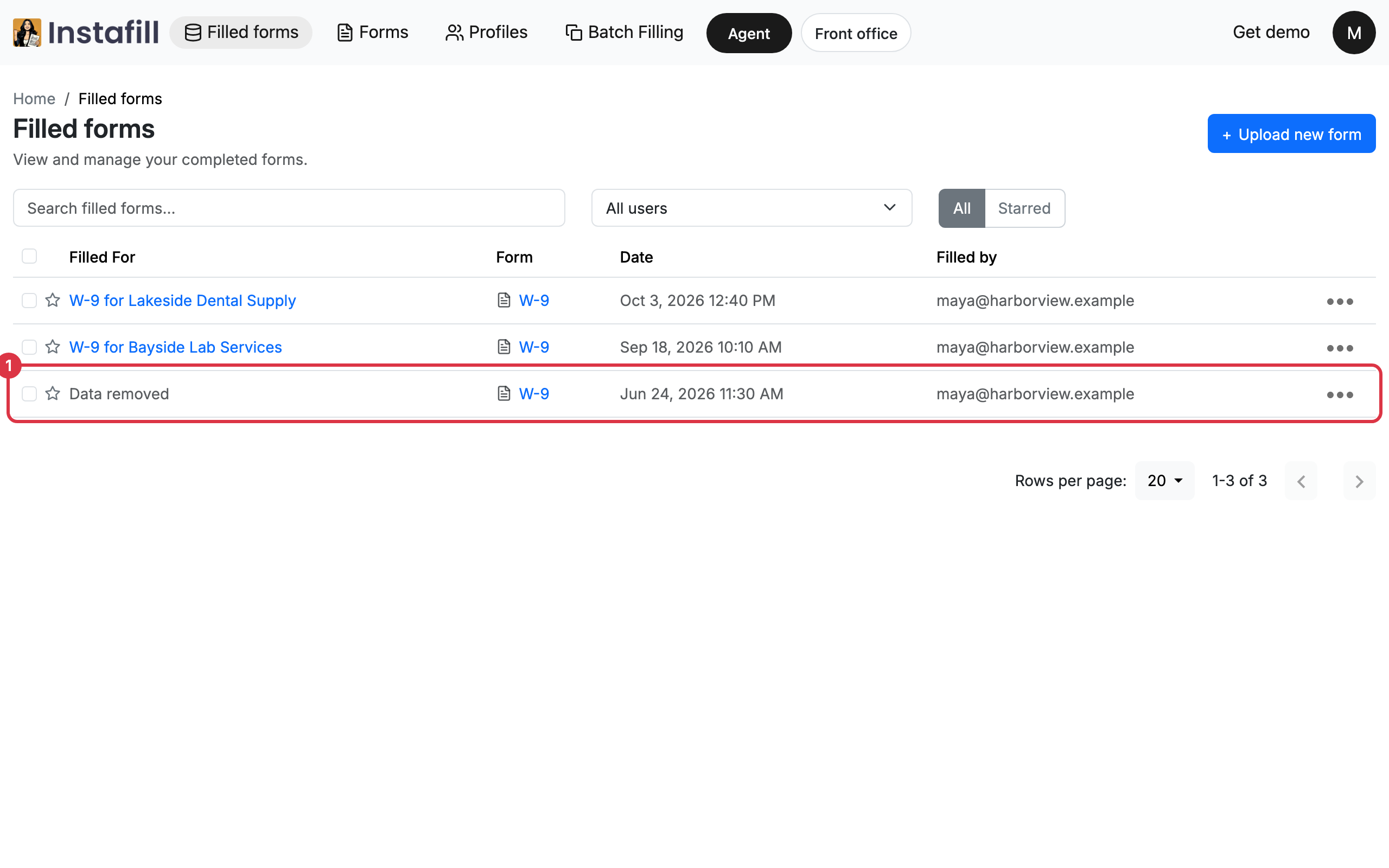
The forms in your forms library are not removed. A filled form that was cleaned stays in Filled forms under the name Data removed, with its form and its date, so the list still shows what was filled and when. Opening it says the session data was removed as part of the workspace's data retention policy.
A cleaned profile stays in Profiles marked Data removed, without its files.
Turn it off again
Open Data cleanup, clear Enable scheduled data cleanup and press Save. Nothing more is removed from then on. What was already removed stays removed.