How to check your plan and credits
This guide shows how to see which plan your organization is on and how much of it is left. The Usage page shows the plan, the credits that remain and the day they renew or expire, so you can plan ahead before anything runs out.
What you need before you start
| You need | What that means |
|---|---|
| The Owner, Admin or Accountant role | Only these roles see Usage. For a person with the User role, Usage does not appear. |
| An organization with credits | A free account starts with 10 credits, which last 1 year. A paid plan has its own fills and batch-fill credits. |
1. Open Usage
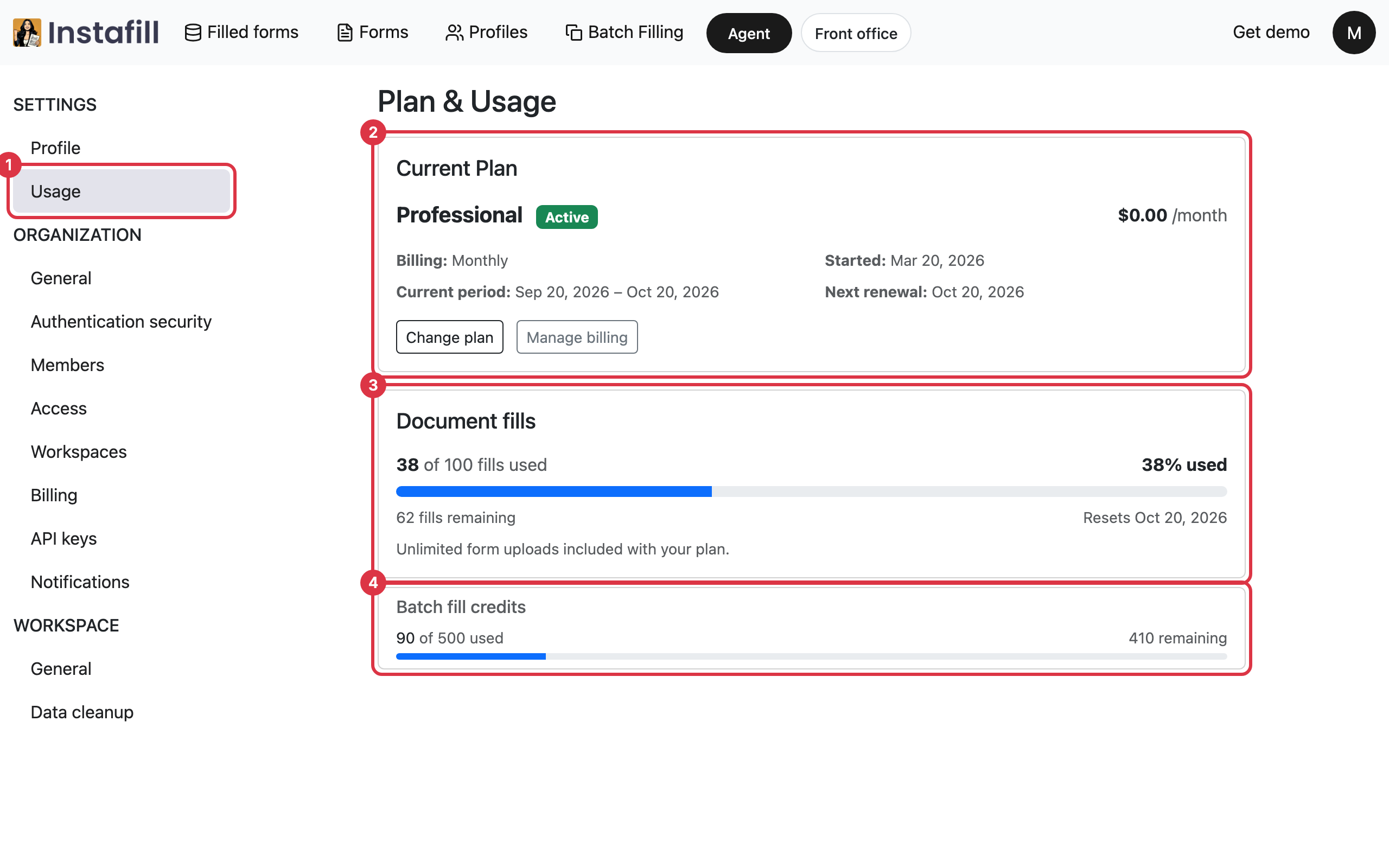
Click your initial in the top right corner and choose Profile. In the list on the left, under Settings, click Usage. The page is called Plan & Usage.
If your organization is on a paid plan, the plans page also shows the plan card. Press View usage & billing on it to open the same page.
2. Read your plan
The Current Plan card describes the plan:
- Plan name: The name of the plan, with a badge that reads Active, Free trial while a free trial is running, or Past due when a payment has not gone through.
- Billing: Whether the plan is billed monthly or annually.
- Started: The day the plan began.
- Current period: The dates the plan is paid for right now.
- Next renewal: The day the plan renews. When the plan is set to end, this reads Access ends and shows the last day instead.
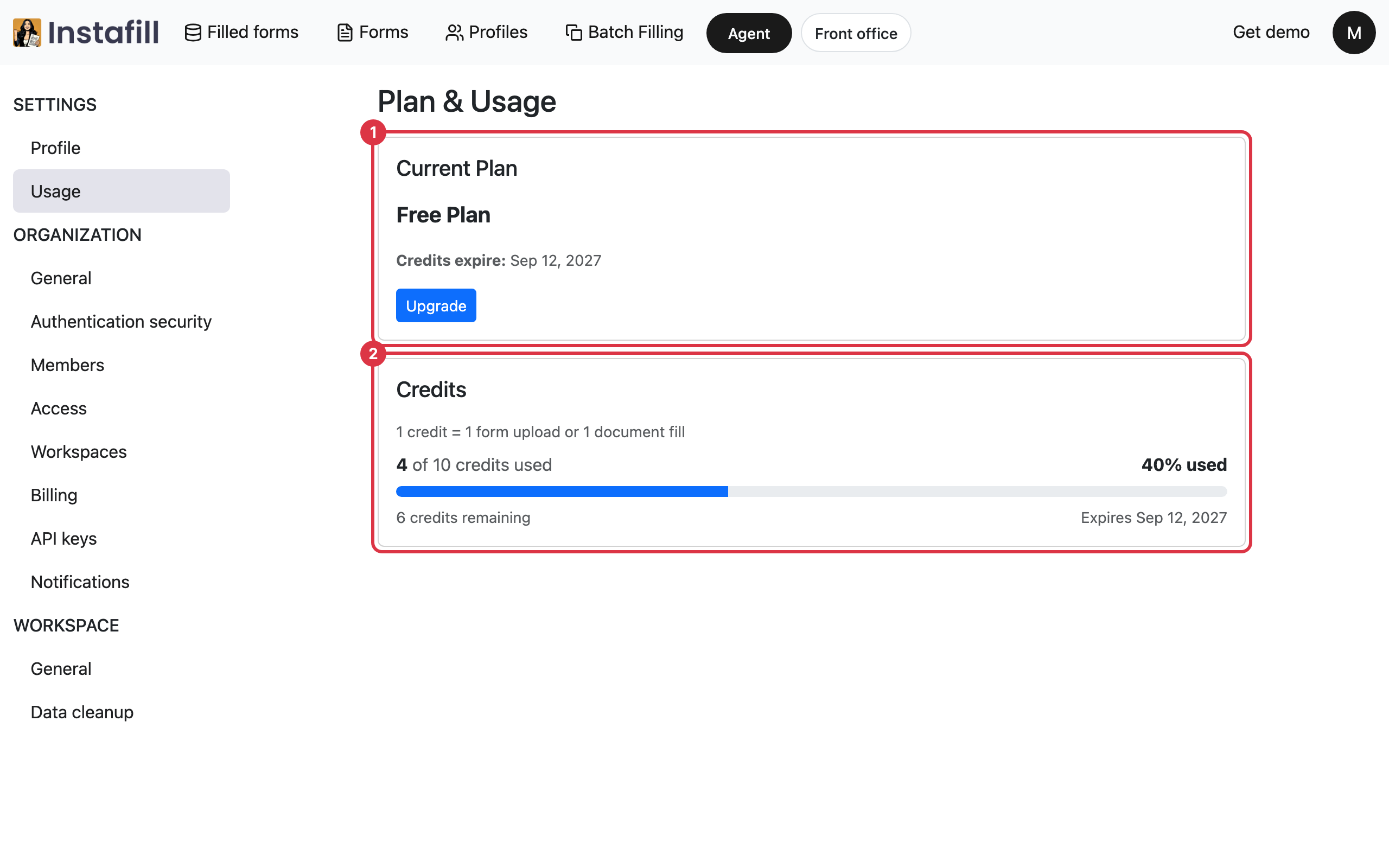
On a free account, the card reads Free Plan and shows the day the credits expire, with an Upgrade button that opens the plans page.
3. Check how many credits are left
Below the plan, a bar shows how much has been used. It changes color as it fills, so you can see at a glance when a plan is running low.
On a paid plan there are two:
- Document fills: Shows how many of the fills your plan includes have been used, as a number and a percentage, how many remain, and the day the count resets.
- Batch fill credits: Shows the same for batch filling. It appears only when your plan includes them.
Form uploads are unlimited on a paid plan, so they do not use these.
On a free account, one Credits bar shows how many credits are used, how many remain and the day they expire. On this screen, one credit is one form upload or one document fill.
4. Act on a notice
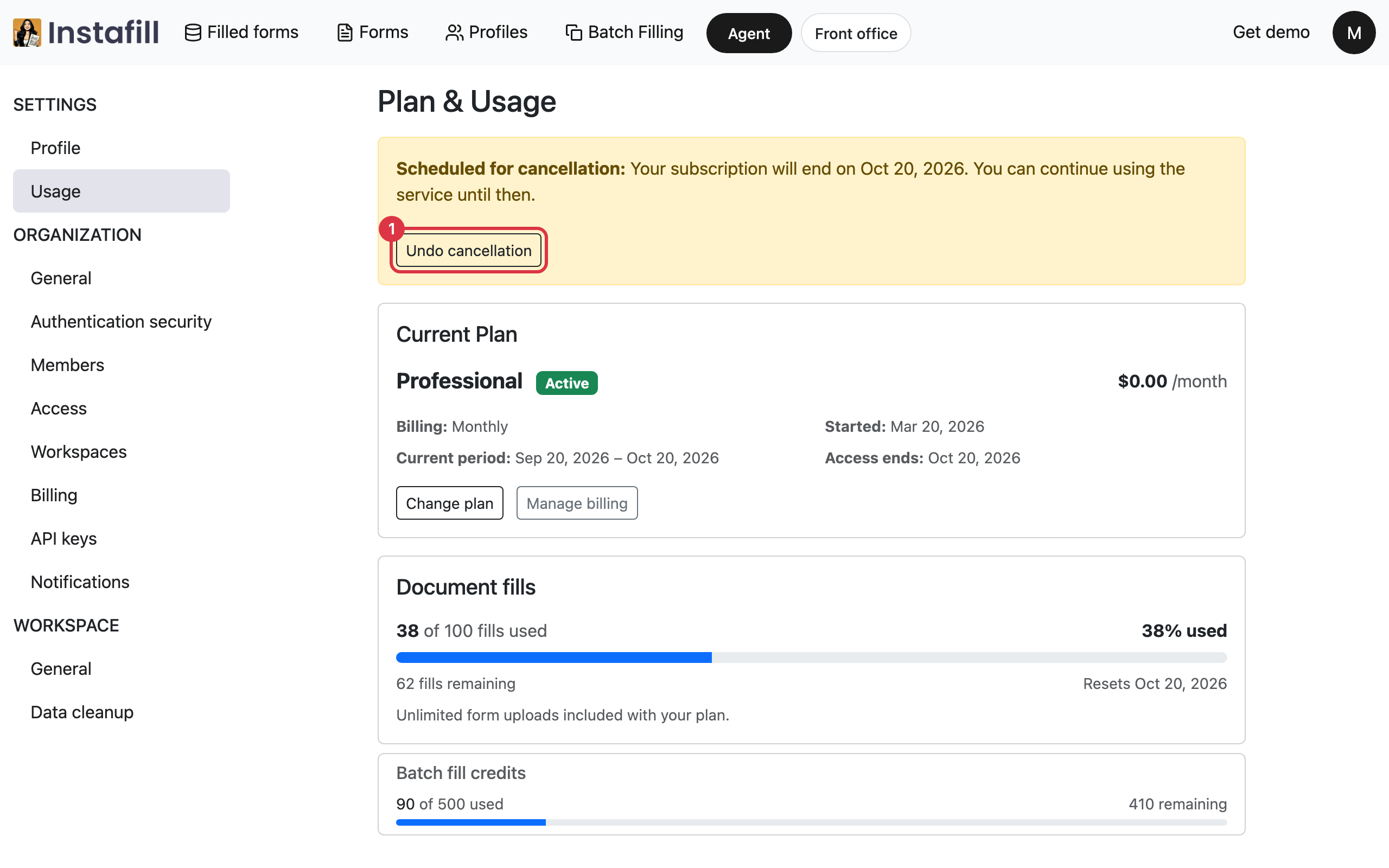
When something needs attention, a notice appears above the plan card on a paid plan:
- Payment failed: A payment is past due. Press Update payment method to open the billing portal and update it.
- Scheduled for cancellation: The plan ends on the day shown, and you can keep using it until then. Press Undo cancellation to keep the plan.
5. Change the plan or update billing
On a paid plan, the plan card has two buttons:
- Change plan: Opens the plans page, where you can choose another plan.
- Manage billing: Opens the billing portal, where you can update how the plan is paid for.
Billing, under Organization in the same list, also has a button for the billing portal.
How your credits are used
- Form uploads: On a free account, each upload uses one credit. A paid plan has unlimited uploads.
- Document fills: Each form you fill uses one credit. A run of the Agent holds 1 credit when it starts. How to fill any form with the Agent says when it comes back.
- Batch filling: Each row uses one batch-fill credit, and batch-fill credits come with a paid plan. How to fill one form for every row of a spreadsheet has the steps.
- When they renew: On a paid plan, fills and batch-fill credits reset on the day shown on the page. On a free account, credits expire on the day shown.
- When none are left: The plans page opens with a message that your organization has used all its credits, or all its batch filling credits. Choose a plan there to add more. A person who cannot change the plan is told to ask an Owner, Admin or Accountant.