How to choose where your documents are stored
This guide shows how to choose where your organization's documents are kept. You pick a country when you first set up Instafill.ai, and every workspace in your organization stores its documents in that region. It can help with rules such as GDPR, or simply keep your documents close to you.
What you need before you start
| You need | What that means |
|---|---|
| To be setting up your organization | The region is chosen once, on the welcome page you see right after you sign up. |
| The Owner or Admin role | Only the person who runs the organization sets its region. Someone who joins through an invitation uses the region their organization already has. |
1. Open the region choice on the welcome page
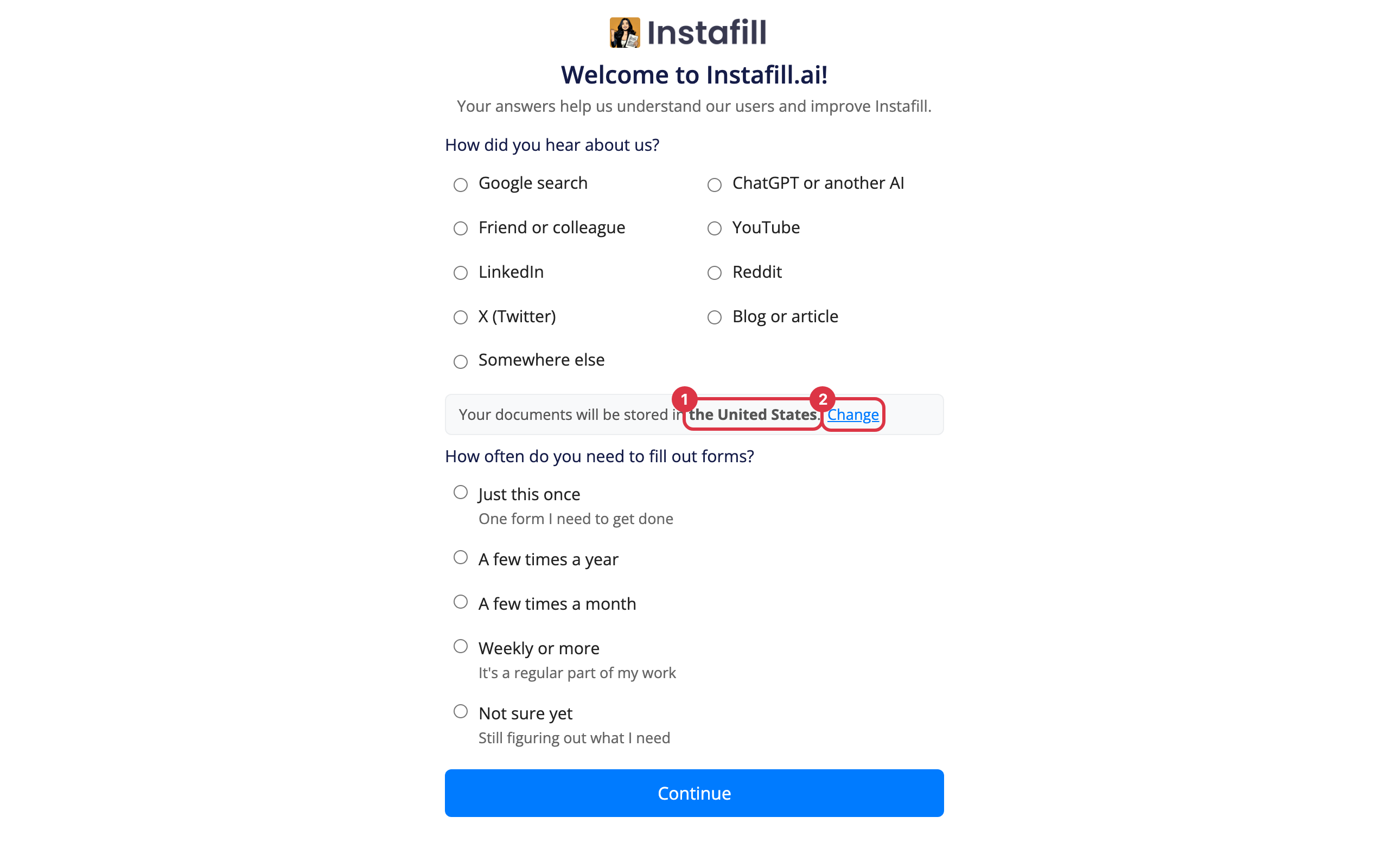
After you sign up, the welcome page asks a few questions. Under them, a line names where your documents will be stored. It suggests a region from the country you sign up from.
If that is where you want them, there is nothing to do. To pick another region, press Change beside it.
2. Pick the country
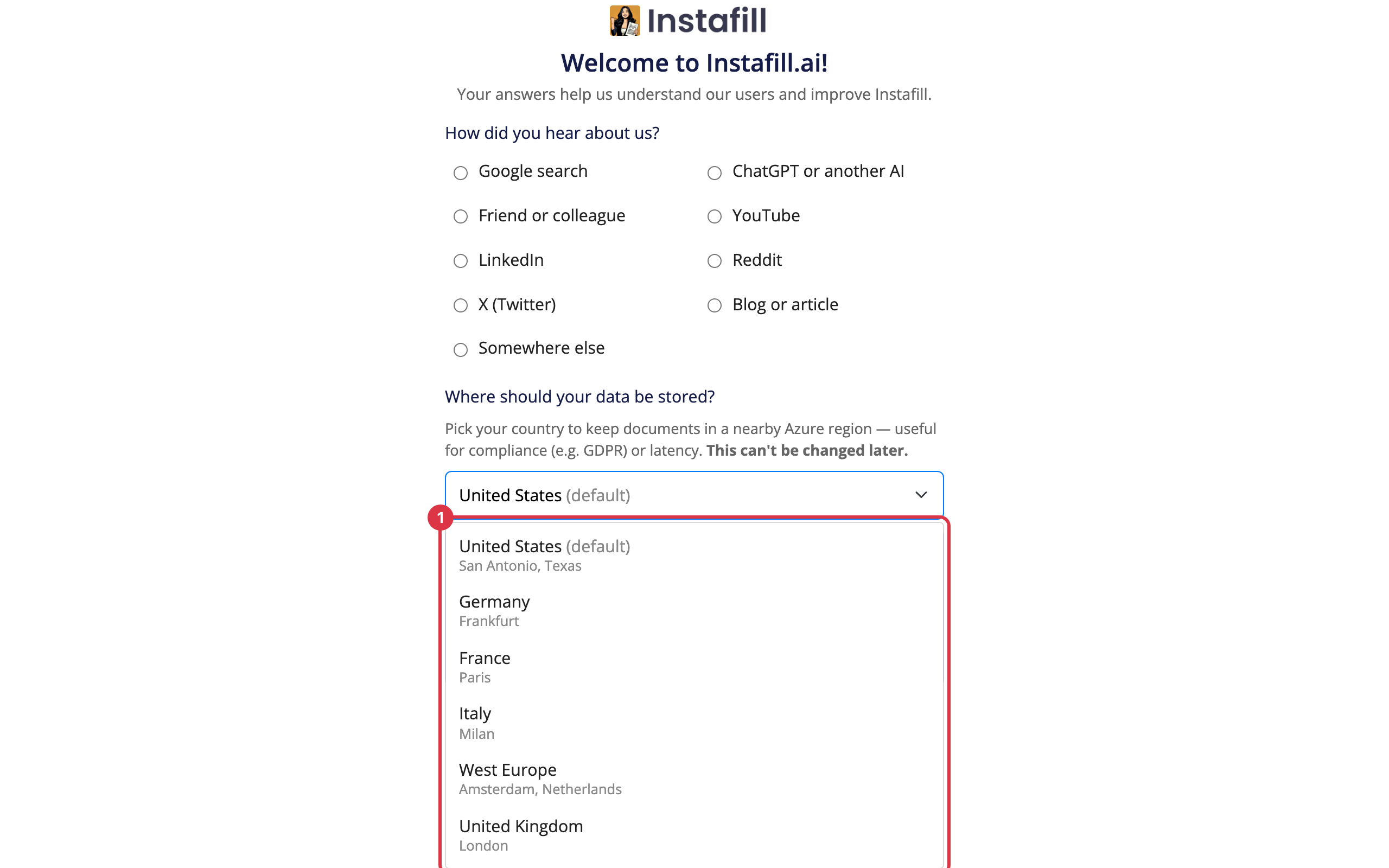
Under the question about where documents should be stored, open the list and choose a country.
| Region | Where the data center is |
|---|---|
| United States | San Antonio, Texas |
| Germany | Frankfurt |
| France | Paris |
| Italy | Milan |
| West Europe | Amsterdam, Netherlands |
| United Kingdom | London |
| Canada | Toronto |
| Australia | Sydney |
| Mexico | Querétaro |
| United Arab Emirates | Dubai |
| Israel | Tel Aviv |
Below the list, a card shows the region's physical location, its availability zones and the compliance standards it meets.
3. Confirm with Continue
Press Continue at the end of the welcome page. The region is saved for your organization, and it cannot be changed from the app afterwards. Check it before you continue.
4. Check the region later
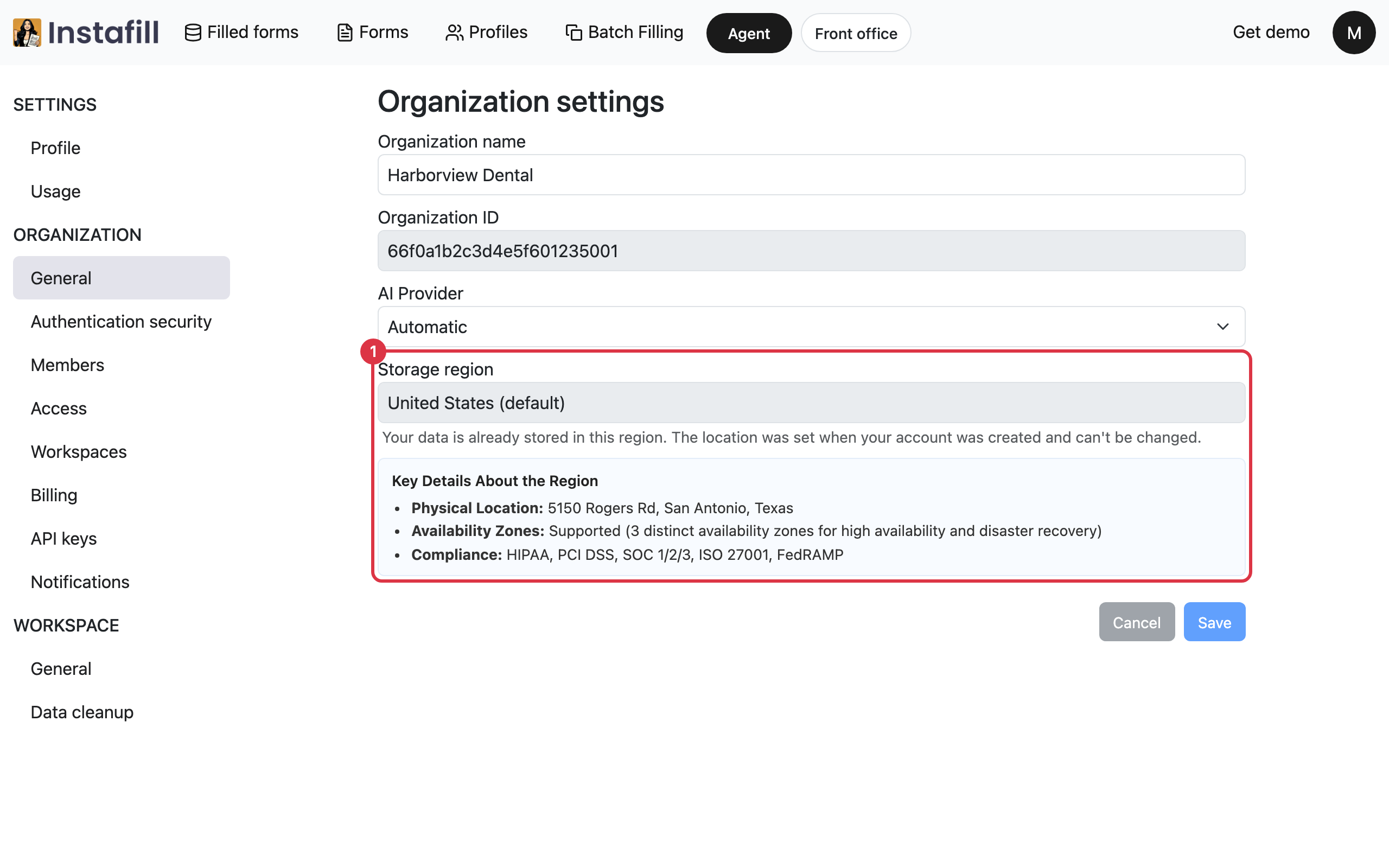
Open Settings, then General under Organization. The Storage region card shows your organization's region and the same key details. Owners and Admins see this tab.
What is stored in your region
Everything your organization's workspaces keep is stored there:
- Your files: The forms you upload and the files that hold your data.
- Your filled forms: Every filled PDF, and what the AI read from your files to fill it.
- Your saved details: Profiles, values saved into forms, and the files of each batch.
Moving to another region later
The app does not offer a way to change the region. If your organization needs to move, write to [email protected]. The support team can move your documents to another region.